- DATE:
- AUTHOR:
- DealPOS
Omnichannel Version 6.34.0
System Improvements and New Feature:
Prevent new channel scans while another scan is still in progress
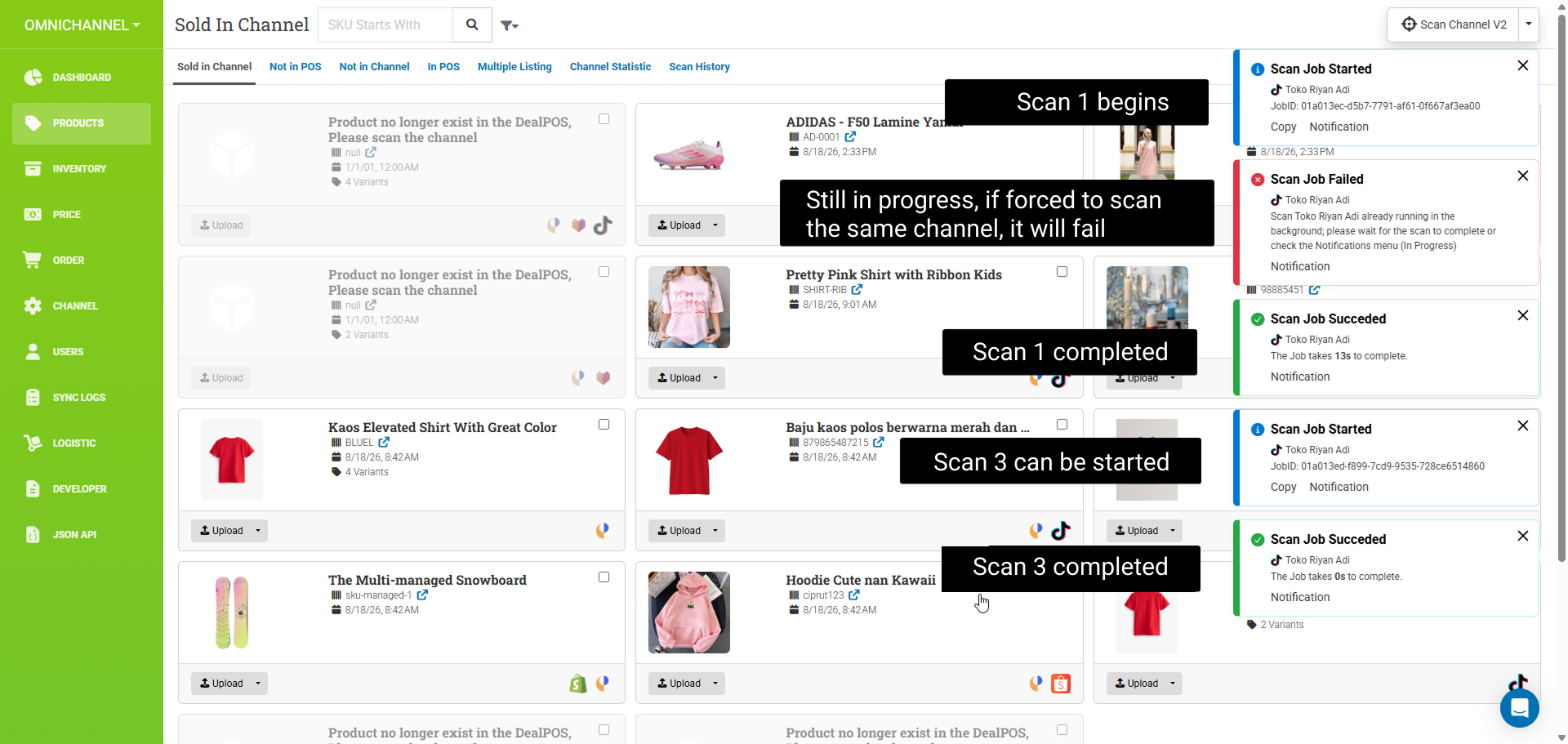
A new channel scan can no longer be started while another Scan Channel process is still in progress. This prevents multiple scans from running concurrently and helps ensure scan results remain consistent.
Implement Abort Scan Channel: force stop scan channel background task & update status to Cancelled
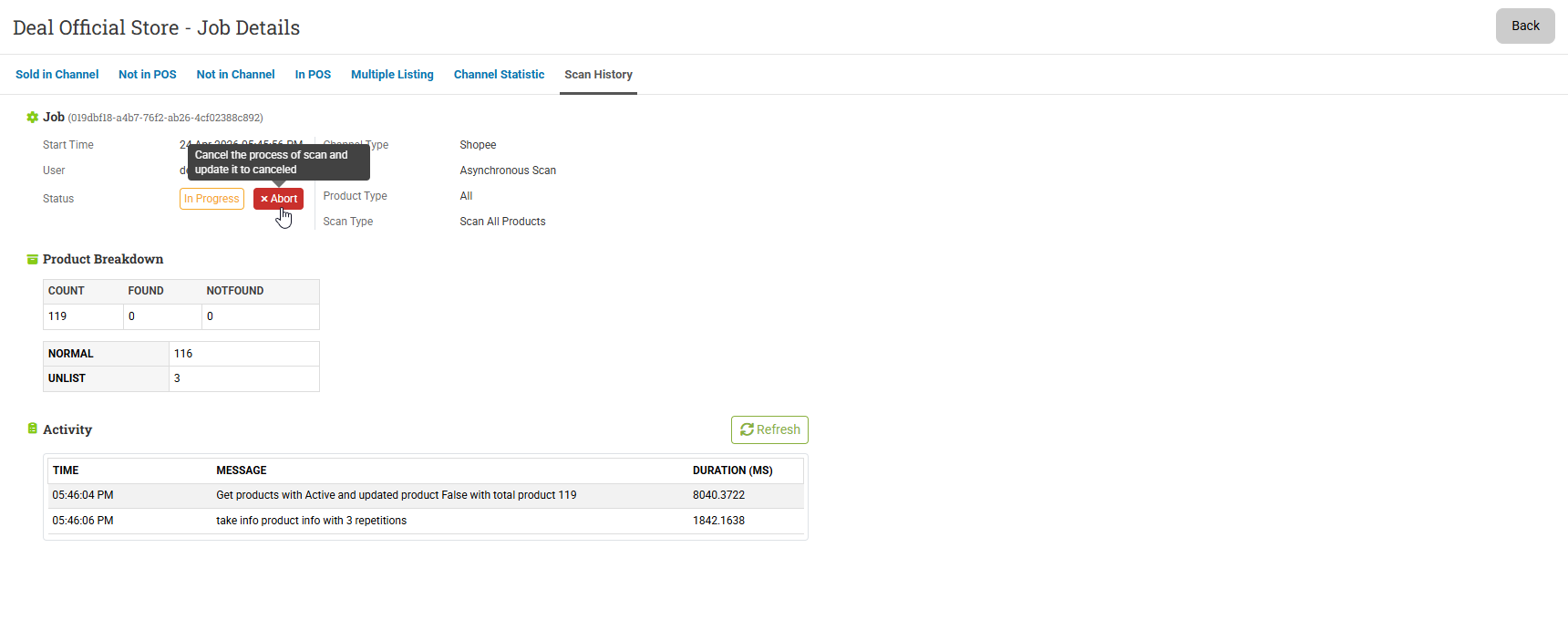
You can now abort an ongoing Scan Channel process. Aborting the scan will force-stop the background task and update the Scan Channel status to Cancelled.
Add question mark icon to show total products in scan channel v2 & external Article Documentation about Product Type options
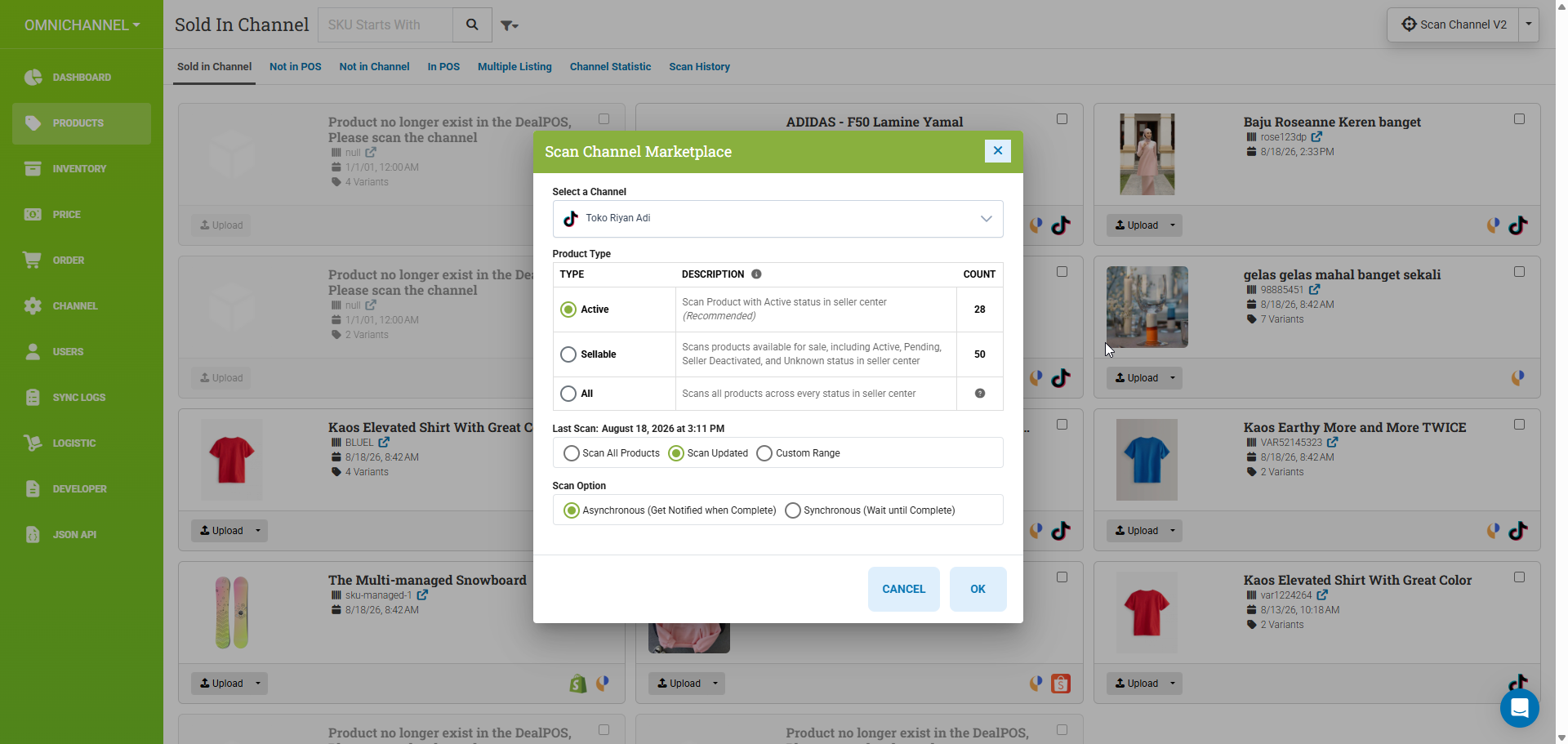
We revamped the Scan Channel Type selection by replacing radio buttons with a list-based layout. Each option now includes a description to help users better understand the available scan channel types.
We also Added a question mark icon to display the total number of products included in Scan Channel V2. Also added external article documentation explaining the available Product Type options and their differences.
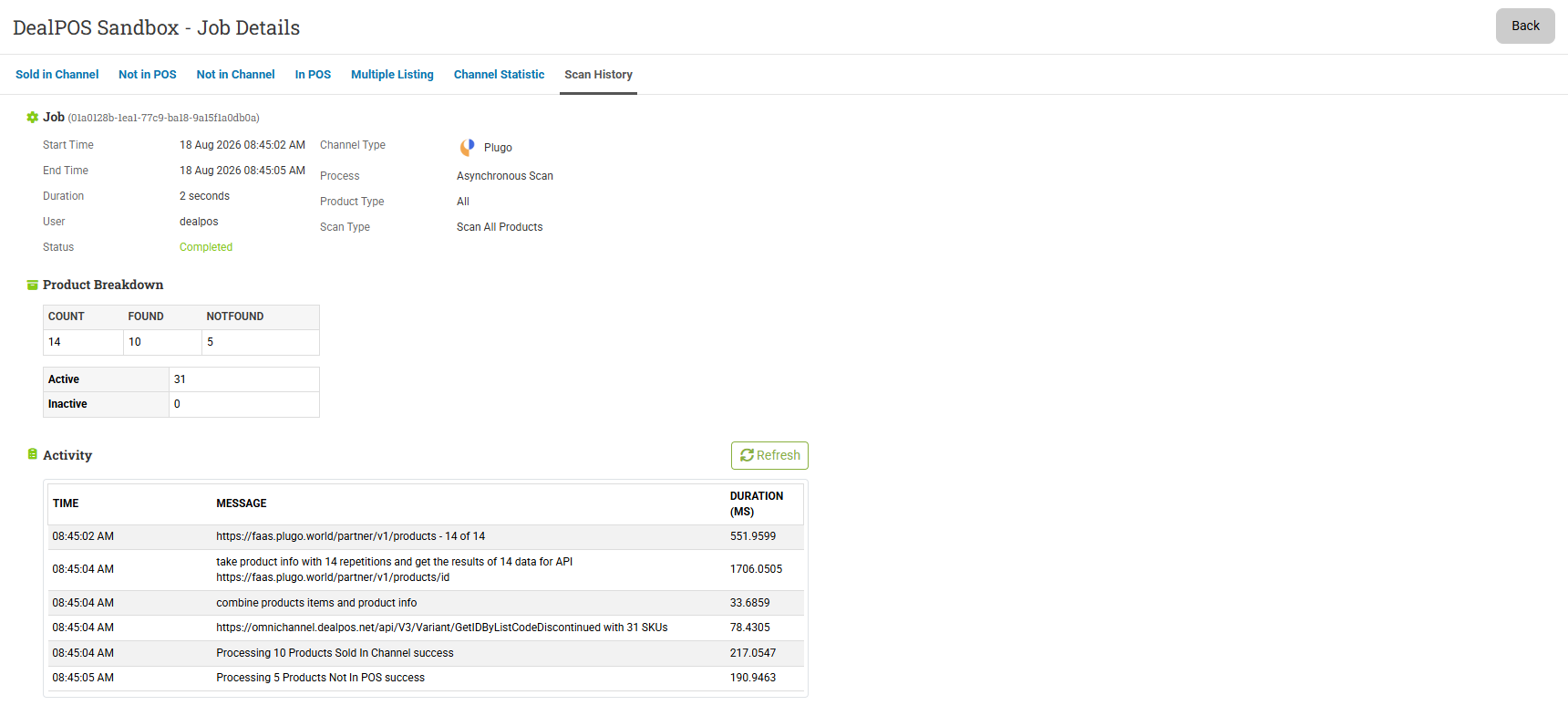
Enhance job detail with Process/Product Type/Scan Type rows and two-column layout
Bug Fixes:
Fix plugo download order failed due to plugo does not send datetime
Fix scan channel v2 tiktok - updated product
Fix stock update failure: Inventory changes successfully but stock value remains unchanged in Shopify omnichannel integration
Fix Plugo upload product does not sync if the inventory is equal or less than zero
Fix Lazada upload product failed when using custom category and custom attribues