- DATE:
- AUTHOR:
- Ezzan
WebApp Version 26.34 Changelog
This update includes new features, essential performance improvements, and usability enhancements to ensure your daily operations run smoothly. We've also addressed several bug fixes to enhance stability and reliability. DealPOS continues to evolve as a reliable POS Software designed to support retail business operations with better performance and usability. Thank you for your continued trust and feedback, which help us deliver the best possible service.
New Feature:
[Purchases Reports] Redesigned Purchases Reports Menu Access
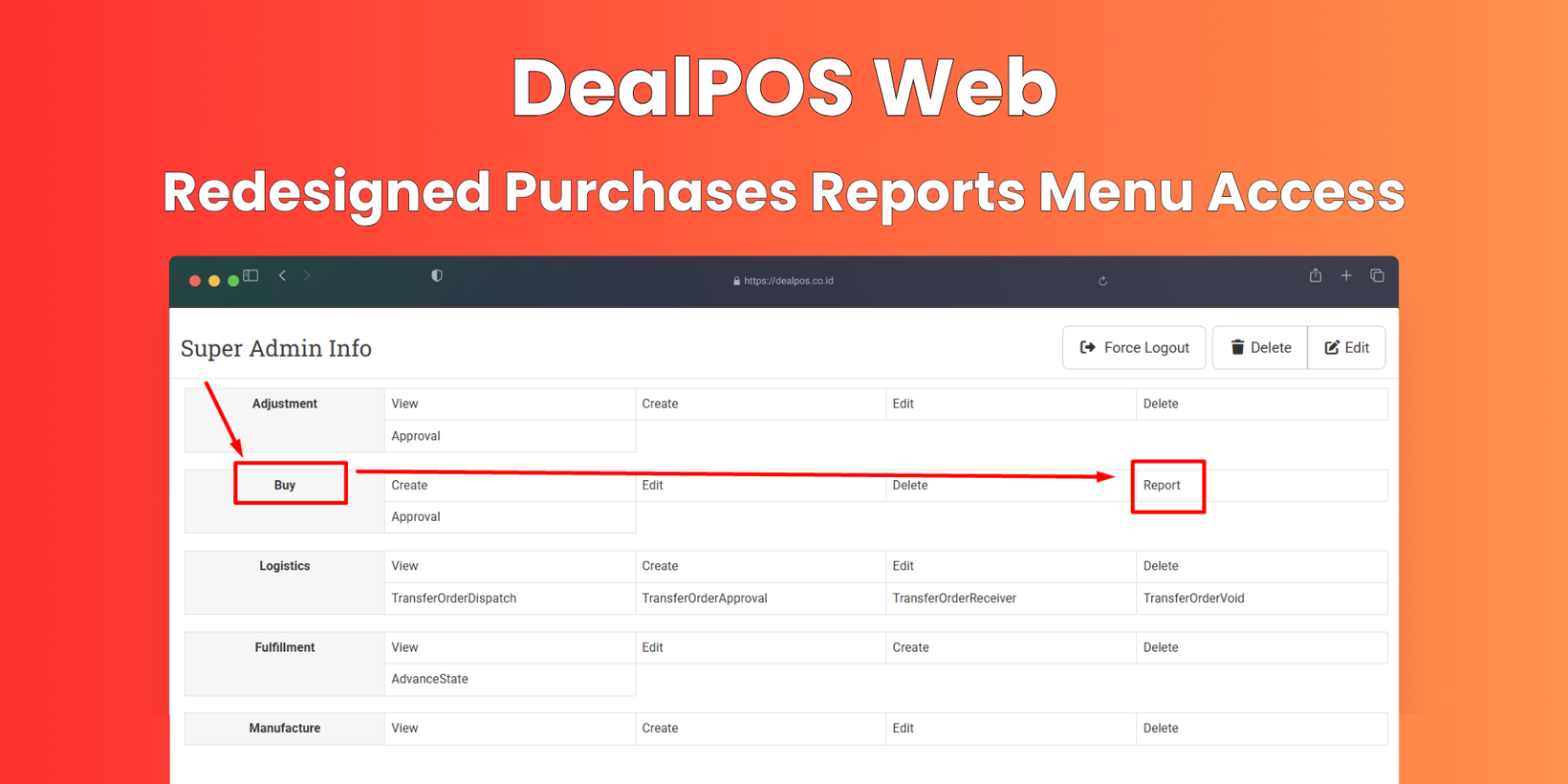
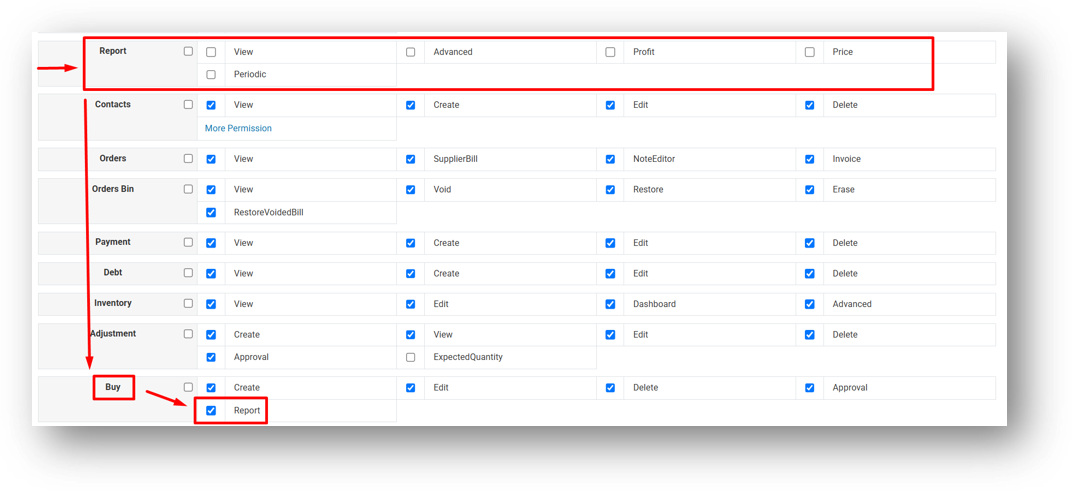
We've refined how the Report menu appears in your sidebar. Previously, the menu would only be visible if you had at least one of three roles: Report View, Report Advanced, or Report Periodic. Now, we've added support for the Buy - Report role as well. If a user is assigned this role—even without the other three—the Report menu will still show up in their sidebar.
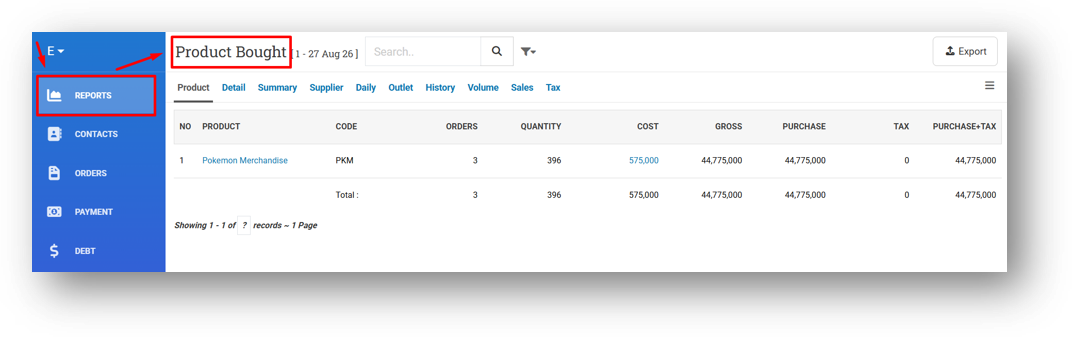
When accessed, users with only the Buy - Report role will be taken directly to the Purchase Report section, keeping their experience focused and relevant. This ensures that users responsible for purchasing still have seamless access to the reports they need.
This feature was developed based on customer request #18421
[Debt - Dashboard] Enhanced AR & AP Debt Dashboard Tools
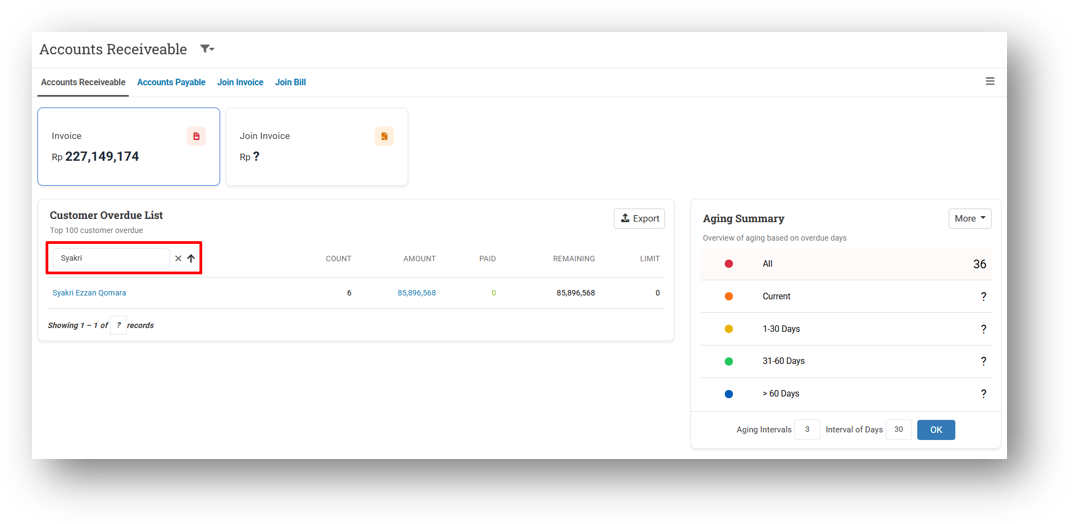
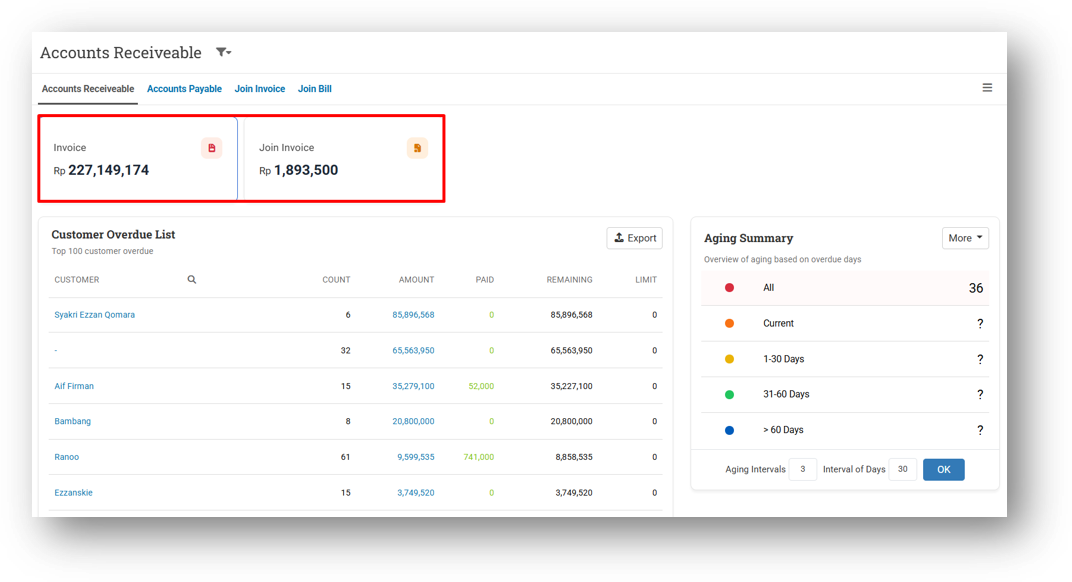
We've made several improvements to both the Account Receivable and Account Payable dashboards. You can now search directly within the table by customer or supplier name and code, making it much faster to locate specific records. The total debt shown on the summary card now reflects the complete outstanding amount—not just the rows currently loaded in the table, which was previously limited to 100 entries.
We've also removed the 100-row pagination limit, so the table now displays your complete customer or supplier list in one continuous view. This gives you a more accurate and comprehensive snapshot of your debt position without needing to jump between pages.
Minor Improvements:
[Sell] Smarter Stock Validation When Editing Invoices
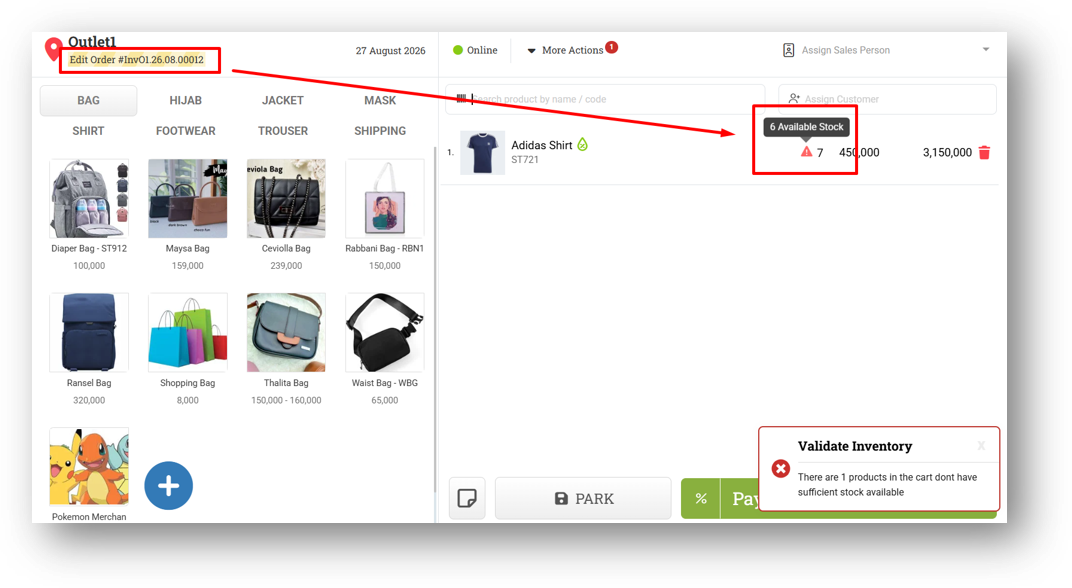
We've refined the stock validation mechanism when editing quantities on an existing invoice. The system now calculates available stock by combining the current remaining stock with the quantity previously recorded on the invoice being edited. For illustration: with a starting stock of 10, the first invoice deducts 4 quantities (remaining 6), and the second invoice deducts 4 more (remaining 2). When editing the first invoice from 4 to 7 quantities, the validation will display an available stock of 6—derived from 2 remaining + 4 previously reserved—rather than the actual remaining 2. This behavior is intentional and ensures the validation logic properly accounts for stock already allocated to the invoice, preventing unnecessary stock alerts during edits.
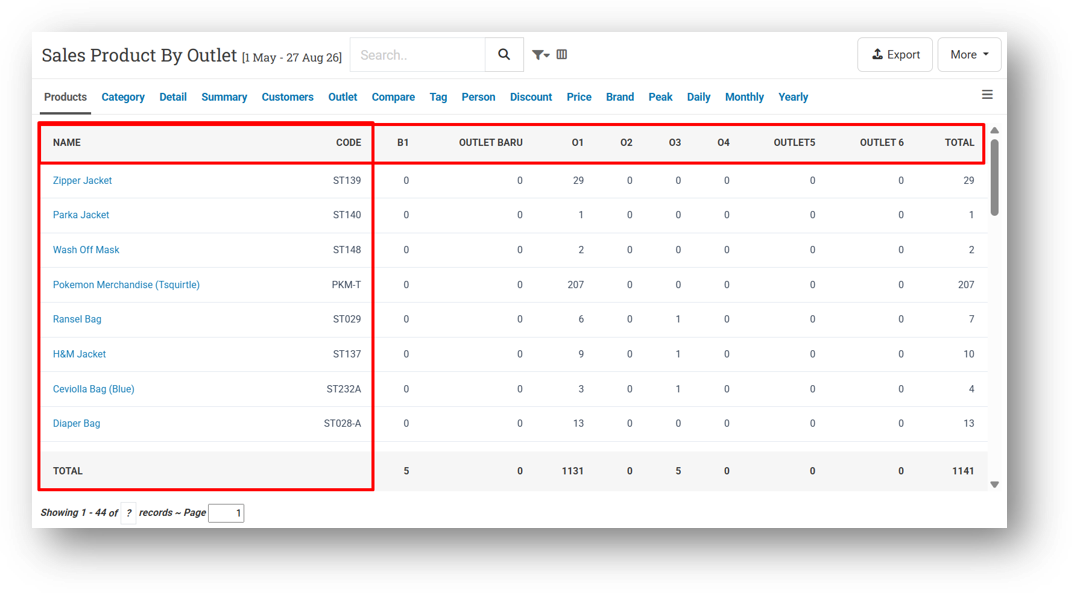
[Report - Products (By Outlet)] Implement Sticky Header & Freeze Product Name Column
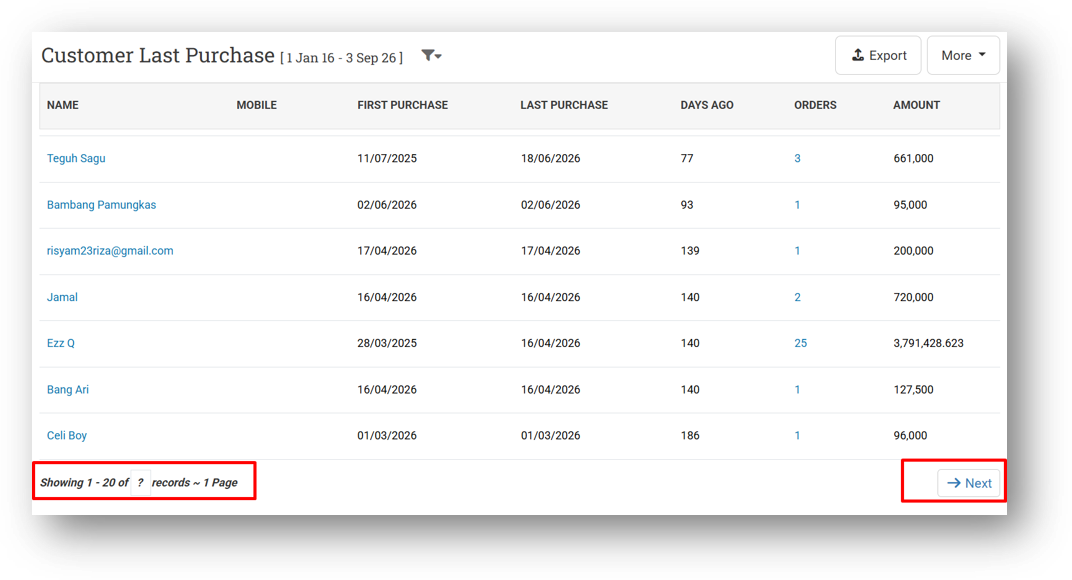
[Report - Customer (Last Purchase)] Provide Row Count & Pagination
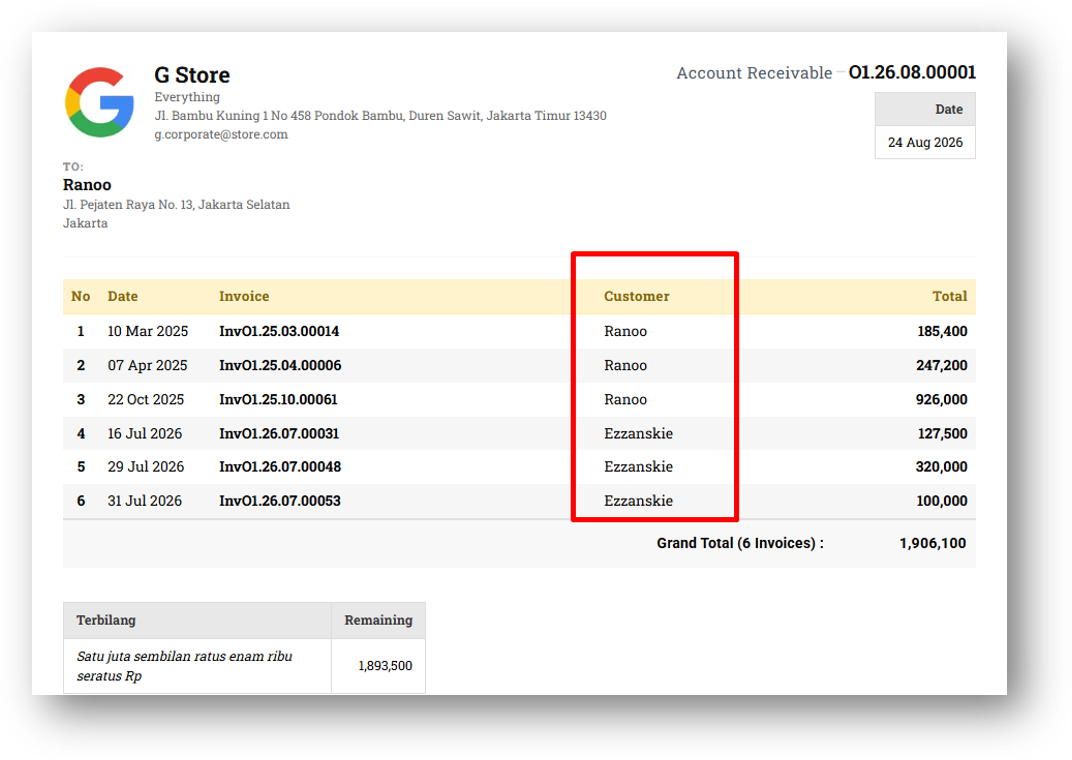
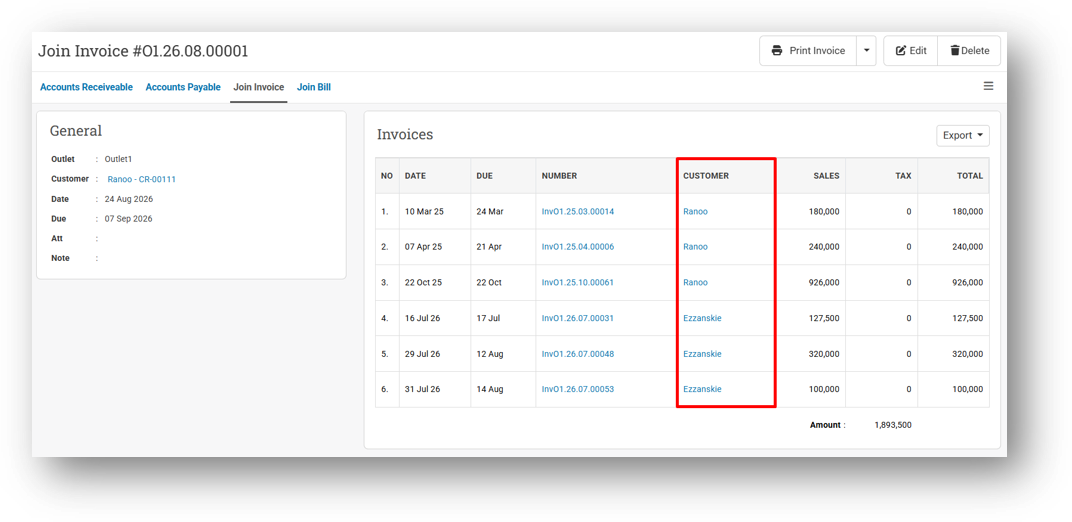
[Debt - Join Invoice]
Display Customer Column in Join Invoice Printing
Redirect Customer Column to Customer Info Page
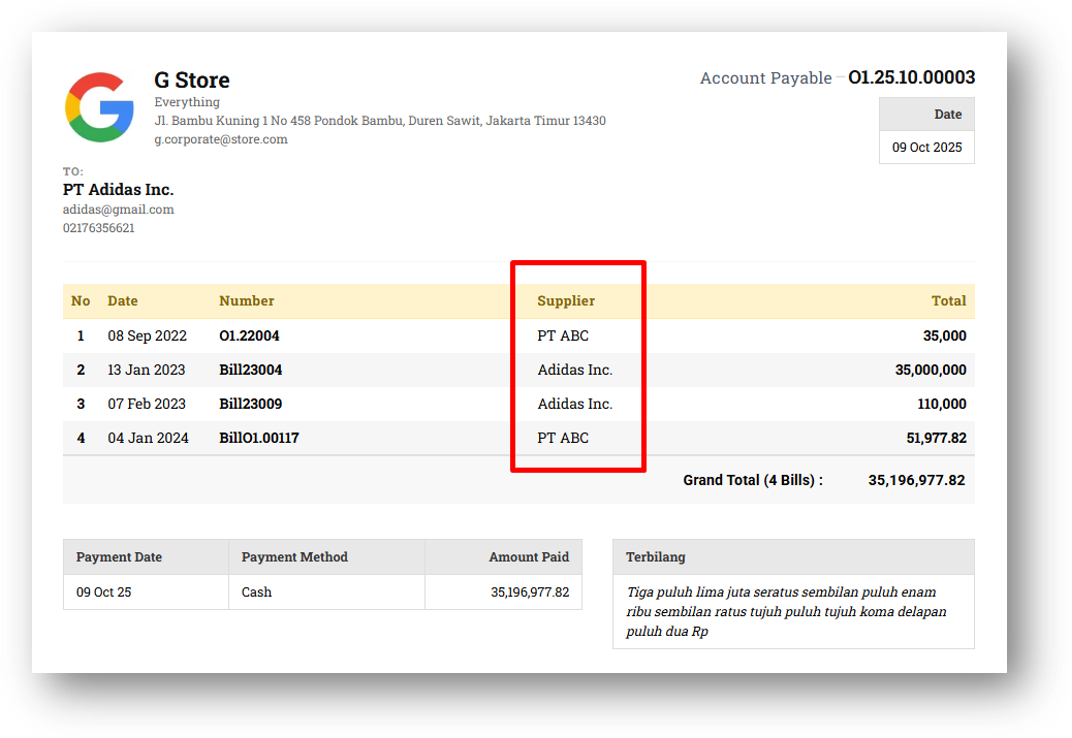
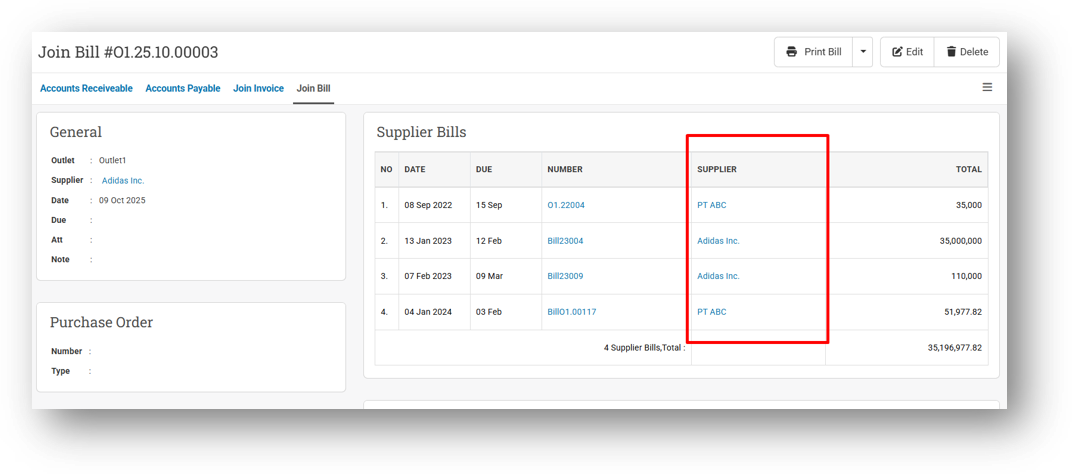
[Debt - Join Bill]
Display Supplier Column in Join Invoice Printing
Redirect Supplier Column to Supplier Info Page
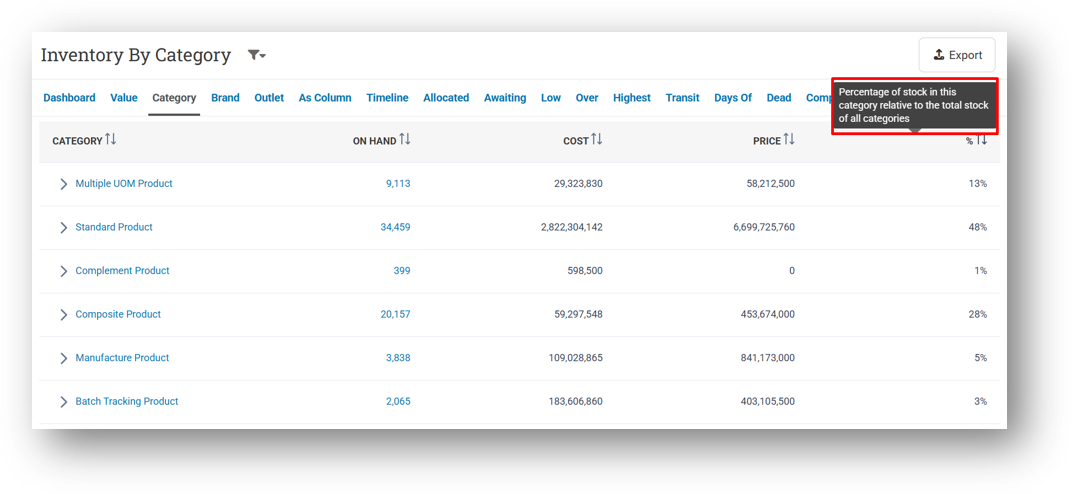
[Inventory - Category] Provide Tooltip for Stock Percentage Column
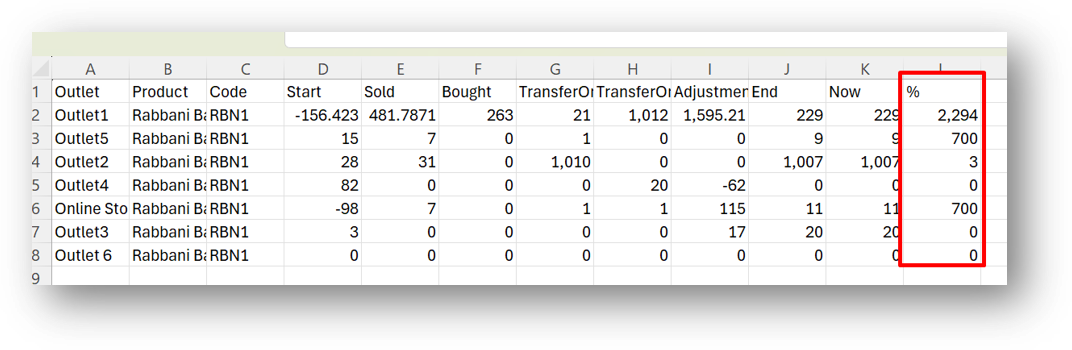
[Inventory - Product Traffic] Remove Decimal from Percentage Column in CSV
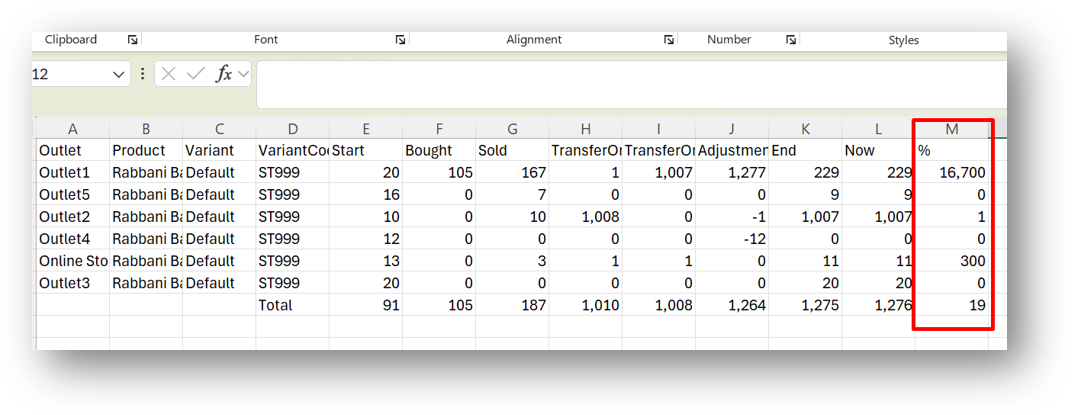
[Inventory - Variant Traffic] Provide Percentage Column in CSV
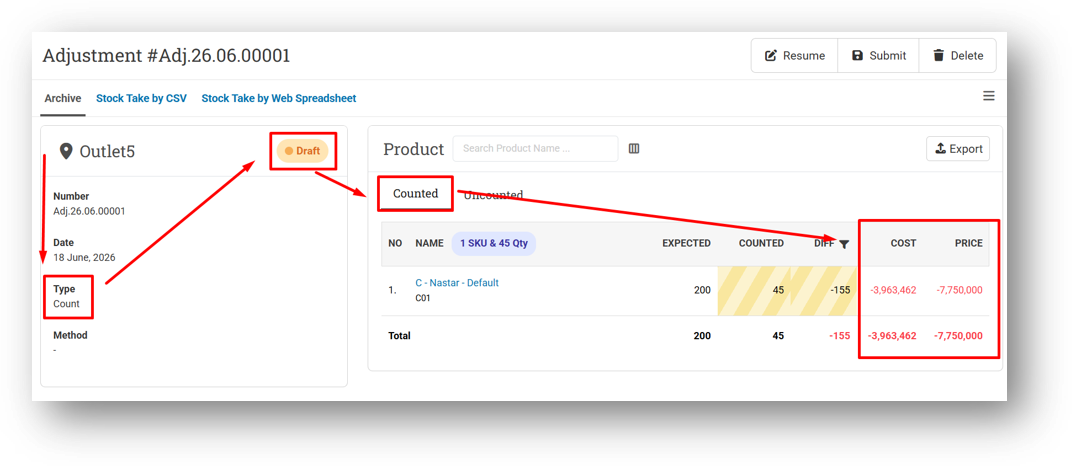
[Adjustment] Display Cost & Price in CSV for Counted Tab (Count Type & Draft Status)
This feature was developed based on customer request #18340
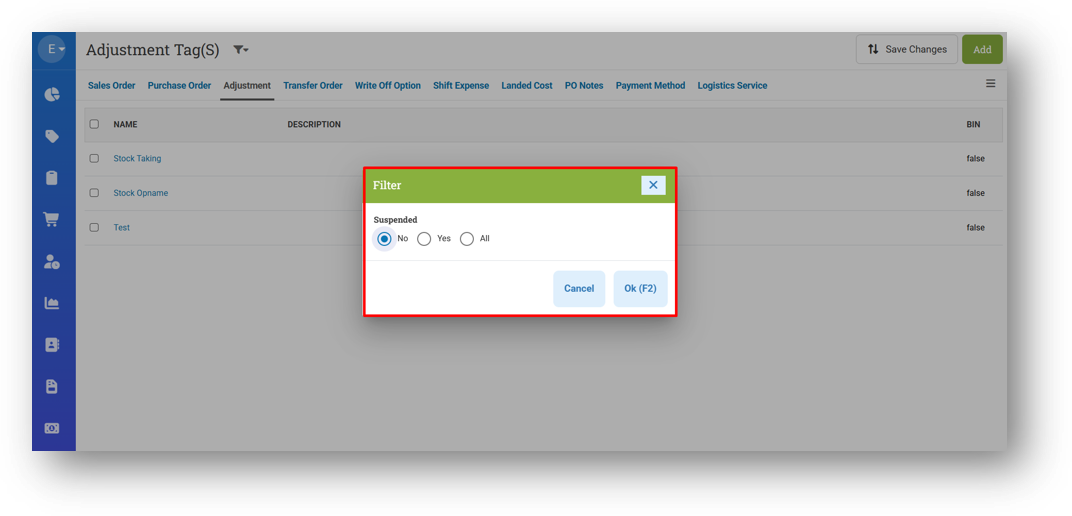
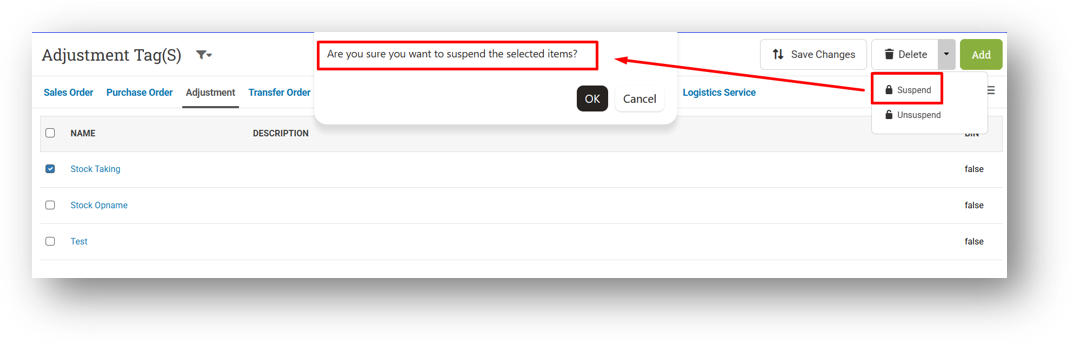
[Setup - Adjustment Tag]
Provide Suspended Status Filter
Improve Toaster Message for Suspend/Unsuspend Data
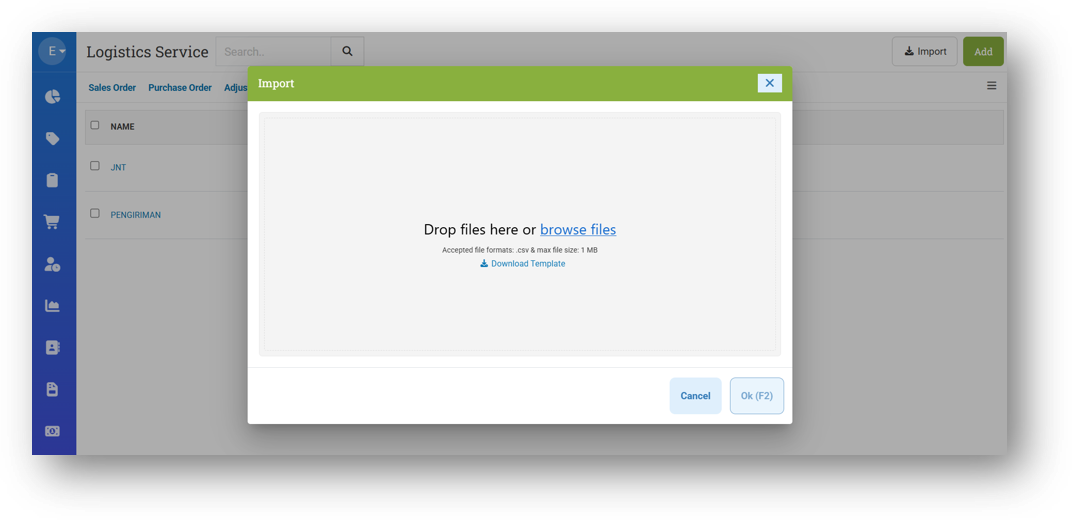
[Setup - Logistics Service Tag] Redesign Import Tag Form
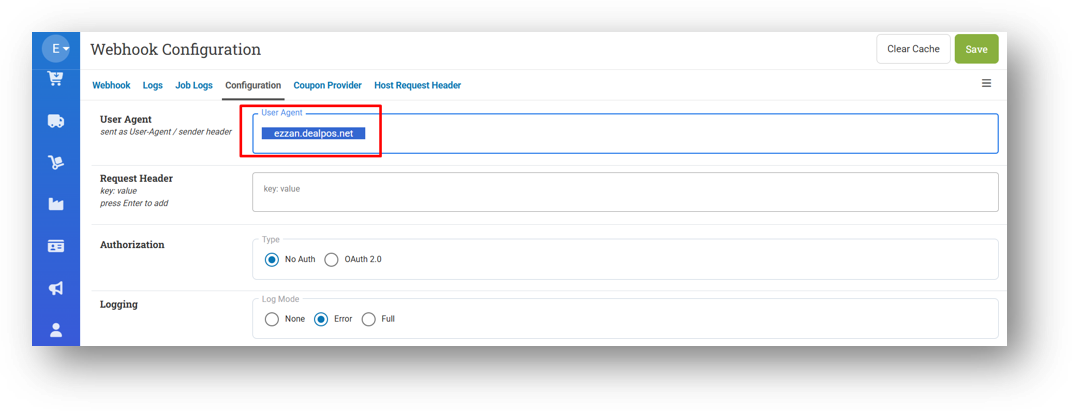
[Developer - Configuration] Auto-Trim Blank Space on User Agent Input Field
Bug Fixing:
[Sell] Fix Inventory Validation on Invoice Edit to Only Check Additional Quantity
Patch 26.34.1 [31 Aug]:
[Reports - Details (Brand)] Provide Export Pagination
[Payment - Bulk Payment] Improve Submit Bulk Payment Behaviour
[Orders - Invoice] Fix Batch Number Badge Appears for Non-Serial Product in Invoice Info
[Orders - Supplier Bill] Fix Serial Badge Appears for Non-Serial Product in Bill Info
[Buy]
Fix Users Cannot Buy with Some Payment Method ID
Restrict Payment Amount in Payment Modal Header with Product Cost Role
[Logistics - Transfer Order]
Fix Console Error on Transfer Order Form
Fix Batch Number Badge Appears for Non-Serial Product in Info Page
Tidy Up Transfer Cart When Product with Long Name Exists
[Setup - Adjustment Tags] Fix Console Error When Sorting Data
[Sharing Component] Fix Missing Column Options from Export Modal
Patch 26.34.2 [3 Sept]:
[Logistics - Inbound] Fix Missing Courier Information from Inbound Info
[Sharing Component] Fix Console Error When Submitting Item Modals That Contains Serialized/Batch Number
Patch 26.34.3 [4 Sept]:
Overall, this update further establishes the platform as a reliable Inventory Application for your retail businesses. Stay tuned for more updates, and don't hesitate to reach out if you have any questions or need support!