- DATE:
- AUTHOR:
- Ezzan
WebApp Version 26.39 Changelog
This update includes new features, essential performance improvements, and usability enhancements to ensure your daily operations run smoothly. We've also addressed several bug fixes to enhance stability and reliability. DealPOS continues to evolve as a reliable POS Software designed to support retail business operations with better performance and usability. Thank you for your continued trust and feedback, which help us deliver the best possible service.
New Feature:
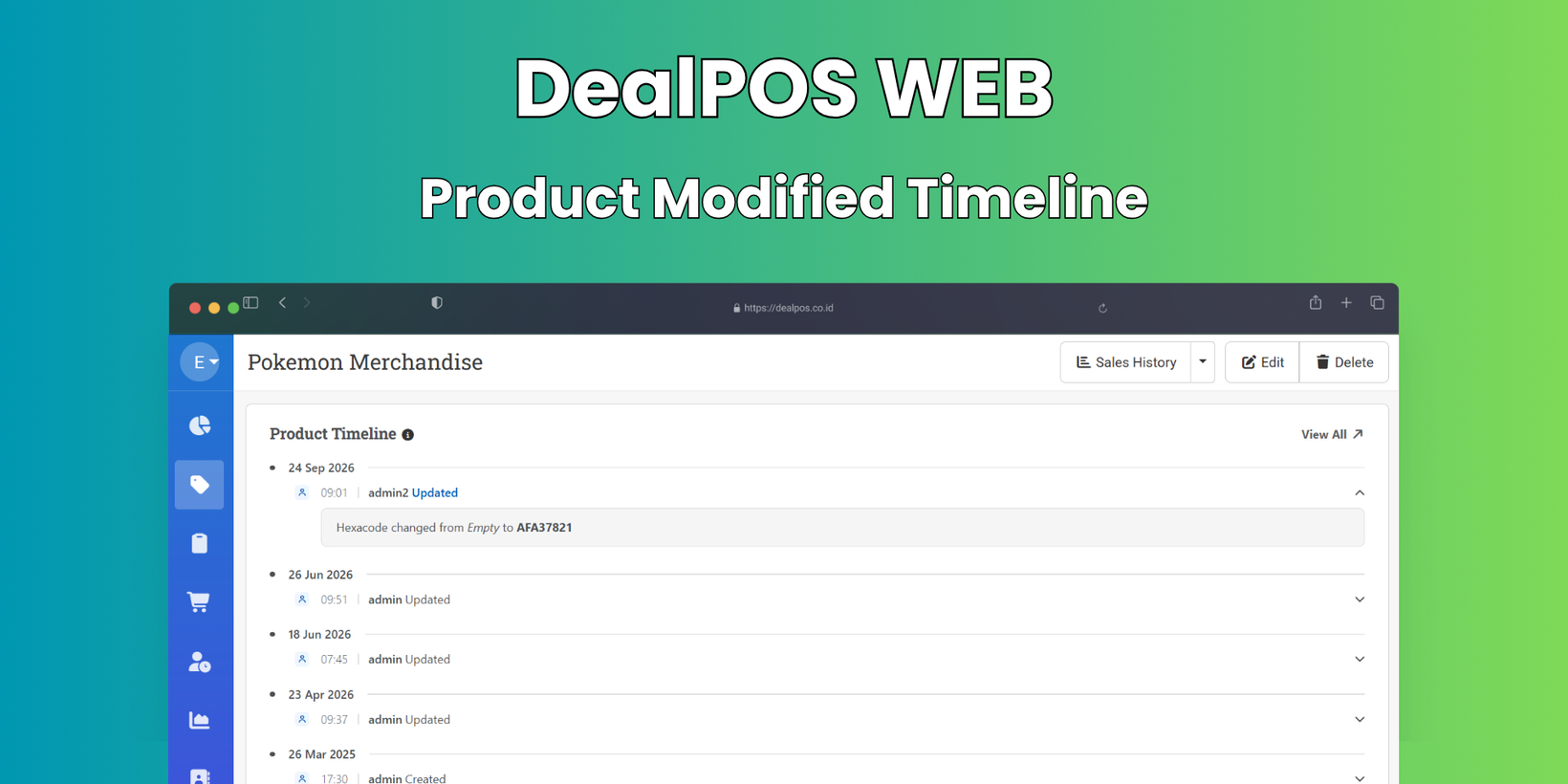
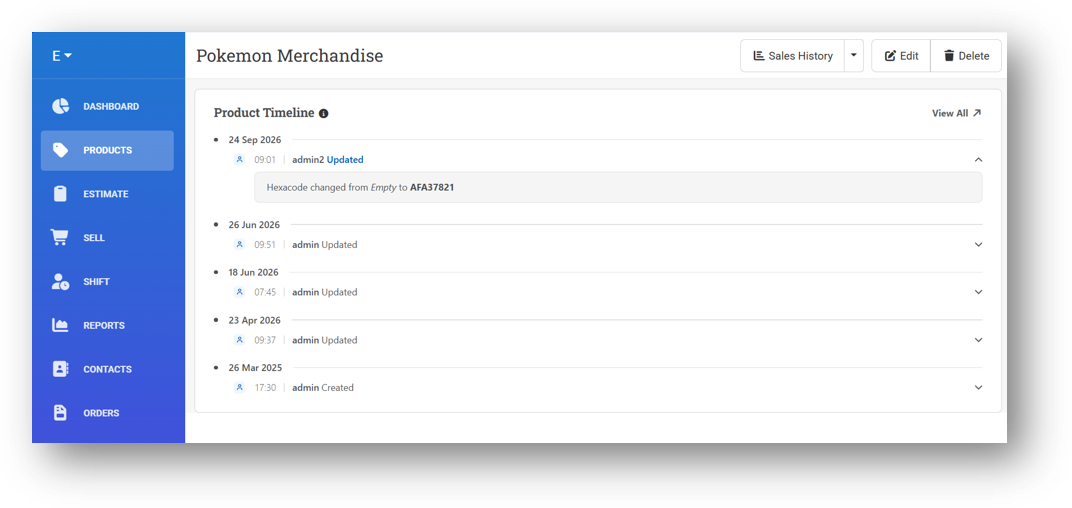
[Products] Product & Variant Modified Timeline
We've given the footer in both the Product and Variant modules a visual upgrade. Previously, it simply showed the created and last modified timestamps, and clicking it would take you straight to the Update History page. Now, the footer displays the last 5 modification records right where you are, so you can quickly see what's changed without navigating away—and if you need the full picture, just click View All to jump to the complete Update History page.
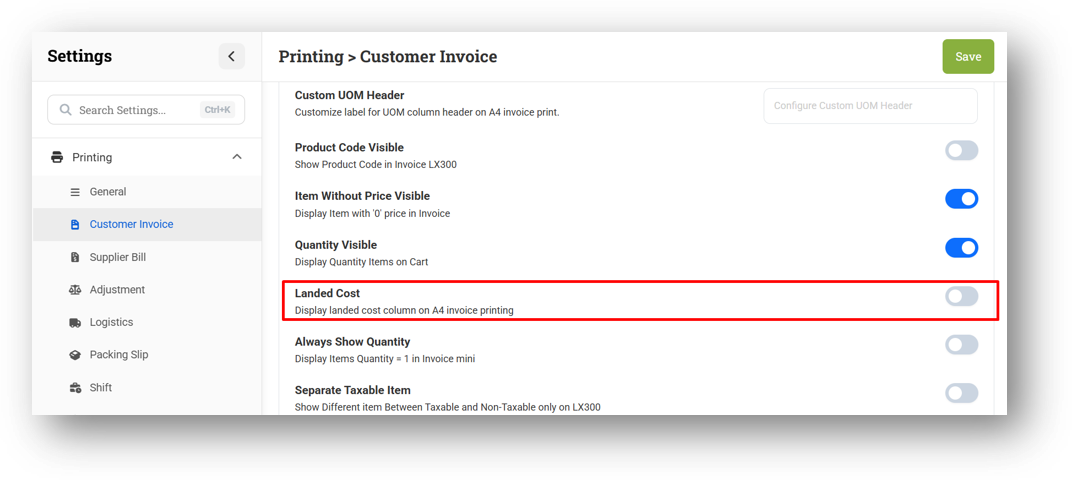
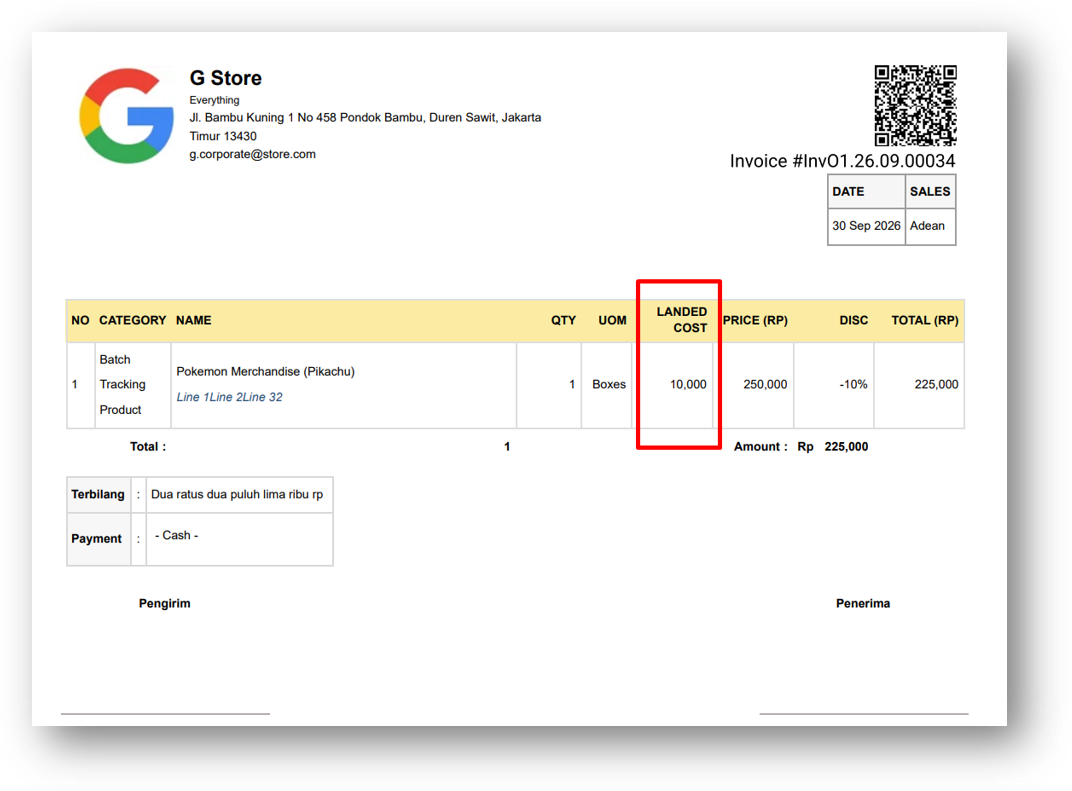
[Orders - Invoice] Landed Cost on A4 Invoice Printing
We've added the ability to display landed cost information on your printed invoices, building on the landed cost feature we released earlier. For those unfamiliar, landed cost refers to the additional costs incurred when purchasing goods—beyond the supplier's base price—such as packing fees, transportation, and other related expenses that contribute to the true cost of your inventory.
This new option is available through a setting that needs to be enabled first. Once turned on, your printed invoices will include the landed cost details, giving you a more complete picture of your actual product costs right on your documents.
Minor Improvements:
[Products - Variants]
Optimize On Hand Inventory Query by Providing New Index
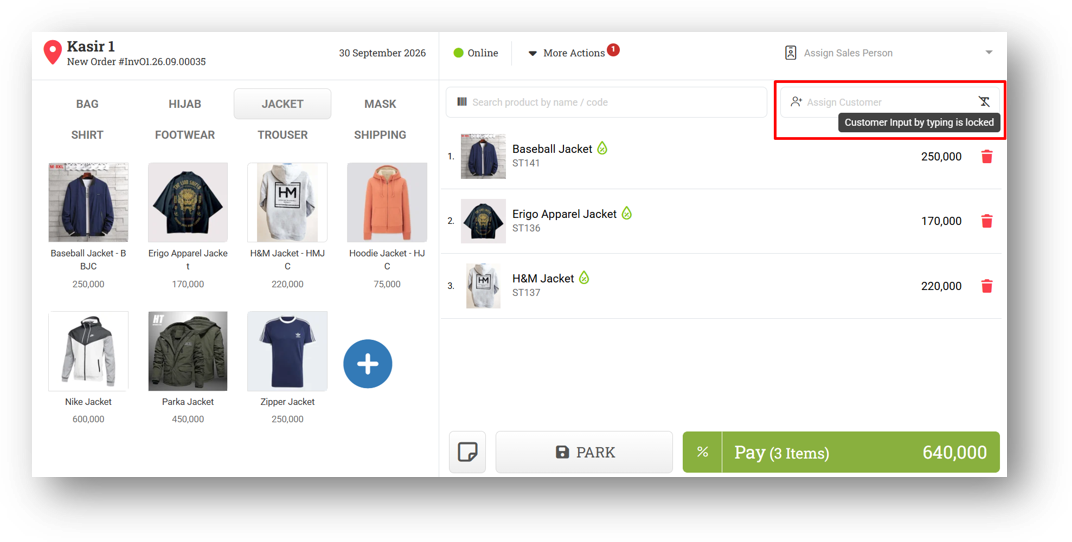
Improve Standard Variant to Use Variant Cost Instead of Total Component Cost on Submit
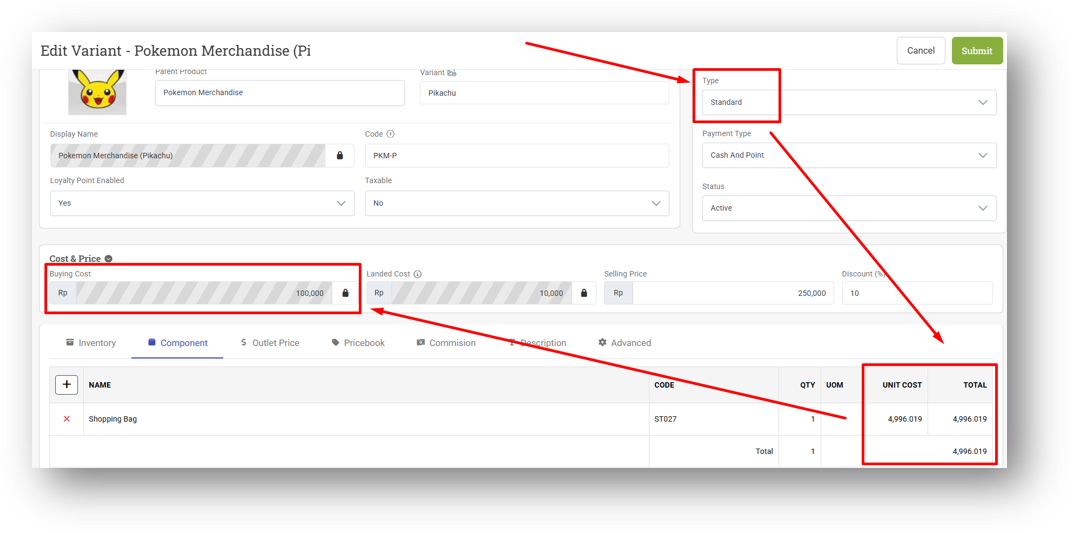
[Sell] Improve Customer & Coupon Input Lock Behaviour
We've tightened the restriction on customer and coupon input for users who are set to scan-only mode. Previously, the restriction wasn't fully enforced—fast typing could still slip through and allow manual entry. Now, the lock is complete: users with this restriction can only input via barcode scanning, with no manual typing possible at all.
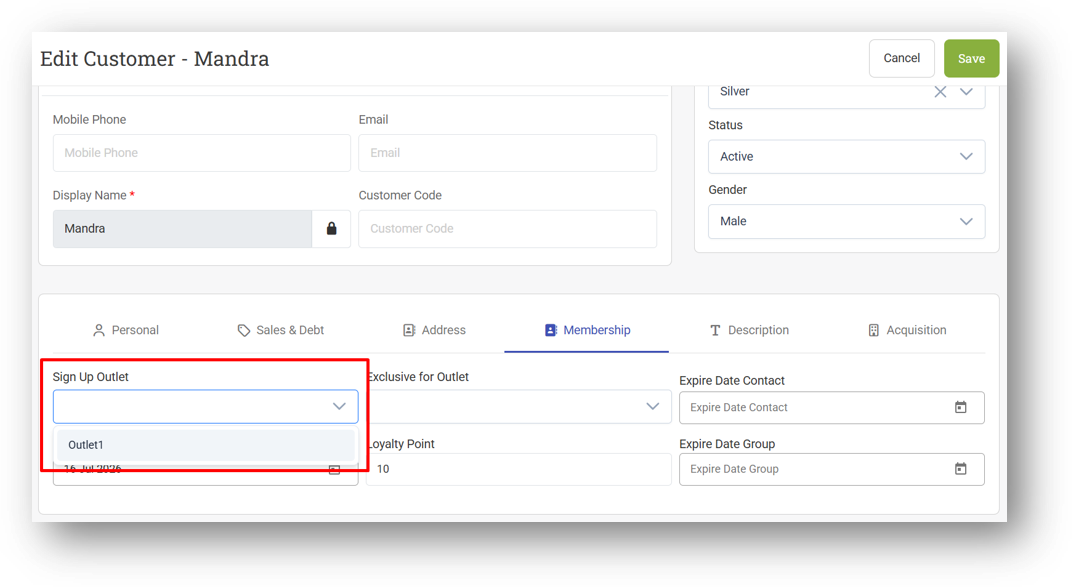
[Contacts - Customers] Restrict Sign Up Outlet Option with Outlet Write Access
[Orders - Invoice]
Tidy Up TID Display on Invoice Info Page When Batch Number/Serial Exist
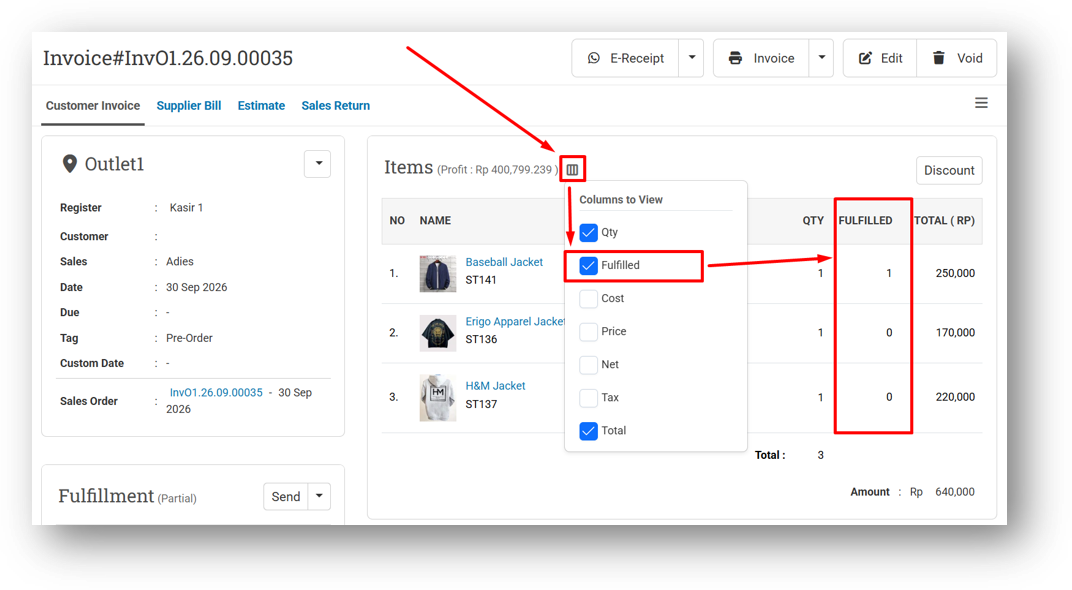
Improve Quantity Sent Display Behaviour
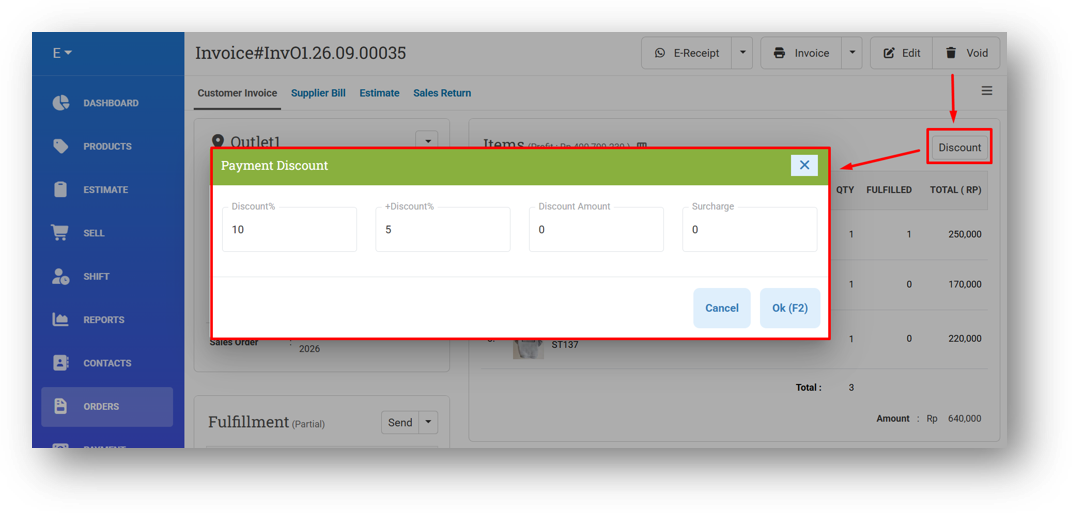
Auto-Refresh Page After Assigning Discount from Info Page
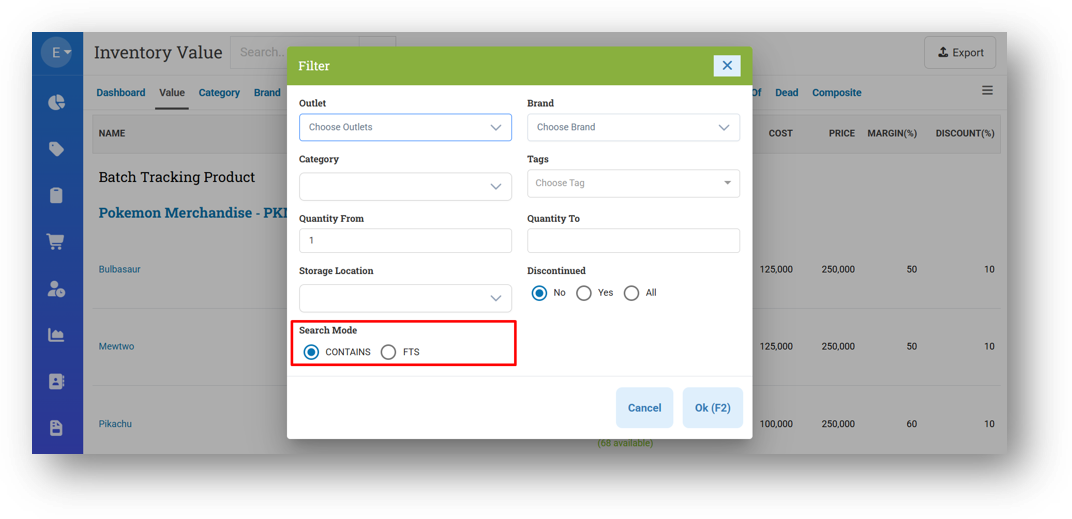
[Inventory - Value] Provide Search Mode on Filter
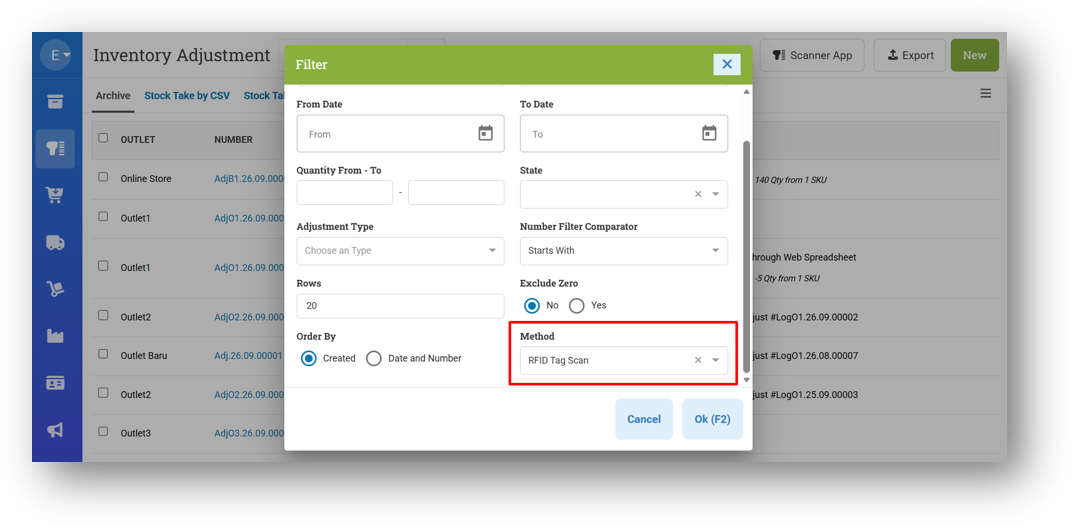
[Adjustment] Provide Method Filter on Adjustment List & Adjustment Report Details Page
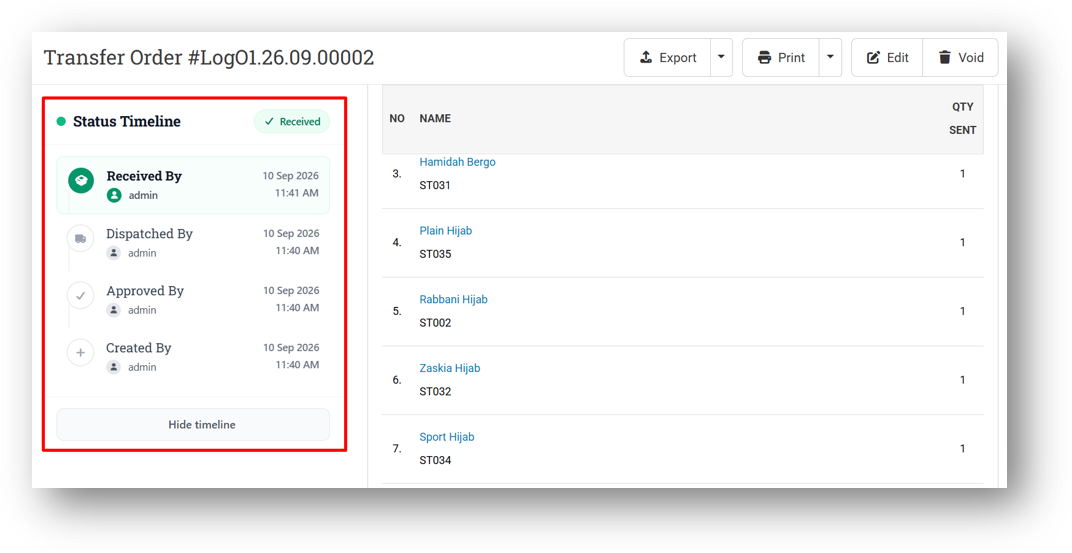
[Logistics - Transfer Order] Improve Transfer Order Status Update Timeline
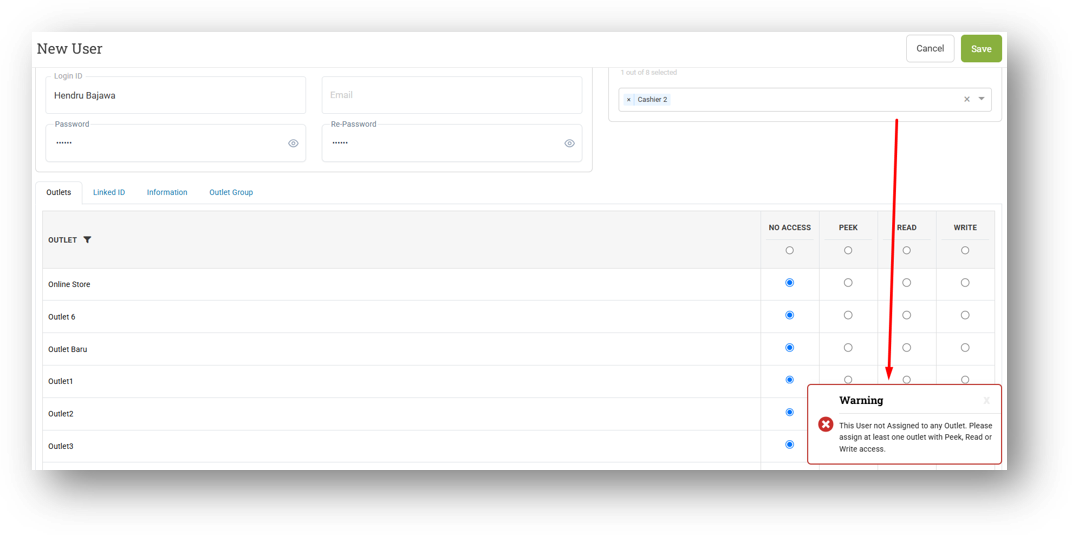
[Users - Users] Restrict Users with No Outlet Access Creation
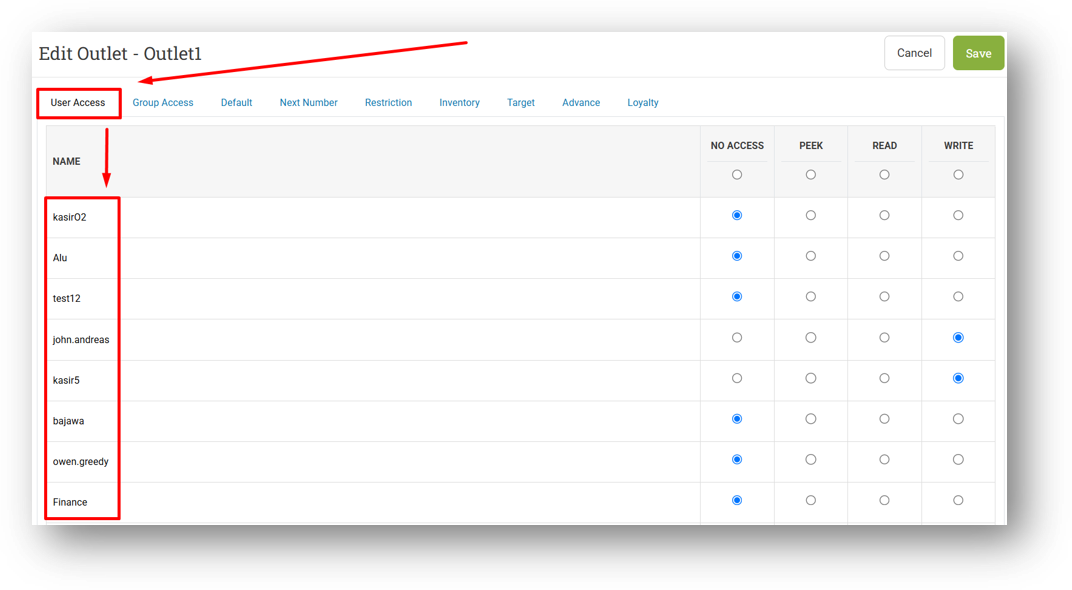
[Outlets] Hide Suspended User from User Access Tab
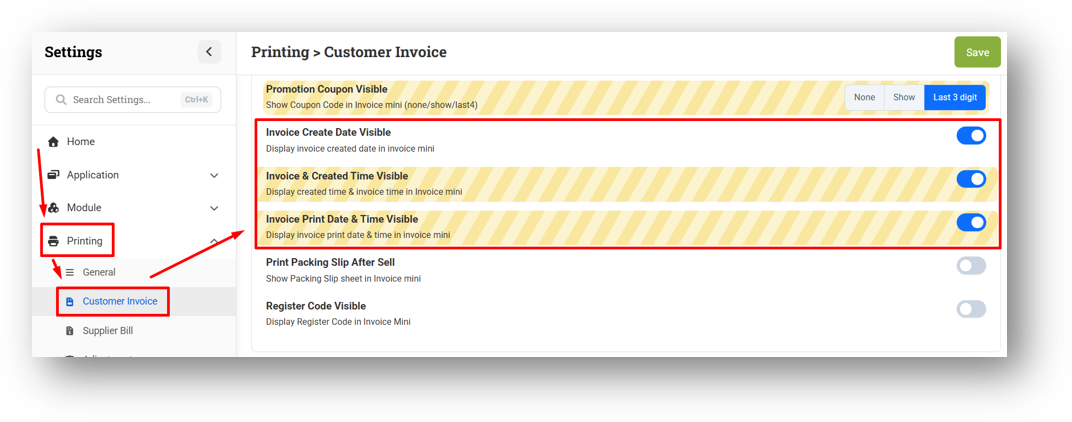
[Settings - Printing (Invoice)] Improve Created & Print Timestamp Visible Settings Description
[Sharing Component] Improve Memory Usage for XLSX Export Feature
Bug Fixing:
[Products - Storage Location] Fix Users Cannot Rename Storage from Storage Tree
[Debt] Fix Incorrect Remaining Amount for Return Transaction in Receivable & Payable Detail Pages
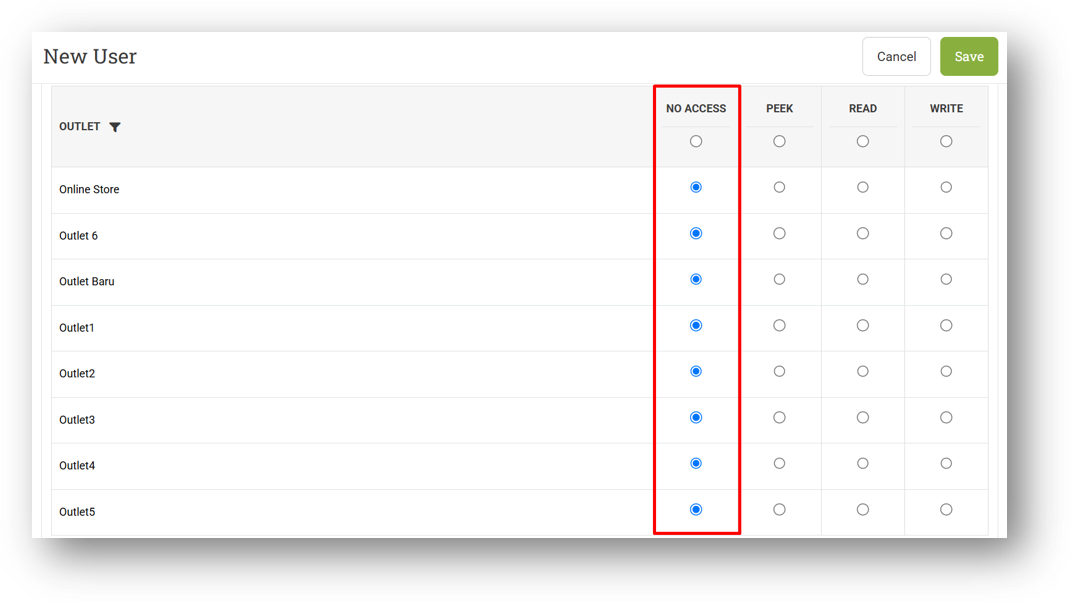
[Users - Outlet Access] Fix Outlet Access Validation for Legacy Users with No Outlet Access
We've fixed a logic issue affecting users who were created before we made outlet access mandatory. Previously, it was possible to create a user without assigning any outlet access, and this later caused an unintended behavior where those users could see all outlet data across several menus. We've now corrected this so that no outlet access means no outlet data. If you have legacy users still in this state and notice any remaining menus behaving unexpectedly, simply edit the user and assign at least one outlet access to resolve it.
[Setup - Transfer Order Tag] Fix Missing Tab on Tranfser Order Tag Form
Patch 26.38.1 [28 Sep]:
[Sell] Fix All Parked Orders with Same Label Unselectable During Retrieve
[Contact - Current Point] Fix Users Cannot Export Data
[Debt - Payable Detail] Exclude Not Approved Supplier Bill from Table
[Logistics - Transfer Order] Fix Incorrect Export XLSX Output Format
Overall, this update further establishes the platform as a reliable Inventory Application for your retail businesses. Stay tuned for more updates, and don't hesitate to reach out if you have any questions or need support!