- DATE:
- AUTHOR:
- Ezzan
WebApp Version 26.1 Changelog
This update includes new features, essential performance improvements, and usability enhancements, ensuring your daily operations run smoothly. We've also addressed several bug fixes to enhance stability and reliability. Thank you for your continued trust and feedback, which help us deliver the best possible service.
New Feature:
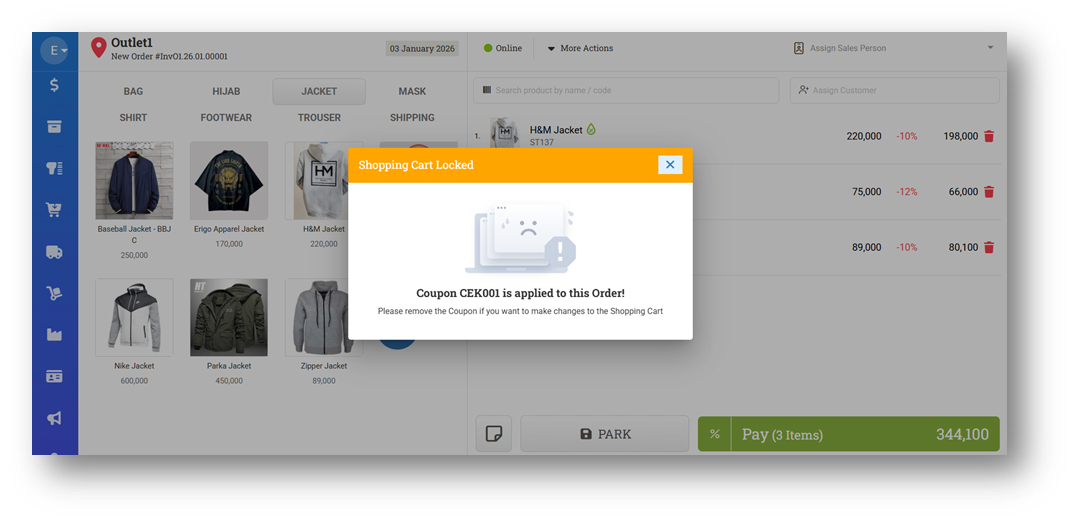
[Sell] Lock Shopping Cart After Applying Coupon
We have improved the checkout workflow to align with standard retail practices. After a coupon is applied, the Shopping Cart will be locked, preventing further changes such as adding items, editing prices, or applying manual discounts. This helps ensure that the final discount result is clear and consistent once the coupon is used.
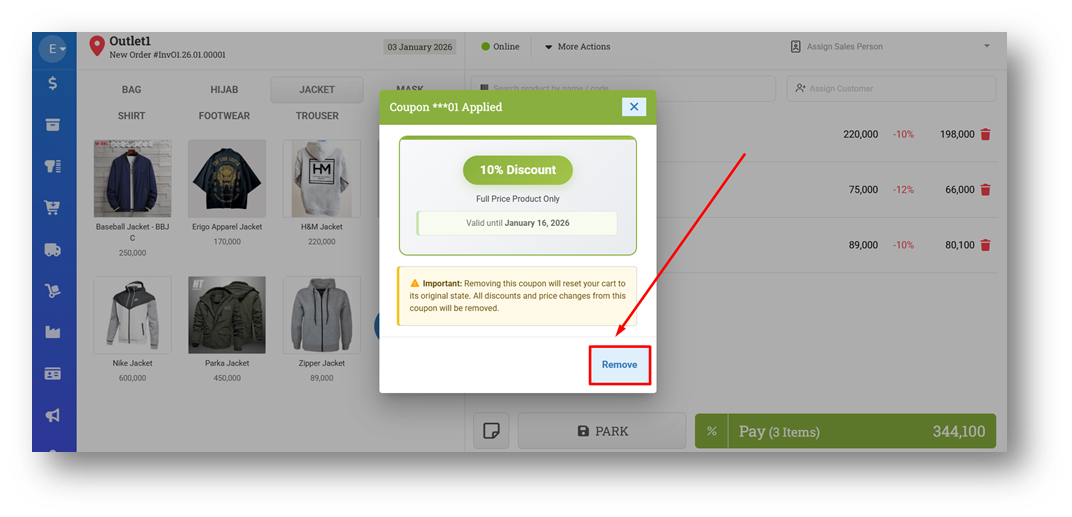
If changes are still needed, users can simply remove the applied coupon, and the Shopping Cart will be unlocked again. This allows items and pricing to be adjusted before reapplying a coupon, providing a clearer and more controlled checkout experience.
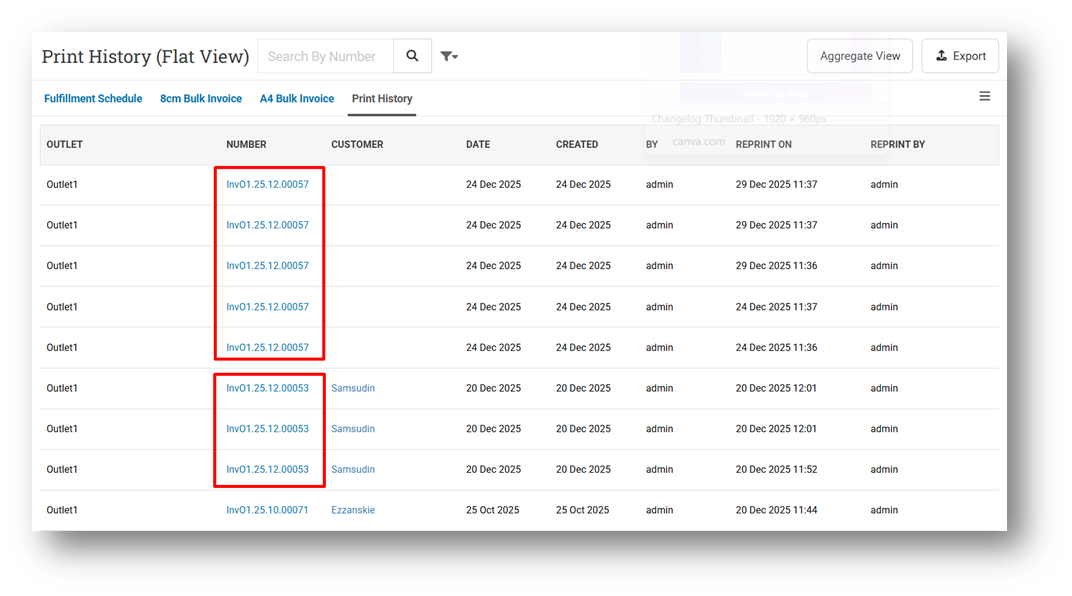
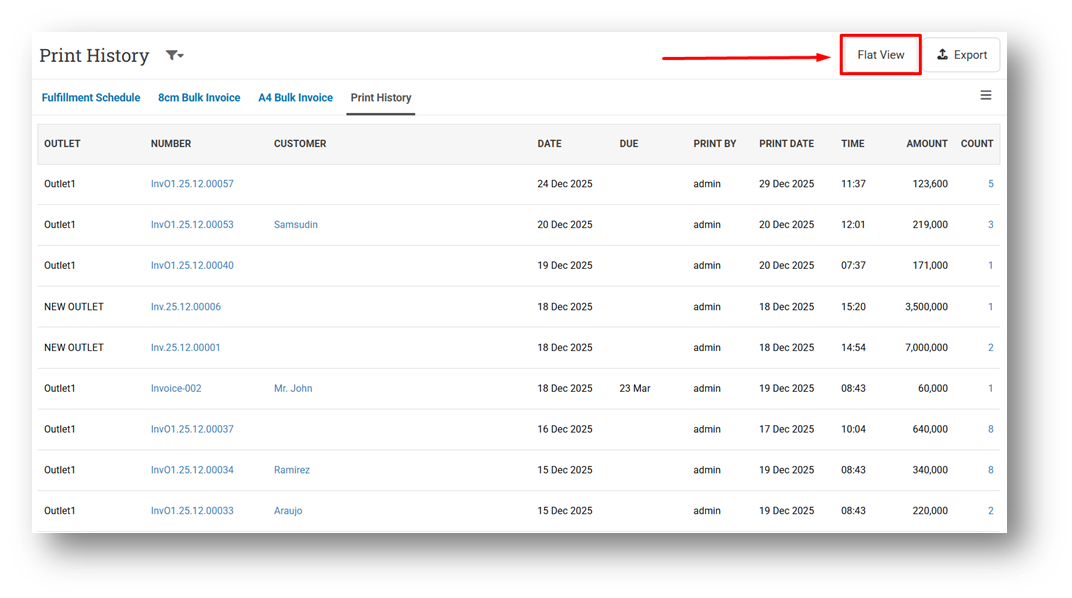
[Orders - Print History (Flat View)] Provide Flat View for Print History
We have introduced a new Print History (Flat View) page that displays each print activity as an individual record. Unlike the existing Print History list, which groups data by invoice number and shows only the last print time and total print count, this new view provides a detailed, per-record history. For example, if an invoice has been printed five times, the list will display five separate entries with their respective timestamps.
Users can access this new view by clicking the List View button from the main Print History page. This enhancement makes it easier to review detailed printing activity, track exact print times, and perform more granular audits when needed.
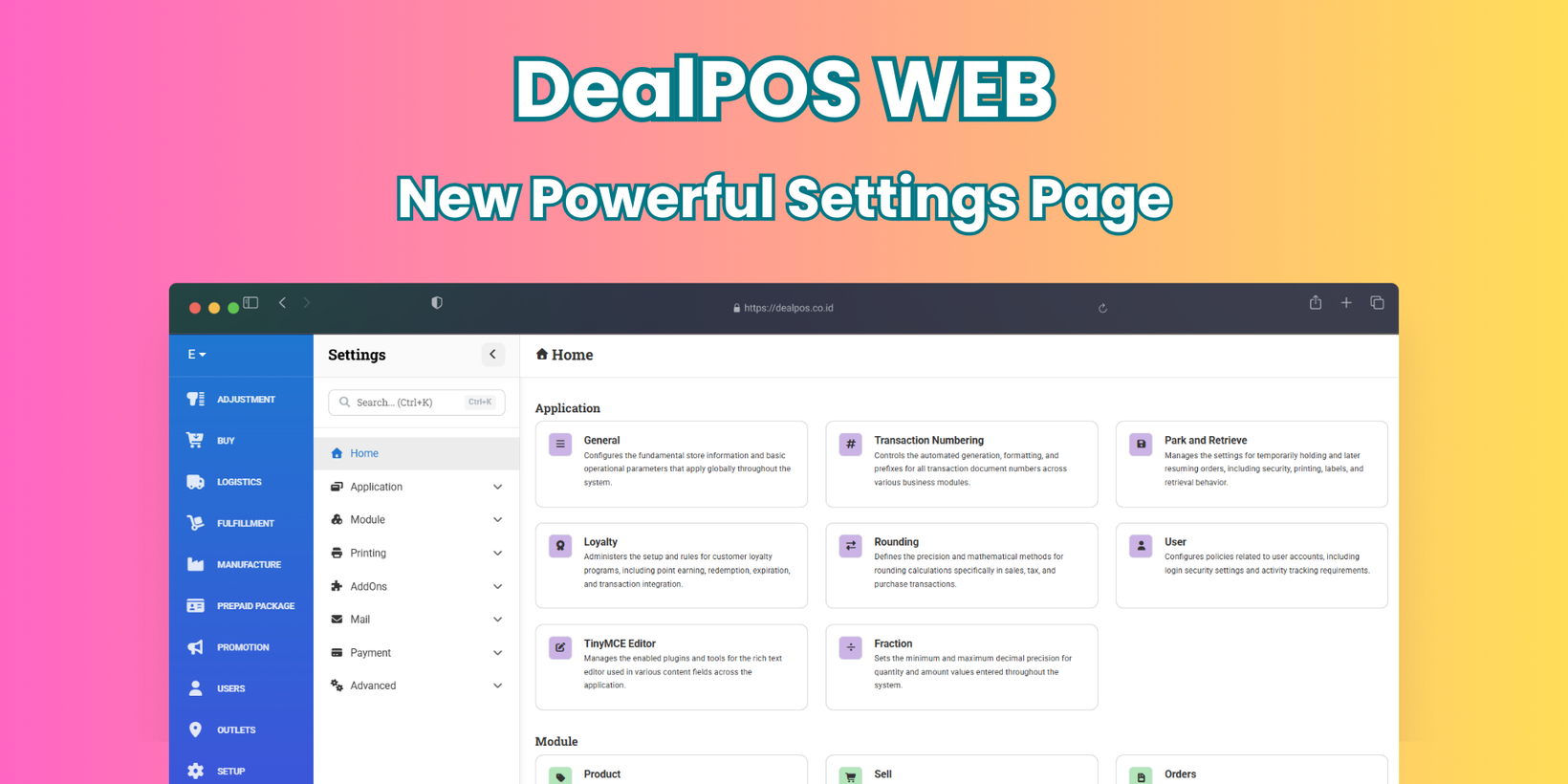
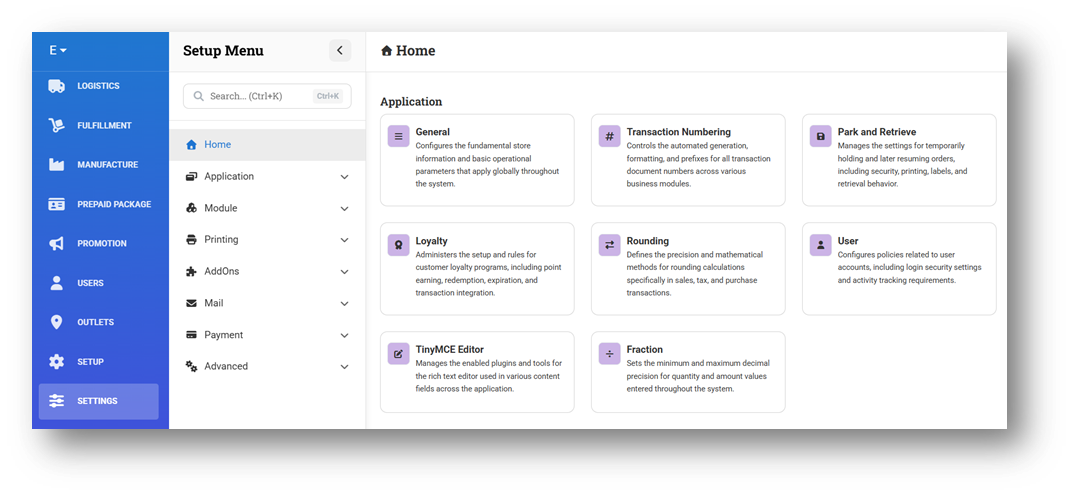
[Settings] New Settings Page - Application
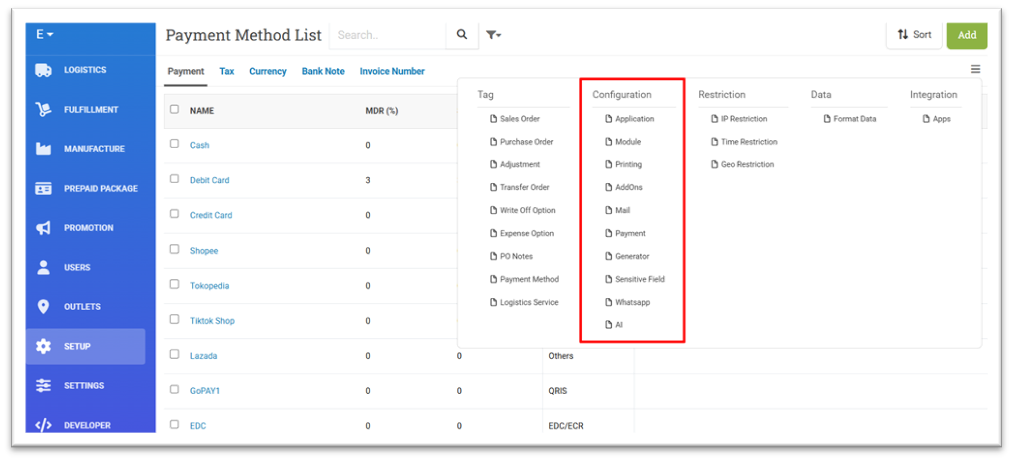
We have introduced a new Settings page to make managing configurations easier and more intuitive. As the number of available settings in the Setup - Configuration menu has grown significantly, finding specific options one by one has become increasingly complex. The new Settings view presents all existing setup configurations in a cleaner, more visual layout within the More Menu (Configuration), starting with a Home page that summarizes all setting categories.
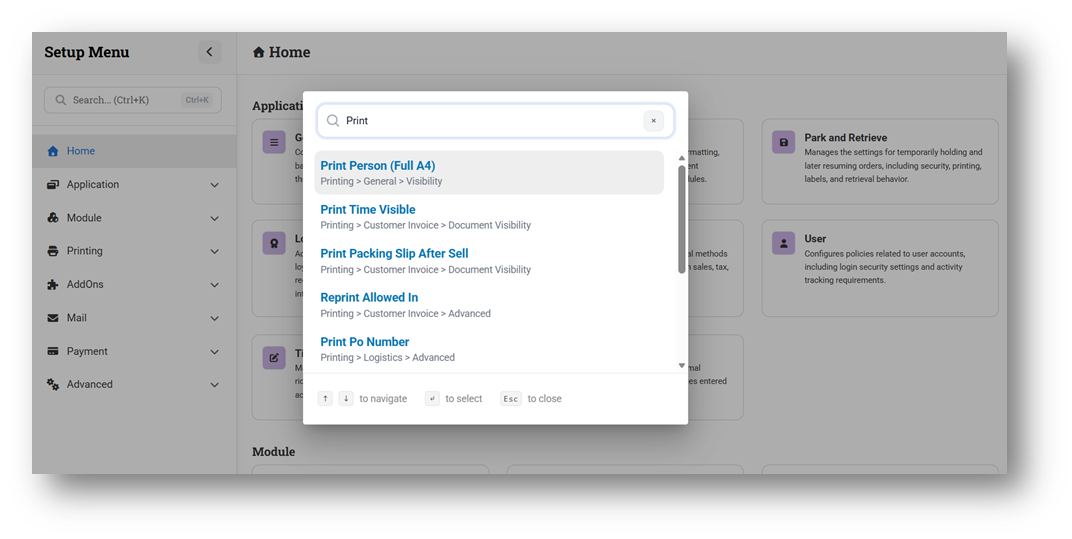
The new Settings page also includes a powerful search feature that lets users quickly find settings by name. Users can search directly using the search bar or press Ctrl + K to open the search modal. In addition, many tooltips that previously required hovering are now displayed directly, making settings more straightforward to understand at a glance.
We encourage users to start familiarizing themselves with this new Settings experience. In upcoming releases, settings currently available in the legacy Setup menu will gradually be removed, and the new Settings page will become the primary way to manage system configurations.
Minor Improvements:
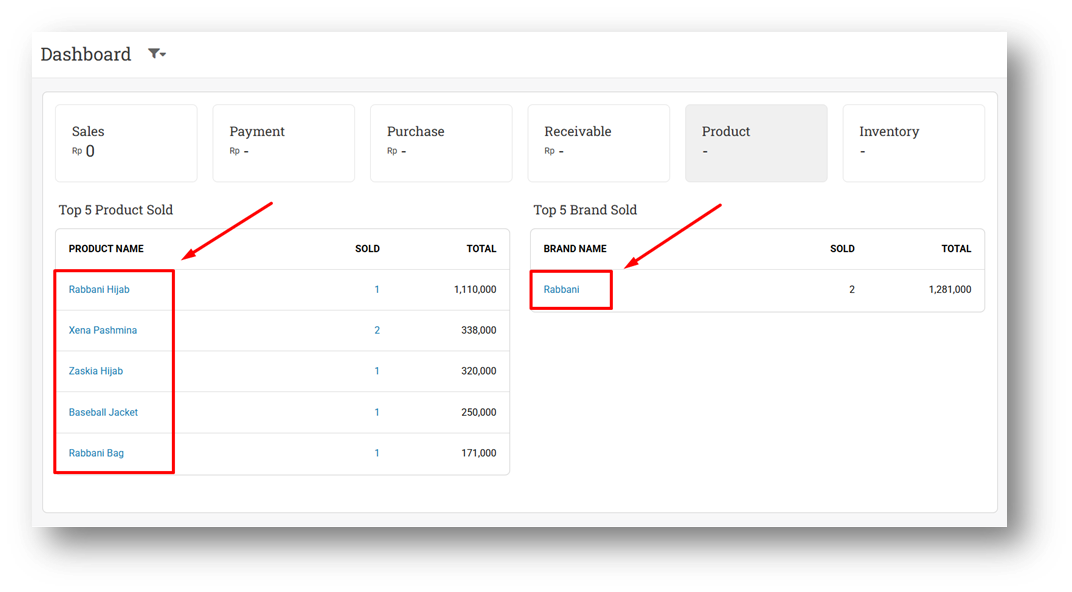
[Dashboard - Product] Hyperlink Product Name & Brand Name
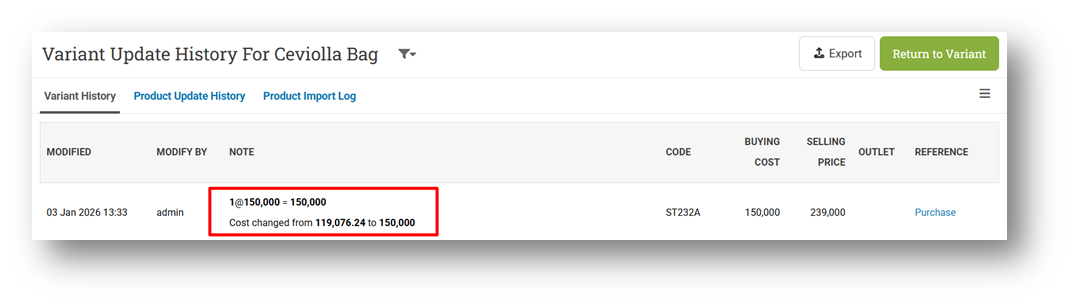
[Products - Variant History] Improve COGS Update Note Handling When Using Last Order
We have improved the COGS History note display when COGS is updated using the Last Order method. Previously, the note still showed an average-style formula, even though the final cost calculation was based on the last purchase. With this update, the note now clearly displays the quantity and cost from the most recent purchase, making it easier to understand how the COGS value was determined and avoiding confusion with the Average method.
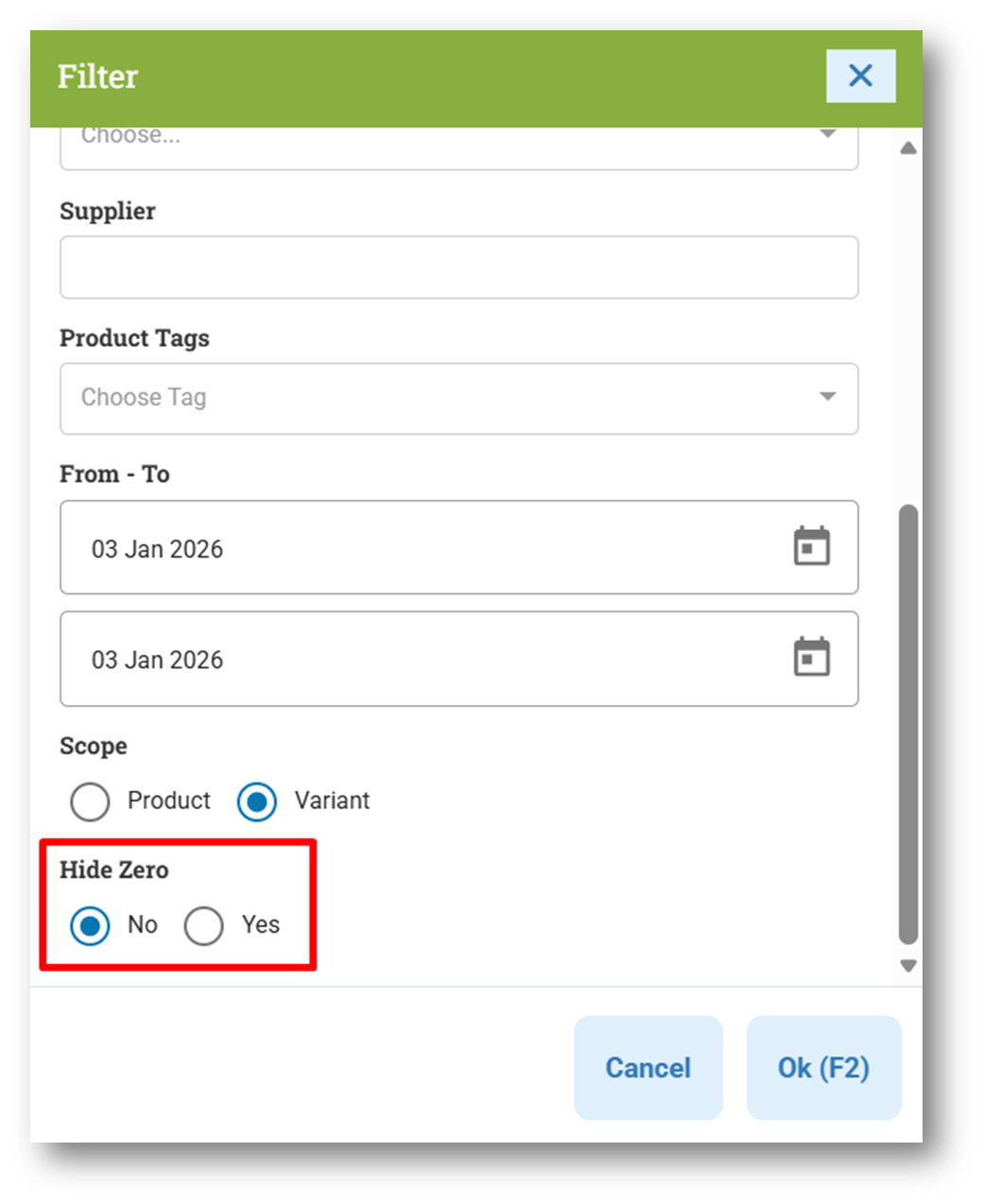
[Reports - Products (By Outlet)] Provide Hide Zero Filter
This feature was developed based on customer request #9017
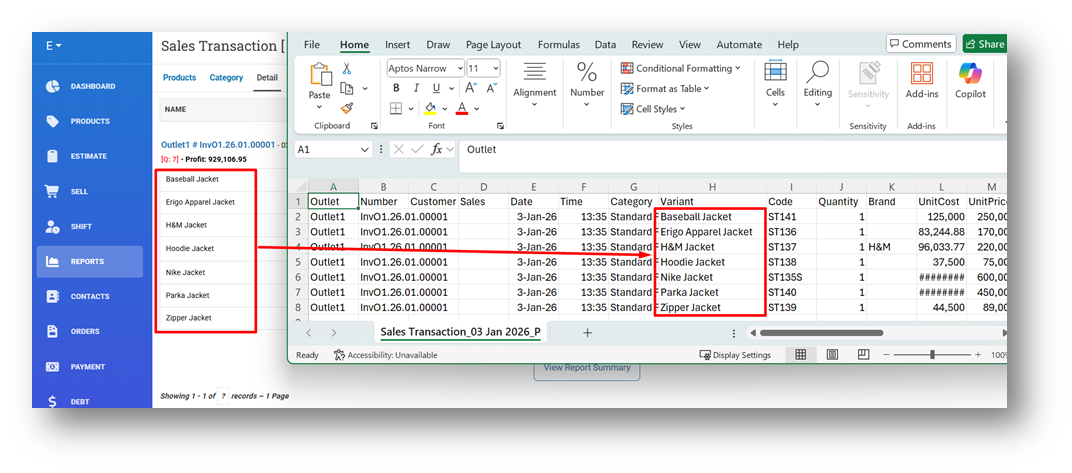
[Reports - Details] Order Item in CSV Export Based on Invoice Item Index
This feature was developed based on customer request #9660
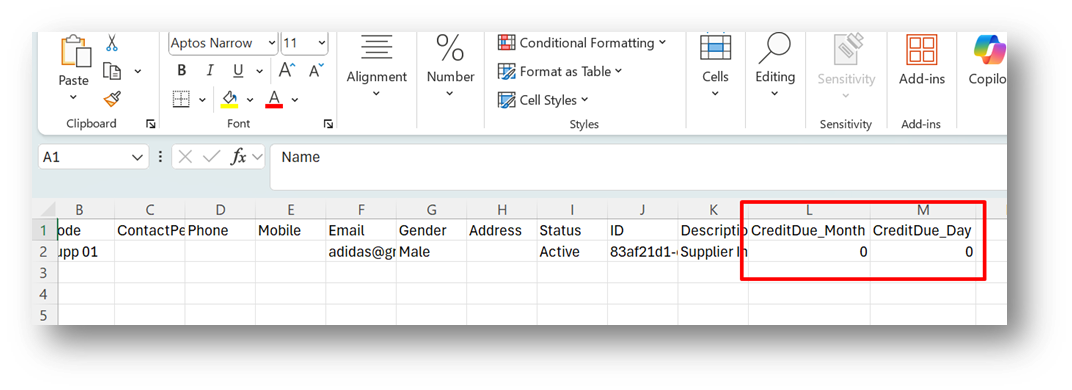
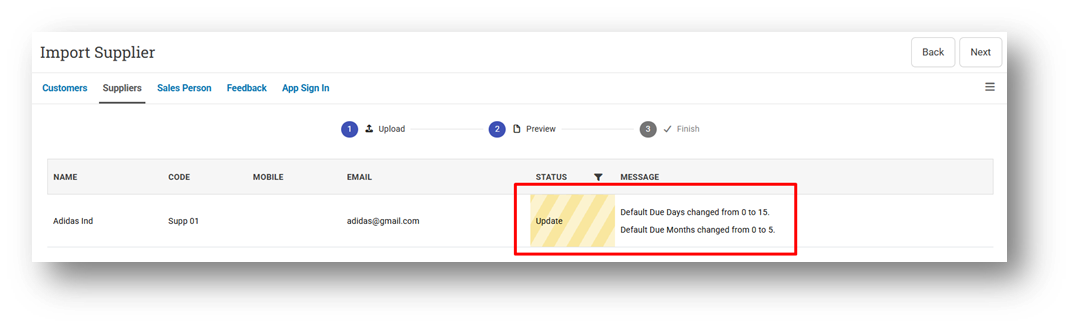
[Contacts - Supplier]
Bug Fixes:
[COGS Calculation]
Fix Incorrect COGS Calculation Uses Single Outlet Stock After Editing Inbound & Bill
Fix Incorrect COGS Calculation When Deleting Partial Inbound
Fix Incorrect COGS Calculation When Deleting / Voiding Bill
Deprecated:
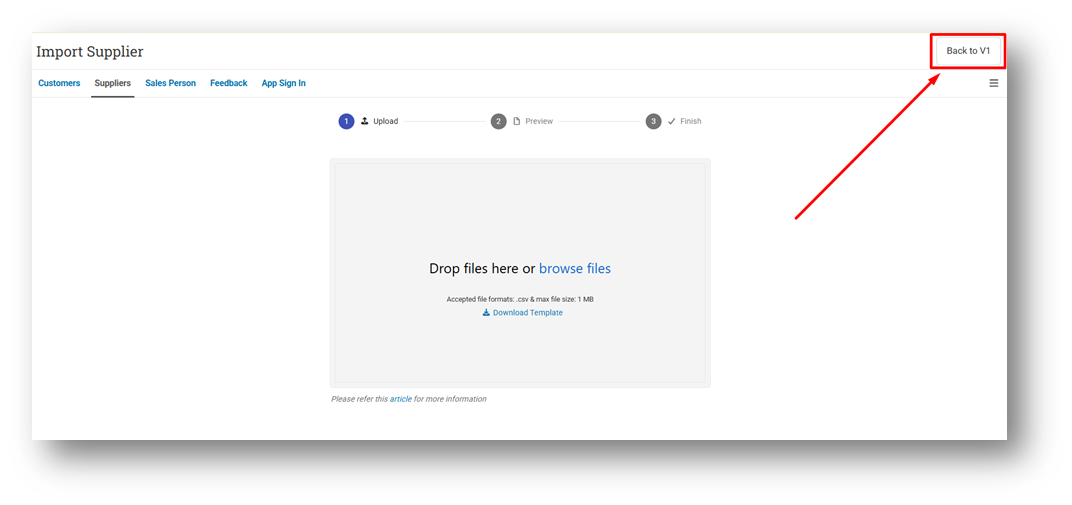
[Contacts - Supplier] Remove Import Supplier V1 Component
Patch 26.1.1 [8 Jan]:
[Sell] Fix Shopping Cart Locked Toaster Appears When Editing Invoice Without Coupon
[Orders - Reprint History]
Adjust Reprint History Page Column Width
Display Time Second on Reprint History Modal & Reprint List Page
Hide Count Column When Filtering Printed with "No" on Aggregate View
[Settings]
Improve Settings Search Result
Improve Search to Support Multi-Keyword Matching
Implement Default Value Styling
Restrict Settings Menu with Setup Role
[Sharing Component] Order Outlet Options by Outlet List Index
Patch 26.1.2 [12 Jan]:
[Sell]
Prevent Applying Promotion Event After Applying Coupon
Prevent Updating Customer Field After Applying Coupon
Prevent Locking Shopping Cart After Applying Authorization Coupon
[Contacts - Supplier] Fix Purchase History Hyperlink Does Not Filter Supplier ID
[Reports - Price] Fix Sales Report by Price Display No Data
[Orders - Customer Invoice]
Fix Write-Off Information Lost After Editing Write-Off
Fix Invoice Status Becomes Paid After Write-Off with Existing Payment
[Logistics - Inbound] Fix Users Can Receive Inbound with No Item
Patch 26.1.3 [14 Jan]:
[Reports - Products (By Month)] Fix Users Cannot Open Product Reports by Month
[Debt - Account Payable] Fix Credit Amount Hyperlink Does Not Filter Supplier ID
[Adjustment] Improve Adjustment List Query
[Settings - Application] Fix Max Earn Point Sends Empty String Instead of Null
Stay tuned for more updates, and don't hesitate to reach out if you have any questions or need support.