- DATE:
- AUTHOR:
- Ferdiansyah R
Omnichannel Version 6.40.0
System Improvements and New Feature:
Fix warehouse mismatches when updating TikTok stock
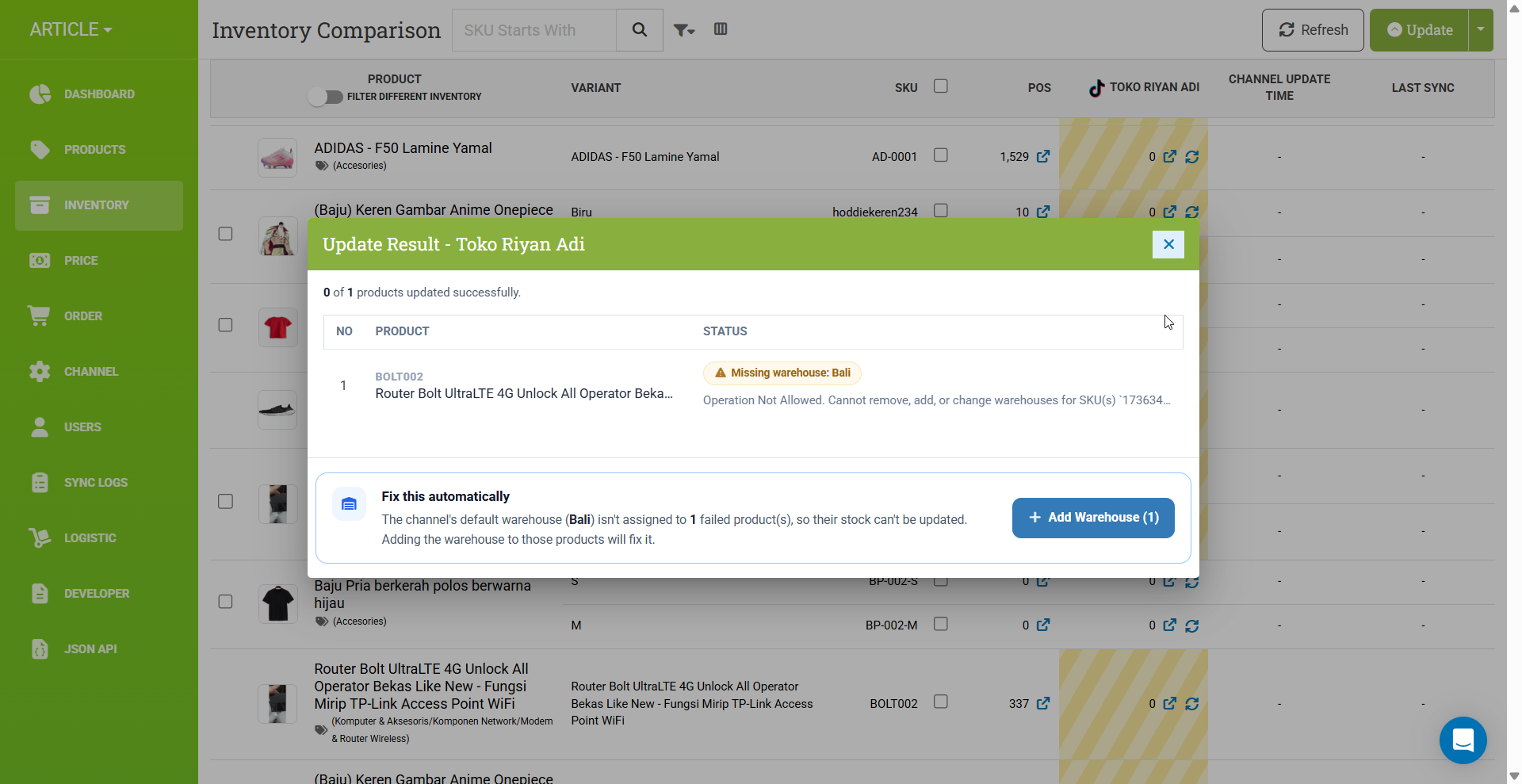
When you update inventory for your TikTok channel, a product can fail if the channel's default warehouse isn't assigned to it yet. You'll now see a clear "Missing warehouse" notice in the update result, along with an Add Warehouse button that assigns the missing warehouse to the failed products automatically and retries the stock update, so you don't have to dig through the error and fix each SKU manually.
Revamped Filter User Interface
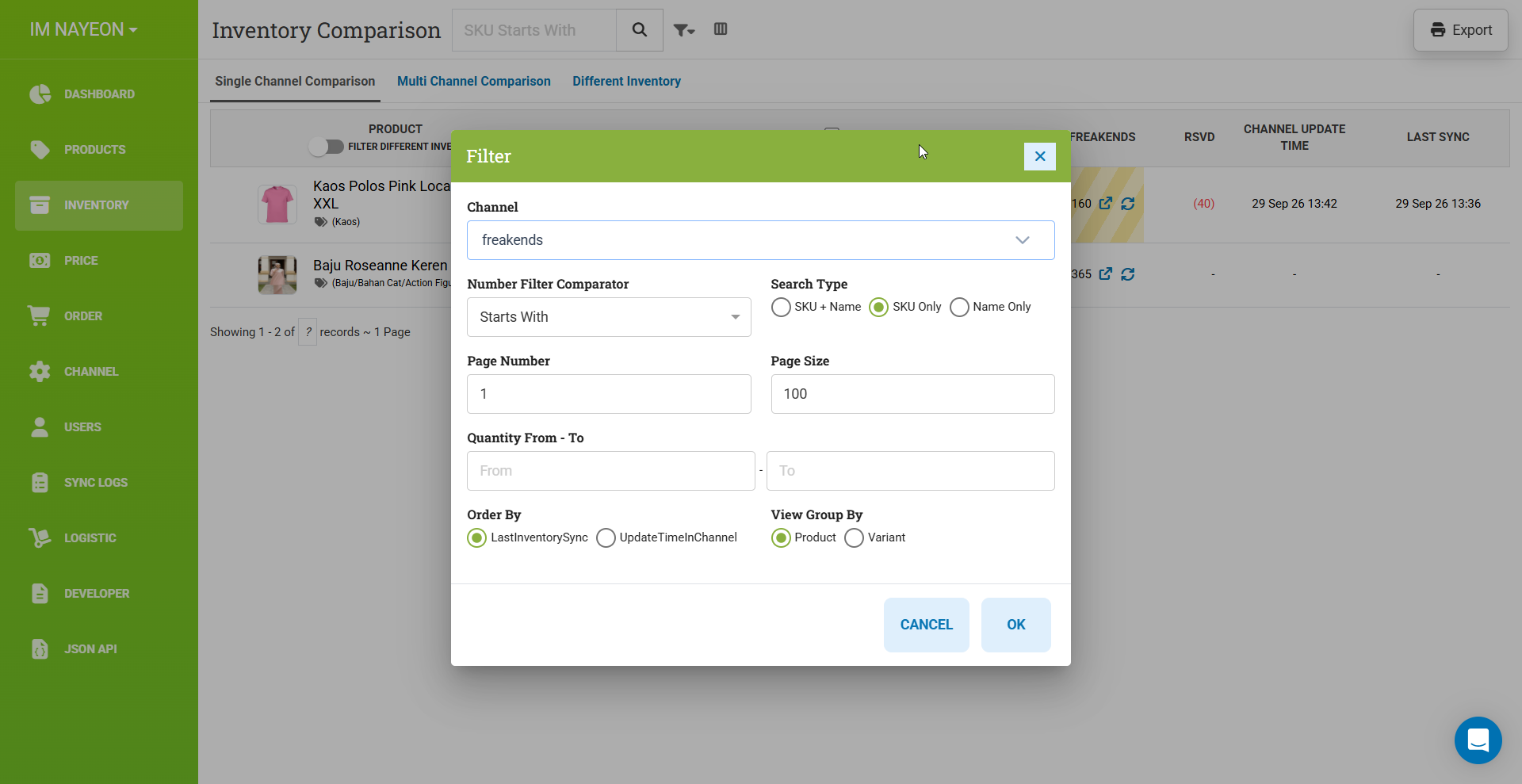
We have revamped the filter interface used across Omnichannel. The filter is now wider, easier to see, and easier to navigate, so you can find and apply the filters you need quickly and more efficiently.
Status filter for products sold in channels
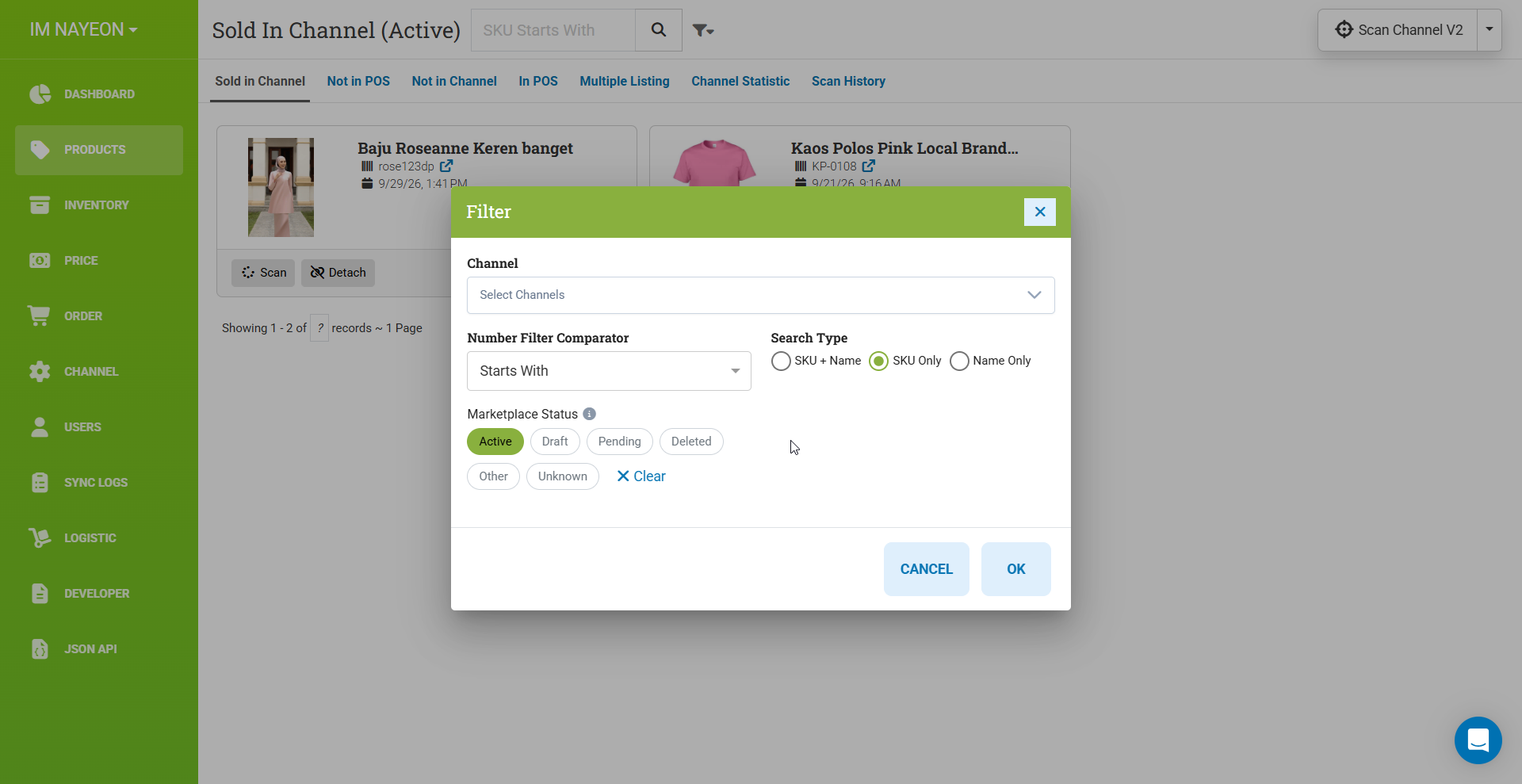
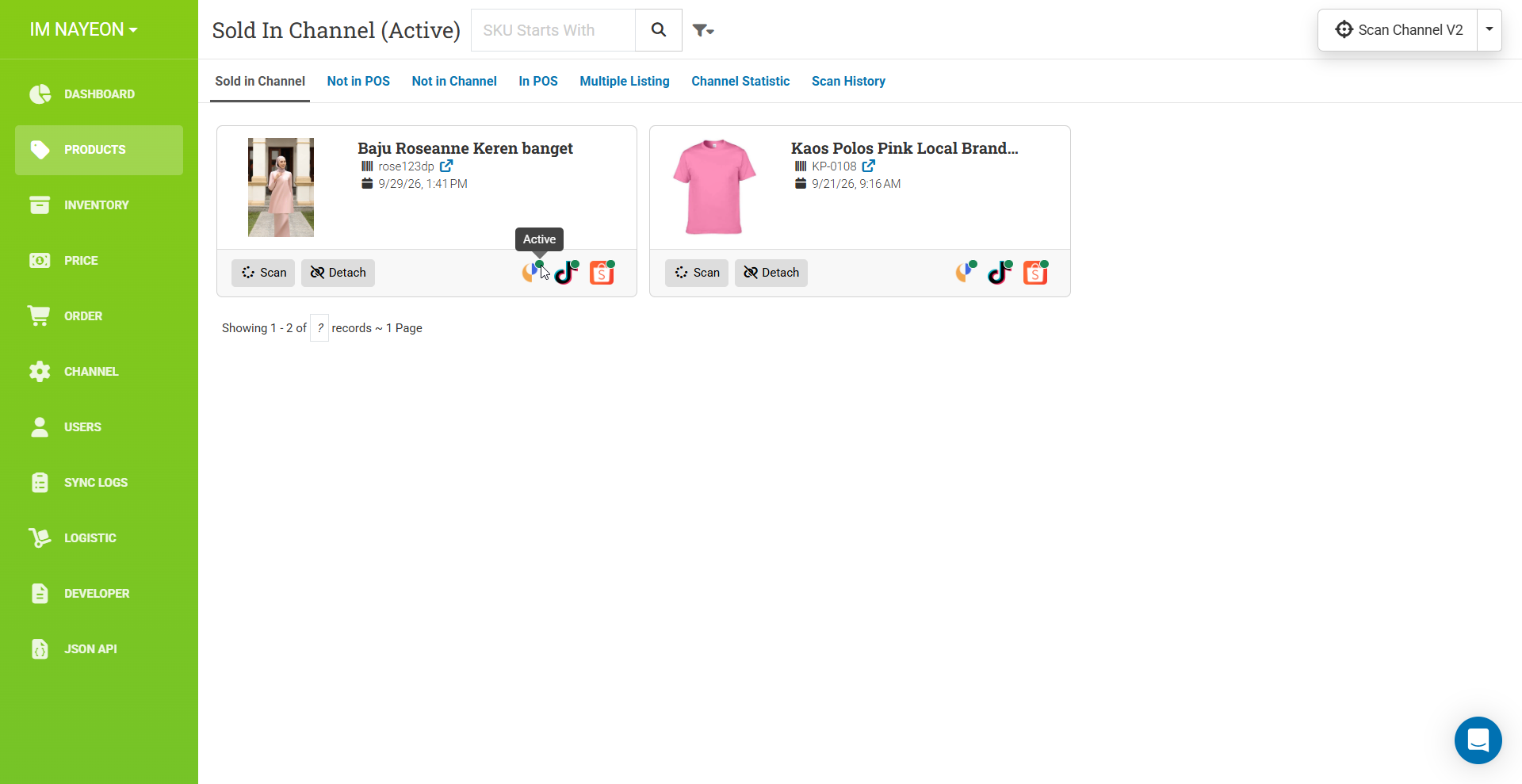
You can now filter the products sold in your channels based on their product status in each channel. Please note that the status is fetched from every channel scan and is not updated directly from the channel. The status only refreshes when a channel scan runs.
Inventory comparison now sorted by Last Sync
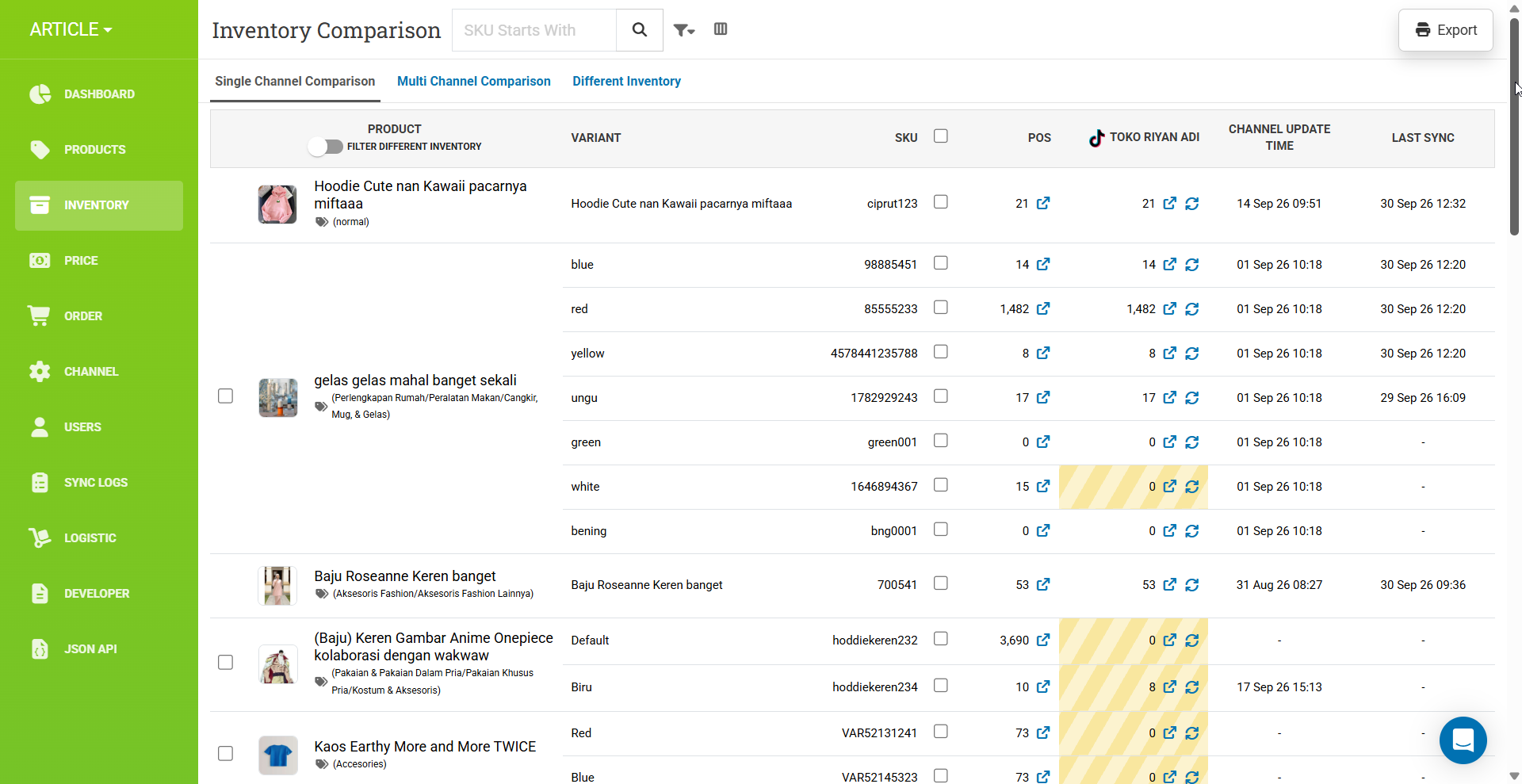
Previously, the product list in the Inventory single channel comparison page was sorted by name. It is now sorted by last sync, so you can see the products that are actively moving and changing first and spot the most recently updated products at a glance.
Channel Update Time is now displayed
We now fetch each product's update time from its channel for every scan channel and product refresh from the Inventory single channel comparison page. This lets you see when each product was last updated in the channel, so you always know how current the displayed data is.