- DATE:
- AUTHOR:
- Ezzan
WebApp Version 26.47
This update includes new features, essential performance improvements, and usability enhancements to ensure your daily operations run smoothly. We've also addressed several bug fixes to enhance stability and reliability. DealPOS continues to evolve as a reliable POS Software designed to support retail business operations with better performance and usability. Thank you for your continued trust and feedback, which help us deliver the best possible service.
New Feature:
[Products] Additional Image URLs
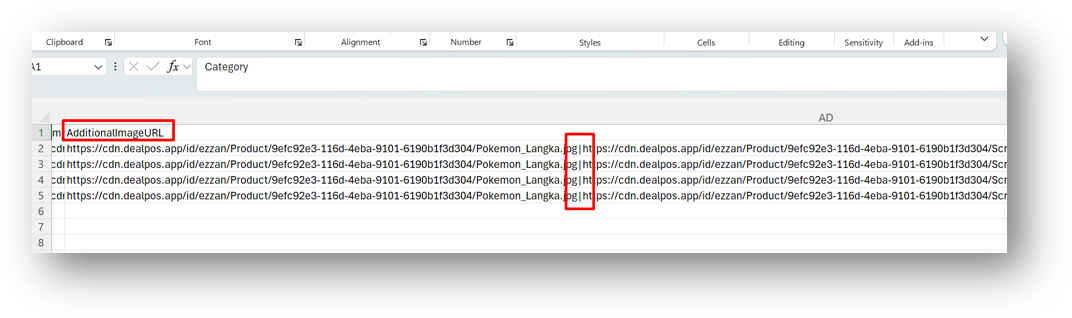
We've added a new AdditionalImageURL column to the Default export option, giving you access to the URLs of your additional product images—up to four per product alongside the main image. Each URL is separated by a pipe character (
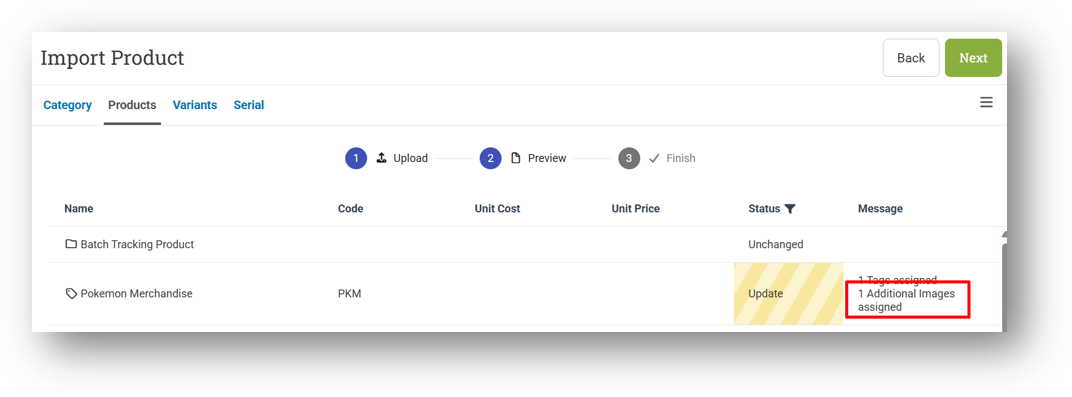
|), making it easy to distinguish one image from the next.This column also supports bulk updates through CSV import. Simply export with the Default option, adjust or add the image URLs you need in that column, and re-import the file to apply the changes across your products at once.
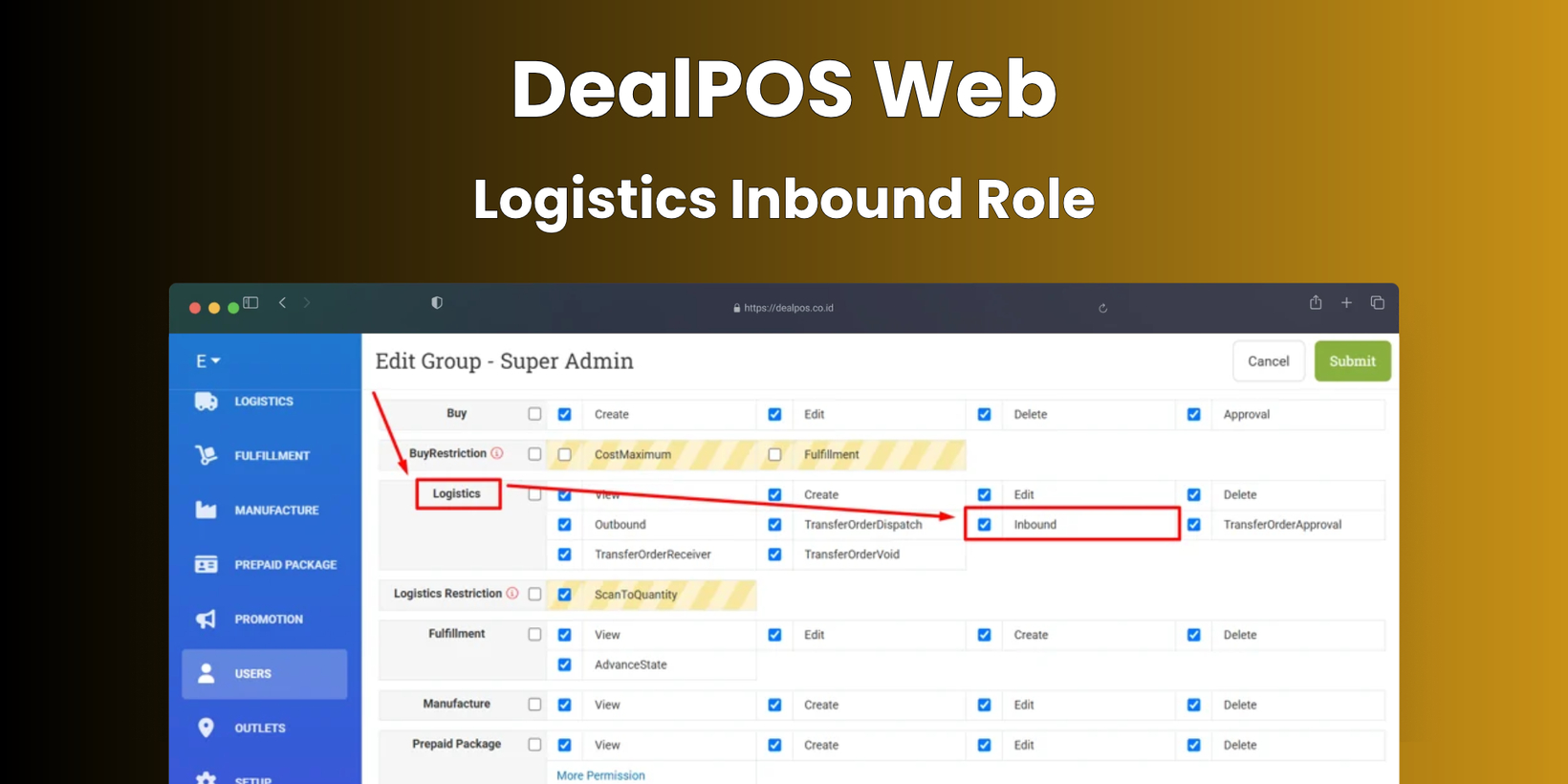
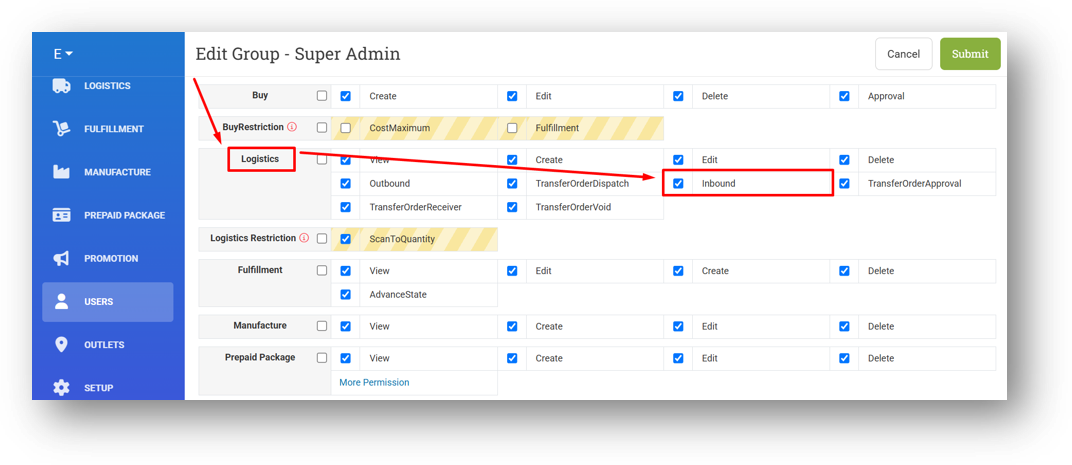
[Users - Roles] Logistics Inbound Role
We've introduced a dedicated Logistics - Inbound role to control access to the Inbound module. Previously, access relied on sharing the Orders - Supplier Bill and Logistics View roles, which wasn't as precise as we'd like. Now, Inbound has its own dedicated permission. This role will be automatically enabled for any user who already has both Logistics View and Orders - Supplier Bill, so your existing access setup carries over seamlessly.
This feature was developed based on customer request #21337
[Outlets] Outlet Timezone Settings
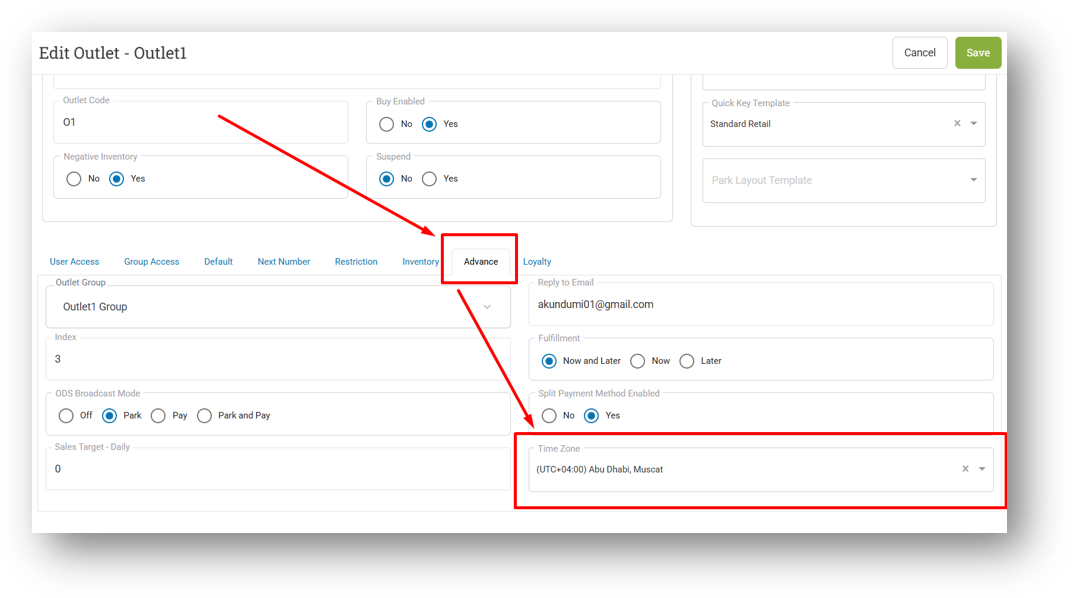
We've added Timezone settings to the Outlet module, so each outlet can now use its own local timezone. Previously, timezone could only be configured globally in Settings. This flexibility is especially useful if you operate outlets across different regions, though you don't need to set it for every outlet—the global timezone remains the default, and you only need to configure it on the specific outlets that differ.
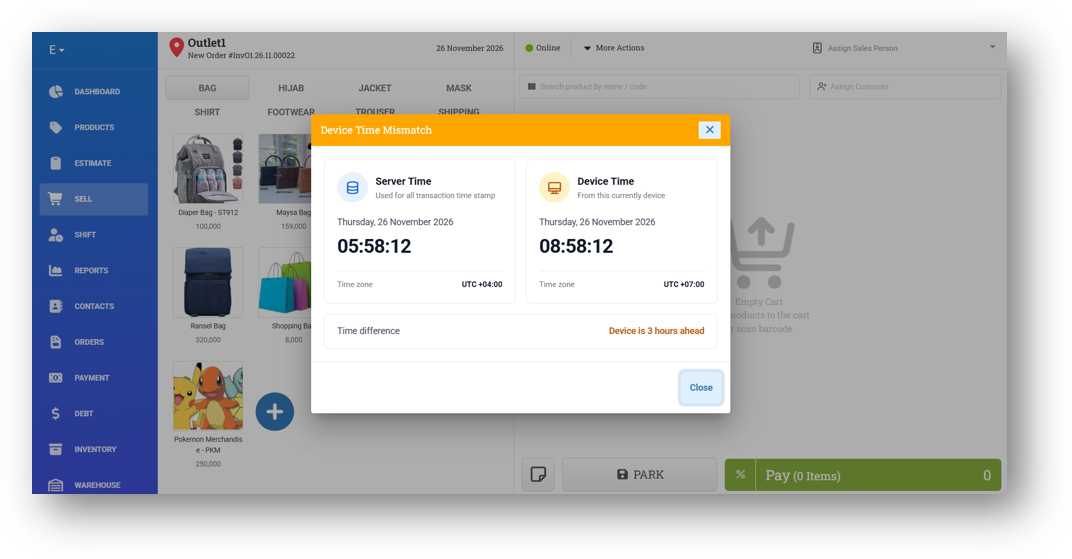
This also addresses a common complaint in recent releases: a mismatch detection issue where your device's date could be off—showing the 25th when it should be the 26th—which triggers a mismatch modal. With proper timezone settings, these discrepancies should be avoided. If one does appear, you can simply force the correct date or refresh the transaction page.
Major Improvements:
[Settings - Printing (Invoice)] Product Name Visible Setting for Mini Invoice
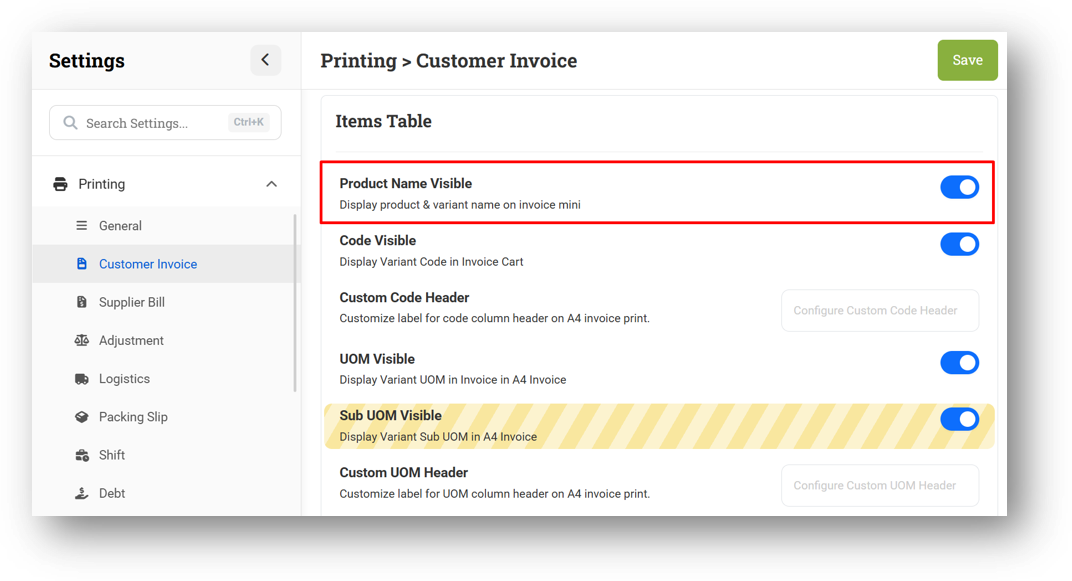
We've added a new Product Name Visible setting for mini invoice printing, enabled by default. Some users prefer to show only product codes on their mini invoices for a more compact layout. With this setting, you can now hide product names and display just the codes—simply toggle it off whenever that's your preference.
This feature was developed based on customer request #21559
Minor Improvements:
[Products]
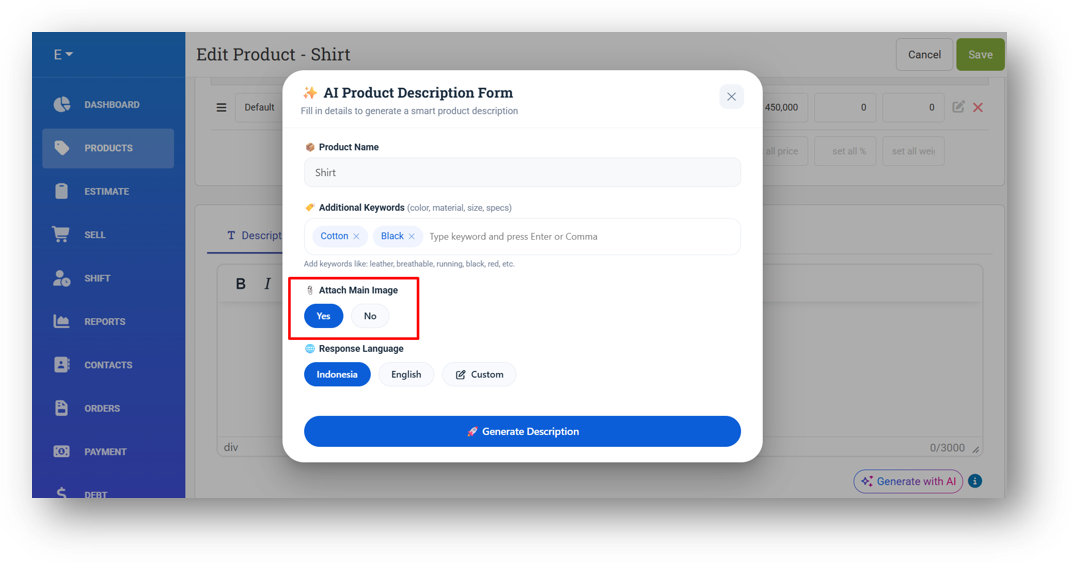
AI Product Description Generator to Analyze Main Product Images
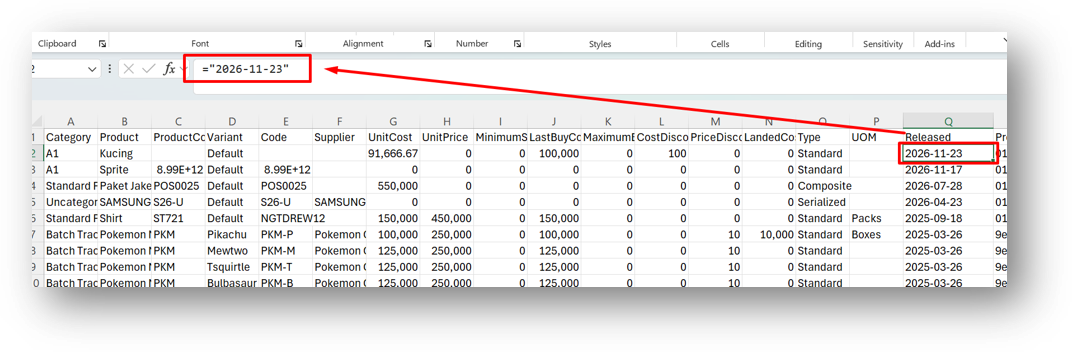
Improve Date Column Format on CSV Export to Prevent Excel System Auto-Converting When Re-Importing to System
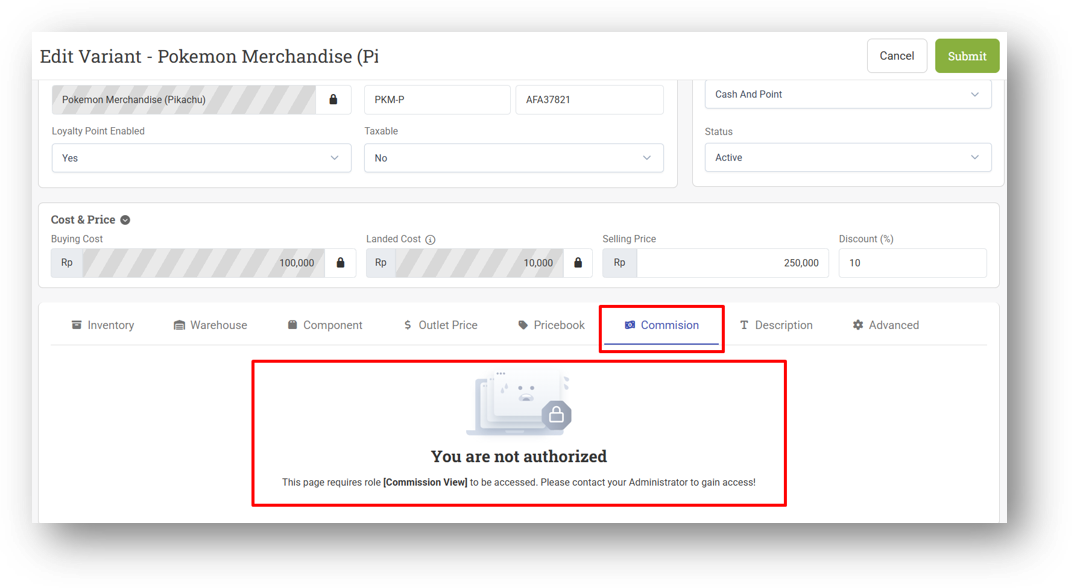
[Products - Variants] Display Unauthorized State on Commission Tab Content Instead of Empty
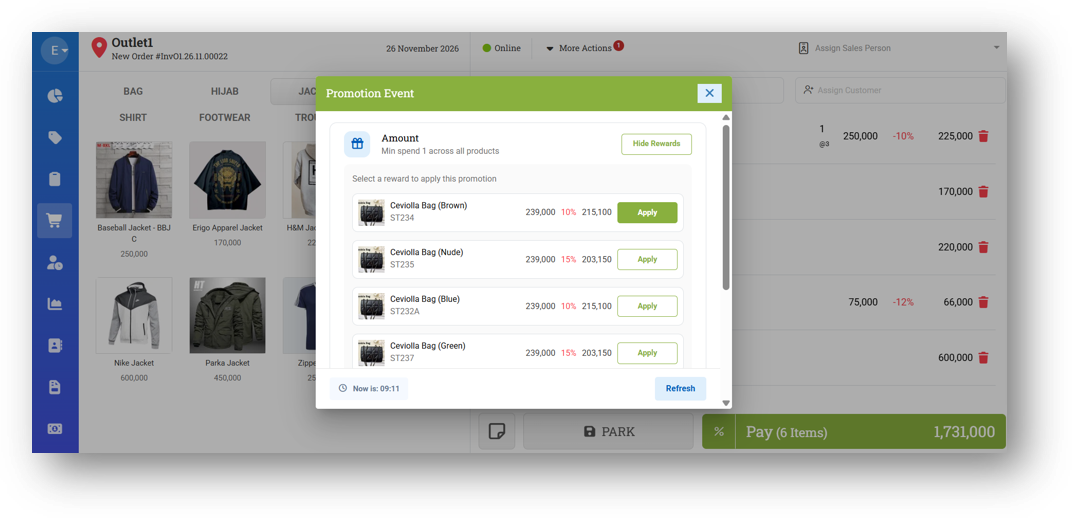
[Sell] Redesign Apply Promotion Event Modals
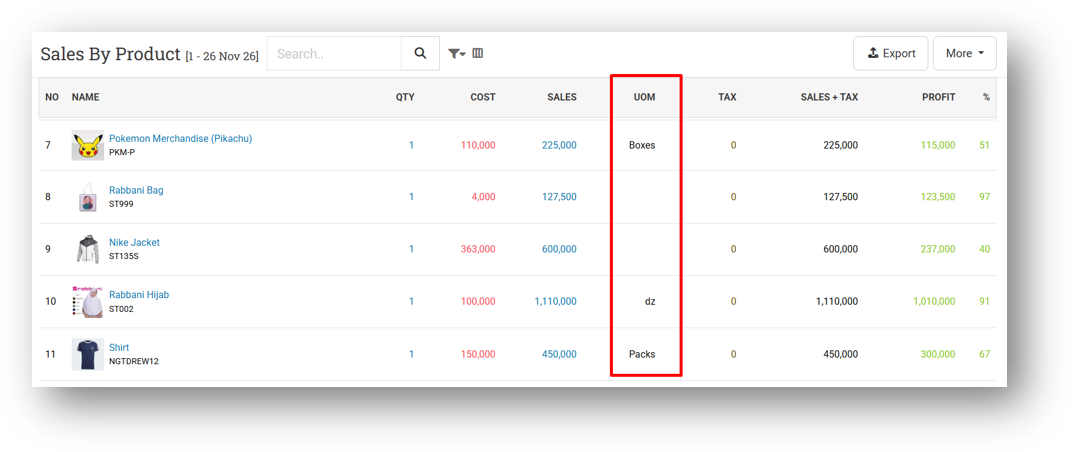
[Reports - Products] Provide UOM Column for Variant Scope
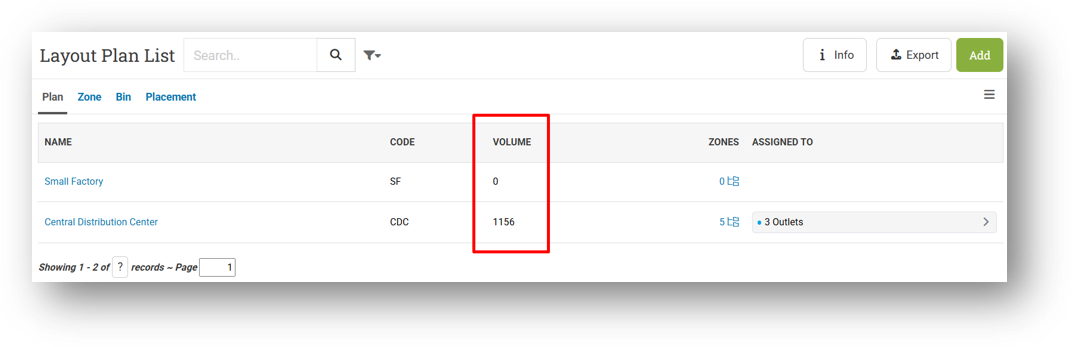
[Warehouse - Plan] Provide Volume Column (Accumulated Volume of Bins)
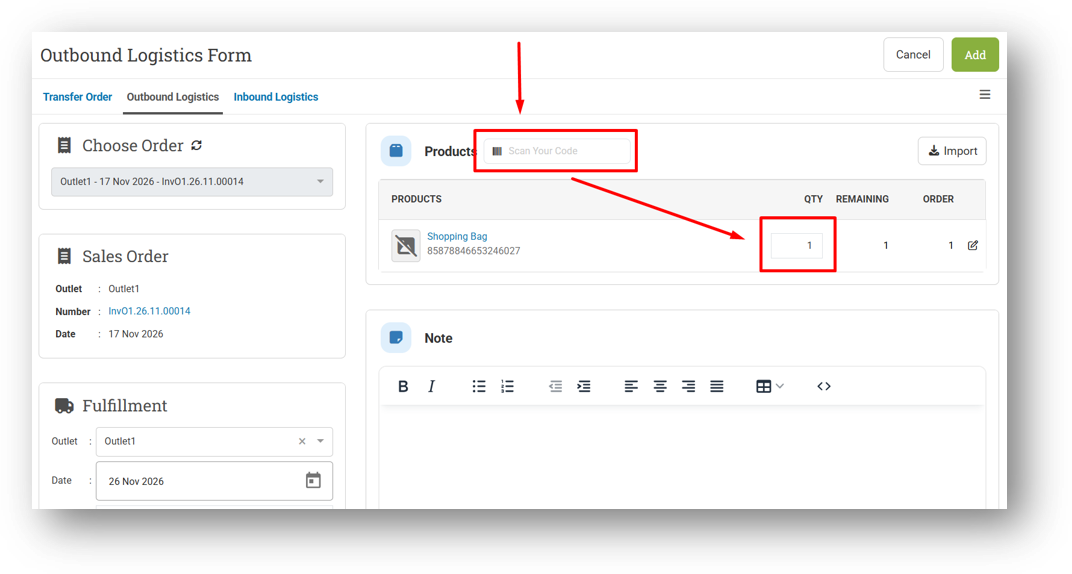
[Logistics] Enable Scan Code for Users without ScanToQuantity Role (Outbound & Inbound Form)
[Logistics - Transfer Order]
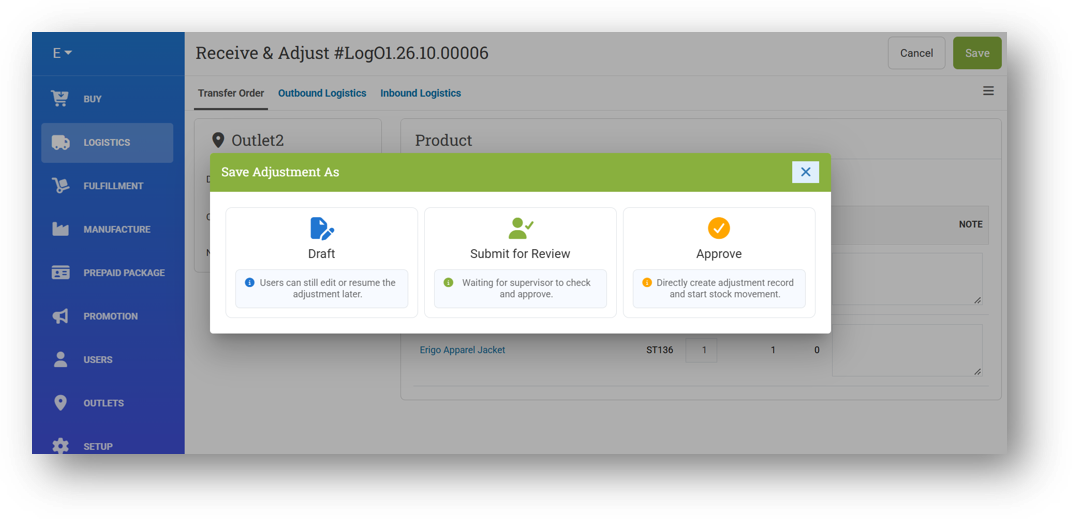
Provide Adjusment Approval Modal When "Receive & Adjust"
This feature was developed based on customer request #20965
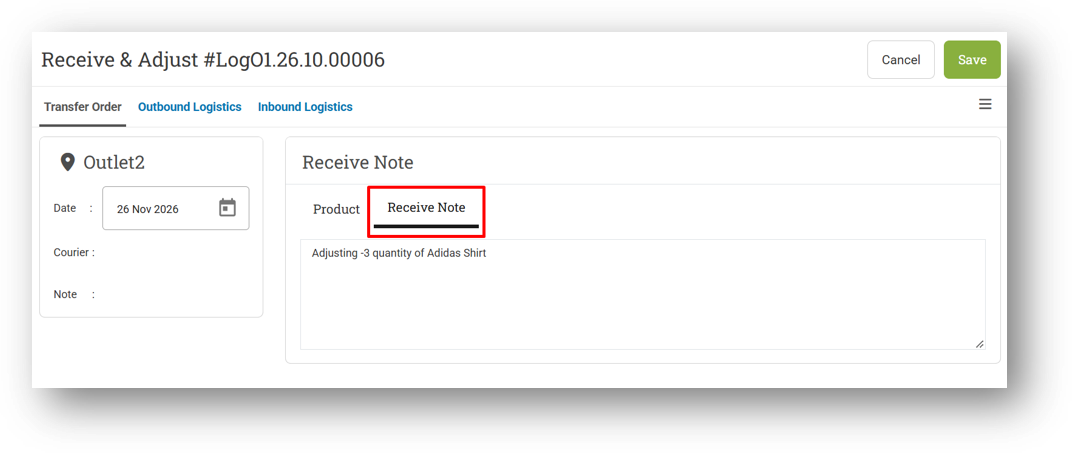
Display Receive Note Input on Tabs Instead of Modal (Receive & Adjust)
[Logistics - Inbound]
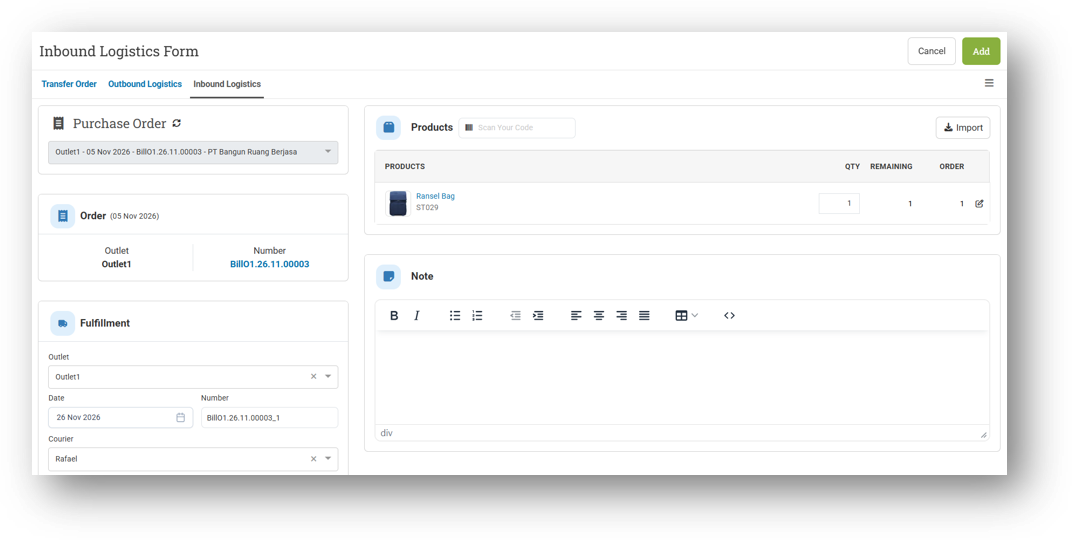
Enhance Inbound Form Page
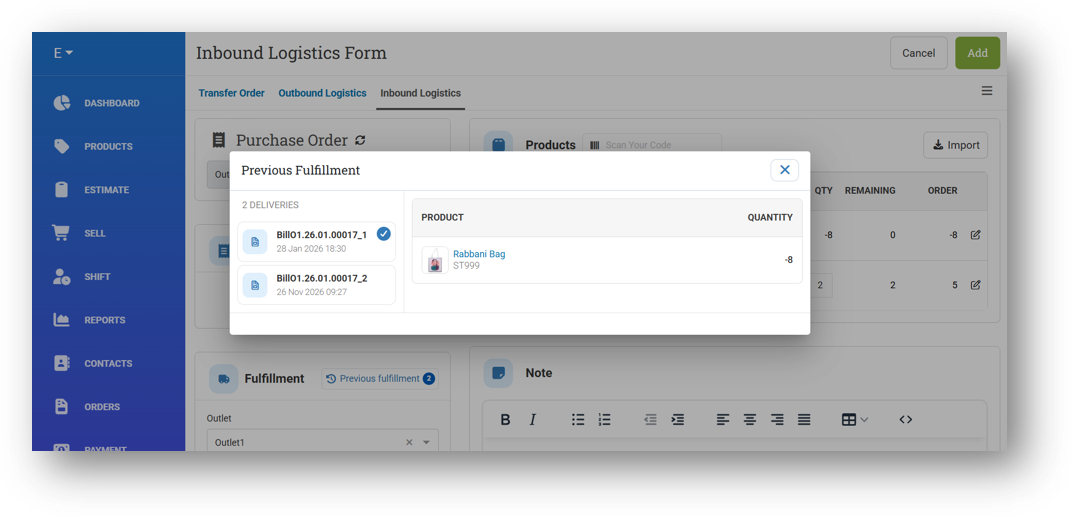
Provide Inbound Previous Fulfillment Modal
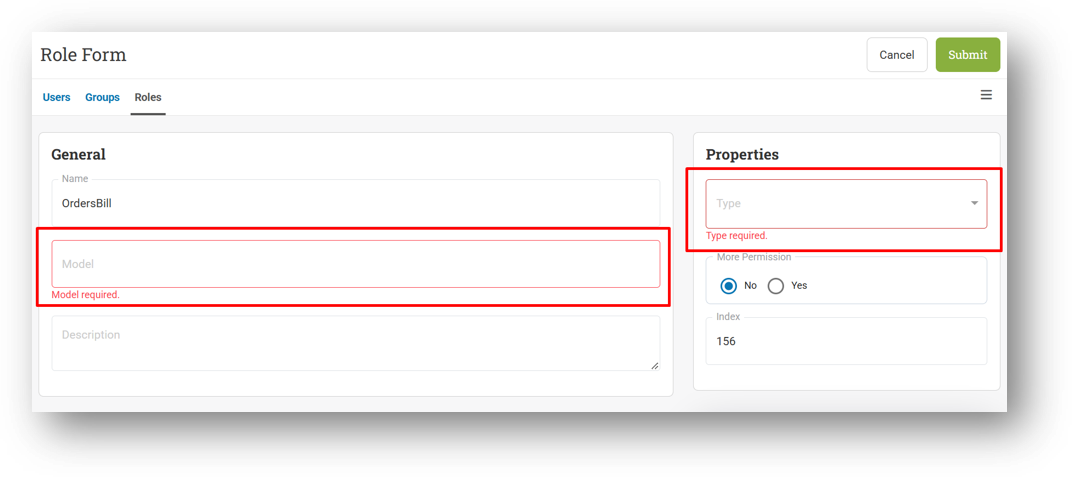
[Users - Roles] Improve Role Form Mandatory Field Validation
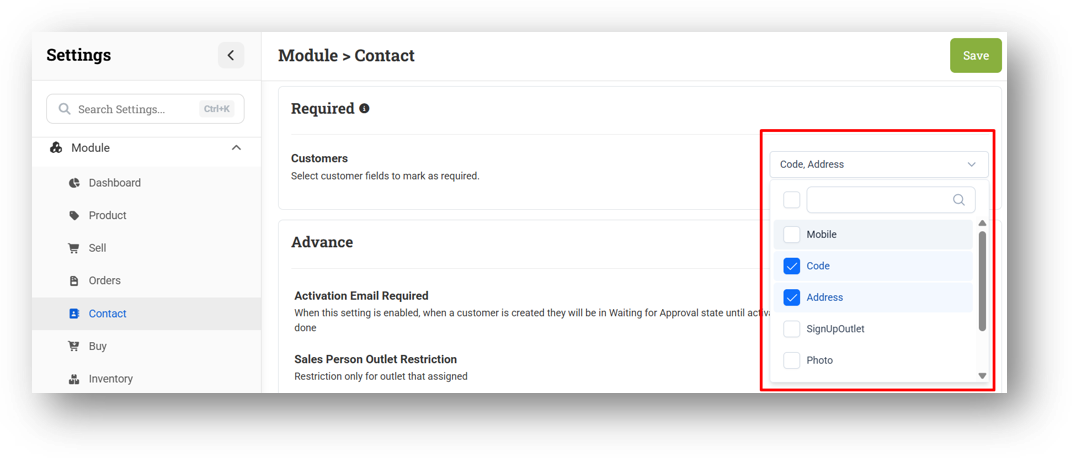
[Settings - Module (Contact)] Implement New Multiple Checkbox Component
Bug Fixing:
[Products - Import] Fix Users Cannot Import with Same Image URL for Product & Variant
[Contacts - Customers] Fix Users Still Can Save Data Without Filling Required Fields
[Inventory - Allocated] Fix Invalid Allocated Cache for Invoice with Returned Status (Includes: Variant Info and Unfulfilled Product Pages)
[Logistics] Restrict Edit & Delete Button on Outbound & Inbound Info Pages with Outlet Write Access (Fulfillment Outlet)
Overall, this update further establishes the platform as a reliable Inventory Application for your retail businesses. Stay tuned for more updates, and don't hesitate to reach out if you have any questions or need support!