- DATE:
- AUTHOR:
- Ezzan
WebApp Version 26.45
This update includes new features, essential performance improvements, and usability enhancements to ensure your daily operations run smoothly. We've also addressed several bug fixes to enhance stability and reliability. DealPOS continues to evolve as a reliable POS Software designed to support retail business operations with better performance and usability. Thank you for your continued trust and feedback, which help us deliver the best possible service.
New Feature:
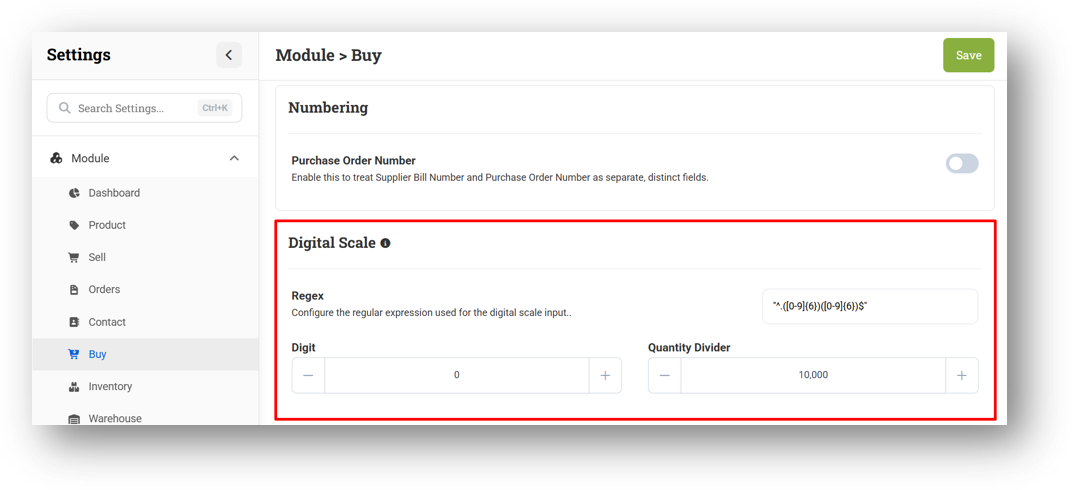
[Buy] Digital Scale Settings for Buy Module
We've added Digital Scale Settings to the Buy module, matching what's already available in Sell and Adjustment. This lets you parse scaled barcodes correctly so quantities and codes are read accurately when scanning weighted items. Configuration covers three parts: Digit (enter the barcode length, or 0 to disable the feature), Quantity Divider (handles the decimal point in weight values), and Regex (defines how the barcode string is split into code and quantity). Once set up, scanning a scale label in Buy will automatically populate the right product code and quantity.
This feature was developed based on customer request #20717
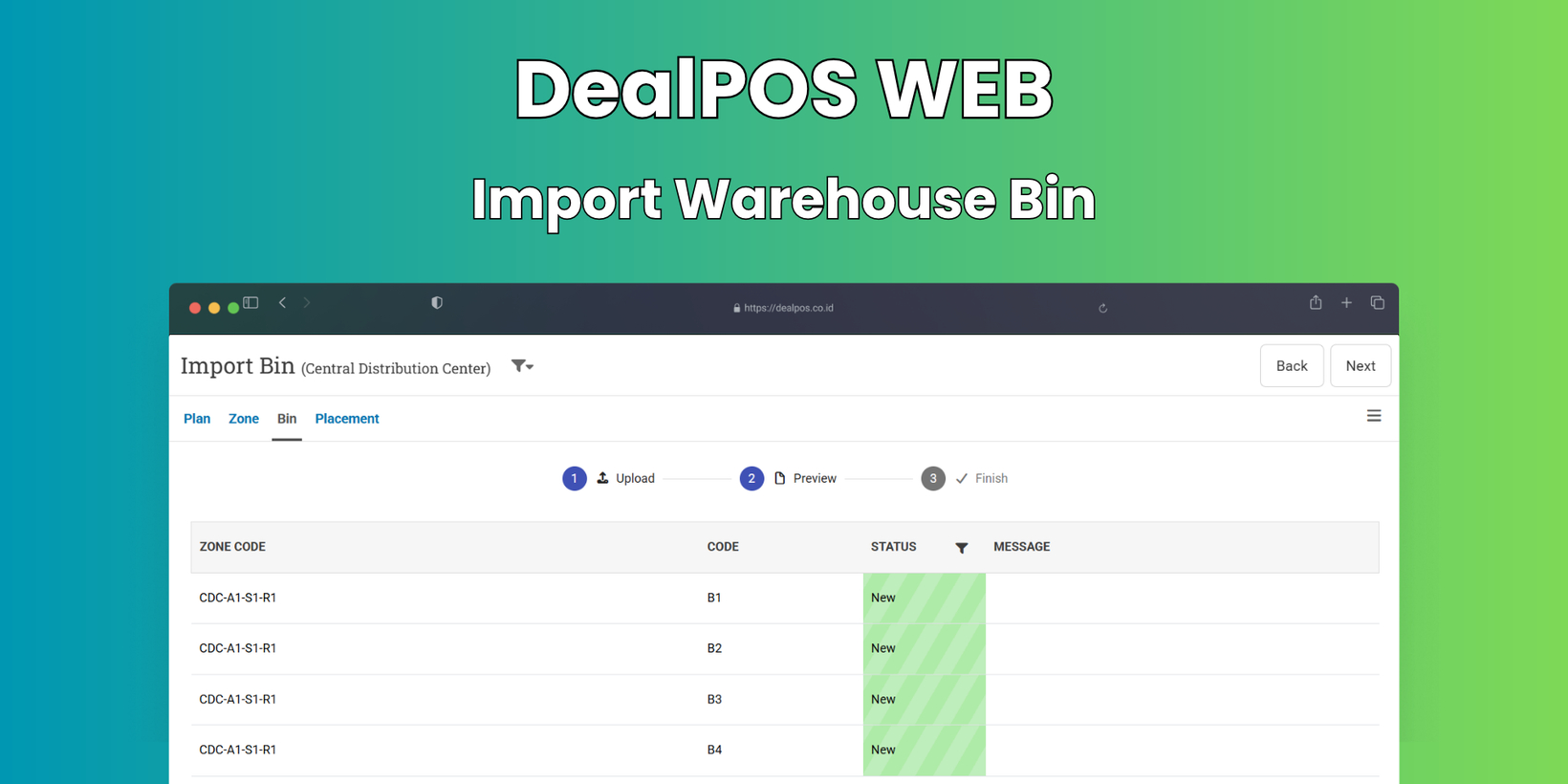
[Warehouse - Bin] Import Warehouse Bin
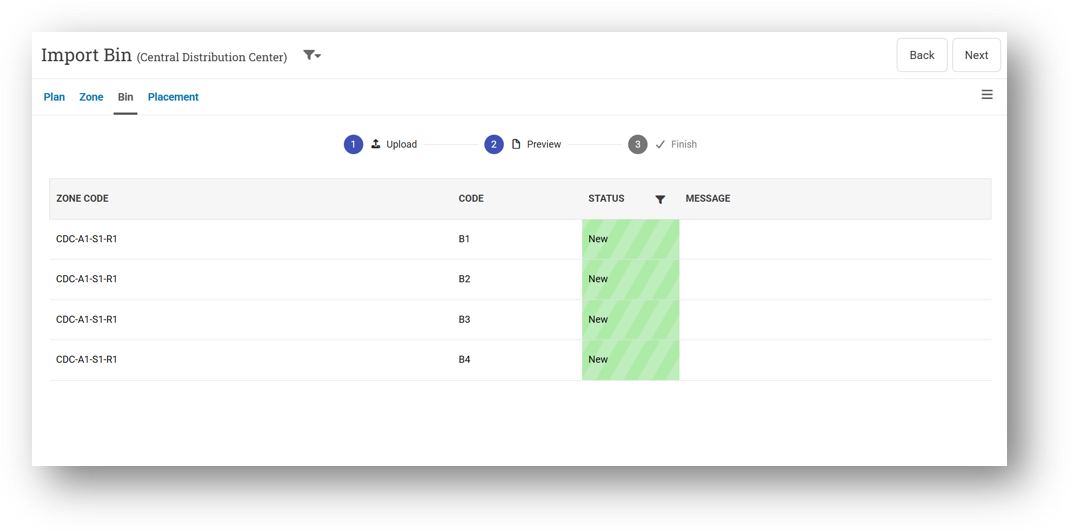
We've added the ability to import Warehouse Bins in bulk, making it much faster to set up a large storage layout. Before uploading your file, you'll need to select the Plan you're importing into. In your CSV, each row must include the full Zone Code path—not just the final segment. For example, if a zone sits at the third level, you'd enter the complete path like
A1-S1-R1rather than justR1. To help you get started, we've also provided a ready-to-use CSV template you can download and fill in.For a complete walkthrough, check out our guide: Getting Started With Warehouse Feature
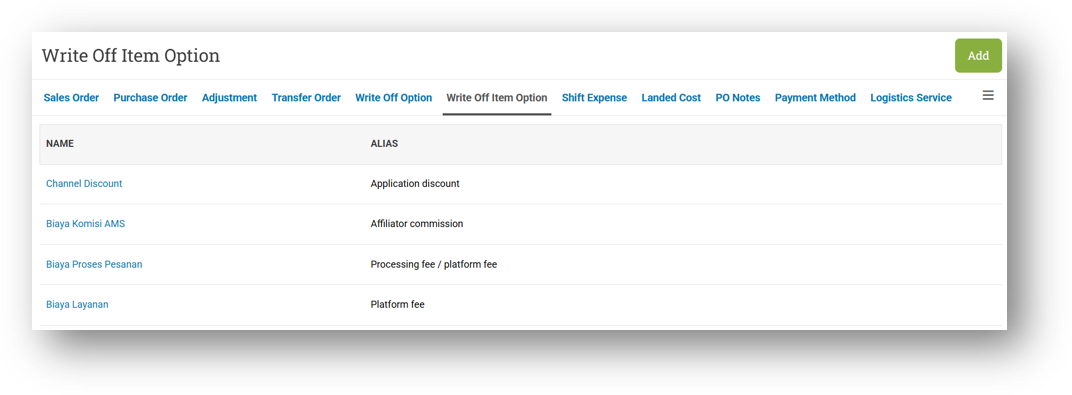
[Setup] Write Off Item Option
We've introduced Write Off Item Option to make the small deductions in your Omni Channel orders—like affiliate fees, store discounts, and marketplace discounts from Shopee, TikTok, Tokopedia, and others—much easier to understand. These details often come with unfamiliar names, so alongside storing them, you can now assign your own Alias to each item. This way, your team sees names that are instantly recognizable, making order reconciliation clearer and faster.
Minor Improvements:
[Products]
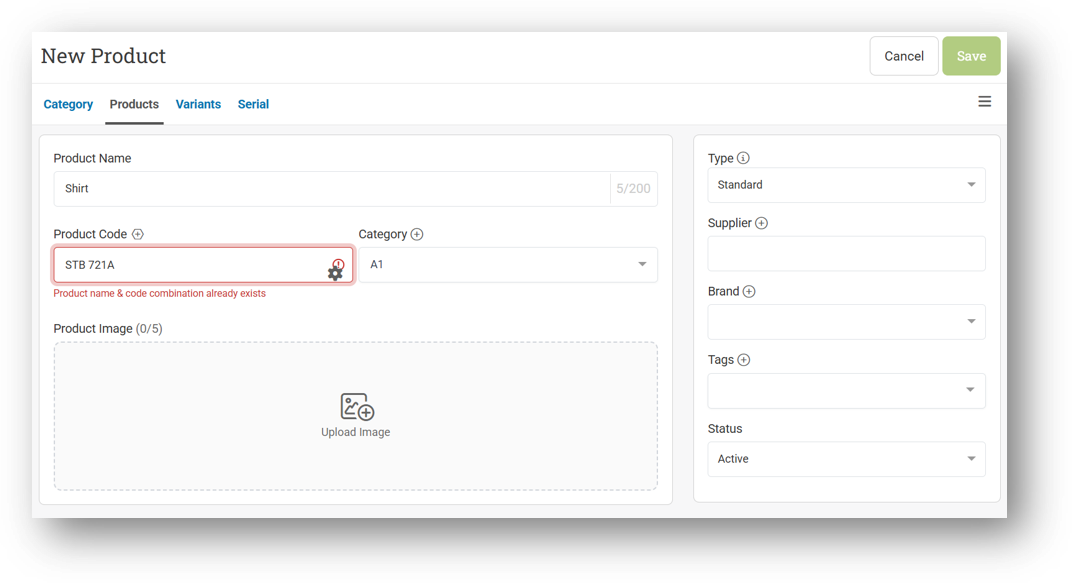
Improve Product Name & Code Validation Warning on Form
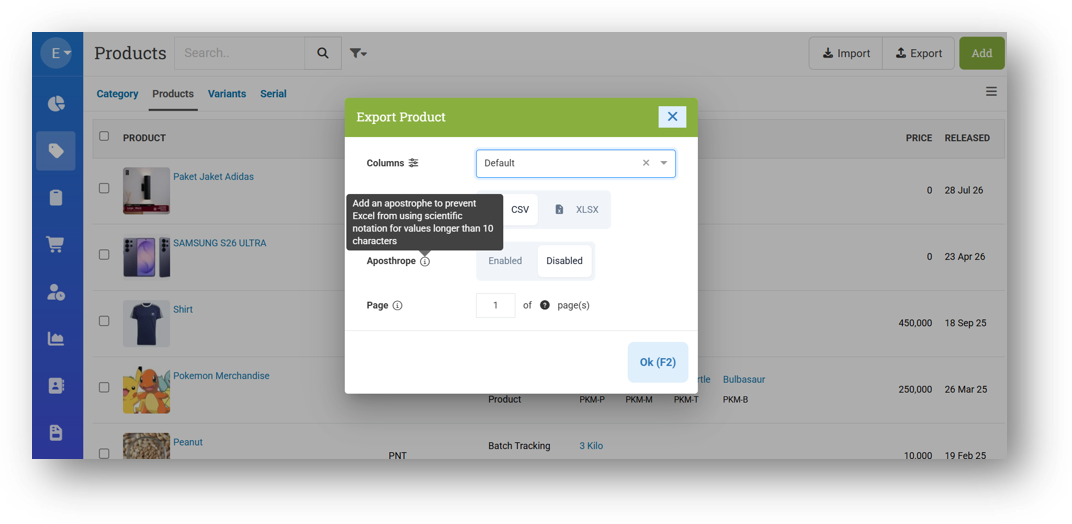
Provide Export Type Options: With Apostrophe
[Sell]
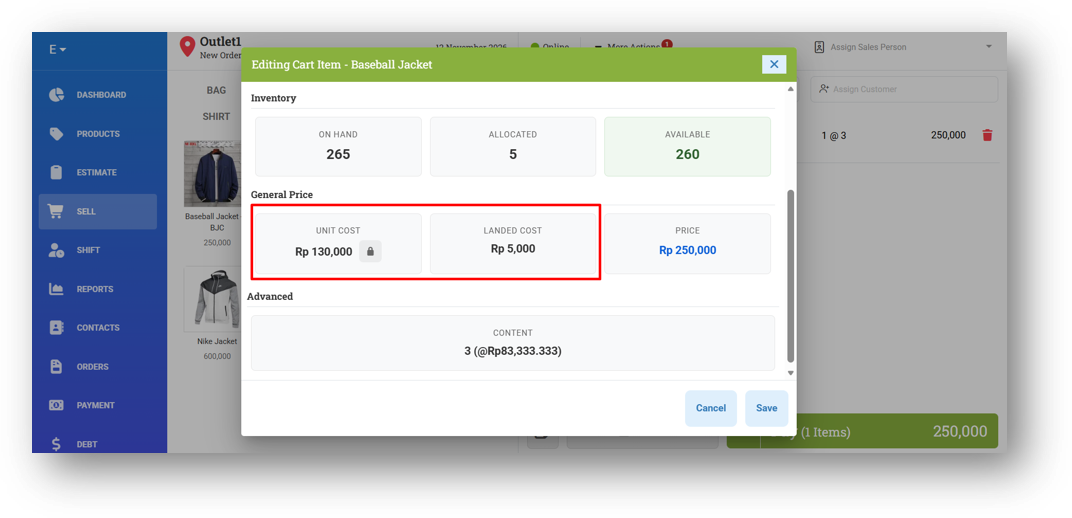
Separate Unit Cost & Landed Cost Field
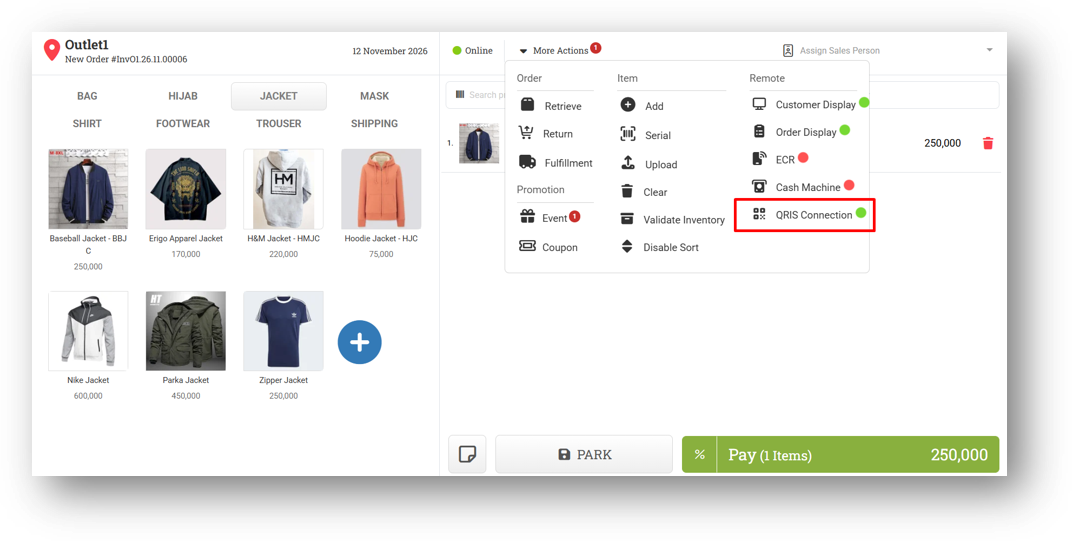
Provide QRIS SignalR Status
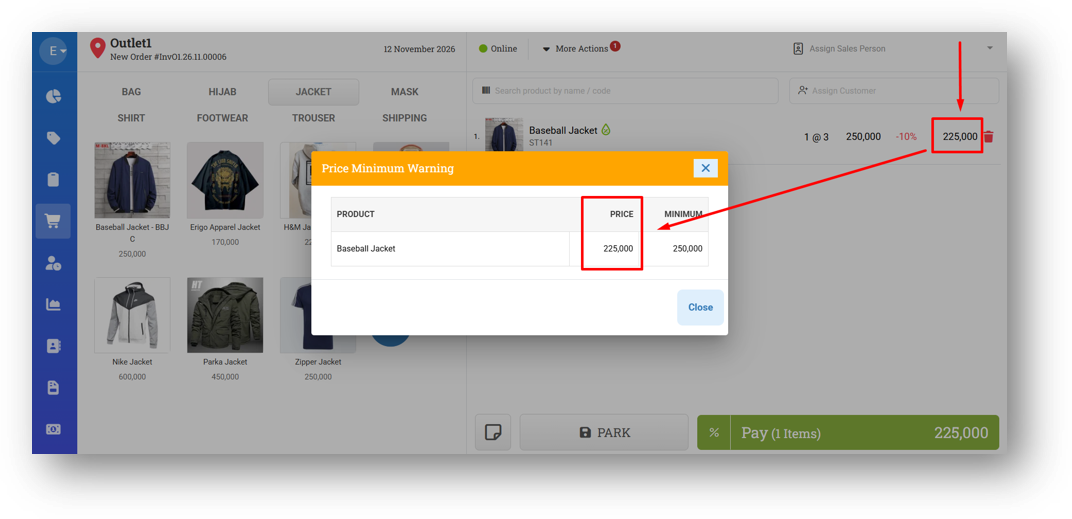
Implement Minimum Price Includes Discount Settings to Minimum Price Warning Modal
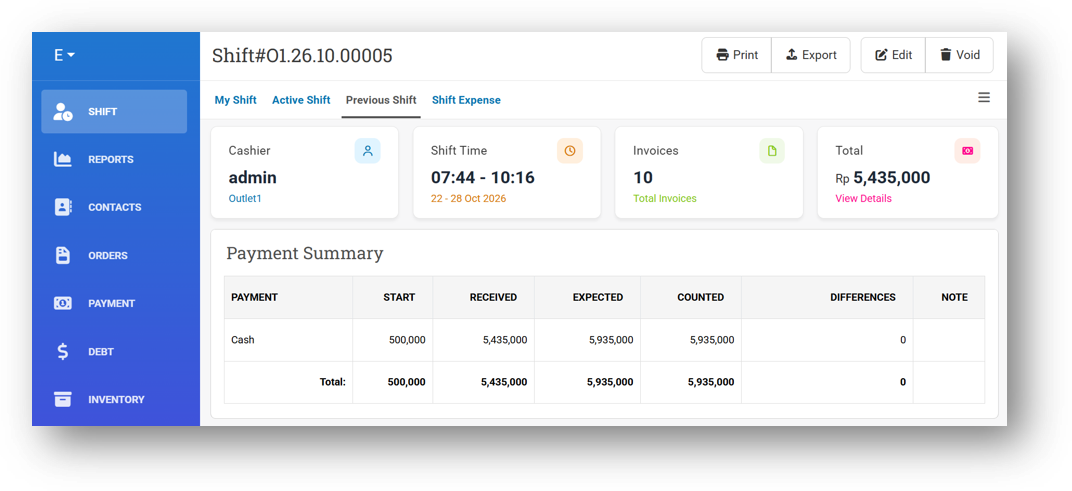
[Shift] Redesign Shift Main Card Styling
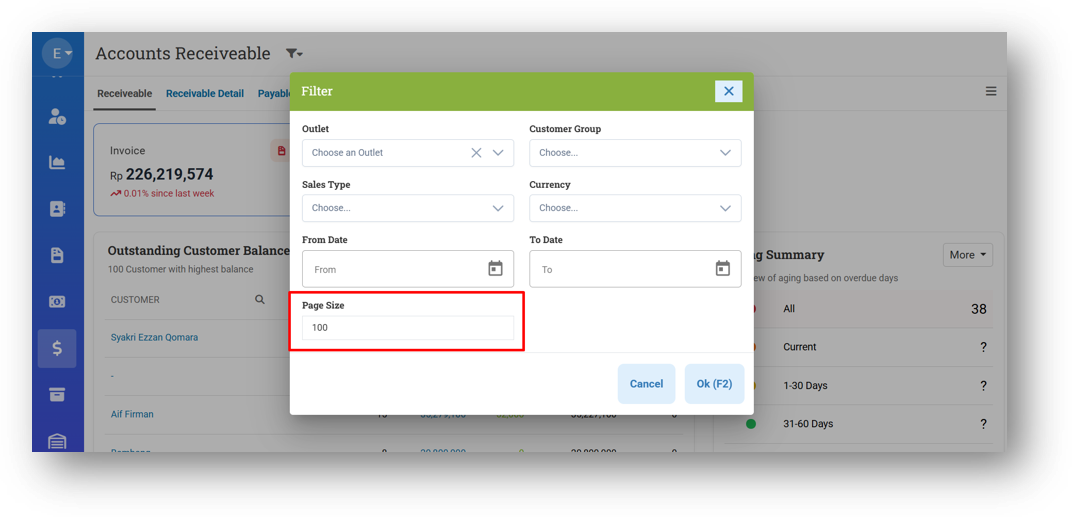
[Debt] Page Size Filter for Receivable, AR Details, Payable, and AP Details Page
This feature was developed based on customer request #21663
[Inventory - Value]
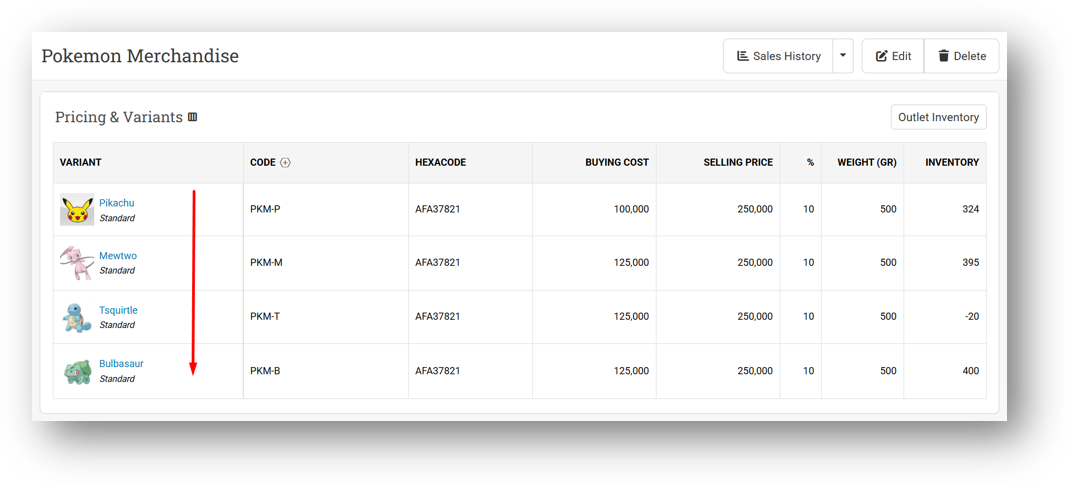
Order Variant on Product by Product Variant Index
This feature was developed based on customer request #20862
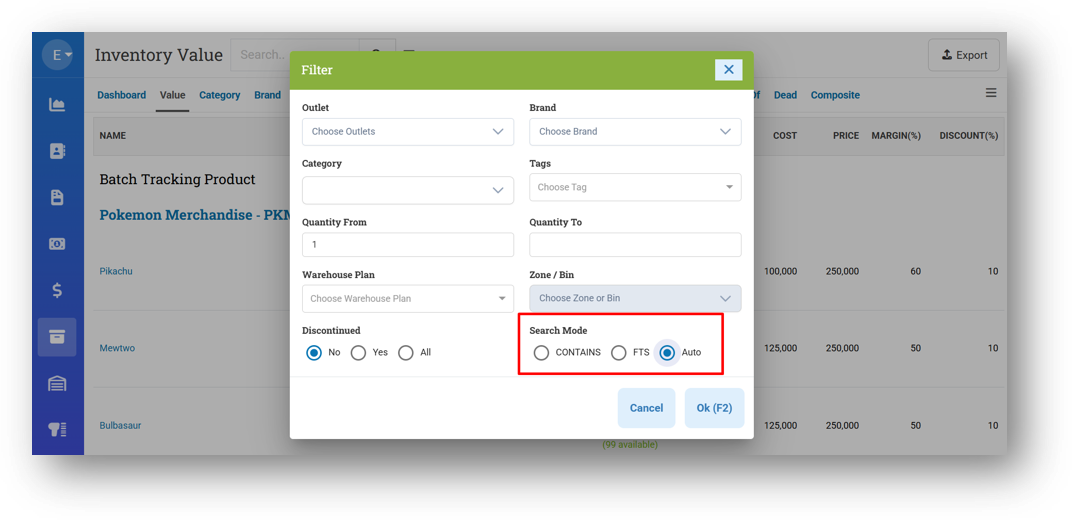
Provide Automatic Search Mode Option
We've added a new Auto option to our search mode settings, alongside the existing FTS and Contains. With Auto selected, the system will automatically determine whether a keyword is best handled by FTS or Contains based on what you type—so you no longer need to manually switch modes. Just search as usual, and the system picks the right approach for you.
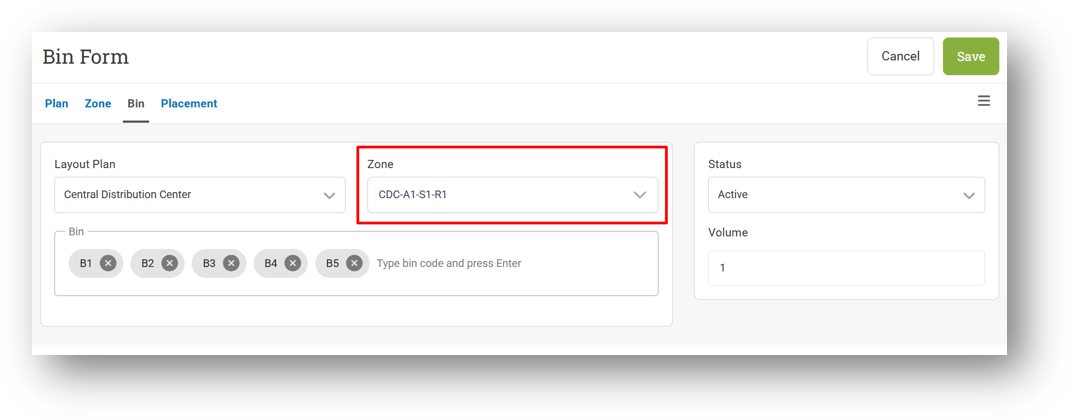
[Warehouse - Bin] Display Full Zone Code on Selected Zone (Bin Form)
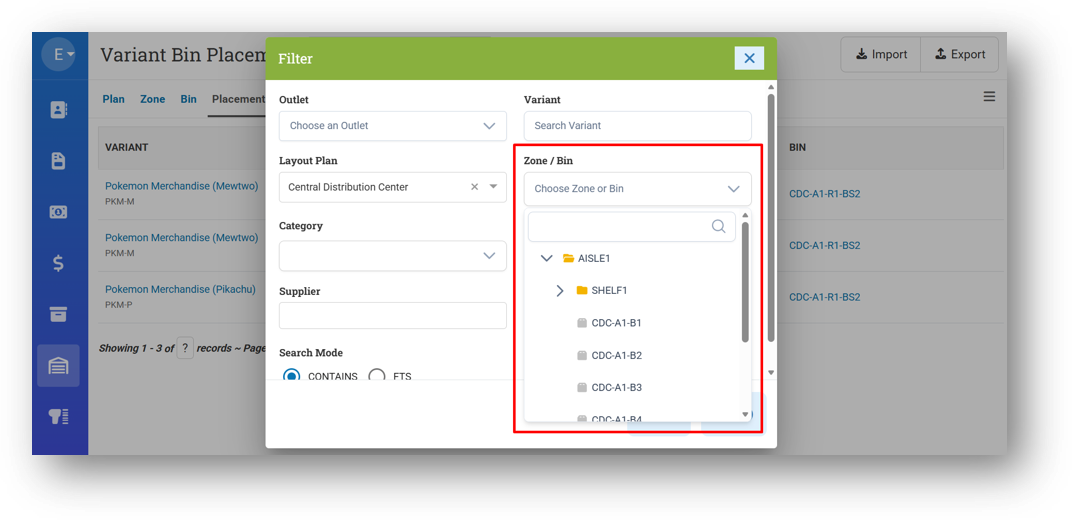
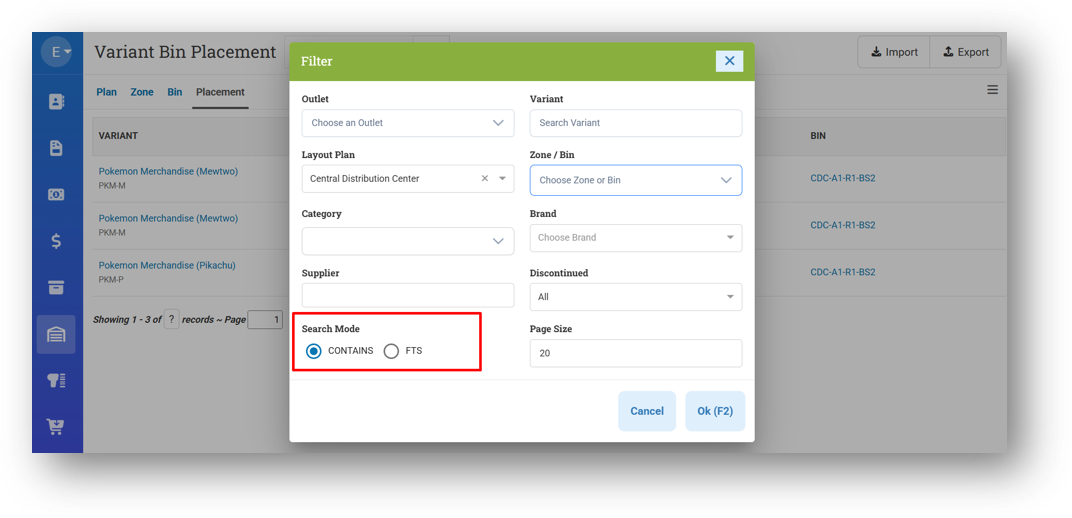
[Warehouse - Placement]
Simplify Warehouse Zone & Warehouse Bin Filter
Provide Search Mode Filter
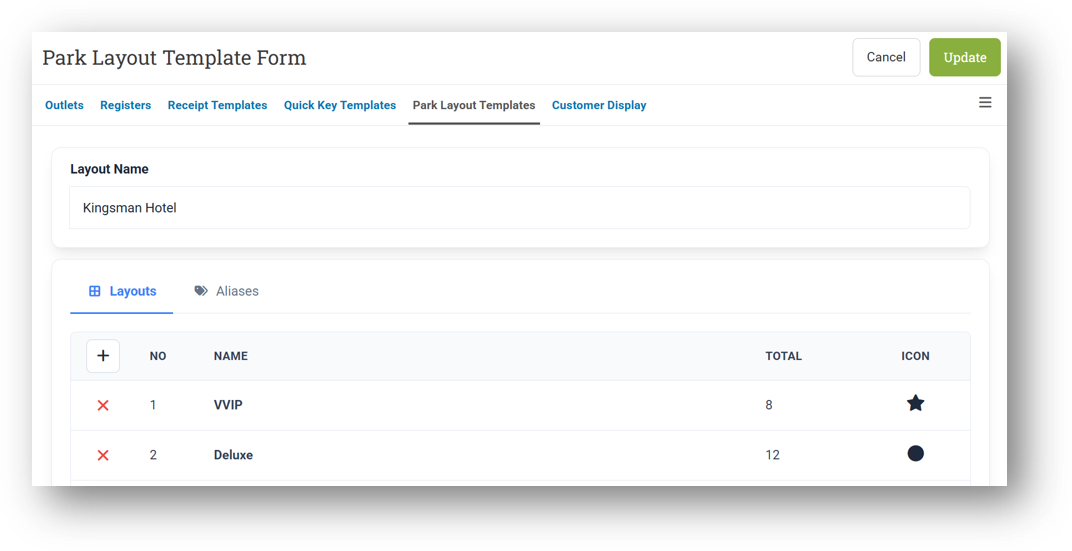
[Outlets - Park Layout] Redesign Park Layout Form
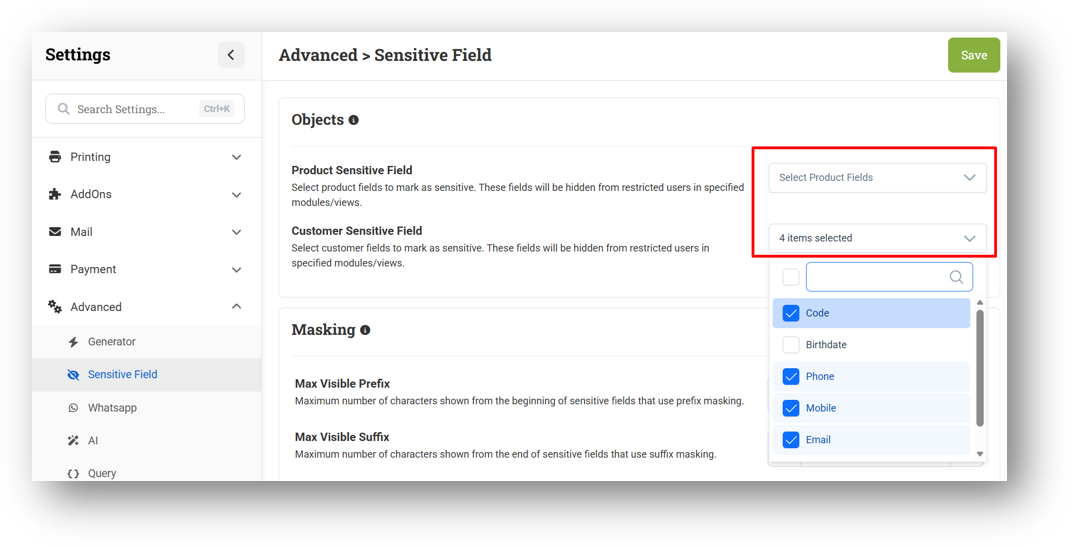
[Settings - Advanced (Sensitive Field)] Implement Multi-Checkbox with Search Component
Bug Fixing:
[Contacts - Customer]
Fix Missing Sensitive Field Masking on New Customer & Birthday Cards
Fix Missing Birthdate Sensitive Field Masking from Dashboard & Form Pages
[Inventory - Days Off] Fix Unauthorized Users Can View Cost in CSV Export
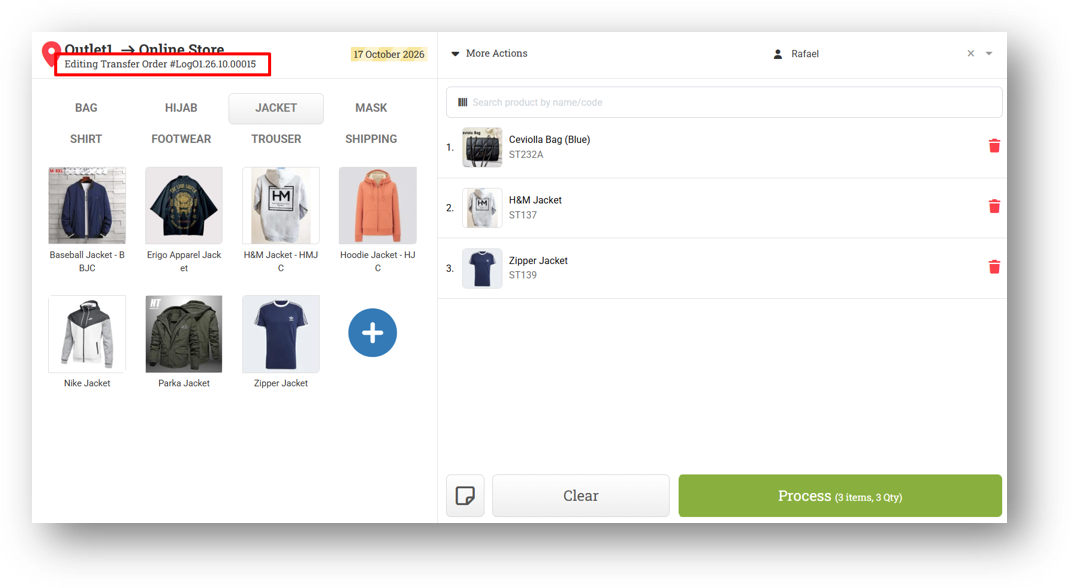
[Logistics - Transfer Order] Fix Previous Data Persisting When Editing Different Record
We've fixed a critical bug where creating a new Transfer Order after editing an existing one would incorrectly display the previous edit form instead of a fresh new form. This caused users to unknowingly modify the old record—clearing its items and entering new ones—believing they were creating something new. The issue was traced to stale cached data and has now been resolved, so creating a new Transfer Order always starts with a clean form.
This bug was fixed based on customer ticket #20759
Deprecated:
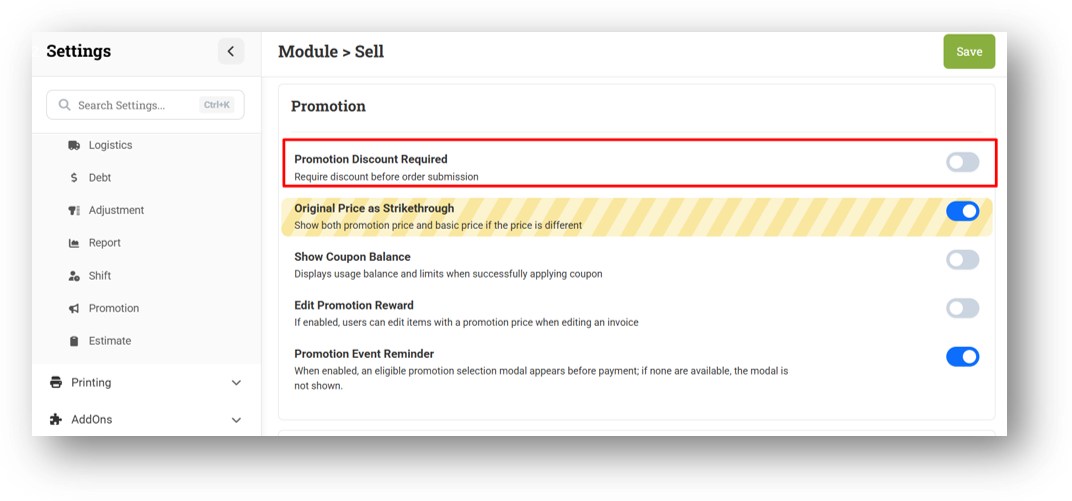
[Settings - Module (Sell)] Promotion Discount Required Settings
We've removed the Promotion Discount Required setting from the Sell module. This option is no longer relevant given how promotion events now behave—they've grown far more complex and varied (we already have Promotion Event Reminder settings), and the old setting no longer aligns with current promotion logic. Its removal keeps the promotion configuration simpler and more consistent with how things actually work today.
Overall, this update further establishes the platform as a reliable Inventory Application for your retail businesses. Stay tuned for more updates, and don't hesitate to reach out if you have any questions or need support!