- DATE:
- AUTHOR:
- Ferdiansyah R
Omnichannel Version 6.12.0
New Features & System Improvements:
Introducing, Scan Channel V2!
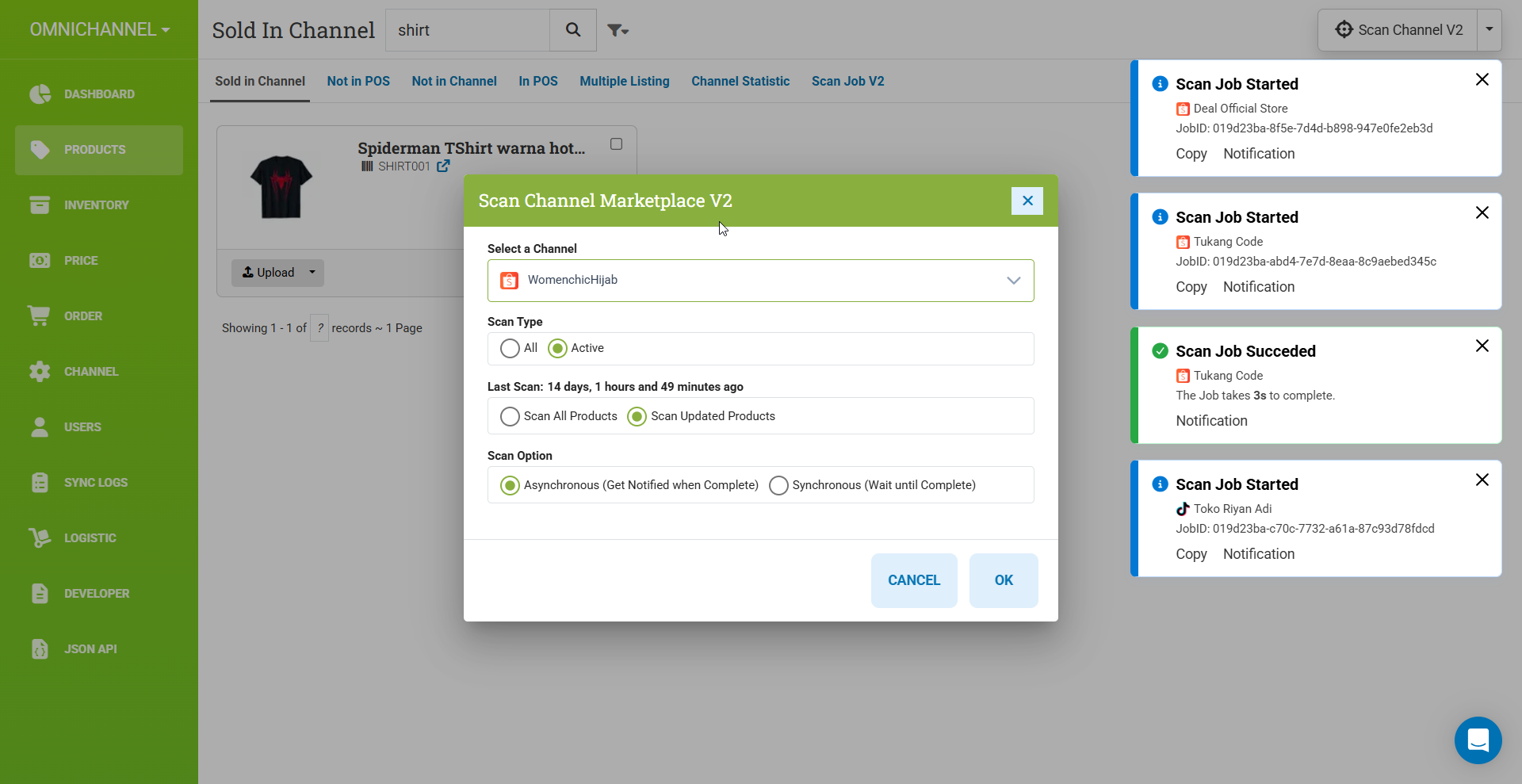
What’s New:
The toaster after pressing “OK” behaves differently: it now stays visible and can be clicked to view the scan channel details.
Scan restrictions added: if a scan for Channel A is in progress, you cannot start another scan until the current one finishes or errors out.
The scan is now powered by improved, high-performance code—faster, smoother, and more reliable than ever. Say goodbye to delays and hello to a snappier scanning experience!
Faster load in Product, Sold in Chanel!
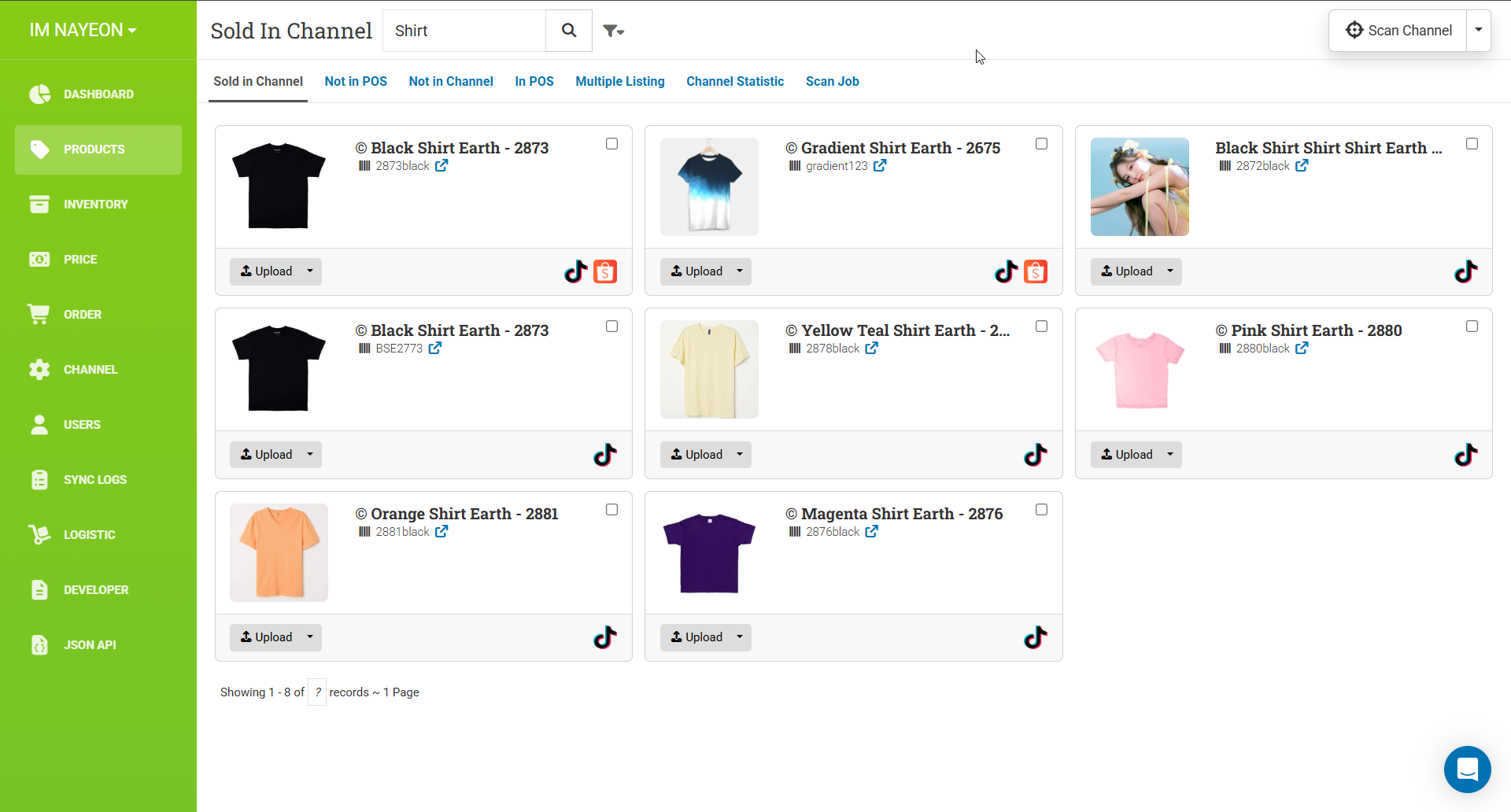
We have optimized the way we generate data to improve overall performance and reduce loading times. As a result, the application should now load faster and provide a smoother user experience.
We now load the product component on demand, so it’s expected that you will see the Channel displayed as a count. You may need to click to reveal the channels
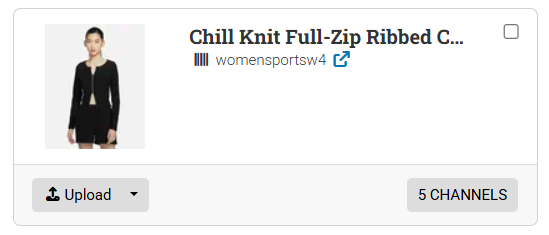
Add ‘Last Login’ and tidy up assigned channels if the number of assigned channels exceeds 5.
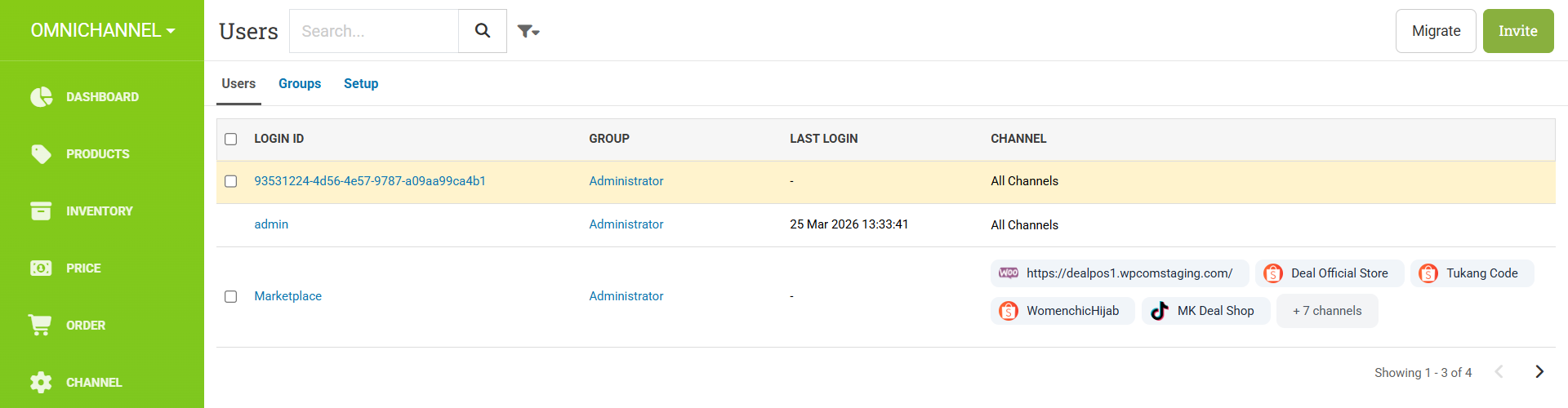
Now the user’s last login time is displayed for quick reference. Additionally, if a user has more than 5 assigned channels, the list is tidied up to improve readability and reduce clutter, requiring a click to view the full list.