- DATE:
- AUTHOR:
- Ezzan
WebApp Version 25.52 Changelog
This update includes new features, essential performance improvements, and usability enhancements, ensuring your daily operations run smoothly. We've also addressed several bug fixes to enhance stability and reliability. Thank you for your continued trust and feedback, which help us deliver the best possible service.
New Feature:
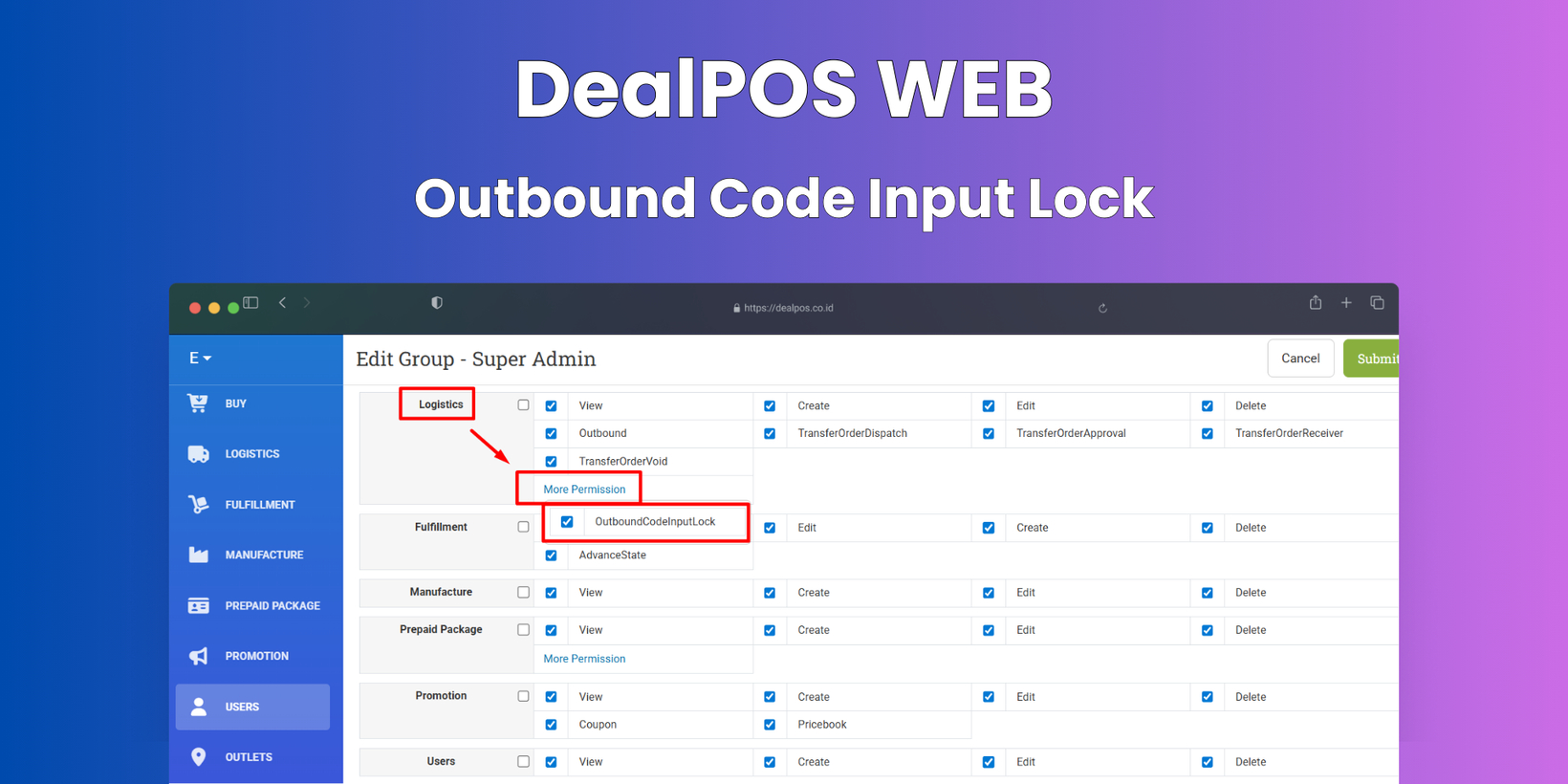
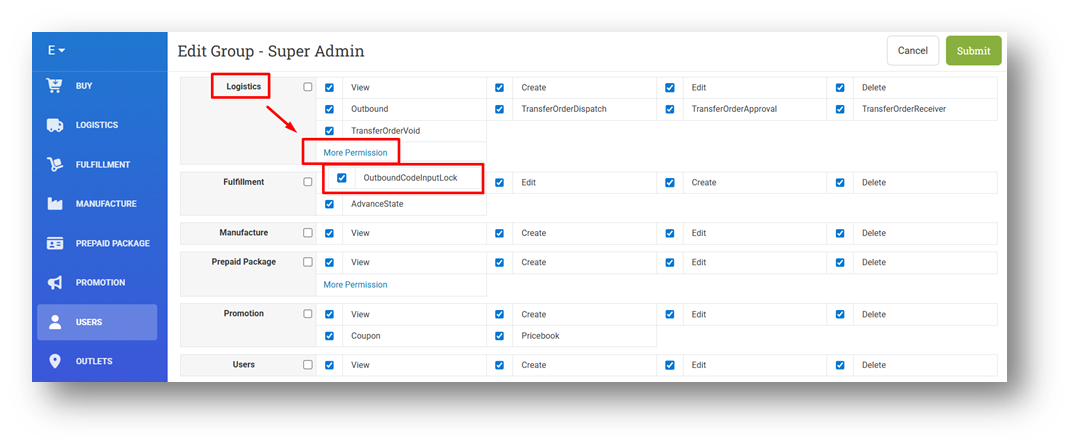
[Logistics - Outbound] Outbound Code Input Lock Role
We have introduced a new role called Outbound Code Input Lock. When this role is assigned, users will no longer be able to manually type codes into the Scan Field on the Create Outbound form and must use a scanner instead. This helps reduce input errors and ensures that outbound processing follows proper scanning procedures.
This feature was developed based on customer request #9398
Minor Improvements:
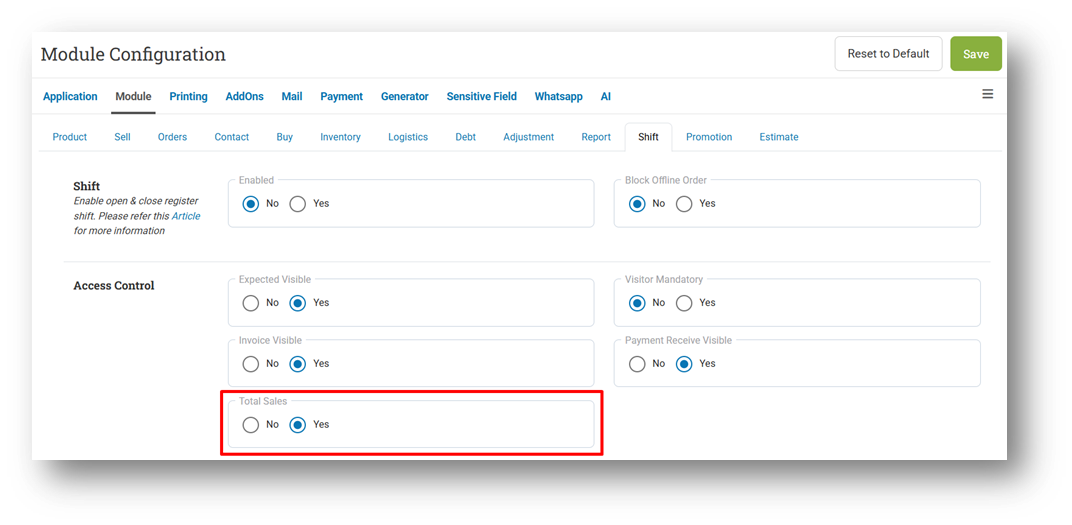
[Shift] Total Sales Configuration
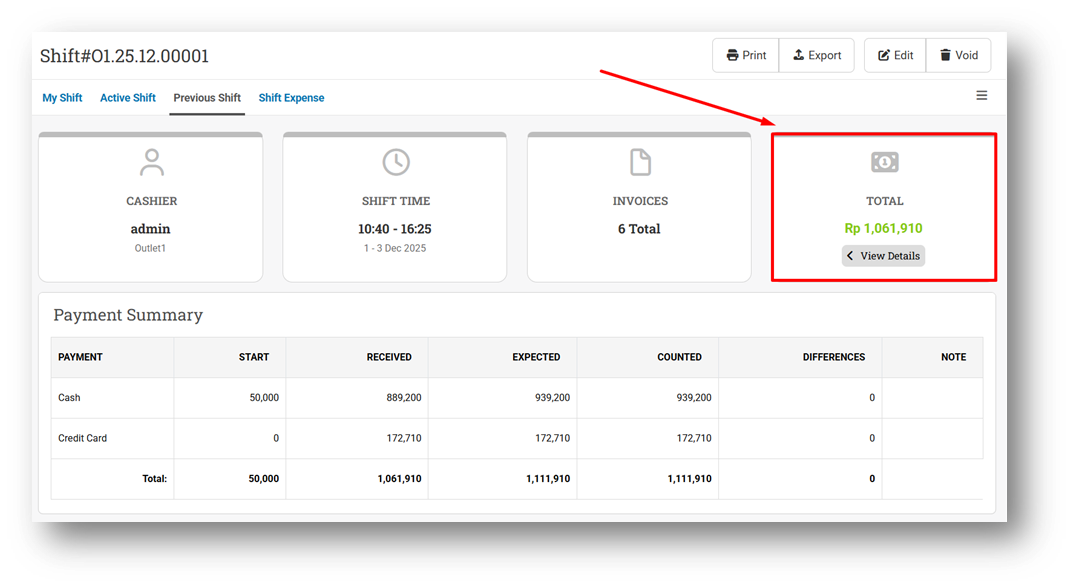
We have added a new setting, Total Sales, that allows businesses to control whether Total Sales information is shown in the Shift menu. This provides more flexibility for managing what sales data is visible during shift operations.
When the setting is disabled, the Total Sales figure will be hidden from the Shift view, helping businesses limit sales visibility for certain roles or operational needs. When enabled, Total Sales will be displayed as usual, ensuring transparency where required.
This feature was developed based on customer request #9387
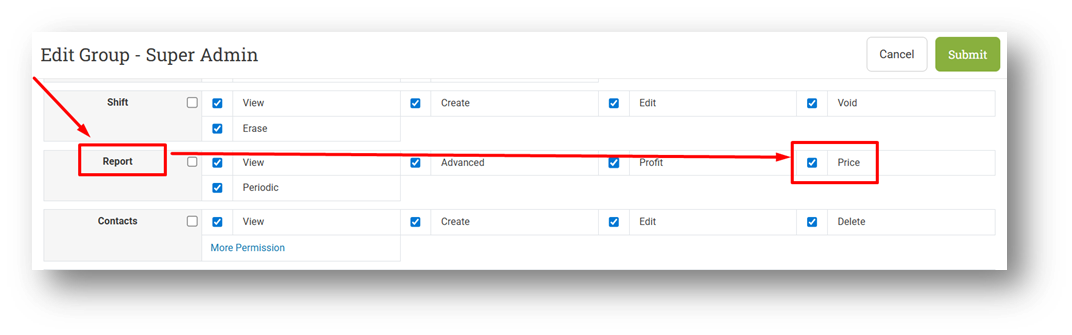
[Reports] Implement Report Price Role to Reports Category, Details, and Summary
This improvement was developed based on customer request #9387
[Orders - Customer Invoice]
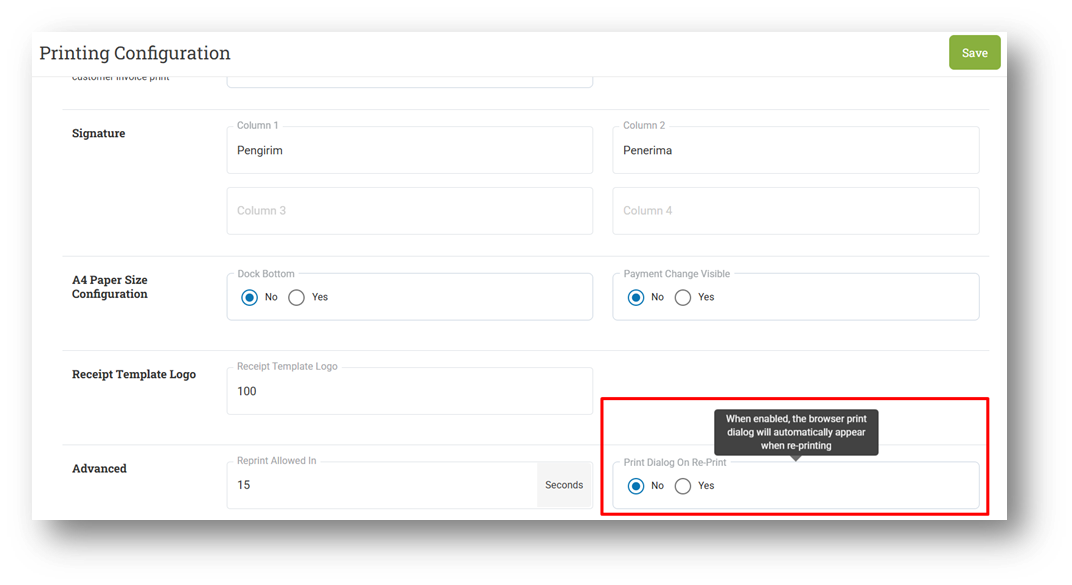
Print Dialog on Reprint Setting
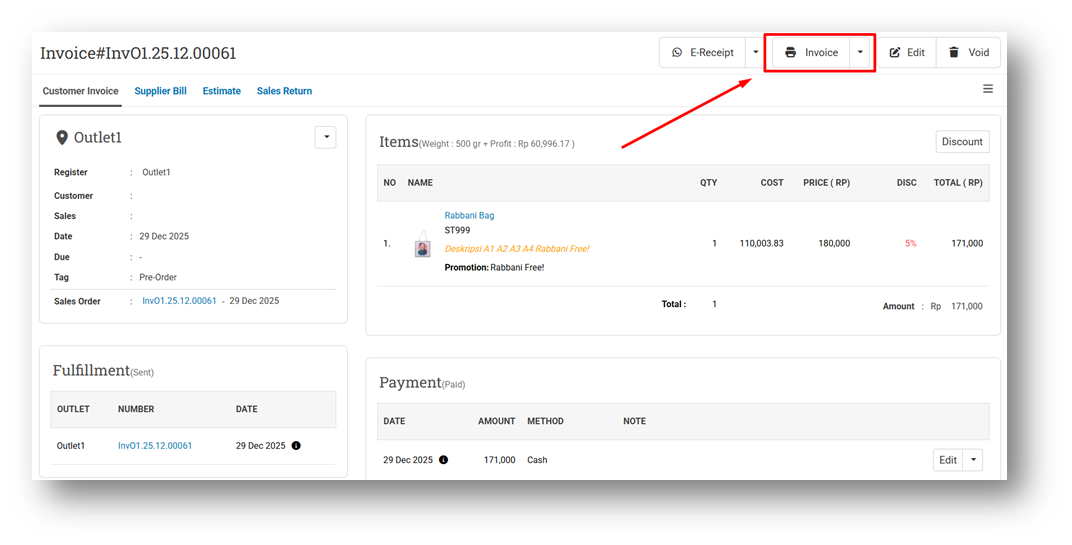
We have added a new setting called Print Dialog on Reprint that controls whether the browser’s print dialog is automatically opened when users reprint an invoice from the Invoice Info page. By default, this setting is disabled, meaning the print dialog will not open automatically.
This setting helps prevent unnecessary reprint records. Since the system logs a print activity each time the print dialog is opened, users who frequently reprint invoices only to review them—without actually printing—are advised to keep this setting turned off. Enabling the setting is recommended only when reprints are consistently intended for actual printing.
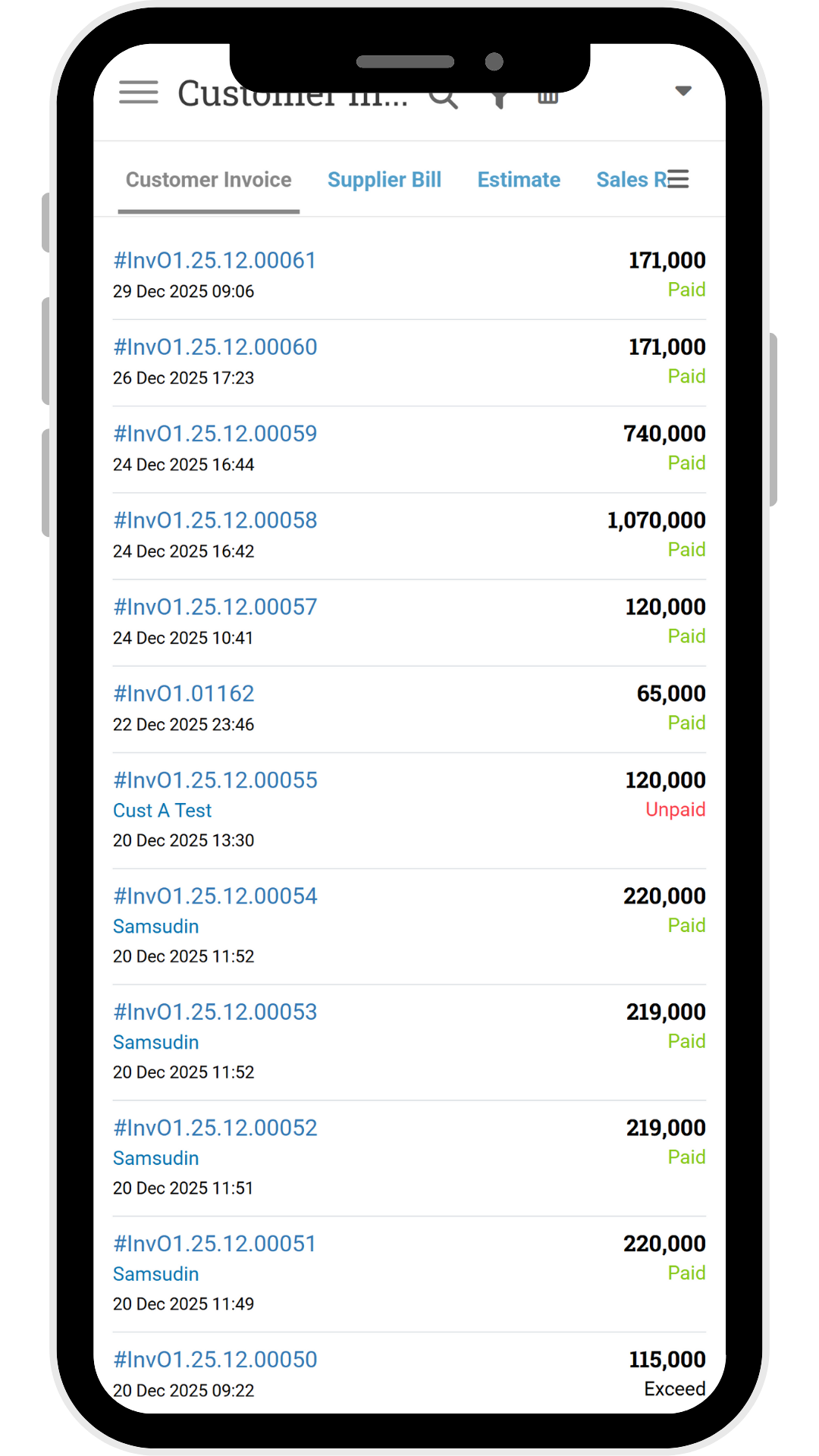
Remove Sync Icon & Provide Invoice Date Time for Invoice List Mobile View
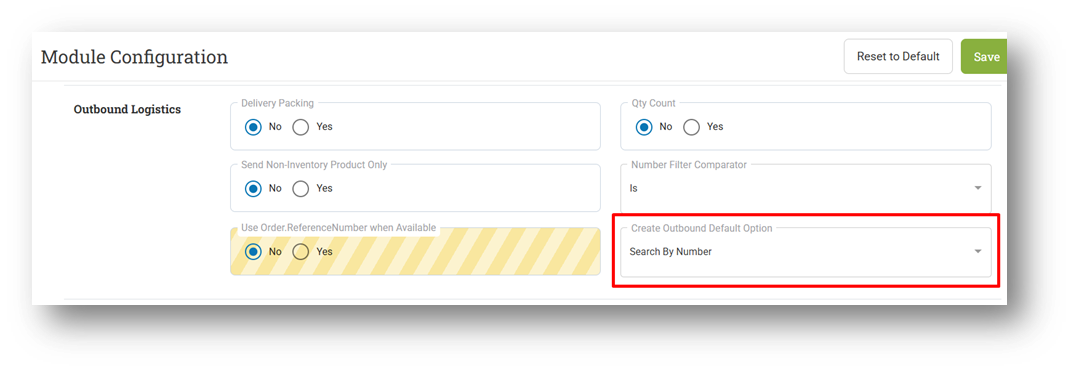
[Logistics - Outbound] Default Create Outbound Option Configuration
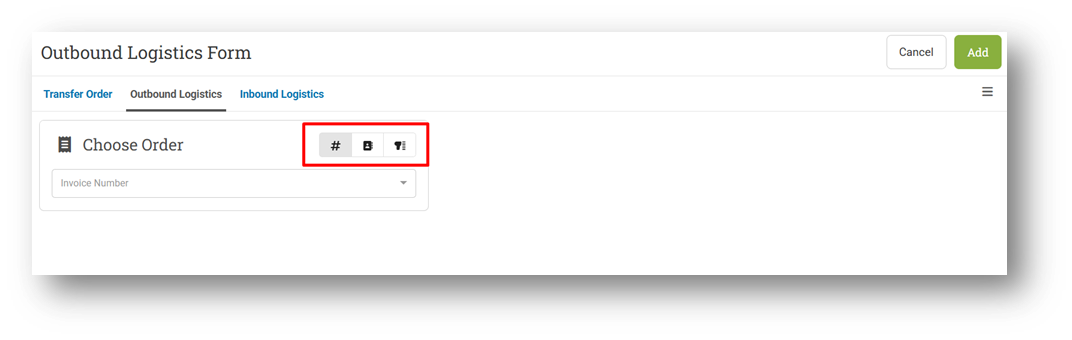
We have added a new setting that allows users to define the default input option when creating an Outbound Logistic. This setting determines which input tab—such as Scan by Number—is selected by default, reducing the need for manual tab switching and streamlining outbound preparation.
Once configured, the Create Outbound form will open automatically to the selected default tab. This ensures a more efficient and consistent workflow, especially for teams that rely on a specific input method for most outbound transactions.
This feature was developed based on customer request #9387
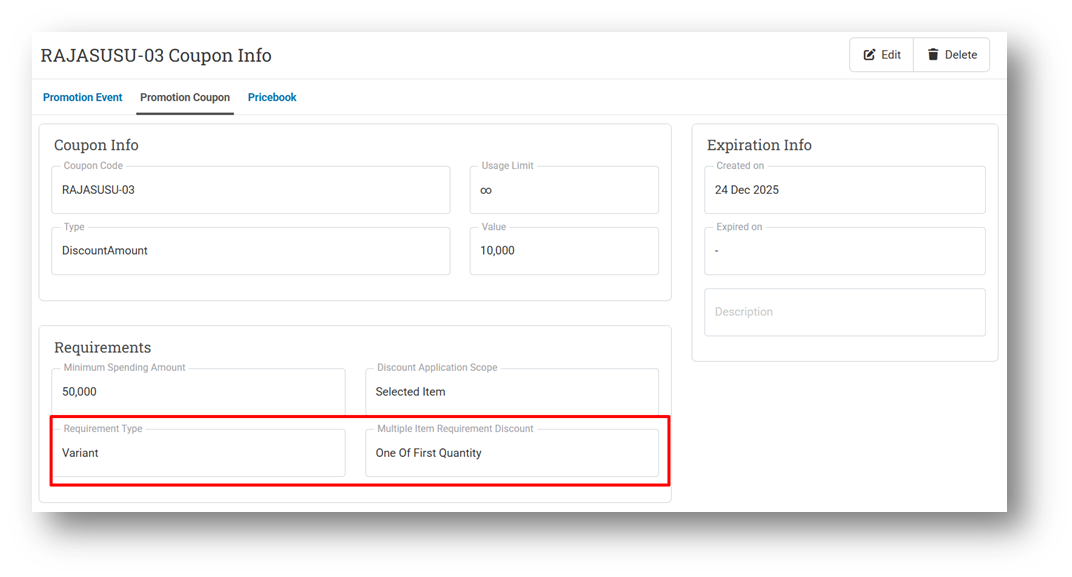
[Promotion - Coupon] Provide Variant Requirement Detail on Variant Info
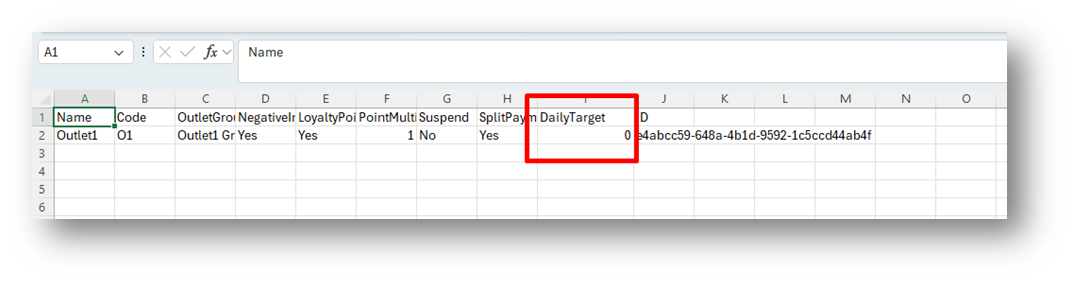
[Outlets]
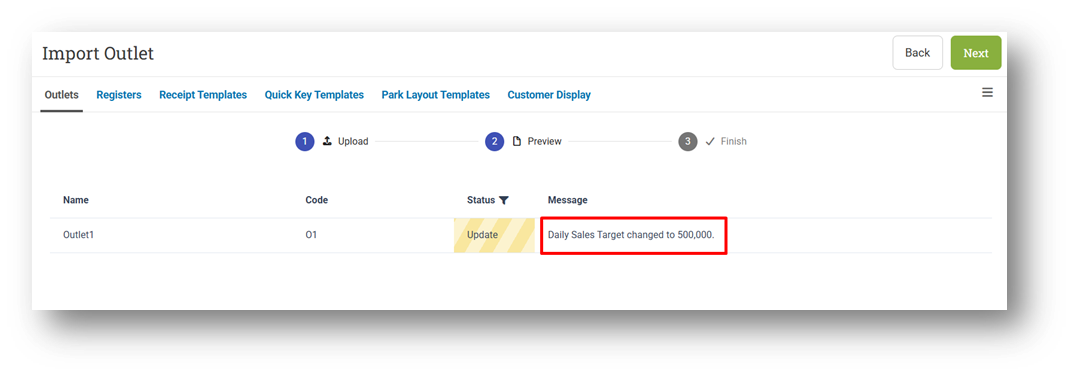
Provide Daily Sales Target Column in CSV Export
Allow Users to Import Daily Sales Target Column via CSV
Bug Fixes:
[Contacts - Point History] Fix Point History List Order to Display Redeem Before Earn
Patch 25.52.1 [2 Jan]:
[Sell] Fix Users Cannot Get Discount After Applying Coupon
[Reports - Category (List)] Implement Report Price & Product Cost Role on Table & CSV Export
[Contacts - Supplier] Fix Missing Import Supplier V2 Component
[Outlet - Import] Fix Import Preview Marks Unchanged Daily Sales Target as Updated
Patch 25.52.2 [5 Jan]:
[My Subscription] Restrict URL with My Profile - Subscription Role
[Products - Import] Fix Users Cannot Update ROP & MAX with Exported CSV
[Sell] Fix Point History Label Shows Point Revision for Retrieved Orders
[Contacts - App Sign In] Fix Missing App Sign In URL
[Reports (Purchase) - Details] Fix Exported Purchase N Tax Column Incorrectly Adds Included Tax
[Logistics - Transfer Order] Fix Users Cannot Receive Transfer Order with Note
Patch 25.52.3 [6 Jan]:
[Products - Variant Update History] Restrict Page with Product Cost & Price Only
[Reports (Sales) - Details] Fix Customer Group Filter Returns All Data When No Transactions Match
[Reports (Purchase) - Details] Fix Exported Net Purchase Column Incorrectly Adds Included Tax
Patch 25.52.4 [7 Jan]:
[Reports - Customer]
Fix Incorrect Infinite List Logic
Fix Row Count Always Display Zero Data Length
[Buy] Synchronize Created Time for Buy Module
Supplier Bill Created Information
Purchase Order Created Information
Inbound Logistic Created Information
Stay tuned for more updates, and don't hesitate to reach out if you have any questions or need support.