- DATE:
- AUTHOR:
- Ezzan

WebApp Version 25.49 Changelog
This update includes new features, essential performance improvements, and usability enhancements, ensuring your daily operations run smoothly. We've also addressed several bug fixes to enhance stability and reliability. Thank you for your continued trust and feedback, which help us deliver the best possible service.
New Feature:
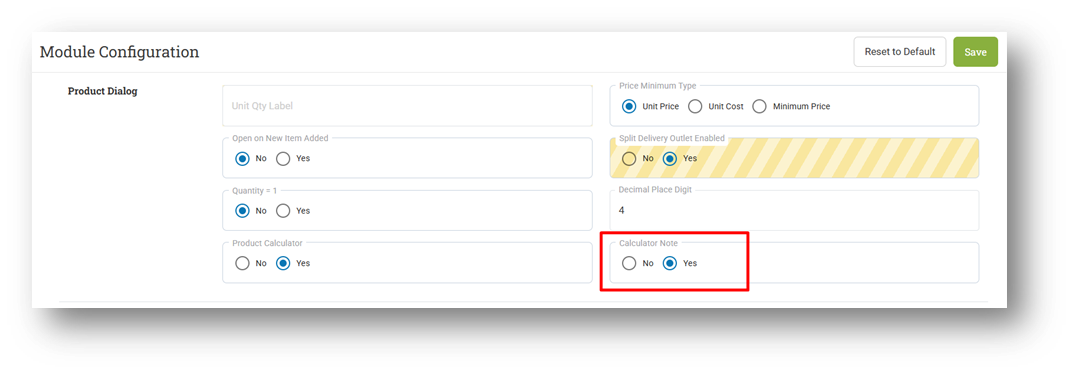
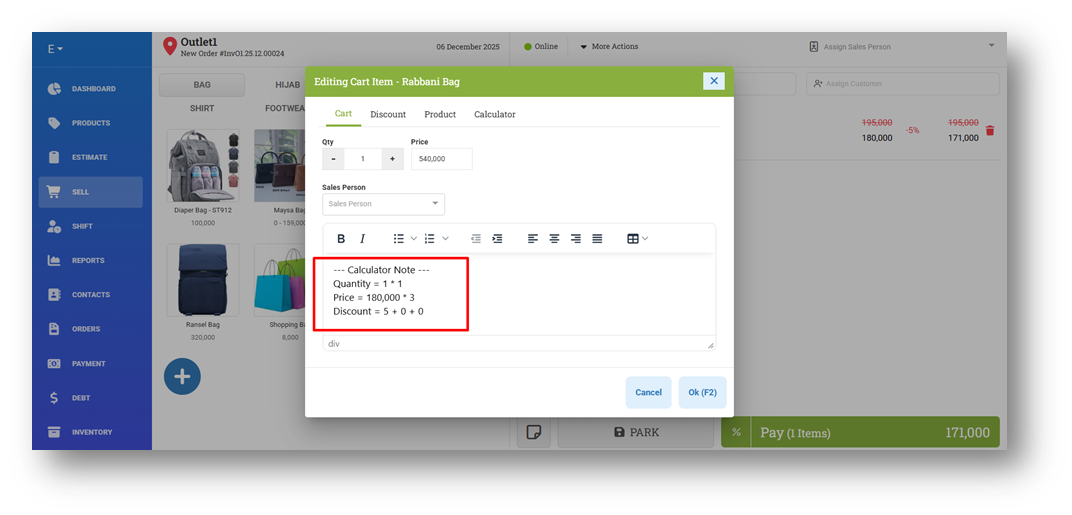
[Sell] Auto-Rendered Calculator Notes Configuration
We have added a new setting that allows users to enable or disable the auto-rendered notes generated by the calculator. Previously, when using the calculator to input quantity or price, the system automatically updated the values and inserted a detailed note based on the calculator input. This behavior is now optional.
With this update, businesses can disable automatic note generation if they prefer cleaner item notes or want to manage notes manually. When the setting is disabled, the calculator will still update the quantity and price, but no additional note will be added to the item.
This feature was developed based on customer request #8043
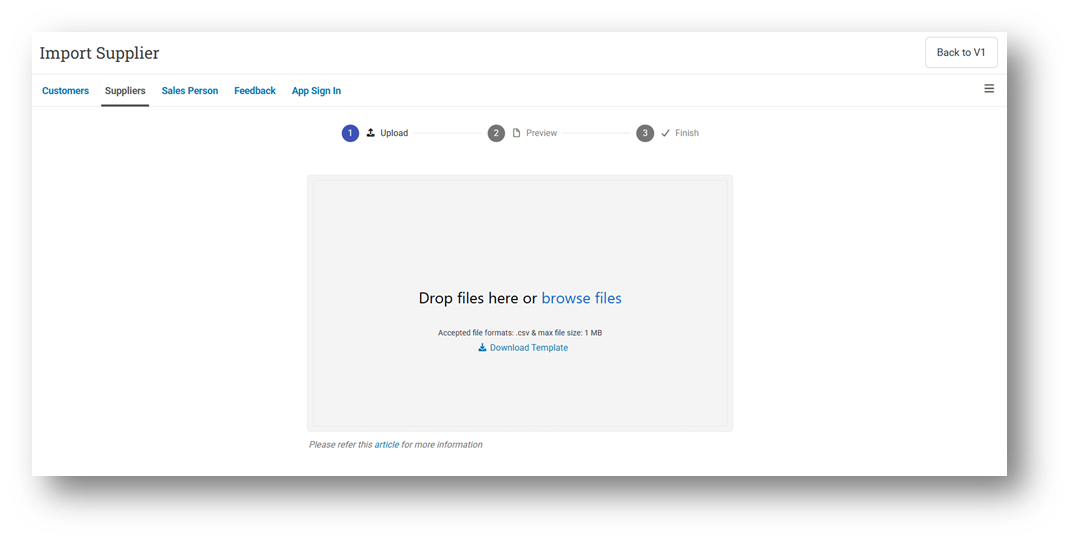
[Contacts - Supplier] Import Supplier with Preview
We have revamped the Supplier Import experience by introducing a new stepper flow. Previously, imported data was processed immediately without any review stage. With this update, users can now preview the uploaded data before confirming the import, ensuring accuracy and reducing mistakes. After the process completes, a clear Import Complete summary is displayed for better visibility and confirmation. Additionally, users can still switch back to Import Supplier V1. If there are any UX features available in V1 that are not yet included in the new Import Supplier V2, don't hesitate to get in touch with our customer support team so we can provide them. This ensures that by the time V1 is fully deprecated, all necessary functionalities will already be supported in V2.
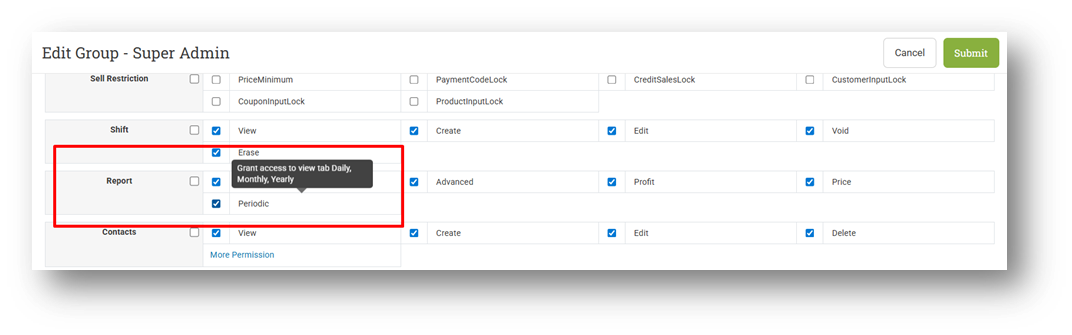
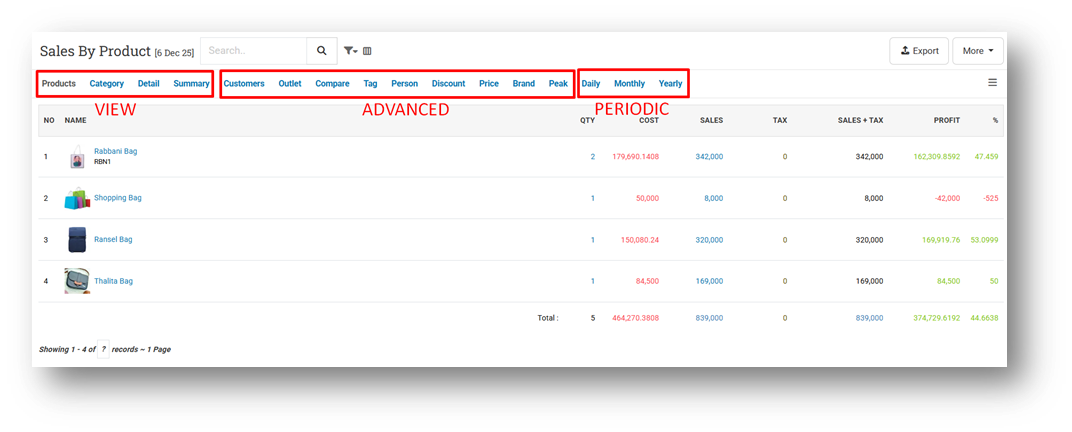
[Users - Roles] New Reports Periodic Role
We have added a new permission role Reports - Periodic, in the Reports section. This enhancement ensures more precise separation of access levels across all report types. Previously, all users with reporting access could see every tab, but now each tab is grouped by role to improve access control and align with business needs.
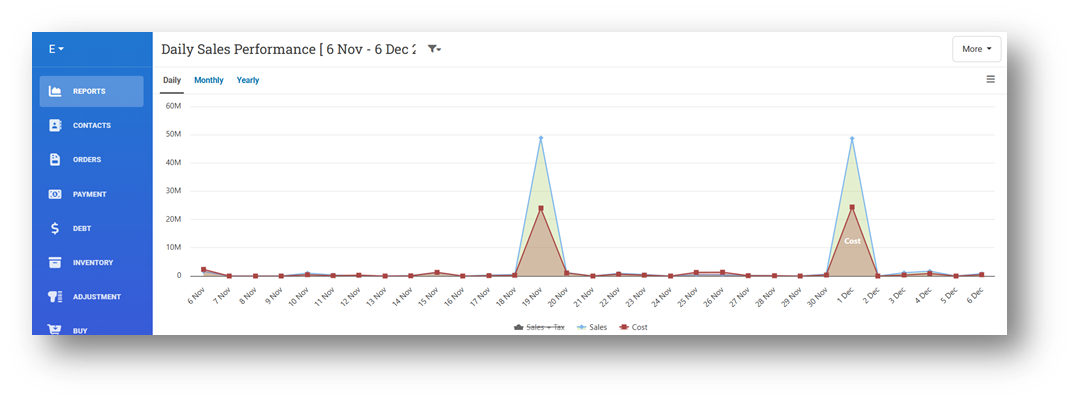
With this update, the Reports View role provides access to: Product, Category, Details, and Summary. The Reports Advanced role gives access to: Customer, Outlet, Compare, Tag, Person, Discount, Price, Brand, and Peak reports. The newly added Reports Periodic role controls access to Daily, Monthly, and Yearly reports, which are time-based and often used for trend monitoring or periodic analysis.
This role-based structure helps businesses control visibility more effectively, ensuring that only authorized users can access specific types of reports, especially those containing sensitive or high-level performance data.
This feature was developed based on customer request #9052
Minor Improvements:
[Products] Clarify Toaster Message When Deleting Product from Product Info Page
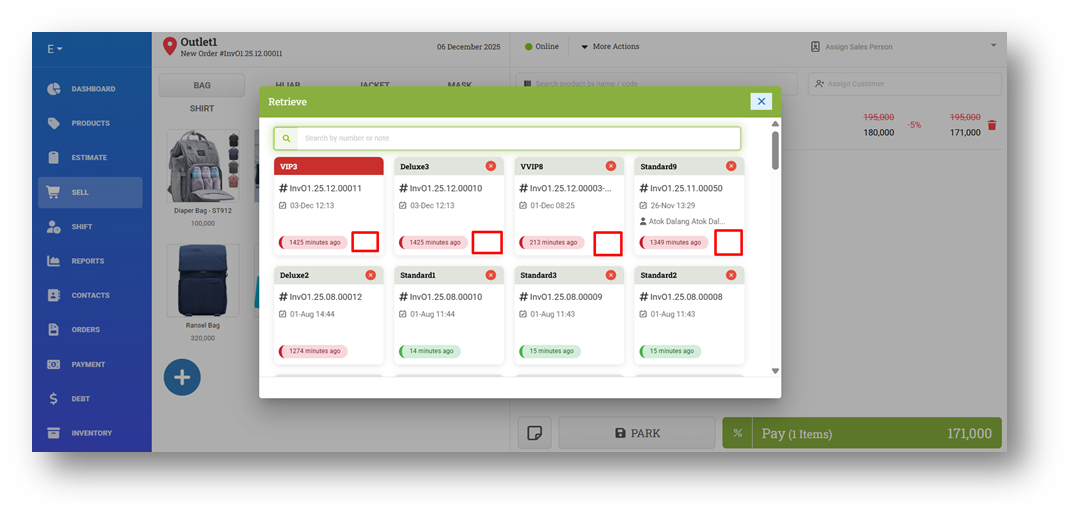
[Sell] Disable Merge Parked Order Feature While Retrieving Order
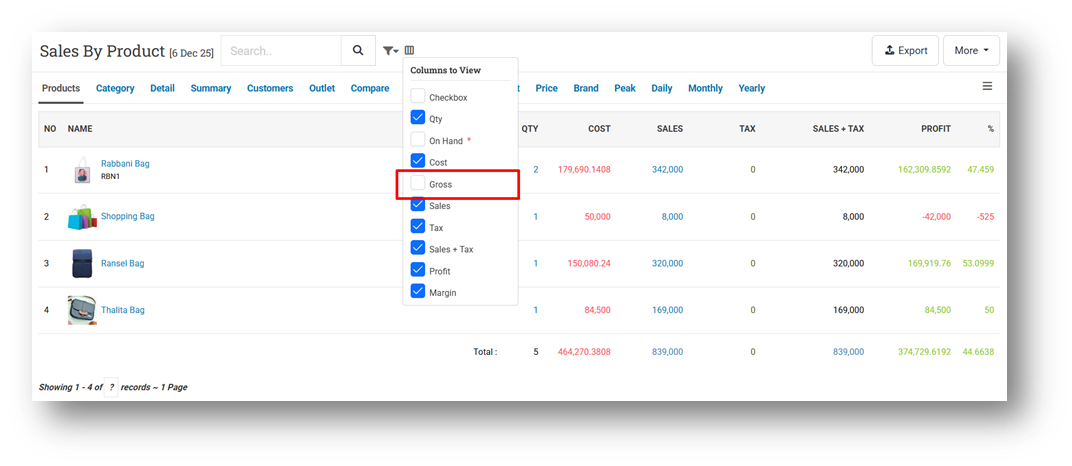
[Reports - Products] Set Default Column Toggle for Gross Sales to False
This improvement was developed based on customer request #8508
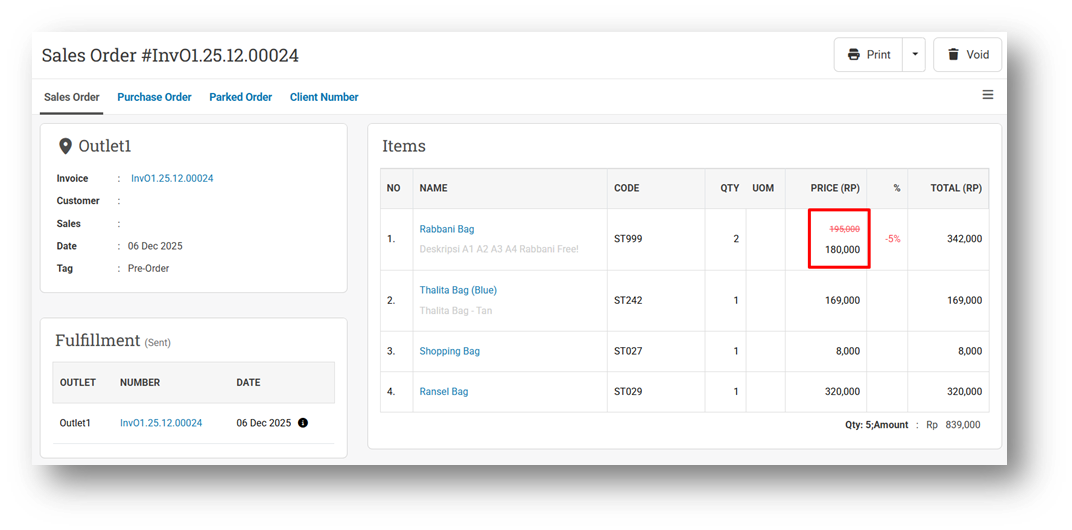
[Orders - Sales Order] Implement Strikethrough Price Configuration on Sales Order Info
[Inventory - Variant Traffic]
Improve Transfer In and Out Query Based on Transfer Order Workflow
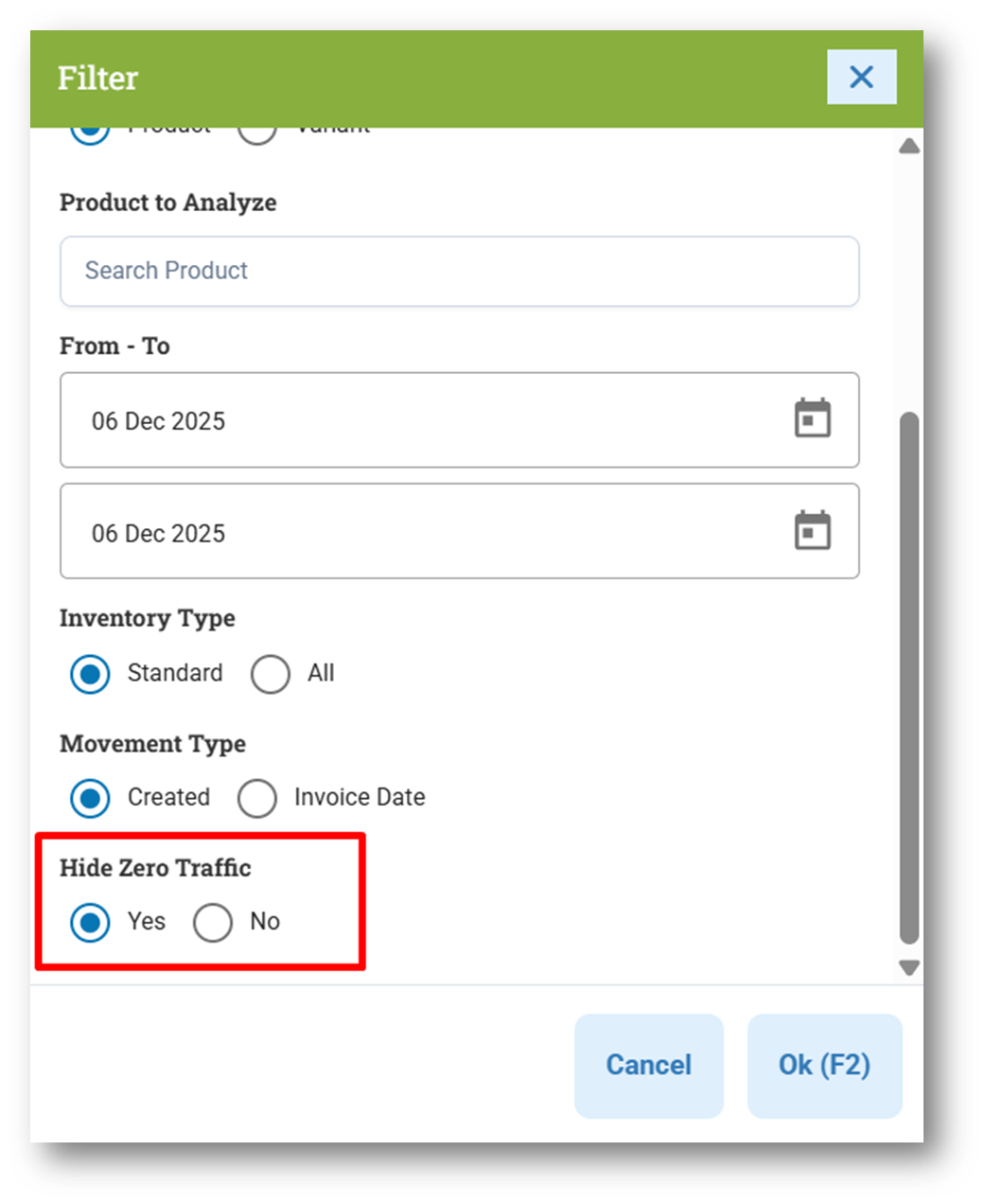
Provide Hide Zero Traffic Filter
This feature was developed based on customer request #8721
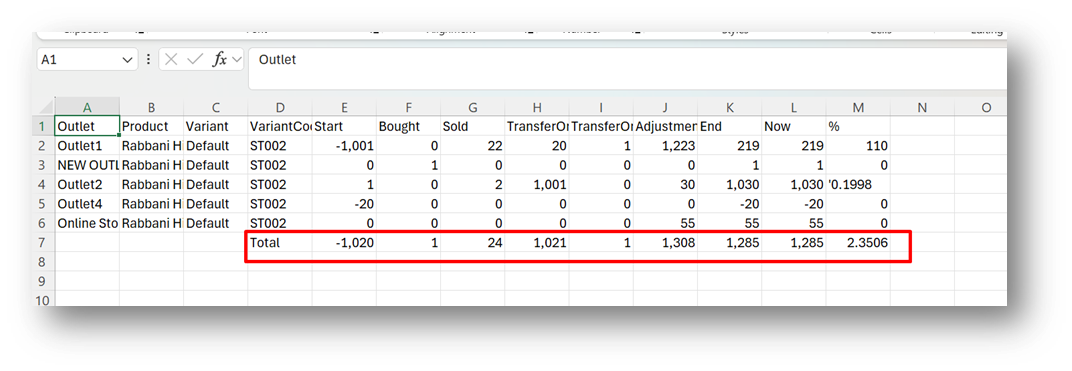
Provide Total Section in CSV Export Footer
This feature was developed based on customer request #8722
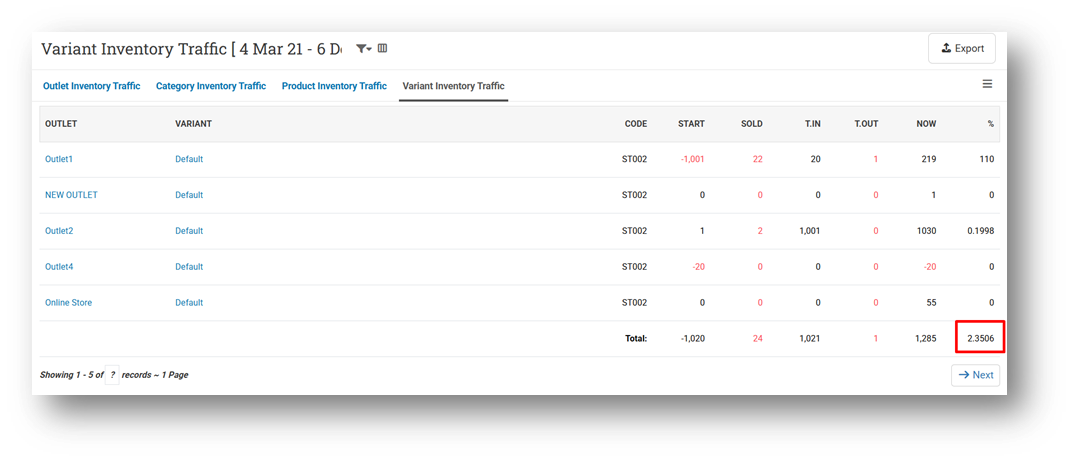
Provide Total for Sell-Transfer-In-Percentage Column in Table
This feature was developed based on customer request #8721
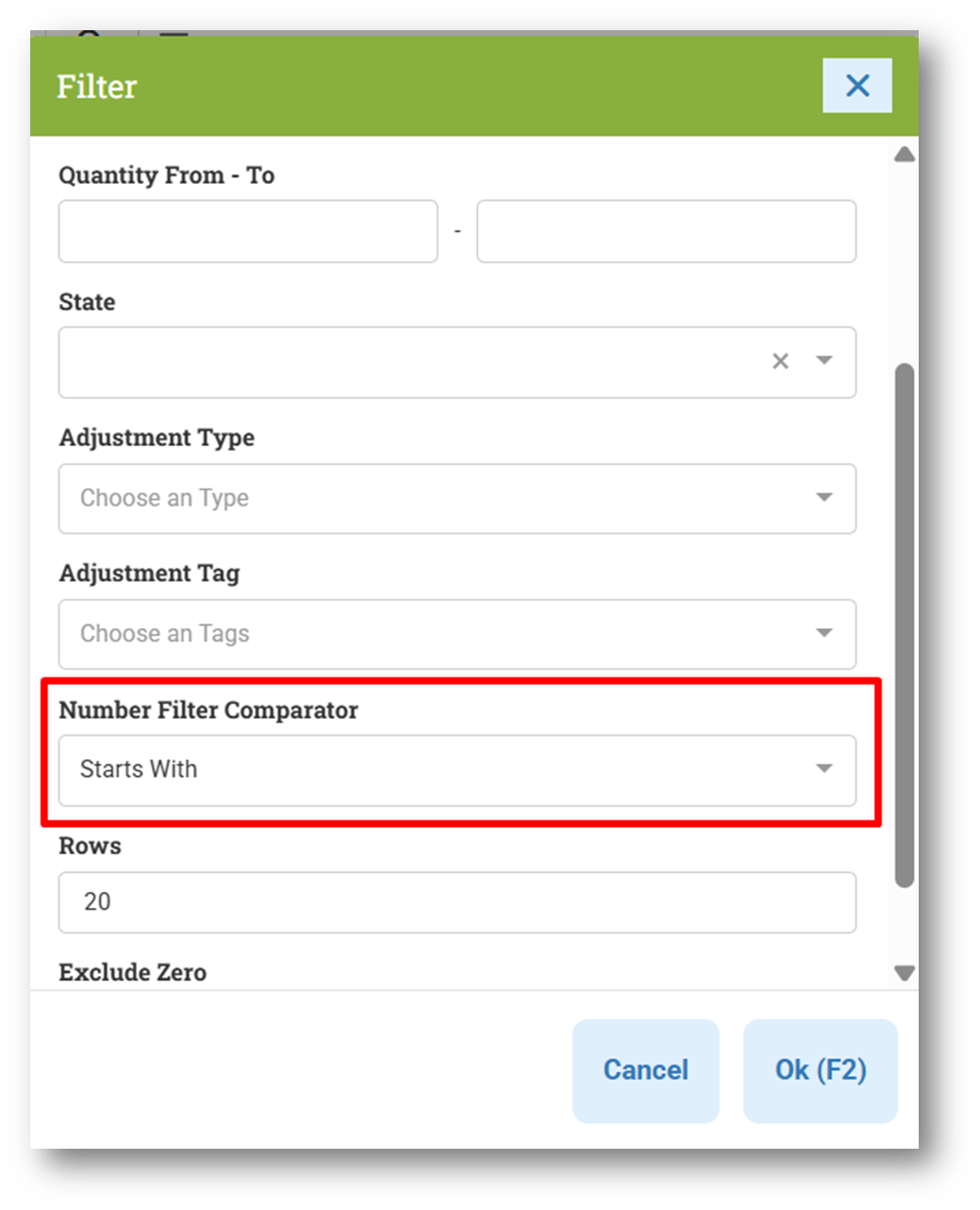
[Adjustment] Provide Number Filter Comparator
[Logistics - Transfer Order]
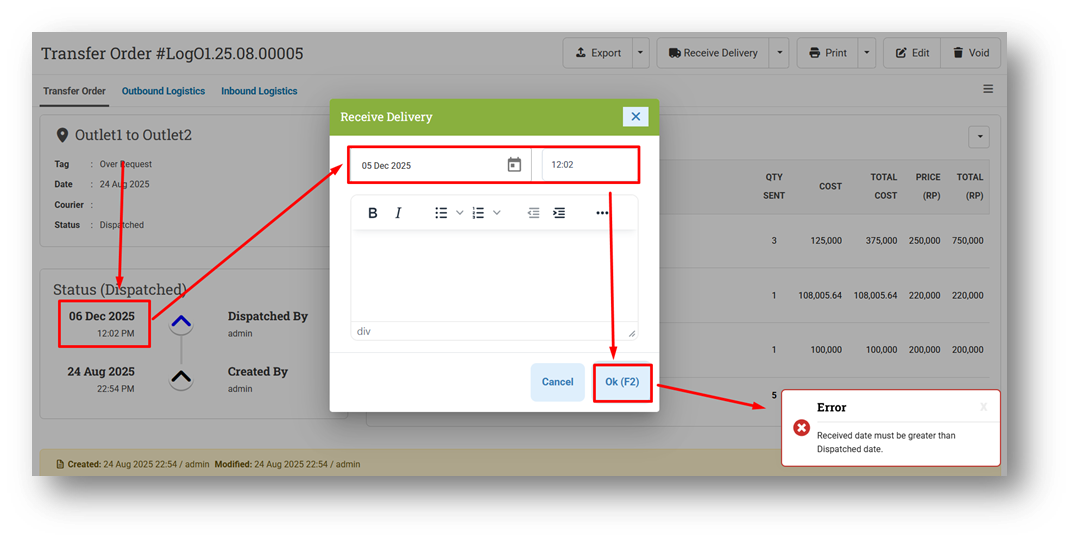
Restrict Receiving Date from Being Earlier than Dispatch Date
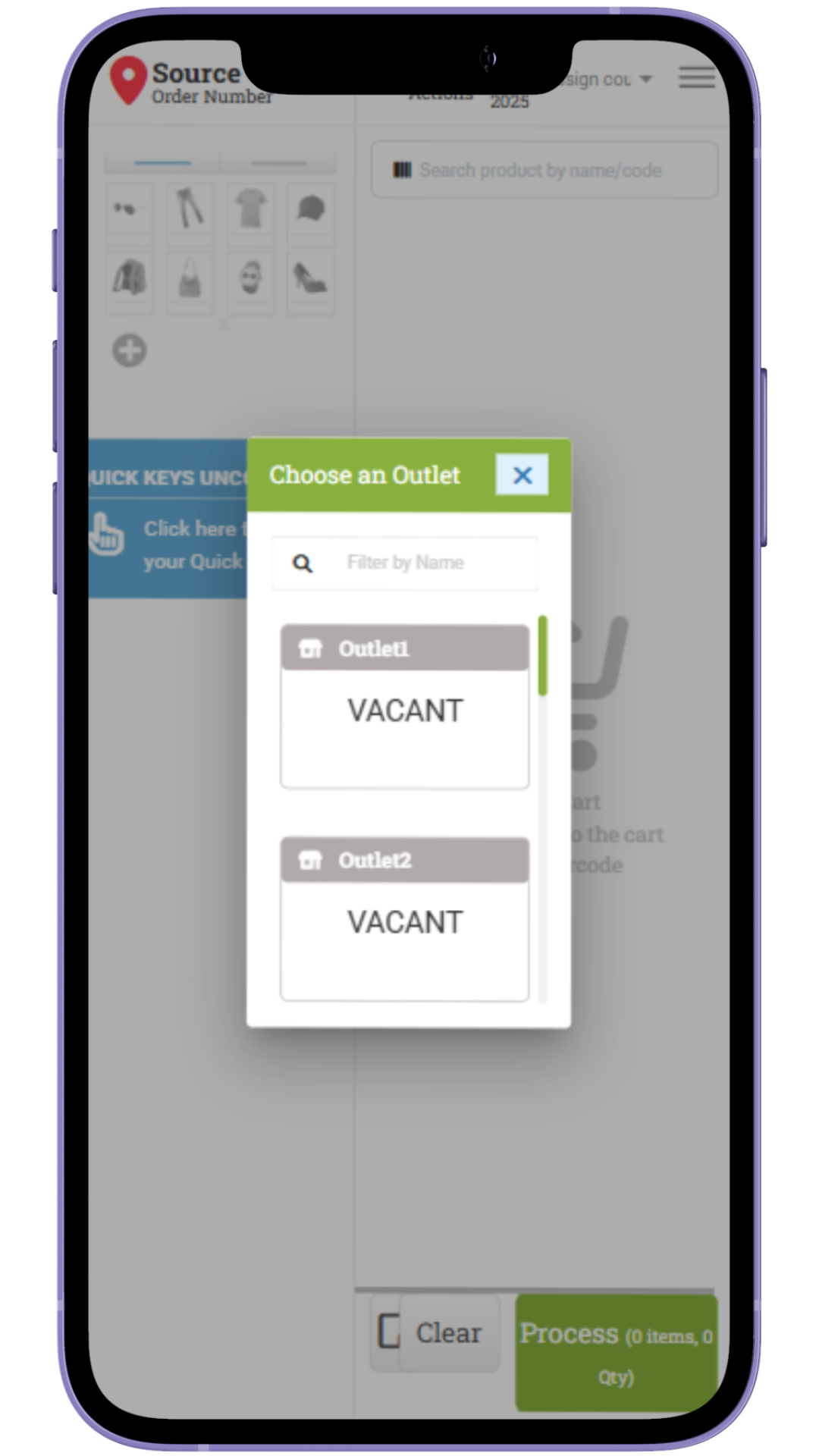
Tidy Up Outlet Option Modal for Mobile View
This improvement was developed based on customer request #9109
[Setup - Payment]
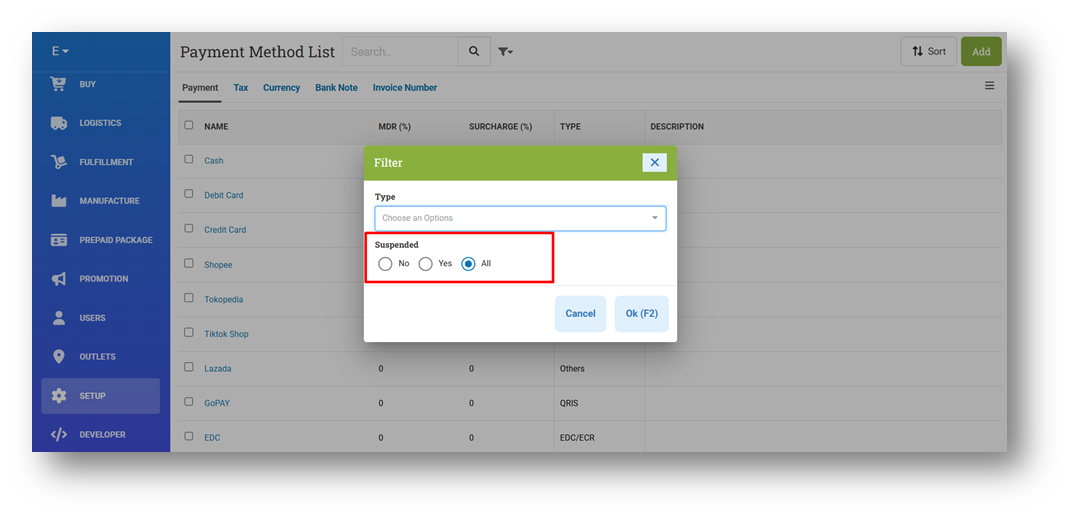
Provide Payment Suspended Status Filter
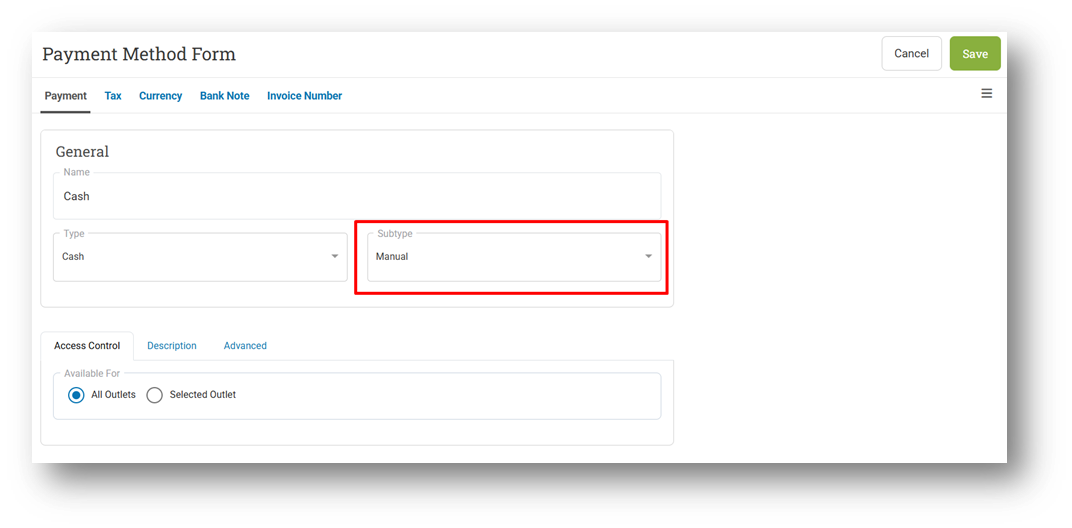
Set Default Cash Sub-Type Option to Manual Instead of Empty
Bug Fixes:
[Contacts - Sales Person] Fix Export with Contains Keyword Will Export No Data
Patch 25.49.1 [10 Dec]:
[Sell] Improve Disconnect Cash Machine Payment Modal
[Contacts - Sales Person] Allow Users to Remove Sales Group & Outlet Assigned via CSV Import
[Setup - Payment] Set Default Suspended Filter to No
Patch 25.49.2 [13 Dec]:
[Reports - Products (By Transfer Order)] Improve CSV Export Columns Position
[Inventory - Timeline (Details)] Fix Incorrect On Hand Value on To Date Column
Patch 25.49.3 [15 Dec]:
[Reports (Purchase) - Products] Display Product / Variant Name Based on Scope Filter
[Orders - Customer Invoice] Fix Earn Points Still Accrued on Reprint for Customers from Point-Disabled Groups
[Buy]
Fix COGS Calculation When Zero-Cost Purchase Incorrectly Uses Previous COGS Value
Fix Last Purchase Cost Not Used When Previous Stock Is Negative
Fix Return with Bill Number Should Use Primary Currency Instead of USD
[Outlets] Fix Users Cannot Save / Assign Outlet Default Tag
Patch 25.49.4 [16 Dec]:
[Products - Variants] Fix Users Without "Adjustment Create" Role Cannot Update Variant ROP
[Orders - Supplier Bill] Fix Waiting Bill from New Transaction Not Appear After Filtering Waiting Status
Patch 25.49.5 [18 Dec]:
[Orders - Customer Invoice] New URL Template for Import Invoice (New Sales Tag Column)
[Inventory - Variant Traffic] Improve Product Search Result Wrapping for Long Names
[Books App] Fix Supplier Bill List
Stay tuned for more updates, and don't hesitate to reach out if you have any questions or need support.