- DATE:
- AUTHOR:
- Ezzan
WebApp Version 26.28 Changelog
This update includes new features, essential performance improvements, and usability enhancements to ensure your daily operations run smoothly. We've also addressed several bug fixes to enhance stability and reliability. DealPOS continues to evolve as a reliable POS Software designed to support retail business operations with better performance and usability. Thank you for your continued trust and feedback, which help us deliver the best possible service.
New Feature:
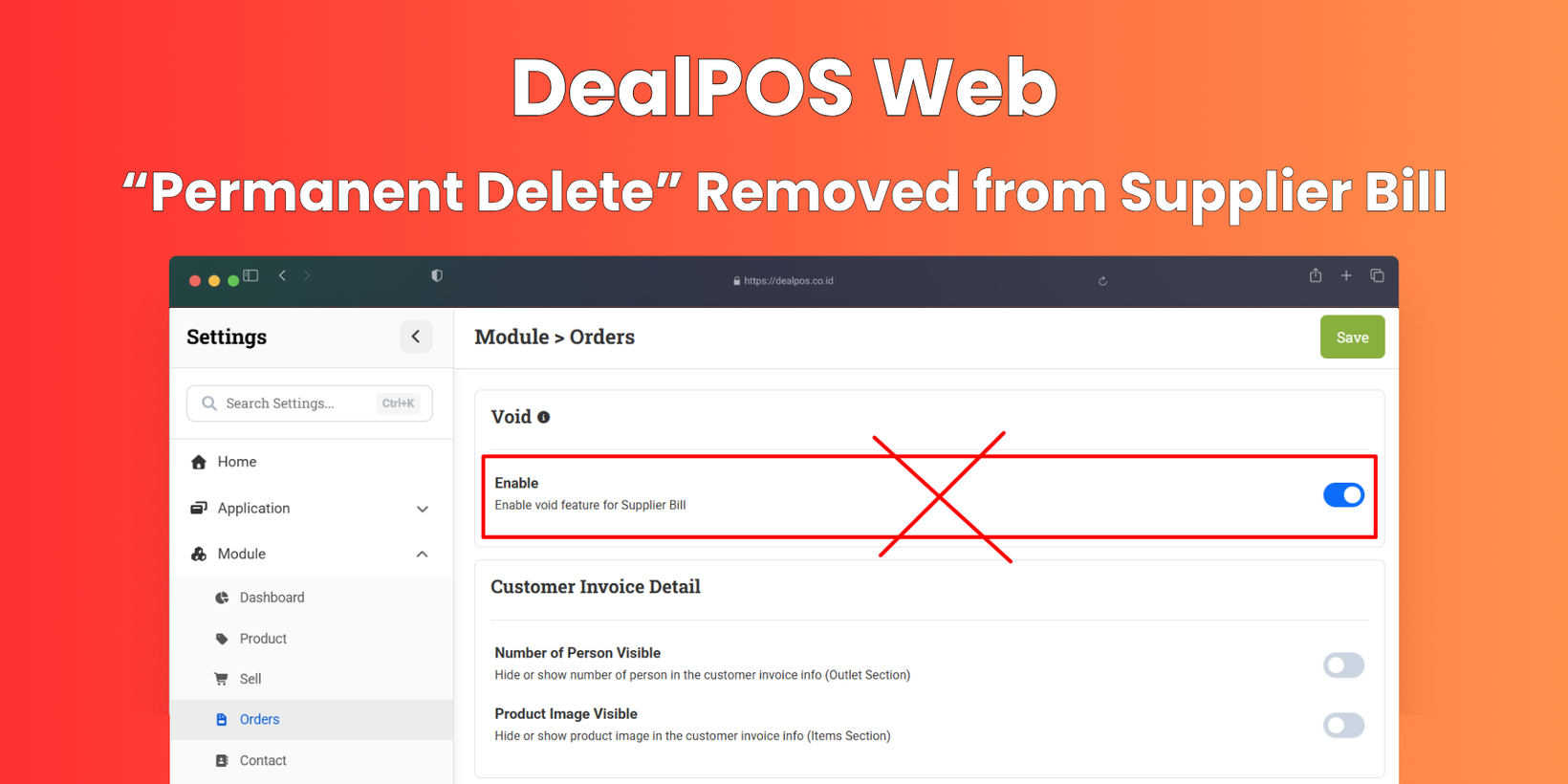
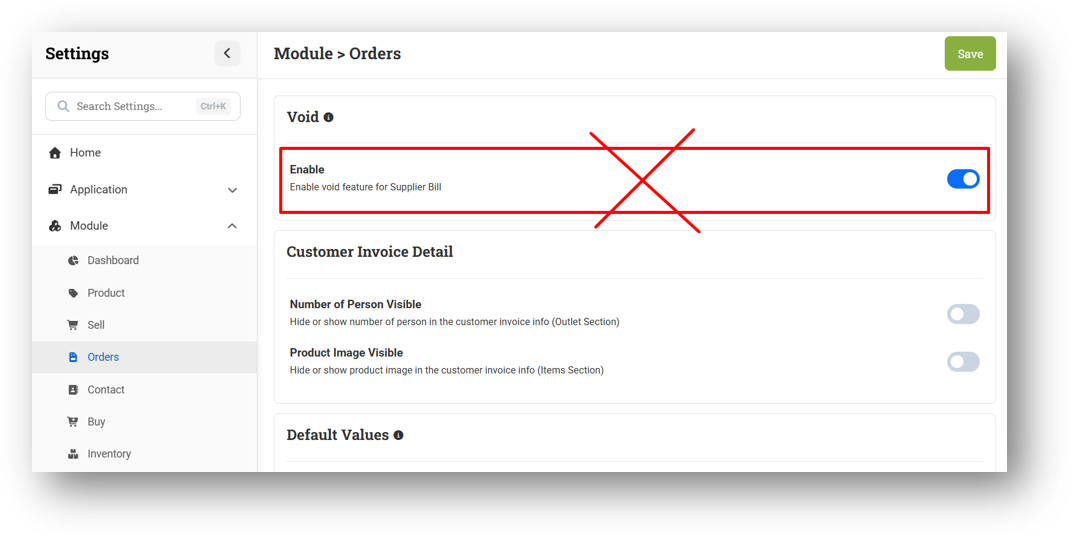
[Orders - Supplier Bill] Permanent Delete Removed from Supplier Bill
We've removed the "Delete Permanent" option from the Supplier Bill module entirely. All users are now required to use Void (soft delete) instead, helping prevent accidental permanent data loss. The related setting to toggle soft delete on or off has also been removed, and every page with a delete function now defaults to Void. Don't worry—the existing Void, Restore, and Erase actions remain unchanged and are still controlled by the Orders Bin role, which is shared with the Customer Invoice module.
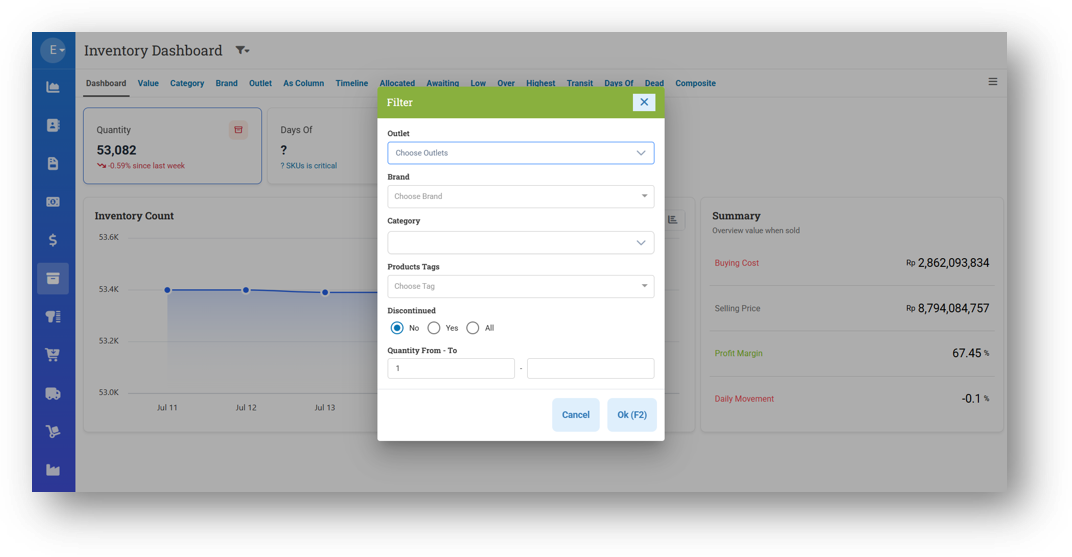
[Inventory - Dashboard] New Filters, Performance & SKU Count
We're continuing to level up the Inventory Dashboard with a fresh round of enhancements. The UI now feels even more modern and smooth, while behind the scenes we've delivered another round of performance optimizations to keep things fast and responsive. We've also added two new filters to give you more control: Quantity From-To lets you narrow down results by a specific quantity range, and the Recompile option helps lighten the processing load when working with large datasets.
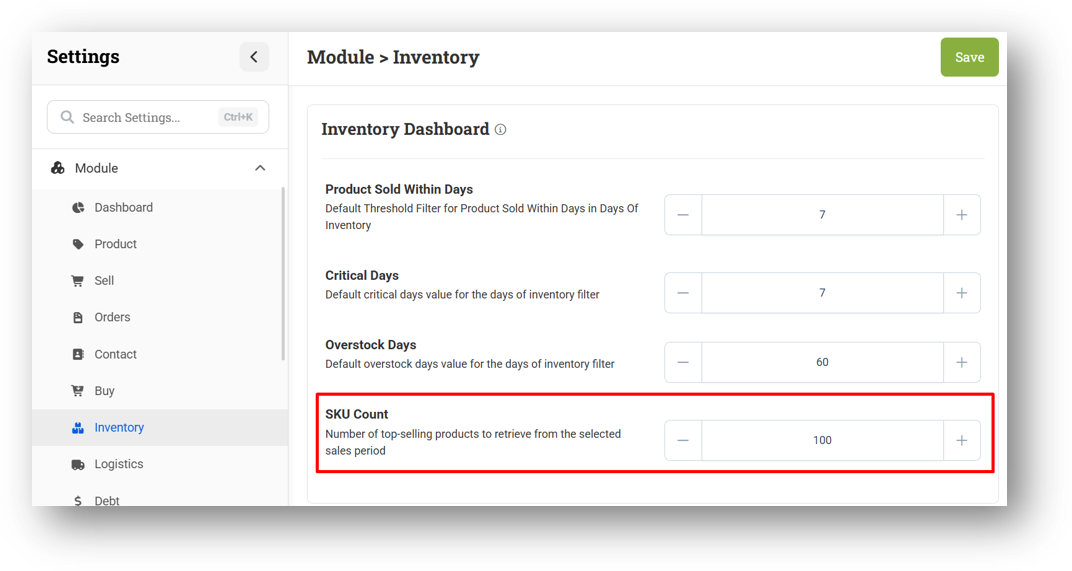
Another standout addition is the new SKU Count setting, which defaults to 100. Here's how it works: if you pull sales data from the last 7 days and 150 different SKUs were sold, the dashboard will only display the top 100 SKUs by quantity sold. This keeps your view focused on the most impactful products, helping you make quicker, sharper inventory decisions without being overwhelmed by less relevant data.
Minor Improvements:
[Sell] Smarter Customer Group Discount on New Items
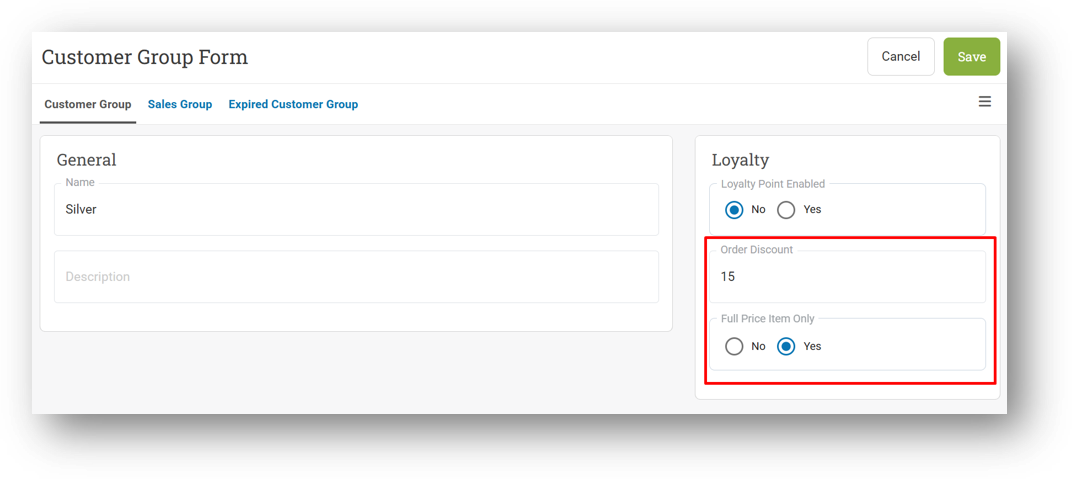
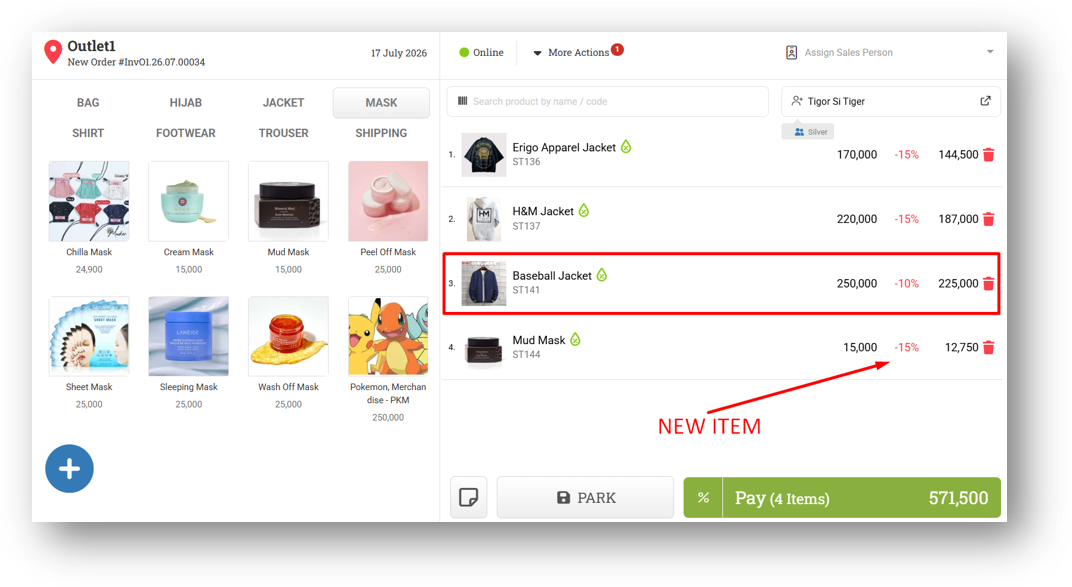
We've refined how customer group discounts behave when new items are added during a transaction. Previously, if a customer was assigned to a group with a discount set to Full Price Only, that discount would only apply to items added before the customer was selected. If the cashier added more items afterward—even ones without their own discount—they'd miss out unless the customer was removed and reassigned.
Now, the system handles this seamlessly. As you add new items to the cart, the discount from the customer group will automatically apply to any item that doesn't already have its own discount, while respecting items that do. No more re-assigning the customer—just smooth, consistent discounting from start to finish.
This feature was developed based on customer request #15170
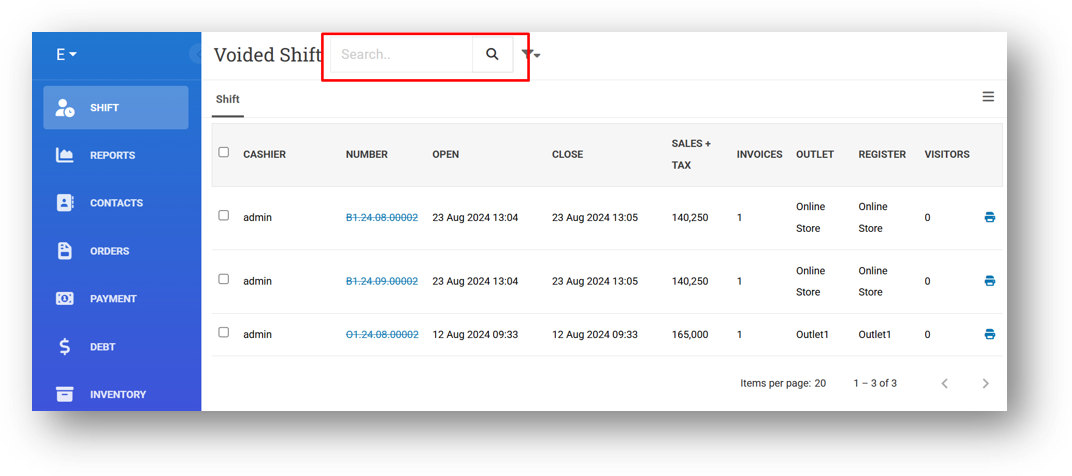
[Shift - Voided Shift] Provide Search Shift by Number Feature
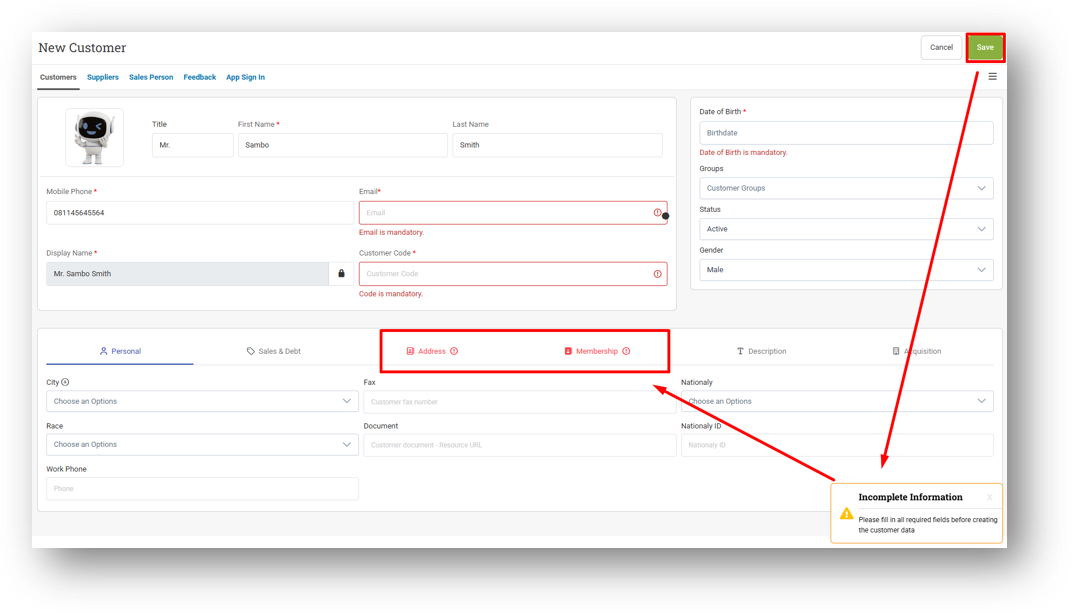
[Contacts - Customers]
Improve Mandatory Field Validation with Toast and Tab Error Badge
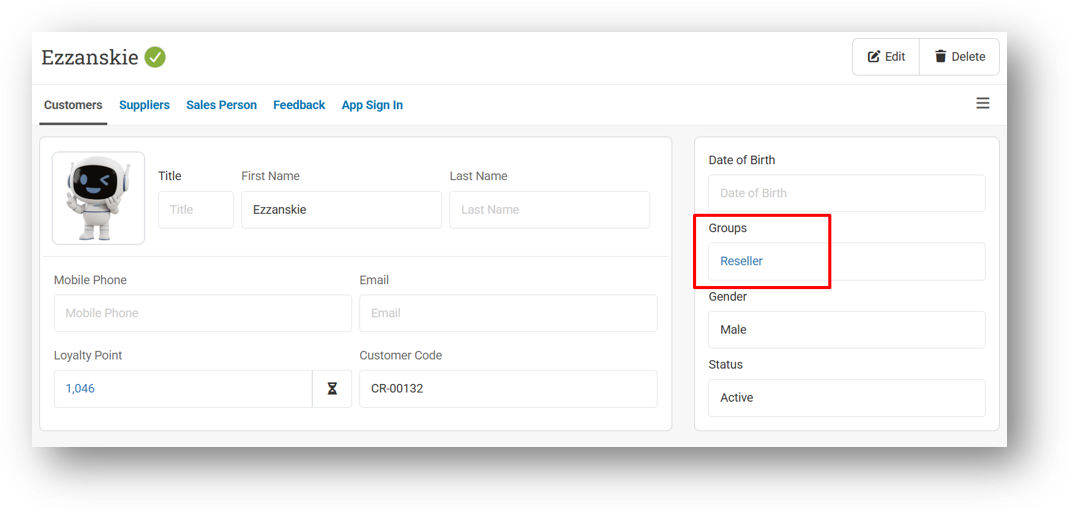
Hyperlink Group from Info Page to Customer Group
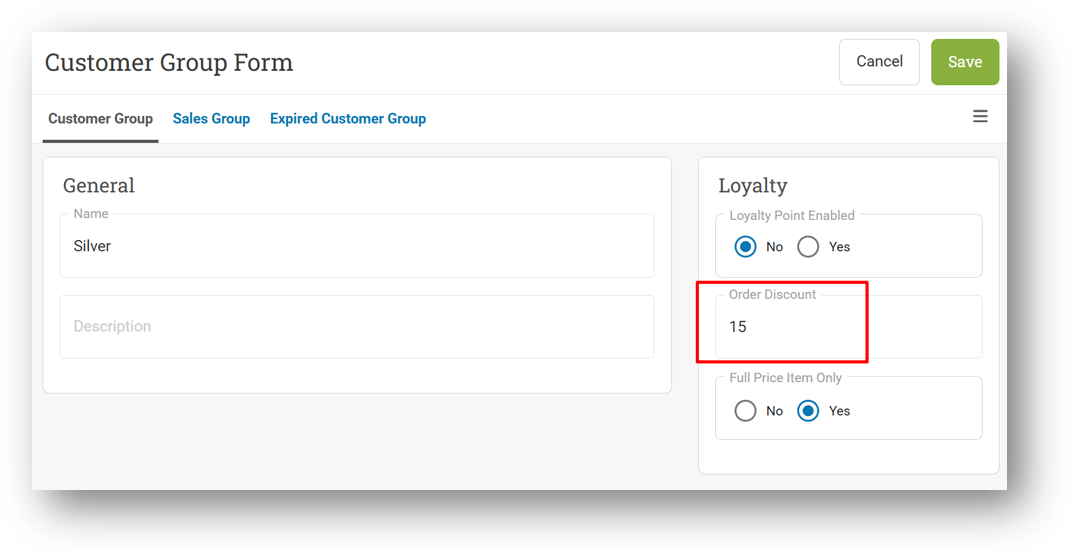
[Contacts - Customer Group] Improve Discount Field Validation to Prevent Values Over 100 or Negative
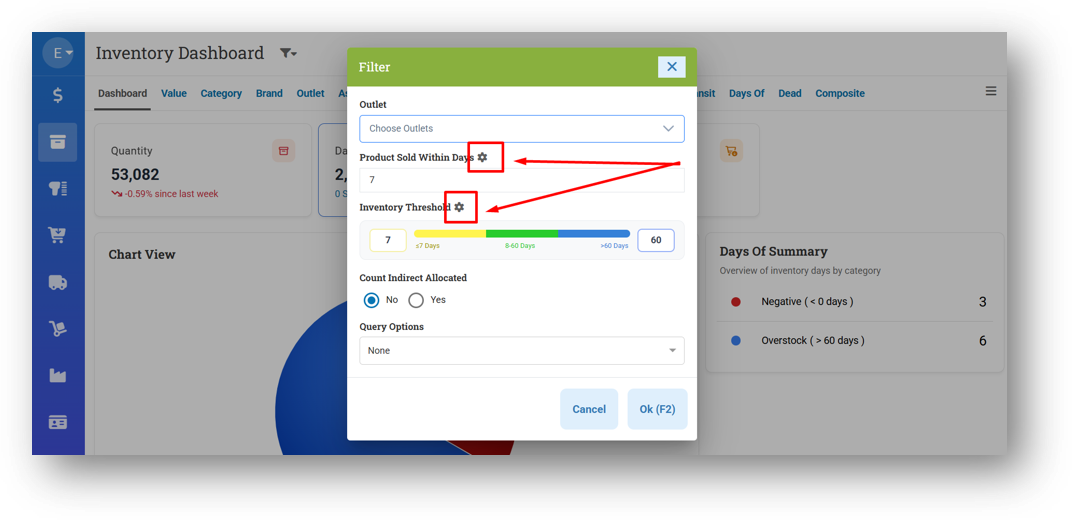
[Inventory - Dashboard] Provide Gear Icon in Days Of Card Filter to Redirect to Settings Page
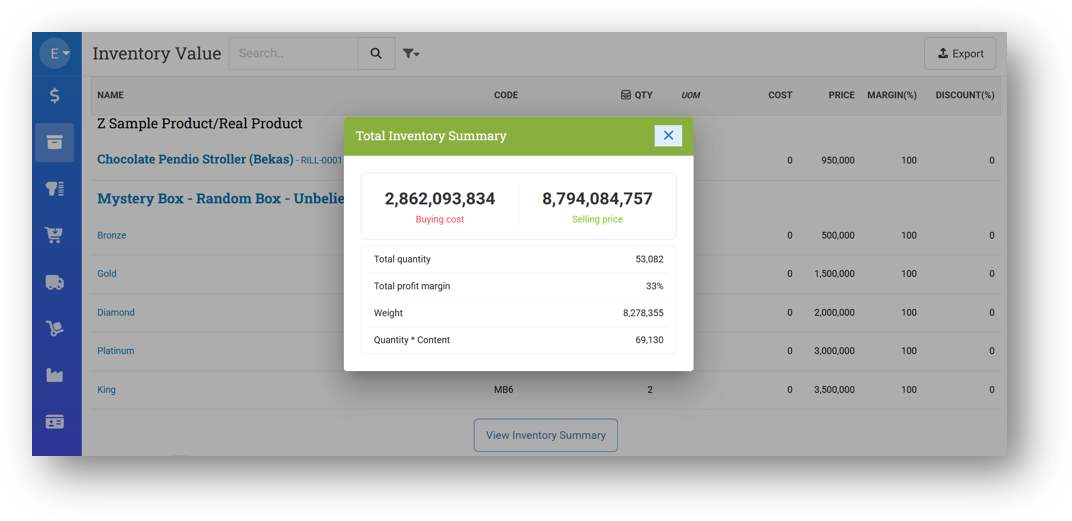
[Inventory - Value] Redesign Inventory Value Summary Modal
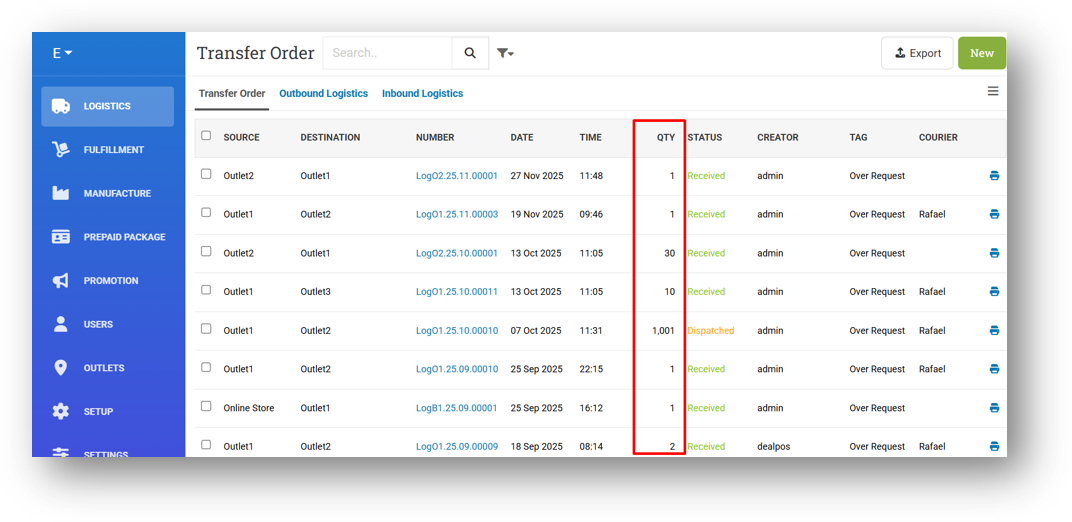
[Logistics - Transfer Order] Thousand Separator for Quantity Column
Bug Fixes:
[Inventory - Dashboard]
Fix Outlet Filter Does Not Work
Fix Broken Thumbnail Image When Clicking Show All in Days Of Card (All Tables)
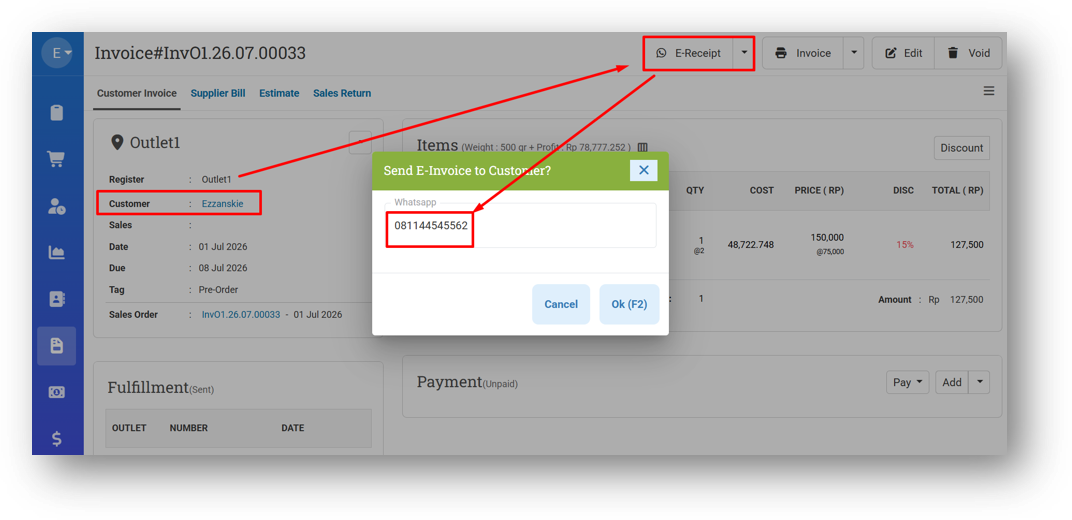
[E-Receipt] Accurate Loyalty Points Display on E-Receipts
We've fixed a scenario where loyalty point information on E-Receipts could be misleading. Previously, if an invoice had a customer assigned and the E-Receipt was sent to a different phone number or email, the points shown on the receipt would incorrectly reflect the recipient's point history instead of the actual customer's. Now, the points displayed will always match the customer assigned to the invoice, ensuring every E-Receipt shows accurate loyalty information regardless of where it's sent.
Deprecated:
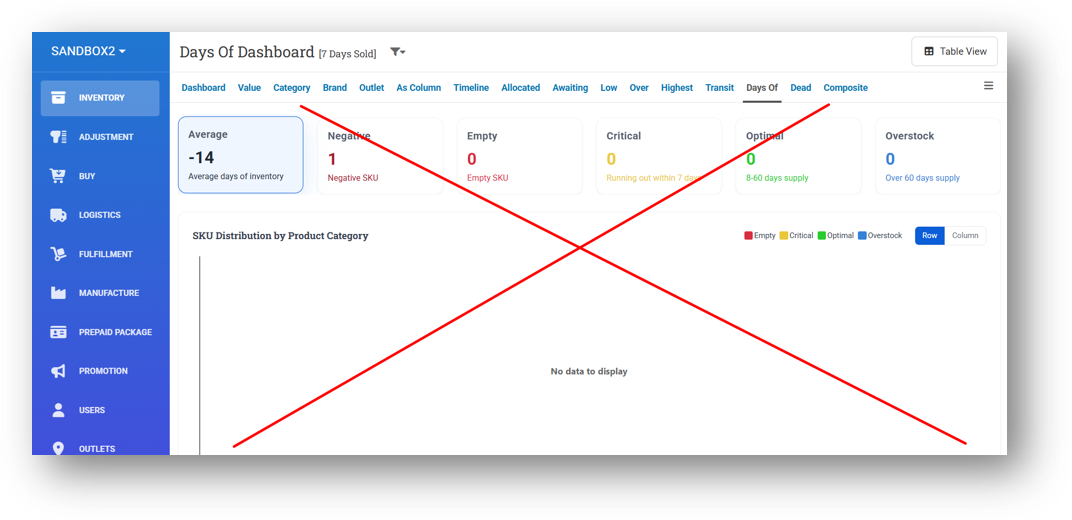
[Inventory - Days Of] Inventory Days Of Dashboard Removed
We've retired the Dashboard view from the Inventory Days Of menu. All the insights you need are now available in the dedicated Inventory Dashboard under the main Dashboard tab, which offers a more complete and polished experience for managing your inventory. You can still access detailed Days Of information from both the Inventory Dashboard and the Days Of List view as usual.
Patch 26.28.1 [19 Jul]:
[Inventory - Dashboard]
Display Total SKU Sold Based on SKU Count Settings
Display Filtered Outlet in Page Title
Improve Days Of Cache
Provide SKU Count Filter
Implement Grid Filter
Fix Image in Reorder Card to Use Variant First then Fallback To Product
[Adjustment - CSV] Set Default OnHand < 1 Option to False (Download Sample Modal)
[Logistics - Transfer Order] Remove HTML Tag from Note Column in CSV Export
[Settings - Module (Inventory)] Default Order Settings for Days of Card (Inventory Dashboard)
Patch 26.28.2 [20 Jul]:
[Reports - Peak (Table)] Exclude Parked Orders (Sales Order) Data from List
[Inventory - Dashboard]
Fix Profit Calculation Error When Item Has Cost but Empty Price
Display Risk Category List Count on Pie Chart
Improve Days Of Card Table Pagination & Auto-Scroll to Top UI
[Inventory - Variant Traffic] Fix Incorrect Start Quantity Value
Patch 26.28.3 [21 Jul]:
[Inventory - Variant Traffic] Fix Non-Accepted Adjustments Appearing in Movement Records
Patch 26.28.4 [22 Jul]:
[Sell] Fix Cust Group Discount Applied Twice (Invoice & Item) When Mixed Discount Items Exist
[Inventory - Dashboard] Improve SKU Sold Display & Behaviour
[Inventory - Variant Traffic] Fix Start and End Quantity Incorrectly Changing When Adjustment Is Deleted
[Logistics] Implement Global Date Role to Outbound and Inbound Form
Patch 26.28.5 [23 Jul]:
[Orders - Supplier Bill]
Hide Print Button from Voided Bill Info
[Orders - Voided Bill List]
Fix Incorrect Logic for Erase & Restore Button
Restrict Restore Button with Orders Bin : Restore Voided Bill Role
Restrict Erase Button with Orders Bin Erase Role Instead of Buy Delete Role
[Sematext] Fix Host Property Change Caused Blank Data for These Pages :
Product Import Log
Webhook Logs
User Login History
User Update History
Group Update History
Overall, this update further establishes the platform as a reliable Inventory Application for your retail businesses. Stay tuned for more updates, and don't hesitate to reach out if you have any questions or need support!