- DATE:
- AUTHOR:
- Ezzan
WebApp Version 26.40 Changelog
This update includes new features, essential performance improvements, and usability enhancements to ensure your daily operations run smoothly. We've also addressed several bug fixes to enhance stability and reliability. DealPOS continues to evolve as a reliable POS Software designed to support retail business operations with better performance and usability. Thank you for your continued trust and feedback, which help us deliver the best possible service.
New Feature:
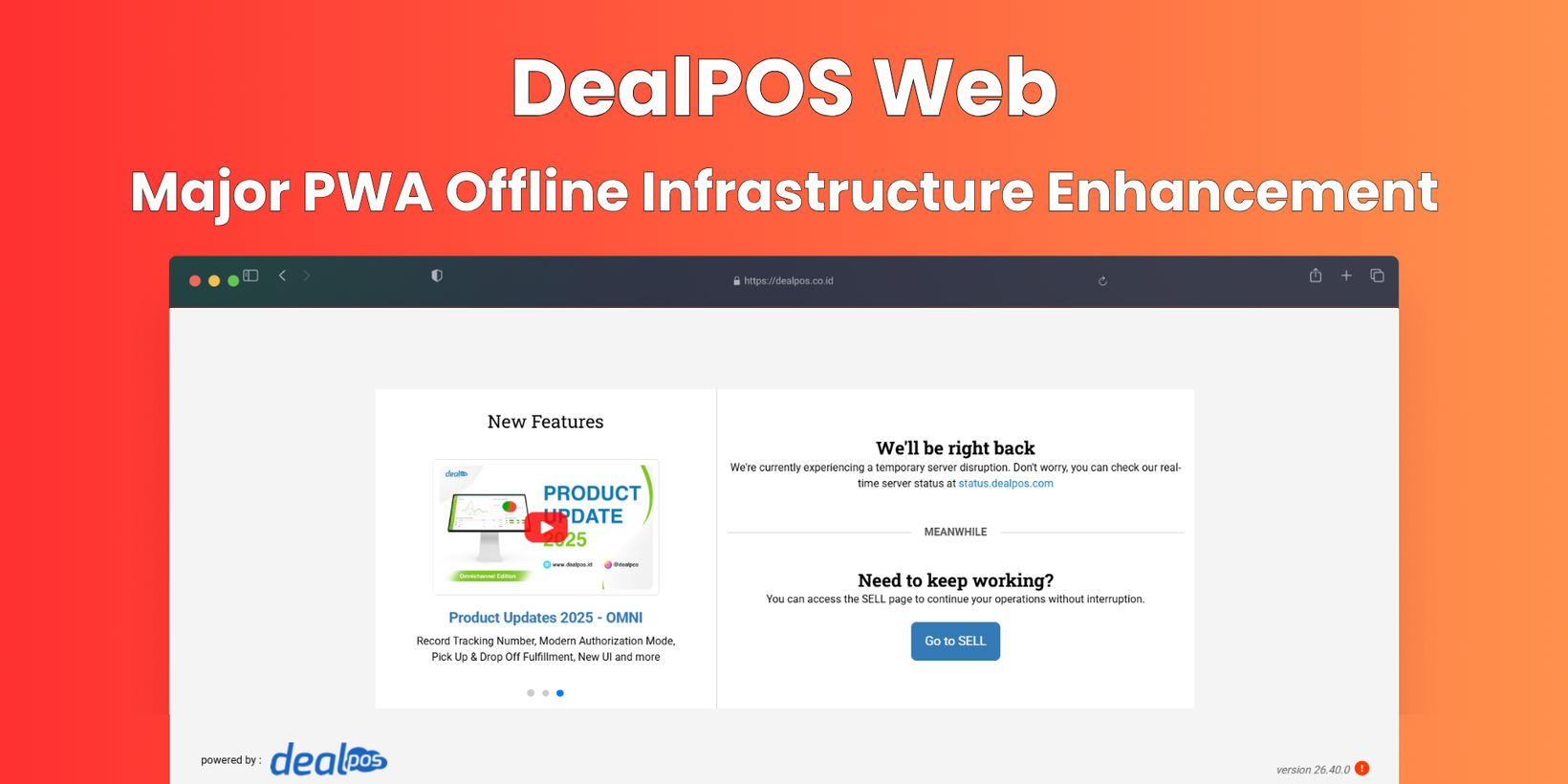
[Sell] PWA Offline Infrastructure Enhancement
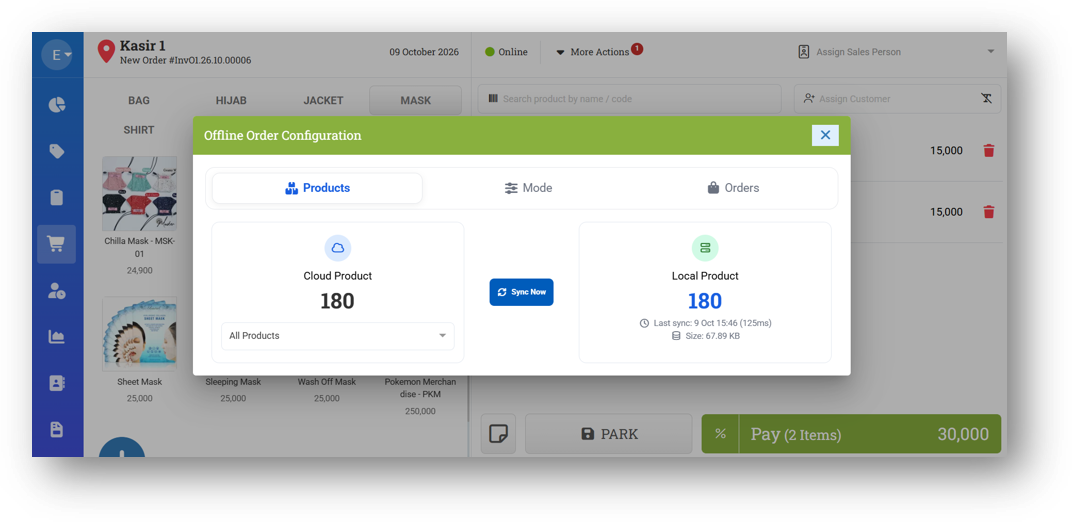
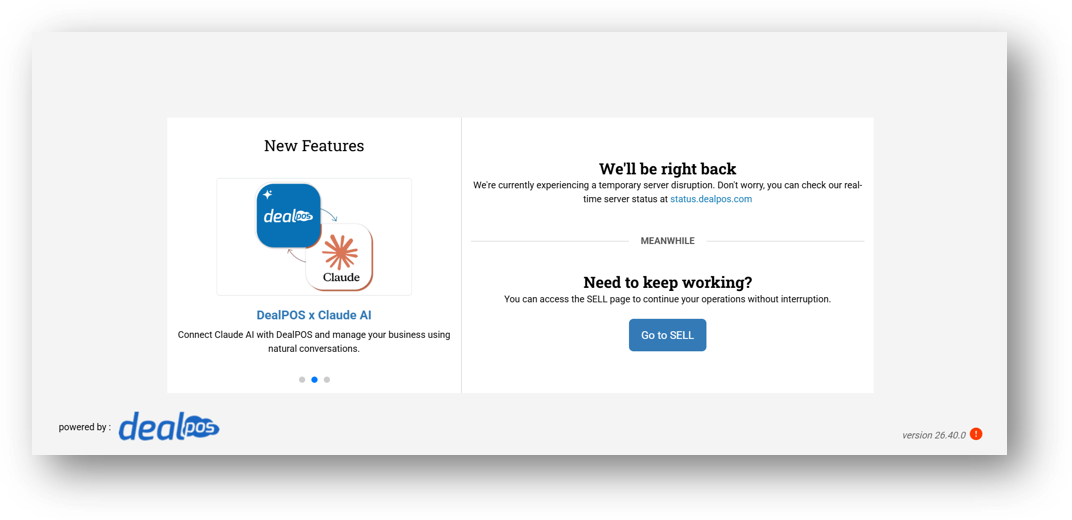
We've rolled out a major enhancement to our PWA infrastructure, making the offline experience far more reliable than before. Previously, offline mode in the Sell menu was very limited—if you'd never opened Sell, or if your browser had just been launched, you simply couldn't access it. Now, as long as you've opened Dealpos for at least 5–10 minutes at some point, the app will install what it needs in the background and remain accessible even when your internet drops or the server goes down. We've also introduced a new UI for Offline Mode Configuration, giving you a clearer view of your offline setup and status. Do note that while offline, assigning a customer and parking an order are both disabled.
Please note that this enhanced offline support applies only to the main Sell menu. If you try to open other menus while offline or during a server outage, you'll be redirected back to Sell. For security reasons, you'll also need to be logged in beforehand to use Sell in offline mode. To be clear, this isn't a full offline-from-scratch solution—it's designed as a safety net so that sudden internet loss or server downtime won't interrupt your selling. Syncing products and orders works just as it did before.
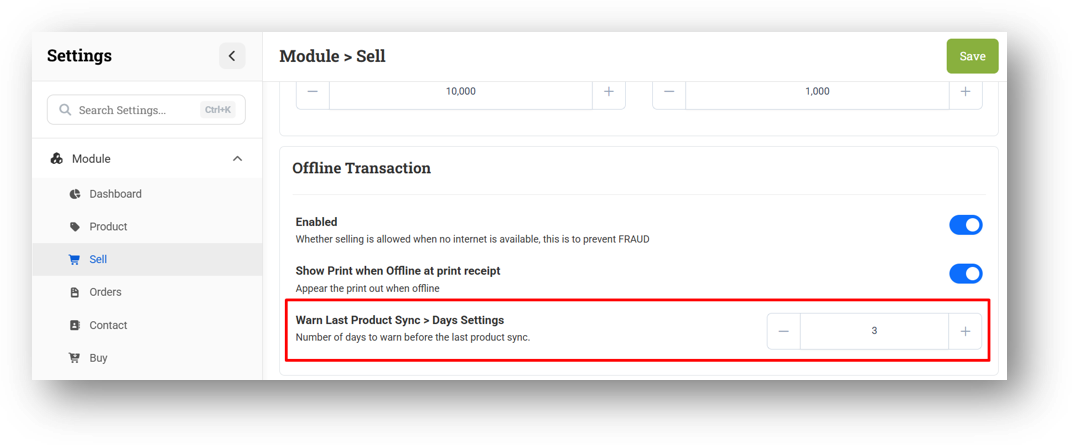
Since offline mode relies on your latest product data, we highly recommend syncing products regularly—how often depends on how frequently you update your master data. To help you stay on top of this, we've added a new setting that displays a WARN when your last product sync exceeds a specified number of days. For example, if your last sync was 5 days ago and you've set the warning threshold to 2 days, a warning will appear when you open the Offline Configuration page.
[Contact] Customer Dashboard
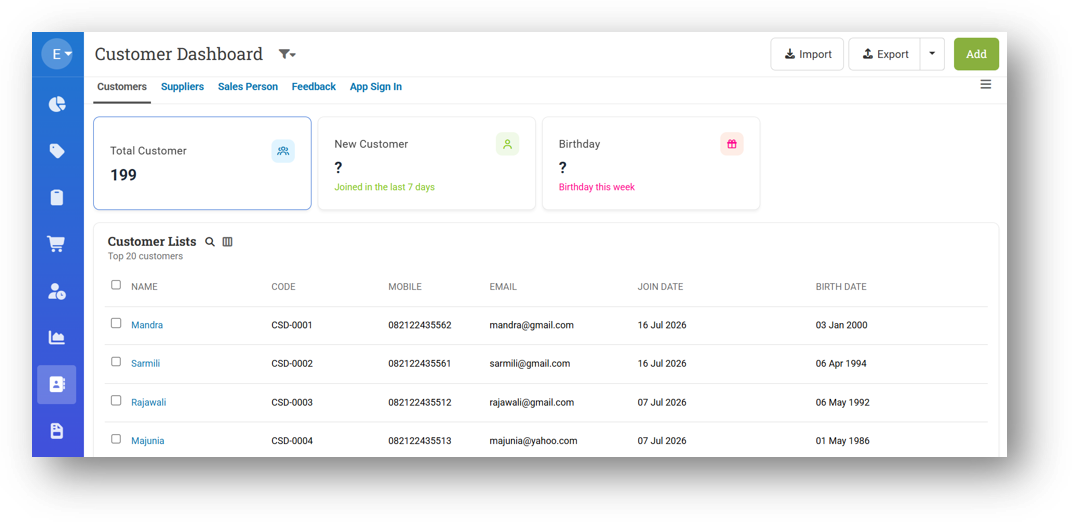
We've introduced a new dashboard view for your customer data, giving you a visual summary right when you open the Customer menu. Previously, you only had the list view—now you'll see three summary cards at the top: Total Customers, New Customers in the Last 7 Days, and Customers with Birthdays This Week (covering the next 7 days). Everything you relied on before—filters, export, and other familiar tools—remains fully available. If you notice any feature that seems missing, just reach out to our support team.
[Orders - Invoice] A4 Invoice Variant Column Print Format
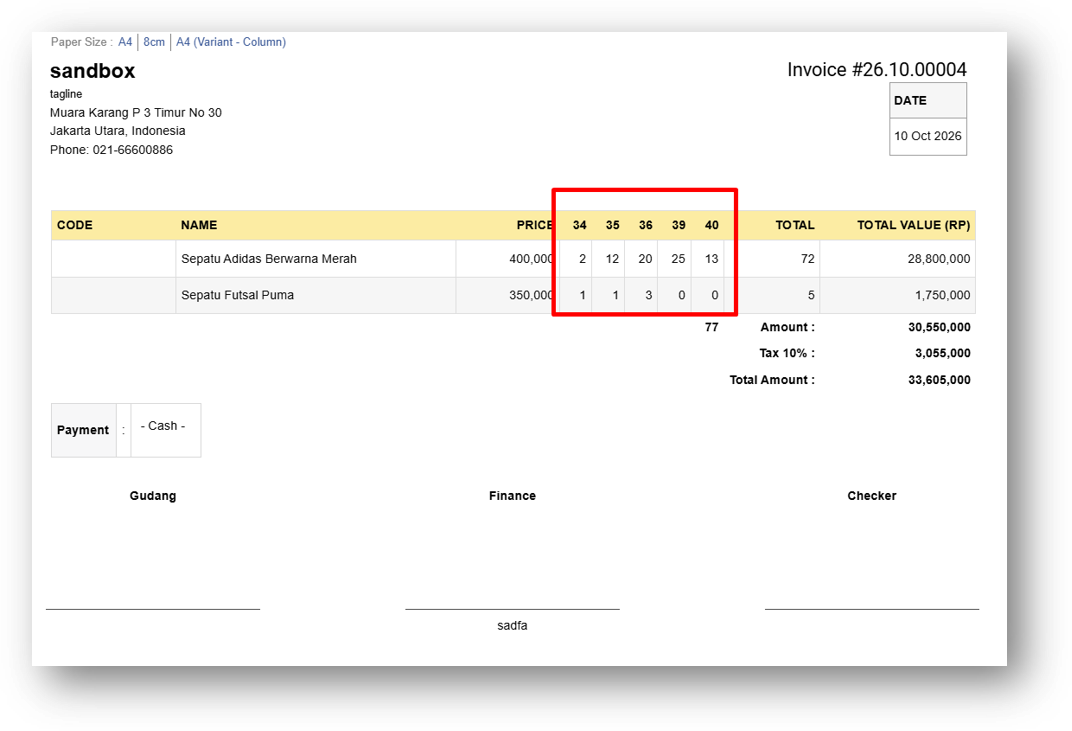
We've added a new invoice print format called A4 Variant Column, designed specifically for products with multiple variants like shoes with different sizes or clothing in various styles. Instead of listing each variant as a separate row going down the page, variants now appear side by side as columns. If a customer buys five sizes of the same shoe, you'll see them neatly arranged horizontally rather than stacked vertically.
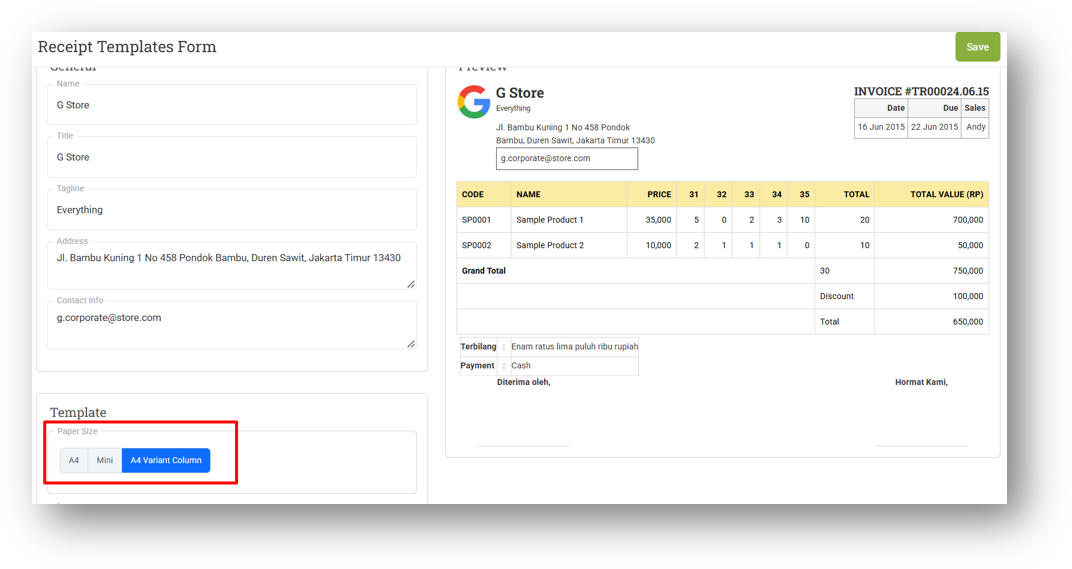
This format saves paper, reduces the number of pages, and makes your invoice much easier to read at a glance. For best results, we recommend using it with a product and variant structure that supports this layout. You can also set this as your default format by configuring it in the Outlet Receipt Template.
Major Improvements:
[Sell] Auto-Show Cash Amount Input Setting
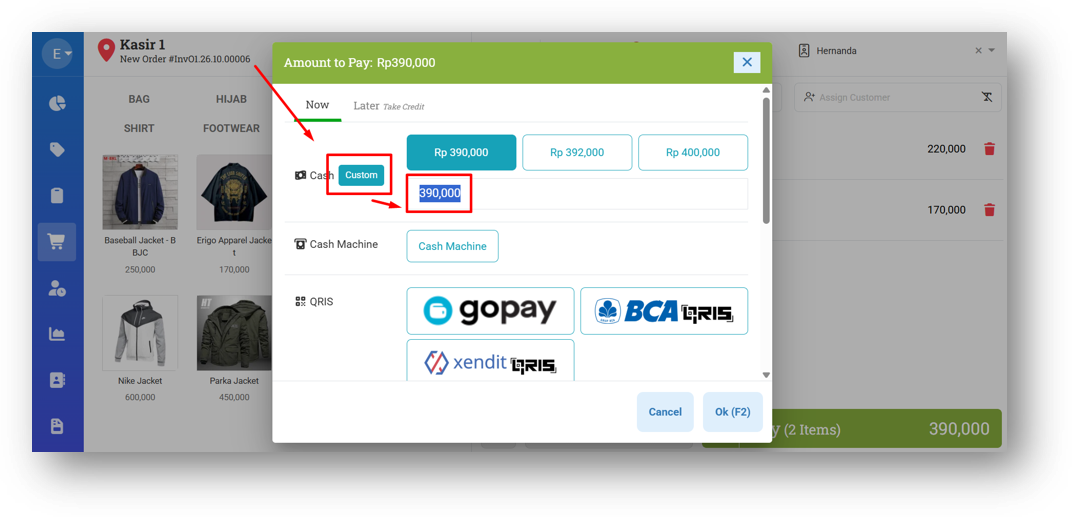
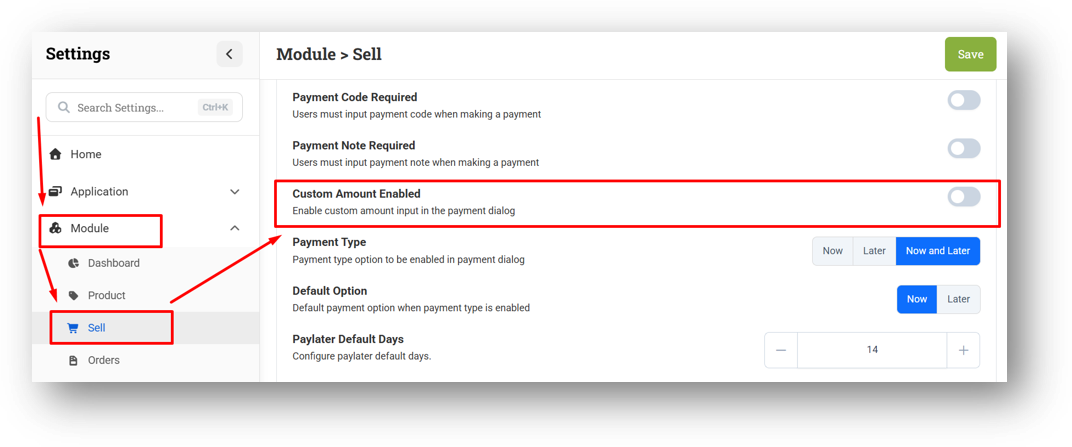
We've added a new setting that gives you control over how the cash payment field behaves during checkout. By default, the cash amount input is hidden, and you'd need to click the Custom button first to enter how much the customer handed over—useful for calculating change, like when a customer pays 100,000 for a 90,000 purchase.
Now, you can choose to have this field appear automatically, skipping the extra click entirely. This is especially handy for users who are already used to entering the cash amount right away and prefer a faster, uninterrupted checkout flow.
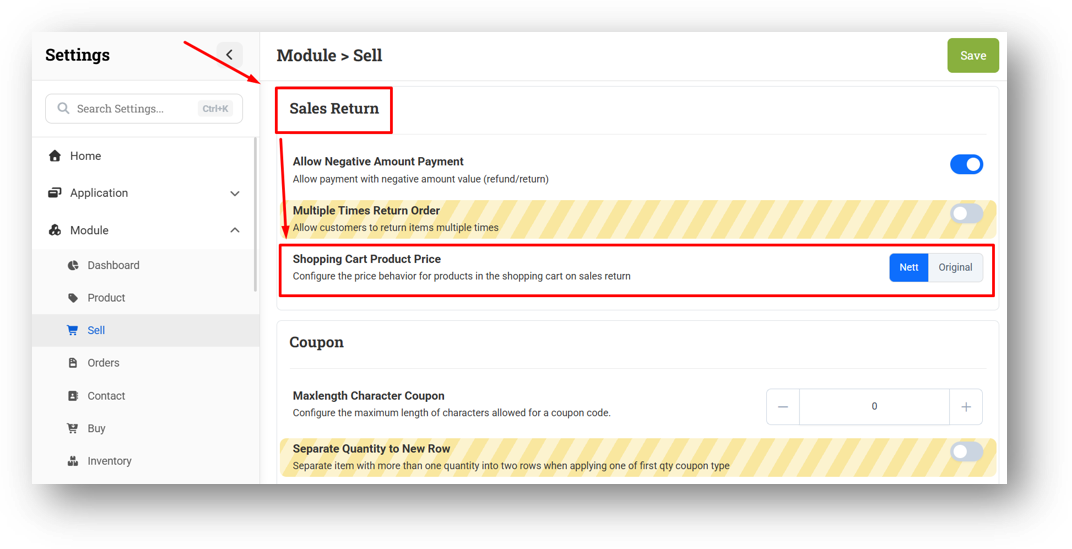
[Sell] Price Mode Selection for Return Invoices
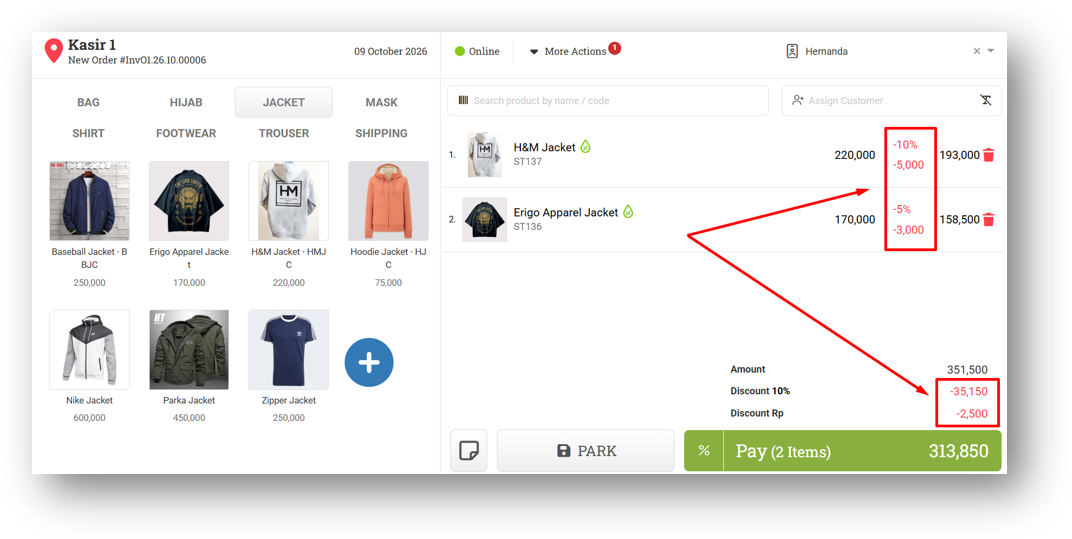
We've added a new setting that lets you control how prices appear when returning an invoice. Previously, returns would always display the final net price—so if a 100,000 item had a 10% discount, a 5,000 amount discount, and further invoice-level discounts bringing it down to 70,000, the return would show 70,000 with no discounts visible.
Now, you can choose between Net Price or Original Price based on your preference. If you'd rather show the original 100,000 along with the discounts applied, just switch to Original Price mode. It gives you the flexibility to match how your customers expect to see return details.
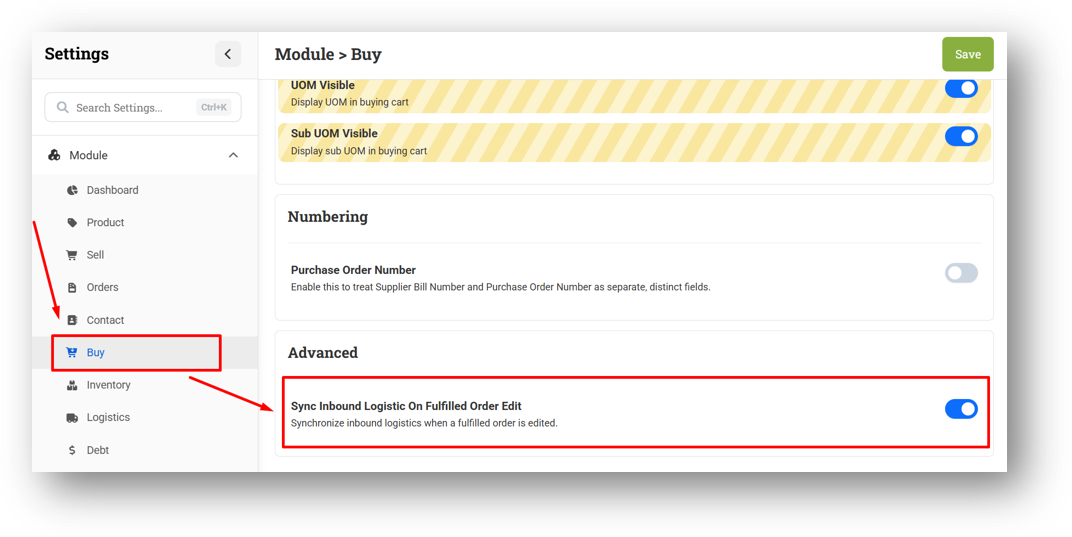
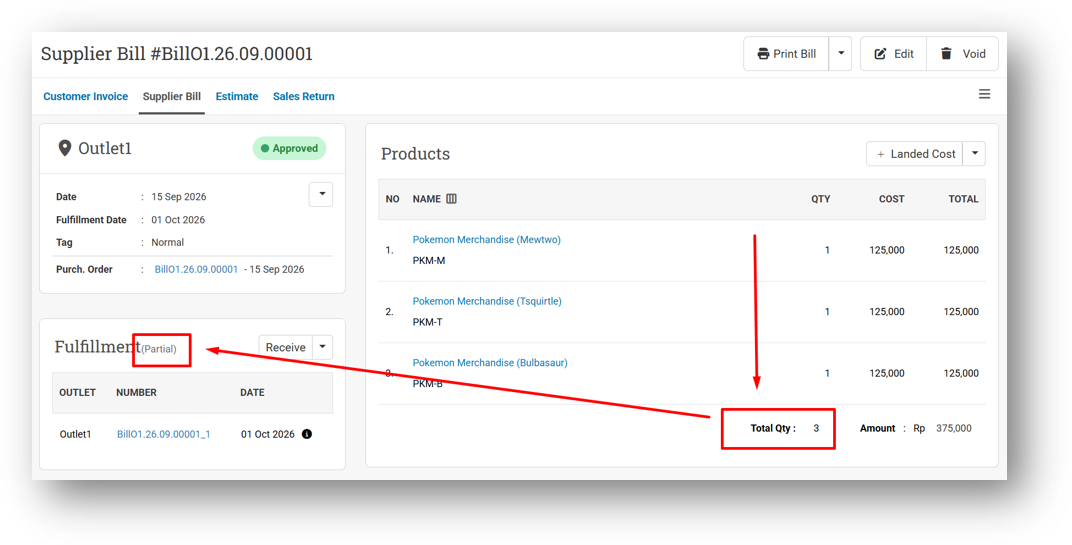
[Buy] Sync Inbound Logistic On Fulfilled Order Edit
We've added a new setting that gives you more control over how inbound logistics behave when editing a fulfilled purchase order. By default, this setting is enabled—meaning any changes you make to quantities on the purchase order will automatically sync to the corresponding inbound record.
If you disable it, the behavior changes for quantity increases: adding items (say, from 2 to 3 units) will leave the inbound at its original 2 units, requiring you to create a second inbound for the additional shipment. However, reducing quantities will still sync automatically—editing from 10 down to 9 will update the inbound to 9 as well. This gives you flexibility to handle partial shipments more accurately without losing control over your inbound records.
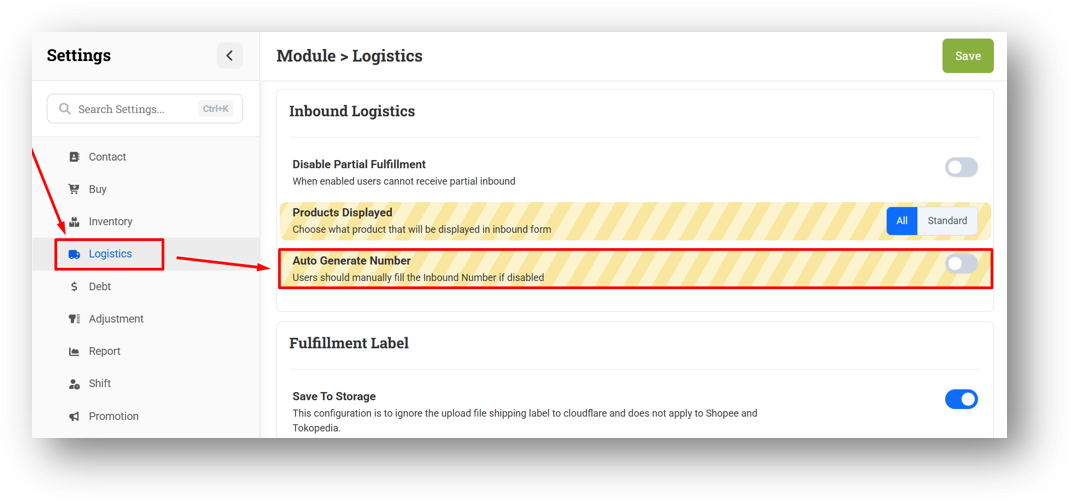
[Logistics - Inbound] Auto Generate Inbound Number Settings
We've added a new setting that lets you decide whether inbound numbers are generated automatically from the purchase order number. By default, this remains enabled—so inbound numbers continue to follow your purchase orders without any extra effort.
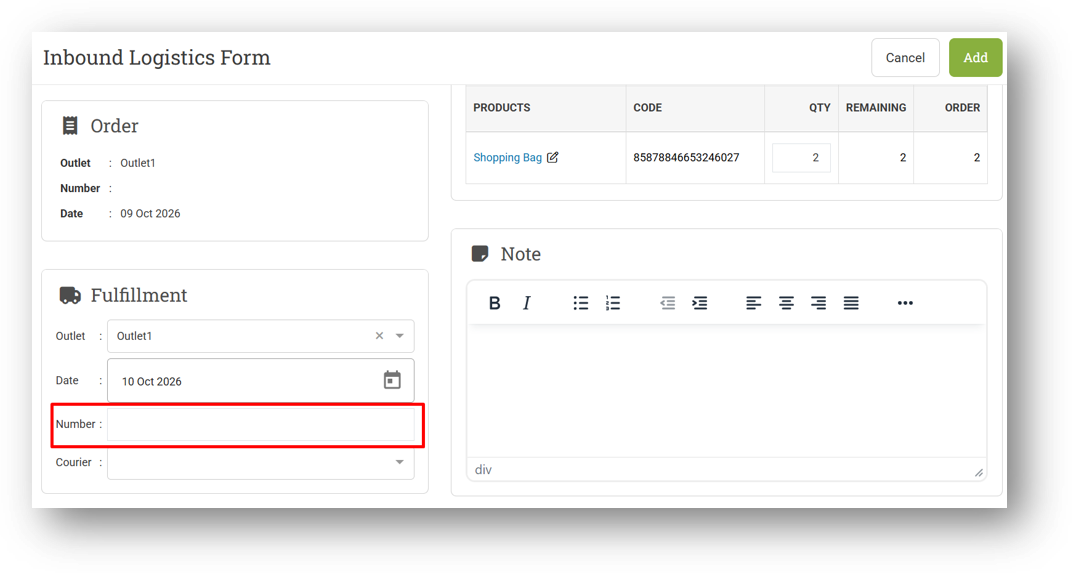
When disabled, the number field will be left empty whenever you create an inbound record, allowing you to input your own custom number manually. This is designed for users who prefer to manage their own inbound numbering scheme rather than following the default format.
Minor Improvements:
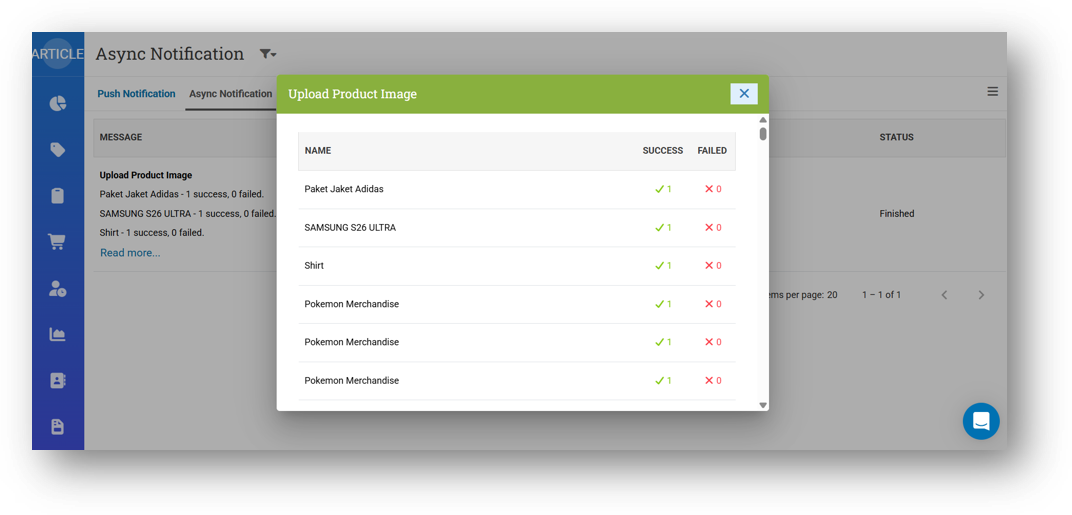
[My Profile - Async Notification] Provide Modal to Display Notification Detail
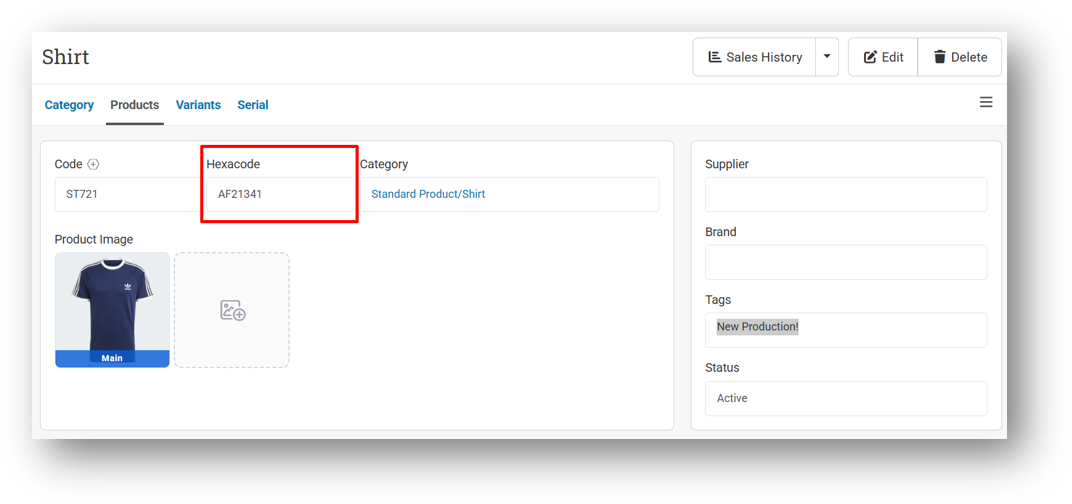
[Products] Auto Display Hexacode If Exist in Info & Form Pages
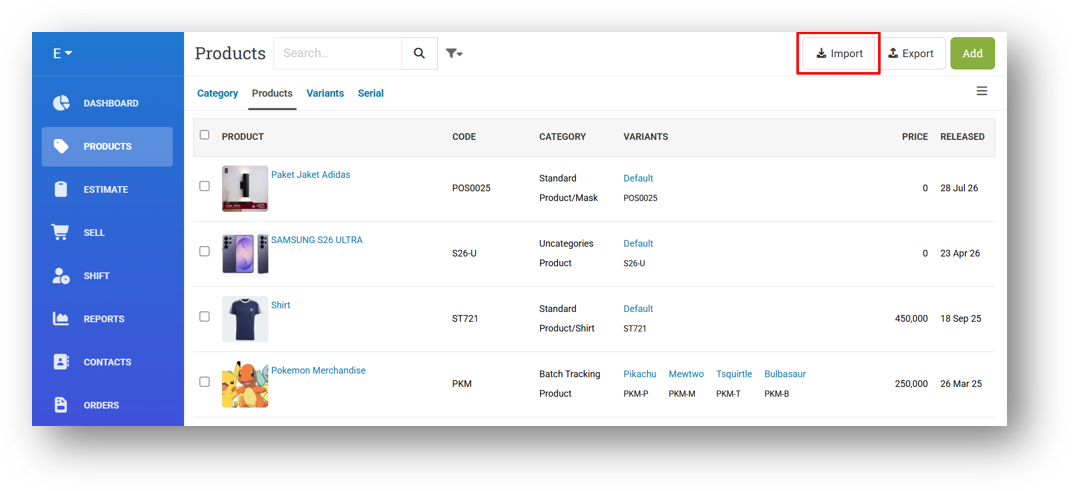
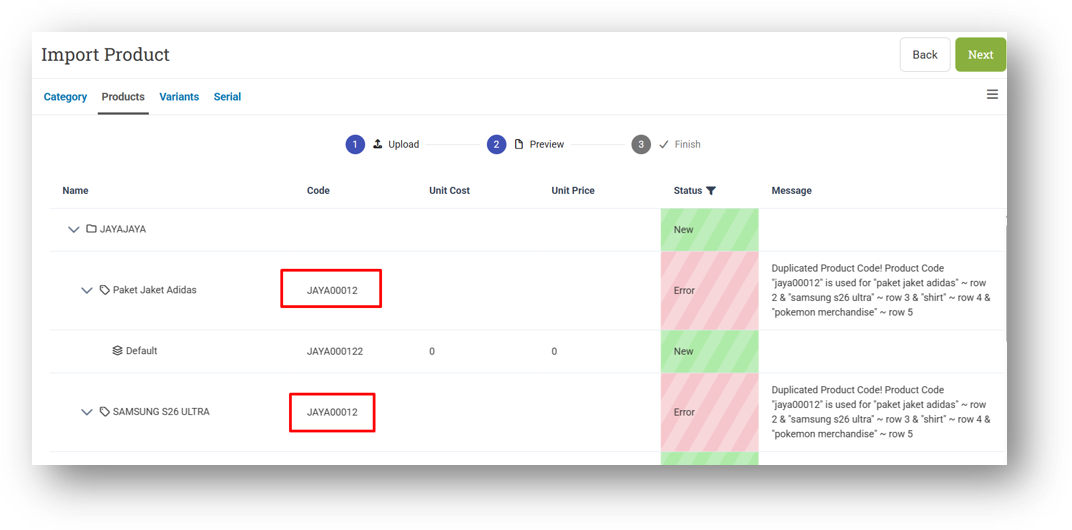
[Products - Import]
Restrict Product Import with Product Create & Edit Roles
Restrict Users from Importing Multi-Products with Same Product Code
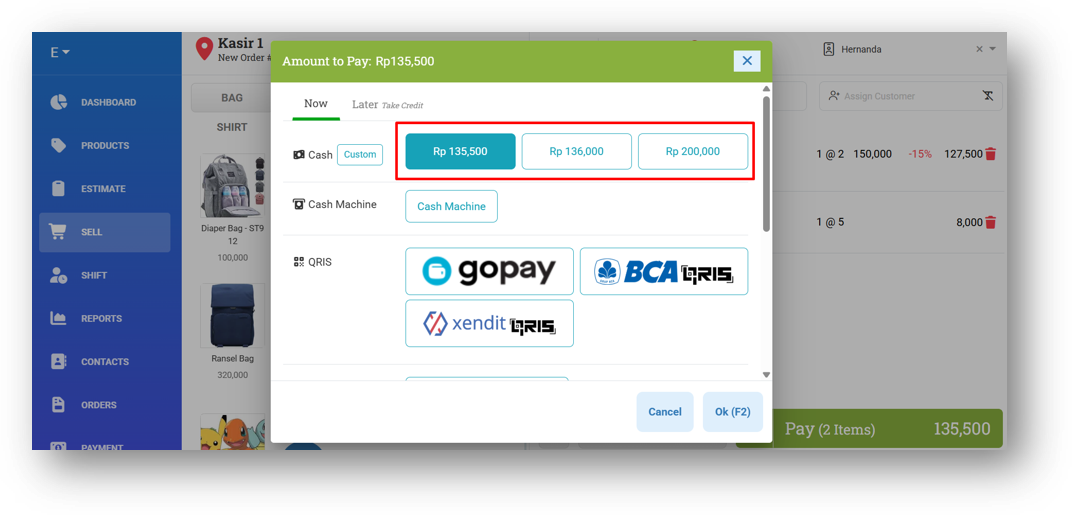
[Sell] Improve Cash Amount Suggestion
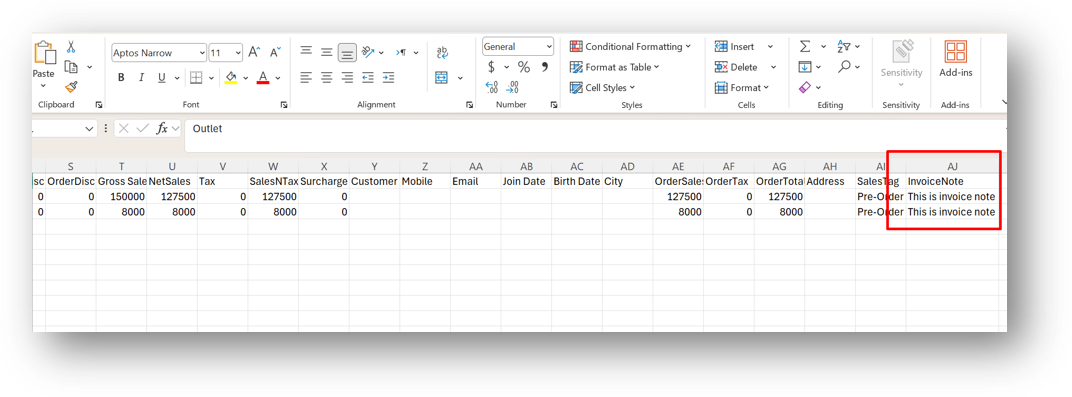
[Reports - Details] Provide Invoice Note Column in Export with Customer Details CSV
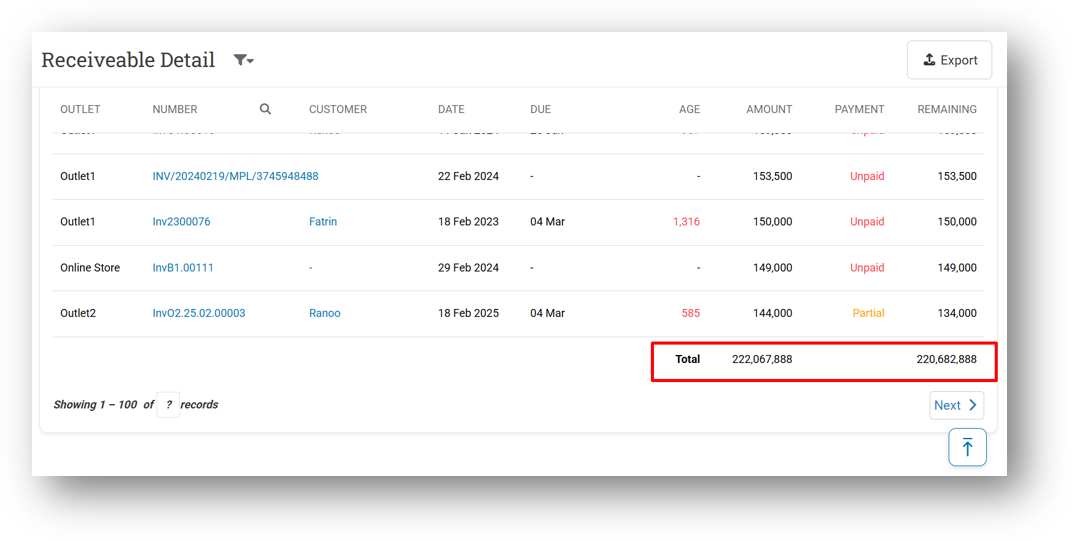
[Debt] Provide Total Information on AR Detail & AP Detail Pages
[Fulfillment] Implement Broken Image to Fulfillment Info Page
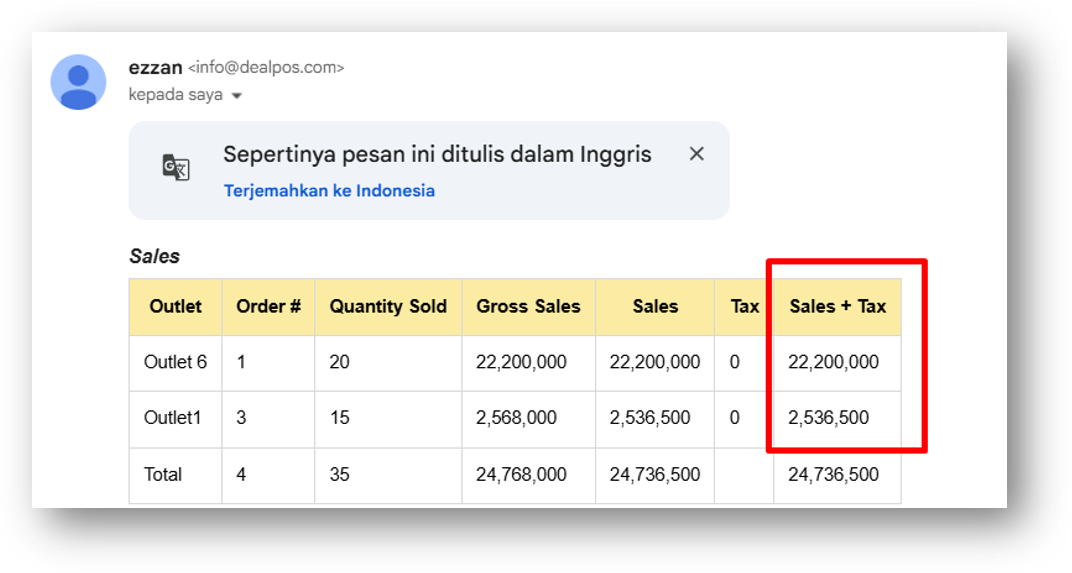
[Mail - EOD Report] Sort Sales Tables by Highest Amount
Bug Fixing:
[Products] Fix Missing Variant Hexacode in Product Form
[Sell] Remove HTML Tag from Payment Note Input Field
[Orders - Purchase Order] Remove HTML Tag from Note on Purchase Order Info Page
[Inventory - Variant Traffic] Fix Different Start Quantity & Inventory Log
[Logistics - Outbound] Fix Users Can Send Outbound from Non-Write Access Outlet
[Logistics - Inbound] Fix Users Can Receive Inbound from Non-Write Access Outlet
Overall, this update further establishes the platform as a reliable Inventory Application for your retail businesses. Stay tuned for more updates, and don't hesitate to reach out if you have any questions or need support!