- DATE:
- AUTHOR:
- Ezzan

WebApp Version 26.21 Changelog
This update includes new features, essential performance improvements, and usability enhancements to ensure your daily operations run smoothly. We've also addressed several bug fixes to enhance stability and reliability. DealPOS continues to evolve as a reliable POS Software designed to support retail business operations with better performance and usability.
Thank you for your continued trust and feedback, which help us deliver the best possible service.
New Feature:
[Sell] Return Transaction Discount Handling Adjustment
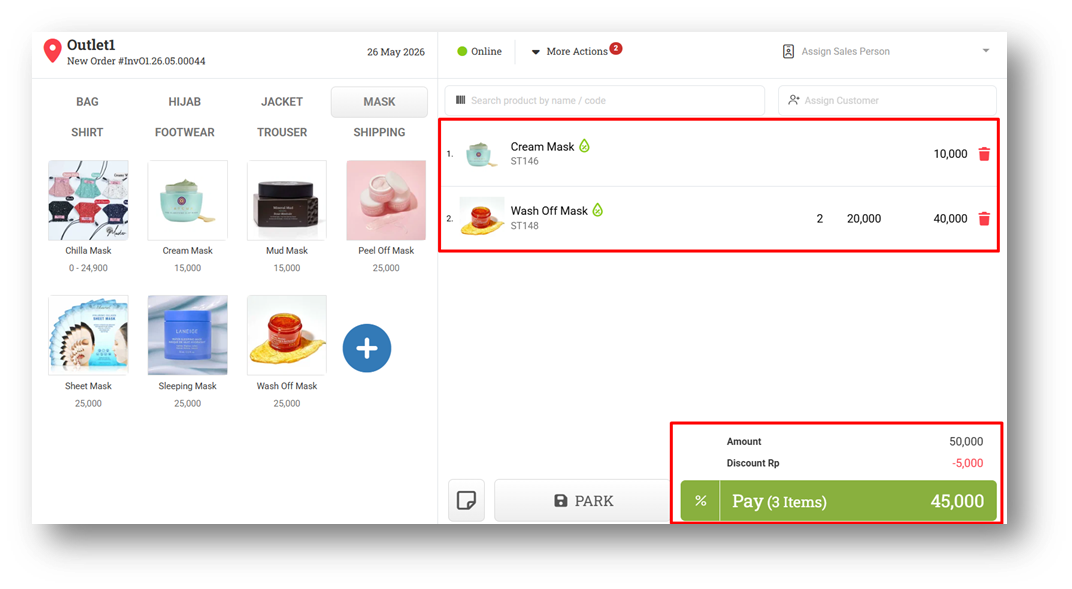
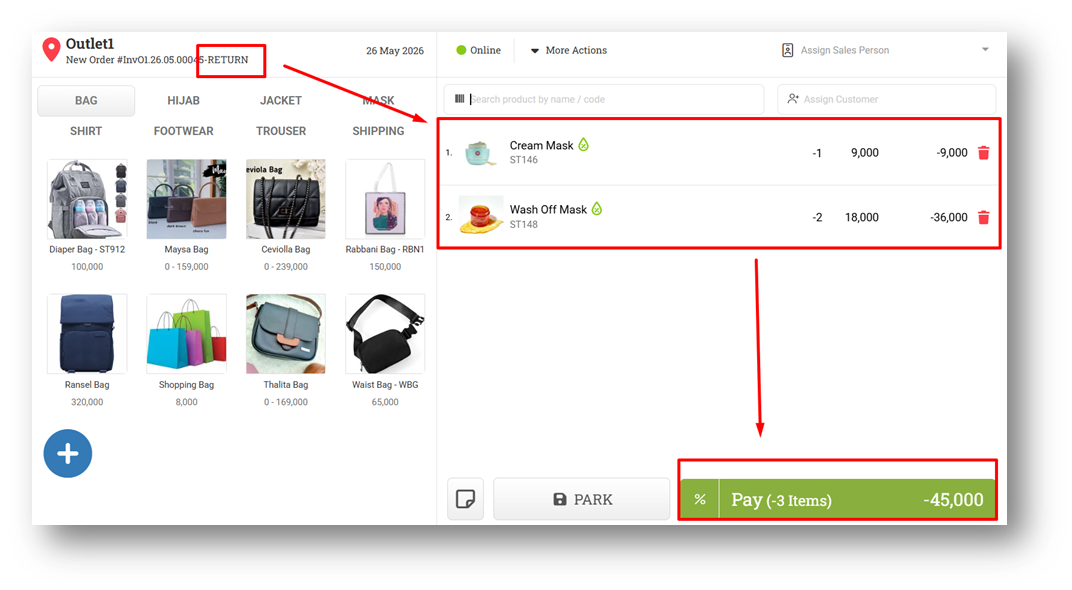
We’ve improved the way discounts are handled in return transactions to make calculations simpler and more consistent. Previously, when returning an invoice, the system would reverse both the item values and the discount values separately. This caused discount amounts to appear again as positive values in the return transaction, even though the final total remained correct.
With this update, all discounts—both Item Discount and Invoice Discount Amount—are now directly applied to the item’s final price before the return transaction is created. For example, if an item originally cost 10,000 and became 9,000 after discount, the return transaction will directly use 9,000 × negative quantity instead of separately displaying the discount value again. This results in cleaner cart calculations, clearer positive/negative notation, and a more consistent return transaction flow.
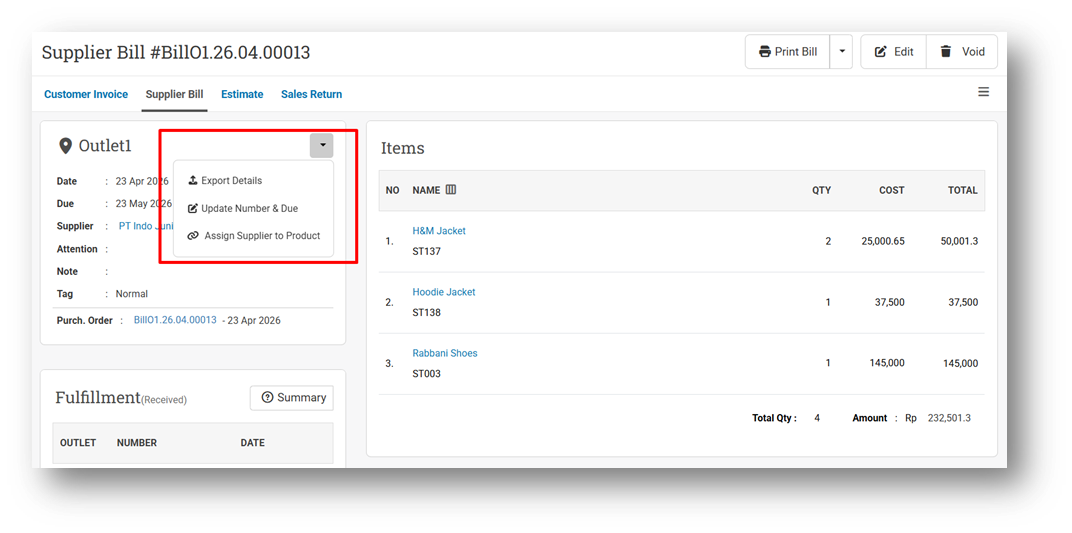
[Orders - Supplier Bill] Assign Supplier to Products from Purchase Bill
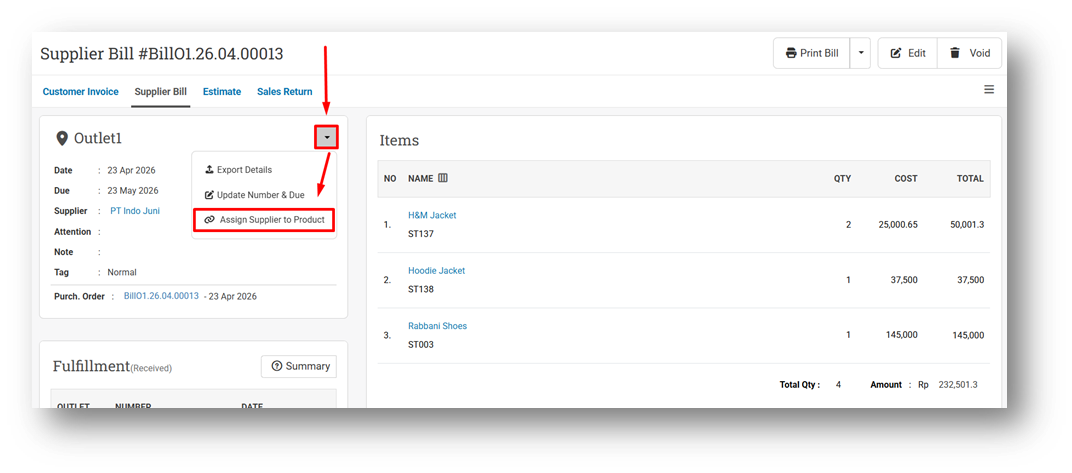
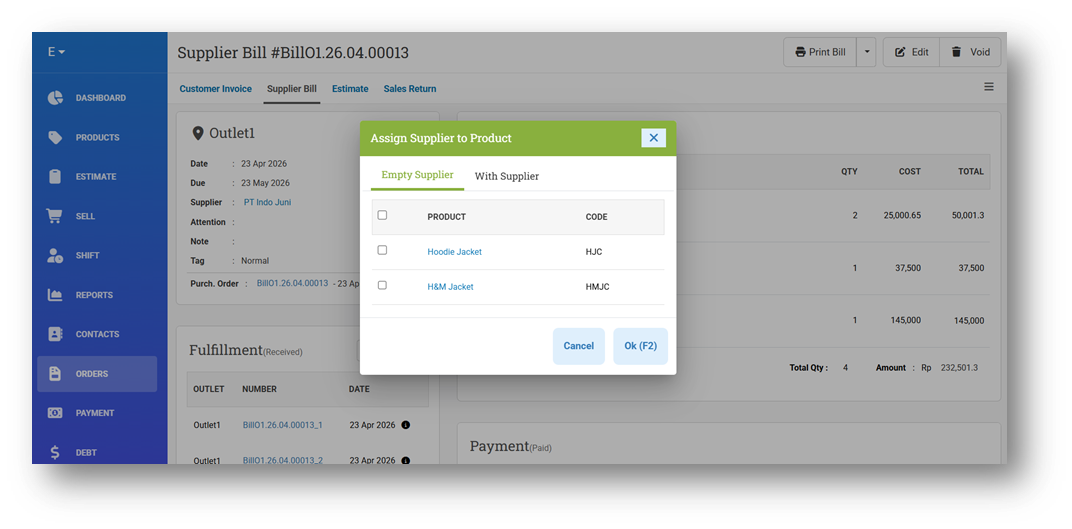
We’ve introduced a new feature that allows users to assign the Bill Supplier directly to products within a Purchase Bill. For example, if a Purchase Bill contains multiple items under Supplier A, users can now choose which products should inherit or be linked to that supplier through a dedicated assignment flow.
When clicking “Assign Supplier to Product”, a modal will appear with two tabs: Products Without Supplier and Existing Supplier. Users can select specific products from these lists to assign the supplier from the current bill, making supplier management faster and more organized.
[Inventory] Days Of Inventory Dashboard Enhancements
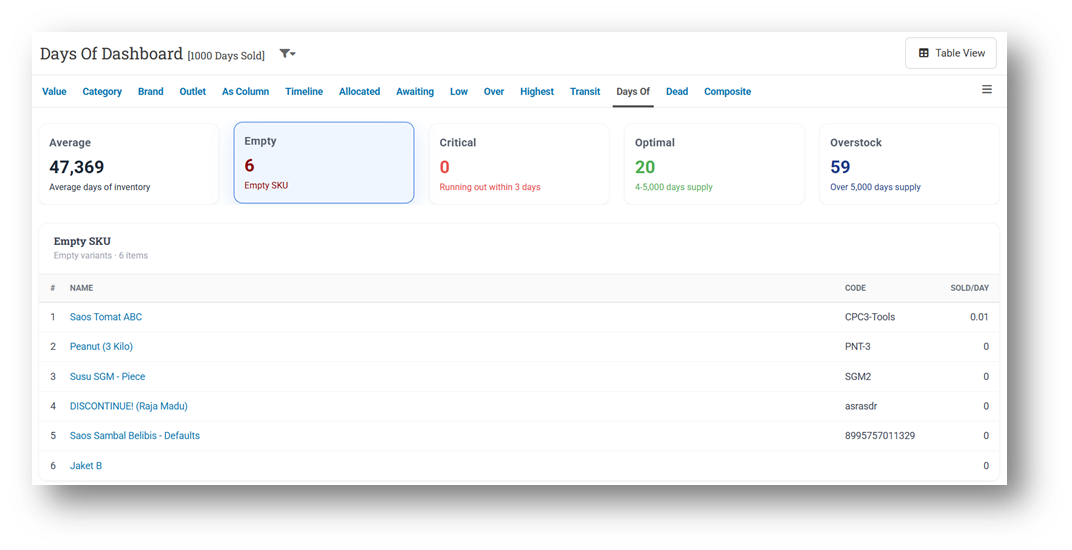
We’ve enhanced the Days of Inventory Dashboard by adding a new “Empty” indicator card for SKUs that have sales activity but currently have 0 stock. Previously, these SKUs were grouped under the same logic as Critical stock items. We’ve also refreshed the color indicators to make each inventory status easier to distinguish visually.
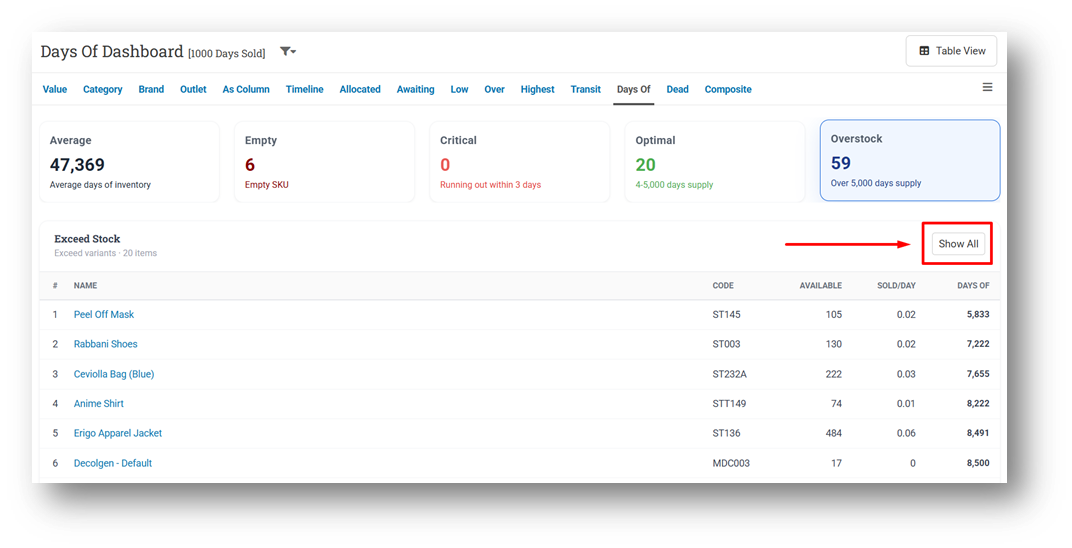
We’ve also updated the behavior of each dashboard card. Previously, clicking “Show All” would redirect users to the list page with matching filters applied. Now, “Show All” will expand all rows directly within the selected category (default display remains limited to 20 rows before expansion), creating a faster and more seamless browsing experience.
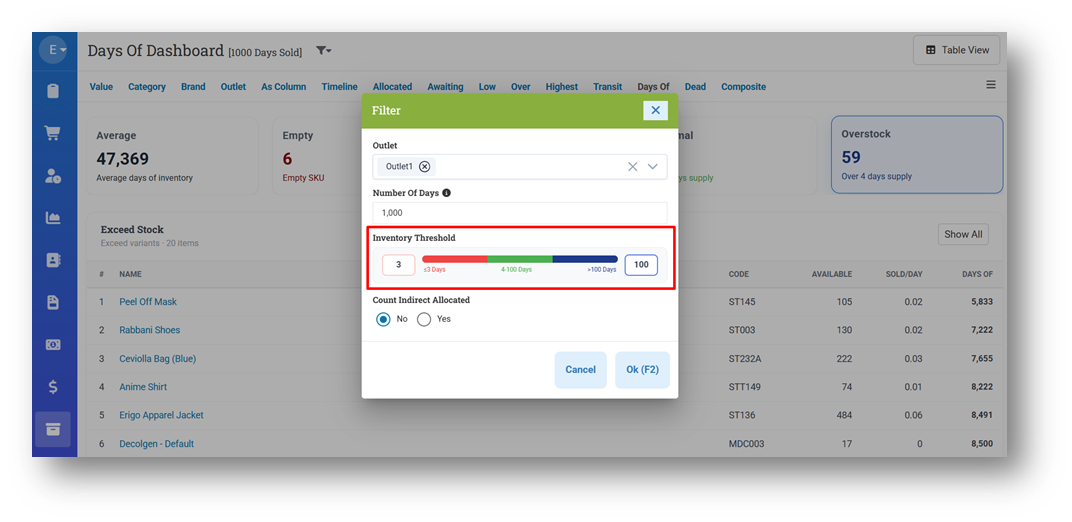
In addition, we’ve improved the filtering behavior for the Critical and Overstock indicators to provide more accurate and consistent inventory categorization.
Minor Improvements:
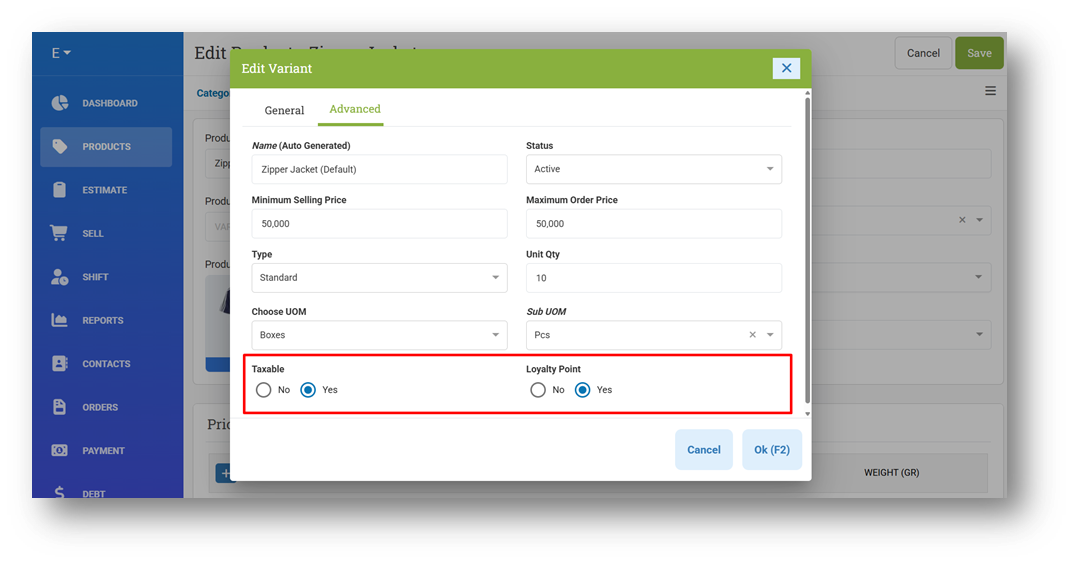
[Products] Allow Users to Update Taxable & Loyalty Able Variant from Product Form
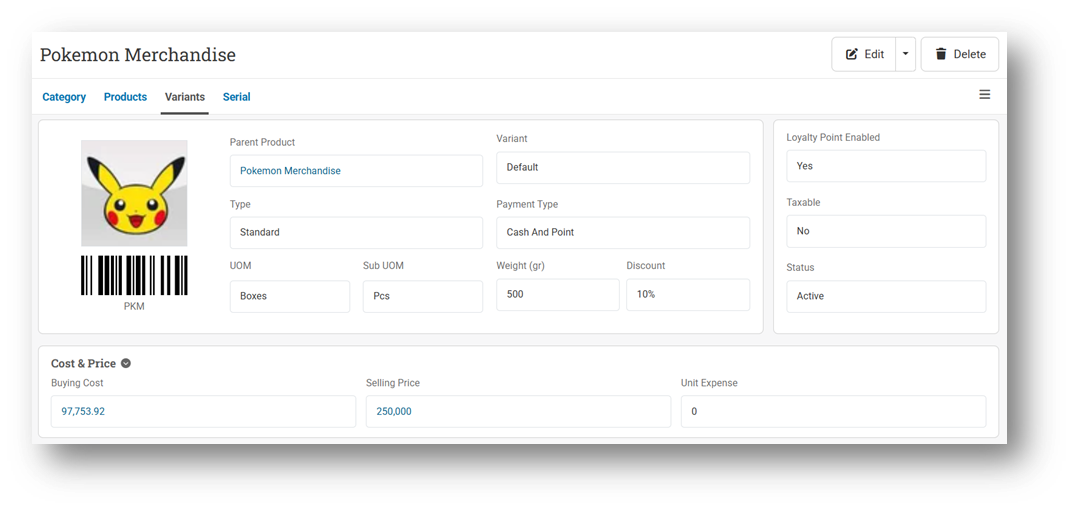
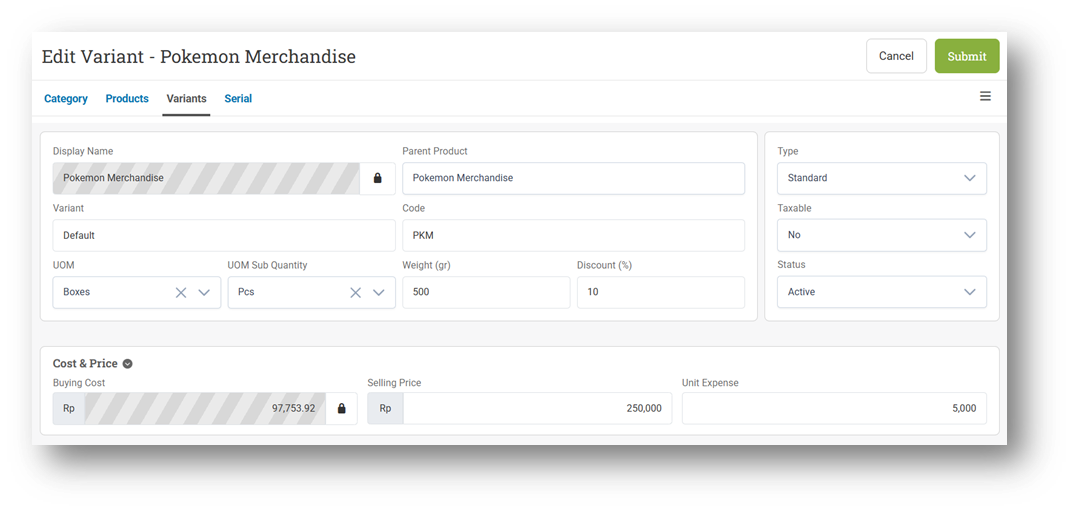
[Products - Variants]
Redesign Variant Info Page
Redesign Variant Form Page
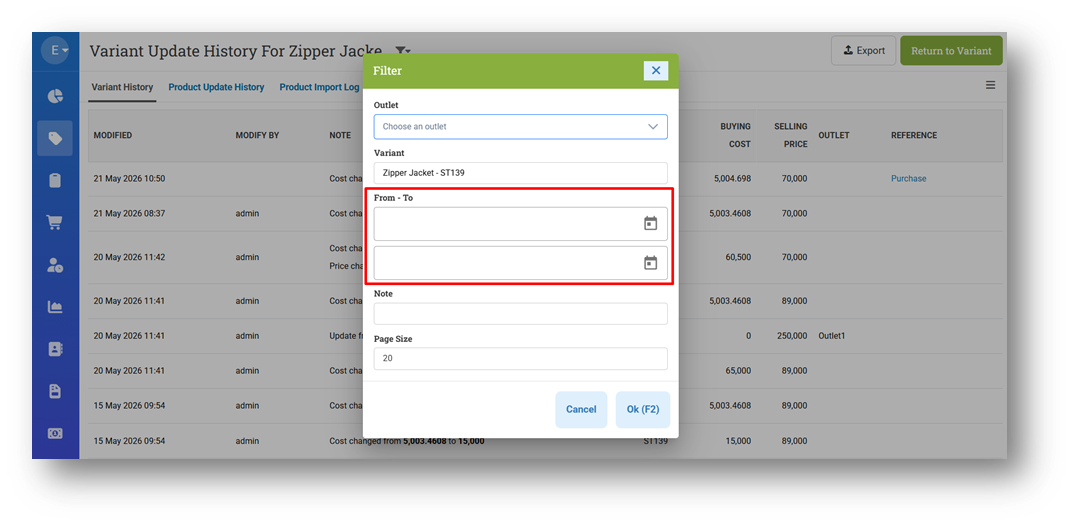
[Products - Product History] Remove Default Date Filter Assigned to Product History
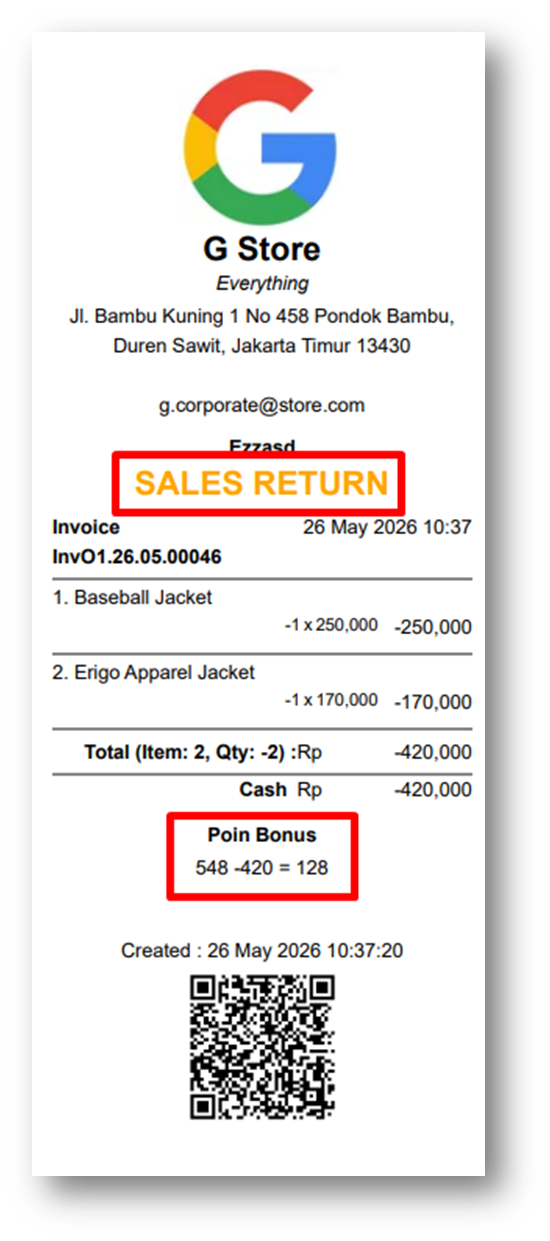
[Sell] Display Loyalty Point Update from Sales Return Invoices
This feature was developed based on customer request #14938
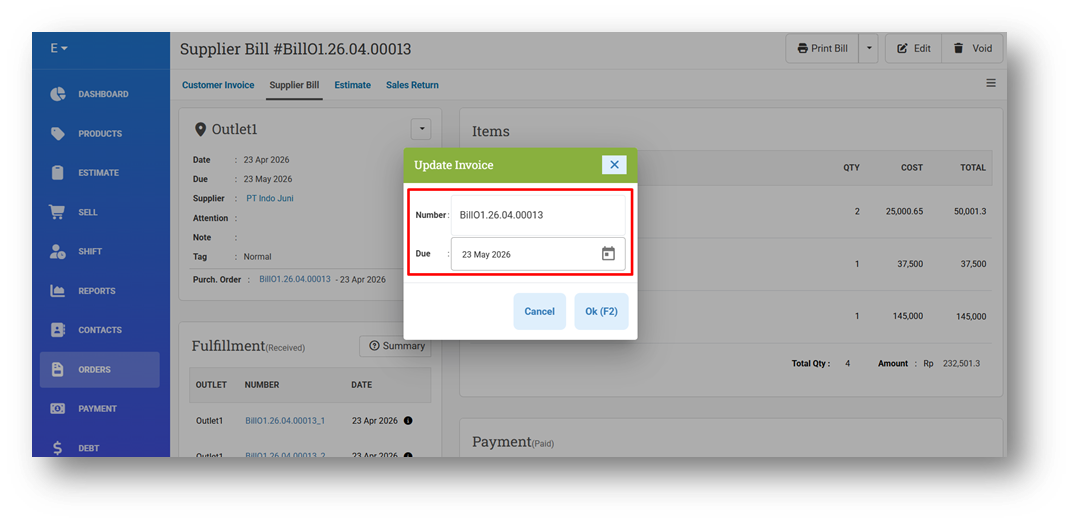
[Orders - Supplier Bill]
Improve Button Action Behaviour
Improve Trigger Page Refresh After Successful Bill Due or Number Update
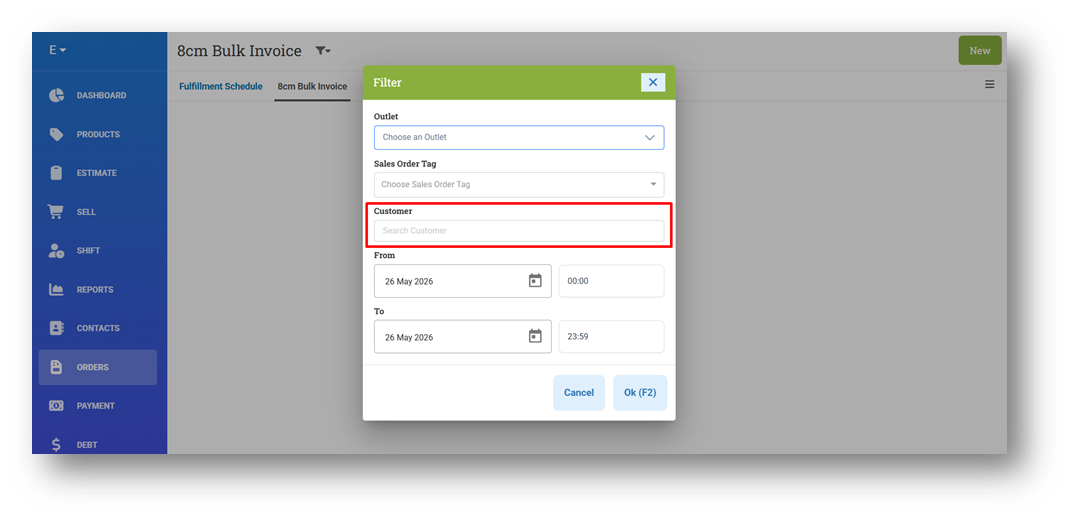
[Orders - Bulk Print 8cm] Provide Customer Filter
This feature was developed based on customer request #14738
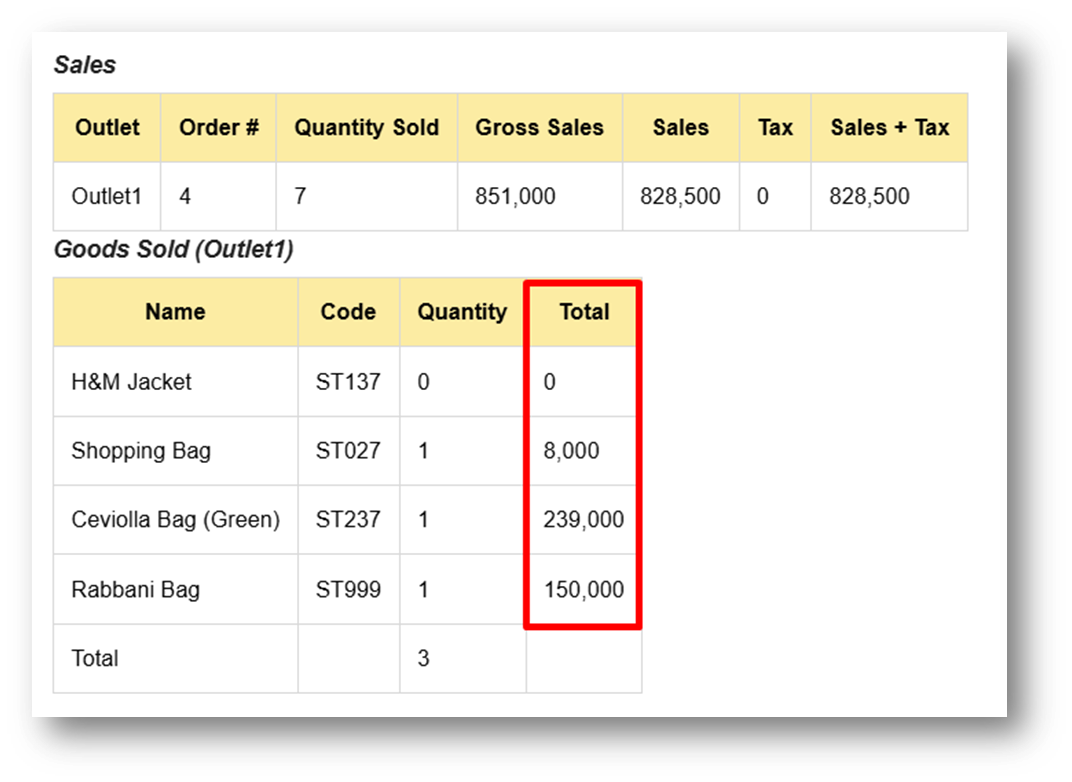
[EOD Reports] Remove Auto-Rounding from Total Columns in Goods Sold
This feature was developed based on customer request #15101
Bug Fixes:
[Contacts - Customers]
Fix Missing Description Tab in Customer Info Page
Fix Missing Edit Image Button on Customer Info Page
Restrict Delete Image Button with Contact Image Editor Role
[Inventory - Days Of] Fix Users Cannot Filter Category Combined with Days of Risk Filter
Patch 26.21.1 [31 May]:
[Products - Variants]
Fix Users Cannot Input Value After Change Parent Product
Fix Missing Outlet Price Tab & Modal Header
Improve Variant Info & Form Field Positions
[Sell] Fix Incorrect UOM Visibility Logic in Sell Cart
[Inventory - Days of Dashboard]
Provide Negative Card Information
Enhance Filter Inventory Threshold Color Indicator
Rename Number of Days Filter to Product Sold Within Days
Patch 26.21.2 [2 Jun]:
[Products - Category] Fix Parent Category Name Still Displayed After Deletion
[Products - Variants]
Fix Users Cannot Edit Prepaid Product
Fix Missing Search Product Bar from Add Component Modal
[Sell] Fix Coupon Not Applied to Eligible Item When Applied During Order Retrieval
[Promotion - Event]
Improve Preserve Search Keyword After Editing Product Promotion Price
[Settings (Printing) - Bill] Fix Missing Remaining Visibile Settings
Patch 26.21.3 [3 Jun]:
[Sell]
Fix Missing Printed Time in After Sell Printing
Display Sales + Tax as Item Price on Invoice Return with Tax Include
Patch 26.21.4 [4 Jun]:
[My Subscription]
Fix Incorrect Billing Contact Modal Trigger
Fix Users Cannot Update Billing Phone
[Products - Category] Fix Users Cannot Open Category Form
[Sell] Fix Edit Return Invoice Incorrectly Update Start Point (Loyalty) in Printing
[Orders - Invoice] Fix Reprint Incorrectly Applying Adjusted Point to Start Point (Loyalty)
[Inventory - Days Of List]
Fix Missing Variant ROP When Filtering Outlet
Implement Quantity Fraction Settings When Updating ROP After Submitting Bulk Lead Time
Set ROP to Default ROP from Variant When Clearing Lead Time Input
[Setup - Apps] Update Omnichannel Staging Host URL
Patch 26.21.5 [5 Jun]:
[Sell] Fix Users Cannot Retrieve Order and Process Payment
Patch 26.21.6 [6 Jun]:
[Order Display] Revert New Order Display API That Contains Error
Overall, this update further establishes the platform as a reliable Inventory Application for your retail businesses. Stay tuned for more updates, and don't hesitate to reach out if you have any questions or need support!