- DATE:
- AUTHOR:
- Ezzan
WebApp Version 26.38 Changelog
This update includes new features, essential performance improvements, and usability enhancements to ensure your daily operations run smoothly. We've also addressed several bug fixes to enhance stability and reliability. DealPOS continues to evolve as a reliable POS Software designed to support retail business operations with better performance and usability. Thank you for your continued trust and feedback, which help us deliver the best possible service.
New Feature:
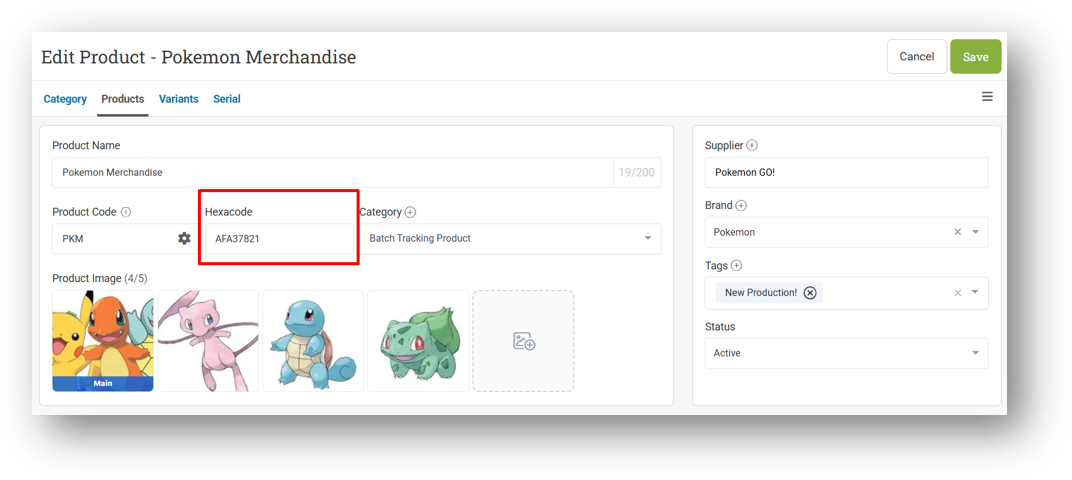
[Products] Hexacode for Products and Variants
We've added a new property called Hexacode at both the product and variant levels, giving you a dedicated field for barcode-style identification separate from your existing product Code. As the name suggests, Hexacode accepts only hexadecimal characters—numbers 0–9 and letters A–F. This separation follows a common standard in POS and retail systems, where the internal code and the scannable identifier serve different purposes—keeping your internal codes clean while providing a scannable format that works reliably with barcode scanners and hardware integrations.
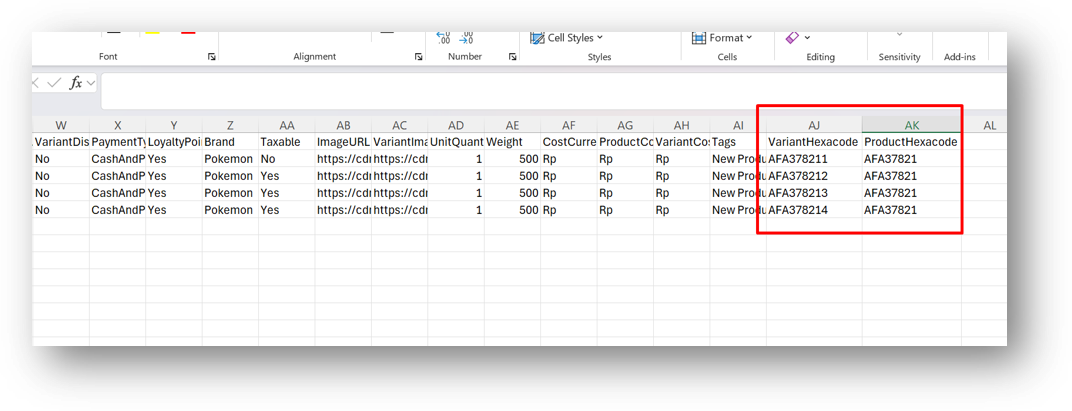
To make managing Hexacodes easier at scale, this field is now included in the Default export option and supports bulk updates via CSV import. Simply export your products using the Default option, fill in or adjust the Hexacode column, and re-import the file to apply your changes in one go—no need to update each product or variant manually.
[Debt] Debt Detail Dashboard
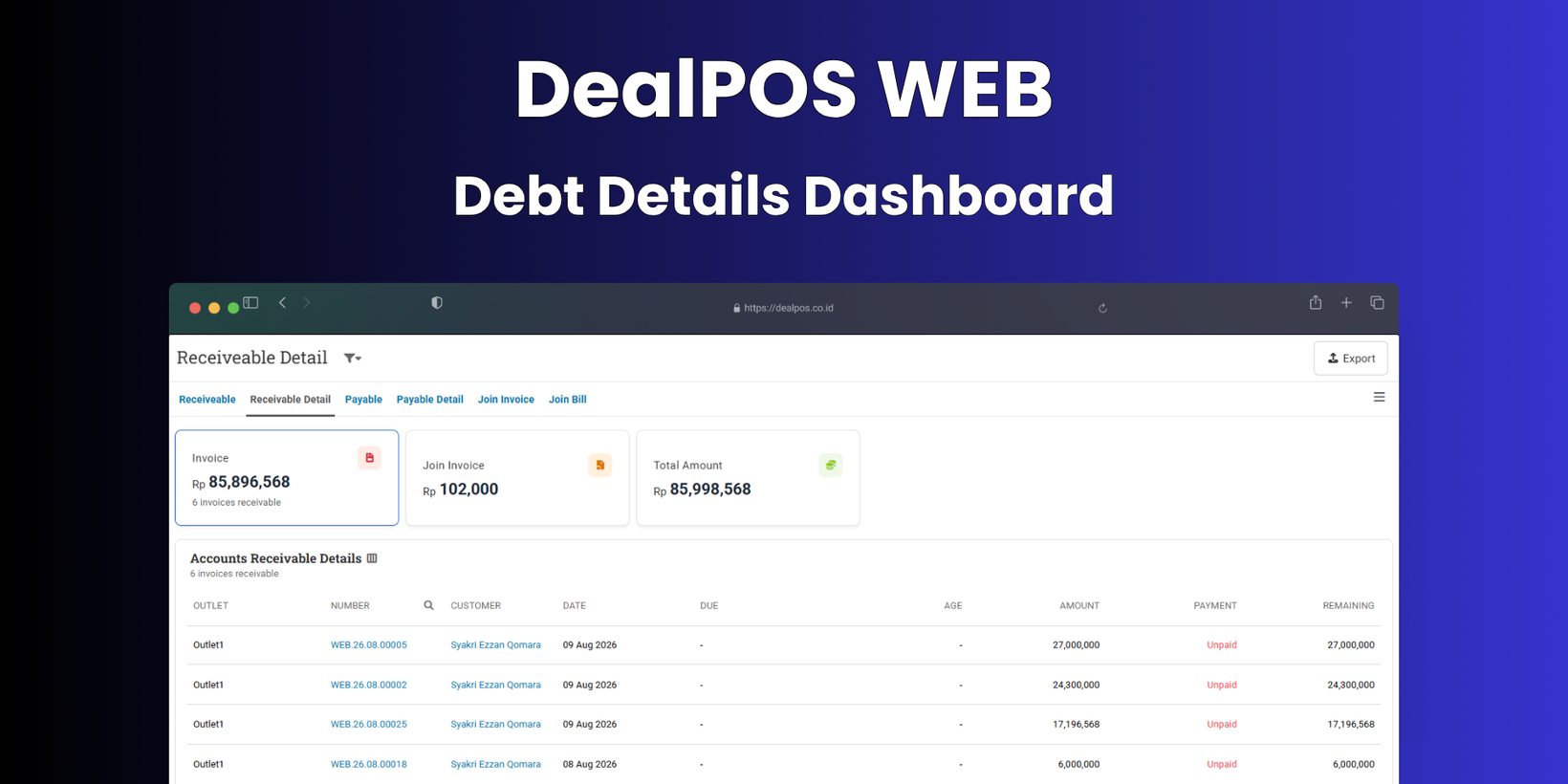
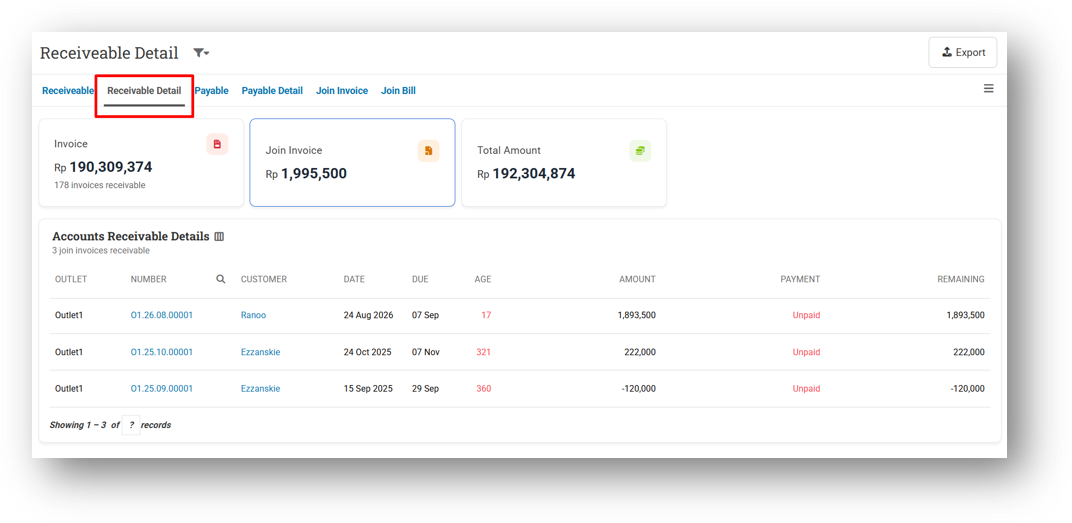
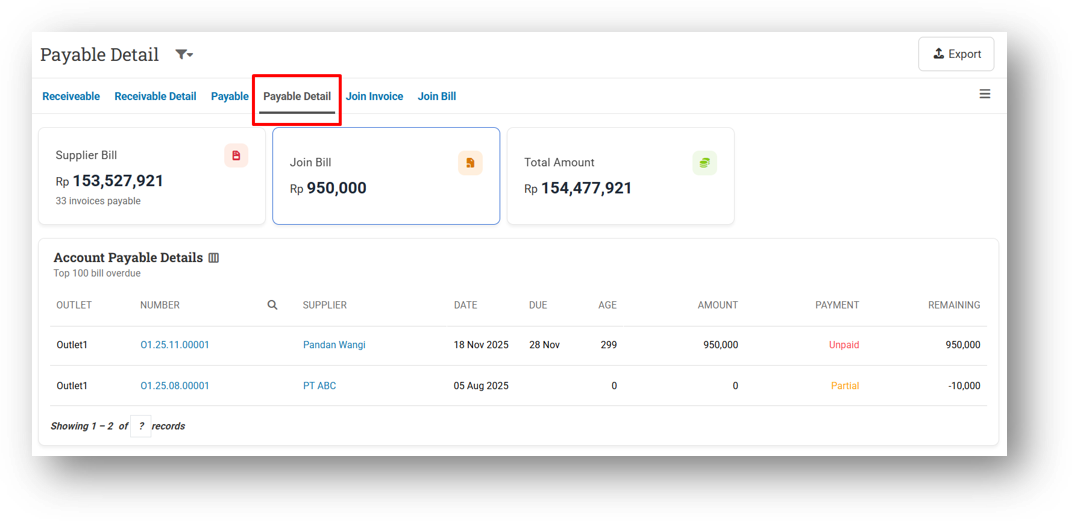
We've introduced a new Debt Detail Dashboard that complements the Debt Dashboard we released earlier. Just as the first dashboard visualizes the Debt List page across both Receivable and Payable modules, this new dashboard does the same for the Detail page—bringing the same visual, easy-to-understand approach to your debt detail view.
Here, you'll find the familiar structure with Invoice and Join Invoice cards, organized for both Receivable and Payable. It's designed to give you the same clarity and quick insights you've come to expect, now applied to the more granular detail level of your debt records.
[Inventory] More Flexible Brand Restriction Experience
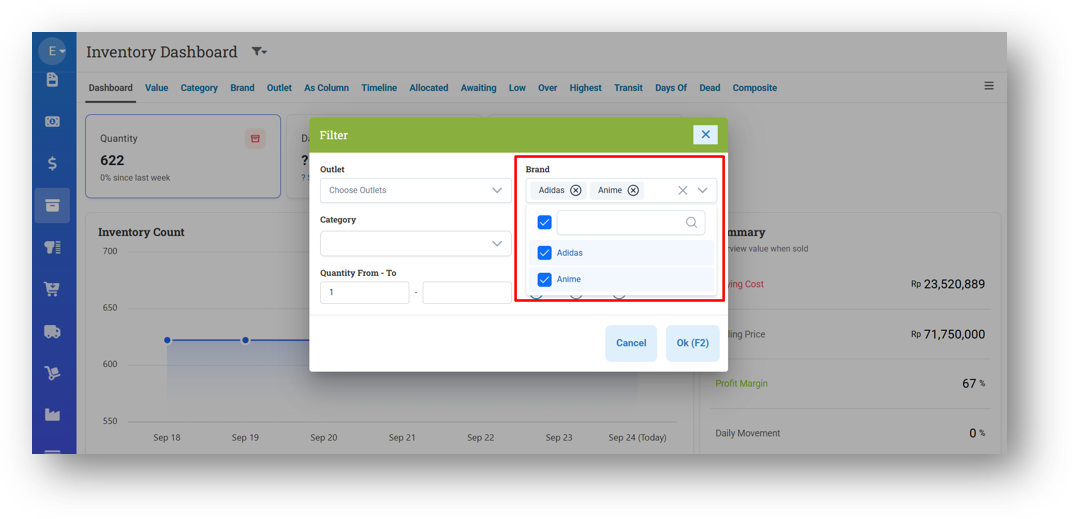
We've enhanced how Brand Restriction behaves for users assigned to multiple brands. Previously, if a user was restricted to brands like Adidas and Nike, the brand filter would automatically select both and lock the field—preventing any changes. This felt rigid and limited flexibility. Now, the filter remains fully interactive. Users will still only see the brands they're authorized for, but they can freely select, deselect, or multi-select among them. If no filter is applied, the report will still display data from all their assigned brands by default. This gives users the freedom to narrow down their view whenever needed, while still respecting their brand restrictions. Following our earlier rollout across all Reports menus with brand filters, this enhancement is now also available in the Inventory and Product menus. The same flexible, user-friendly experience now applies wherever brand filtering is supported, giving you consistent behavior throughout the app.
Minor Improvements:
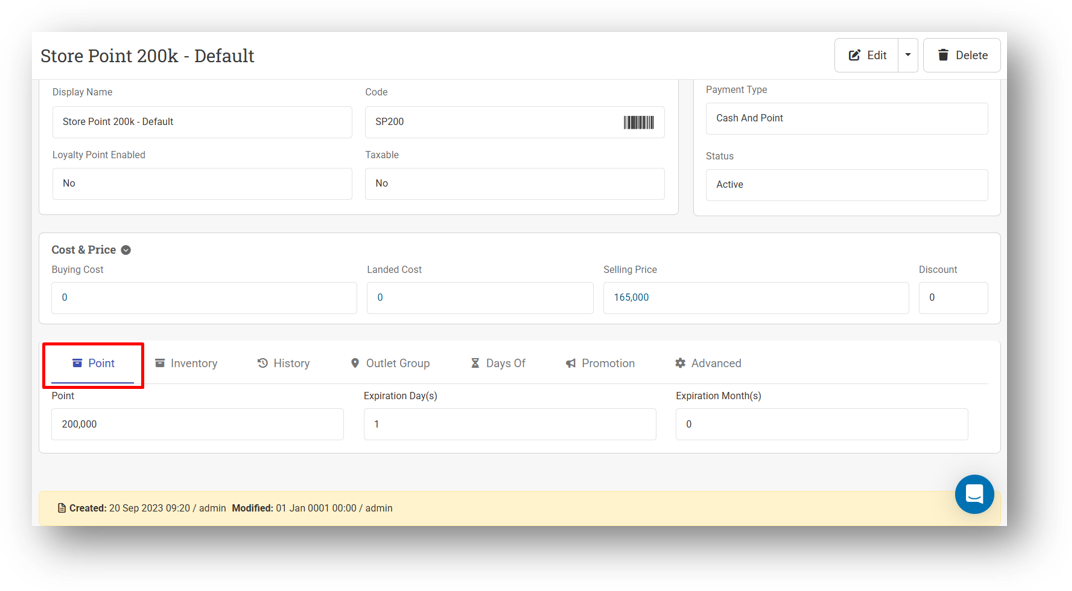
[Products - Variants] New Point Information Tab for Prepaid Product
[Sell] Provide TID Information Tab on Product Modals
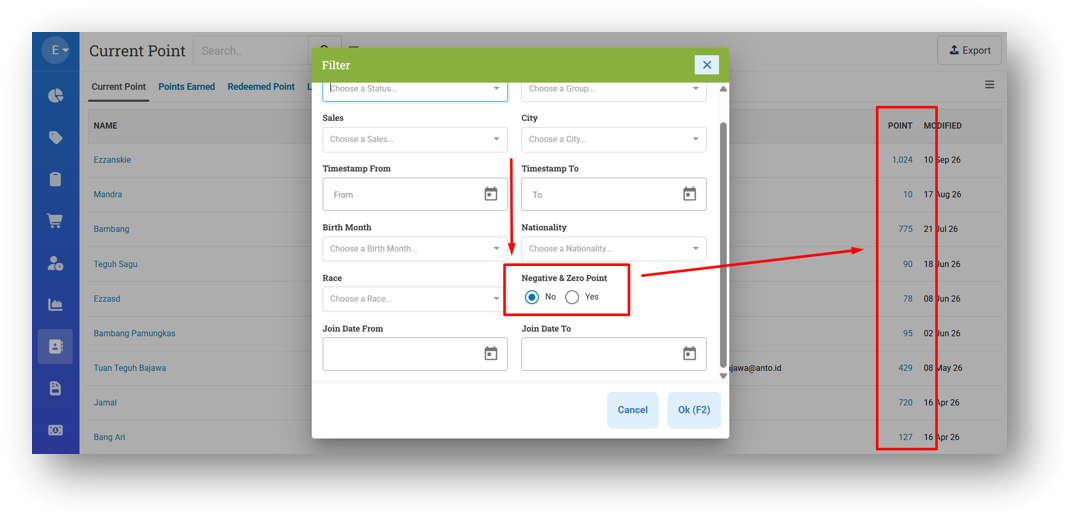
[Contacts - Current Point] Hide Customer with Zero Point When Filter Negative Point Disabled
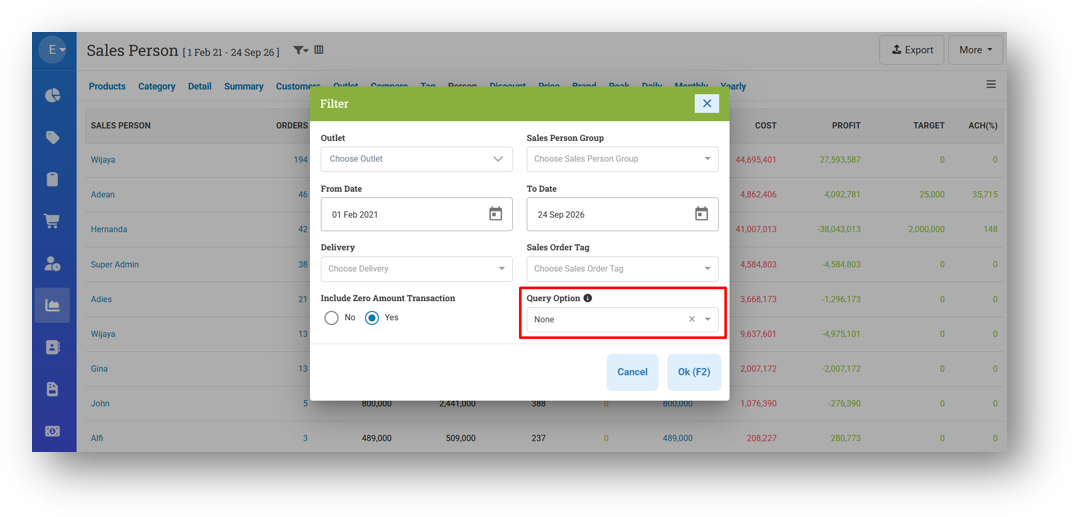
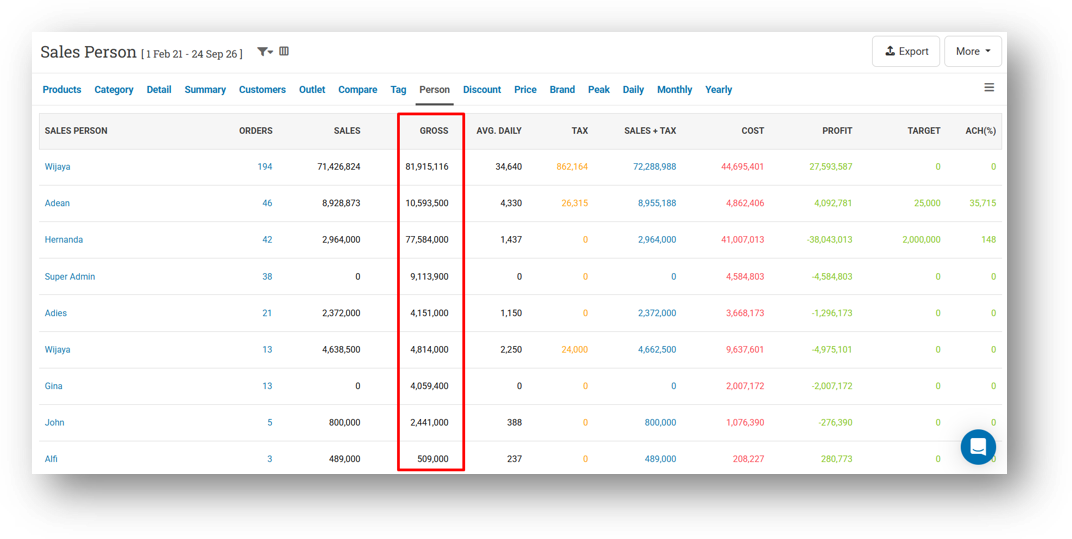
[Reports - Person]
Optimize Query Performance
Provide Recompile Filter
Provide Gross Column
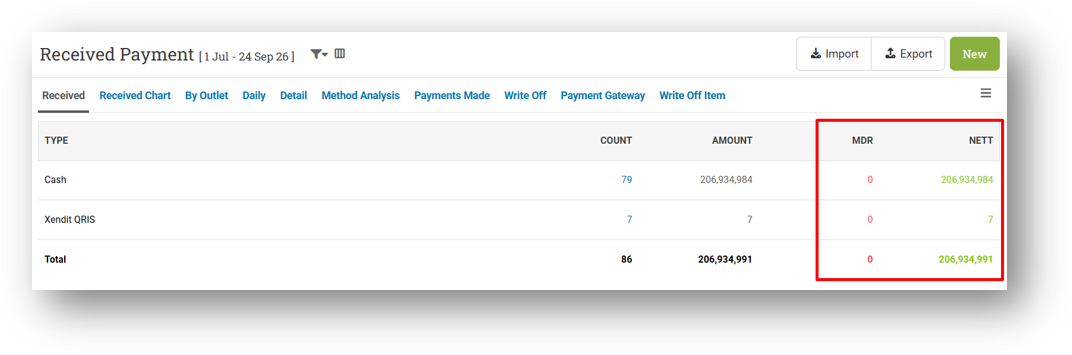
[Payment - Received] Implement Amount Fraction Settings to MDR & Net Columns
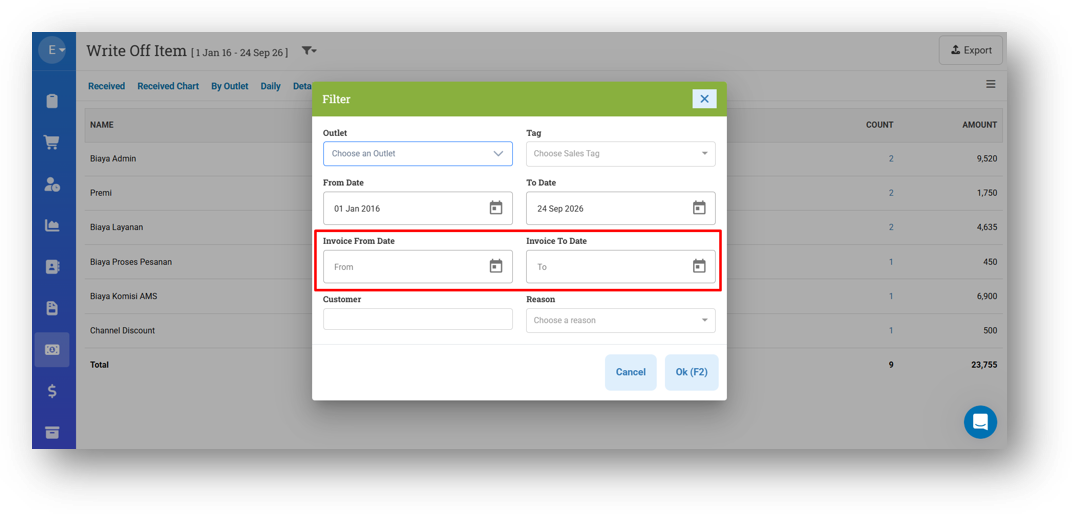
[Payment - Write Off Item] Provide Invoice Date Filter
This feature was developed based on customer request #19818
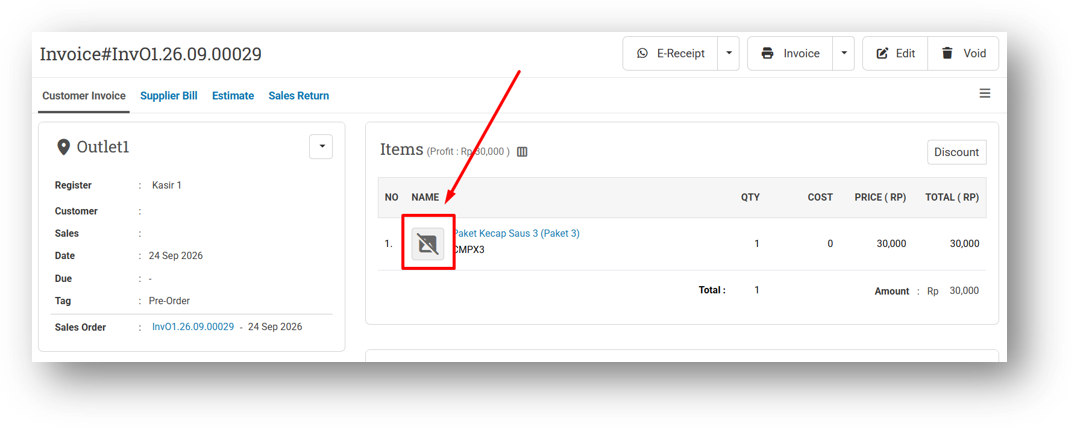
[Orders - Invoice] Implement Broken Image to Invoice Info Page
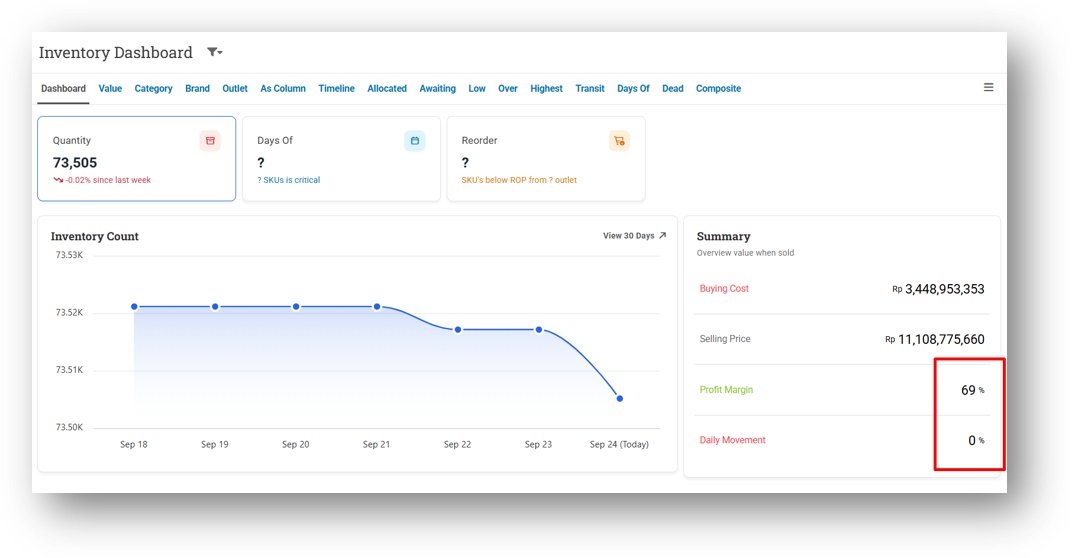
[Inventory - Dashboard] Remove Decimal from Profit & Daily Movement Percentage
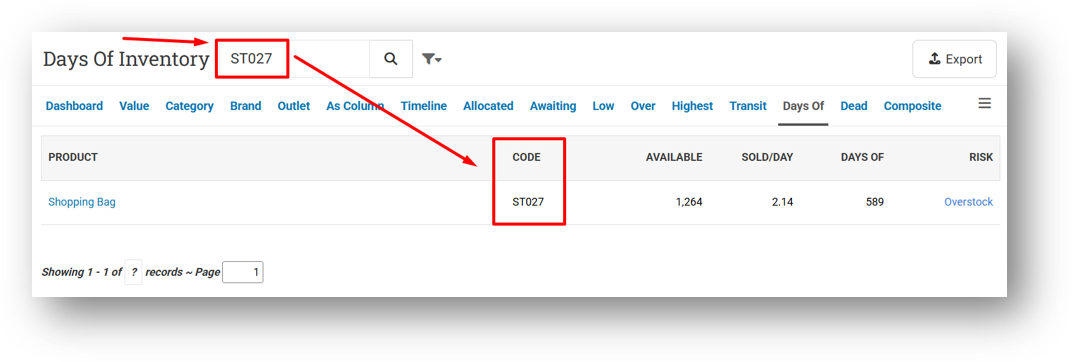
[Inventory - Days Of] Allow Users to Search Product by Code
This feature was developed based on customer request #19669
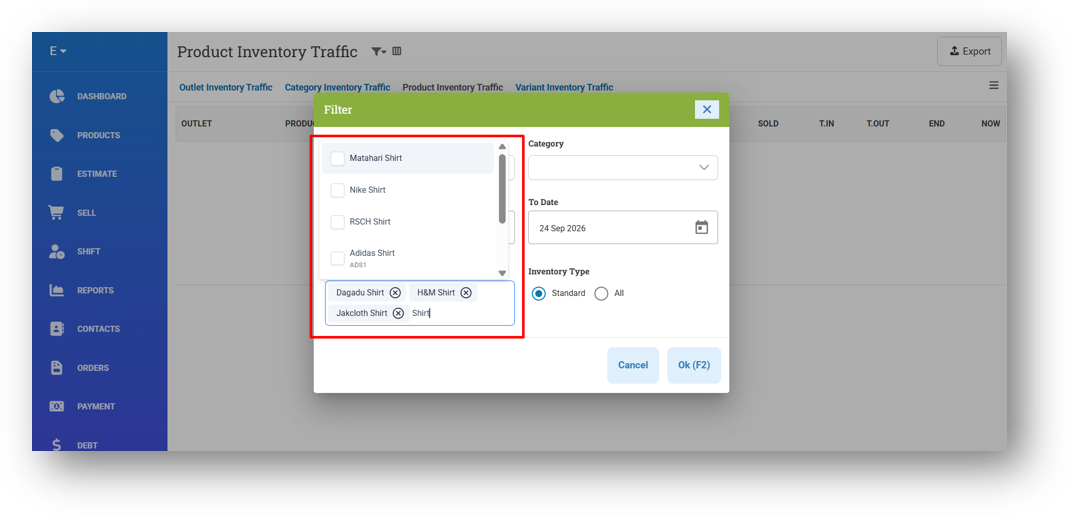
[Inventory - Traffic] Improve Product Search Dropdown on Product & Variant Traffic Filter
[Logistics - Transfer Order]
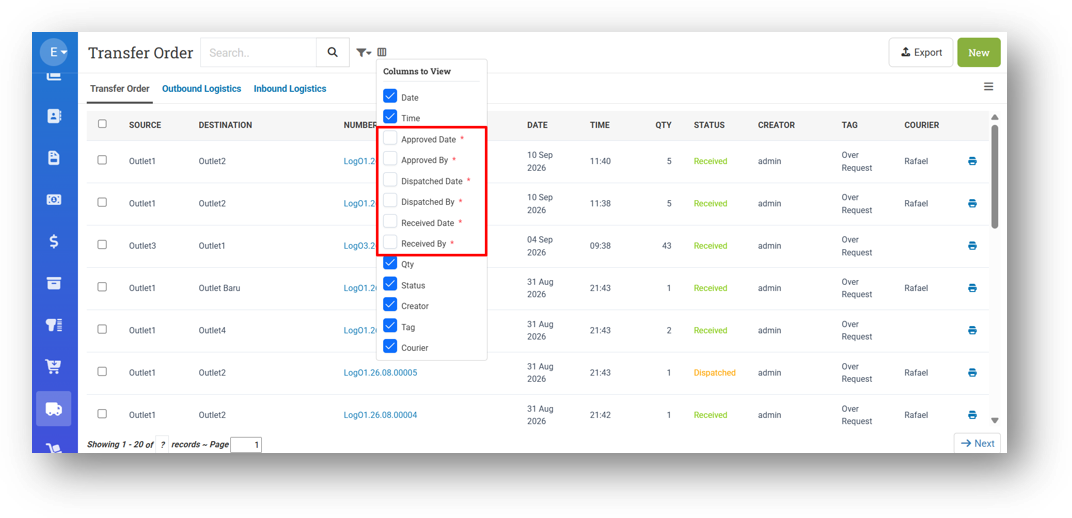
Provide Transfer Order Step Details Column (Column Toggle)
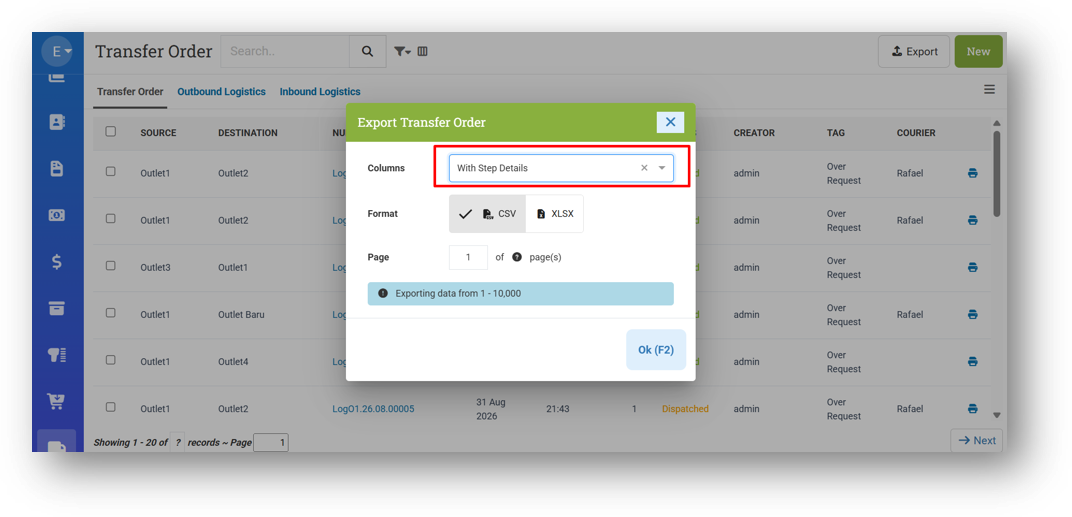
Provide New Export Option: With Step Details
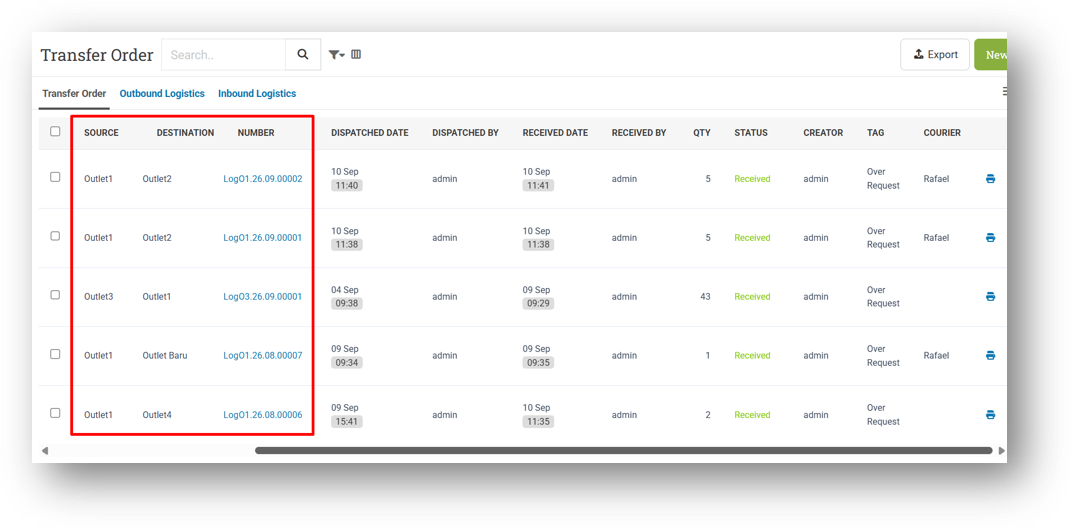
Implement Column Freeze
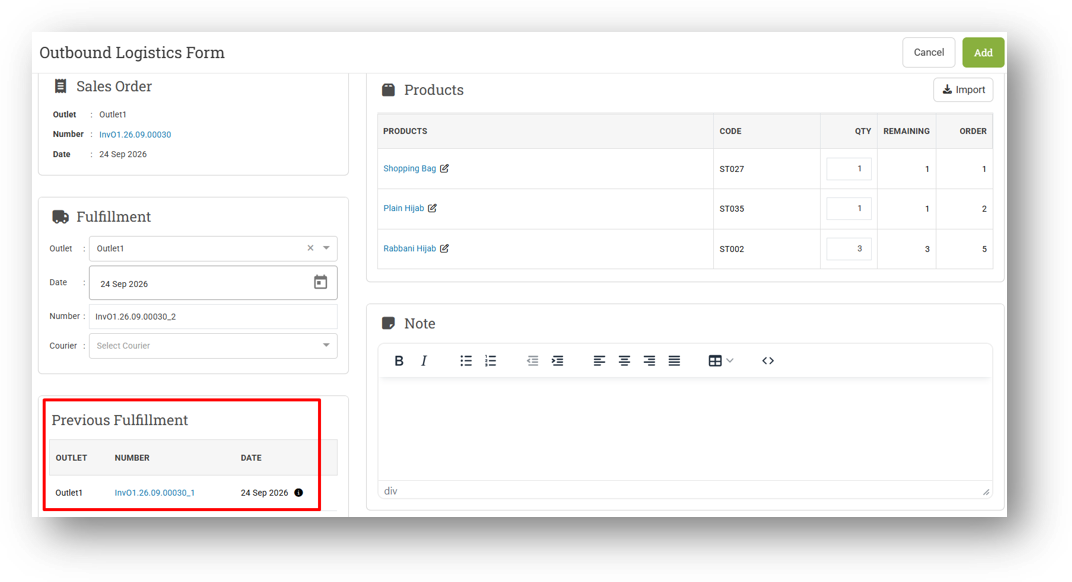
[Logistics - Outbound & Inbound]
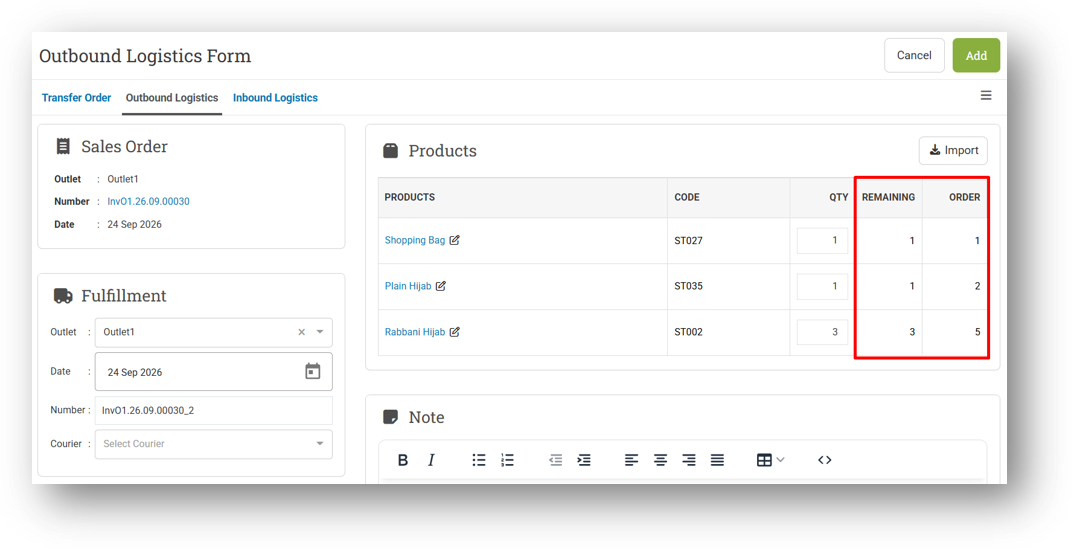
Display Remaining & Order Quantity in Form
Provide Previous Outbound/Inbound Information in Form
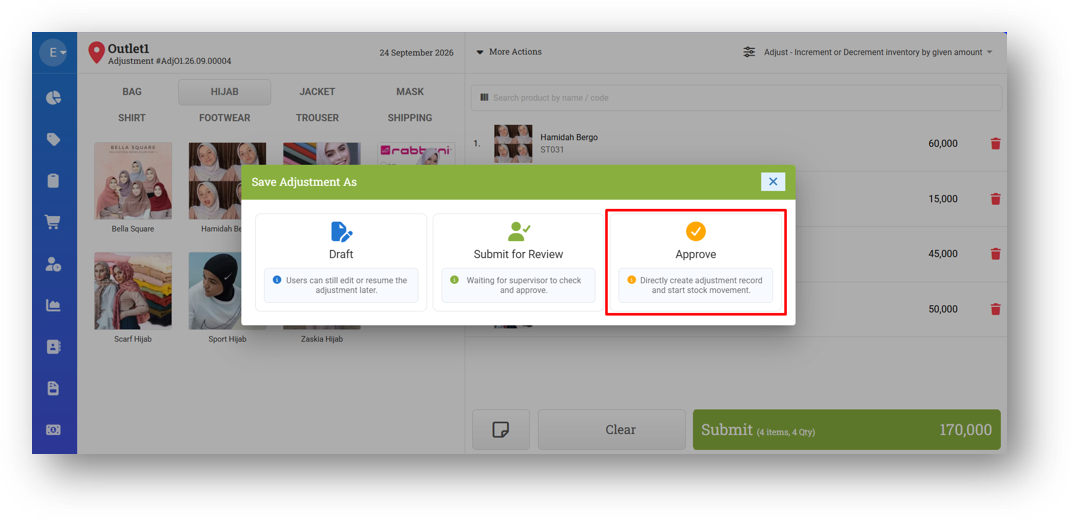
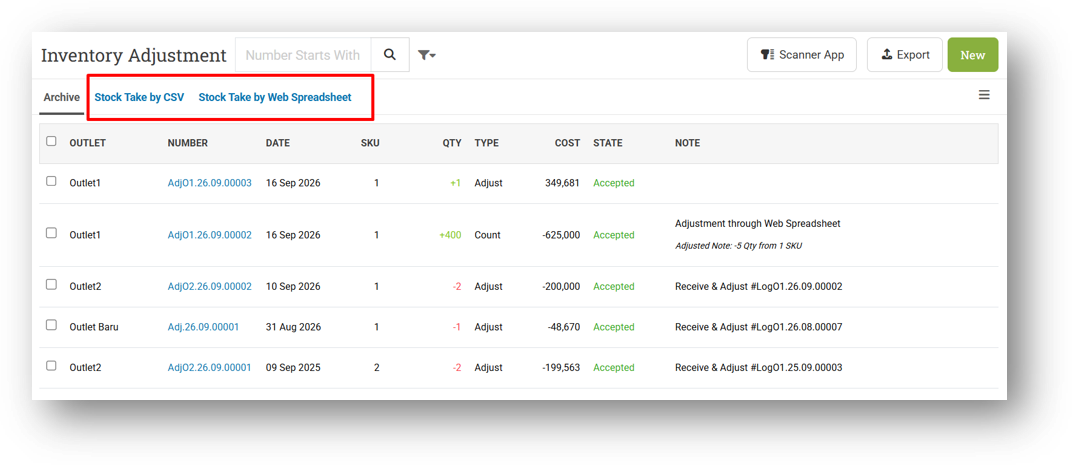
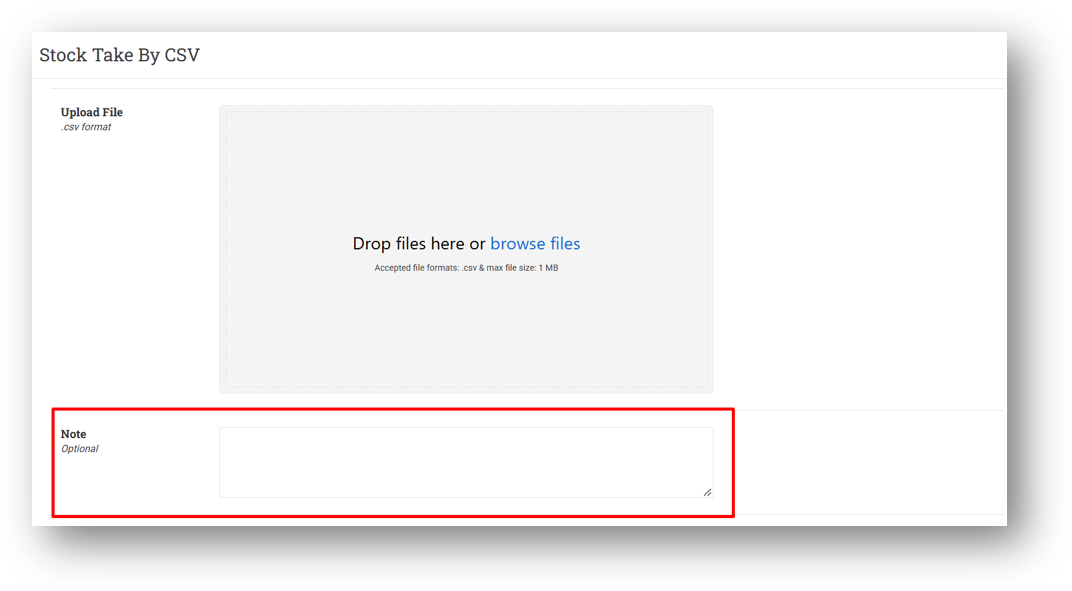
[Adjustment]
Display Approve Option Only on Creation
Restrict CSV & Spreadsheet Tab with Adjustment Create Role
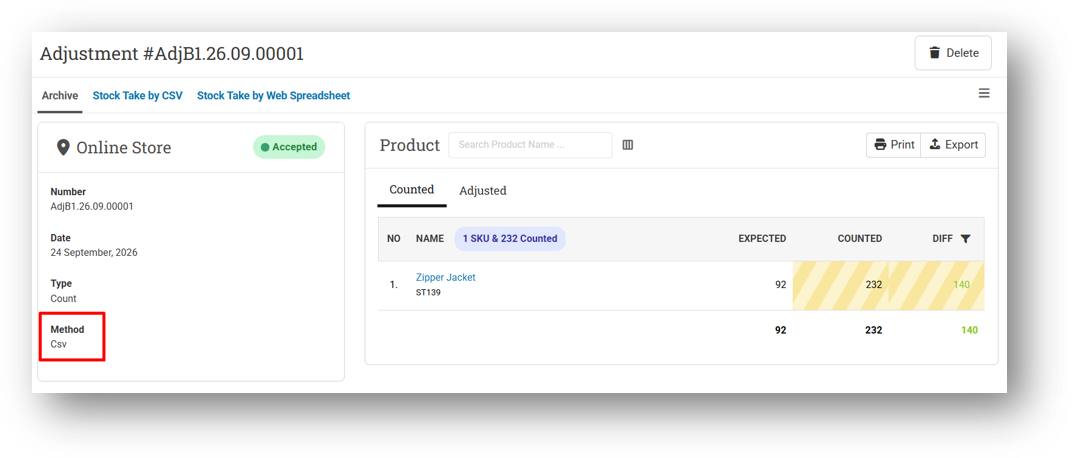
Allow Users to Submit Adjustment Note on Stock Take by CSV Mode
Save CSV Adjustment Method for Stock Take by CSV Mode
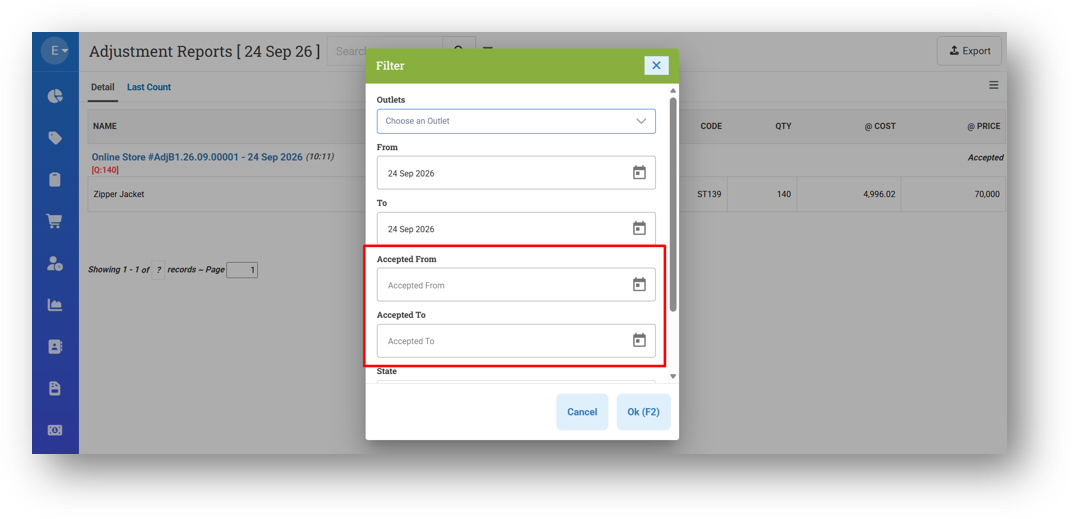
[Adjustment - Report Detail] Provide Accepted Date Filter
This feature was developed based on customer request #19807
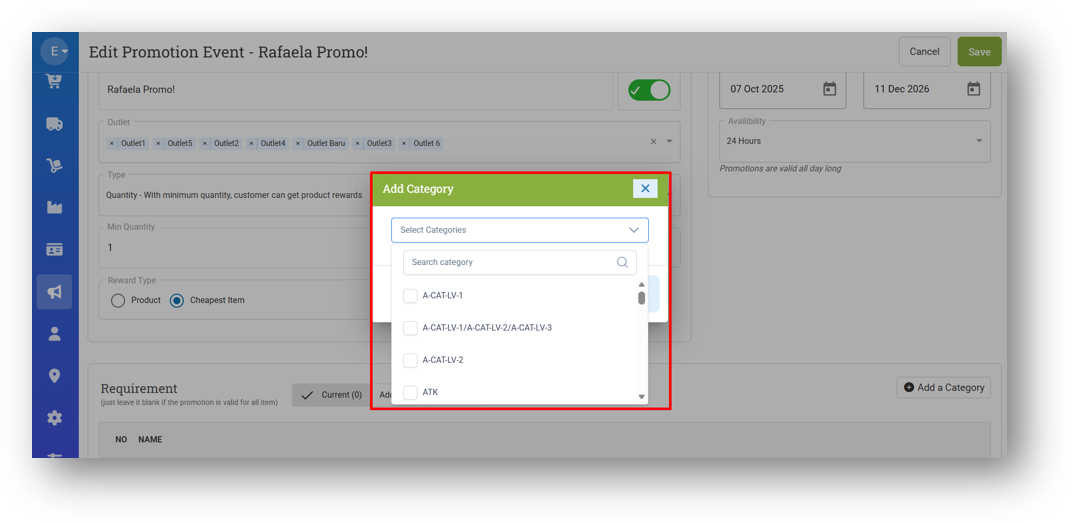
[Promotion - Event] Implement Dropdown with Checkbox for Category Option
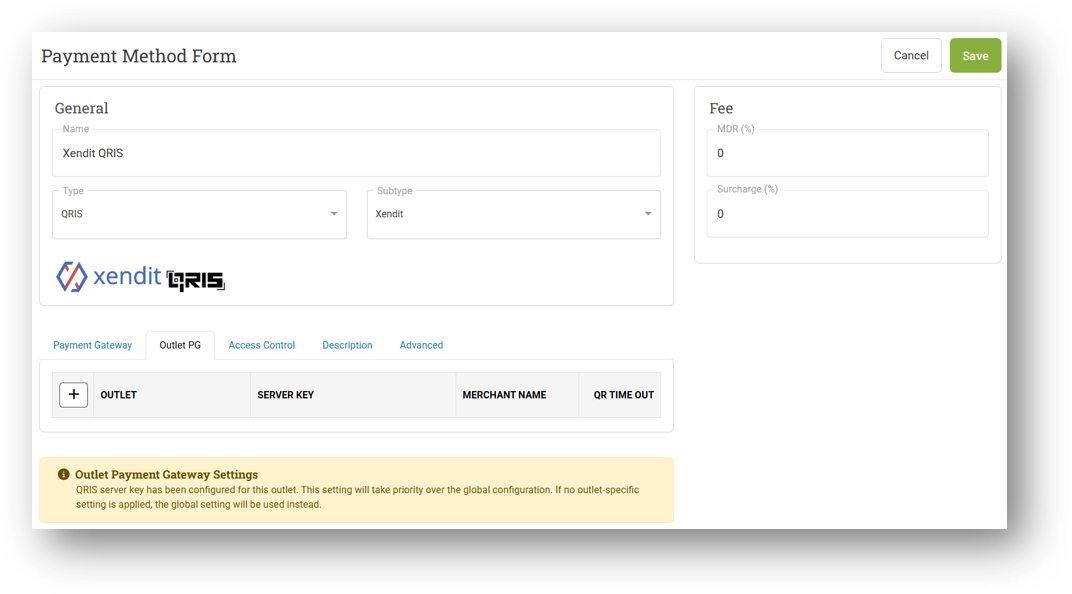
[Setup - Payment] Improve Tab Position & Provide Payment Gateway Warning on Form
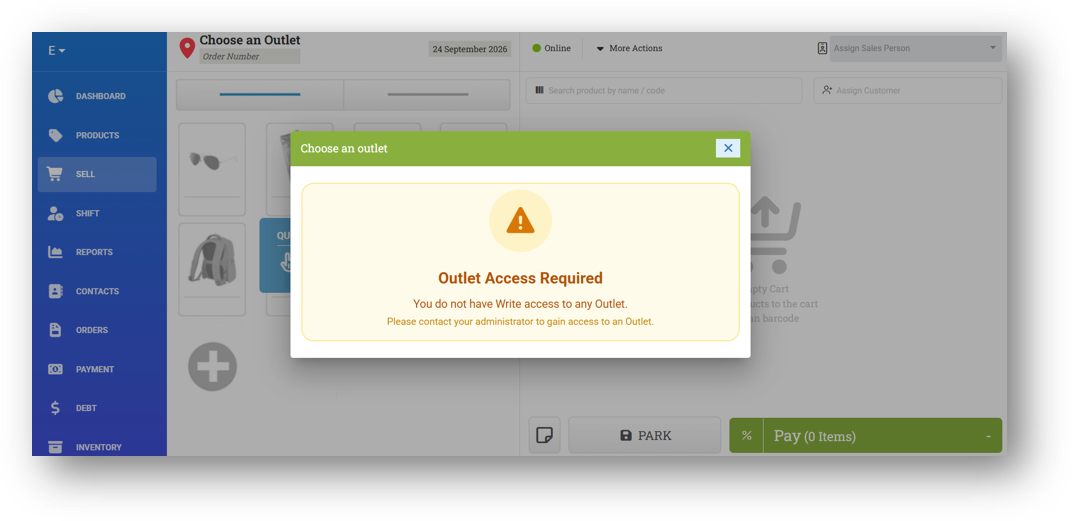
[Sharing Component] Provide Outlet Access Required Warning on Outlet/Register Modal
Bug Fixing:
[Products - Variant] Fix User with No Outlet Access Can View All Outlet Inventory in Variant Info
[Products - Inventory Log] Fix User with No Outlet Access Can View All Outlet Inventory Logs
[Sell] Fix Cheapest Reward Not Applied to Promotion Category Requirement
[Debt - Join Invoice] Fix API Error When Opening Form with No Outlet Access User
Overall, this update further establishes the platform as a reliable Inventory Application for your retail businesses. Stay tuned for more updates, and don't hesitate to reach out if you have any questions or need support!