- DATE:
- AUTHOR:
- Ezzan
WebApp Version 26.2 Changelog
This update includes new features, essential performance improvements, and usability enhancements, ensuring your daily operations run smoothly. We've also addressed several bug fixes to enhance stability and reliability. Thank you for your continued trust and feedback, which help us deliver the best possible service.
New Feature:
[Logistics] Revamped Inbound & Outbound Logistic Scanning Experience
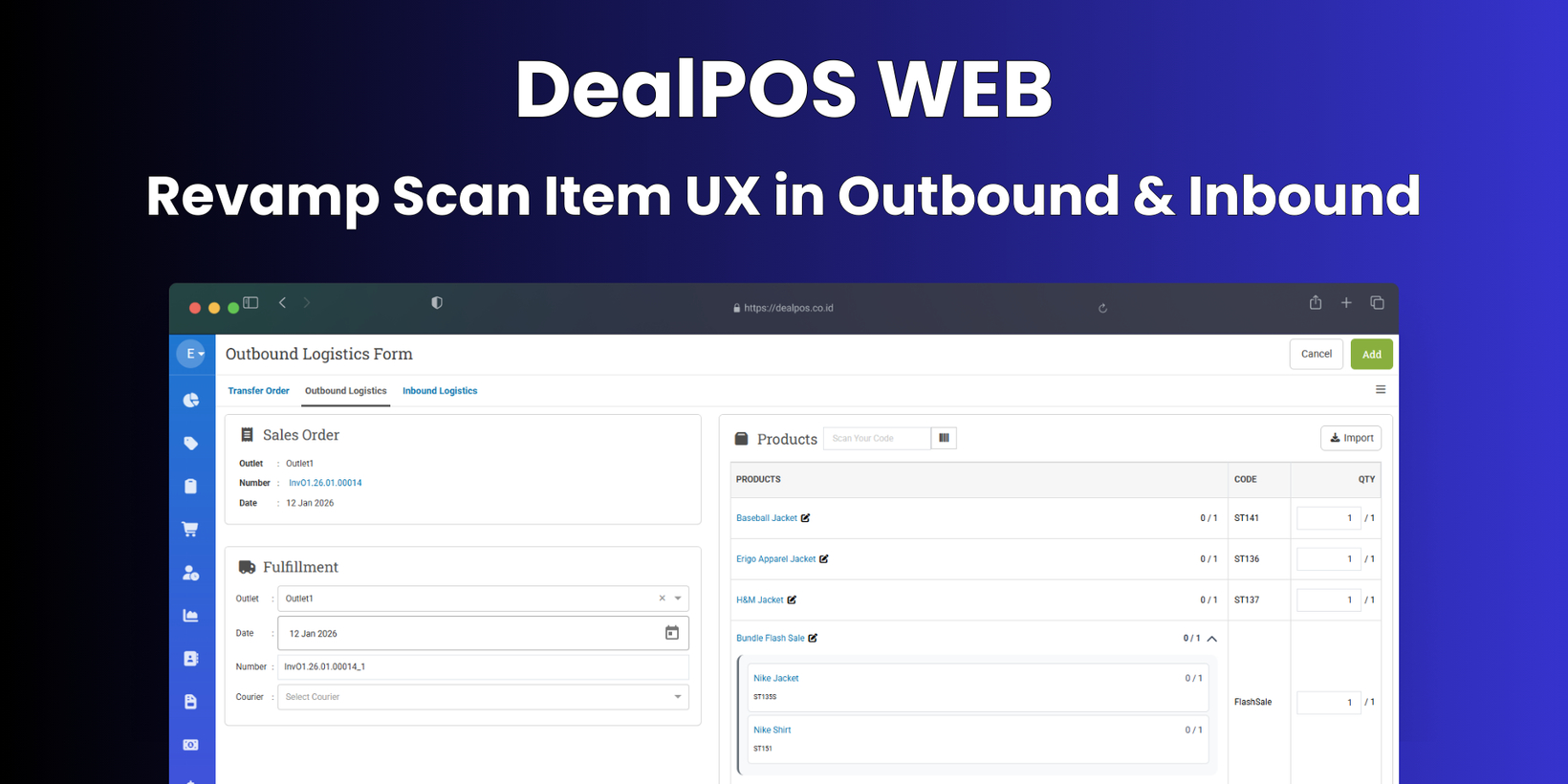
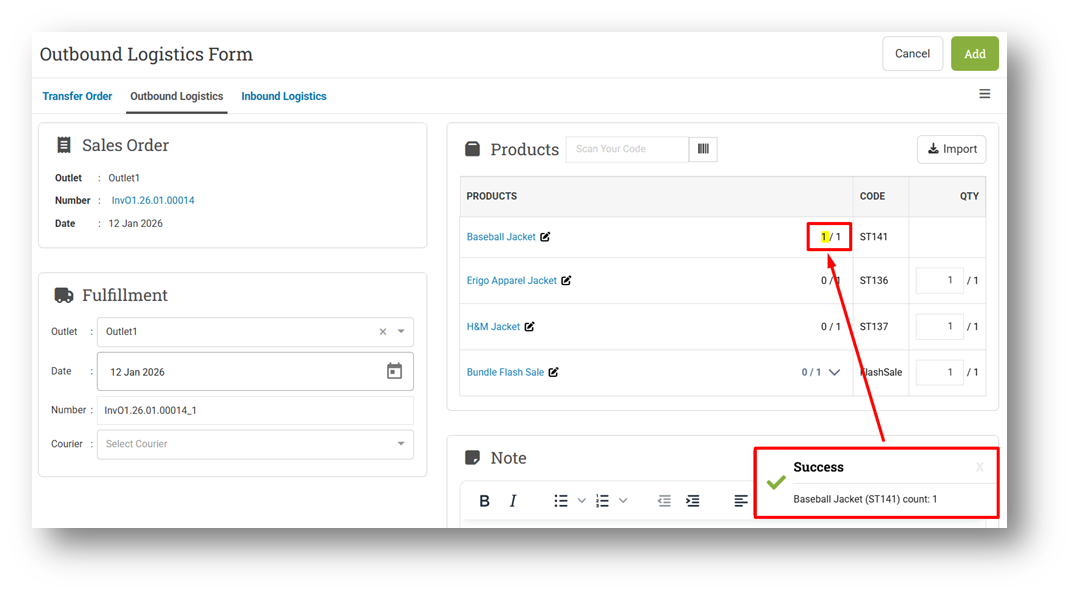
We have revamped the UI and UX for Outbound Logistic (Sell) and Inbound Logistic (Buy) to make scanning clearer and more intuitive. The quantity indicator now uses a clearer visual format (for example, 0/3, 1/3, and so on) while keeping the same behavior as before—each scan automatically increases the scanned quantity. This change improves readability without altering existing workflows.
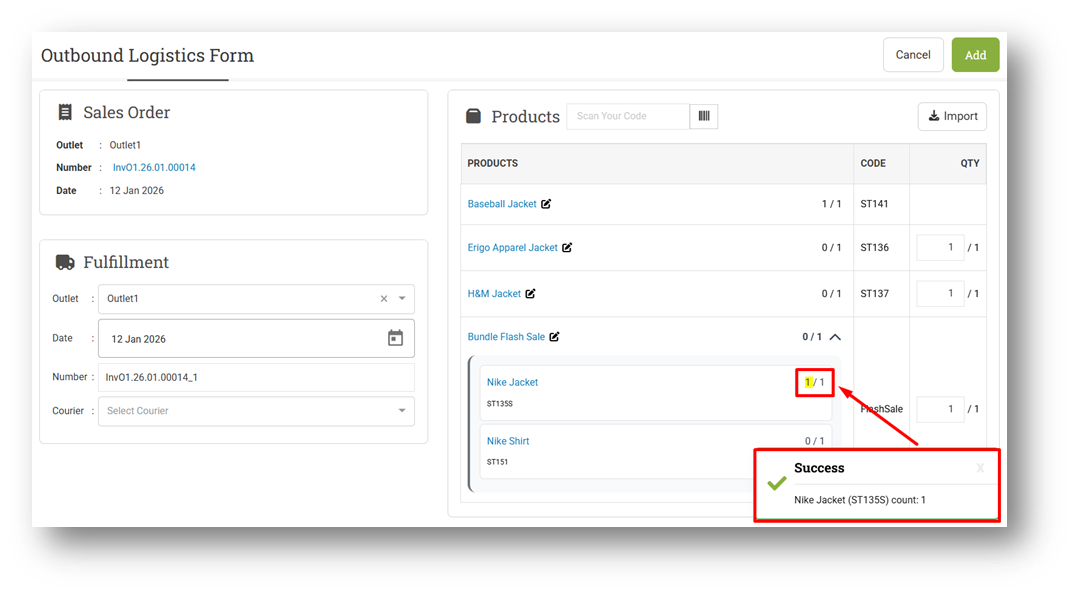
The new experience also supports scanning component items for composite products. When a composite product consists of multiple components, scanning each component automatically increases its quantity. Once all required components are fulfilled, the system will automatically increase the quantity of the parent (composite) product. This makes handling bundled or composite items more flexible, whether users scan the parent product directly or scan its components individually.
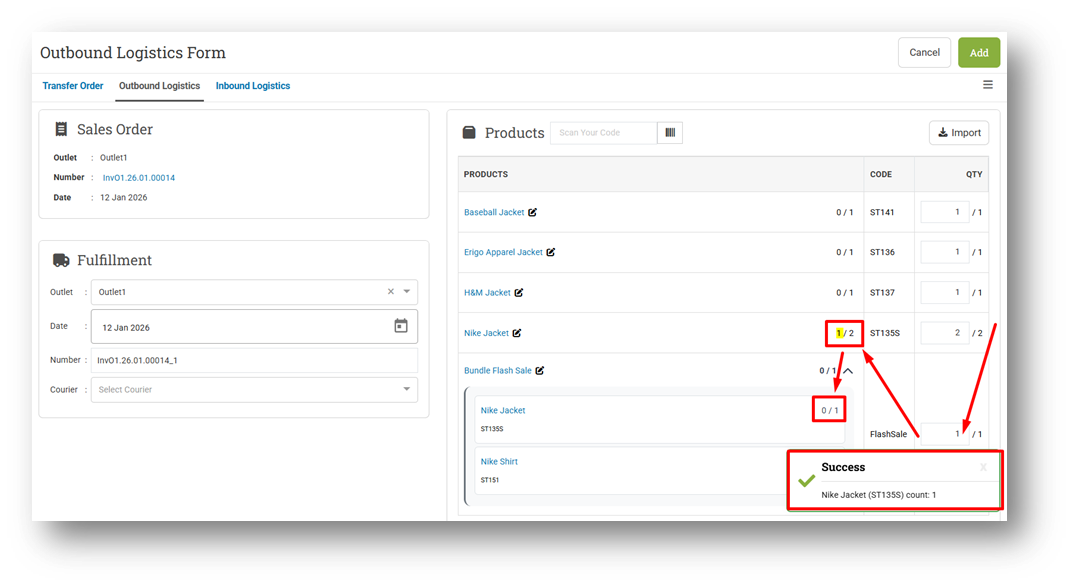
To ensure consistent results, scanned quantities now follow the item order in the list, not the order in which items are scanned. The system will always fill quantities for items listed earlier first. Users can scan either composite products or their components, but should be mindful of the list order to avoid quantities being applied to an unintended item. This approach keeps scanning behavior predictable and aligned with the displayed item sequence.
[Orders - Reprint History] Reprint History UI/UX Enhancements
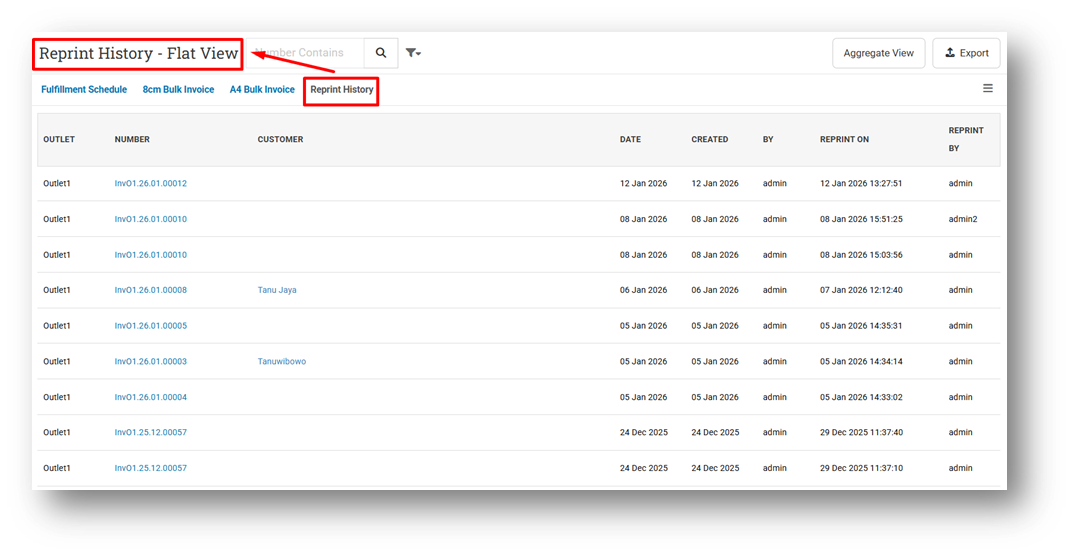
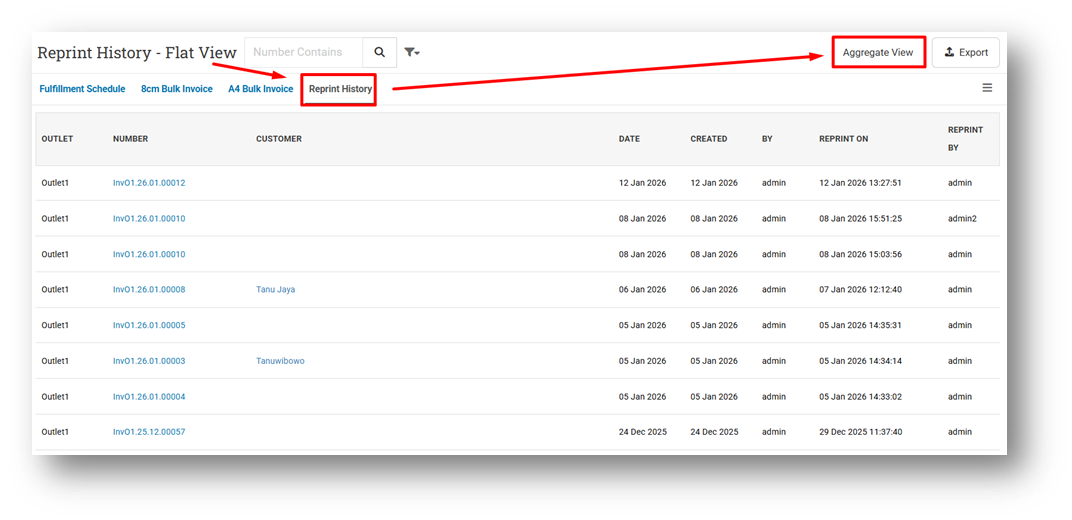
We have enhanced the Reprint History experience with several UI and naming improvements. The feature previously known as Print History has been renamed to Reprint History to better reflect its purpose. When accessed from the Orders menu, the page now opens in Flat View by default, providing immediate visibility into individual reprint records.
For users who prefer the previous grouped layout, the Aggregate View remains available and can be accessed via the button at the top of the page. In addition, several labels have been updated for clarity, including table headers and export file names, which now consistently use the term Reprint. These refinements make the feature easier to understand and more aligned with its actual usage.
Minor Improvements:
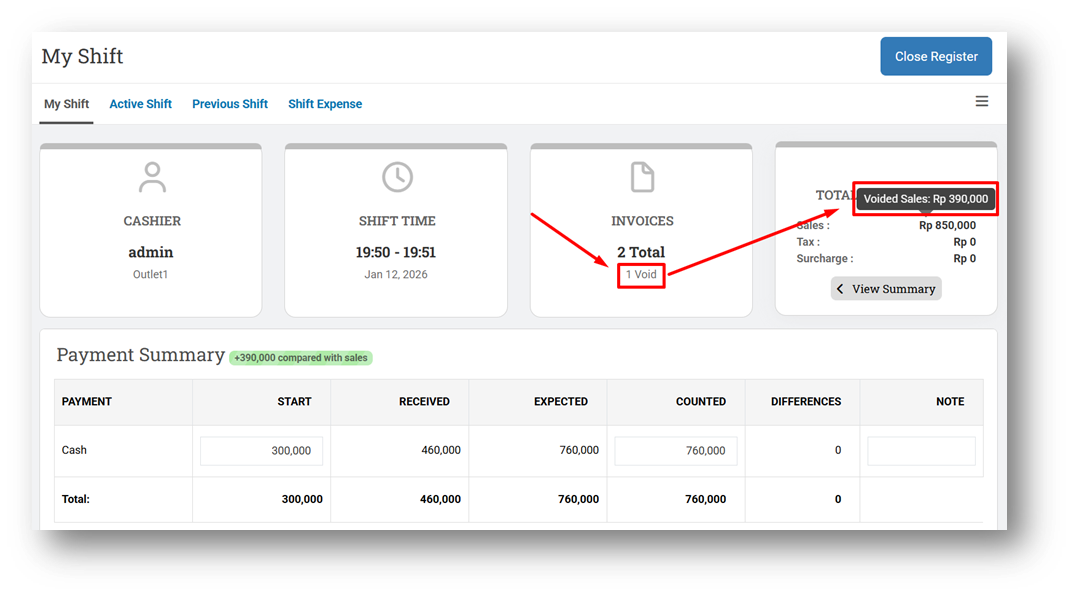
[Shift] Separate Sales Details from Voided Invoice
[Reports - Details]
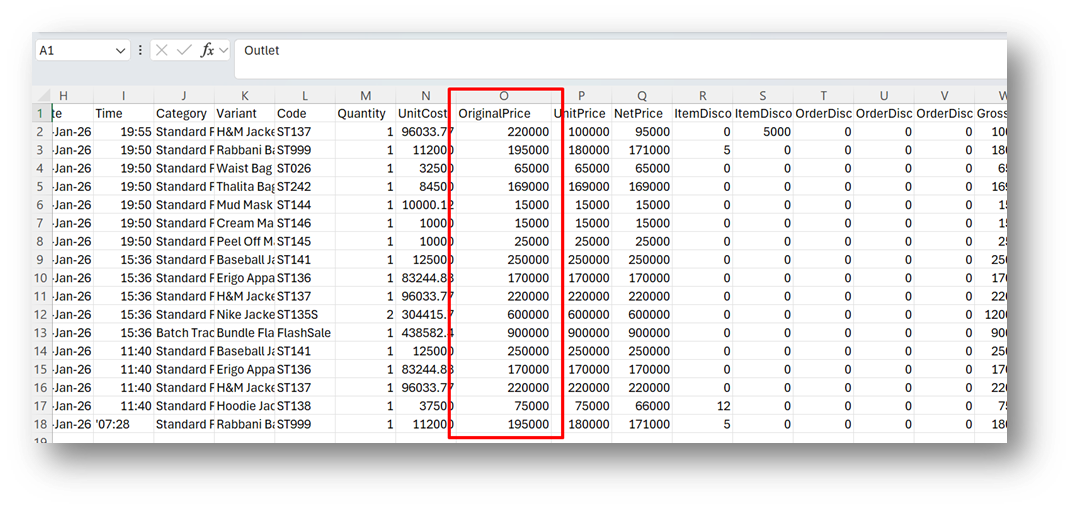
Improve CSV Export Running Time
Provide Original Price Column on CSV Export with Complete Detail
[Orders - Invoice]
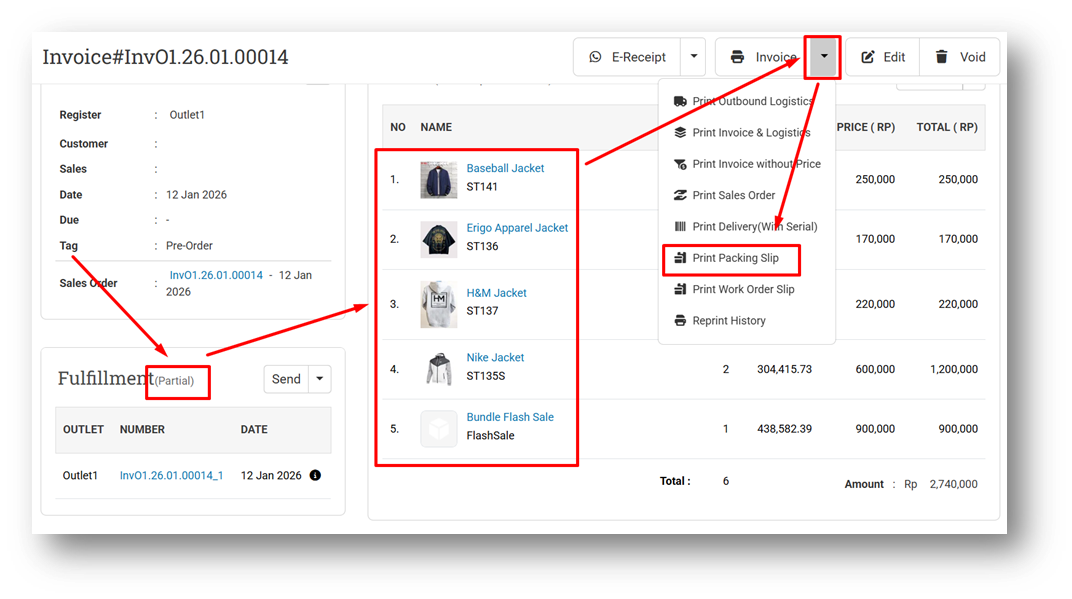
Hide Invoice Note Column from Packing Slip Printing If Invoice Note Value is Empty
Display All Invoice Items on Packing Slip Printing
This feature was developed based on customer request #9920
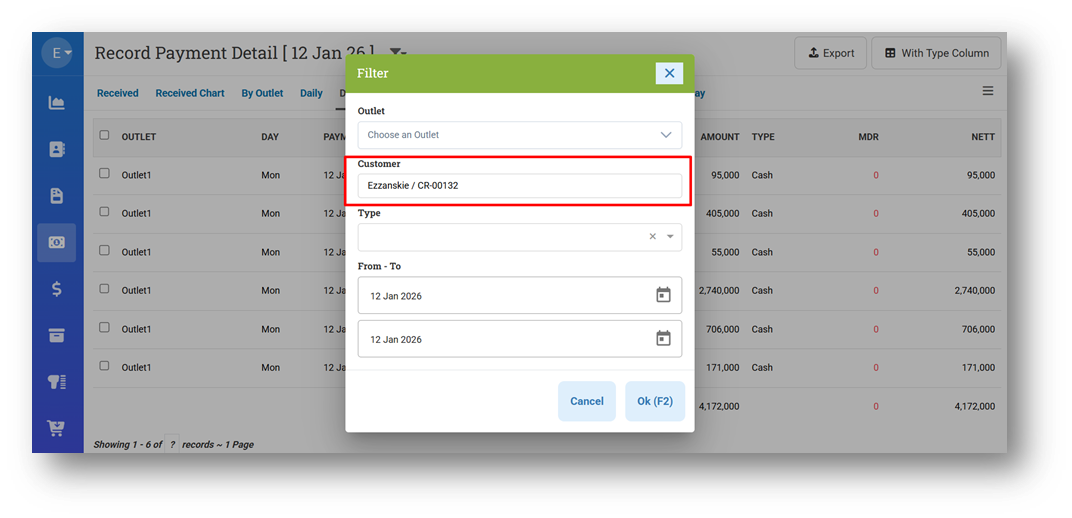
[Payment - Detail] Provide Filter Customer
This feature was developed based on customer request #10002
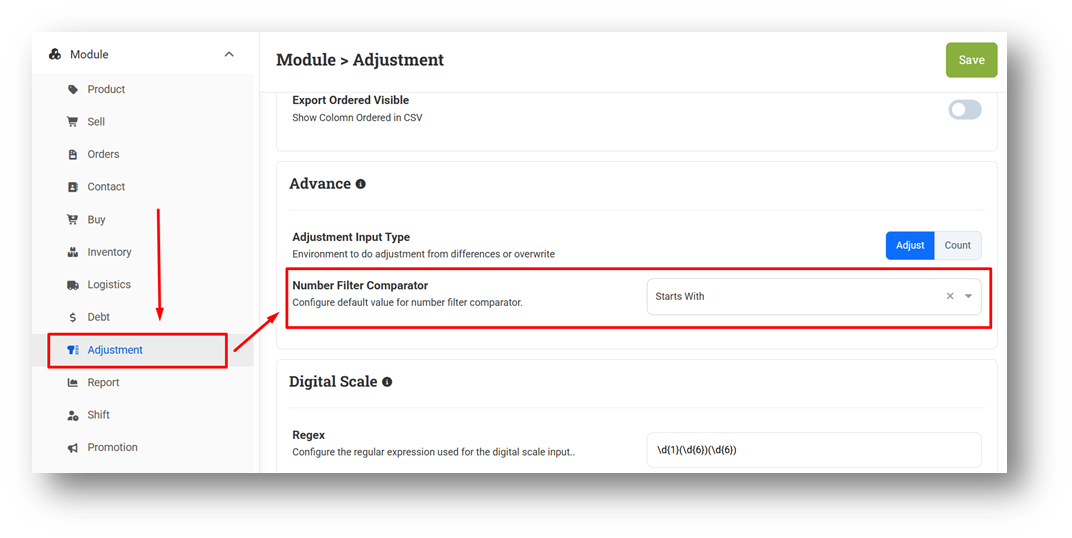
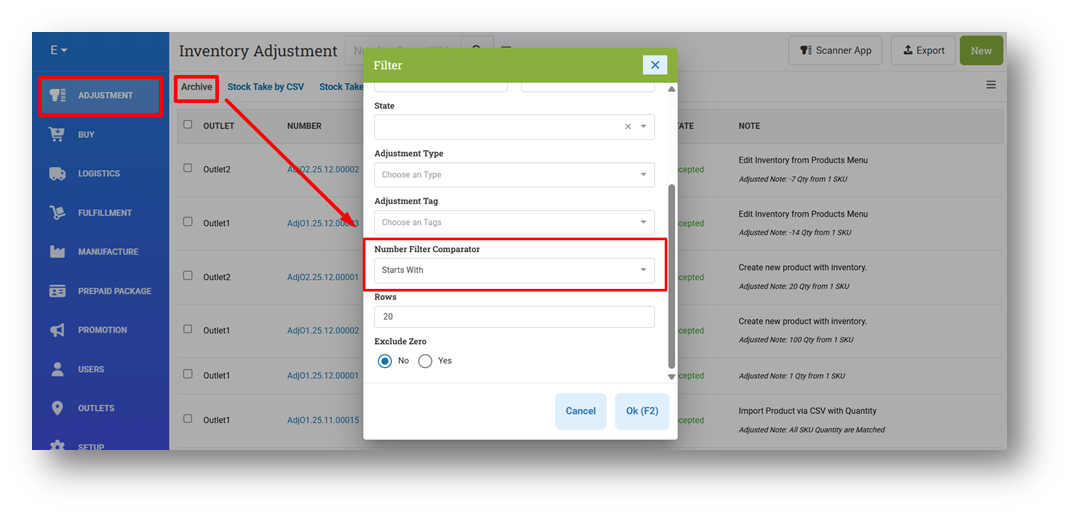
[Settings - Module (Adjustment)] Provide Default Value Settings for Number Filter Comparator in Adjustment List
We have added a new setting that allows users to define the default value for the Number Filter Comparator in the Adjustment module. This setting helps standardize how users search and filter adjustment numbers based on their preferred comparison method.
When the comparator is set to Starts With, the Adjustment List page automatically applies this filter each time it opens. This reduces repetitive manual selection and makes searching adjustment records faster and more consistent with user expectations.
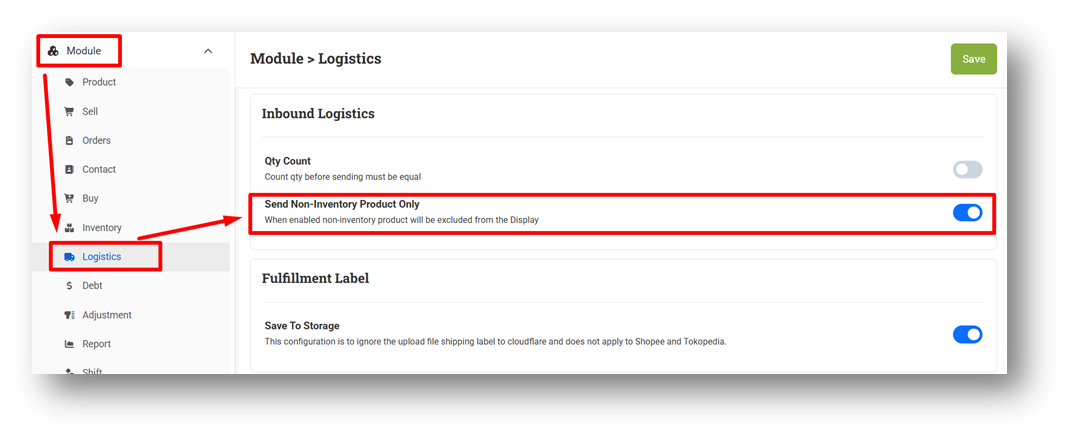
[Settings - Module (Logistics)] Show Inventory Products Only in Inbound Logistics
We have added a new setting in the Inbound Logistics module called Show Inventory Product Only. When this option is enabled, only products classified as inventory items will be displayed in the item list during inbound receiving. Non-inventory products will be hidden, helping users focus on relevant items and making the receiving workflow cleaner and more efficient.
Bug Fixes:
[Contacts - Supplier] Fix Users Cannot Import Supplier without Gender Column
[Reports] Fix Some Reports Page (Main Page) Data Visibility When User Has No Outlet Access
[Orders - Print History (Aggregate)] Fix Filter Printed All Does Not Work Properly
[Logistics - Transfer Order] Restrict Transfer Order Backdate Creation with Global Date Role
[Logistics - Inbound] Fix Users Can Receive Inbound with No Item
[Setup - Payment]
Fix Payment Sub Type Always Displays Manual Instead of Saved Value
Prevent Multiple Payment Creation for QRIS & EDC Type
Deprecated:
[Accounting App] Final Removal of Accounting App Features
Following the earlier announcement that our Accounting App microservice has been discontinued, related features have been deprecated in stages, starting from roles and access restrictions. With this release, all remaining Accounting App features have been fully removed, except for the Migration feature, which is still available to support data migration to the Books App. We encourage users to complete their migration and begin using the Books App, which is actively maintained and continues to receive new features and improvements. For further assistance, please contact our customer support team.
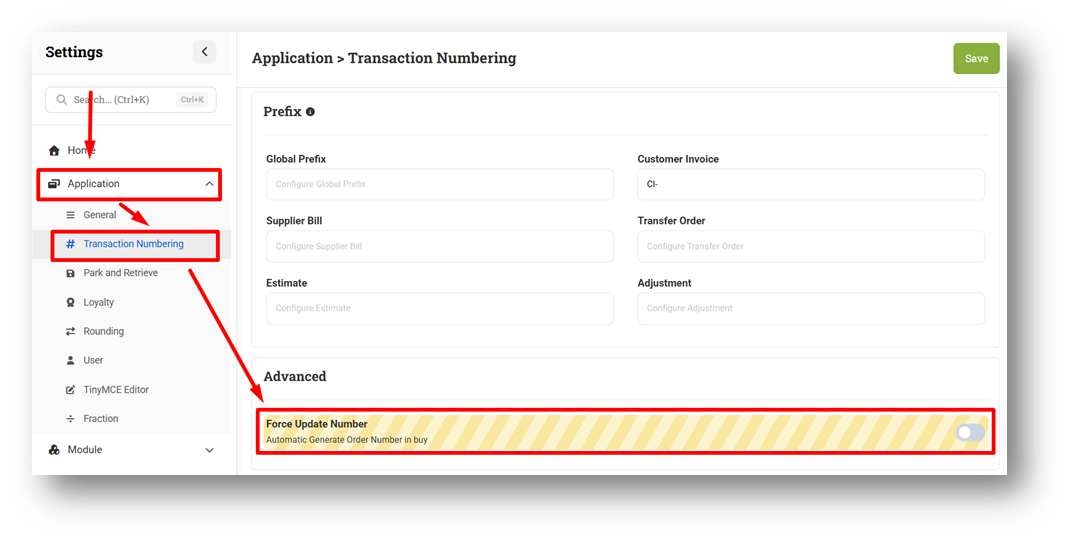
[Settings - Application] Remove Force Number Property from Transaction Numbering
Patch 26.2.1 [19 Jan]:
[Adjustment] Fix Count Type Record on Adjustment List Only Display Item & SKU with Difference
Patch 26.2.2 [21 Jan]:
[Sell] Fix Customers With Non-Loyalty Group Can Redeem Point
[Reports - Brand] Provide Net Sales Column
[Inventory - Timeline (Breakdown)] Fix On-Hand Stock Displays as Zero for Discontinued Products
[Webhook] Fix Missing Variant Array in Void/Delete Invoice Webhook Request
Patch 26.2.3 [22 Jan]:
[Estimate] Implement Sell Price Minimum Restriction on Estimate Form
[Orders - Invoice] Fix Void Note is Not Saved to Voided Reason on Voided Invoice List
[Logistics - Inbound] Fix Receiving Inbound Blocks Items with Negative Quantity
[Outlets] Fix Outlet Group Option Display No Data in Outlet Form
[Setup - Currency] Thousand Separator for Exchange Rate
Stay tuned for more updates, and don't hesitate to reach out if you have any questions or need support