- DATE:
- AUTHOR:
- Ezzan
WebApp Version 26.27 Changelog
This update includes new features, essential performance improvements, and usability enhancements to ensure your daily operations run smoothly. We've also addressed several bug fixes to enhance stability and reliability. DealPOS continues to evolve as a reliable POS Software designed to support retail business operations with better performance and usability. Thank you for your continued trust and feedback, which help us deliver the best possible service.
New Feature:
[Products - Variants] Variant Images Now Visible in Search & Quick Key Across Forms
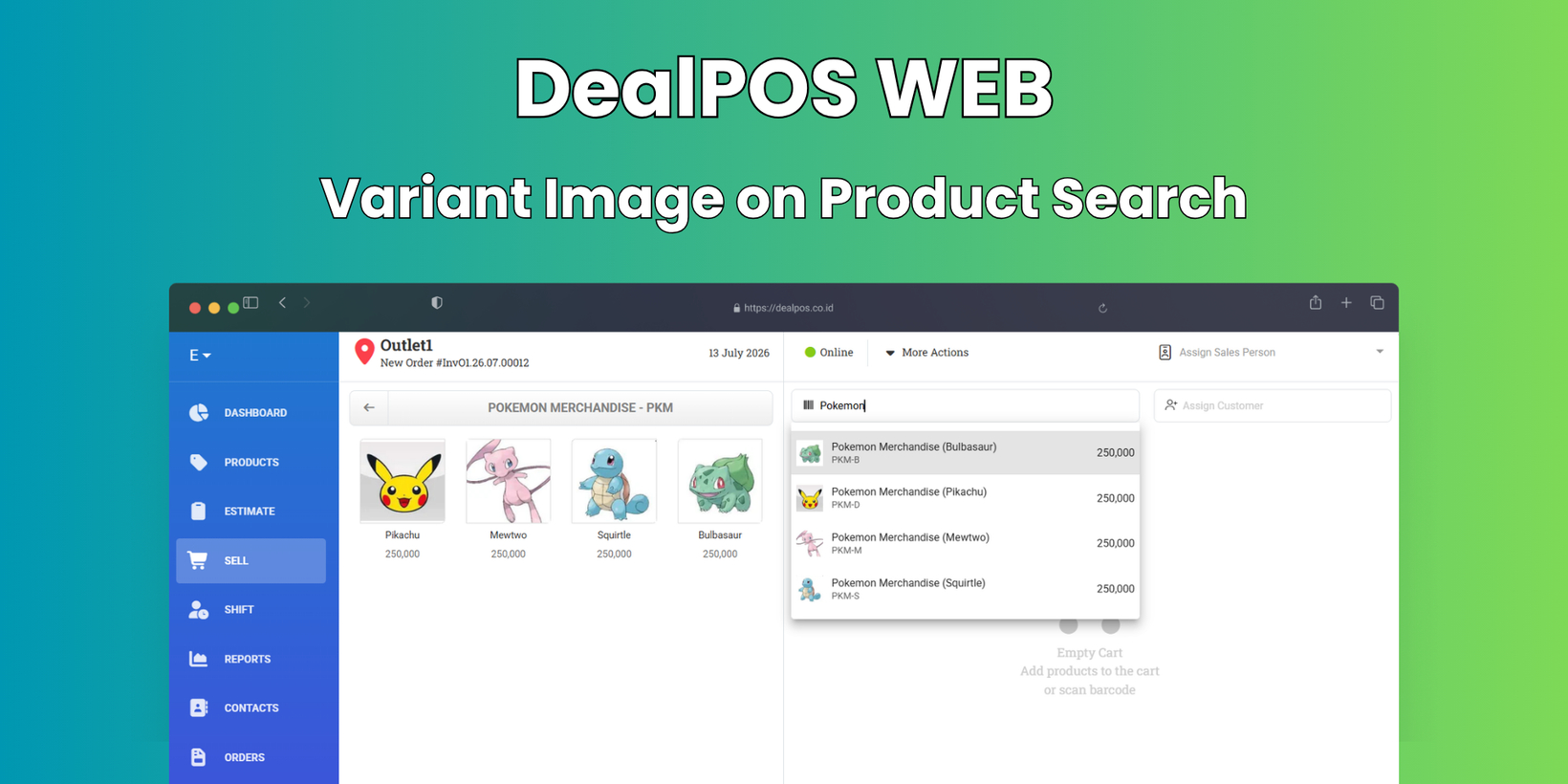
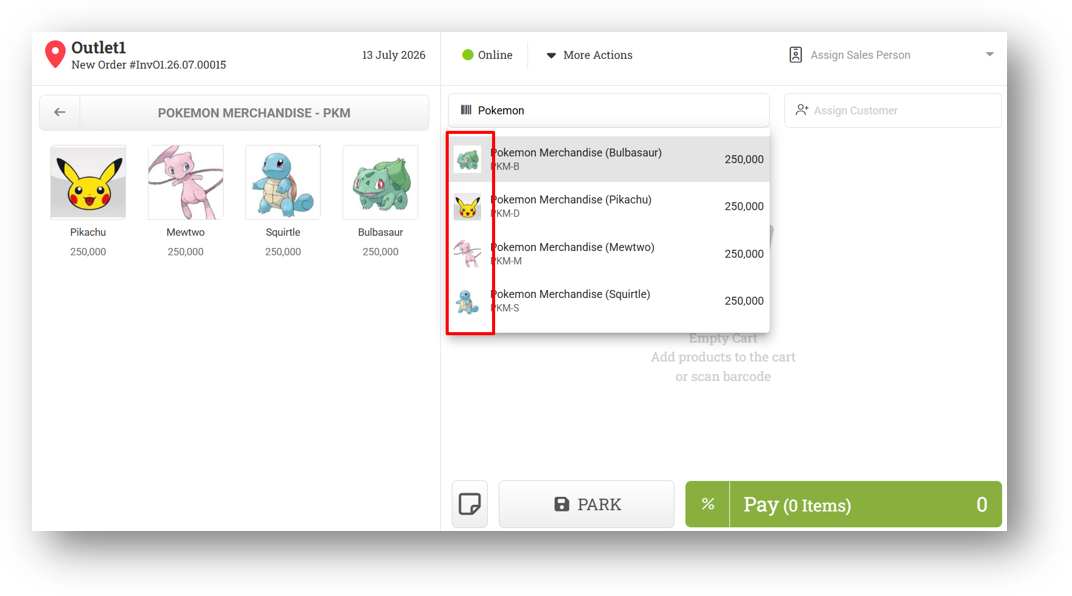
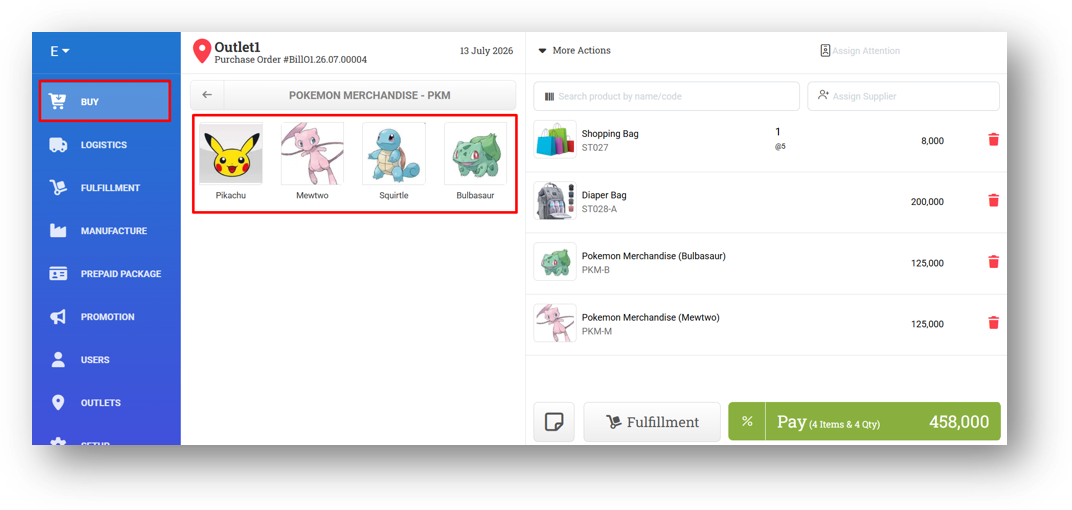
We've continued expanding our variant image support to more areas of the app, making it easier to identify the right product at a glance. Now, when you search for a product in forms like Sell, Buy, and others, the search results will prioritize displaying the variant image if one is available. If the variant doesn't have its own image, it will gracefully fall back to the main product image—so you'll always see something useful instead of a blank placeholder.
We've also extended the variant image display to the Quick Key feature across additional forms. Previously, this was only available in the Sell Form, but now Buy Form and Transfer Order Form with Quick Key access will also show variant images, giving you a consistent visual experience wherever you work.
[Inventory - Dashboard] Range View & Enhanced Days Of Chart
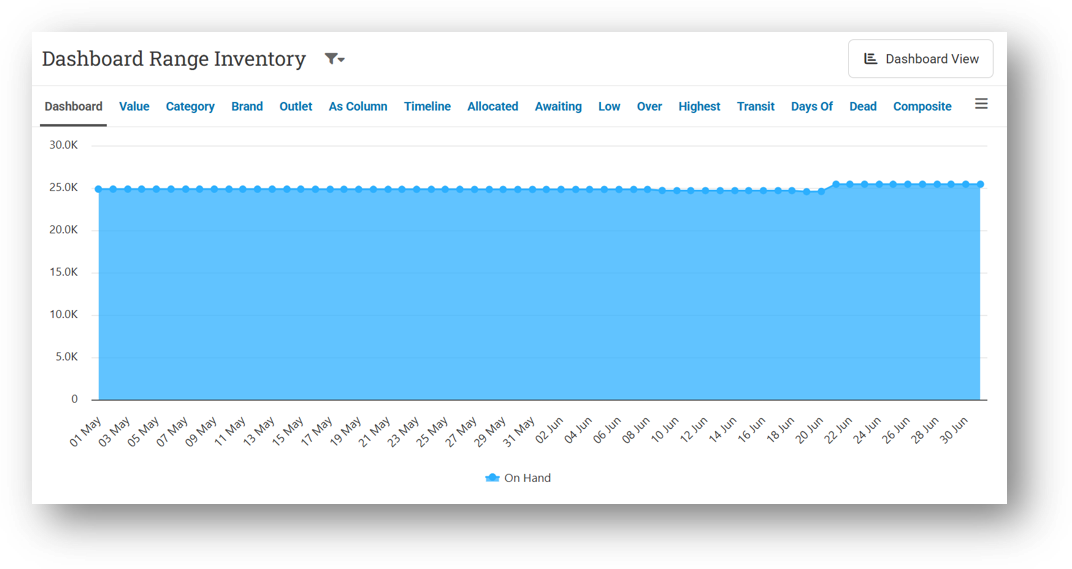
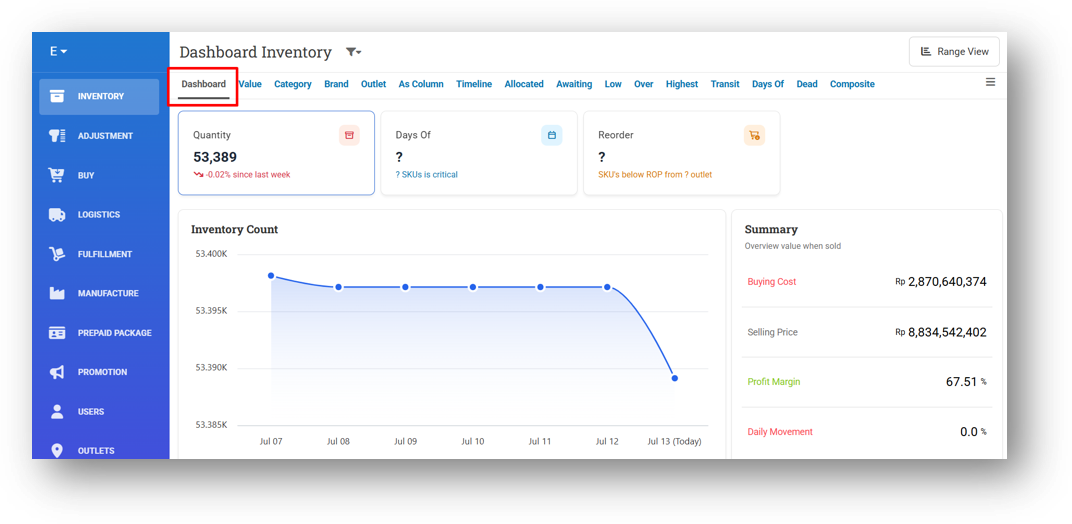
We're continuously leveling up your Inventory Dashboard, and this update brings two great additions. First, we've introduced Range View, giving you the flexibility to check stock trends over a custom time period that suits your needs. Simply click Range View to open a detailed stock trend chart—no longer limited to just the last 7 days. Now you can zoom in or out based on what matters most to your analysis.
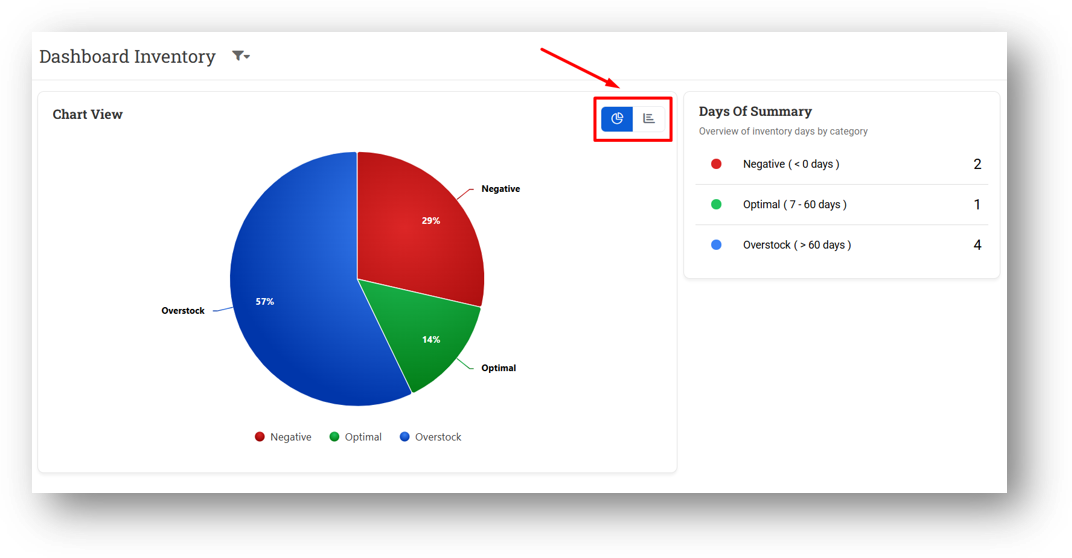
Second, we've enhanced the Days Of card to be more visual from the get-go. By default, it now displays a Pie Chart based on your Days Of Risk data, giving you an instant snapshot of your inventory health breakdown. Prefer the Category Chart view instead? No problem—just click the switch icon to toggle between the two, keeping you in full control of how you consume your data.
Minor Improvements:
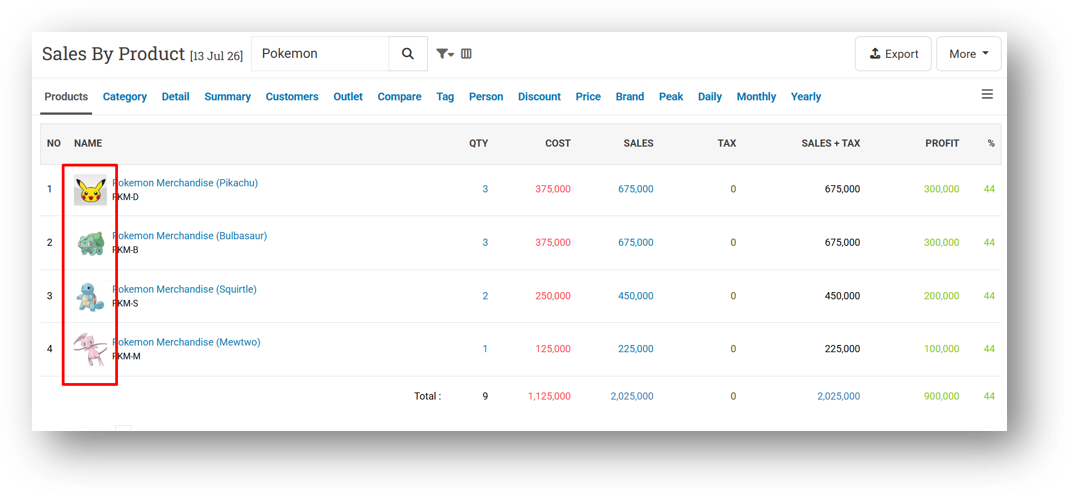
[Reports - Products] Provide Variant Image When Filtering Variant Scope
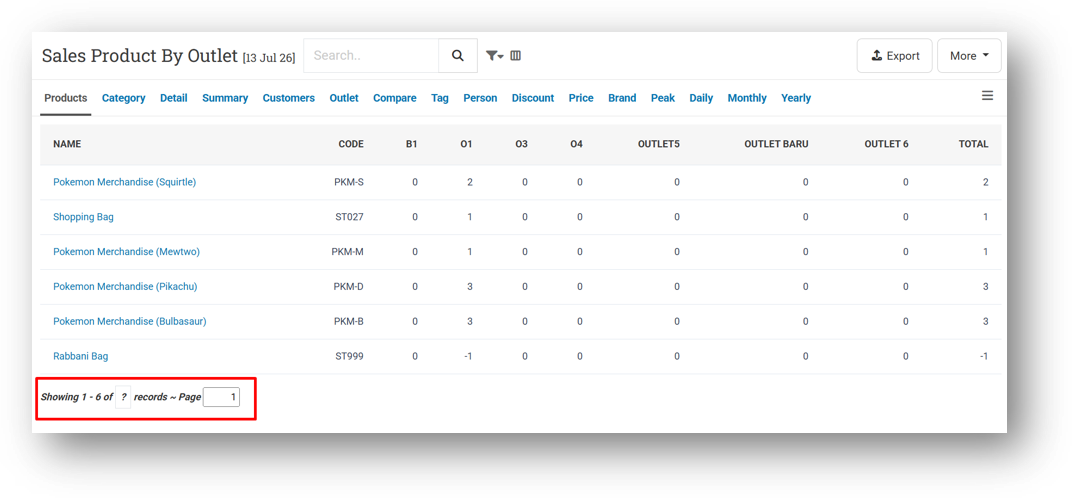
[Report - Product - (By Outlet)] Provide Row Count & Pagination
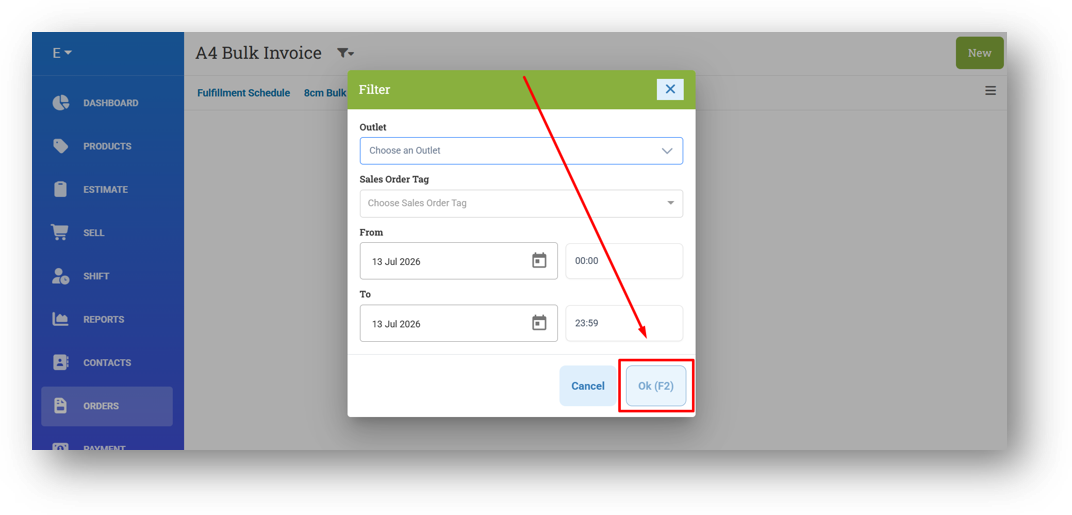
[Orders - Bulk Print] Disable OK Button Before Filtering Outlet in A4 & Bulk Invoice Mini
[Inventory - Dashboard] Set Dashboard as Default Inventory Route
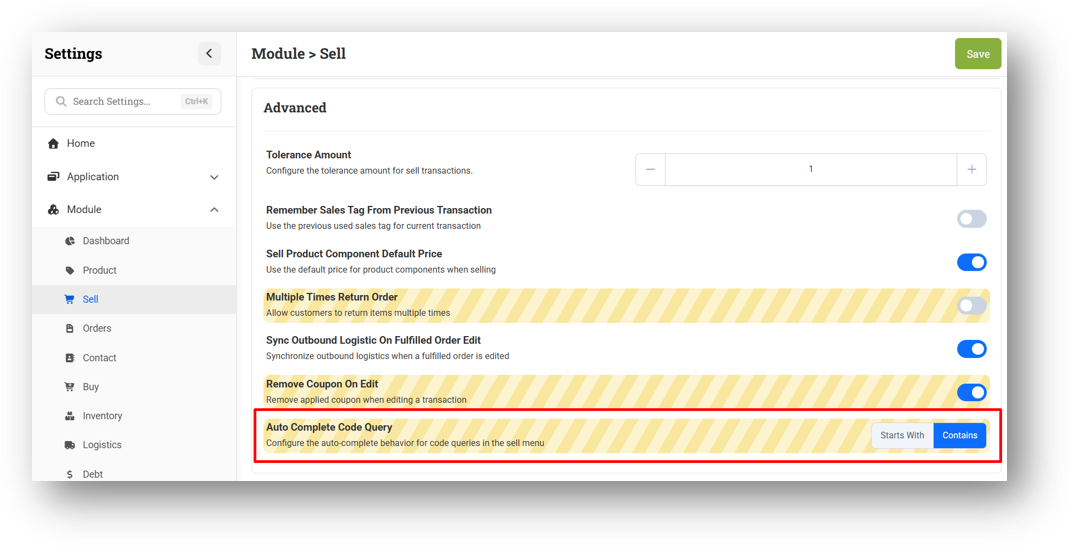
[Settings - Module (Sell)] Flexible Code Search Mode for Sell Form
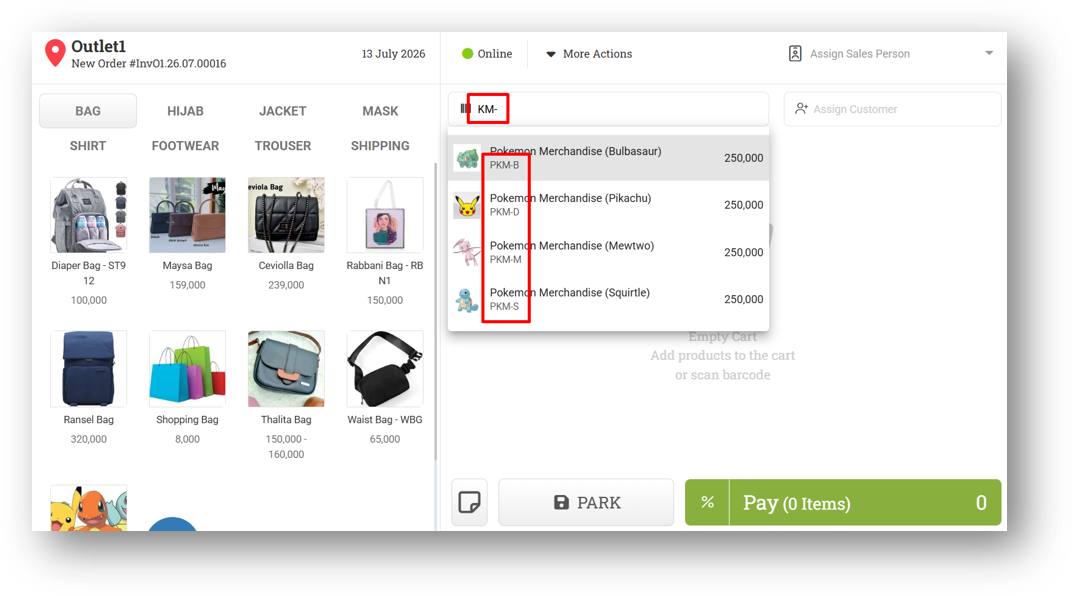
We've added a new setting called Auto Complete Code Query that gives you more control over how product code search behaves. By default, it remains set to StartsWith, which only returns results when you type the beginning of a product code. However, you can now switch it to Contains, allowing the search to find products even when you input just a partial code from the middle or end.
Please note that this setting is intentionally specific: it only applies to product code searches within the Sell Form. Searches by product name will continue to use StartsWith regardless of this setting. It's a targeted enhancement for users who often look up products by code fragments during checkout.
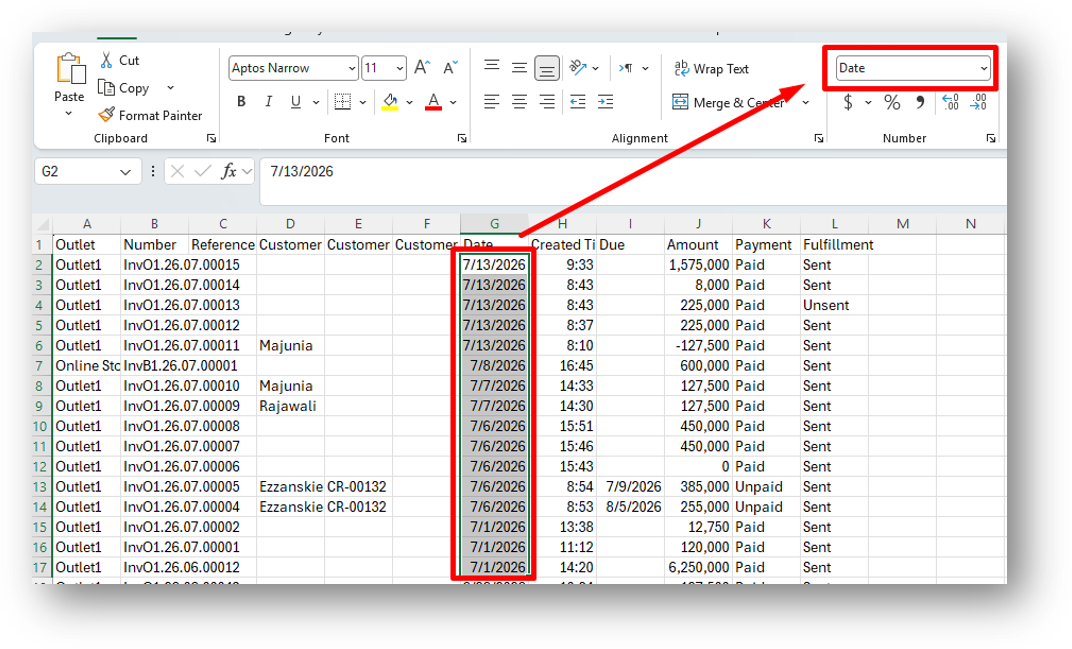
[Sharing Component] Standardized Date Format in CSV Exports
We've updated the date format in all CSV exports to follow the ISO 8601 international standard, so date columns are now exported in a universally recognized format. This means most spreadsheet applications and devices will automatically detect the column as a Date type, allowing you to switch to your preferred local date format instantly without any manual reformatting.
Bug Fixes:
[Sell] Fix Incorrect Variant URL Image in Quick Key
[Inventory - Dashboard] Remove Inventory Advanced Role Restriction from Days Of & Reorder Card
[Buy] Fix Decimal Total Amount Trigger Partial Payment Supplier Required
Patch 26.27.1 [13 Jul]:
[Adjustment] Fix Duplicate Image URL in Form API Response Causing Broken Image
Patch 26.27.2 [15 Jul]:
[Shift] Set Negative Amount in Payment & Invoice Tab to Red Color
[Reports - Products]
Improve Scope Filter to Trigger API on Change
Provide Page Size Filter
[Inventory - Dashboard] Improve Range View Button Position & Page Title
[Inventory - Variant Traffic] Fix Missing Next Button at Footer
Patch 26.27.3 [16 Jul]:
[Products] Fix Null Variant ID Sent When Updating Variant Image in Product Edit Form
[Shift]
Fix Missing Price Property for Return Transaction in Shift Form
Provide Net Sales Column on Return Tab in Shift Form
[Shift - Previous Shift]
Fix Missing Price Property for Return Transaction in Shift Details
Provide Net Sales Column on Return Tab in Shift Details
[Buy] Fix Trash Icon Triggering Open Item Modal Instead of Deleting Item
[Logistics - Inbound Detail] Fix Users Cannot Export Caused by Incorrect Date Format
Patch 26.27.4 [17 Jul]:
[Logistics - Transfer Order History] Fix Transfer Order History Display Blank Page
[Sharing Component] Improve Search Product/Variant Behaviour
Overall, this update further establishes the platform as a reliable Inventory Application for your retail businesses. Stay tuned for more updates, and don't hesitate to reach out if you have any questions or need support!