- DATE:
- AUTHOR:
- Ferdiansyah R & Riyan Adi
Omnichannel Version 5.43.0
 Improvements & Enhancements:
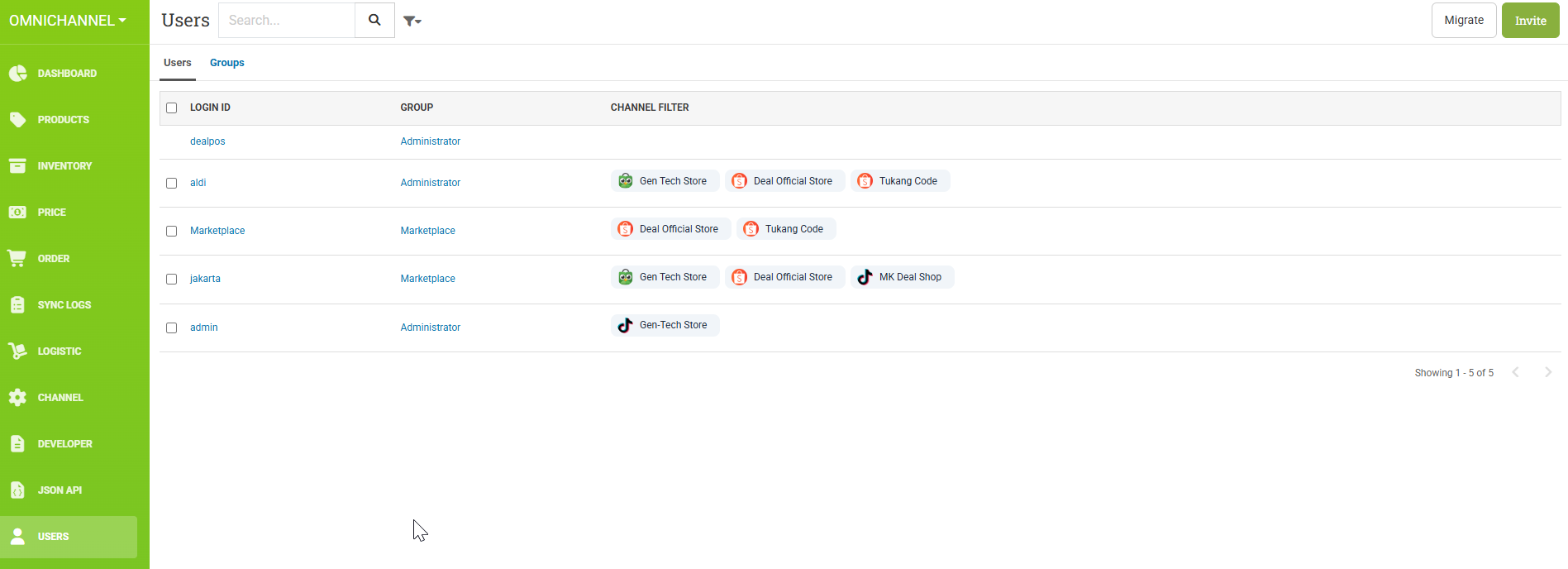
We’ve introduced Modern Authorization, allowing user authentication and role management directly in omni.dealpos.app.
Now there are two authorization types:
Legacy: Authentication and roles managed via POS (will be discontinued soon)
Modern: Authentication and roles managed directly in Omni.
With Modern Authorization, you can invite users and manage their roles and channel permissions more easily through omni.dealpos.app.
**As Legacy Authorization will be discontinued soon, we encourage all accounts to migrate to Modern Authorization as soon as possible.
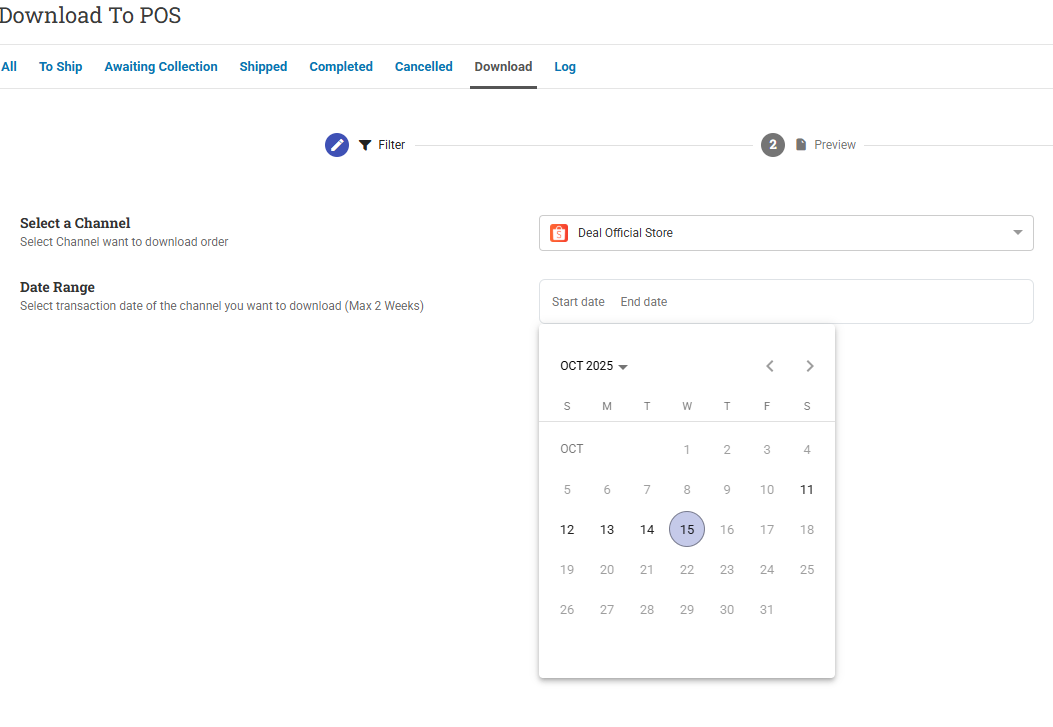
Download Days Range
This feature allows you to set a limit on how many days for download order from channels.
For example, if you set the value to 5, the user will only be able to download orders from the past 5 days (counting backward from today).

New Order Page!
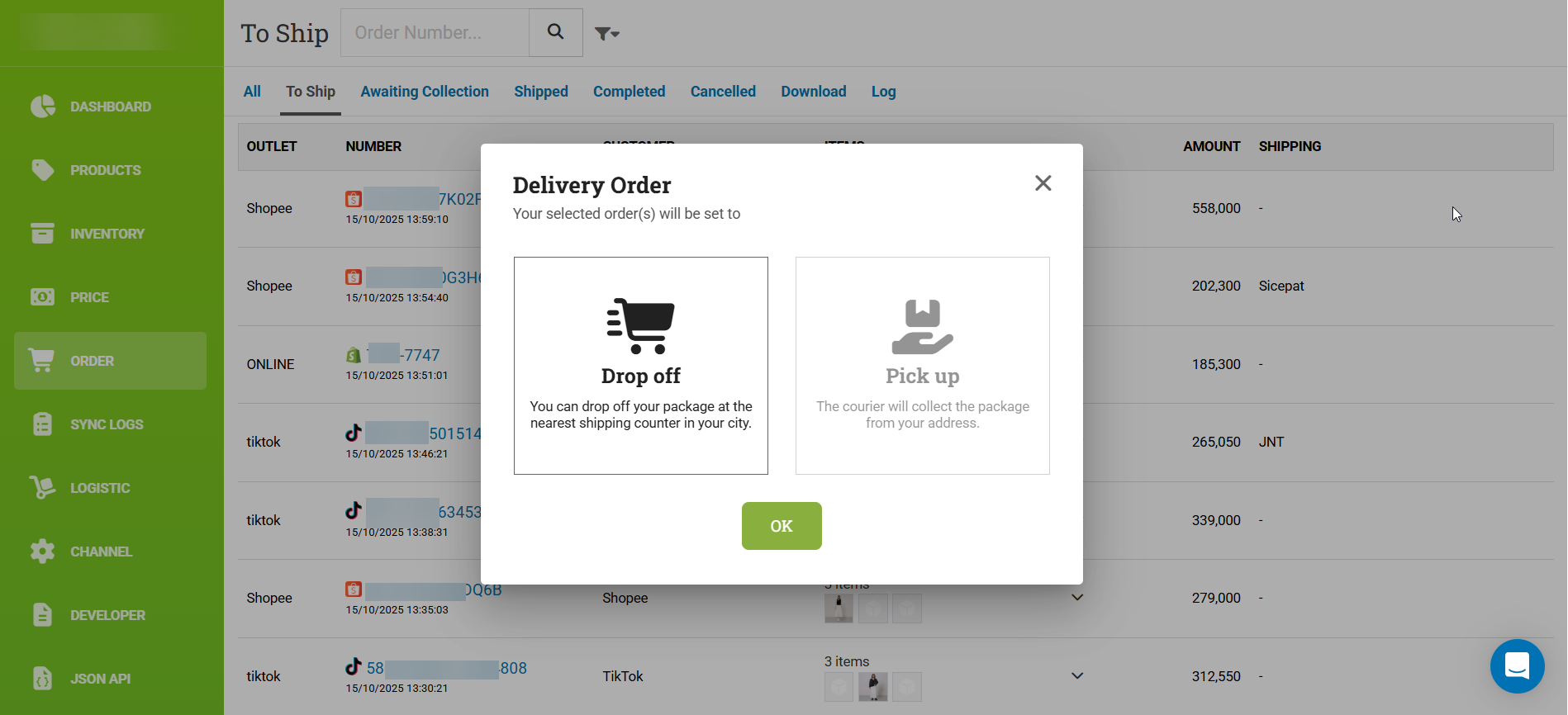
We’ve reimagined the Order Page to make it look fresher and more efficient, helping sellers better understand their order list data.

Pickup and Drop Off Fulfillment Set
You can now set fulfillment directly from DealPOS Omnichannel instead of manually going to the Seller Center Dashboard. Choose whether to fulfill the order via pickup or drop-off.
New Order and Unpaid Configuration terminology
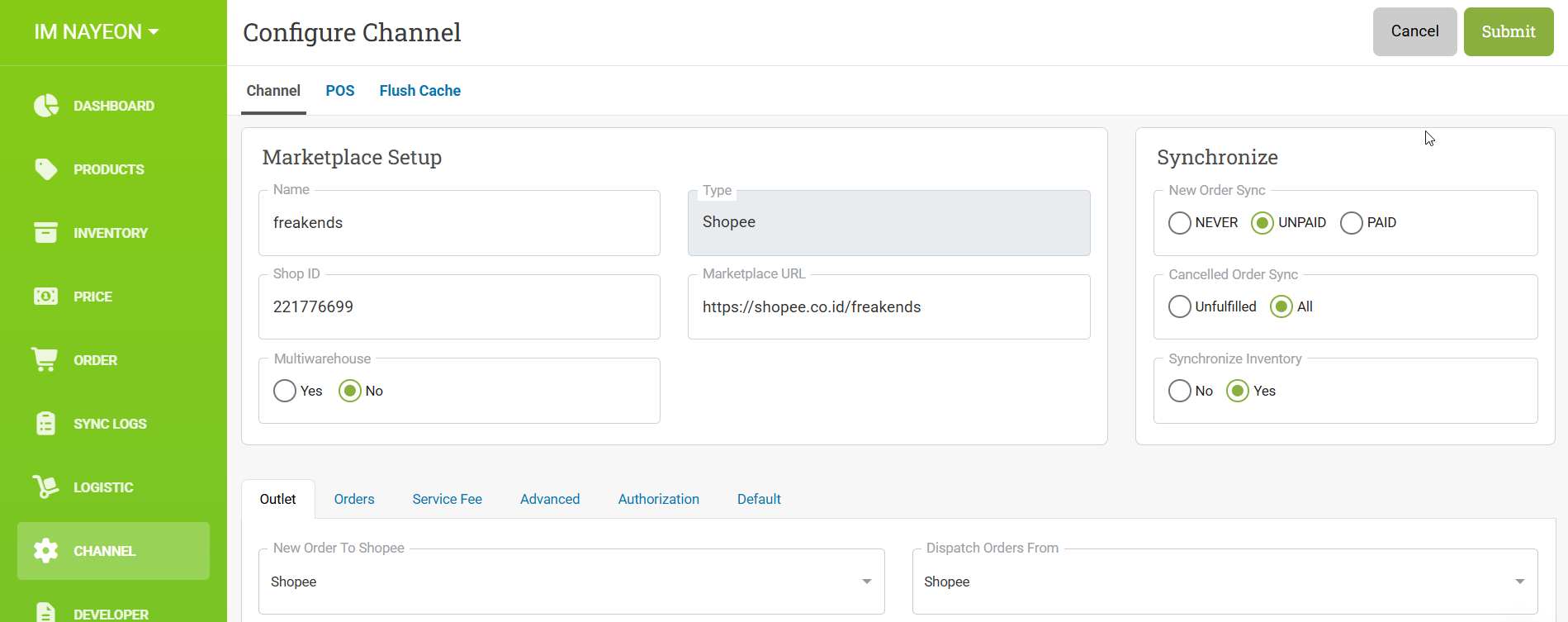
New Order Sync Explanation
NEVER → Orders from the omnichannel will not synchronize to DealPOS.
UNPAID → Orders from the omnichannel will synchronize to DealPOS regardless of payment status (both unpaid and paid).
PAID → Orders from the omnichannel will synchronize to DealPOS only when the payment is completed.
Infrastructure Improvement, now using Async Await for most HTTP request
Patch 5.43.1
New Escrow Amount - JSON API Page

Woocommerce Channel - Verify if webhook configuration is exist in Woocommerce
Shopee Product Upload - Refactor date format handling for atributes like Exp Date, etc.
Add a scroll bar in modal migrate user
Convert URL Input to Lowercase Before Inserting into Database
Patch 5.43.2 - 22 Oct 2025
Re-order main Menu Pages
Removed “Download Product by URL” option (previously for Tokopedia channel)
Fixed issue where user data appeared blank after migration or invitation to Omnichannel role
Refactored Scan Channel – implemented all types
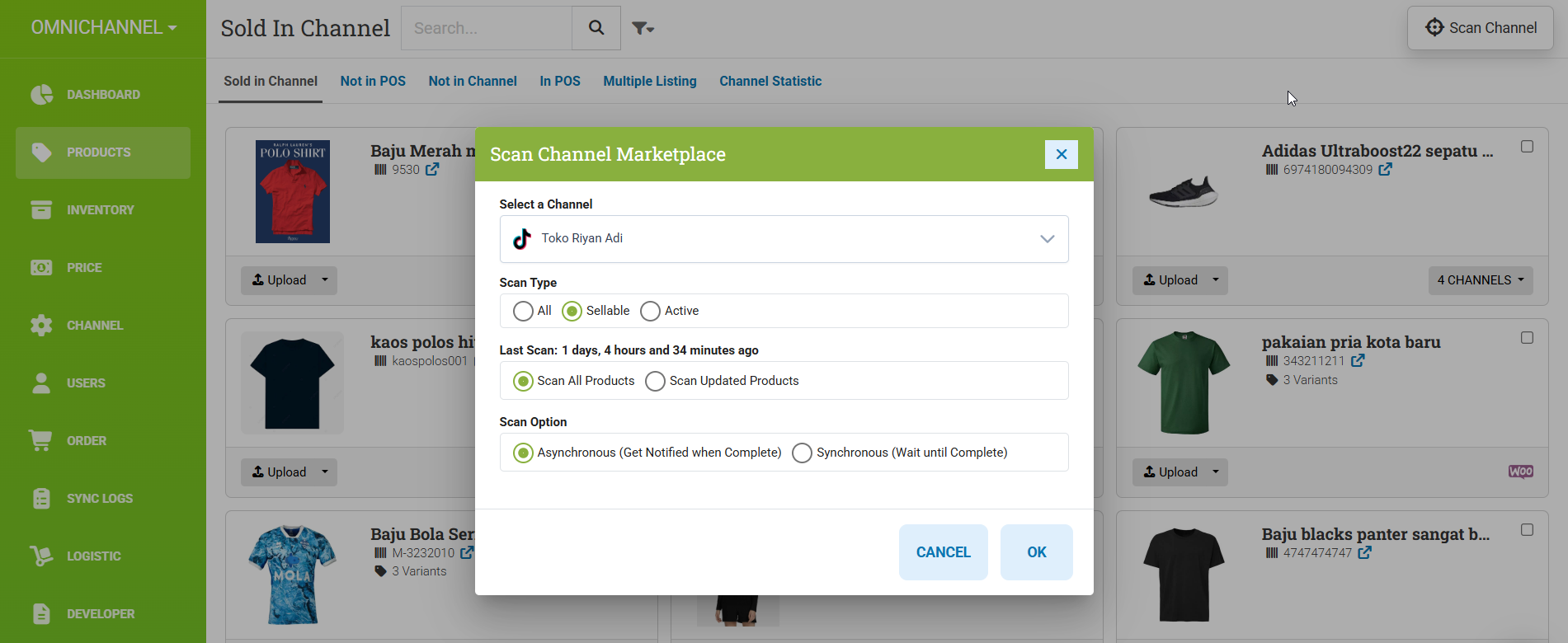
ALL = All the product status, including the deleted, banned & deleted by platform. Sellable = Product status that may appeares in the LIVE tab product status in seller center (ACTIVE, DRAFT, PENDING).
Revamped “Set Fulfillment” action popup
Added “Fulfillment Display” button and updated icons on all order pages
Omni – Users | Updated “Get User” API handling
Patch 5.43.3 - 22 Oct 2025
Added placeholder and fixed header title in User Menu List
Reordered “Order Channel” page to appear before “Channels/User”
ISSUE-7362 Migrate Notification Page to Product - Job Scan
Fix Tiktok Channel Token Issue showing wrong date format
Patch 5.43.4 - 23 Oct 2025
Fix tiktok scan channel error
Implement login handling improvement in User Isolate
Patch 5.43.5 - 24 Oct 2025
User list - Fix cannot search user
Using Role on Global User for authentication login
Patch 5.43.6 - 24 Oct 2025
Restructure Shipping Courier in UI

Add Reference Number placeholder in new Order menu
Add CORS support for ODS
Patch 5.43.7 - 27 Oct 2025
Add POSAccountID in table RoleGroup
Patch 5.43.8 - 27 Oct 2025
Fix create duplicate user in user list
Patch 5.43.9 - 28 Oct 2025
Implement “Order Default From Days” in the new Order V2 menu
Fix role issue — hide the Download tab if the user doesn’t have the “Download Order” role
Fix date filter — set date to null if the configuration default days value is empty or 0
POS Configuration — remove role check when changing configuration
Fix Plugo icon
Refactor the
api/orders/toshipAPI in the new Order V2
Patch 5.43.10 - 29 Oct 2025
Comment hosted background services
change exception to unauthorized and comment function dispose
Patch 5.43.12 - 29 Oct 2025
Fix upload product to shopee did not showing attribute forms
Patch 5.43.13 - 30 Oct 2025
Optimize Order “To Ship” Loading Performance