- DATE:
- AUTHOR:
- Ferdiansyah R

Omnichannel Version 6.22.0
System Improvements and New Feature:
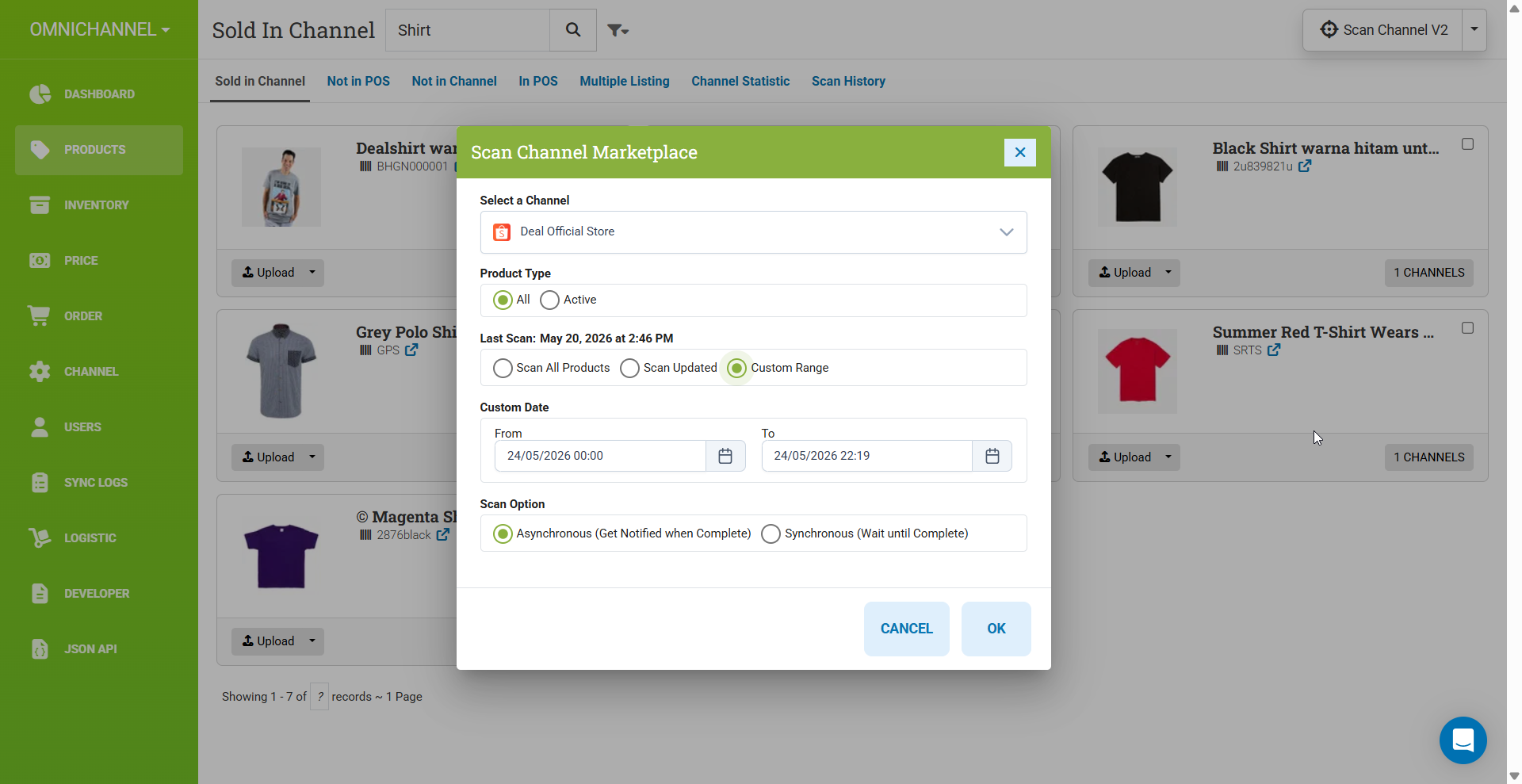
Scan channel with a custom updated date range

You can now scan your channel products with a custom date range. For example, if you constantly add new products every day, instead of scanning all products daily, you can scan only a specific date range to save scanning time!
New Woocommerce Configuration: Manage Stock
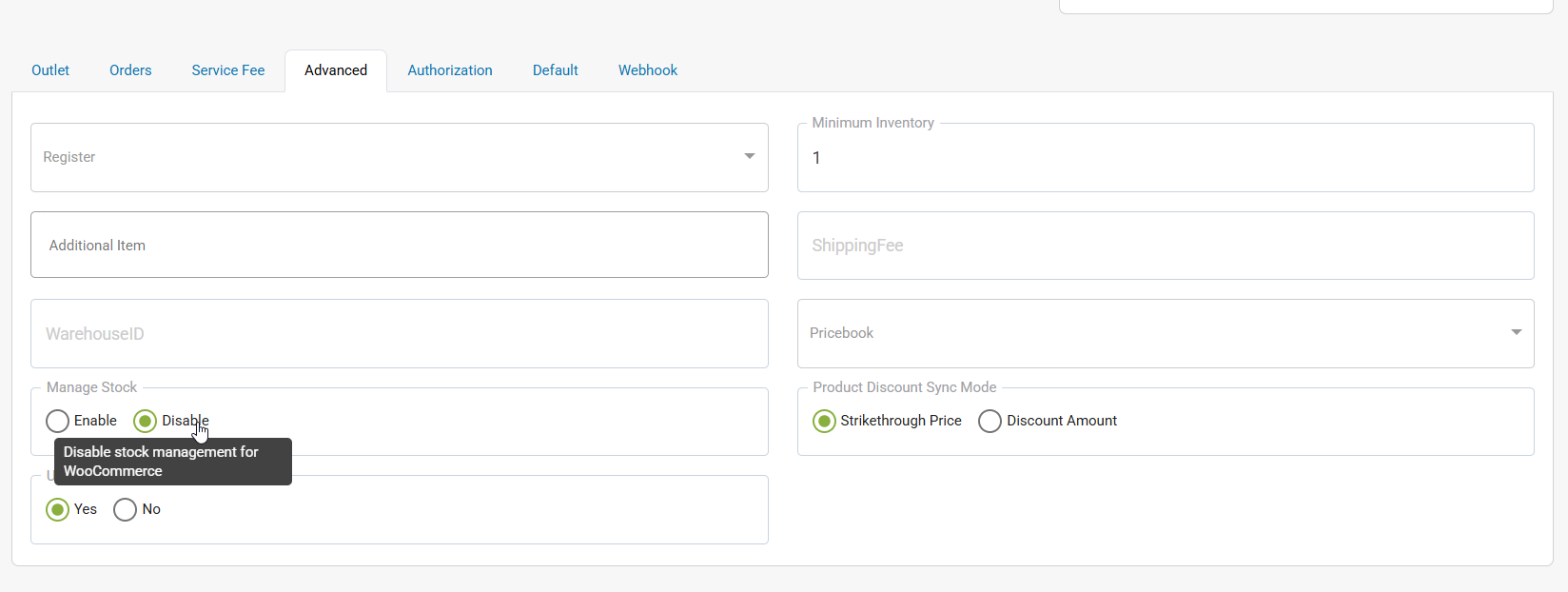
You can decide whether to manage stock at the product inventory level or not. If the configuration is set to enable (default), the product inventory will be updated based on the inputted stock, and the product status will remain active.
If the configuration is set to disable, we will not send the manage_stock property. Therefore, the product status and inventory settings will remain as configured in WooCommerce itself.
Terminology Changes from Reference Number -> Tracking number in Order page
Remove Perflog, implement API Duration in the Job Activity
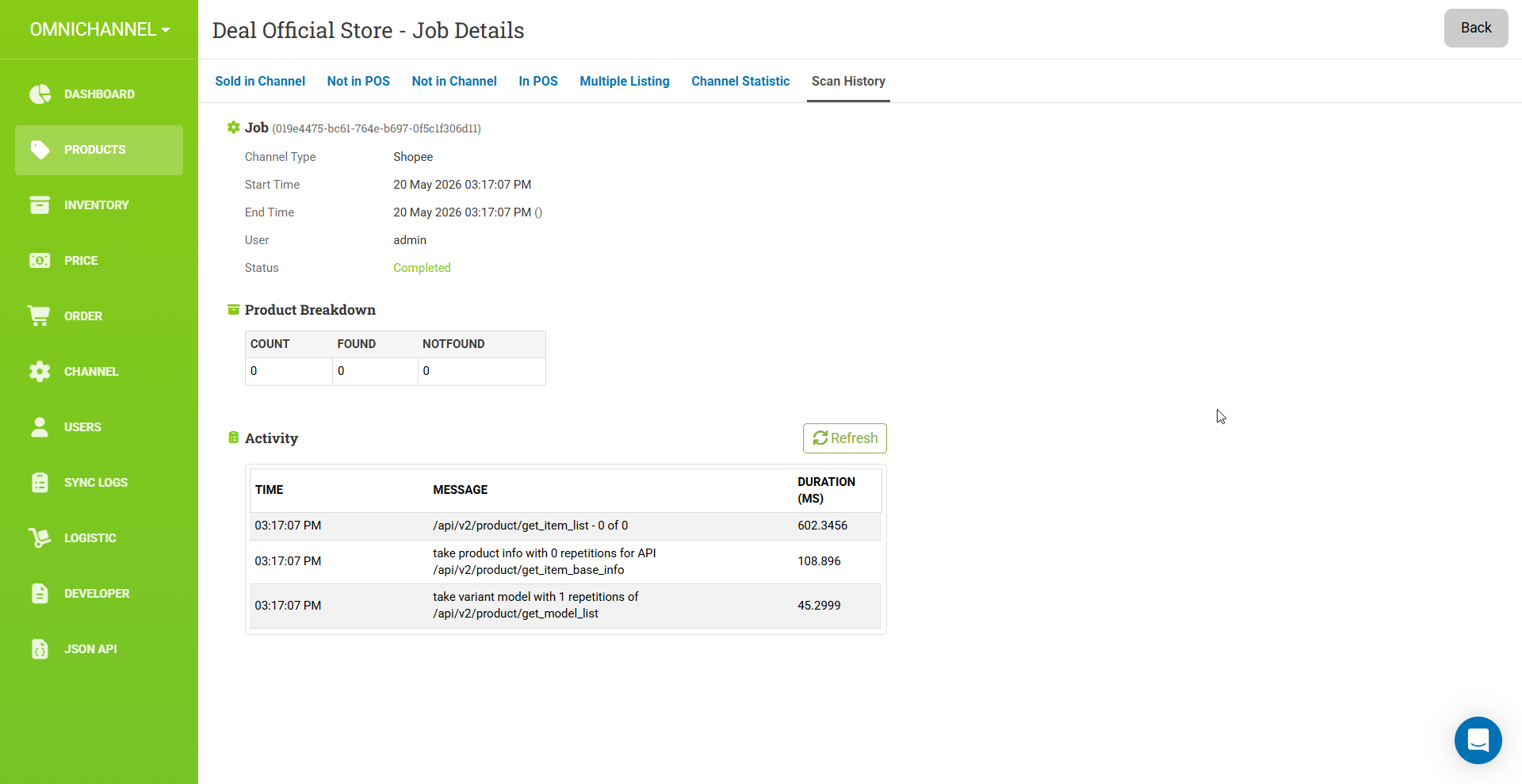
To ease the debugging and investigation process in the Scan Channel, we have implemented an activity table that contains the processes happening in the background and the duration of those processes.
And many more of Scan Channel V2 Improvement! including:
Solve multiple / GUID changes in Scan V2
Handle discontinue/deletion of product from the Channel side
Bug Fixes:
Fix remove CASE SENSITIVE validation when scanning product channel
Refactor Scan Channel - Solve multiple / GUID changes in Scan V2
Fix Item_ID Filter in Product - Sold in Channel
Fix variant detail in sold in channel is not yet filtered with ChannelID
Fix clearing channel cache to affect only the selected channel instead of all channels.
Fix cannot change locationID once it has been changed.
Patches:
Patch 6.22.1:
Refactor ScanV2: Change comparator handling to ChannelItem <---> POSProductID
Previously, the old scan behavior was buggy because multiple variants in Shopee share the same ChannelItemID. This becomes a problem when, in the POS, you have 5 variants created as 5 separate products, while in Shopee the same item is represented as a single product with 5 variants.
POS | Channel |
|---|---|
Baju Seulgi S | Baju Seulgi (ChannelItemID: 101, VariantID: A) |
Baju Seulgi M | Baju Seulgi (ChannelItemID: 101, VariantID: B) |
Baju Seulgi L | Baju Seulgi (ChannelItemID: 101, VariantID: C) |
Baju Seulgi XL | Baju Seulgi (ChannelItemID: 101, VariantID: D) |
Baju Seulgi XXL | Baju Seulgi (ChannelItemID: 101, VariantID: E) |