- DATE:
- AUTHOR:
- Ezzan
ToolsApp Version 26.39
This update includes new features, essential performance improvements, and usability enhancements, ensuring your daily operations run smoothly. We've also addressed several bug fixes to enhance stability and reliability. DealPOS continues to evolve as a reliable POS Application designed to support retail business operations with better performance and usability. Thank you for your continued trust and feedback, which help us deliver the best possible service.
New Feature:
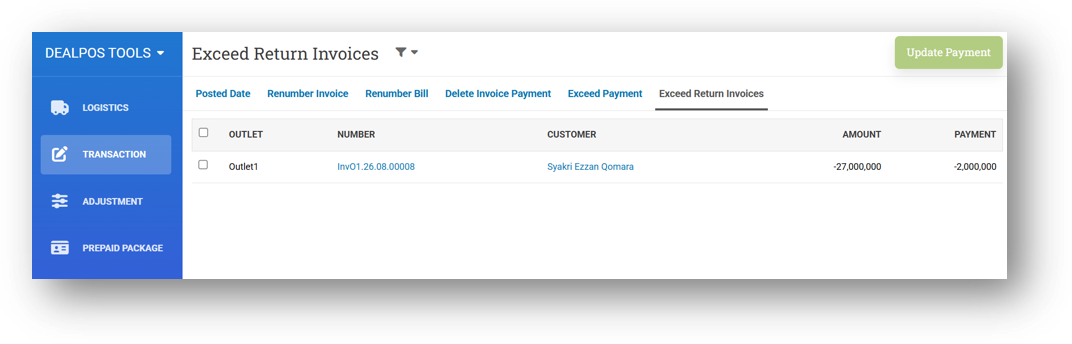
[Transaction] Update Unmatched Exceed Payment Status on Return Invoices
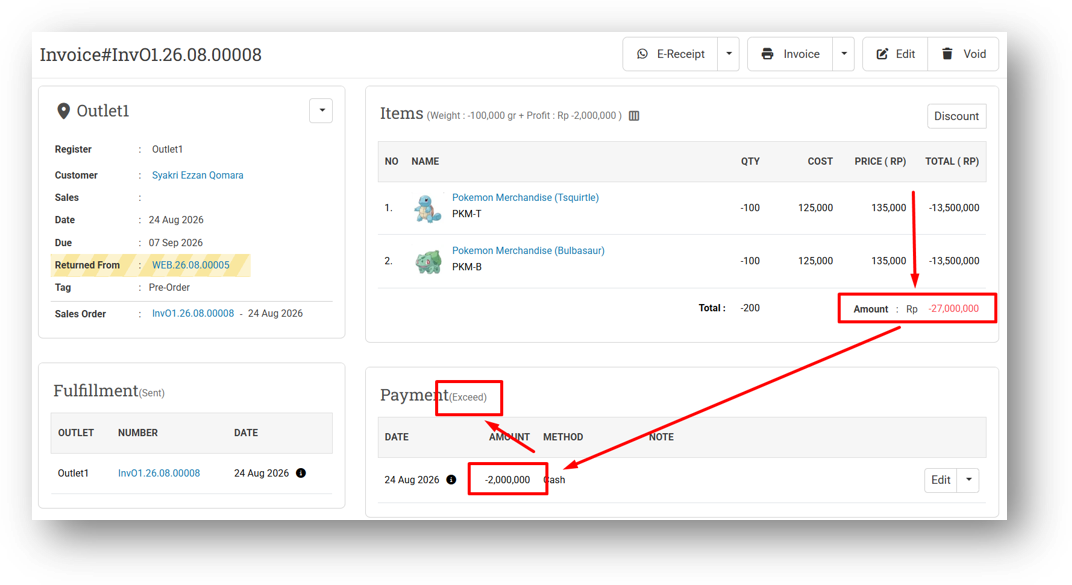
We've introduced a new tool to help resolve a previously unsupported scenario involving return invoices with negative amounts. In the past, if a return invoice had an amount of -100,000 and you recorded a partial payment of -60,000, the system would incorrectly mark the payment status as Exceed—treating -60,000 as greater than -100,000. With our improved logic, this now correctly registers as Partial, just as it would for a regular positive invoice.
Going forward, this behavior is fully fixed for all new transactions. But for return invoices created before the fix, their payment status may still be inaccurate. This new page helps you identify those affected invoices so you can update their payment status accordingly—no more confusion when reviewing your return records.
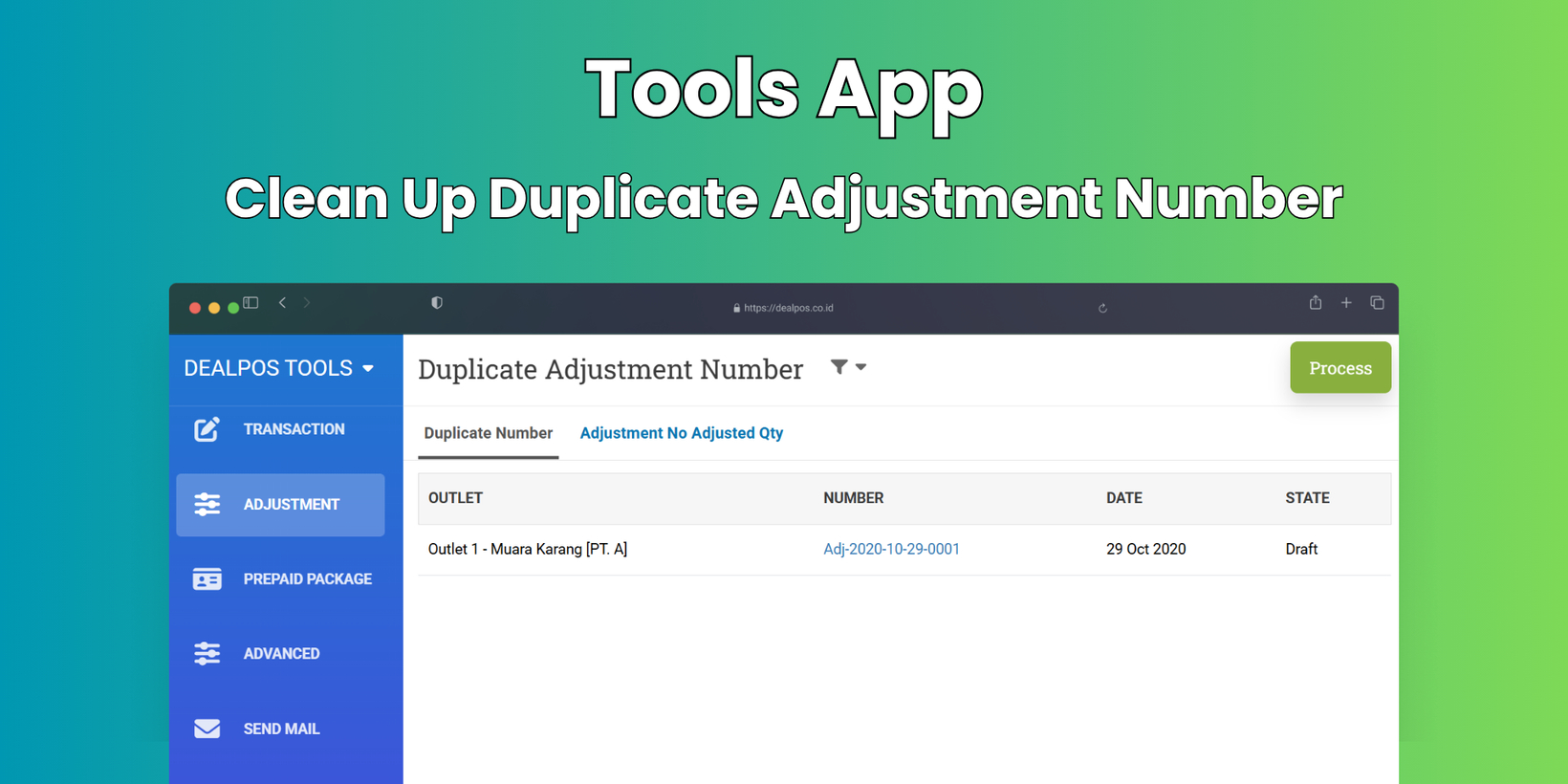
[Adjustment] Clean Up Duplicate Adjustment Number
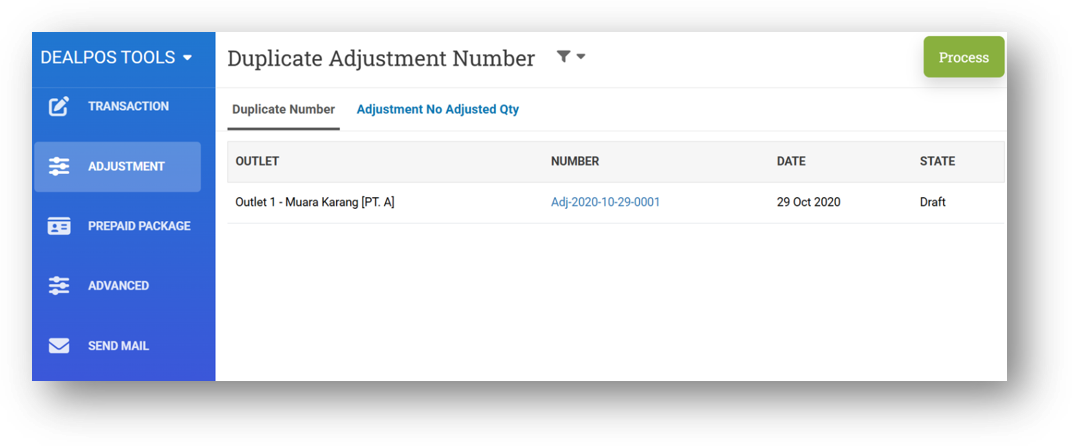
Following the same approach as our Clean Up Duplicate Transfer Order Number tool, we've now introduced Clean Up Duplicate Adjustment Number. This feature scans for adjustment numbers that appear more than once—typically caused by transactions created at the exact same moment—and gives you a simple way to resolve them. With a single click, the Process action will automatically renumber the duplicates by appending a suffix like 2, 3, and so on. This keeps your adjustment records tidy, traceable, and free from confusion, all without any manual editing on your part.
Minor Improvement:
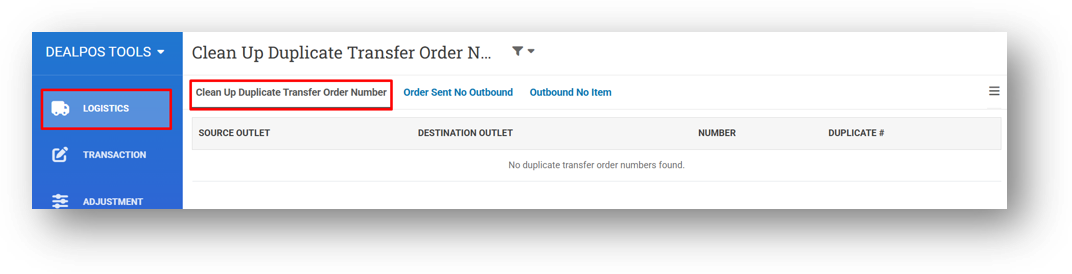
[Logistics] Switch Default Menu Section
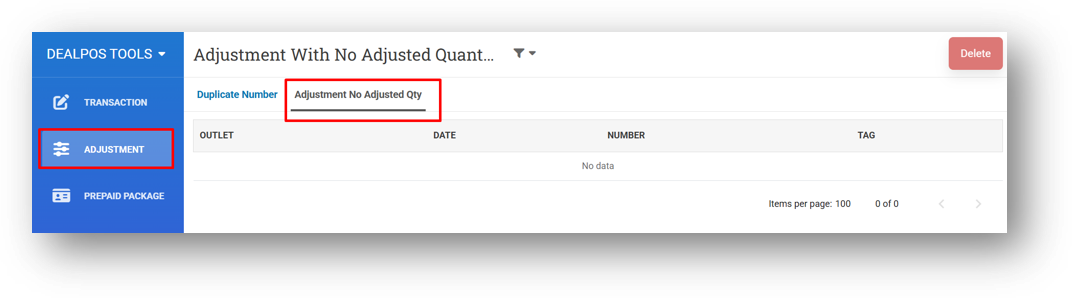
[Adjustment] Move Adjustment No Adjusted Qty Feature to Adjustment Menu
Overall, this update further establishes the platform as a reliable Inventory Application for your retail businesses. Stay tuned for more updates, and don't hesitate to reach out if you have any questions or need support!