- DATE:
- AUTHOR:
- Ezzan
WebApp Version 25.48 Changelog
This update includes new features, essential performance improvements, and usability enhancements, ensuring your daily operations run smoothly. We've also addressed several bug fixes to enhance stability and reliability. Thank you for your continued trust and feedback, which help us deliver the best possible service.
New Feature:
[Orders - Customer Invoice] Awaiting Collection Fulfillment Status
We have introduced a new delivery status, Awaiting Collection, for Customer Invoice modules. This update is designed to support our Omni App microservice (integration with marketplaces such as Shopee, Tokopedia, and others) and to better align with multi-channel order-handling workflows. Details related to the synchronization logic for marketplace orders can be found in the Omni App Changelog.
In POS, users can now convert a transaction from Unsent to Awaiting Collection directly from the Transaction Info page. This new status reflects that the items are still not shipped but have already been prepared or packed for delivery. It provides better visibility for teams managing packing and dispatch readiness.
We have also updated the workflow in the Fulfillment module. Previously, Unsent transactions remained in the Unsent status even after the Pick and Pack steps, and the status changed only when the order was shipped. With this improvement, completing the Pack step now automatically updates the status from Unsent to Awaiting Collection. The final Ship step will continue to update the status to Sent, consistent with the previous flow.
[Buy] Calculate Bill Discount Amount for COGS
We have improved the Buy module so that transaction-level discounts are now included in cost calculations. When a discount is applied at the transaction level, the system distributes it proportionally across all purchased items. This ensures a more accurate unit cost. For example, buying 2 items at 10,000 each with a 5,000 transaction discount will now result in a recalculated unit cost of 2,500 per item.
To help users better understand this new calculation model, the system now clearly reflects how discount allocation affects unit cost. The updated behavior ensures that the cost displayed in purchase details aligns with the adjusted computation and provides clearer visibility into how discounts impact inventory valuation.
Because this update involves substantial database and UI changes, older purchase transactions may show blank or zero values in certain cost fields in the Purchase Report after upgrading to this release. This is normal and expected. To correct these records, we recommend using the Recalculate Purchase Order Item.Purchased feature available in the Tools App.
We have also enhanced the Purchase Report with clearer and more comprehensive metrics, including Gross Purchase, Net Purchase, and Purchase + Tax. These new fields appear across several sub-menus, giving users a more detailed and accurate view of purchasing performance and cost structure.
This feature was developed based on customer request #6967
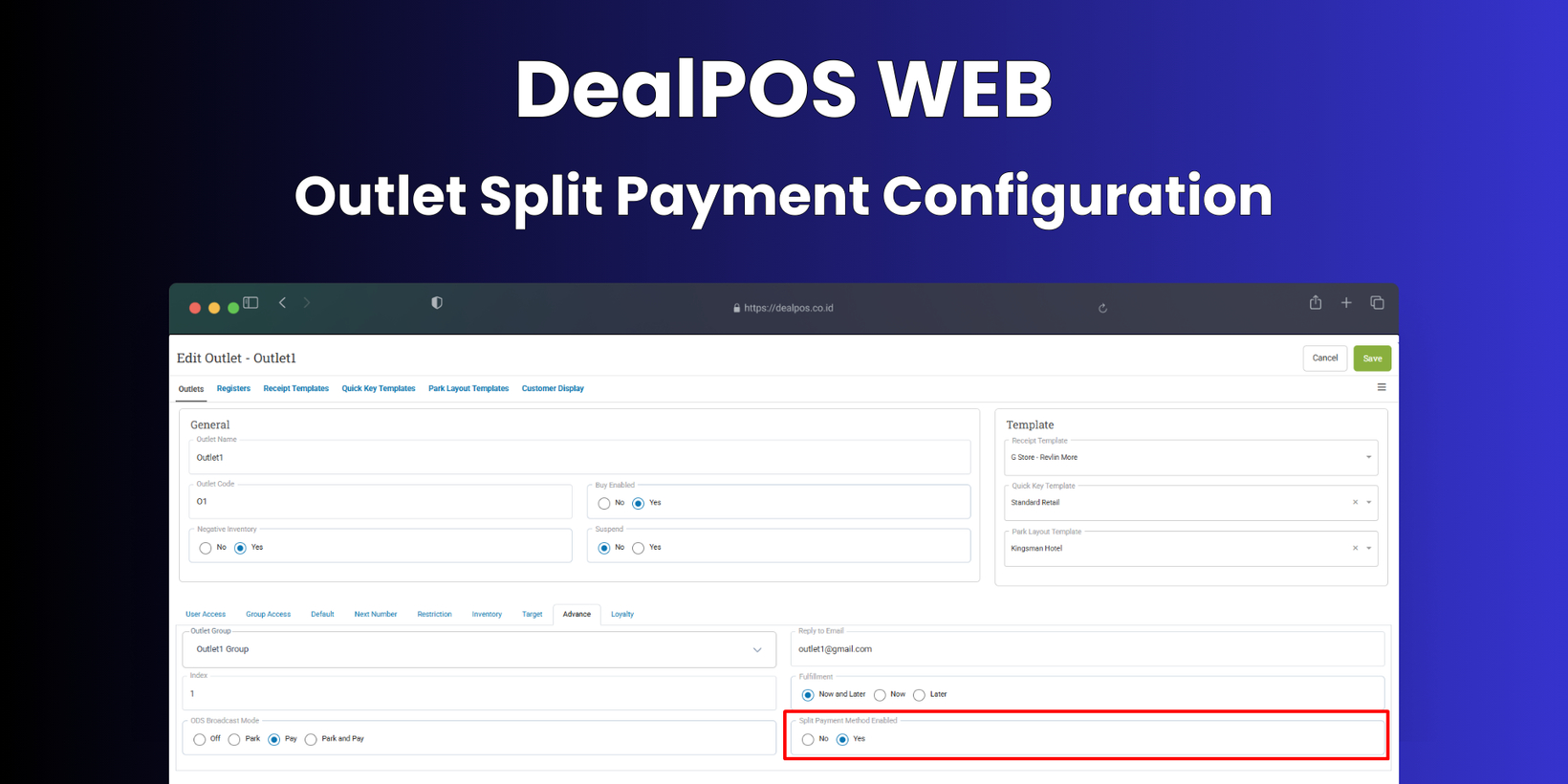
[Outlet] Split Payment Configuration
We have introduced a new configuration that allows businesses to enable or disable Split Payment at the outlet level. Previously, this setting existed only in General Settings and applied globally to all outlets. With this update, users now have complete flexibility to decide which specific outlets can use Split Payment, offering more control and accommodating different operational needs. This enhancement allows each outlet to tailor its checkout process independently. When Split Payment is disabled for a particular outlet, the payment flow reverts to a more straightforward, single-payment method. When enabled, cashiers at that outlet can continue using Split Payment as usual.
This feature was developed based on customer request #8392


Minor Improvements:
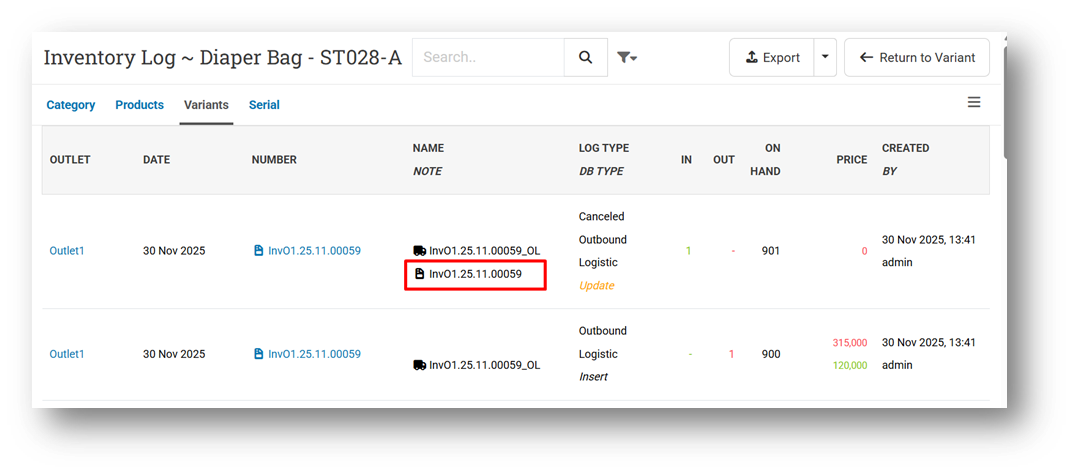
[Product - Inventory Log] Display Difference Invoice Number in Void Invoice Log
This feature was developed based on customer request #7885
[Product - Import] Restrict Users from Importing Product Name with More Than 200 Characters
[Sell]
Redesign Connect Cash Machine Modal
Redesign Connect ECR Modal
[Reports - Products] Provide Non-Inventory Option for Product Type Filter
[Reports - Category] Provide Product Type Filter for Tree View & List View
This feature was developed based on customer request #8382
[Orders - Customer Invoice] Implement Group Input Days Range Settings to Invoice Edit
We have added support for the Group Input Days Range setting to control how far back users can edit invoices. The default value is 0, meaning no restriction is applied, and all invoices follow the existing edit rules. When a value is set—such as 1—only invoices dated today can be edited. If the value is 2, users can edit invoices from today and yesterday, and so on. This gives businesses stricter control over invoice adjustments and helps maintain consistent accounting and audit practices.
This feature was developed based on customer request #8258
[Orders - Purchase Order] Implement Tax Printed Visible Configuration to Purchase Order Info
[Inventory - Timeline (Details)]
Provide New Row Filter
Provide Discontinued Product Status Filter
This feature was developed based on customer request #8307
Provide Pagination & Row Count
[Inventory - Variant Traffic]
Sort Variant Data Based on Product Index
This feature was developed based on customer request #8257
Provide Movement Type Filter
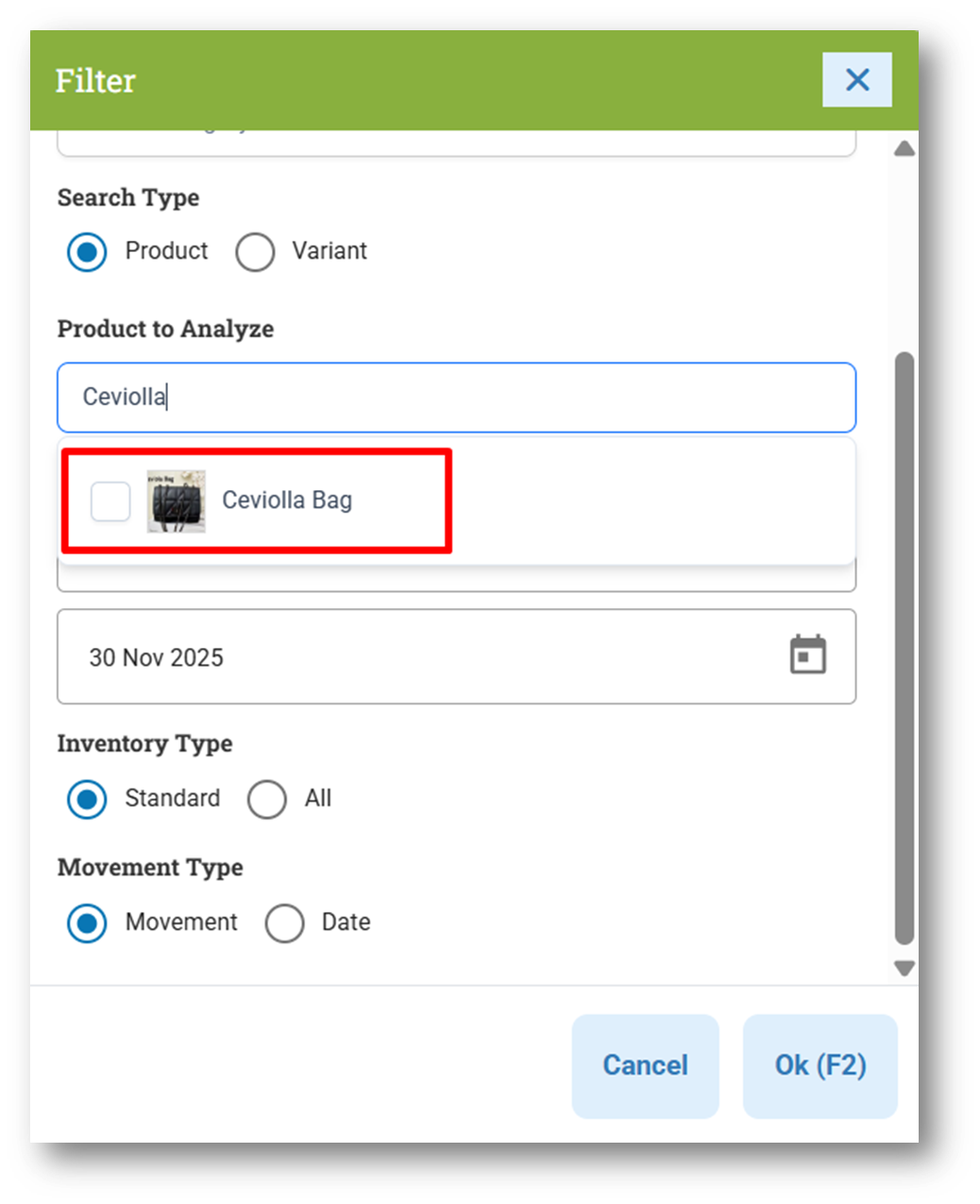
Display Product Image on Product to Analyze Filter
[Adjustment] Allow Users to Set Blank Value for Quantity From & To Filter
[Buy] Preserve Cost on Zero Stock Return
We have improved how the system handles Cost when a Buy (Return) transaction reduces an item’s stock to zero. Previously, the system recalculated Cost based on the formula Cost ÷ Qty, and because the remaining quantity became zero, the resulting Cost also became zero. This led to inaccuracies in valuation and reporting. With this update, the system will no longer set the Cost to zero in this scenario. Instead, it will automatically use the last known Cost for that product, ensuring that cost information remains accurate and meaningful even when stock levels drop to zero.
This feature was developed based on customer request #8383
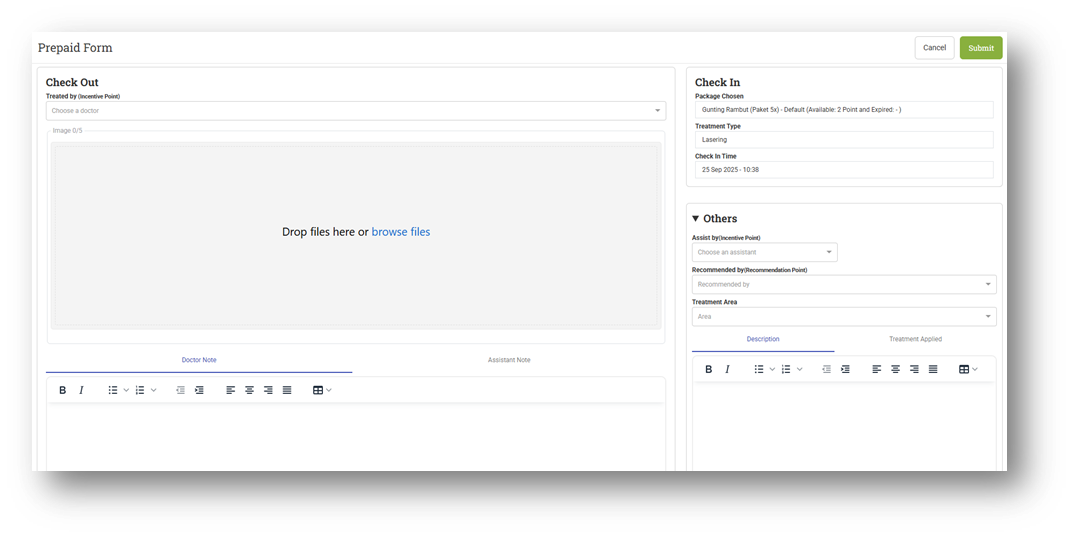
[Prepaid Package] Improve Prepaid Package Form UI
This feature was developed based on customer request #8343




Bug Fixes:
[Login] Fix Revoke Token Fails When Server Timezone is Set Earlier than SE Standard Time
[Orders - Invoice] Prevent Delete Recipient from Customer Alternative Address
[Adjustment] Fix Adjustment List Row Count Not Updated After Changing Filter
Deprecated:
[Setup - Module (Sell)] Sell Split Payment Enable Configuration
The Sell Split Payment Enable configuration has been deprecated from the Sell Module Configuration. This change is made because Split Payment can now be fully managed at the outlet level, providing more flexibility and allowing each outlet to apply its own payment rules.

Patch 25.48.1 [5 Dec]:
[Sell]
Add Status-Based Icon Color Logic for Connect ECR & Cash Machine Modal
Fix Unsent Status from Default Configuration Does Not Work When Creating Invoice
Remove Input Days Range Feature Implementation from Editing Parked Orders
[Shift] Improve Shift Card Color Styling
[Orders - Customer Invoice]
Fix Awaiting Collection Button Hidden When Recipient Not Exist
Hide Additional Hashtag in Page Title
[Inventory - Timeline]
Rename Row Filter Options & Change Default Option
Update Row Filter Component to Dropdown
[Users - Roles]
Fix Duplicate Users Shown in Users Assigned Table
Hide Suspended Users from Users Assigned Table
Display Users Fullname Column
Patch 25.48.2 [7 Dec]:
[Buy] Fix Create Unreceived Bill will Display Incorrect Fulfillment Status in Bill List
Patch 25.48.3 [8 Dec]:
[Dashboard] Restrict Outlet Filter Option Based on Outlet Access
[Orders - Invoice] Allow Users to Import Invoice with Sales Tag
Patch 25.48.4 [10 Dec]:
[Products] Fix Supplier Masking Fields Does Not Work in Product Info
[Products - Import] Restrict Inventory Update via CSV Import for Unauthorized Users
[Sell]
[Inventory - Timeline (Details)] Fix Filter Outlet Does Not Work\
Patch 25.48.5 [11 Dec]:
[Sell] Prevent Multiple-Click for F2 Button When Creating New Customer
[Orders - Customer Invoice]
Fix Row Count Not Updated When Updating Filter
[Orders - Sales Return] Fix Filter Unsent Fulfillment Does Not Work Properly
[Inventory - Timeline (Breakdown)]
Fix Filter Discontinue Does Not Work When Searching with Keyword
Provide Filter Search By Name or Code
Patch 25.48.6 [12 Dec]:
[Buy] Fix Incorrect Cost Calculation When Buying with Included Tax Type
[Invoice API] Fix List Invoice with Multiple Outlet API Display No Data
Patch 25.48.7 [13 Dec]:
[Logistics - Inbound] Auto Recalculate COGS When Receiving Inbound With Zero Net Purchase
Stay tuned for more updates, and don't hesitate to reach out if you have any questions or need support.