- DATE:
- AUTHOR:
- Ezzan

WebApp Version 25.51 Changelog
This update includes new features, essential performance improvements, and usability enhancements, ensuring your daily operations run smoothly. We've also addressed several bug fixes to enhance stability and reliability. Thank you for your continued trust and feedback, which help us deliver the best possible service.
New Feature:
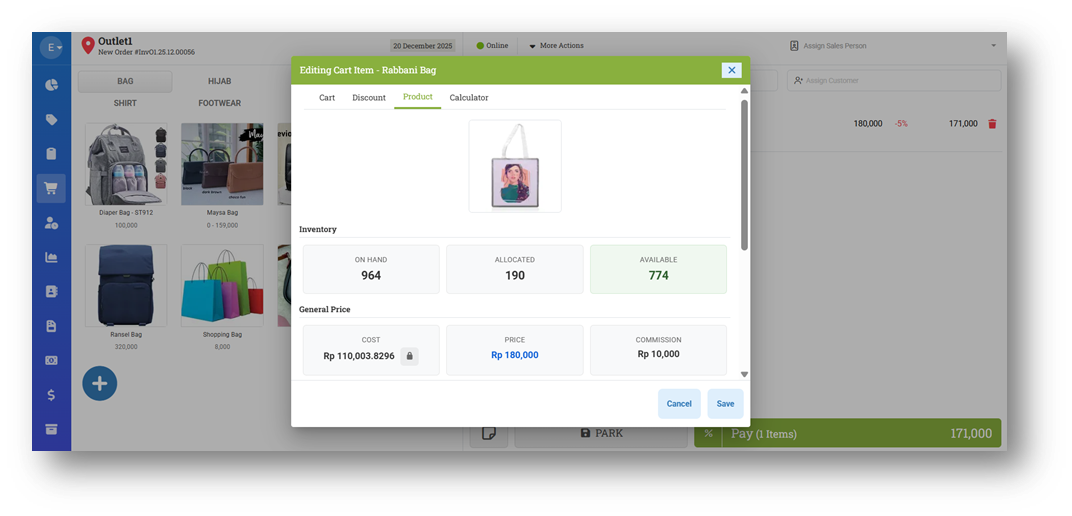
[Sell] Redesigned Product Tab in Item Dialog
We have redesigned the Product tab in the Item Dialog to improve readability and overall usability. Previously, the information layout was dense and closely packed, making it harder to review item details at a glance. The updated design introduces better spacing, clearer grouping, and a more structured layout, resulting in a cleaner and more user-friendly experience.
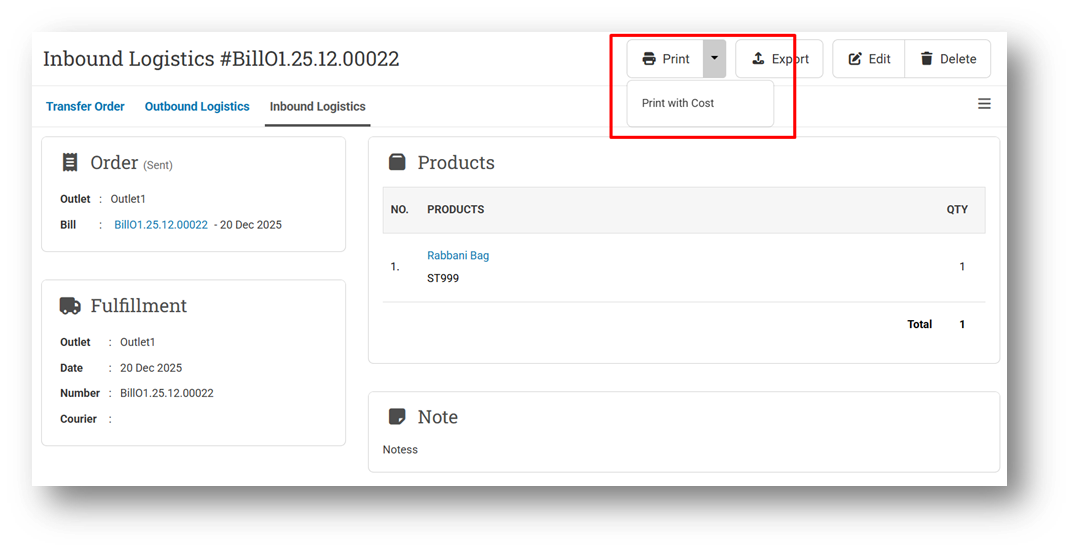
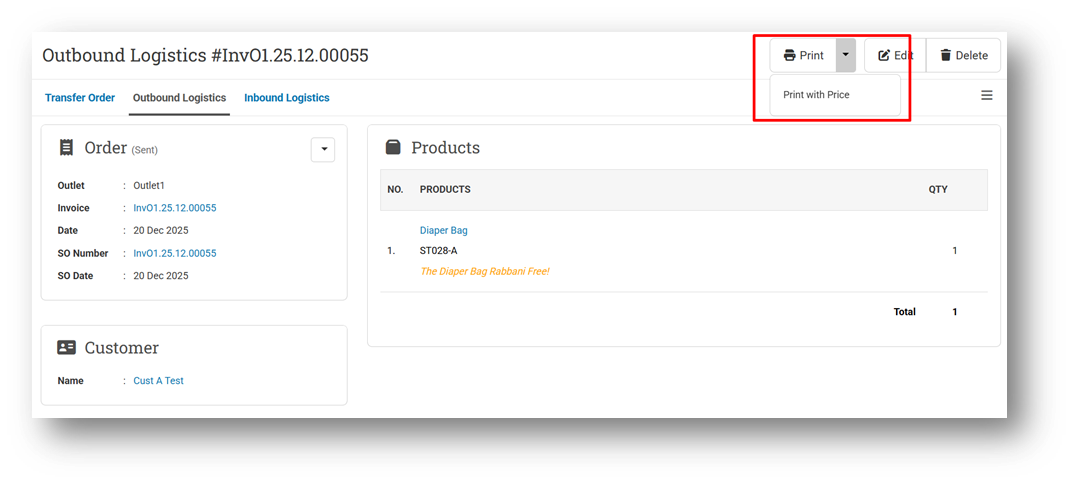
[Logistics - Printing] Improve Clearer Print Options for Outbound and Inbound
We have improved the printing workflow for Print Outbound (Sell Module) and Print Inbound (Buy Module) to make the available options more transparent and consistent. Previously, the configuration that controlled these print options was not always obvious, which could lead to confusion about when price or cost information would appear on printed documents.
With this update, print options now strictly follow the Logistic Printing settings. For Outbound, if Price Visible is disabled, only the standard Print option will be available, and price information will not appear on the printout. When the setting is enabled, Print with Price becomes available. The same behaviour applies to Inbound printing with Cost, ensuring a consistent and predictable user experience across both modules.
Minor Improvements:
[Login] Improve Login Running Time Performance
[Products] Rename Order Price Column to Last Buy Cost in CSV Export (Default, Prepaid, and Display Name Options)
[Products - Import] Allow Users to Update Order Price with Last Buy Cost Column Instead of Order Price
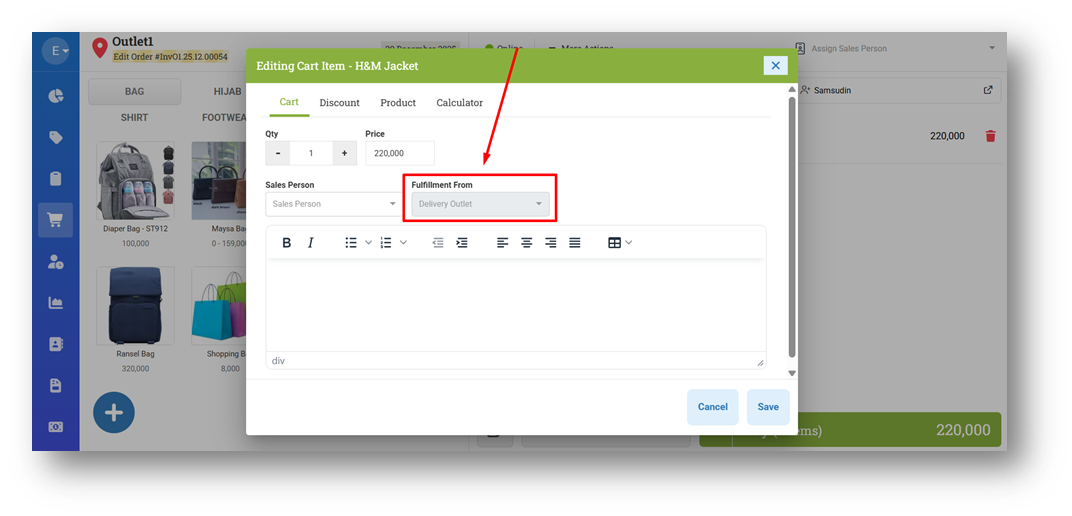
[Sell] Disable Item Fulfillment Option When Editing Invoice
[Reports - Summary] Provide Date Time Filter
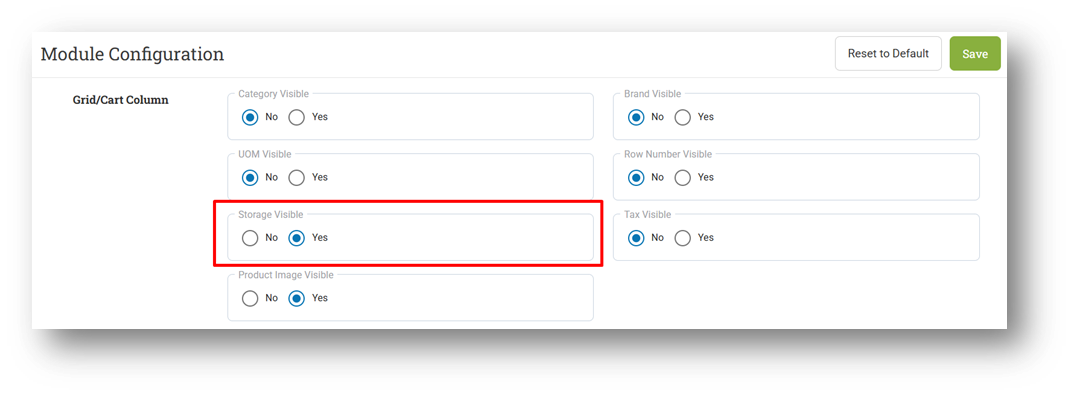
[Setup - Module (Sell)] Set Default Item Storage Visible to Yes



Bug Fixes:
[Contacts - Supplier] Fix Users Without Contact Image Editor Role Can Edit Supplier Image from Supplier Form
Deprecated:
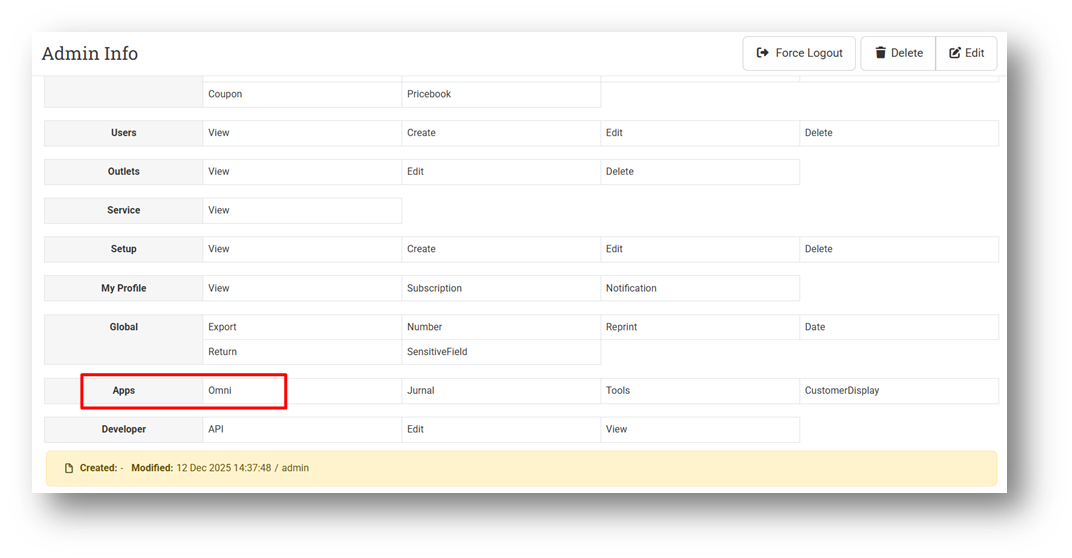
[Users - Roles] Removal of Omni Apps Role
We have removed the “Apps – Omni” role from DealPOS. This change is made because the Omni App now provides its own built-in User Role Management, allowing roles and table permissions to be managed directly within the Omni App instead of from the POS. As a result, the Apps – Omni role is no longer needed and has been fully deprecated.
Patch 25.51.1 [23 Dec]:
[Products - Import] Allow Users to Update Last Buy Cost with Order Price Column
[Sell]
Fix Cost Configuration from Sell Module Not Applied to Item Modal
Fix Unauthorized Users Can View Cost on Item Modal
Patch 25.51.2 [27 Dec]:
[Orders - Supplier Bill]
Provide Column Toggle for Item Table
Fix Inbound Receive Item Order Not Matching Item Sequence
Patch 25.51.3 [31 Dec]:
[Setup - Payment] Fix Users Cannot Create & Edit Payment with Gopay QRIS Sub Type
Stay tuned for more updates, and don't hesitate to reach out if you have any questions or need support.