- DATE:
- AUTHOR:
- Ezzan
WebApp Version 26.14 Changelog
This update includes new features, essential performance improvements, and usability enhancements, ensuring your daily operations run smoothly. We've also addressed several bug fixes to enhance stability and reliability. DealPOS continues to evolve as a reliable POS Software designed to support retail business operations with better performance and usability.
Thank you for your continued trust and feedback, which help us deliver the best possible service.
New Feature:
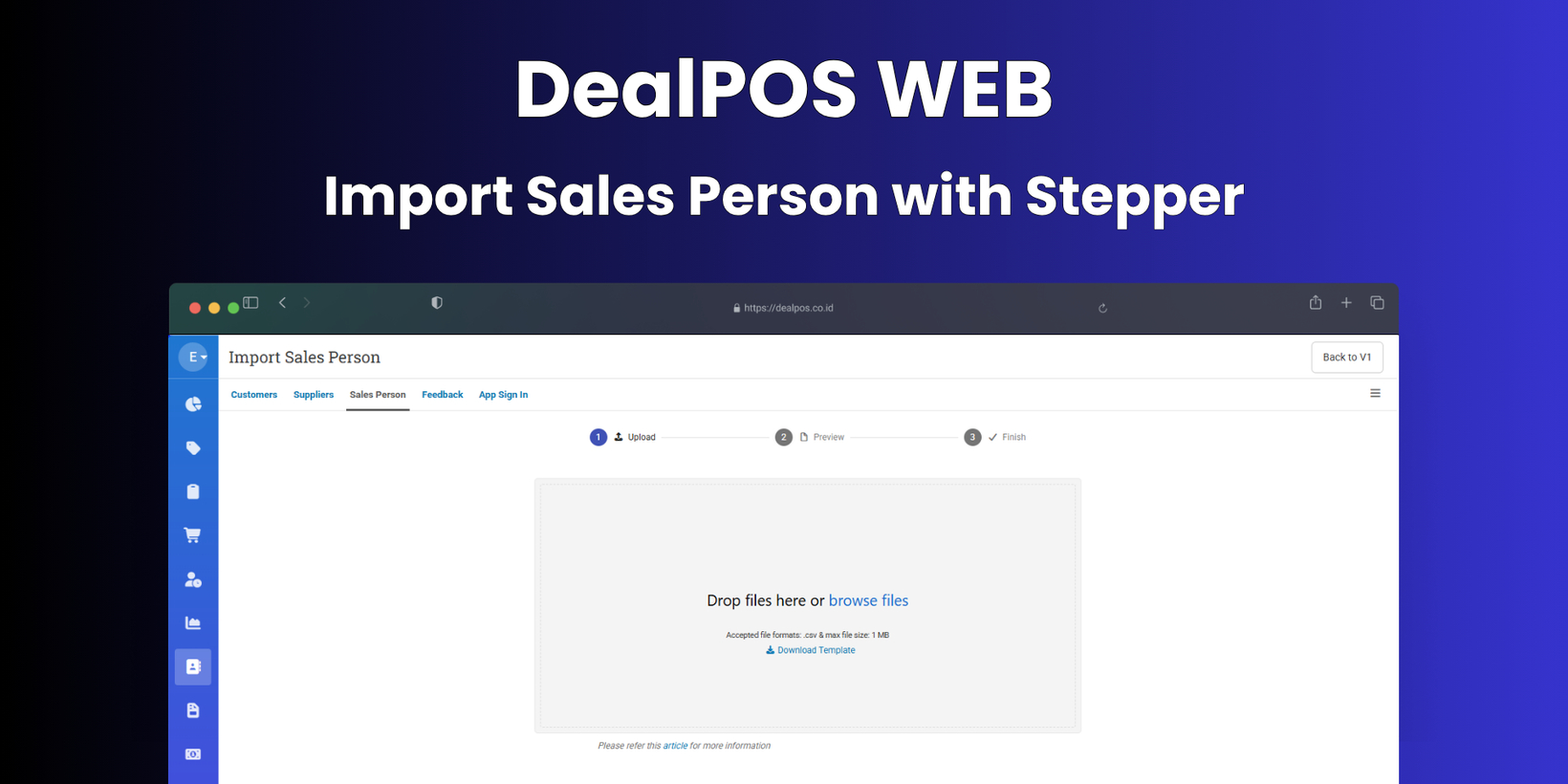
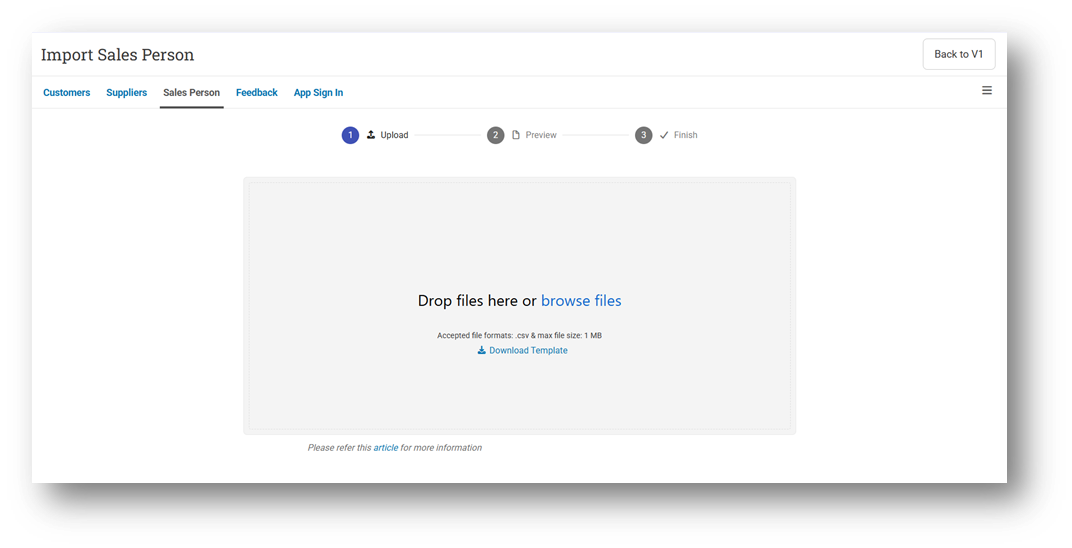
[Contacts - Sales Person] Import Sales Person with Stepper
We’ve introduced a new stepper-based UI/UX for importing Sales Person data, providing a more guided and structured experience through three steps: Upload, Preview, and Complete. This new flow helps users review data before finalizing the import, reducing errors and improving clarity. Users can still access the previous version by clicking “Back to V1” if needed.
[Reports] Order Discount Amount Calculation Adjustment
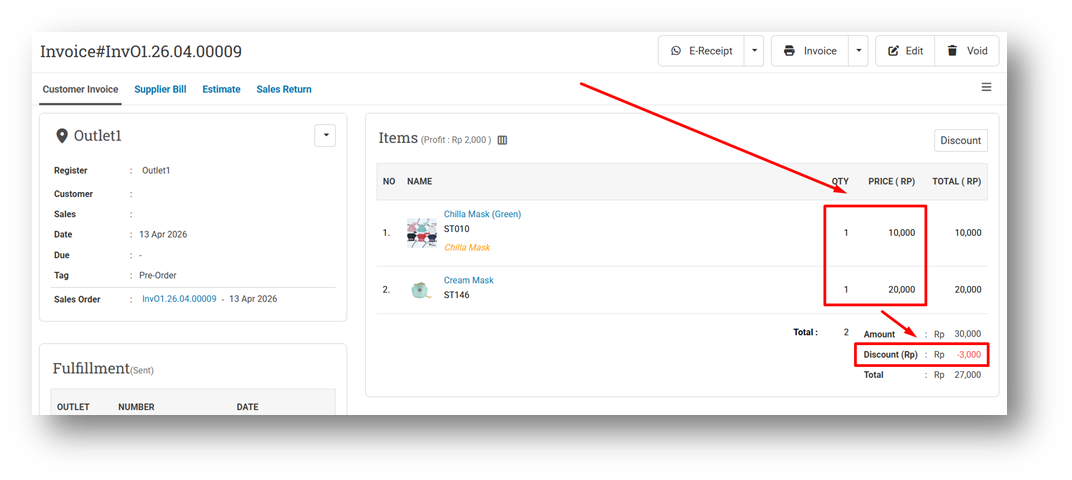
We’ve improved the calculation logic for Order Discount Amount (fixed discount at transaction level) to ensure more accurate distribution across items. Normally, this discount is allocated proportionally based on item prices—for example, items priced at 10,000 and 20,000 will receive discounts of 1,000 and 2,000, respectively, from a total discount of 3,000.
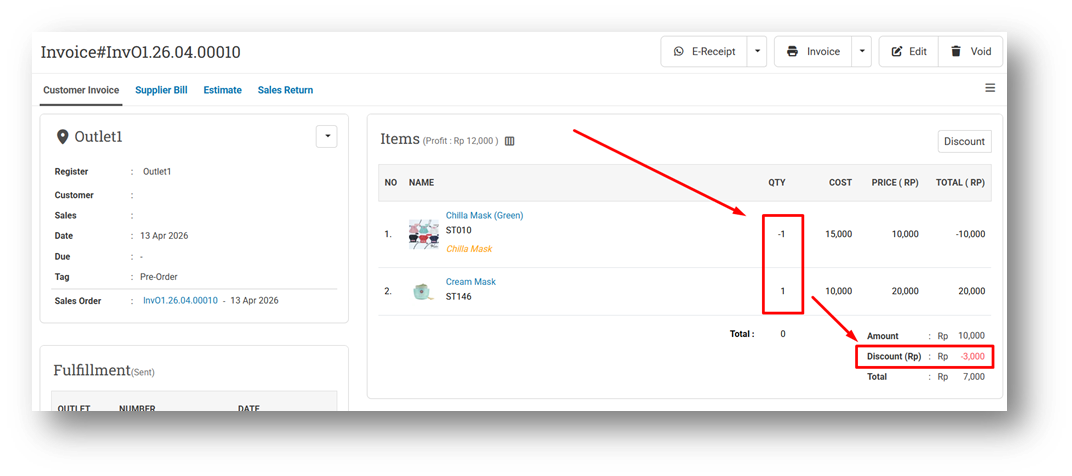
With this update, the system now handles transactions containing mixed quantities (positive and negative) more accurately. If all items have only positive or only negative quantities, the discount will be distributed as usual. However, if a transaction contains both positive (sales) and negative (returns) quantities, the discount will be allocated only to items with positive quantities, ensuring the calculation remains logical and consistent. This improvement has been implemented in both the Sell and Buy modules.
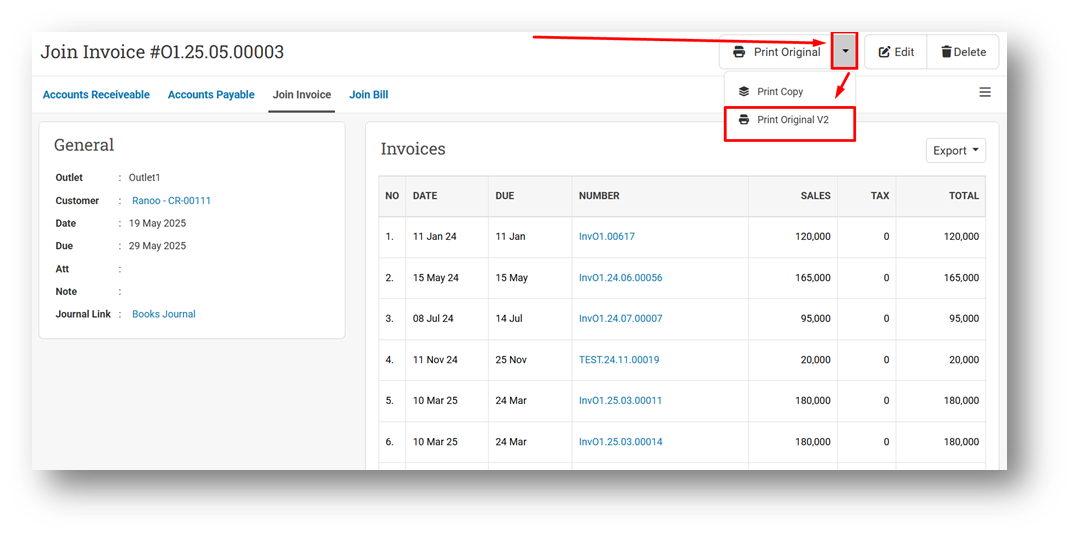
[Debt - Join Invoice] Join Invoice Printing Format V2
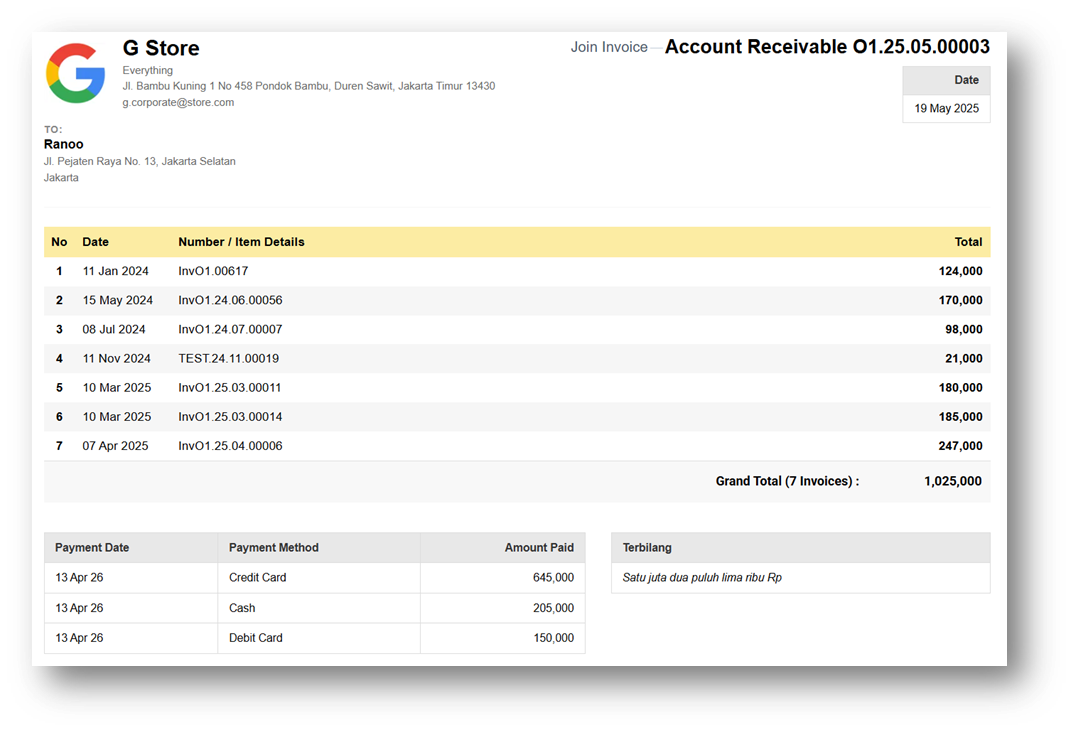
We’ve introduced a new standard printing format (V2) for Join Invoice, accessible from the Join Invoice Info page via the “Print Original V2” button. This allows users to generate invoices using the updated format directly from the transaction detail page.
The new V2 print format offers a more consistent and improved layout compared to the previous version. Users can still switch between V1 and V2 for now, but please note that the V1 format will be deprecated in future releases, so we recommend starting to use V2 moving forward.
Minor Improvements:
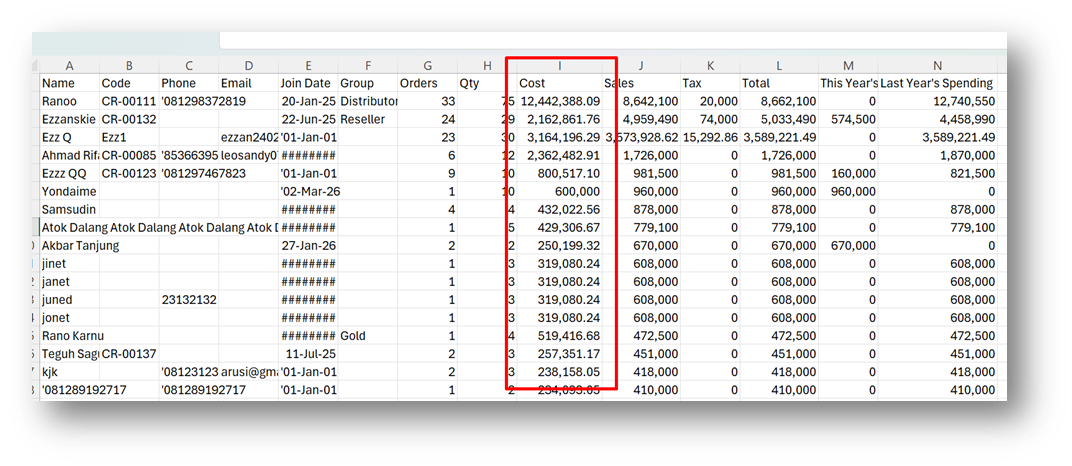
[Reports - Customer] Provide Cost Column in CSV Export
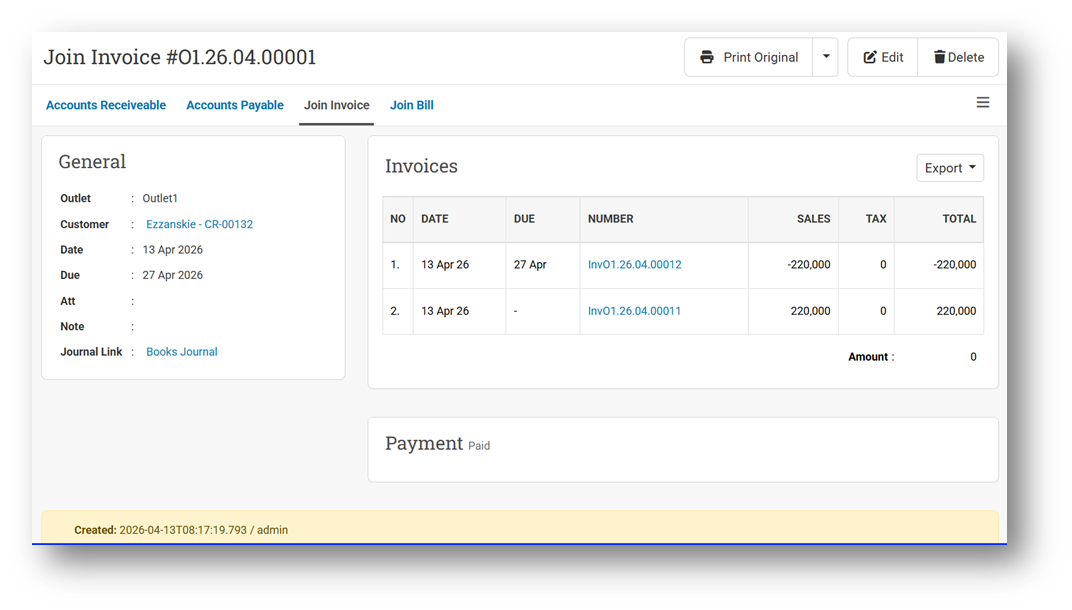
[Debt - Join Invoice] Auto-Set Join Invoice with Zero Amount to Paid Status
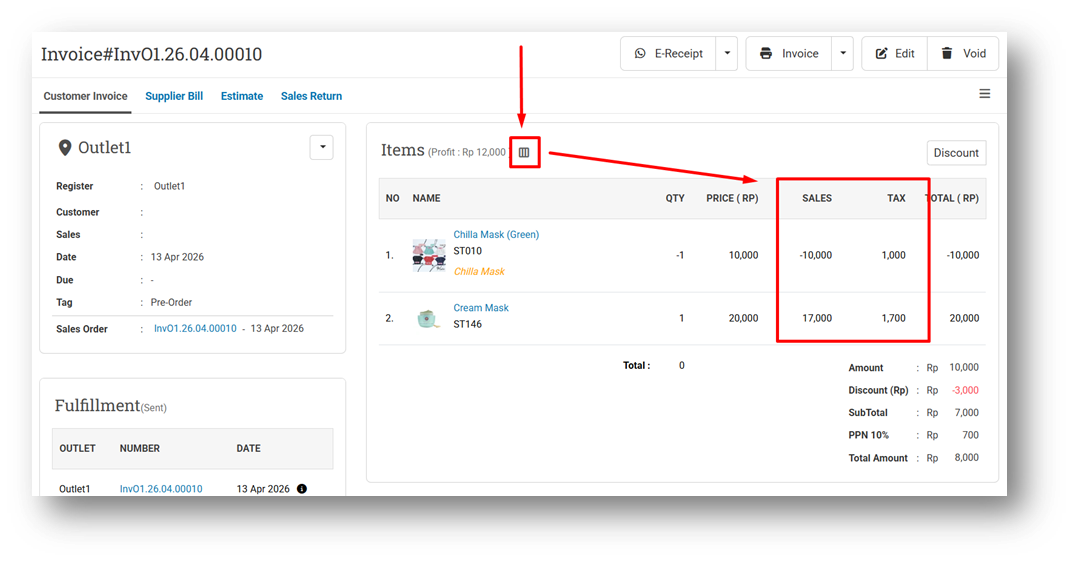
[Orders - Customer Invoice] Provide Item Net Sales & Tax on Customer Invoice Info
[Orders - Bulk Print] Implement Bulk Invoice CSS Advanced Settings from Tools App
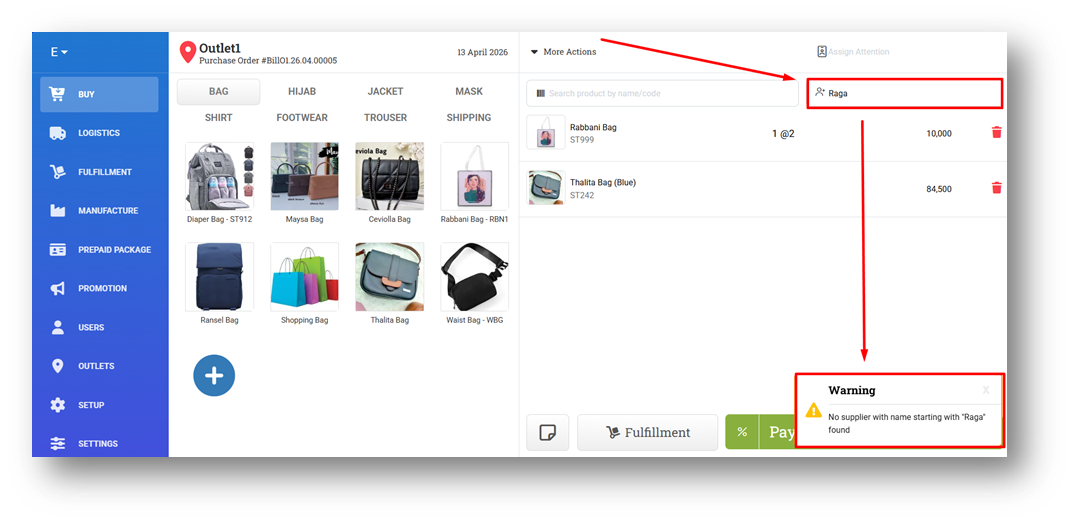
[Buy] Provide Warning Toaster When Assigning a Non-Existing Supplier
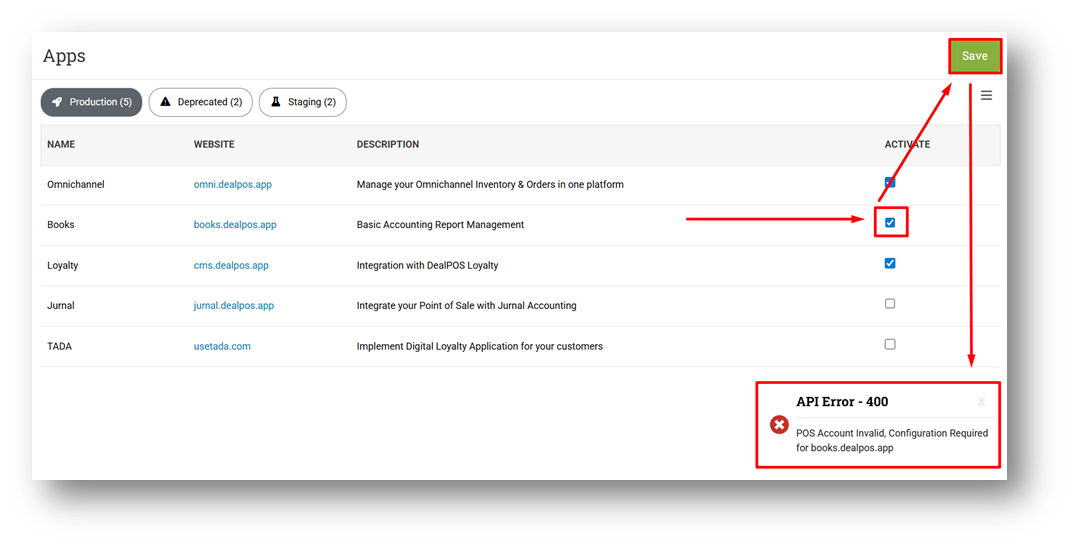
[Setup - Apps] Implement Configuration Warning Before App Micro-Service Submission
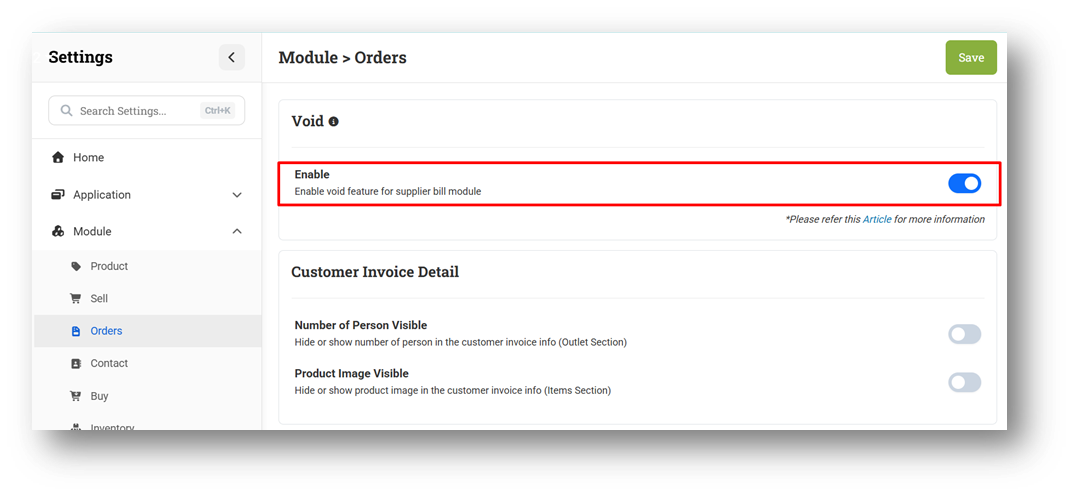
[Settings - Module (Orders)] Mandatory Void for Customer Invoice
We’ve updated the behavior in the Customer Invoice module by disabling permanent delete and enforcing the use of Void (soft delete). All invoices and sales orders will now be moved to the Recycle Bin when voided. If users still want to permanently remove data, they must perform a second step using Erase from the Recycle Bin. This replaces the previous option, where users could choose between void and delete in settings. Moving forward, this approach will be gradually applied to other modules to standardize deletion behavior across the system.
Bug Fixes:
[Contacts - Sales Person] Fix Missing Import Sales Person V1 Page Title
Patch 26.14.1 [15 Apr]:
[Reports - Products] Improve Query Performance for Brand Filter
[Orders - Customer Invoice]
Remove Column Toggle for No & Name Columns
Hide Checkbox for Unauthorized Users
[Buy] Fix Incorrect Tax Added Calculation For Negative Quantity Item
[Settings - Module (Orders)] Update Void Settings Description Due to Config Removal
Patch 26.14.2 [16 Apr]:
[Products - Form] Fix Users with 1 Outlet Only Cannot View Storage Location Table
[Reports (Purchase) - Outlet] Fix Incorrect Date Format on Hyperlink URL
[Payment - Daily] Restrict Maximum Date Range Filter
Patch 26.14.3 [20 Apr]:
[Orders - Invoice] Improve Write Off Items UI on Payment Card
[Payment - Write Off]
Provide Column Toggle
Display Sales & Tax Columns
[Buy] Fix Bill Return Does Not Turn Quantity Into Negative
Overall, this update further establishes the platform as a reliable Inventory Application for your retail businesses. Stay tuned for more updates, and don't hesitate to reach out if you have any questions or need support!