- DATE:
- AUTHOR:
- Ezzan
WebApp Version 26.16 Changelog
This update includes new features, essential performance improvements, and usability enhancements, ensuring your daily operations run smoothly. We've also addressed several bug fixes to enhance stability and reliability. DealPOS continues to evolve as a reliable POS Software designed to support retail business operations with better performance and usability.
Thank you for your continued trust and feedback, which help us deliver the best possible service.
New Feature:
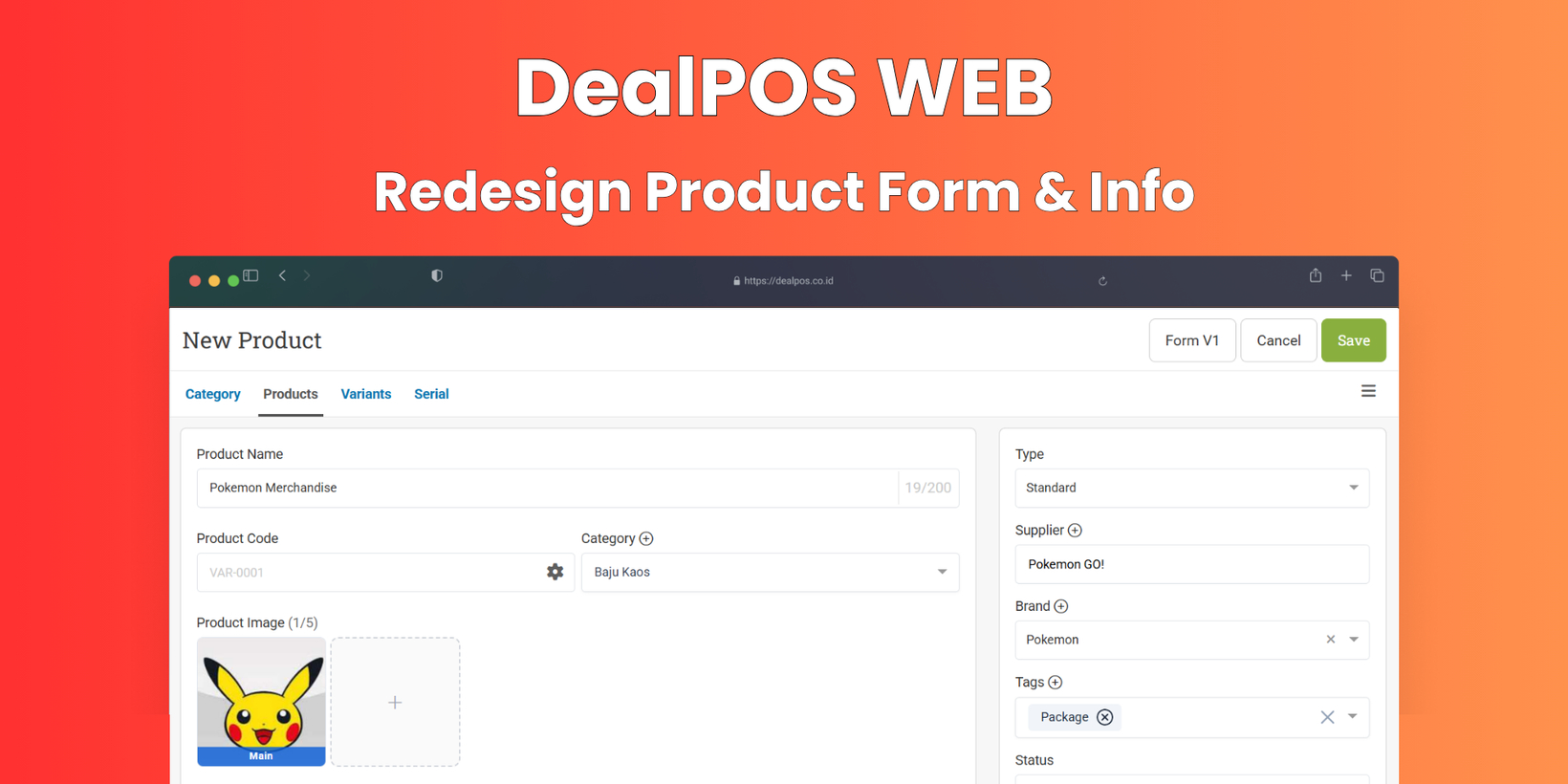
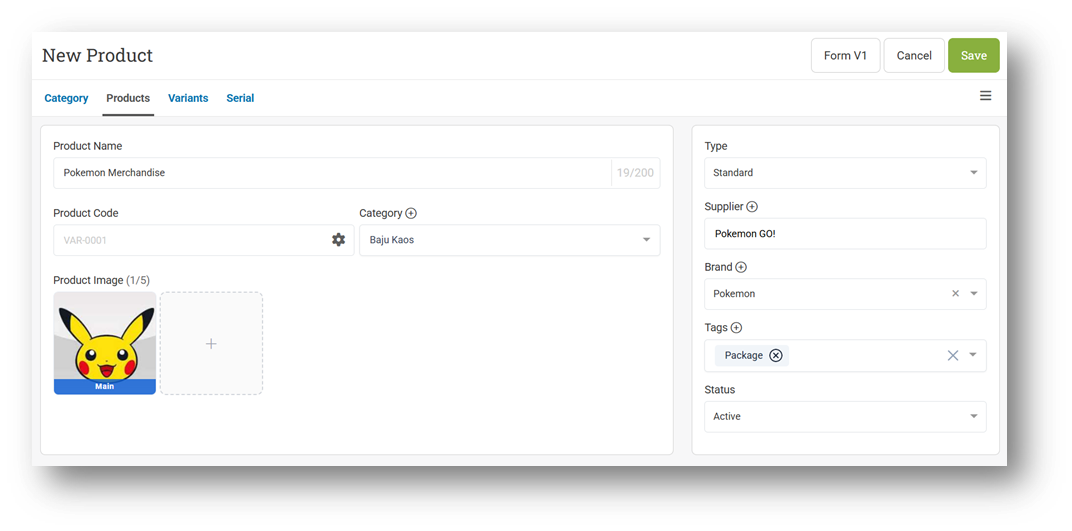
[Products] Redesign Product Form & Product Info
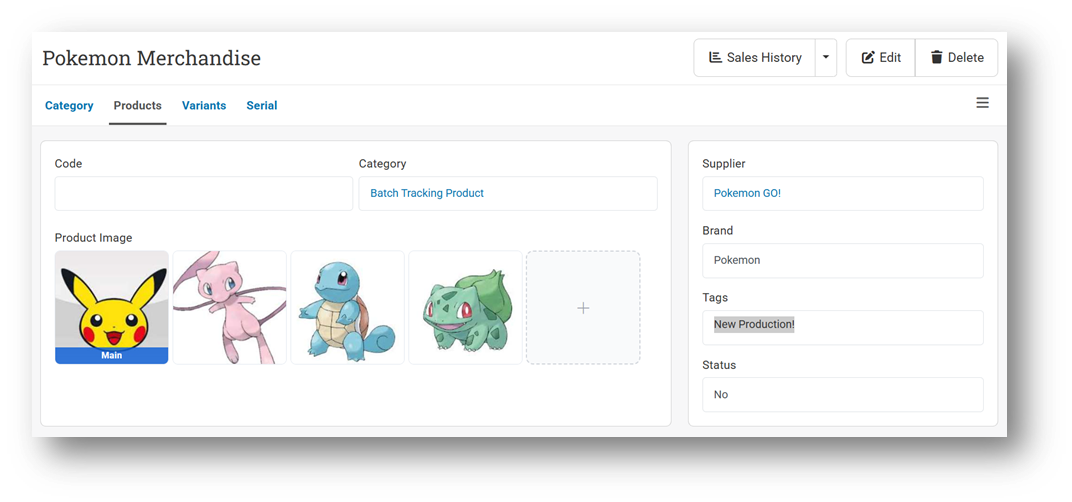
We’ve introduced a refreshed UI design for both the Product Form and Product Info pages, making the interface simpler, cleaner, and more user-friendly while maintaining a modern and stylish look. This redesign helps users navigate and manage product data more efficiently with improved layout and visual clarity.
The new design also enhances the Product Info page by presenting product details in a more structured and easy-to-read format, allowing users to quickly understand key information without unnecessary complexity. Users can then see the applied configuration directly in the print output, where the QR Code (or Barcode) is displayed based on the selected option and size, making it easier to scan during packing and fulfillment processes.
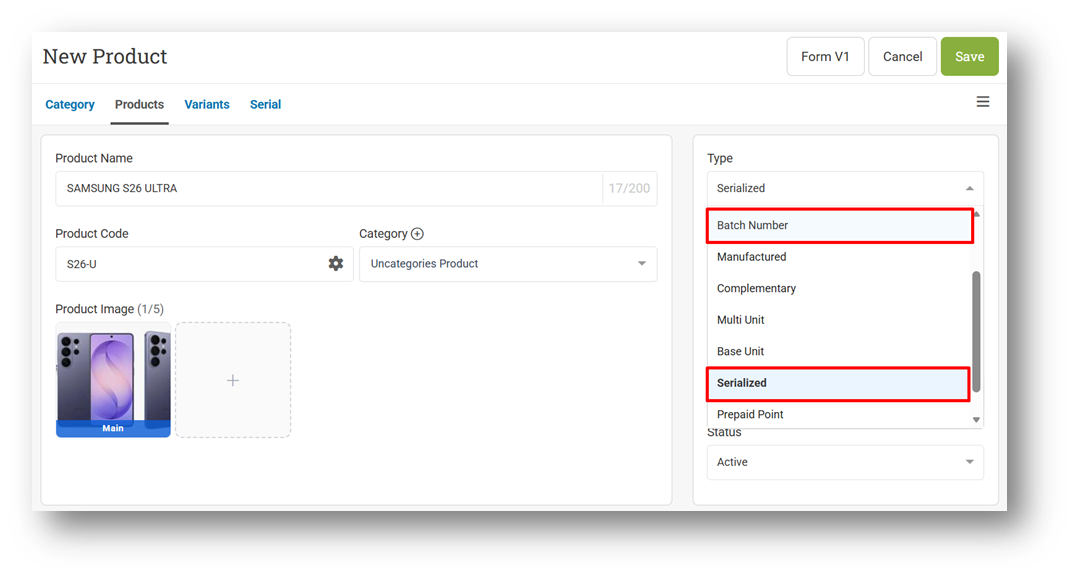
[Products] Separate Batch Number and Serialized Product Types
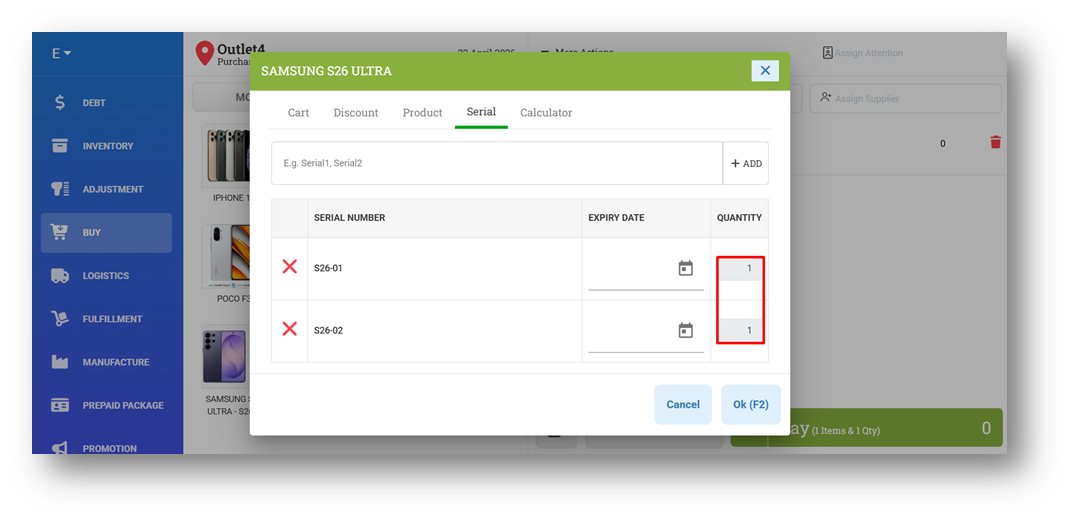
We’ve introduced a significant improvement by separating Batch Number and Serialized into two distinct product types. Previously, both shared the same behavior, allowing users to define quantities per batch or per serial (including values greater than 1, or even negative values). Now, Batch Number retains its original flexibility, where quantity per batch can still be more than one or negative if needed.
With the new Serialized type, each serial number is strictly limited to a quantity of 1 and cannot be negative, ensuring more accurate tracking for uniquely identified items. As before, the same serial number can still exist across different outlets, maintaining flexibility in multi-location operations.
This feature was developed based on customer request #11336
Minor Improvements:
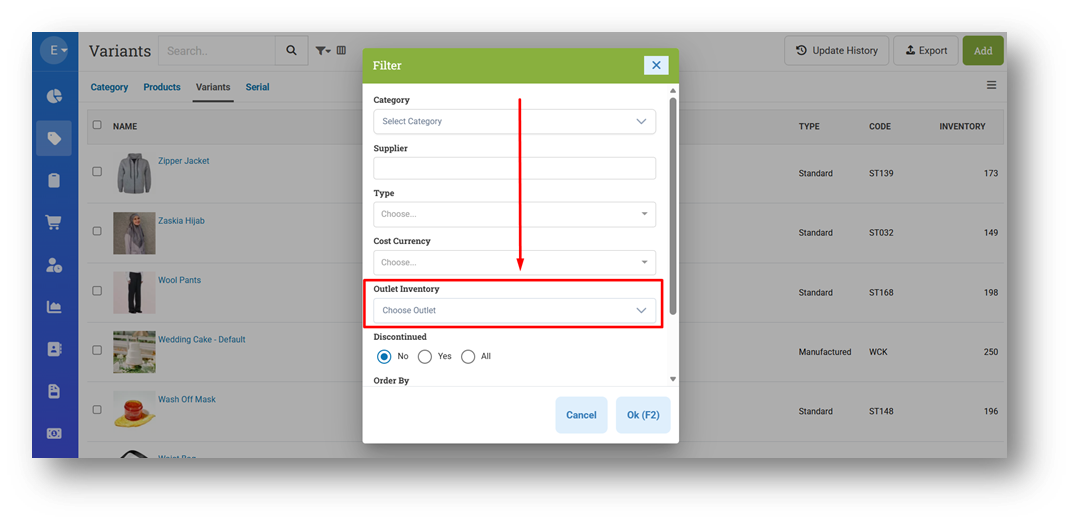
[Products - Variants] Provide Outlet Inventory Filter
This feature was developed based on customer request #13658
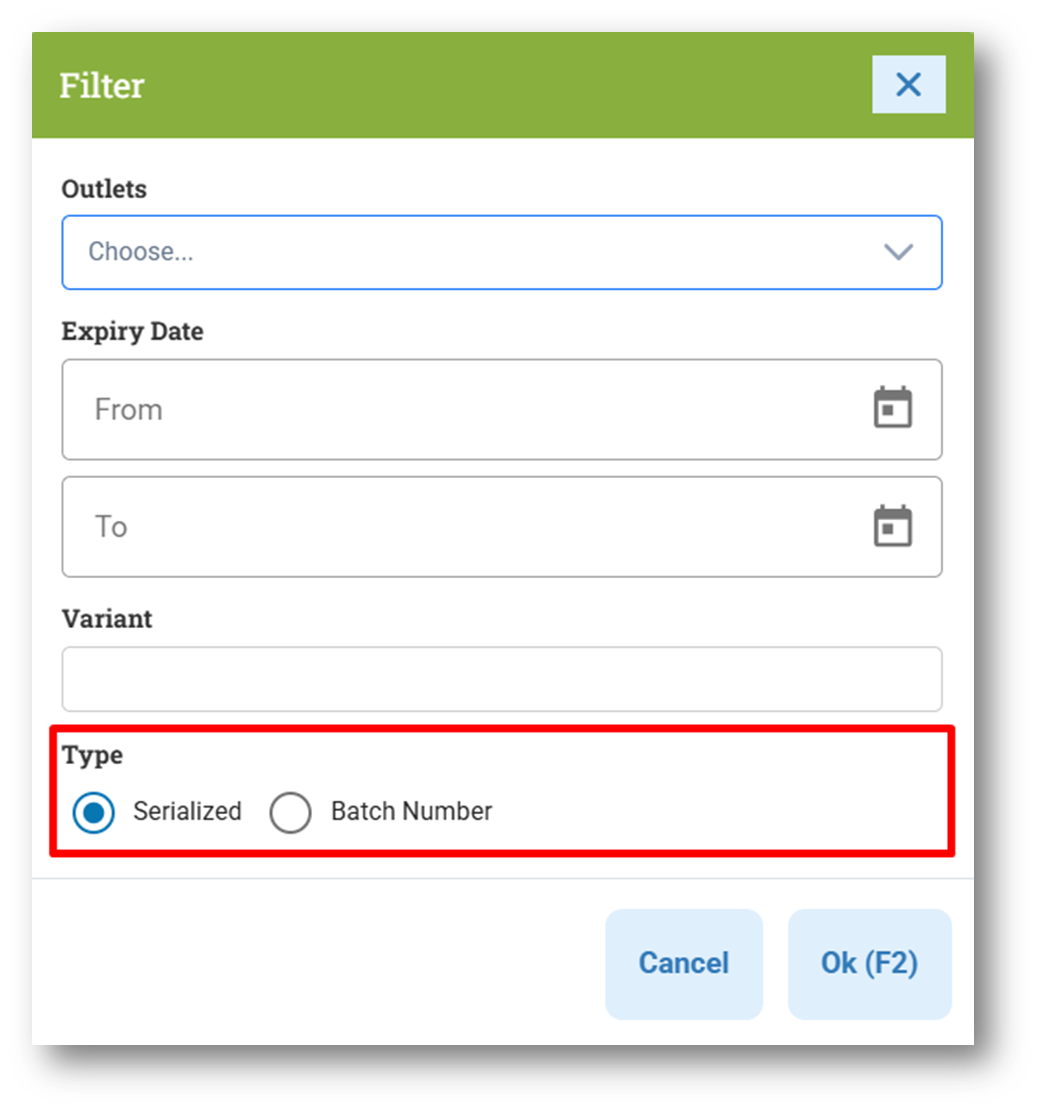
[Products - Serial] Provide Filter Product Type
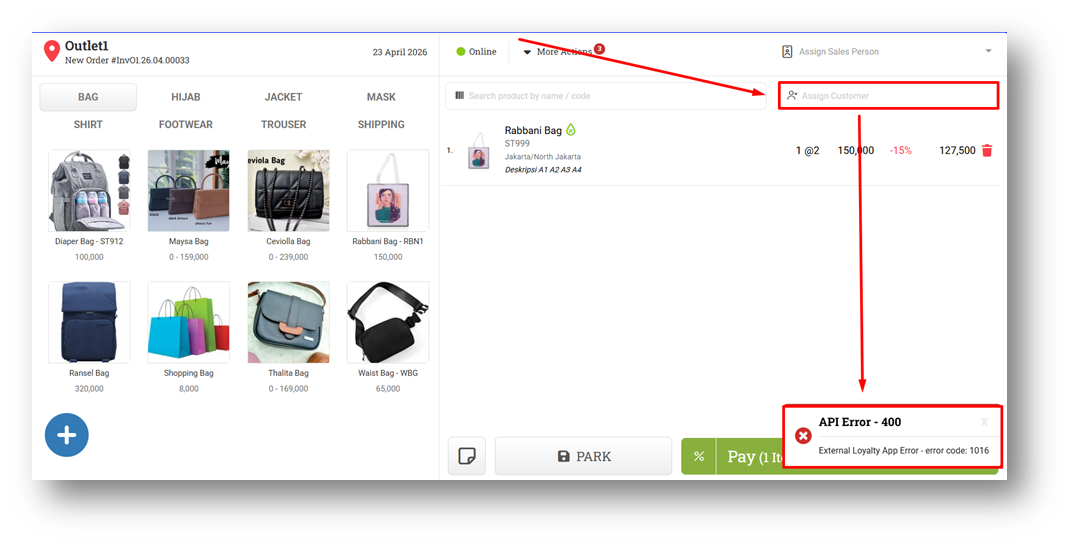
[Sell] Improve Toaster Message for Tada App Error Validation
[Orders - Customer Invoice]
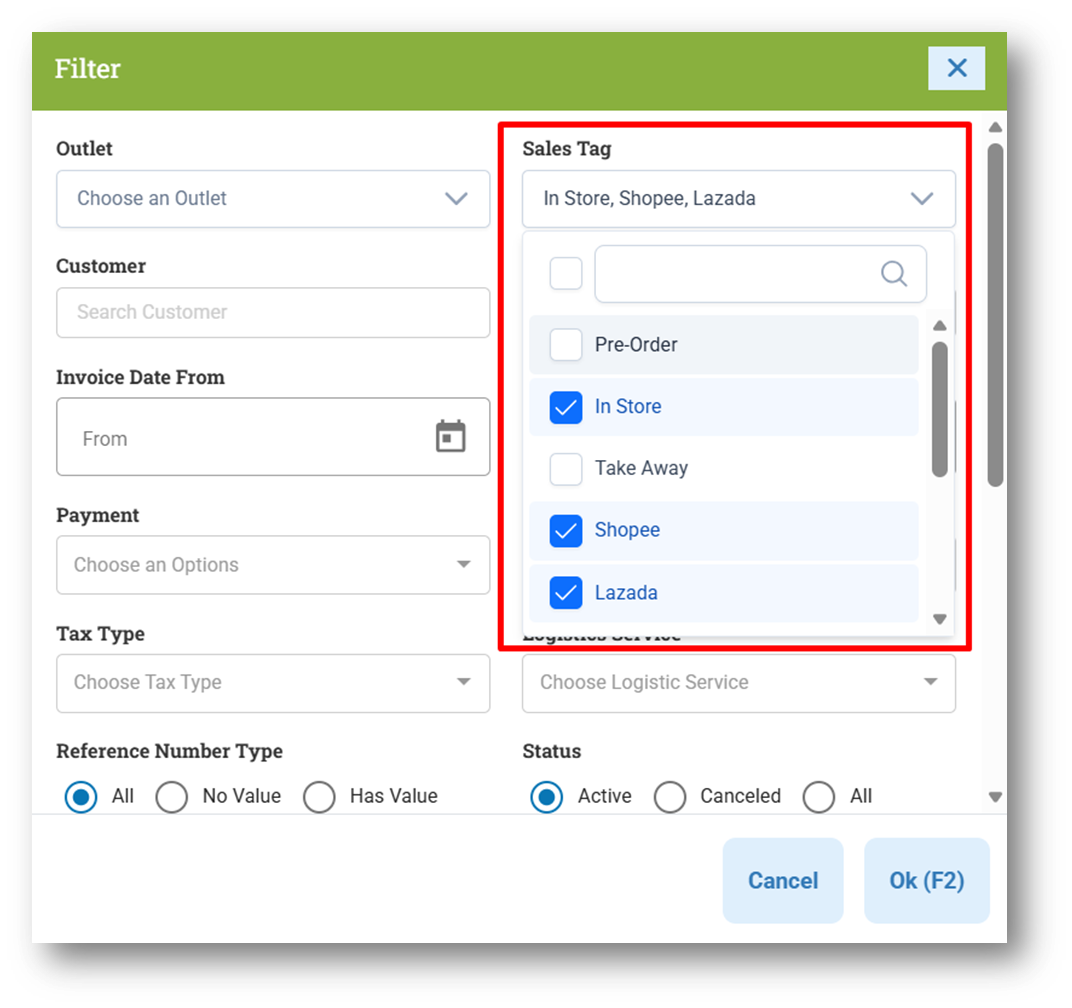
Provide Multi-Select for Sales Tag Filter in Invoice List
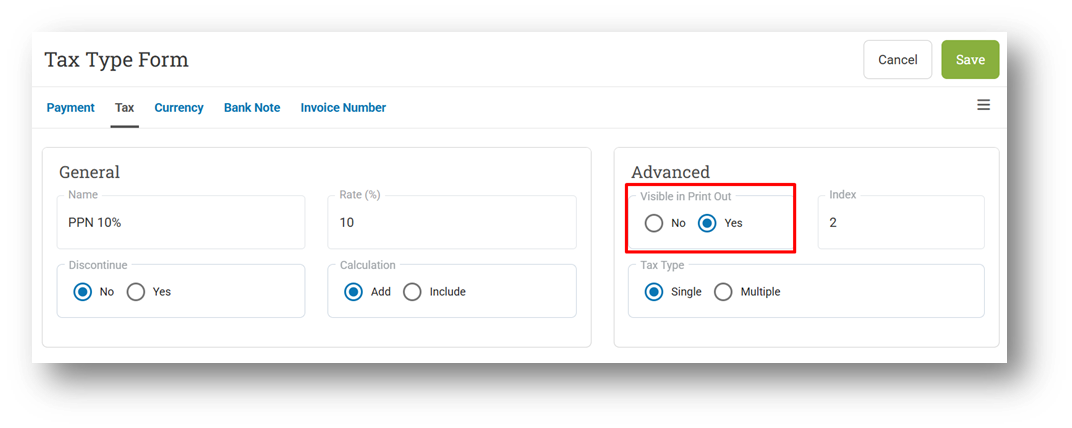
Remove Tax Visibility Settings Implementation from Invoice Info Page
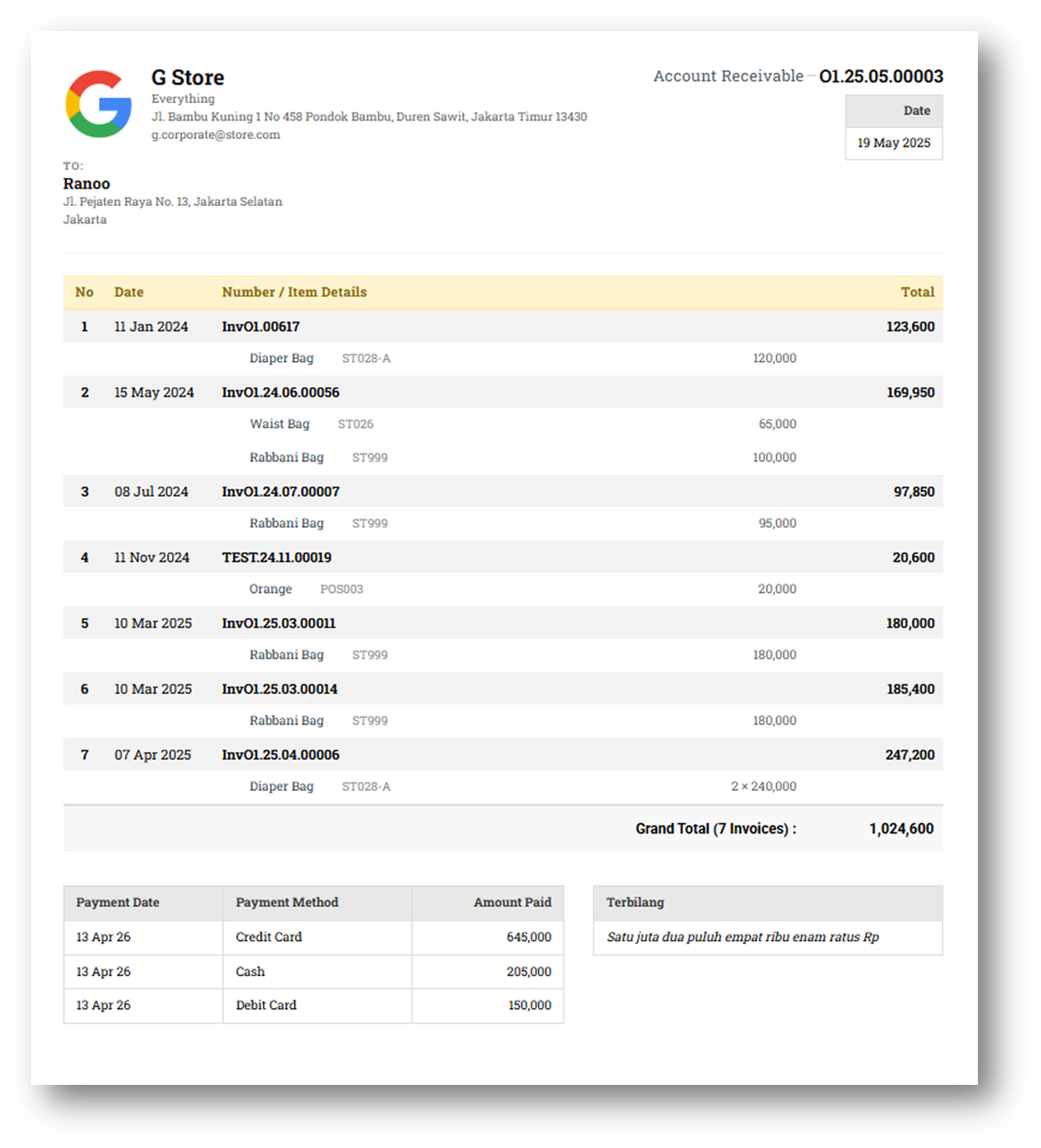
[Debt - Join Invoice] Improve New Join Invoice Printing UI
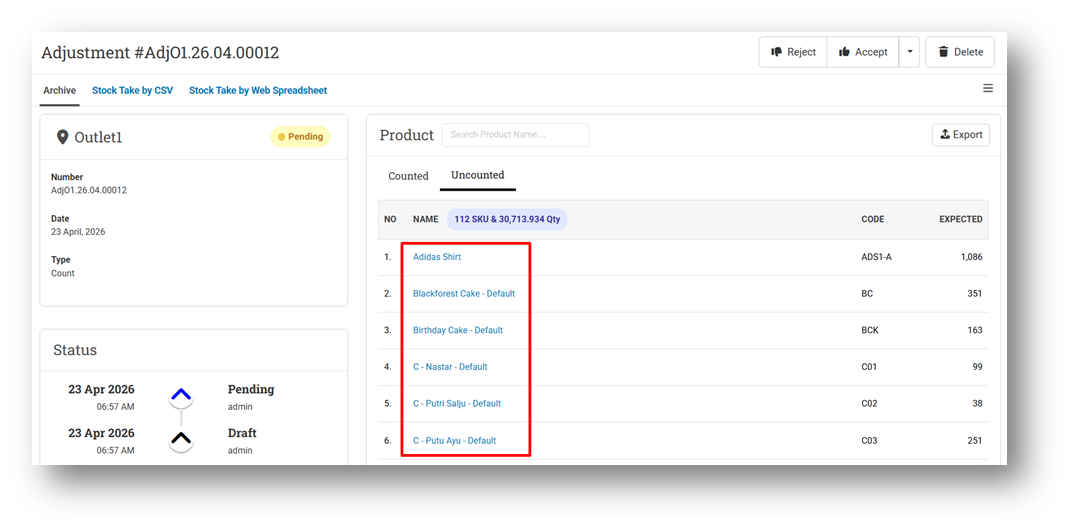
[Adjustment] Hyperlink Counted & Uncounted Item to Variant Info Page
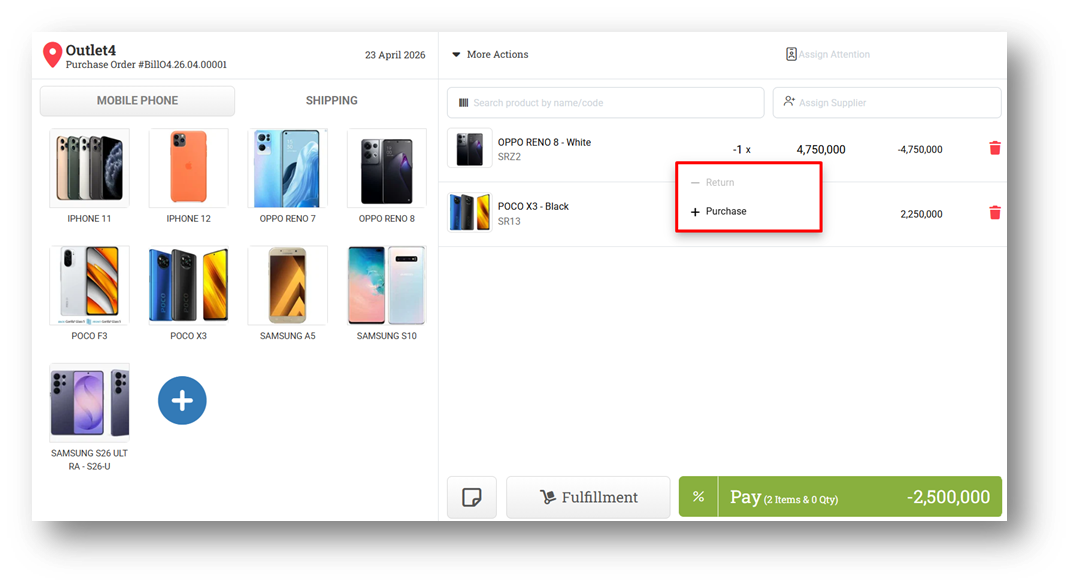
[Buy] Improve Item Quantity Button Condition
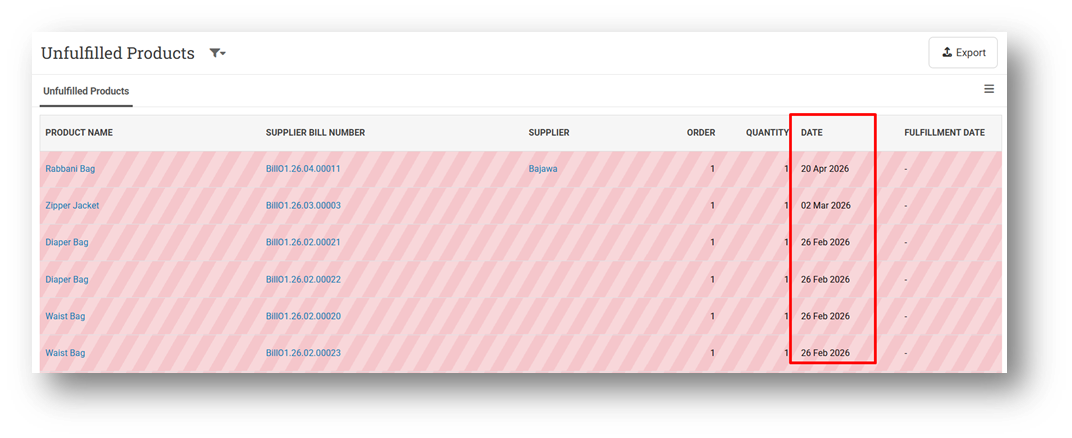
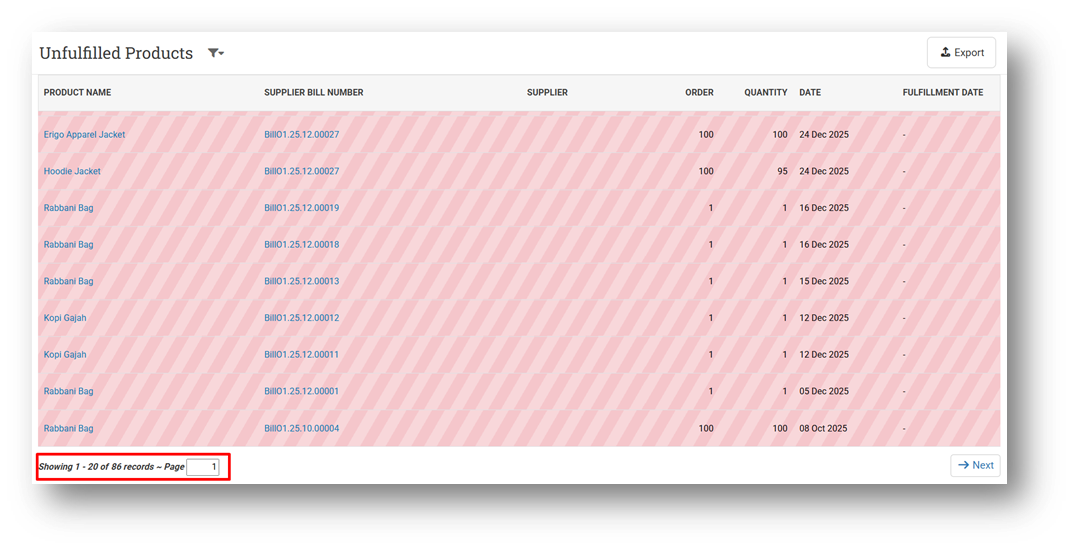
[Fulfillment - Product to Receive]
Order Record by Supplier Bill Date
Provide Row Count & Pagination
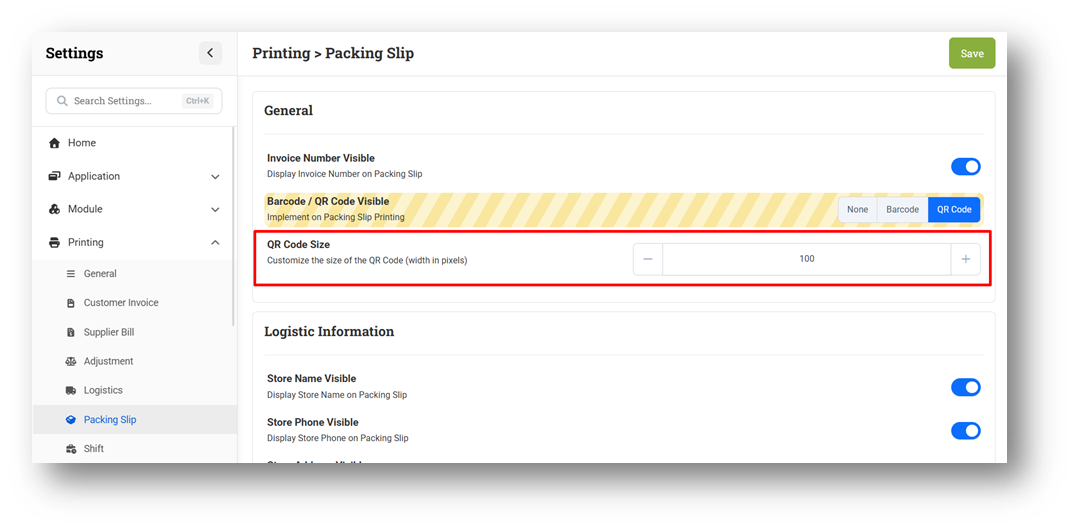
[Settings - Printing (Packing Slip)] Restrict Maximum Input for QR & Barcode Size
Bug Fixes:
[Products]
Fix AI-Generated Description Cannot Be Copied to Description Input
Fix AI Description Modal Cache When Opening Other Pages
Patch 26.16.1 [27 Apr]:
[Products]
Fix Users Cannot Add New Variant from Product From
Fix Missing Redirect to Variant Form for Specific Product Types
Fix Variant Name Not Saved to Display Name for Multi-Variant Products
Differentiate Discontinued Variant in Product Form
[Sell] Fix Users Cannot Sell Existing Serialized Product
[Orders - Invoice] Display Fulfillment Date Although Date Label Settings Empty
[Orders - Bill] Fix Batch Number Badge on Item Tables
[Buy] Fix Users Cannot Buy Batch Product with More Than 1 Batch Quantity
[Users - Group] Fix Report Days Range Restriction Validate Device Date Instead of Server Date
Patch 26.16.2 [28 Apr]:
[Products - Variants]
Fix Missing Inventory Tab for Batch Number Product in Variant Info
Fix Missing Outlet Group Inventory Tab for Batch Number Product in Variant Info
[Reports - Products] Fix Incorrect Sales Amount for Item with Negative Quantity
Patch 26.16.3 [29 Apr]:
[Buy] Fix Incorrect Negative Net Purchase (COGS) for Negative Quantity Item
Patch 26.16.4 [4 May]:
[Contacts - Customer] Prevent Duplicate Customer Records Creation
[Debt - Join Invoice] Remove HTML Tag from Payment Note on Printing
[Adjustment - CSV] Allow Users to Adjust Base Unit Product via Adjustment CSV Menu
Overall, this update further establishes the platform as a reliable Inventory Application for your retail businesses. Stay tuned for more updates, and don't hesitate to reach out if you have any questions or need support!