- DATE:
- AUTHOR:
- Ezzan
WebApp Version 26.19 Changelog
This update includes new features, essential performance improvements, and usability enhancements to ensure your daily operations run smoothly. We've also addressed several bug fixes to enhance stability and reliability. DealPOS continues to evolve as a reliable POS Software designed to support retail business operations with better performance and usability.
Thank you for your continued trust and feedback, which help us deliver the best possible service.
New Feature:
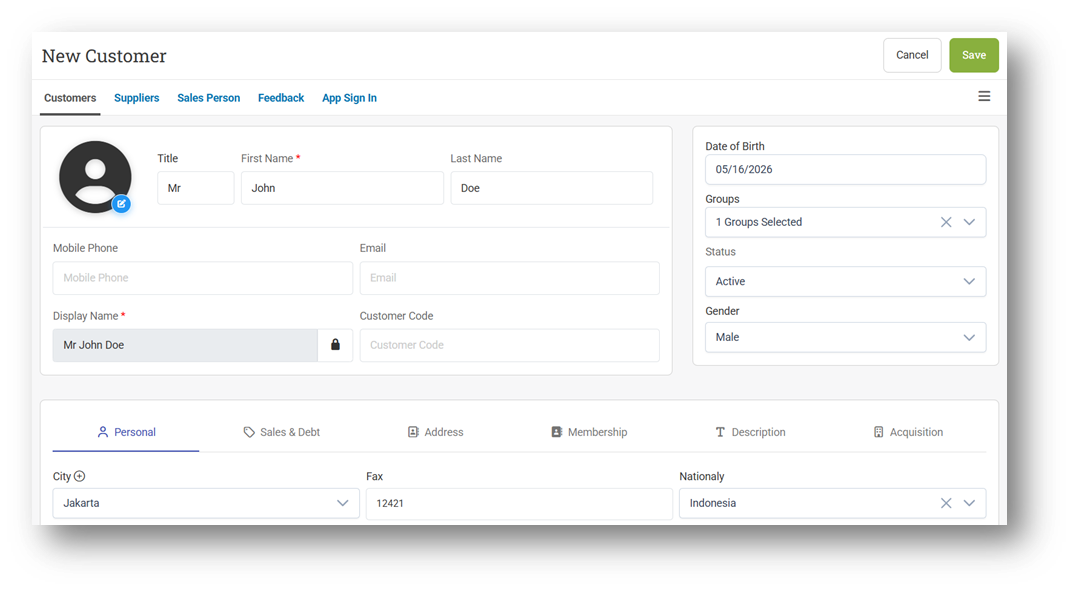
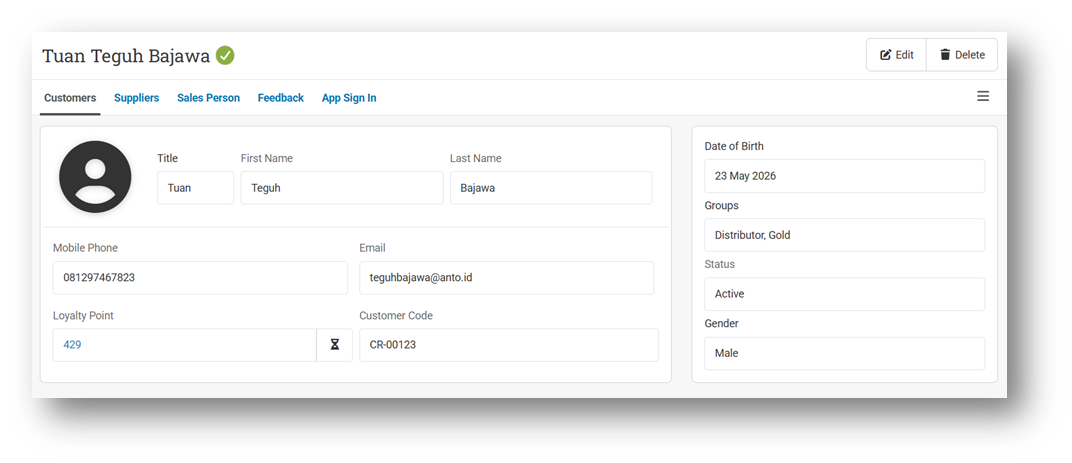
[Contacts] Redesign Customer & Supplier Pages
We’ve redesigned the Customer & Supplier Form pages with a cleaner and more modern layout to improve usability and make customer data management more comfortable and intuitive.
The Customer & Supplier Info pages have also been revamped with a more structured and stylish appearance, making important customer information easier to read and navigate.
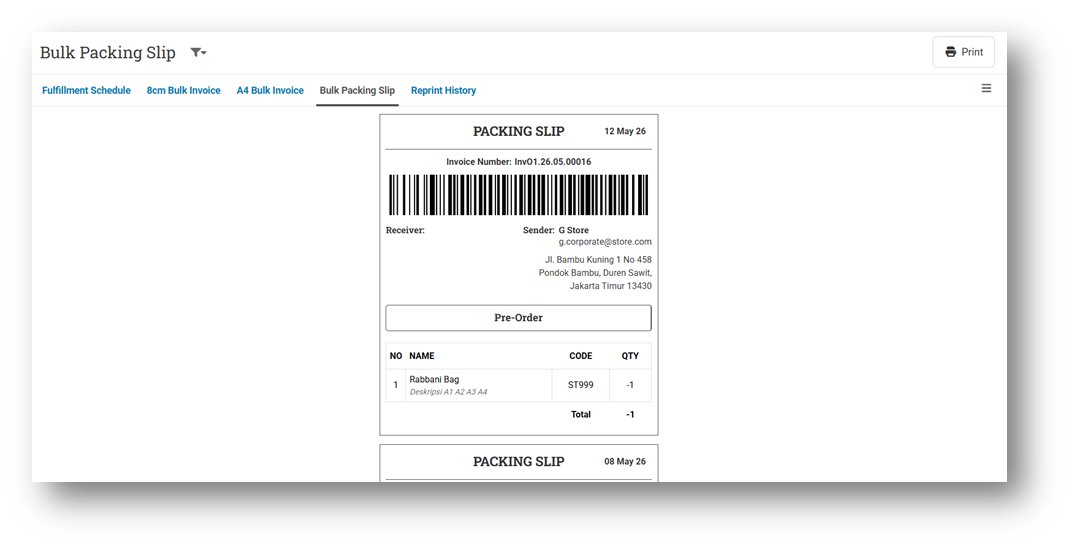
[Orders] Bulk Print for Packing Slip
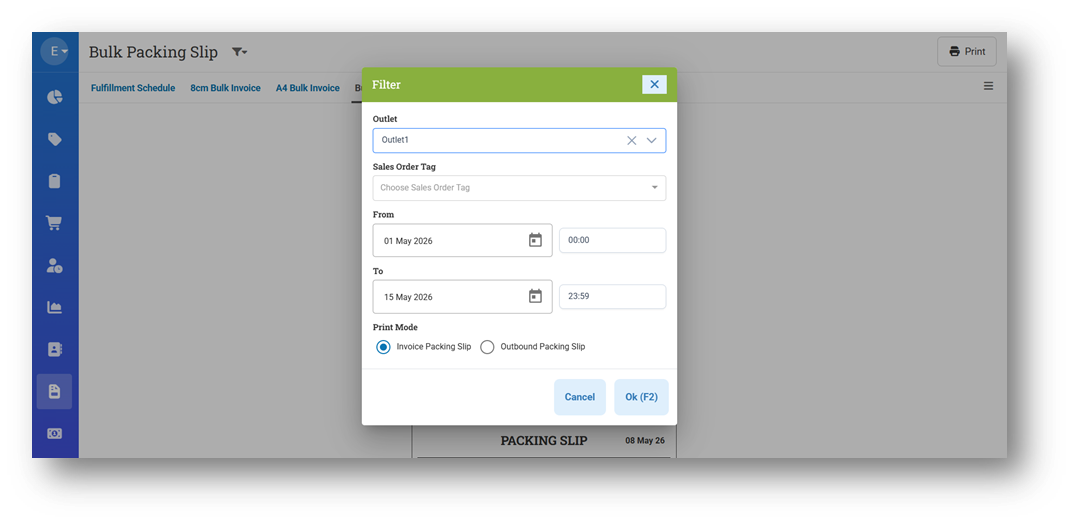
We’ve introduced a new Bulk Print feature for Packing Slip, allowing users to generate and print multiple packing slips in a single process. Users can choose to print based on Invoice or Outbound, making the workflow more flexible depending on operational needs.
Users can also filter transactions by date or date range before generating the packing slips, helping streamline large printing batches and improving fulfillment efficiency.
This feature was developed based on customer request #13538
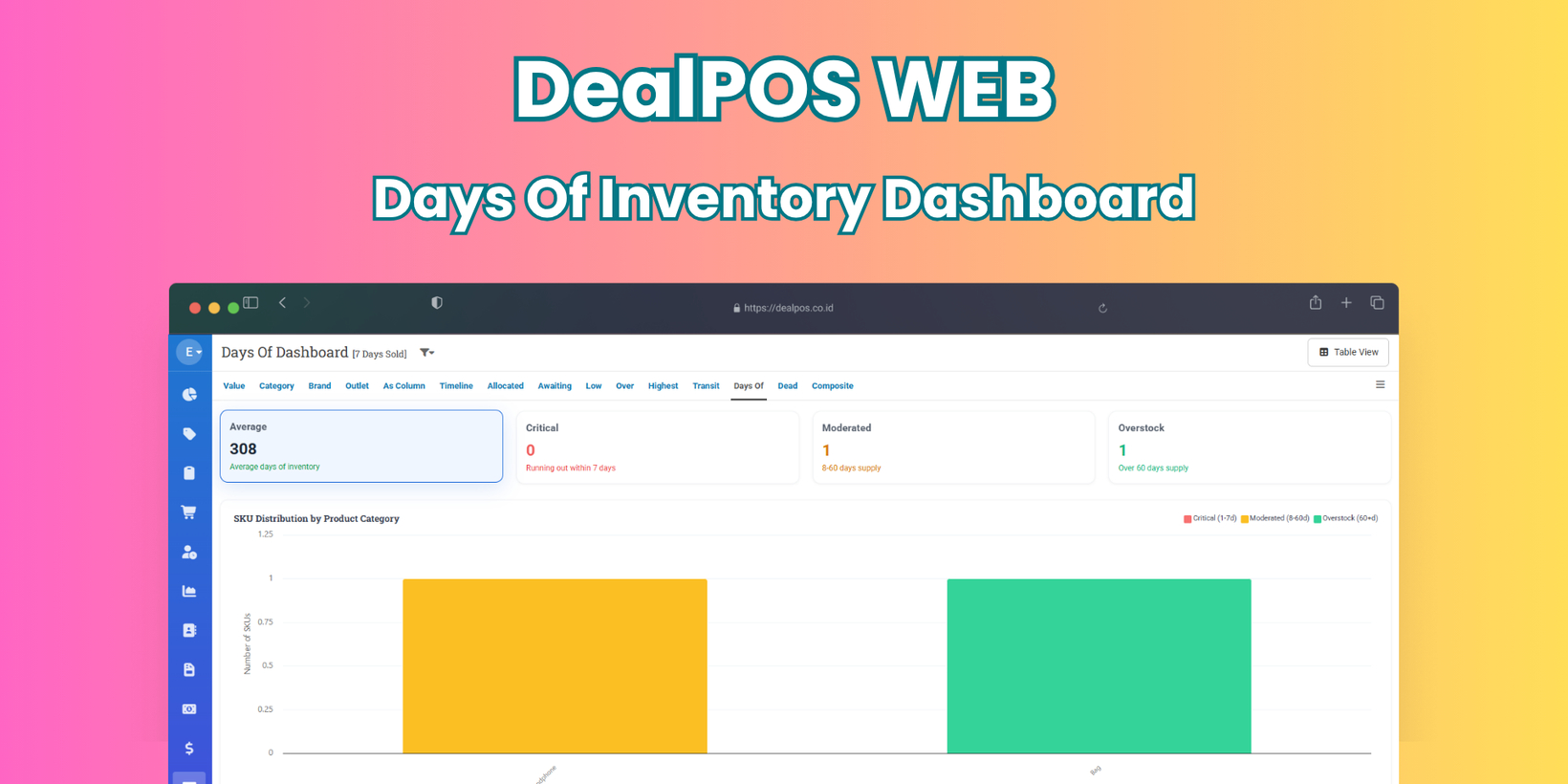
[Inventory - Days Of] New Dashboard for Tracking Days Of Inventory
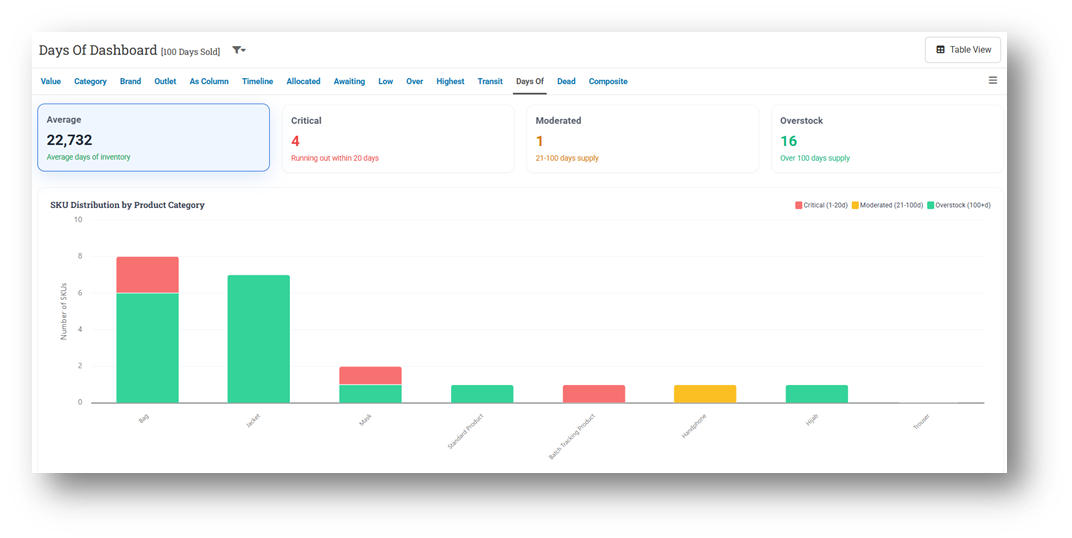
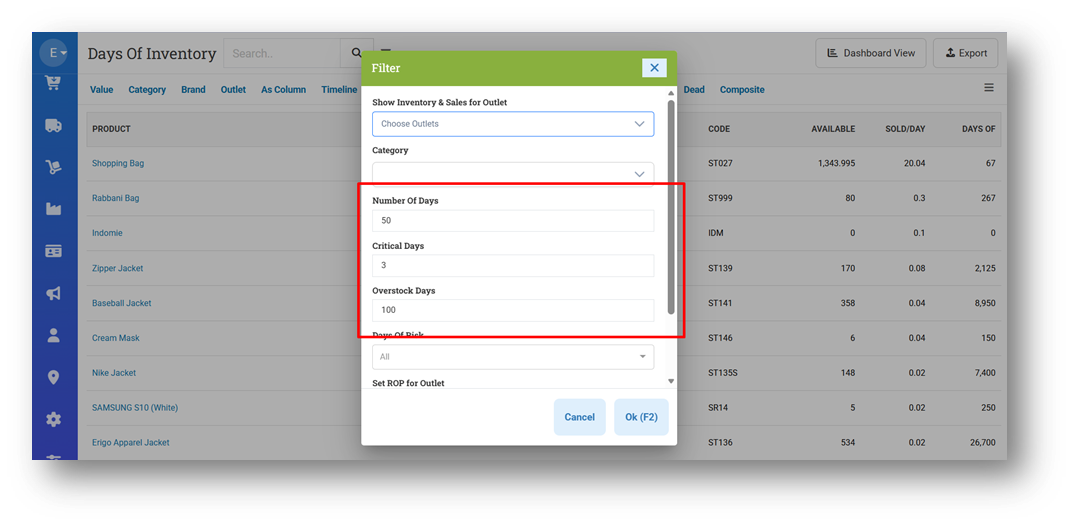
The new Days of Inventory Dashboard provides better visibility into inventory conditions by estimating how long current stock will last based on recent sales activity. By default, the system calculates inventory coverage using sales data from the last 7 days, helping users quickly identify products that may run out soon or remain overstocked for an extended period. The dashboard also includes customizable inventory categories such as Critical, Moderate, and Overstock, allowing businesses to define their own stock monitoring thresholds directly from the Settings menu.
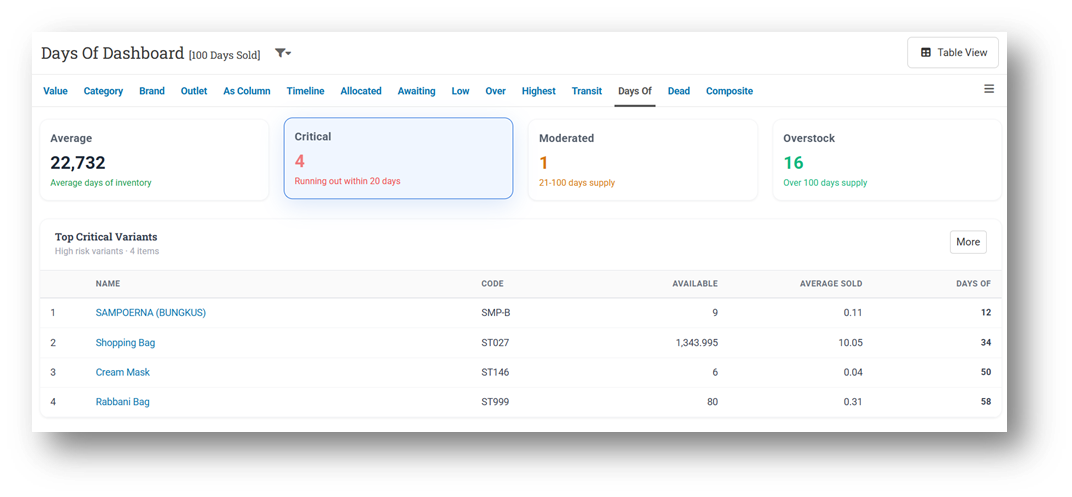
The dashboard now features four summary cards that display the average inventory coverage across all products, along with separate totals for Critical, Moderate, and Overstock items. Users can click any category card to instantly view the top 10 products within that inventory condition, making stock analysis faster and more practical for daily operations.
To support deeper inventory analysis, we’ve also introduced the new Days of Inventory List page. This page allows users to explore complete inventory coverage data with category-based filtering, including automatic filters that apply when accessing the page directly from the dashboard’s category cards or the “More” button.
This feature was developed based on customer request #14195
Minor Improvements:
[Products] Enhance Instant Save (0.3s) After Quick Product Edit
[Sell]
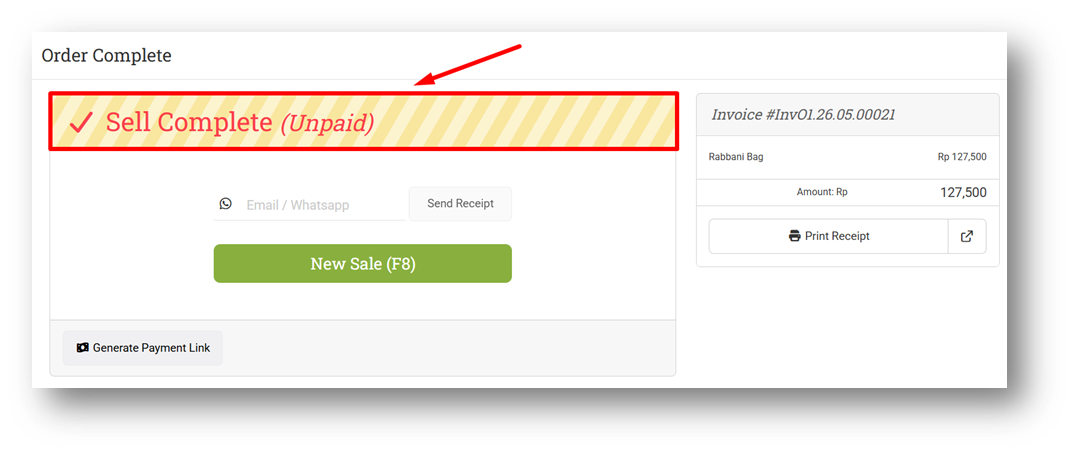
Improve Warning Status Clarity in the After-Sell Page
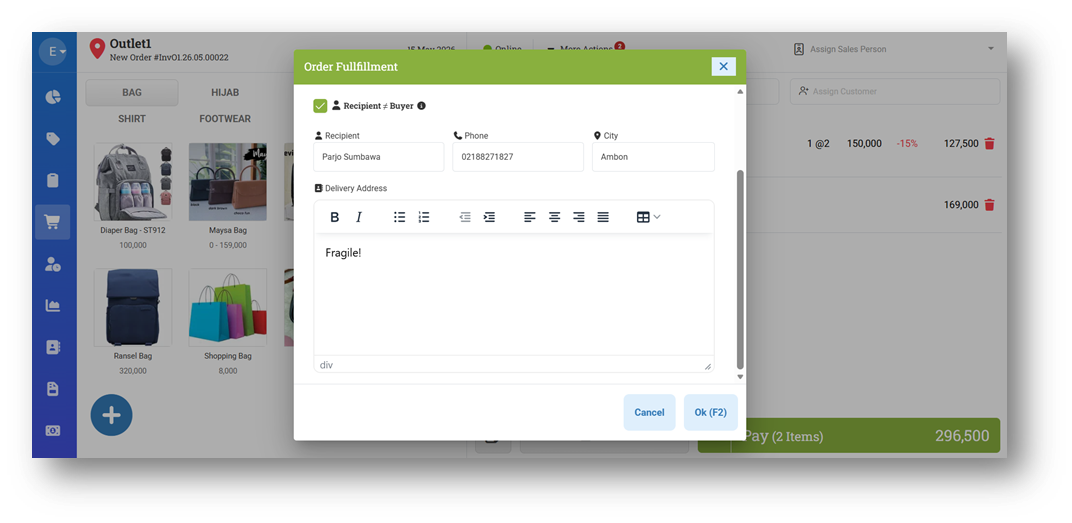
Allow Users to Update Recipient While Reparking Order
[Reports - Customer]
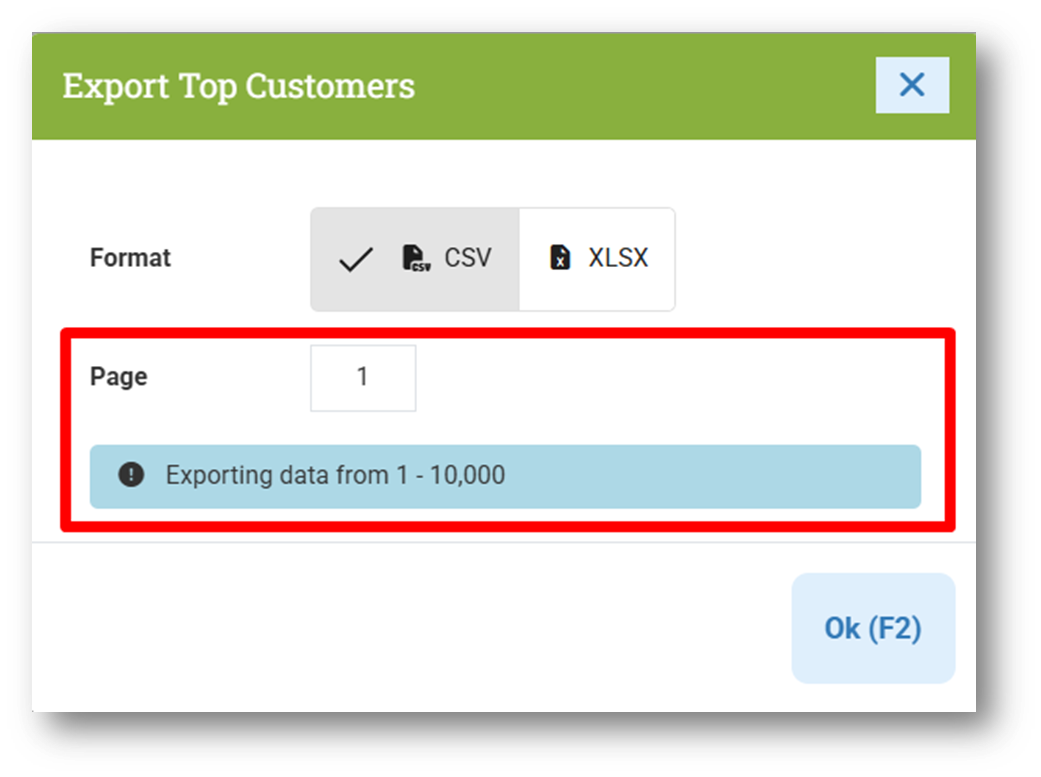
Set Default Export Row to 10K
Provide Export Pagination
[Contacts - Customers]
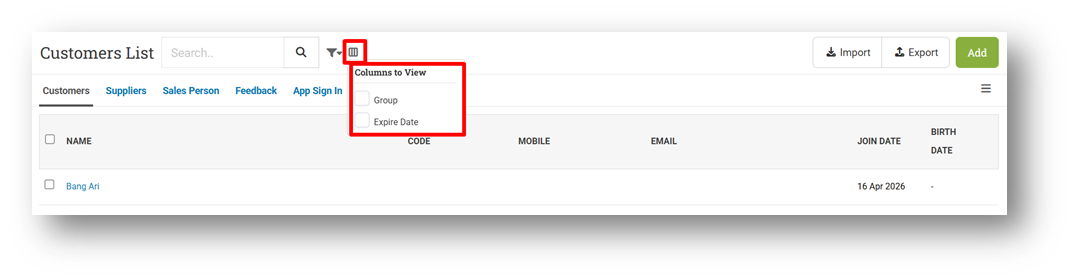
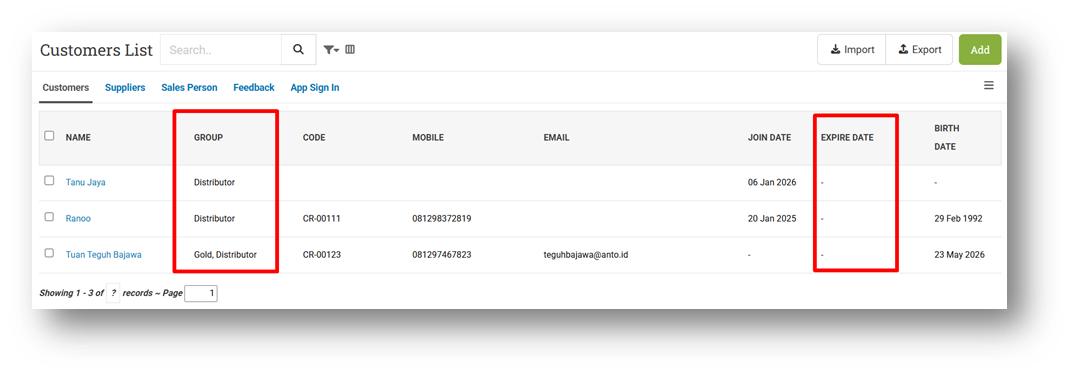
Provide Column Toggle
Provide Customer Group & Expired Date Columns
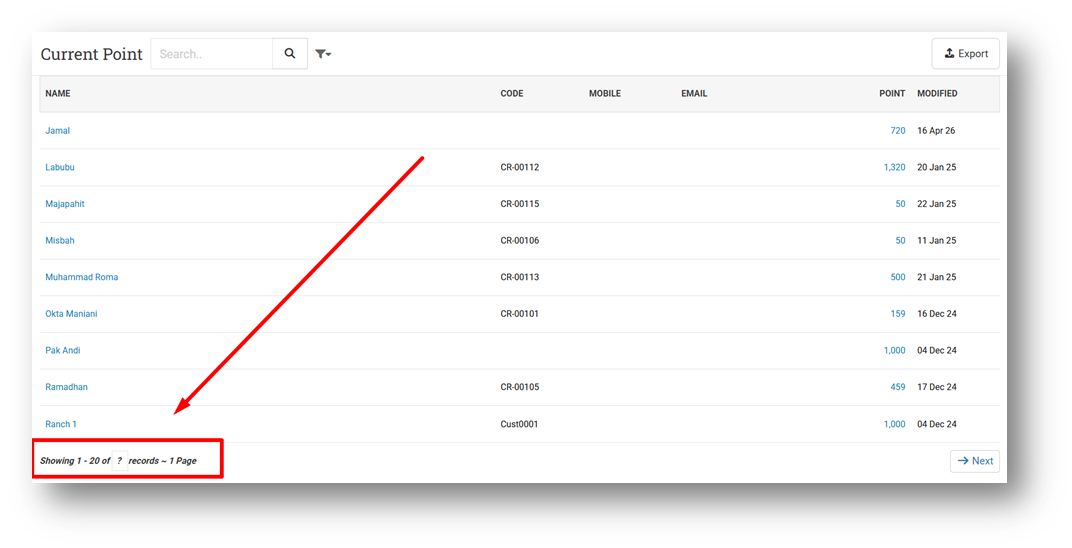
[Contact - Current Point] Provide Pagination & Row Count
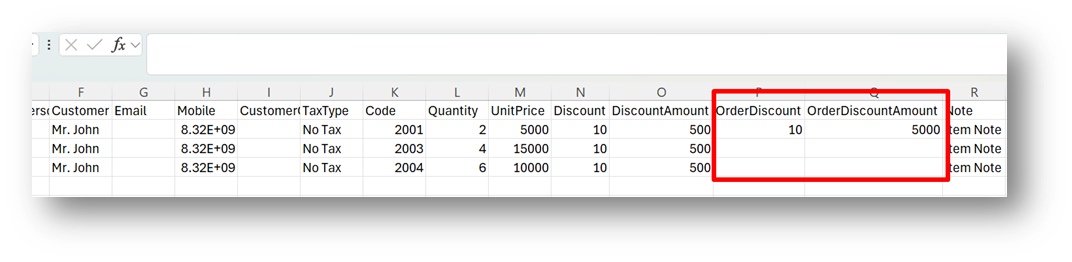
[Orders - Invoice] Allow Users to Import Invoice with Order Discount
This feature was developed based on customer request #14102
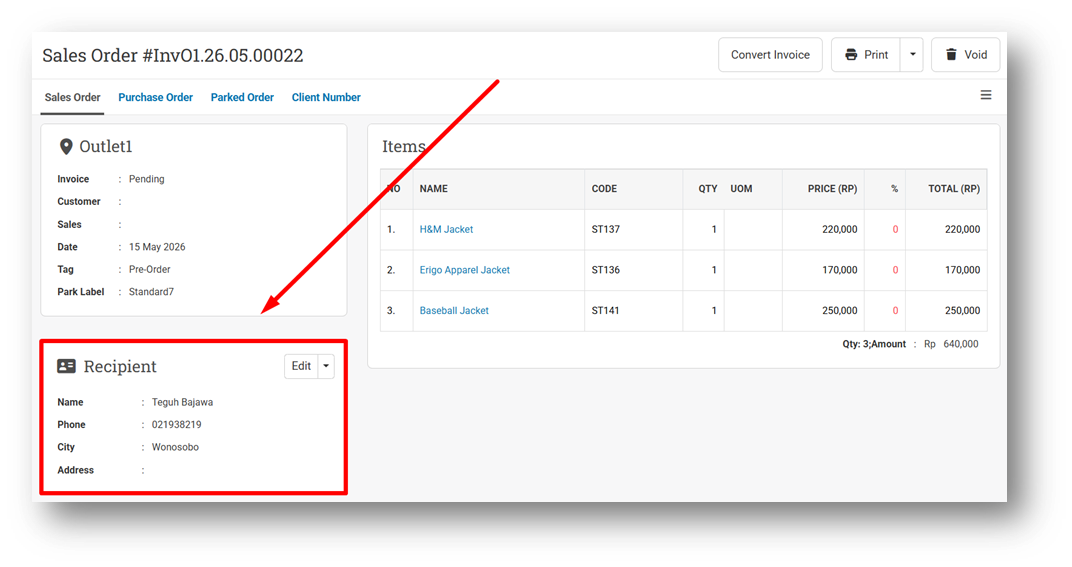
[Orders - Sales Order] Provide Customer Recipient Card in Sales Order Info
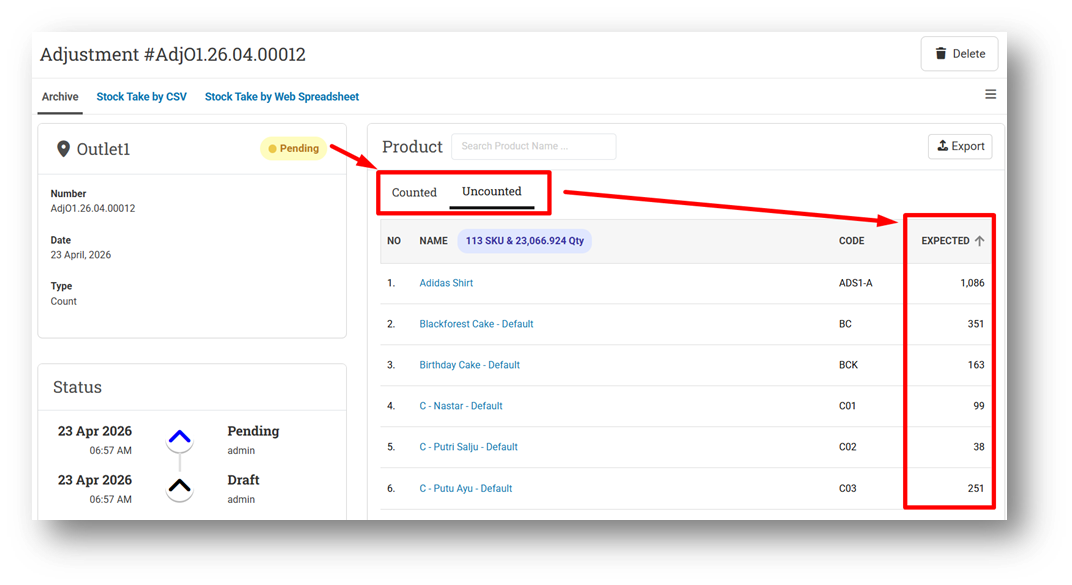
[Adjustment] Provide Sort Feature for Counted & Uncounted Tables in Info Page
This feature was developed based on customer request #14805
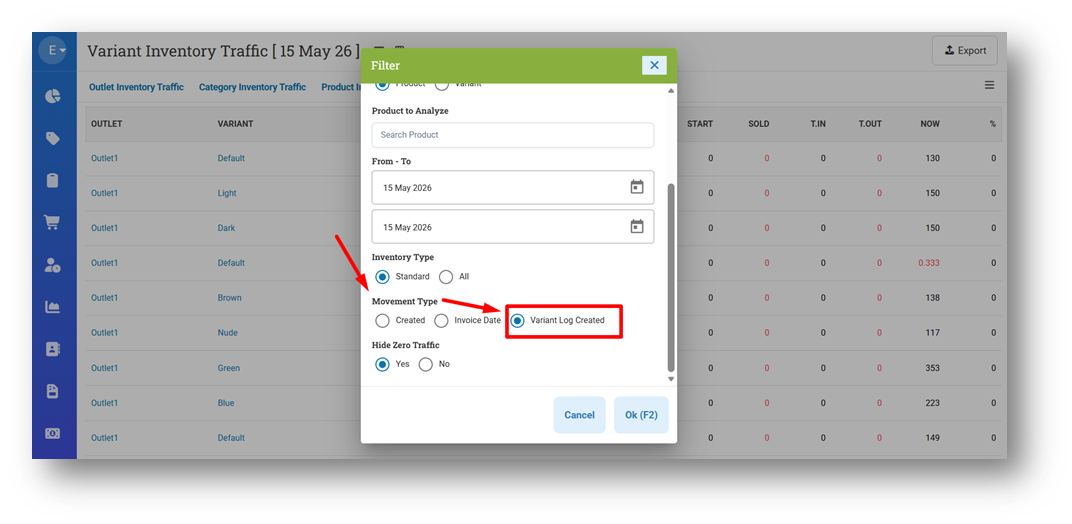
[Inventory - Variant Traffic] New Variant Log Option for Movement Type Filter
We’ve added a new Movement Type filter option to the Inventory Traffic Based on Variant menu to provide more flexible inventory analysis and improve the accuracy of data comparisons. This enhancement helps users better align inventory movement results when comparing data between the Inventory Traffic and Inventory Timeline modules, making stock movement analysis more consistent and easier to understand.
[Inventory - Days Of]
Improve Value for Negative Days Of
Exclude Product Type with No Inventory from Query
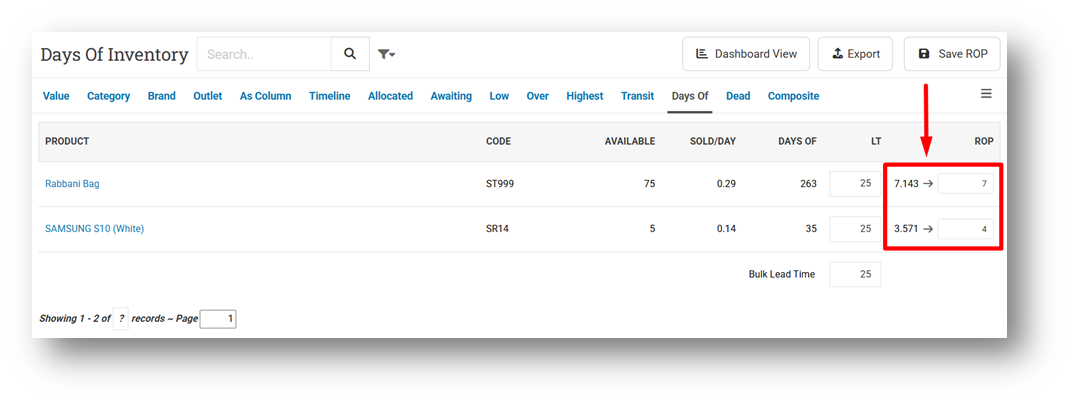
Implement Quantity Fraction Digit for ROP Field & Submit Payload
This feature was developed based on customer request #13394
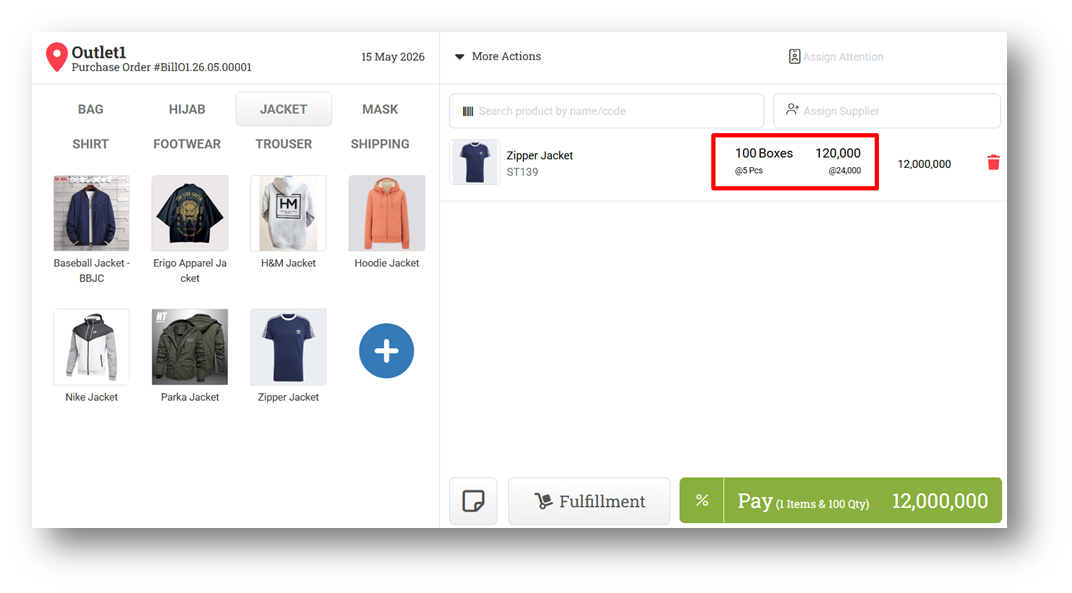
[Buy] Improve Variant Content & UOM Position in Buy Form
This feature was developed based on customer request #14430
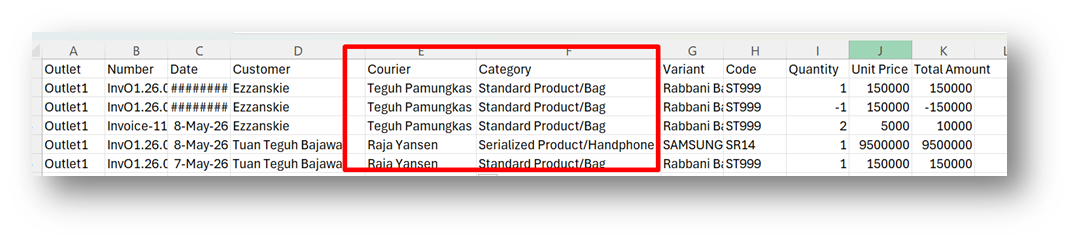
[Logistics - Outbound Report Details] Provide Product Category & Courier Information in CSV Export
This feature was developed based on customer request #14608
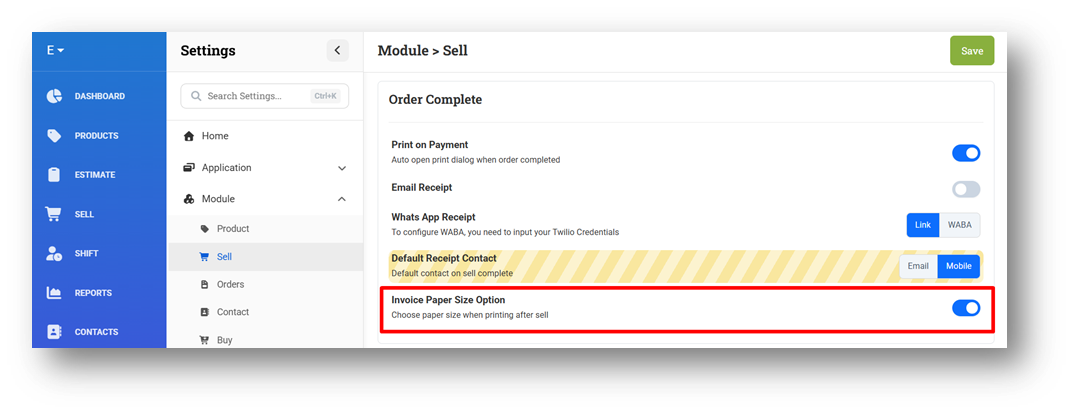
[Settings - Module (Sell)] Invoice Paper Size Option Settings
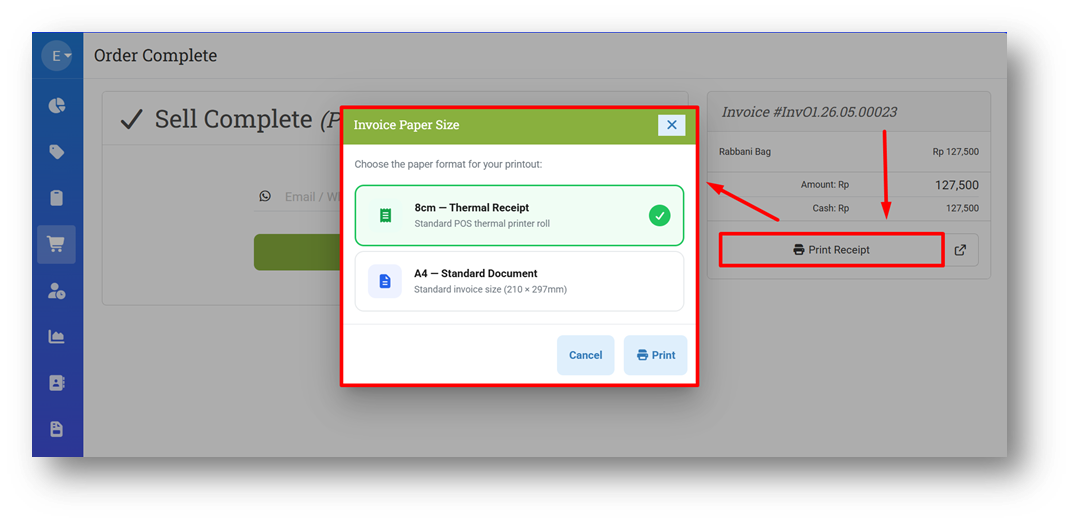
We’ve introduced a new Invoice Paper Size Option setting that provides more flexibility when reprinting sales documents from the After Sell page. When enabled, users will now see a dialog window after clicking the print button, allowing them to choose their preferred print format, such as 8 cm receipt or A4 paper format, before generating the printout.
To support different operational preferences, this feature can also be enabled or disabled directly from the Settings menu, giving businesses better control over their printing workflow and user experience.
This feature was developed based on customer request #11203
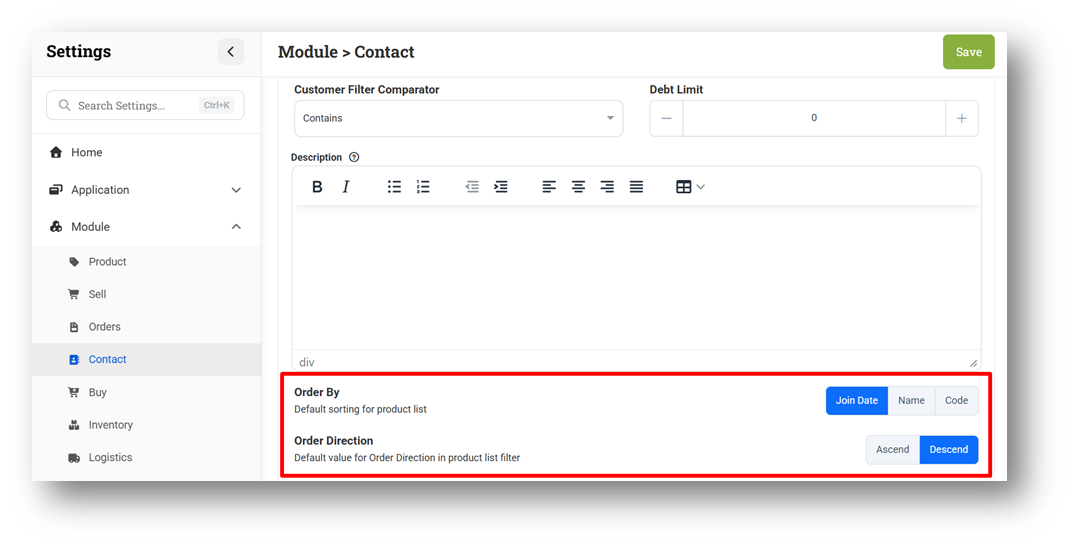
[Settings - Module (Contacts)] Default Value for Order By & Order Direction Filters
The Customer List page now supports sorting based on Join Date, which is now set as the default sorting option to help users view the newest customers more easily. Users can also sort customer data by other options, such as Customer Name or Customer Code, directly from the list page for more flexible customer management.
To provide better customization, we’ve also added a new setting that allows businesses to define their preferred default sorting method for the Customer List page. This helps users personalize how customer data is displayed based on their operational needs and workflow preferences.
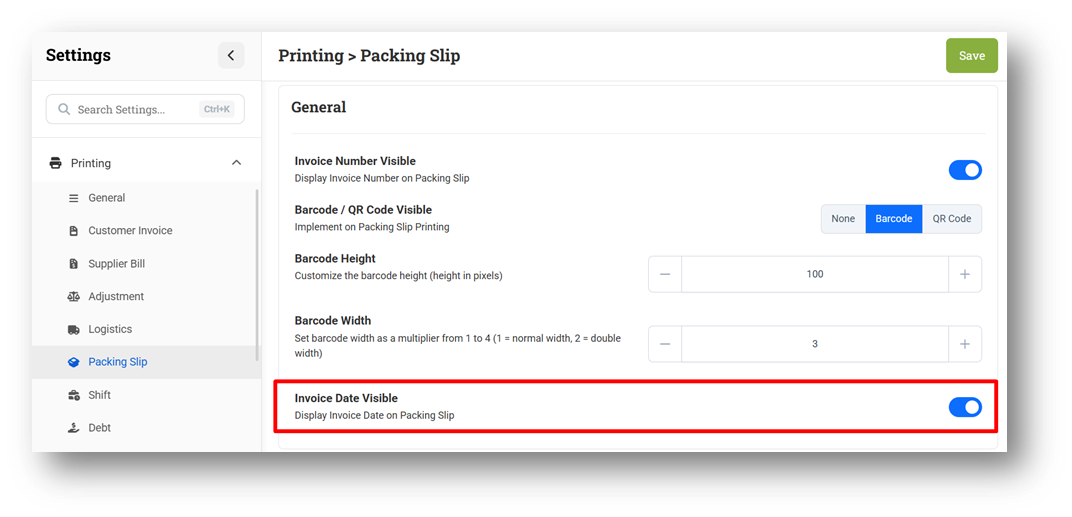
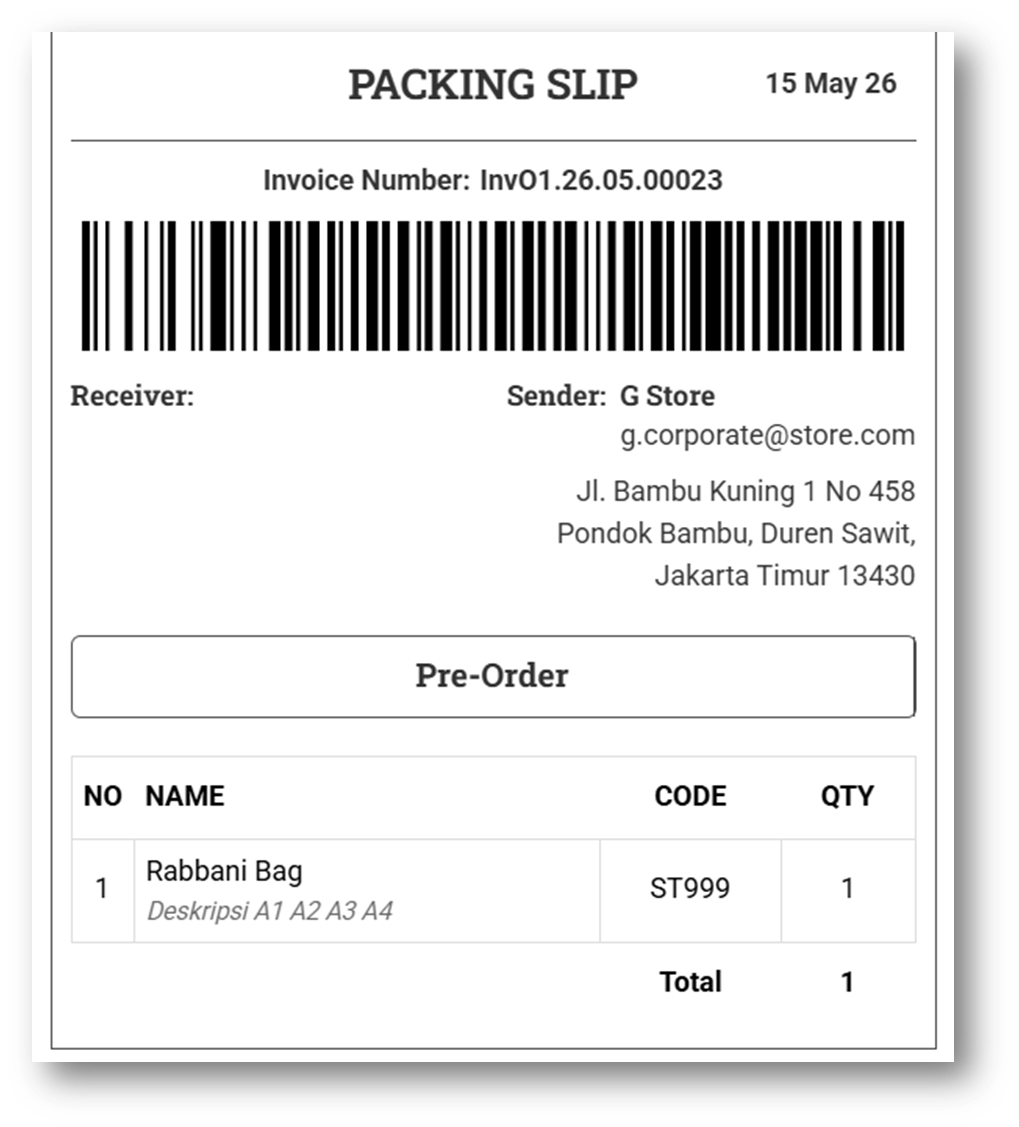
[Settings - Printing (Packing Slip)] Invoice Date Visibility Settings
We’ve added a new Invoice Date Visible setting for Packing Slip printing, allowing users to display the invoice date directly on printed packing slips. This provides clearer document information and helps simplify shipment verification during packing and delivery processes.
The displayed date will consistently use the Invoice Date, even when the Packing Slip is generated based on either Invoice or Outbound data. Users can easily enable or disable this option through the Settings menu based on their business document preferences.
This feature was developed based on customer request #14102

Bug Fixes:
[Products] Fix Users Cannot Edit Product Release Date
[Contact - Current Point] Fix Next & Show All Buttons Does Not Work Properly
[Settings - Module (Contacts)] Fix Users Cannot Remove Default Customer Group Value
Deprecated:
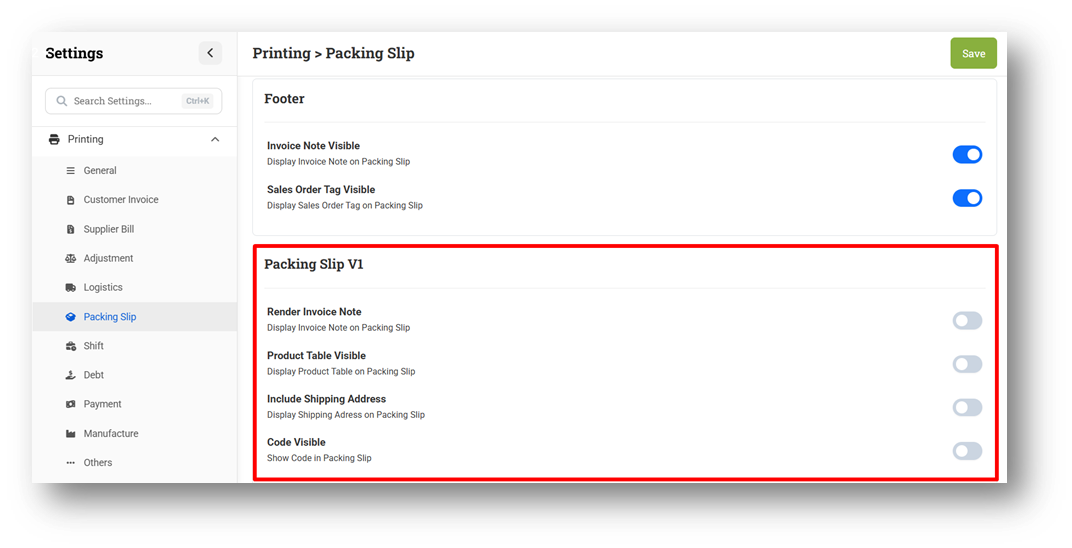
[Orders] Remove Packing Slip Legacy (V1) Component
We have officially removed all components related to the legacy Packing Slip format, including outdated printing templates and all associated settings configurations. This change was made because the latest Packing Slip format now provides a more complete layout, improved information structure, and a more relevant appearance that better supports current operational and shipping needs.
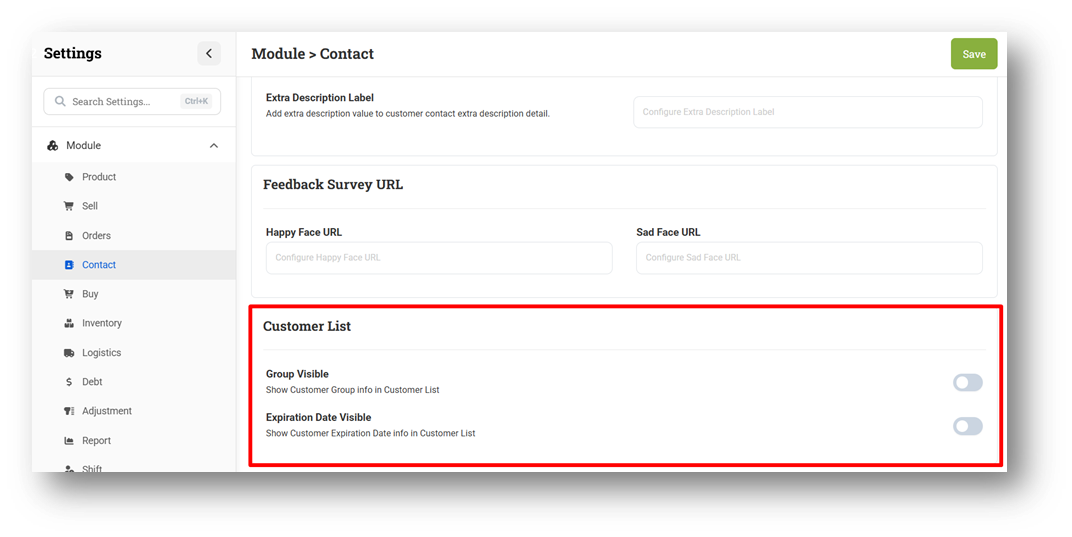
[Settings - Module (Contacts)] Remove Customer List Settings Component
We have removed the settings previously used to control the visibility of Customer Group and Customer Expired Date information on the Customer List page. Users no longer need to enable these options through the Settings menu, as both fields can now be displayed directly from the Customer List using the available Column Toggle feature for a simpler and more flexible user experience.
Patch 26.19.1 [15 May]:
[Infrastructure] Fix Missing Setup Payments Import Components
Patch 26.19.2 [18 May]:
[Products] Improve Get Supplier Suggestion Loading Time in Product Form
[Sell]
Fix Repark Unsent Sales Order Will Change Status to Sent
Fix Missing QR Code Content in After-Sell Printing (Mini Invoice)
Implement Default Gender Settings to Quick Add Customer Modal
[Shift - My Shift] Improve Shift Disabled Card Logic
[Orders - Bulk Print Packing Slip]
Change Default Print Mode to Invoice Packing Slip
Fix Date Range Filter Combined with Outbound Type Does Not Work Properly
[Inventory - As Column]
Fix Filter Time Does Not Work Properly
Provide "After Movement At" Filter with Tooltip
[Inventory - Allocated] Fix CSV Export Splitting Product Names Containing Comma
[Inventory - Days Of Dashboard]
Fix Critical Card Displaying Non-Critical Products
Improve Default Value for Critical & Overstock Filter
[Promotion - Coupon] Prevent Blank Page When Running Timeout
Patch 26.19.3 [19 May]:
[Sell] Fix Invoice Return with Serial Does Not Change Serial Quantity to Negative
[Shift - My Shift] Improve My Shift Page Warning Message Accuracy on First Load
[Contacts - Customers] Fix Users Cannot Remove Customer Group
[Orders - Sales Order]
Fix Missing Pagination
Provide Page Size Filter
[Promotion - Event] Prevent Blank Page When Running Timeout
Patch 26.19.4 [21 May]:
[Products] Fix Update Product from Product Form will Remove Existing Variant ROP & Max
[Inventory - Days Of] Fix Users Cannot Filter Category
Overall, this update further establishes the platform as a reliable Inventory Application for your retail businesses. Stay tuned for more updates, and don't hesitate to reach out if you have any questions or need support!