- DATE:
- AUTHOR:
- Ezzan
WebApp Version 26.23 Changelog
This update includes new features, essential performance improvements, and usability enhancements to ensure your daily operations run smoothly. We've also addressed several bug fixes to enhance stability and reliability. DealPOS continues to evolve as a reliable POS Software designed to support retail business operations with better performance and usability. Thank you for your continued trust and feedback, which help us deliver the best possible service.
New Feature:
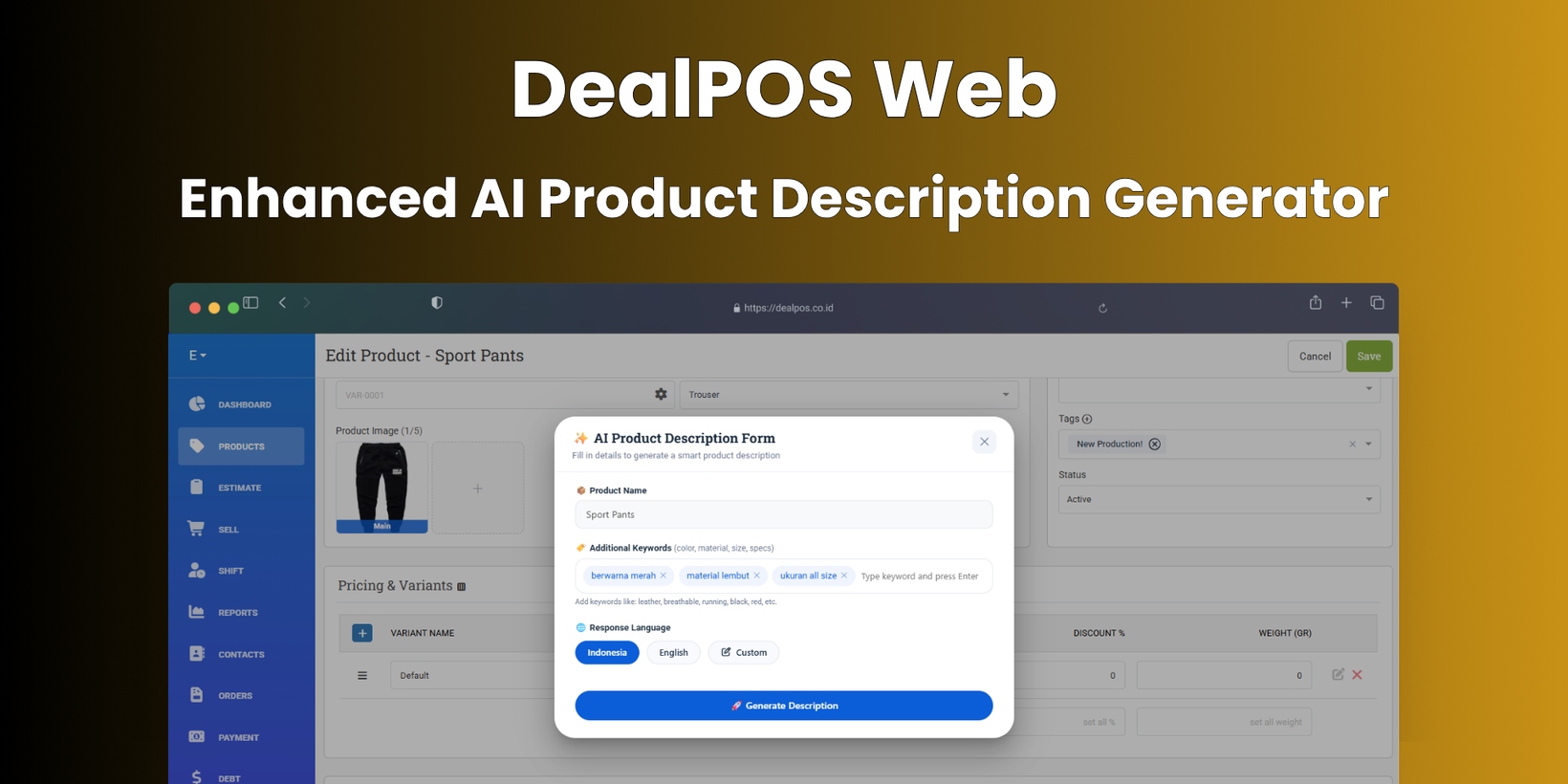
[Products] Enhanced AI Product Description Generator
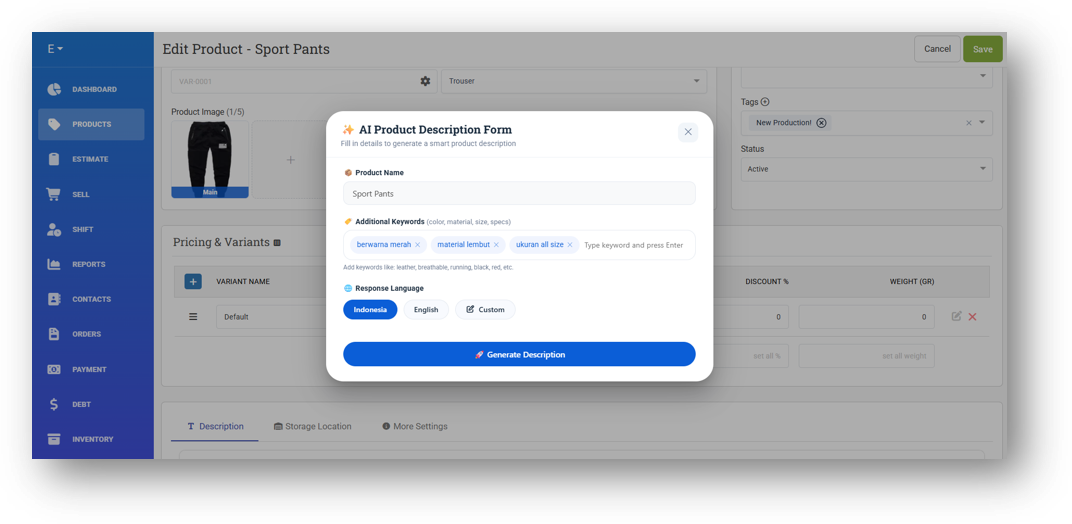
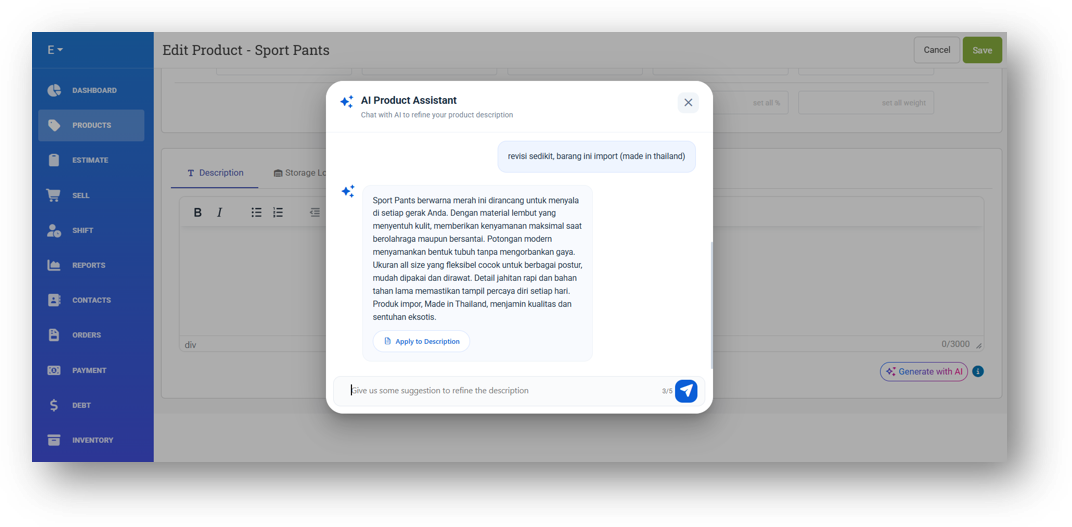
We've upgraded the AI Product Description Generator with a completely redesigned experience that gives you more creative control. As before, you start by entering your keywords and selecting a language—but instead of getting a single result, the tool now opens a chat session where the AI delivers its initial description based on your product name and keywords.
From there, you're no longer limited to one take. You can prompt revisions directly in the chat to refine the description until it's just right, with up to five revision requests per session. Once you've used all five, the chat will be disabled, and you can simply start a new session to generate a fresh description. This new flow puts you in the driver's seat to shape the perfect product description with ease.
[Inventory] Inventory Management Dashboard
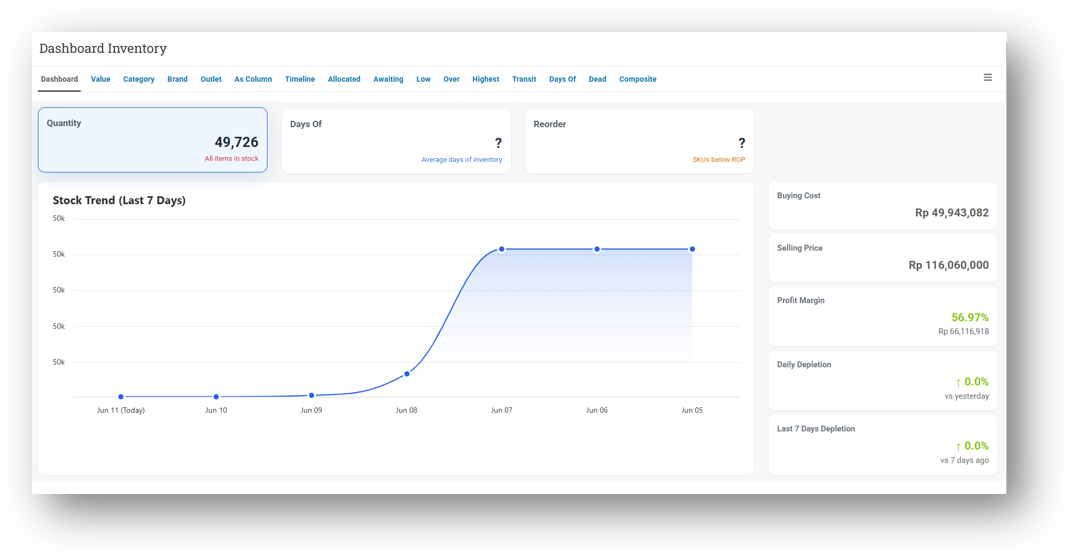
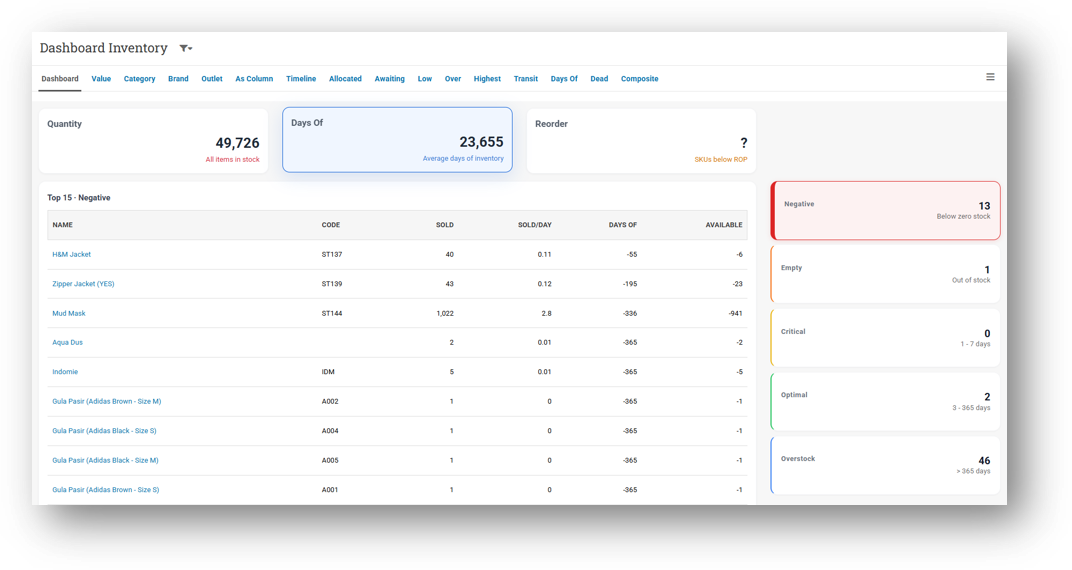
We've introduced a brand-new dashboard built specifically to give you a clear, real-time snapshot of your inventory health. The Overview page displays your total current quantity on hand, along with the total value of your stock—both at selling price and at purchase cost. This puts key financial and operational insights right at your fingertips without needing to run separate reports.
The second page, Days of Inventory, helps you plan by estimating when your stock will run out based on past transaction trends. Items are now neatly classified into three categories so you can prioritize at a glance: Critical for stock that's running dangerously low, Optimal/Ideal for healthy levels, and Overstock/Exceed for items where you're holding more than necessary. This way, you know exactly where to focus your attention.
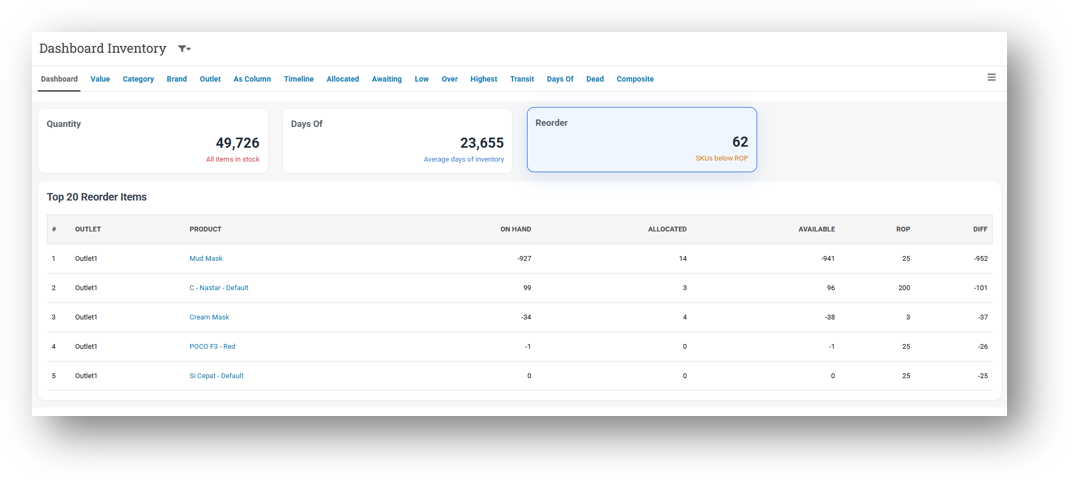
The third page, Reorder Suggestions, takes the guesswork out of restocking. It highlights exactly which items need to be reordered and recommends the ideal quantity for each, based on your inventory data. It's a complete command center designed to keep your inventory lean, well-stocked, and profitable—all from one place.
[Outlets - Customer Display] Video Support for Customer Display
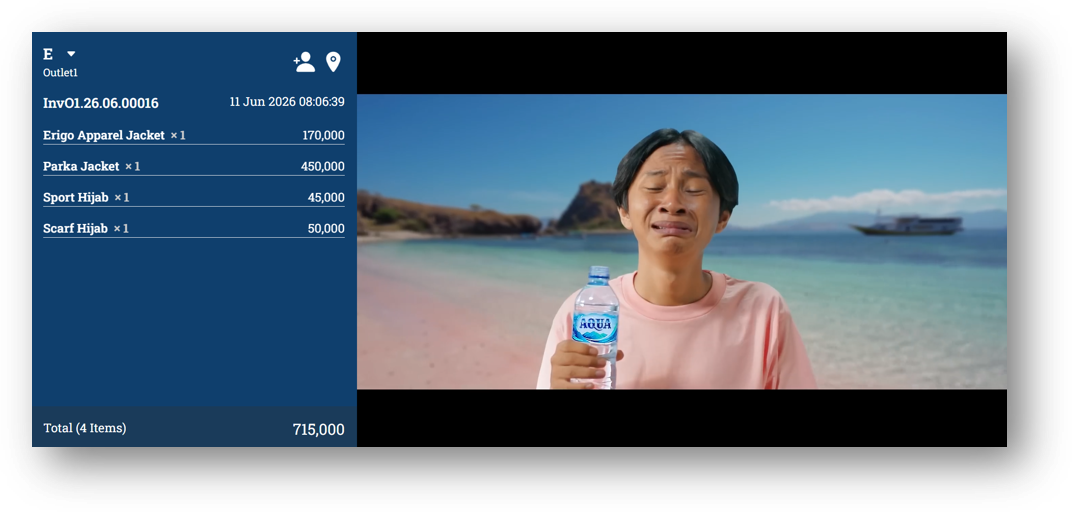
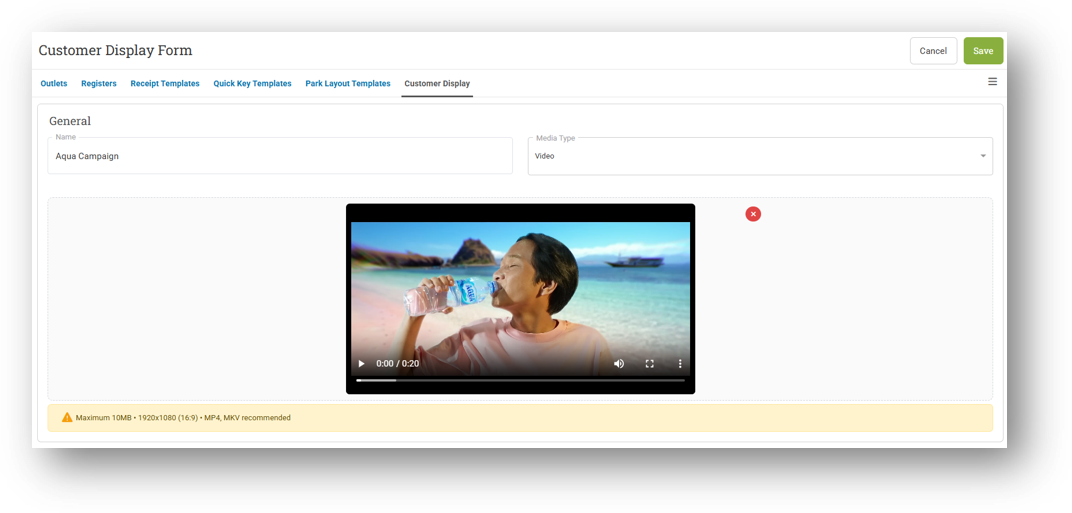
We've leveled up your Customer Display with a highly requested enhancement: you can now upload and play videos in the promotion panel, not just static images. The right-side container that faces your customer during checkout still shows the live cart preview as always, but now you can bring it to life with motion content—perfect for promotions, branding, or product highlights that grab attention.
Alongside this, we've completely redesigned the template creation form to match. Setting up your Customer Display layout now feels more stylish and intuitive, with a cleaner interface that makes it faster and more enjoyable to customize what your customers see. Please note that this feature requires Customer Display version v26.24.1 or later.
Minor Improvements:
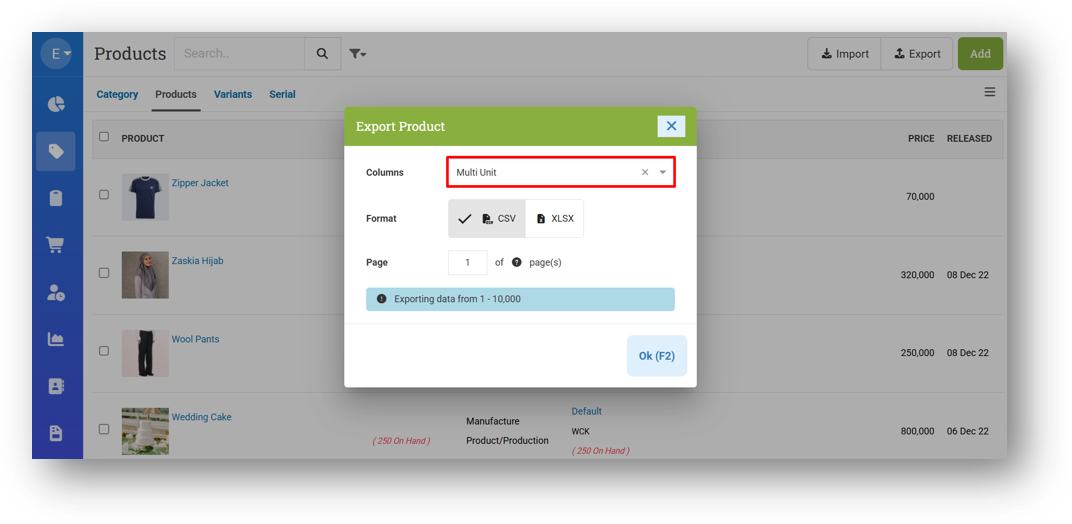
[Products] Rename Export Product with Parent Option to Multi Unit
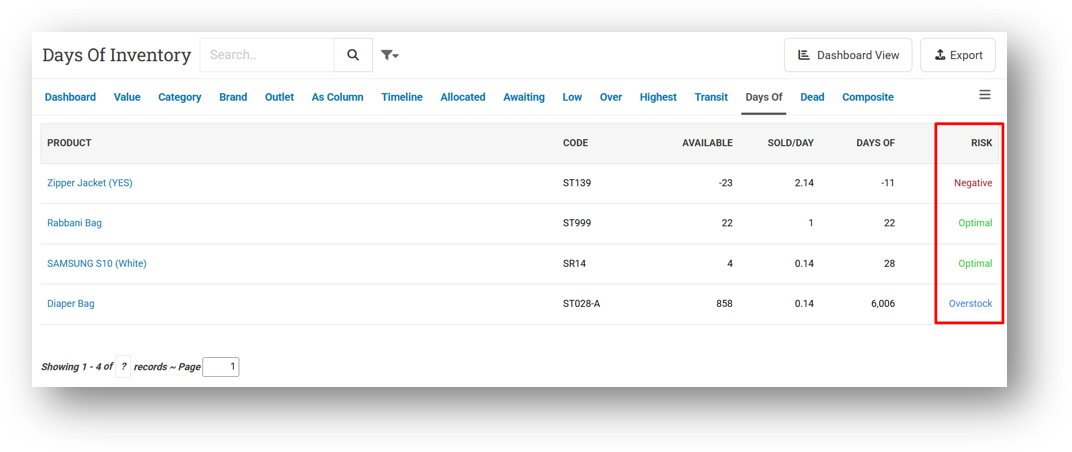
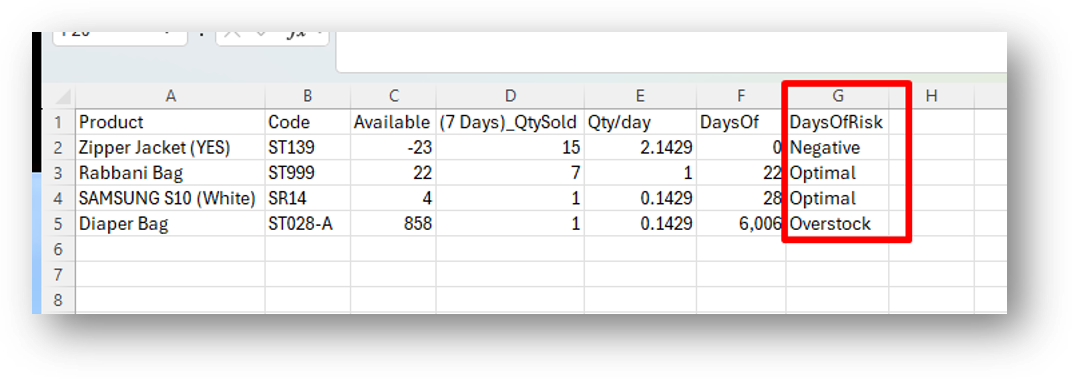
[Inventory - Days Of]
Provide Days Of Risk Column in Table
Provide Days Of Risk Column in CSV Export
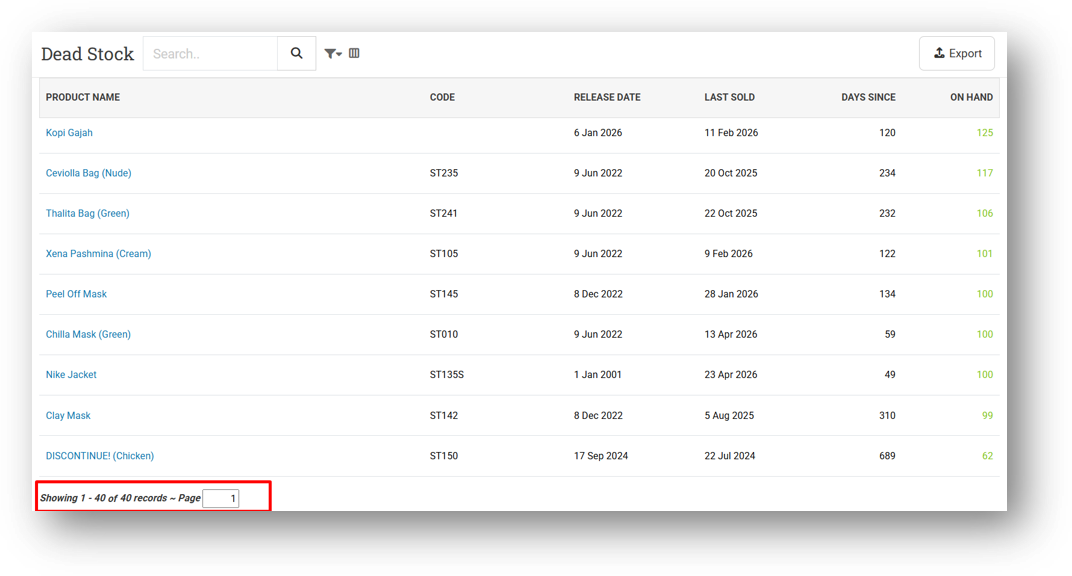
[Inventory - Dead Stock]
Optimize Dead Stock Query
Provide Page Row Count & Pagination
[Adjustment - Reports Details]
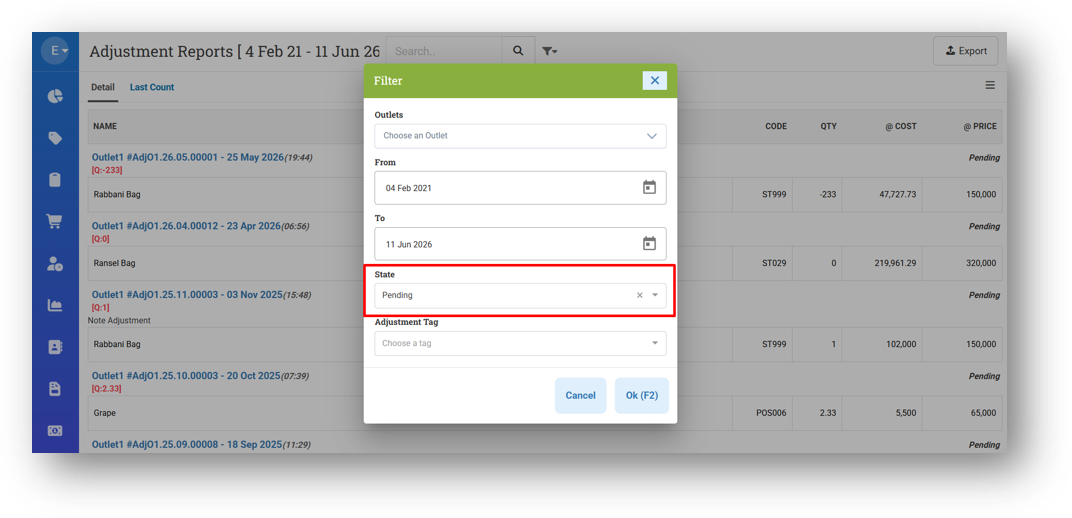
Provide State Filter
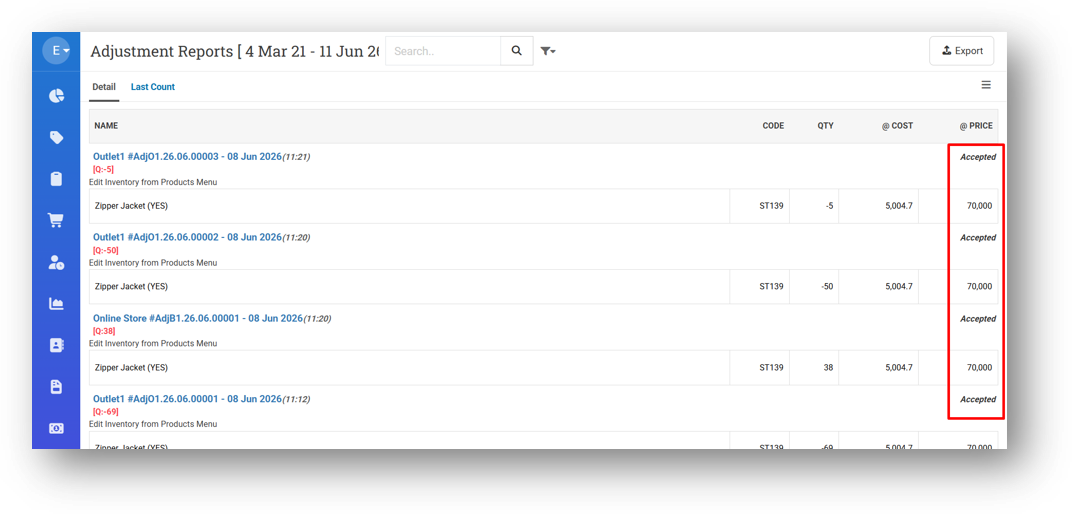
Provide State Column
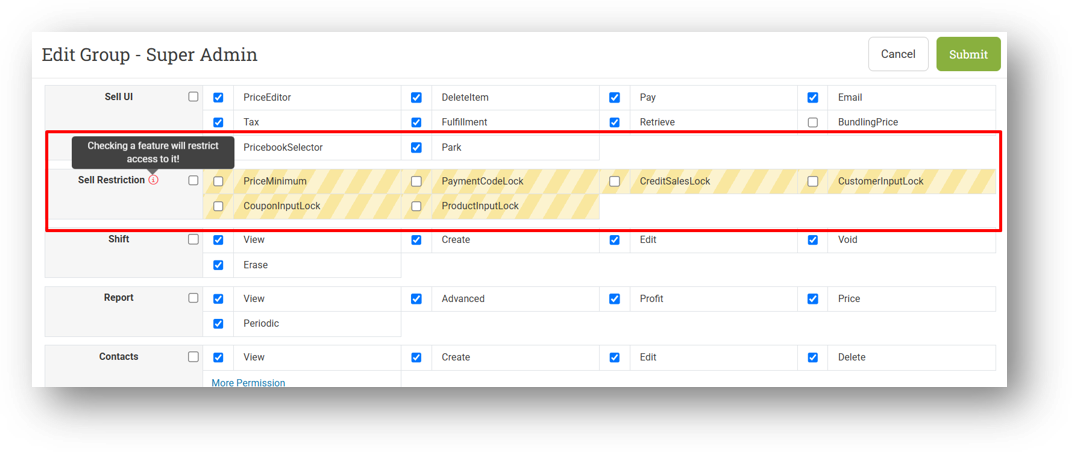
[Users - Groups] Provide Warning Sign for Restriction Section in Group Form
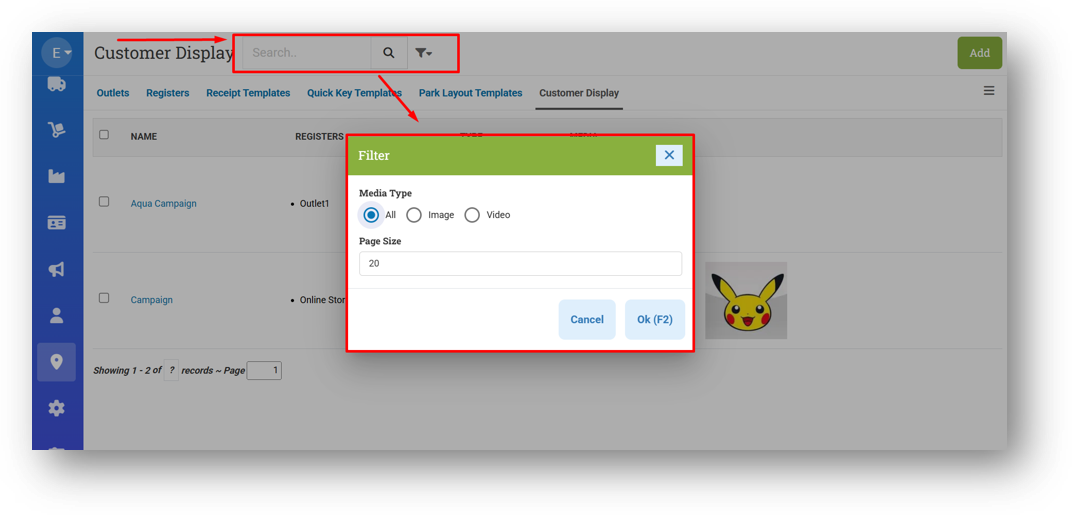
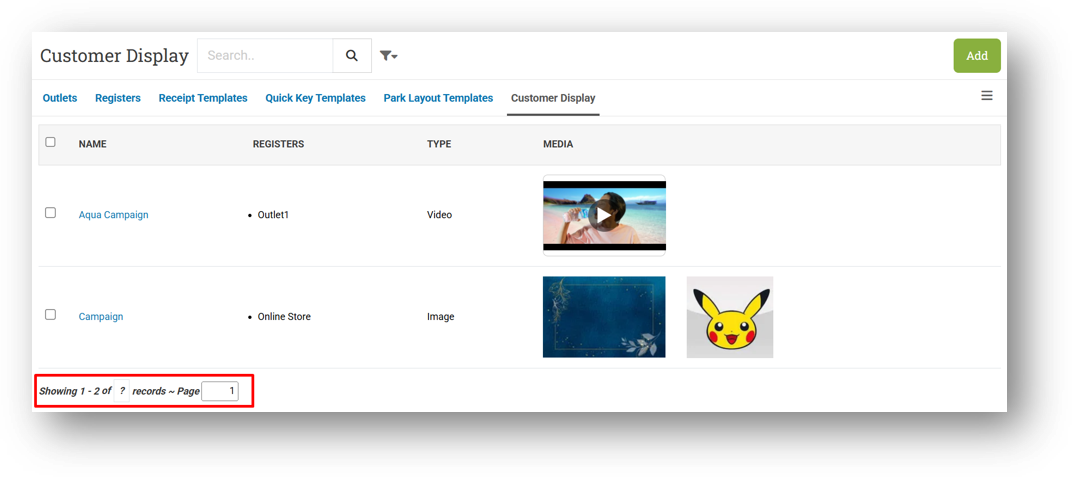
[Outlets - Customer Display]
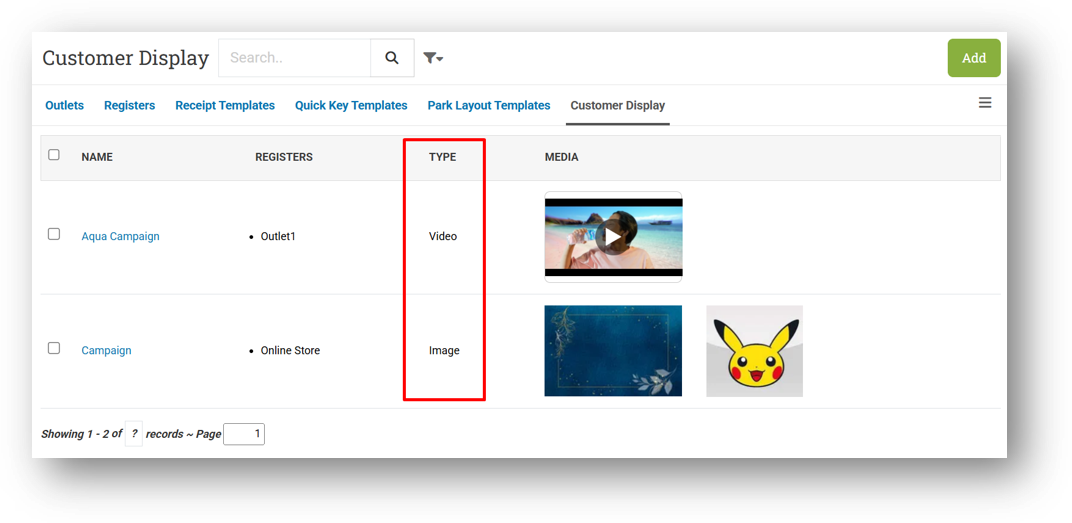
Provide Media Type Column in List
Provide Search, Media Type & Page Size Filters
Provide Pagination & Page Row Count
[Receipt App] Display Invoice Note & Item Note in E-Receipt
Bug Fixes:
[Products] Fix Broken Image After Uploading an Image with Some URL Types
Deprecated:
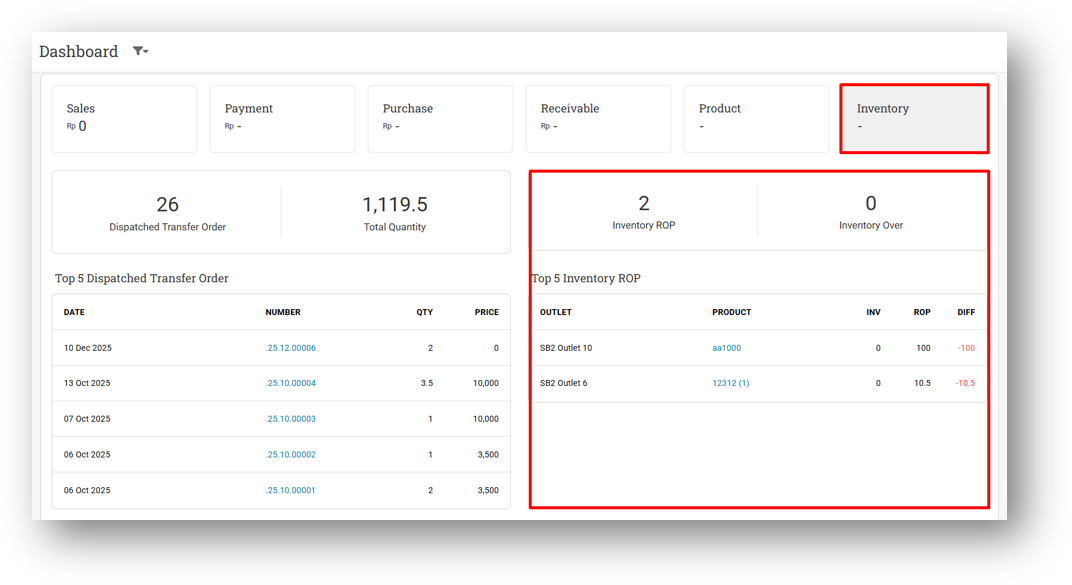
[Dashboard] Remove Inventory Information from Dashboard
We've streamlined your main dashboard by retiring the inventory-related information—such as Reorder Point alerts and over-max inventory warnings—from the former Inventory card. These insights now live in the new dedicated Inventory Management Dashboard, where they're presented in far greater detail. The card on your main dashboard has been renamed to Logistics to keep your home screen cleaner and more focused.
Patch 26.23.1 [12 Jun]:
[Inventory - Dashboard] Set Maximum Rows for Reorder Table to 20 Rows
[Inventory - Days Of List] Display Real Days of Value for Negative Value Instead of Zero
[Adjustment - Reports Details] Fix Error When Removing State Filter After Selecting Any Option
Patch 26.23.2 [16 Jun]:
[Inventory] Set Inventory Value as Default URL
Patch 26.23.3 [17 Jun]:
[Products] Fix Variant Code Not Updating When Changing Single Variant Product Code
[Logistics - Transfer Order] Remove Unused Column from Printing Footer
Patch 26.23.4 [19 Jun]:
[Inventory - Dashboard] Fix Divide by Zero Error on Empty Inventory Dashboard
[Adjustment]
Improve Adjustment List CSV Export Columns Position
Fix Incorrect Surplus Quantity Count & SKU Match Counted
Fix Incorrect Total Counted Expected
Provide Column Toggle for Drafted & Pending Counted Tables
Display Cost & Price Columns for Drafted & Pending Counted Tables
[Outlets - Receipt Template] Fix Missing Upload Logo Form
Overall, this update further establishes the platform as a reliable Inventory Application for your retail businesses. Stay tuned for more updates, and don't hesitate to reach out if you have any questions or need support!