- DATE:
- AUTHOR:
- Ezzan
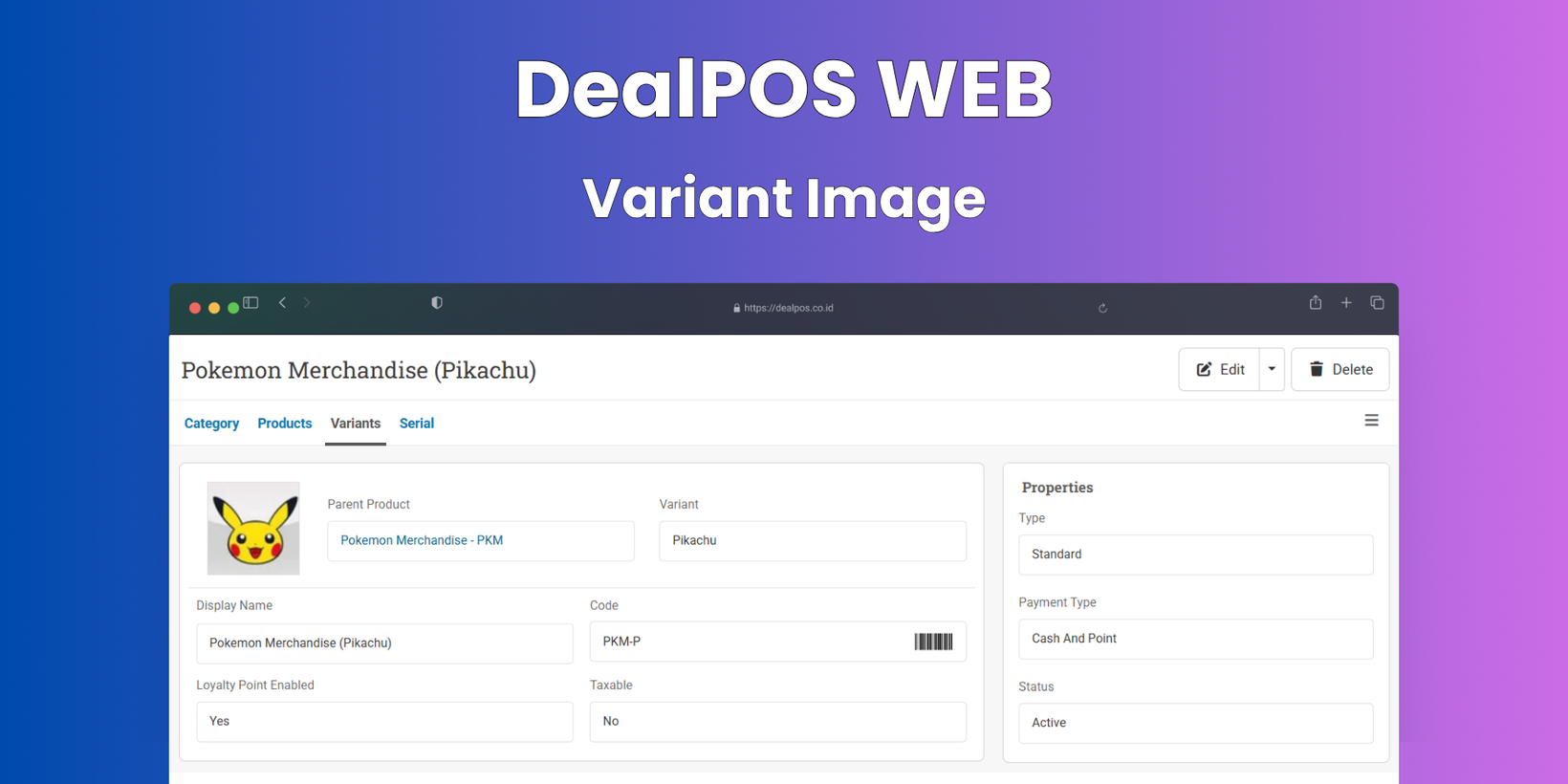
WebApp Version 26.24 Changelog
This update includes new features, essential performance improvements, and usability enhancements to ensure your daily operations run smoothly. We've also addressed several bug fixes to enhance stability and reliability. DealPOS continues to evolve as a reliable POS Software designed to support retail business operations with better performance and usability. Thank you for your continued trust and feedback, which help us deliver the best possible service.
New Feature:
[Products - Variants] Product Variant Images
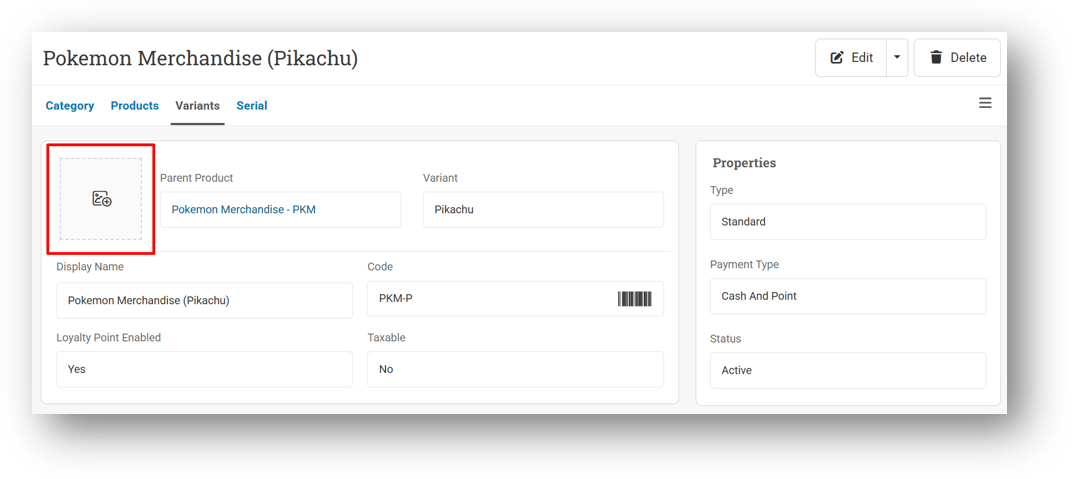
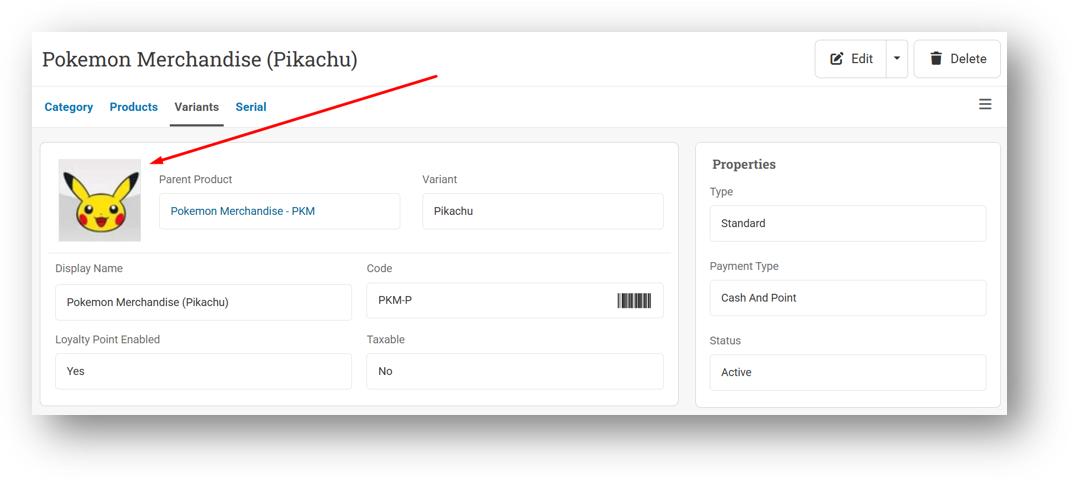
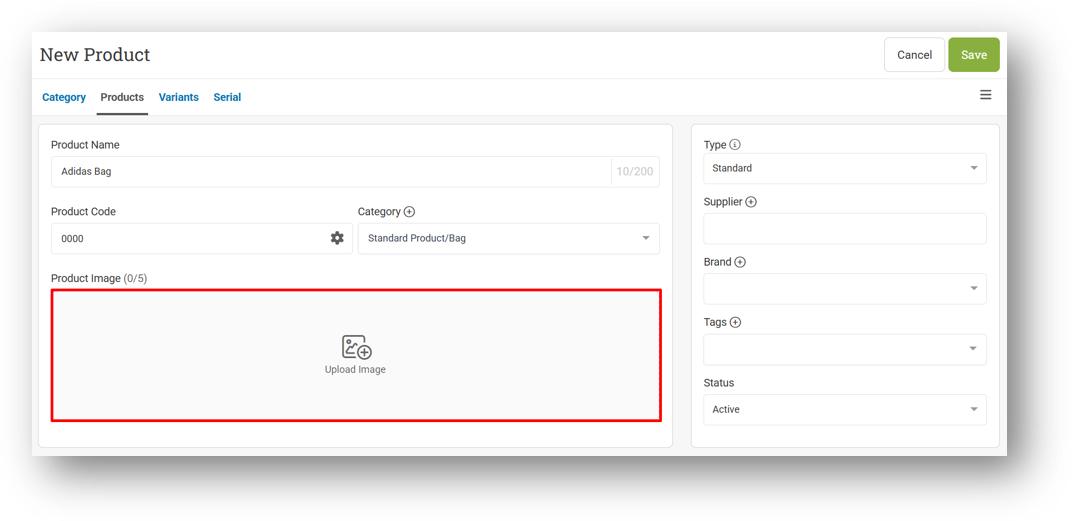
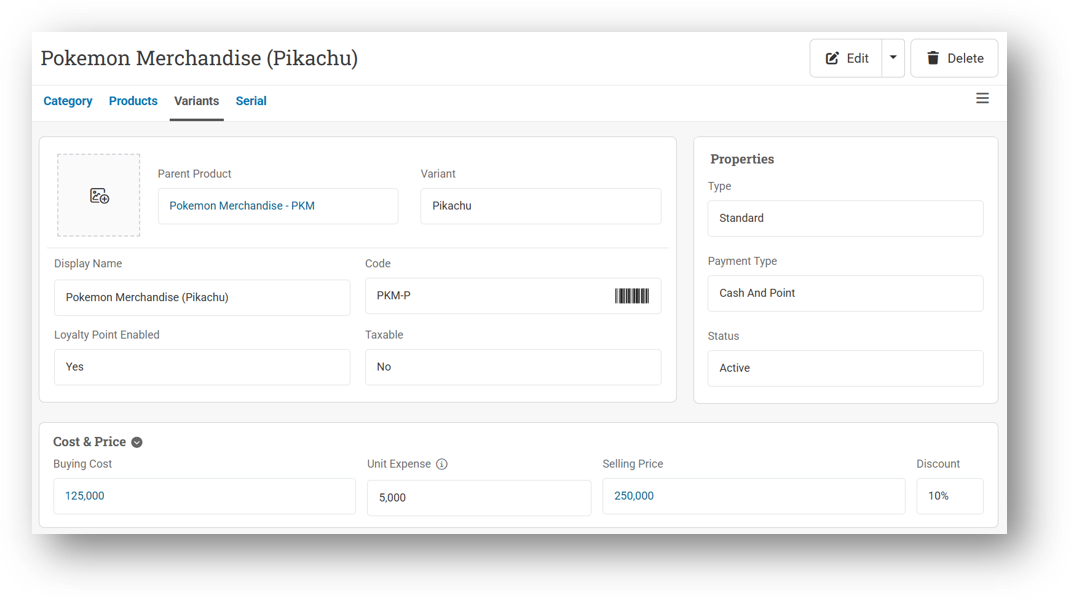
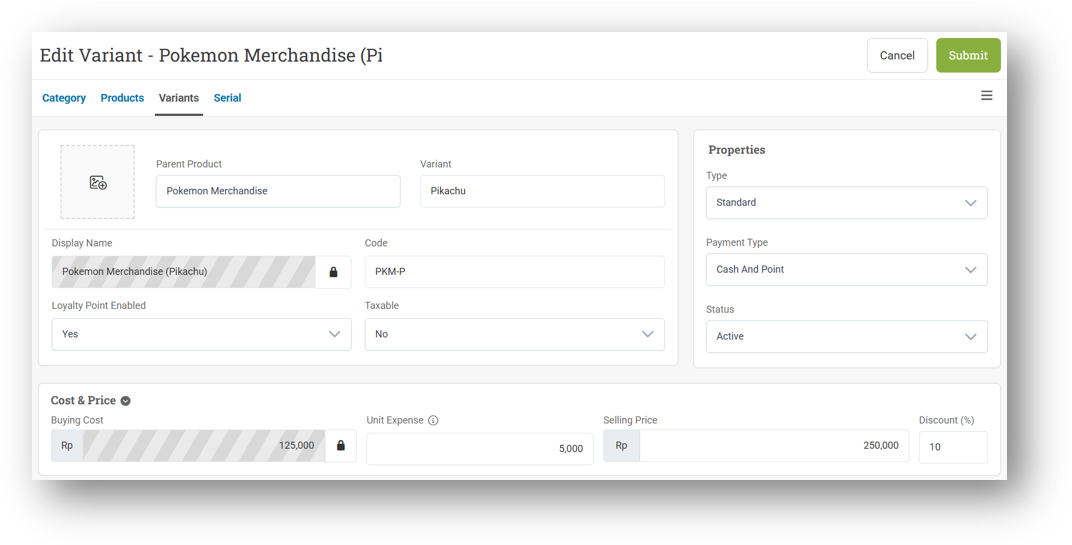
You can now upload individual images for each product variant, giving you more flexibility in managing your catalog. Previously, only the main product could have an image, but now every variant—whether it's a different color, size, or style—can showcase its own visual directly from the variant management page. For now, images are uploaded one variant at a time to keep things simple and controlled.
Please note that across the Sell screen, Transfer Orders, and other transaction pages, the main product image will remain the primary visual for the time being. This update lays the groundwork for richer variant-level visuals throughout the system in the future.
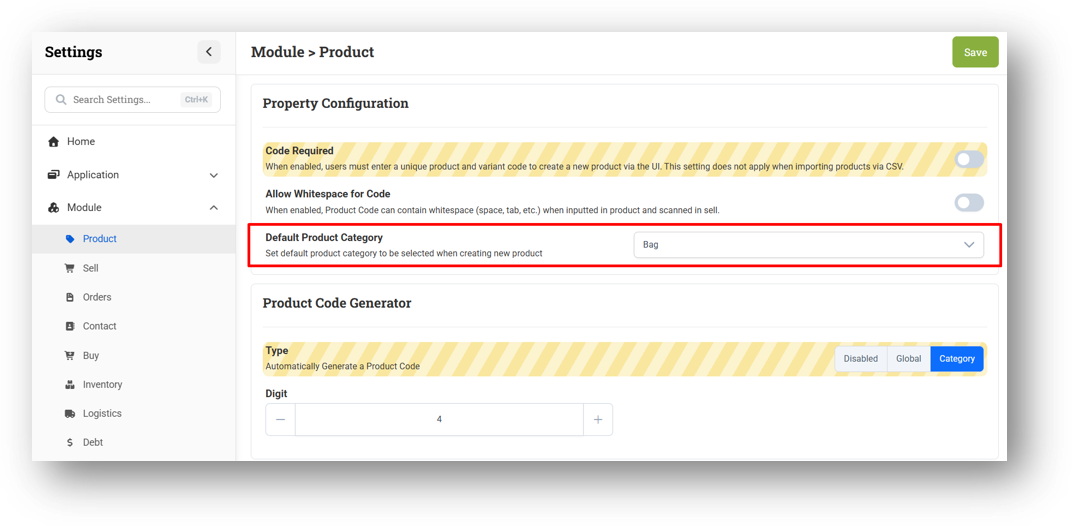
[Products - Category] Default Category Setting
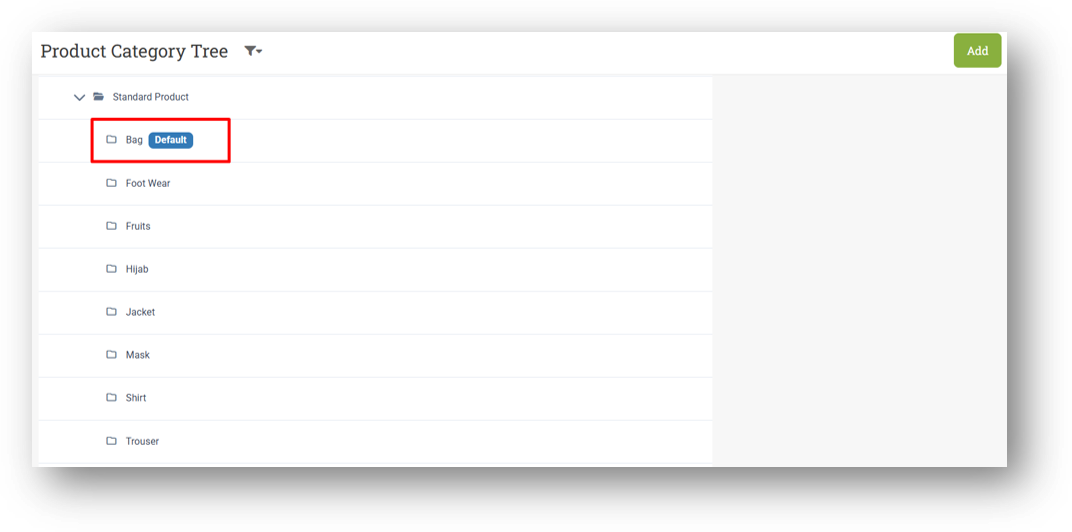
We've added a small but powerful time-saver to your product management workflow. You can now set a default category from your settings, and every time you create a new product, the category field will automatically be pre-selected for you. For example, if you set "Clothing" as your default, all new products will default to that category—no more repetitive manual selection.
To keep things clear and organized, the chosen default category will also display a visible badge or flag in your category list, so you always know which one is currently active. It's a simple touch that makes day-to-day product entry just a little bit faster.
[Sell] Refactored Customer Loyalty Points Behavior
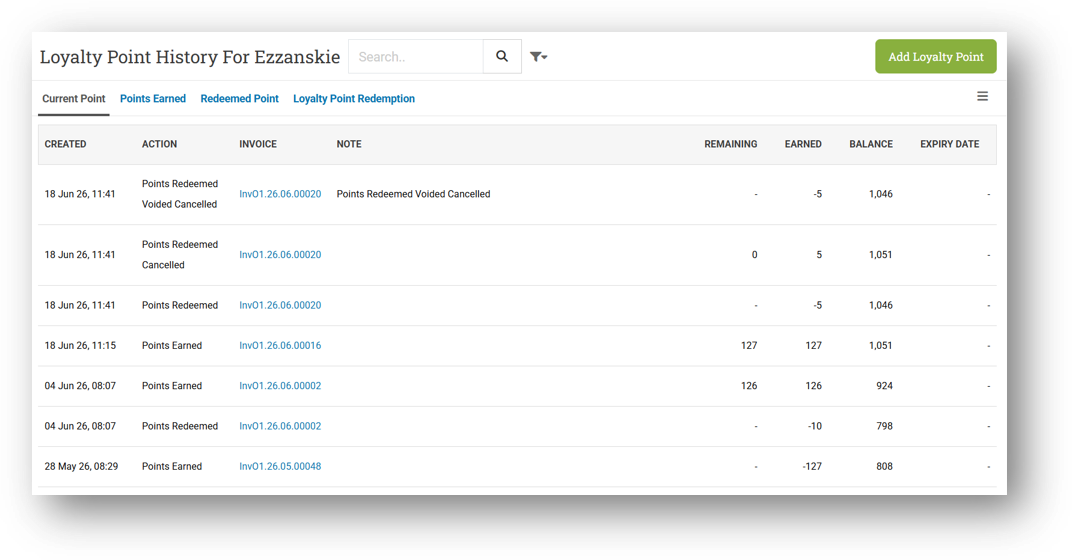
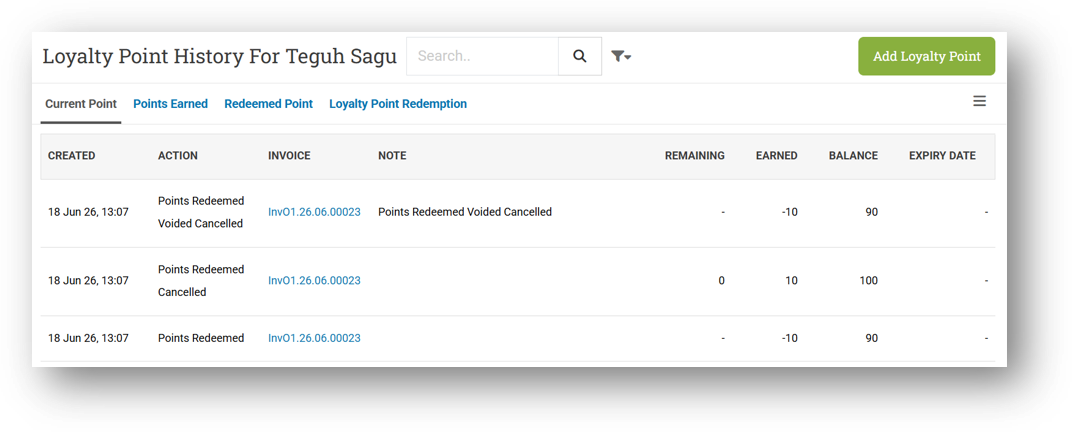
We've done a major under-the-hood overhaul of how Customer Loyalty Points behave across different transaction scenarios. Along with fixing previously reported bugs, this refactor introduces smarter, more consistent point handling so you can trust that your customers' loyalty balances are always accurate.
The first big improvement is in how restored invoices work. When you void an invoice, any points earned or redeemed in that transaction are now properly reverted. If you later restore that same invoice, the points will be reapplied accordingly—deducted or added back exactly as they were before the void, keeping the loyalty history clean and traceable.
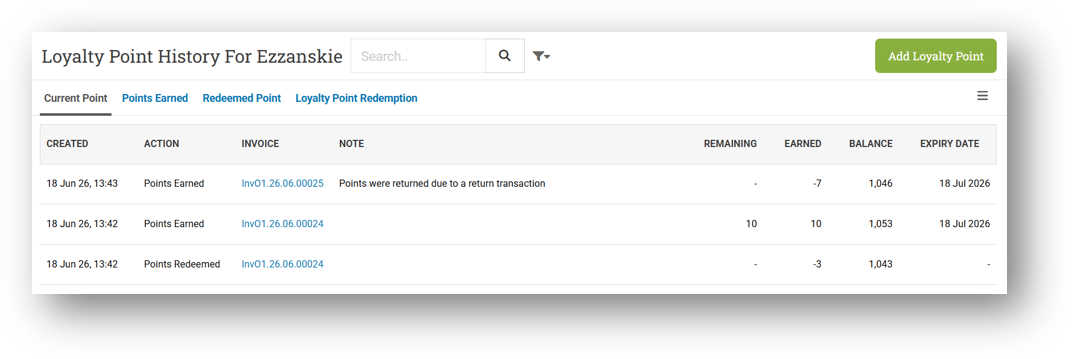
We've also refined the behavior for returns. Returning an invoice now correctly reverses the net points from the original transaction. For example, if an invoice earned 10 points but also redeemed 3 points (net +7), the return will show a clean -7 points in the history, not separate -10 and +3 entries. This accumulated approach makes loyalty tracking far easier to read and reconcile. All of these changes work seamlessly in the background, so you can focus on serving your customers without worrying about point discrepancies.
Minor Improvements:
[Products] Improve Upload Image Form Icon in Form & Info Pages
[Products - Variants]
Relayout Variant Info Page
Relayout Variant Form Page
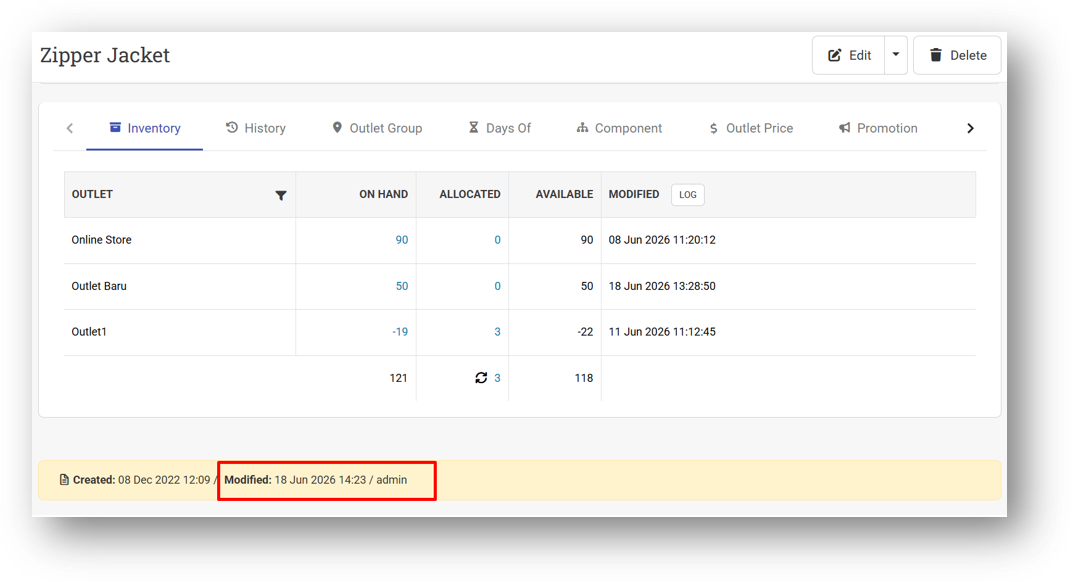
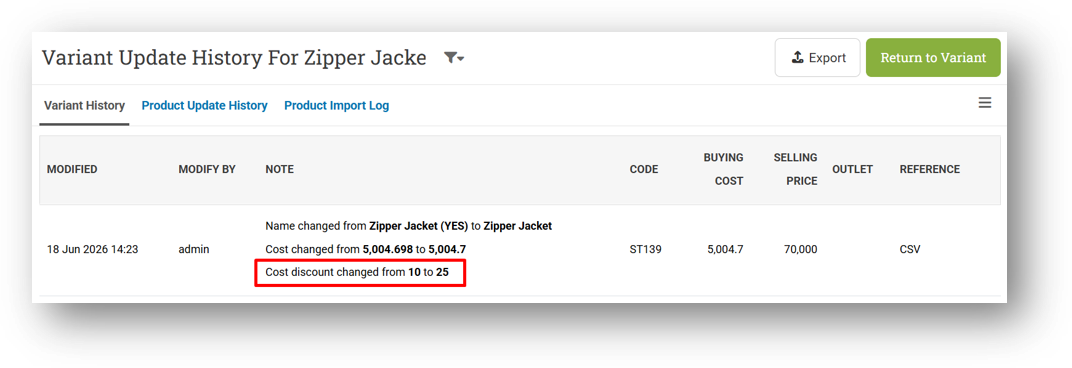
Trigger Modified History with Cost Discount Update from Product Import
[Products - Variants History] Record Cost Discount Update from CSV Import
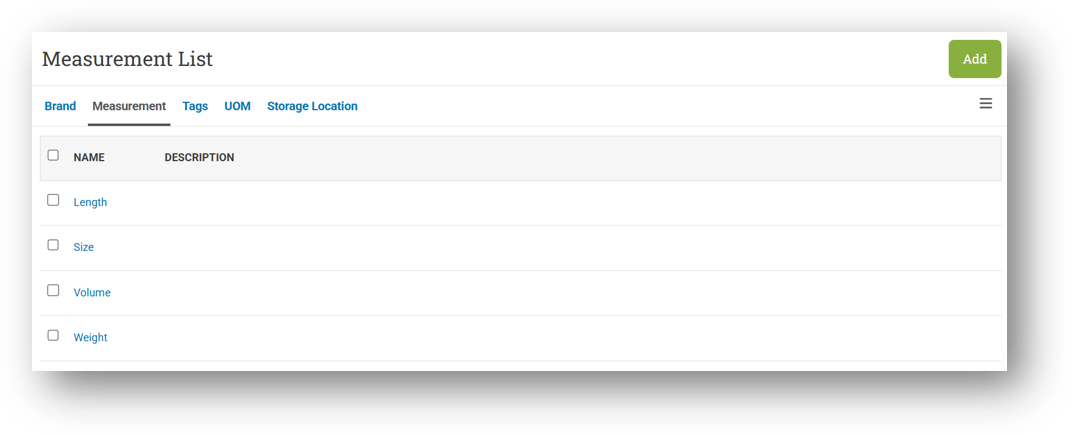
[Products - Measurement] Order List by Alphabet
[Reports - Product Profit] Smarter Date Filter for Top Sales Ranking
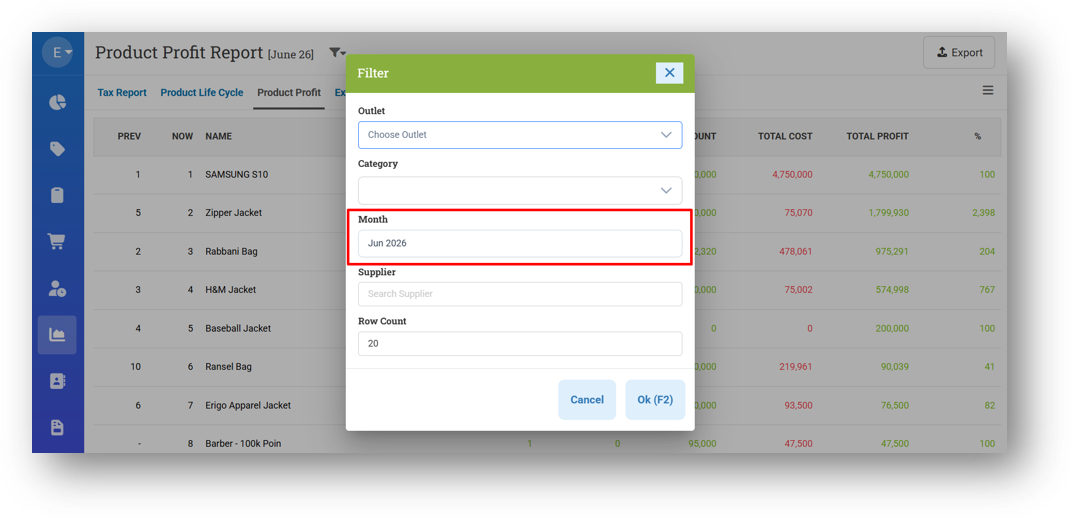
We've refined the filter behavior on the Top Sales menu to better match how you actually use it. Previously, the menu used a generic "From Date – To Date" range filter, which didn't quite fit the purpose of checking product rankings over time. Now, we've replaced it with a simpler and more relevant Month filter.
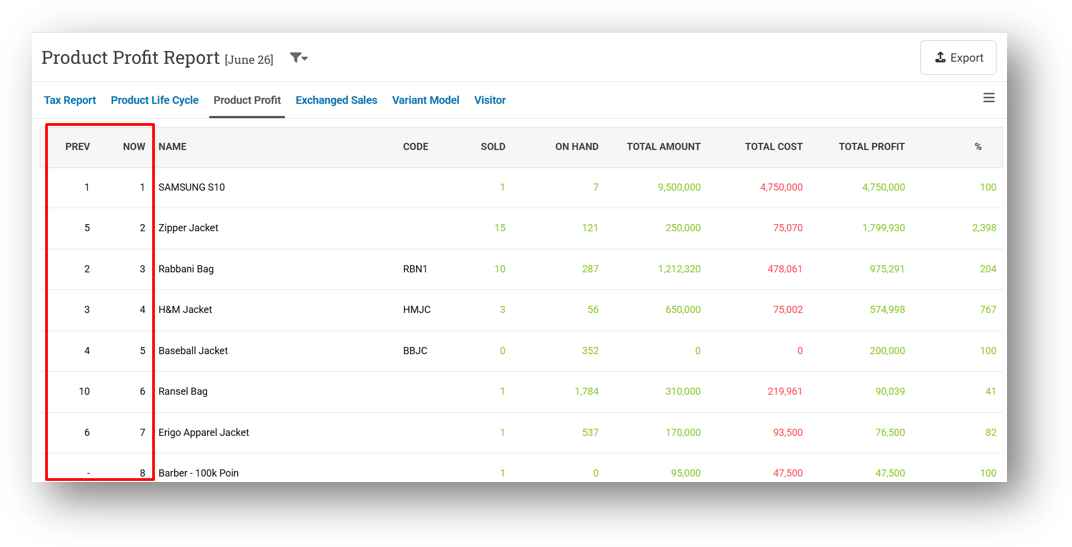
Simply select a month—for example, June 2026—and the menu will display the current ranking of your top-selling products for that month, alongside a Prev column that shows where each product ranked in the previous month (May 2026). This makes it much easier to spot which products are climbing, dropping, or holding steady, all at a glance.
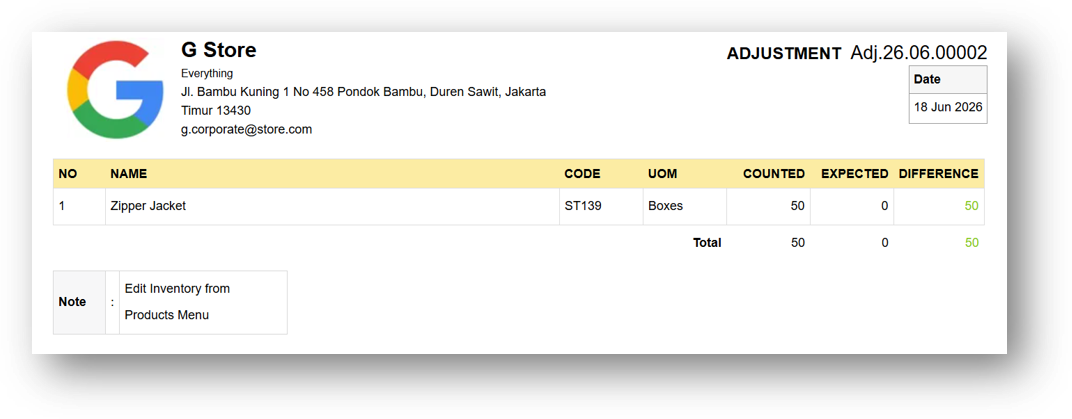
[Adjustment] Provide New Printing for Counted Card
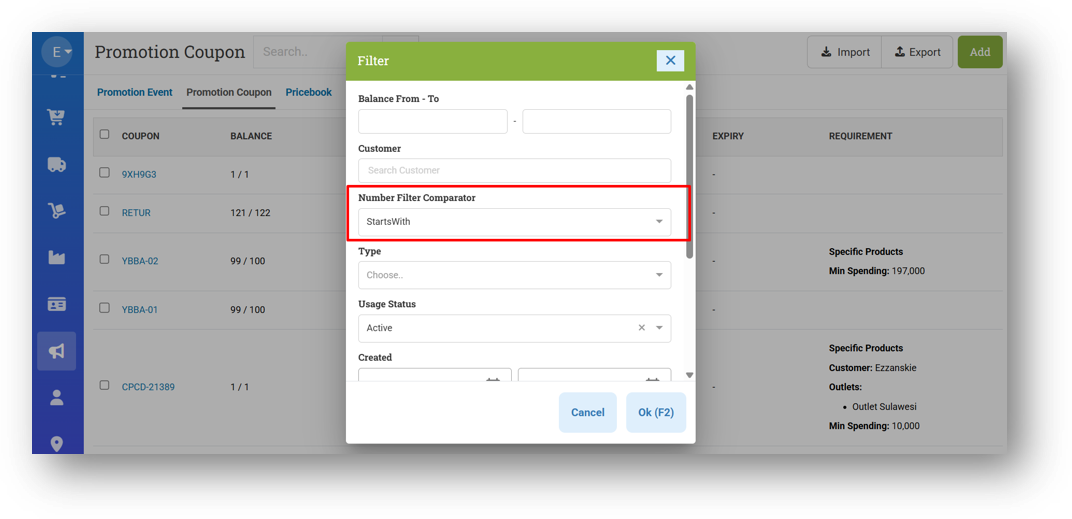
[Promotion - Coupon] Provide Number Filter Comparator
This feature was developed based on customer request #15768
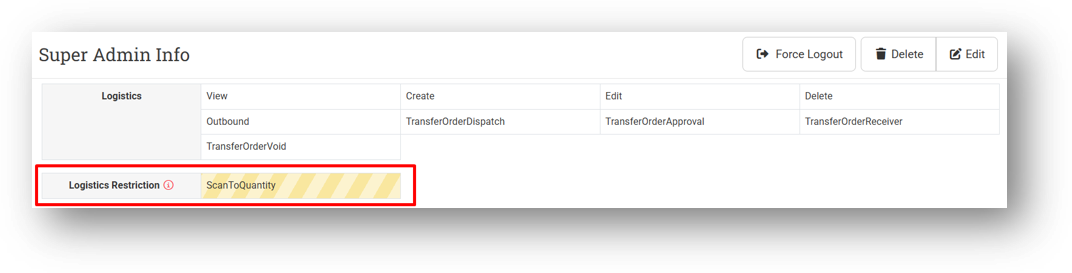
[Users - Groups] Provide Warning Sign for Restriction Section in Group Info
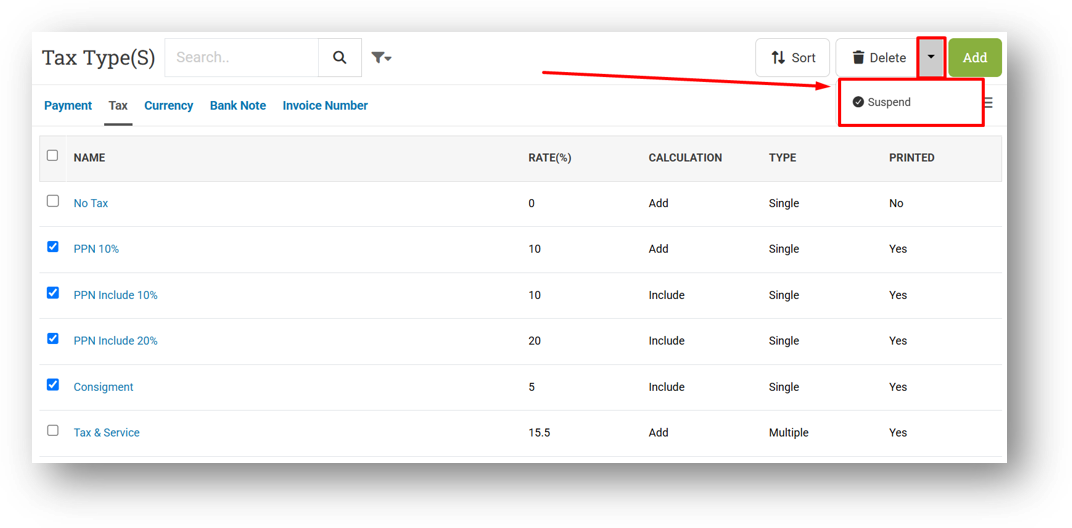
[Setup - Tax] Provide Bulk Suspend Feature in Tax List
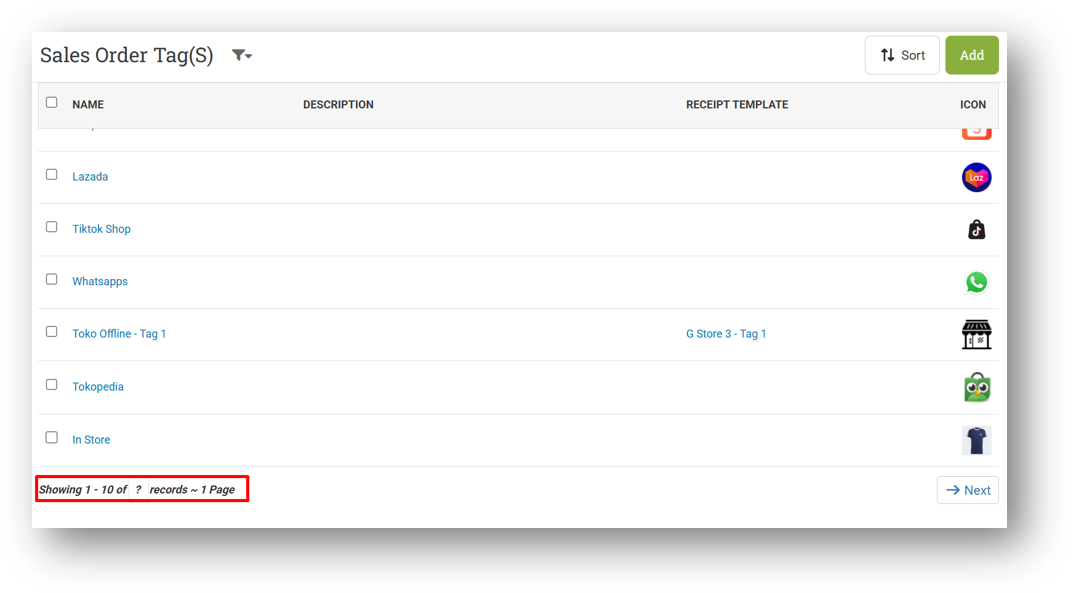
[Setup - Sales Order Tag] Provide Row Count & Pagination at Footer
Bug Fixes:
[Products] Fix Leading and Trailing Spaces Not Trimmed When Creating This Data :
Product Brand
Product Tag
Product Storage Location
Product Measurement
[Products - Import] Fix Users Cannot Import Data That Contains ROP & Max Inventory
[Sell] Fix Error Creating Customer with Same Name but Different Code from Quick Add Customer
[Contacts - Current Point] Fix Returned Point from Redeemed Value Not Recorded
[Orders - Customer Invoice] Fix Export Invoice Info Display Zero Cost
Deprecated:
[Products] Legacy Product Form Removed
We've officially retired the old Product Form and all its related components from the system. The new Product Form has been in place and stable for quite some time now, so it's time to fully say goodbye to the legacy version and keep things clean under the hood. If you notice any behavior from the old form that you feel is missing in the new one, please don't hesitate to reach out to our support team. We're happy to hear your feedback and explore adding it to the current version.

Patch 26.24.1 [22 Jun]:
[Products - Variants] Fix Users Without Image Editor Role Cannot View Images in List
[Adjustment] Fix Incorrect Total Cost & Price Formula & Set Text Color Logic
[Adjustment - Reports Details] Provide Adjustment Note & Item Note in CSV Export
[Setup - Tax] Fix Tax Form Status Not Updating After Suspending Tax from Tax List
Patch 26.24.2 [23 Jun]:
[Orders - Customer Invoice API] Provide Method ID in Payment
Patch 26.24.3 [25 Jun]:
[Dashboard] Implement Dashboard Index Hint Settings
[Settings - Module (Dashboard)] Index Hint Settings
[Webhook] [Transfer Order] Fix Missing ID Property
Overall, this update further establishes the platform as a reliable Inventory Application for your retail businesses. Stay tuned for more updates, and don't hesitate to reach out if you have any questions or need support!