- DATE:
- AUTHOR:
- Ezzan
WebApp Version 26.25 Changelog
This update includes new features, essential performance improvements, and usability enhancements to ensure your daily operations run smoothly. We've also addressed several bug fixes to enhance stability and reliability. DealPOS continues to evolve as a reliable POS Software designed to support retail business operations with better performance and usability. Thank you for your continued trust and feedback, which help us deliver the best possible service.
New Feature:
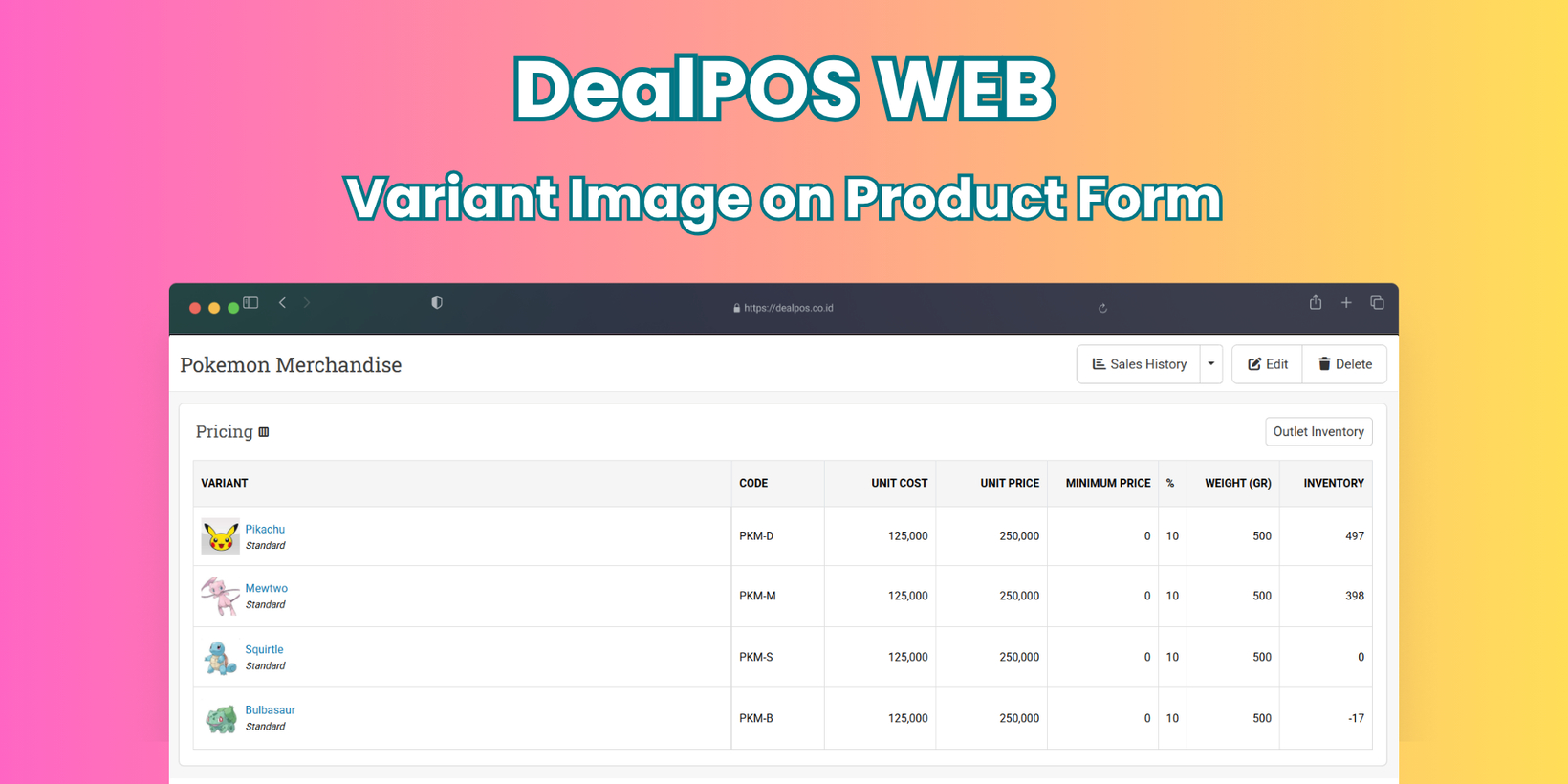
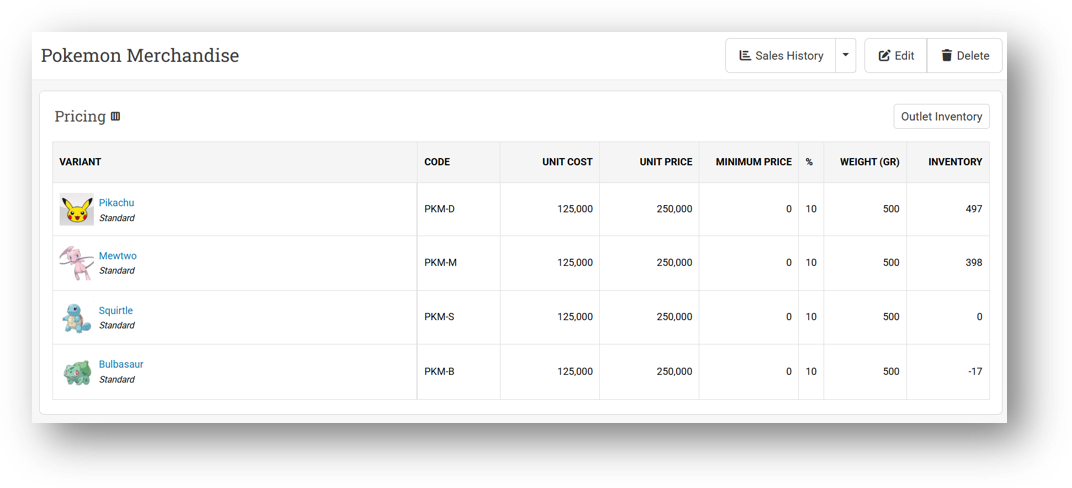
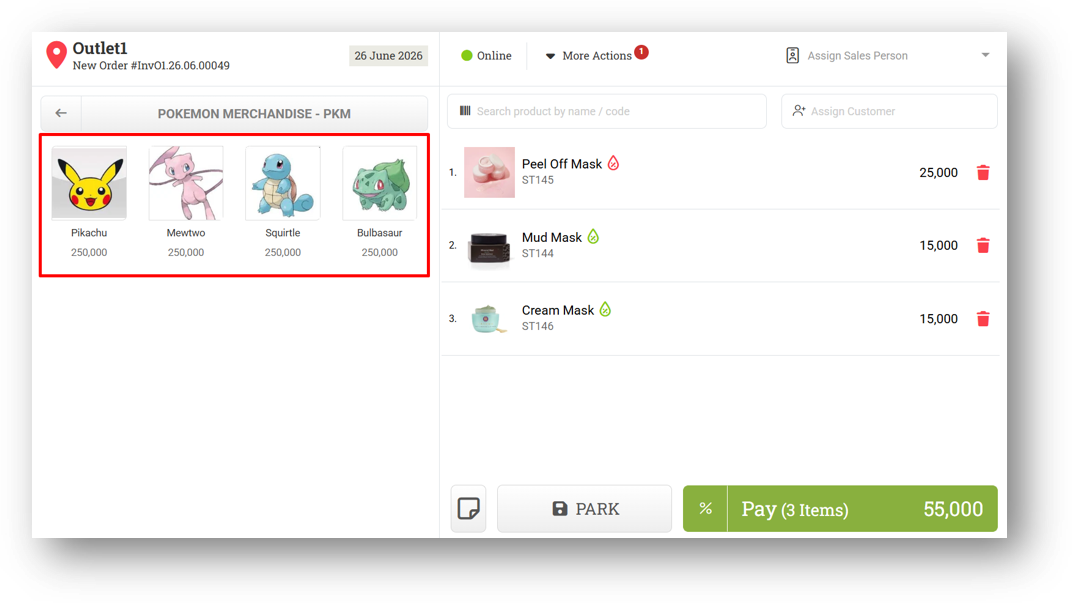
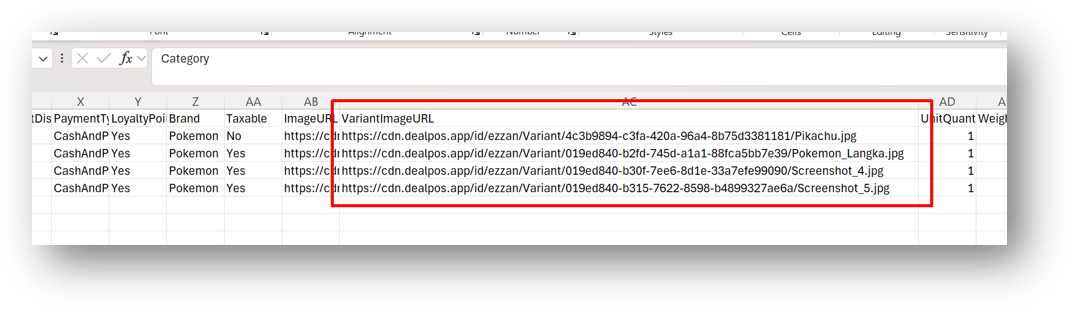
[Products - Variants] Variant Images on Product Form & Quick Key
We've expanded our recently launched variant image feature to the main product page. You can now manage variant images directly from the product details screen alongside other product information, giving you a single place to handle everything without switching between menus.
The Quick Key menu has also gotten a visual upgrade. When you tap a product during a transaction, the variant options that pop up will now display their respective images—making it much faster and easier to identify the right variant at a glance, especially when handling products with similar names.
Lastly, for those who prefer working with spreadsheets, we've added variant image URLs to the CSV export. This means you can now review, organize, or bulk update your variant images offline and re-import them via CSV, giving you more flexibility in managing your product catalog at scale.
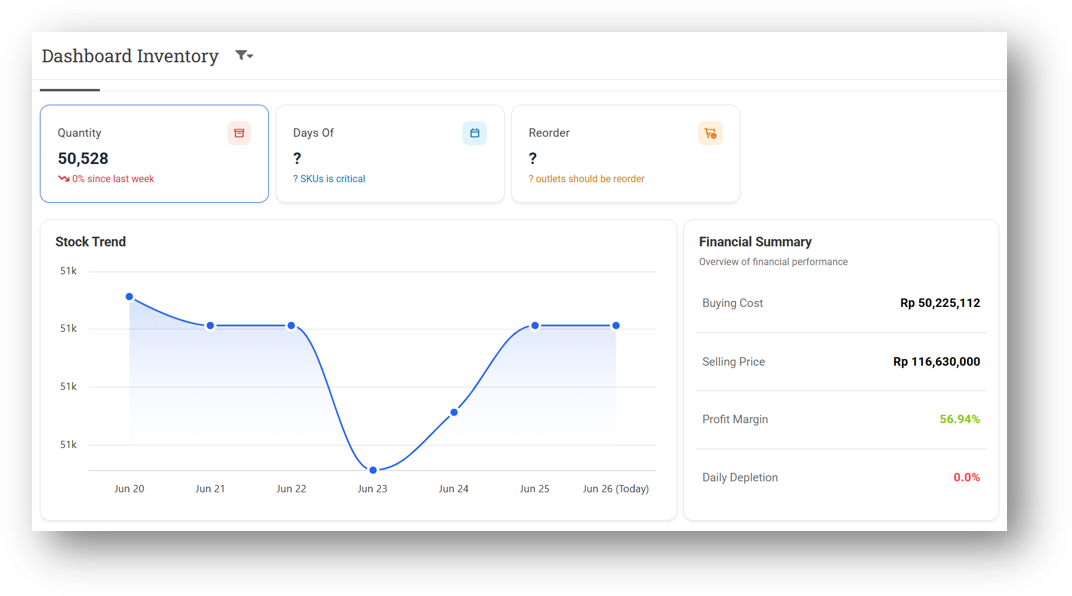
[Inventory - Dashboard] Enhance Dashboard Styling
We've given the main dashboard a subtle but meaningful visual refresh. The layout now feels smoother and more modern, with new icons added across various sections to help you navigate and identify key information faster. We've also polished several minor visual elements throughout the page for a cleaner, more enjoyable experience every time you log in.
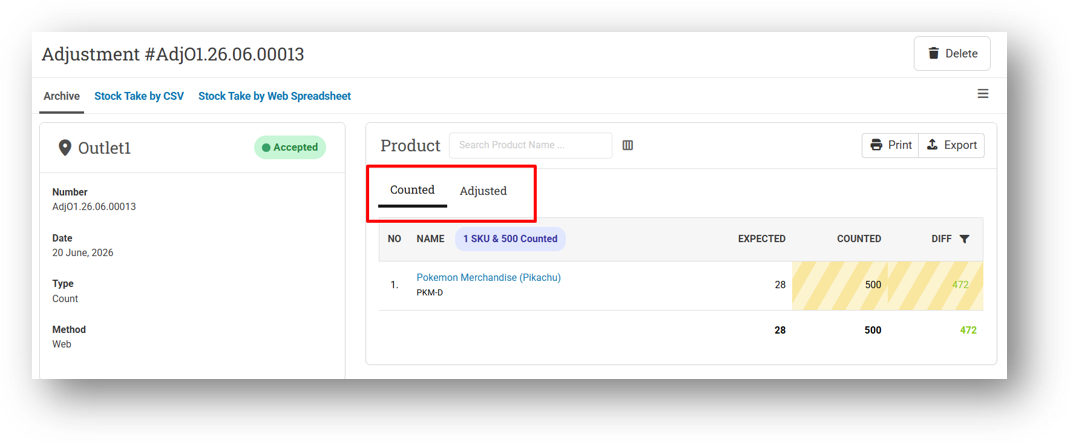
[Adjustment] Redesigned Items Table on Adjustment Info
We've refreshed the items table on the Adjustment Info page with a cleaner, more modern layout. The redesign focuses on a smoother visual flow and better readability, making it easier to scan through your adjusted items at a glance. No functionality has changed—just a polished look that feels more in line with the rest of the app.
Minor Improvements:
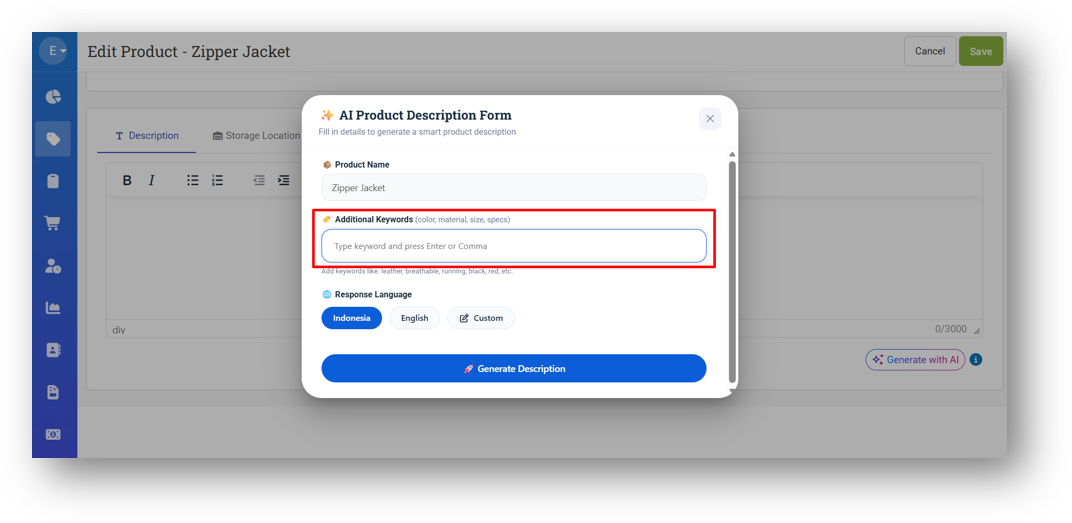
[Products] Trigger New Prompt Keyword on Enter or Comma Press in AI Product Description Input
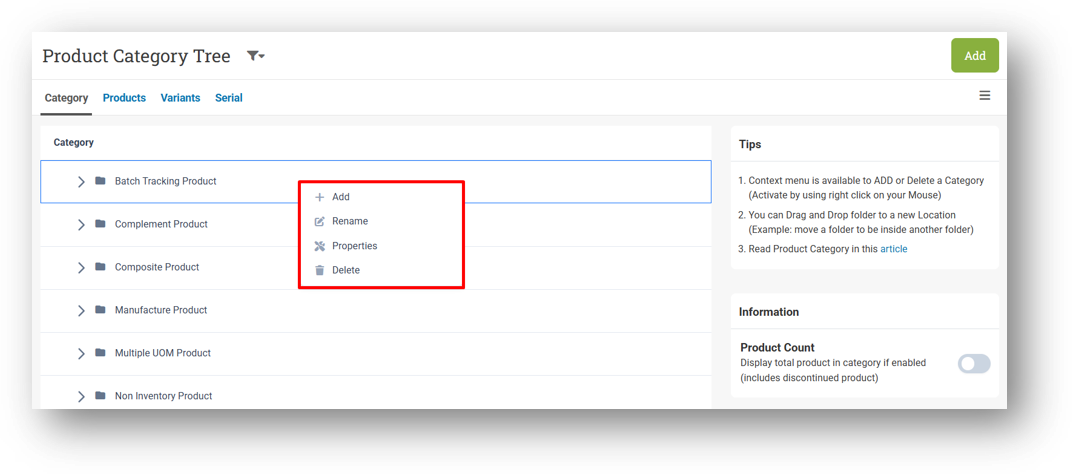
[Products - Category] Restrict Category Button Action with Product Roles
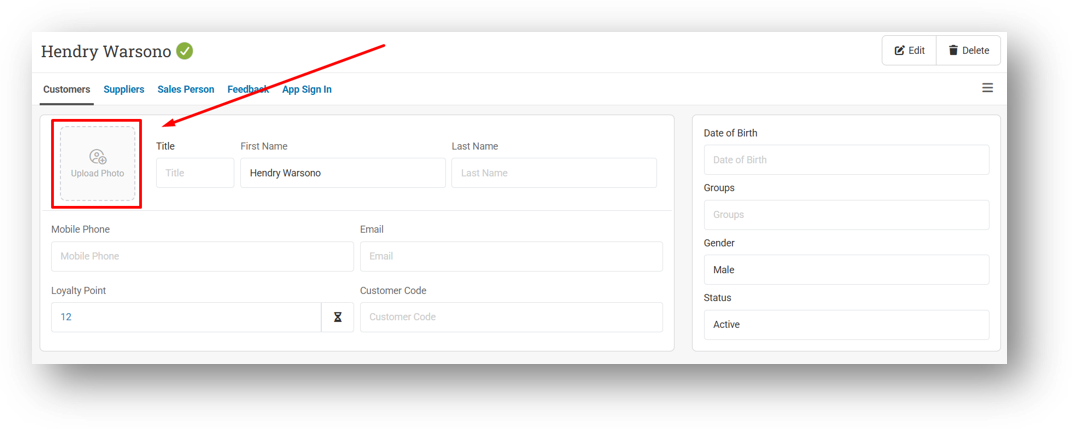
[Contacts] Improve Customer & Supplier Upload Image Form Design
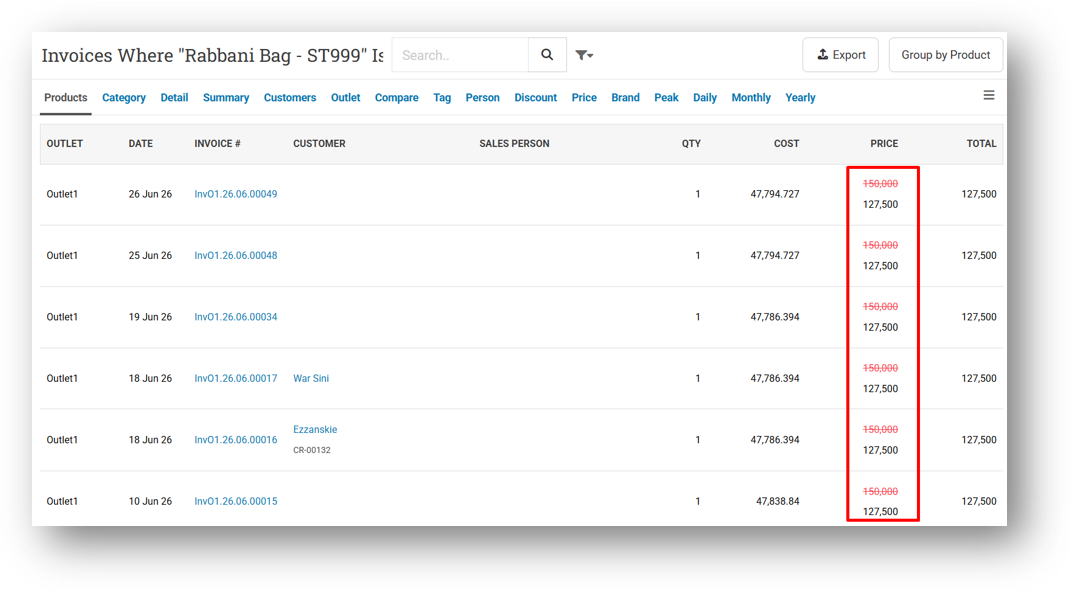
[Reports - Products (Invoice Item)] Display Net Sales & Unit Price with Strikethrough
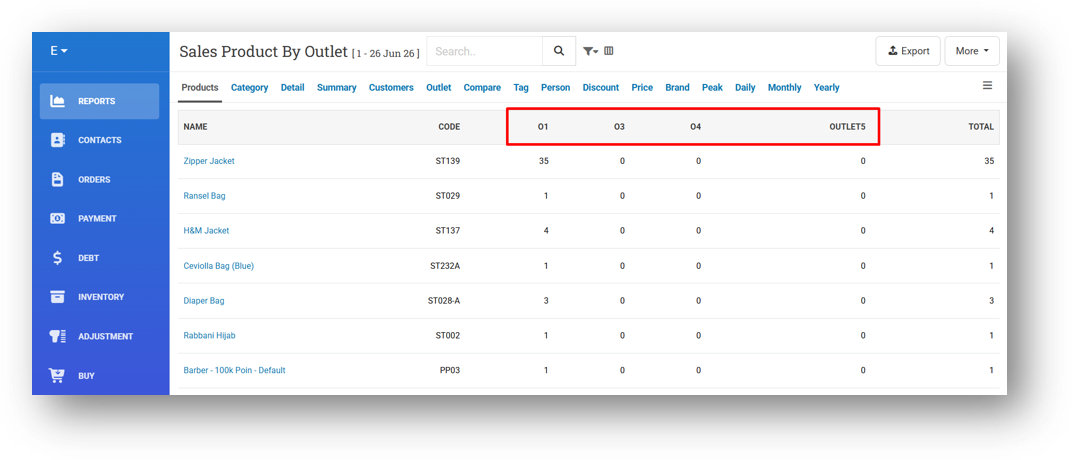
[Reports - Product (By Outlet)] Improve Column Order to Match Outlet List Menu Sequence
This feature was developed based on customer request #15877
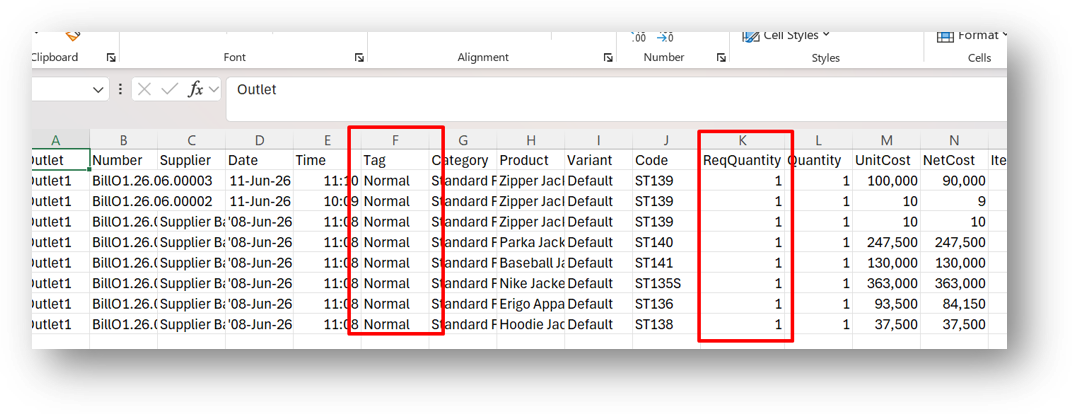
[Reports (Purchase) - Details] Provide PO Tag & Requested Quantity in CSV Export
This feature was developed based on customer request #16142
[Orders - Customer Invoice]
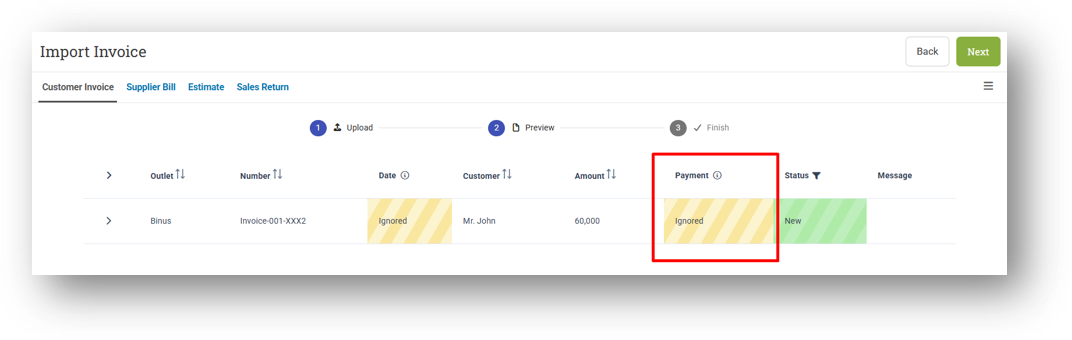
Display Payment Status Column in Preview Invoice Import
Improve Import Payment Validation Based on Payment Type Configuration
This feature was developed based on customer request #15817
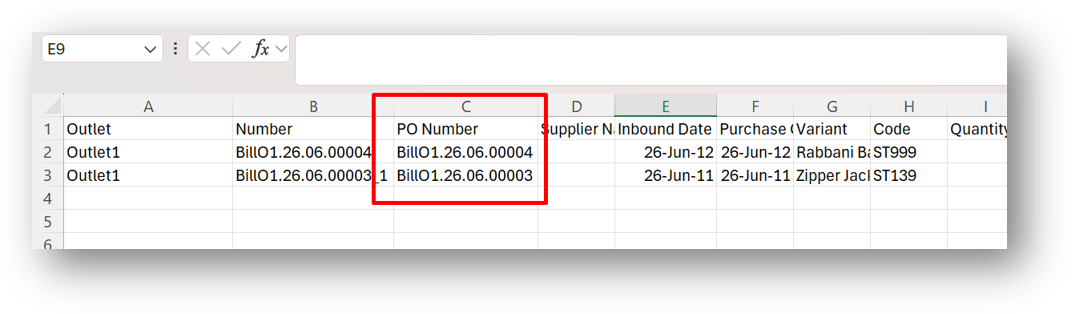
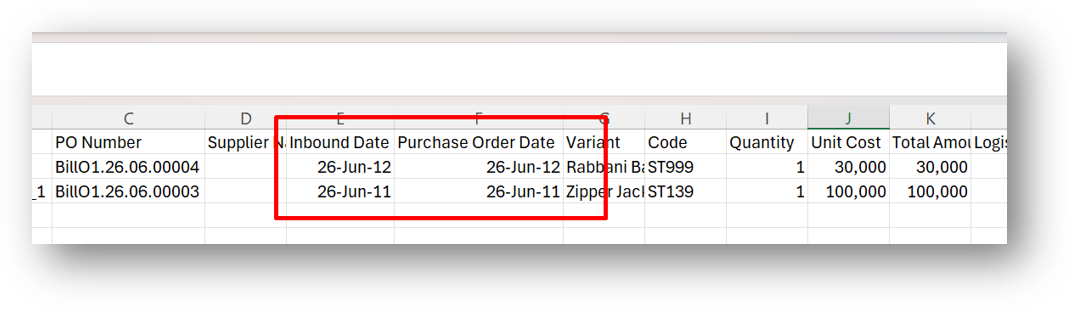
[Logistics - Inbound Details]
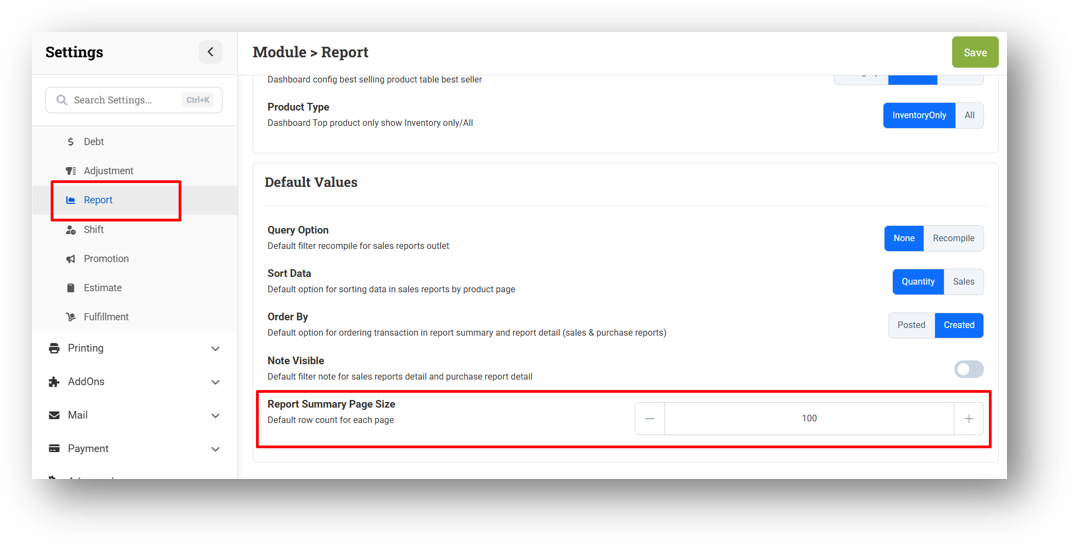
[Settings - Module (Report)] Report Summary Page Size Settings
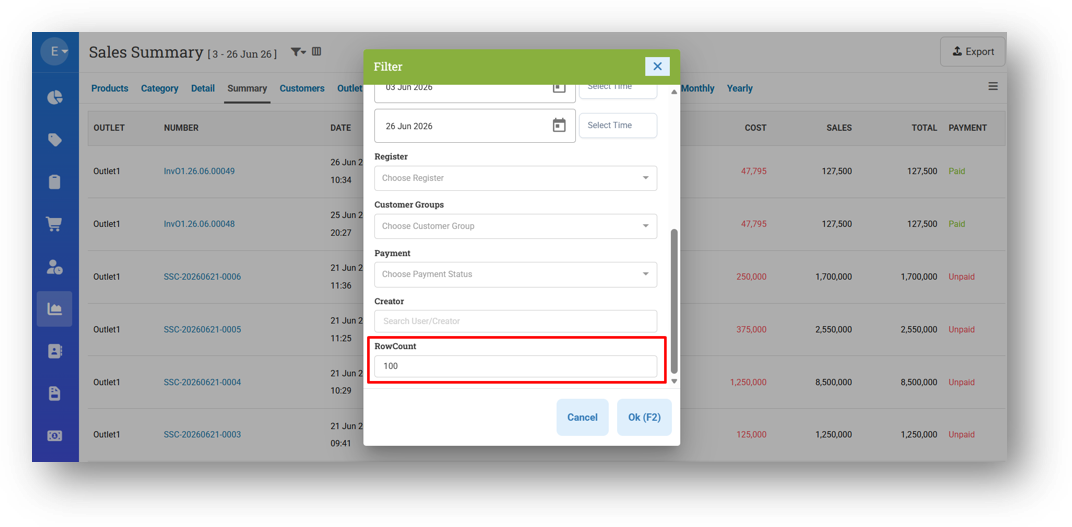
We've added a new setting called Report Summary Page Size that lets you control how many rows appear by default when you open the Report Summary page. By default, it's set to 100, but you can adjust it to any number that suits your workflow—for example, setting it to 50 means the page will open with 50 rows displayed right away.
This only affects the initial default value of the Row Count filter. You can still change it on the fly directly from the Report Summary page whenever you need to. It's a small addition that gives you more control over how your reports load, saving you that extra click every time.
This feature was developed based on customer request #16279
Bug Fixes:
[Products] Fix Product Image Preview Not Appearing Immediately After Upload
[Products - Variants] Fix Unauthorized Users Cannot View Images in Form
[Sell]
Fix Customer Point and Group Data Not Resetting After Adding New Customer
Fix Earn Point Not Restored After Restoring Voided Invoice
[Contacts - Customers] Fix Missing Thousand Separator for Loyalty Points in Info Page
[Contacts - Sales Person] Auto-Trim Leading and Trailing Spaces on Name Input Submit
[Adjustment]
Fix Cost and Price Not Saved on Unaccepted Adjustment
Fix Incorrect Cost and Price Display When Resuming Data
Fix Accept/Reject Modal for Adjust Type Display Zero Value
Patch 26.25.1 [28 Jun]:
[Products] Fix Product Module Setting Does Not Worked
[Products - Variants] Fix Variant Form Display Blank Page
[Orders - Bulk Print 8cm] Fix Time Filter Does Not Worked
Patch 26.25.2 [29 Jun]:
[Products - Variants] Fix Missing Component in Variant List Filter
[Shift] Fix Missing Page Title & Sub Menu Tab
[Reports] Fix Reports Detail & Summary Pagination
Patch 26.25.3 [30 Jun]:
[Contacts - Supplier] Tidy Up Supplier Form for Mobile View
[Reports - Monthly (List)] Exclude Order from Suspended Outlet
Patch 26.25.4 [1 Jul]:
[Inventory - Dashboard] Improve Chart Left Axis Scale to Dynamically Adjust Based on Data Range
[Adjustment - CSV] Add Quotation Mark at Beginning of Code Column (CSV Sample)
[Adjustment - Reports Details] Set Default Export Row Count to 10000
[Logistics - Transfer Order] Fix Dispatch Modal Display Blank UI
[Logistics - Inbound Detail Reports] Fix Incorrect Date Value in CSV Export
[Promotion - Coupon] Fix Unlimited Coupon Not Appearing on Any Usage Status
Patch 26.25.5 [3 Jul]:
[Reports - Products]
Fix Brand Filter Does Not Work Properly
Fix Sort Feature Does Not Work Properly
[Reports - Summary] Fix Sort Feature Does Not Work Properly
[Reports - Customer] Fix Sort Feature Does Not Work Properly
[Reports - Product (By Outlet)] Fix Column Value Does Not Match Outlet Column
[Orders - Bill] Fix Error When Opening Bill Info with Non-Primary Currency
[Buy] Fix Search Bar Not Resetting After Completing Transaction
[Receipt App] Hide Earn Point Info on E-Receipt for Non-Existing Customers
Patch 26.25.6 [3 Jul]:
[Prepaid Package]
Fix Users Cannot Check Out Customer
Fix Prepaid Data Not Loading When Inputting Customer
Overall, this update further establishes the platform as a reliable Inventory Application for your retail businesses. Stay tuned for more updates, and don't hesitate to reach out if you have any questions or need support!