- DATE:
- AUTHOR:
- Ezzan
WebApp Version 26.26 Changelog
This update includes new features, essential performance improvements, and usability enhancements to ensure your daily operations run smoothly. We've also addressed several bug fixes to enhance stability and reliability. DealPOS continues to evolve as a reliable POS Software designed to support retail business operations with better performance and usability. Thank you for your continued trust and feedback, which help us deliver the best possible service.
New Feature:
[Users - Groups] Brand Restriction Expanded Across Reports
We've rolled out Brand Restriction to several additional pages, giving you tighter control over what data users can access based on their assigned brand group. We've also added a thoughtful UX touch for users assigned to only one brand. When they open any of these pages, the brand filter will automatically select their assigned brand and become disabled—no need to set it manually, and no risk of accidentally switching to an unauthorized brand. The newly covered pages include :
Daily Reports (Chart & Table View)
Monthly Reports (Chart & Table View)
Yearly Reports (Chart & Table View),
Reports Details (Different Behaviour)
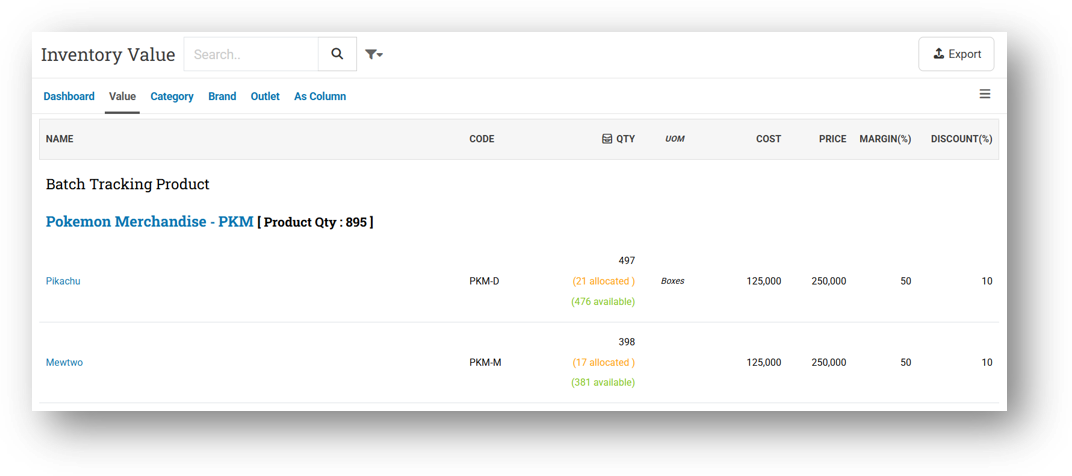
Inventory - Dashboard
Inventory - Category
Inventory - Outlet
Inventory - As Column
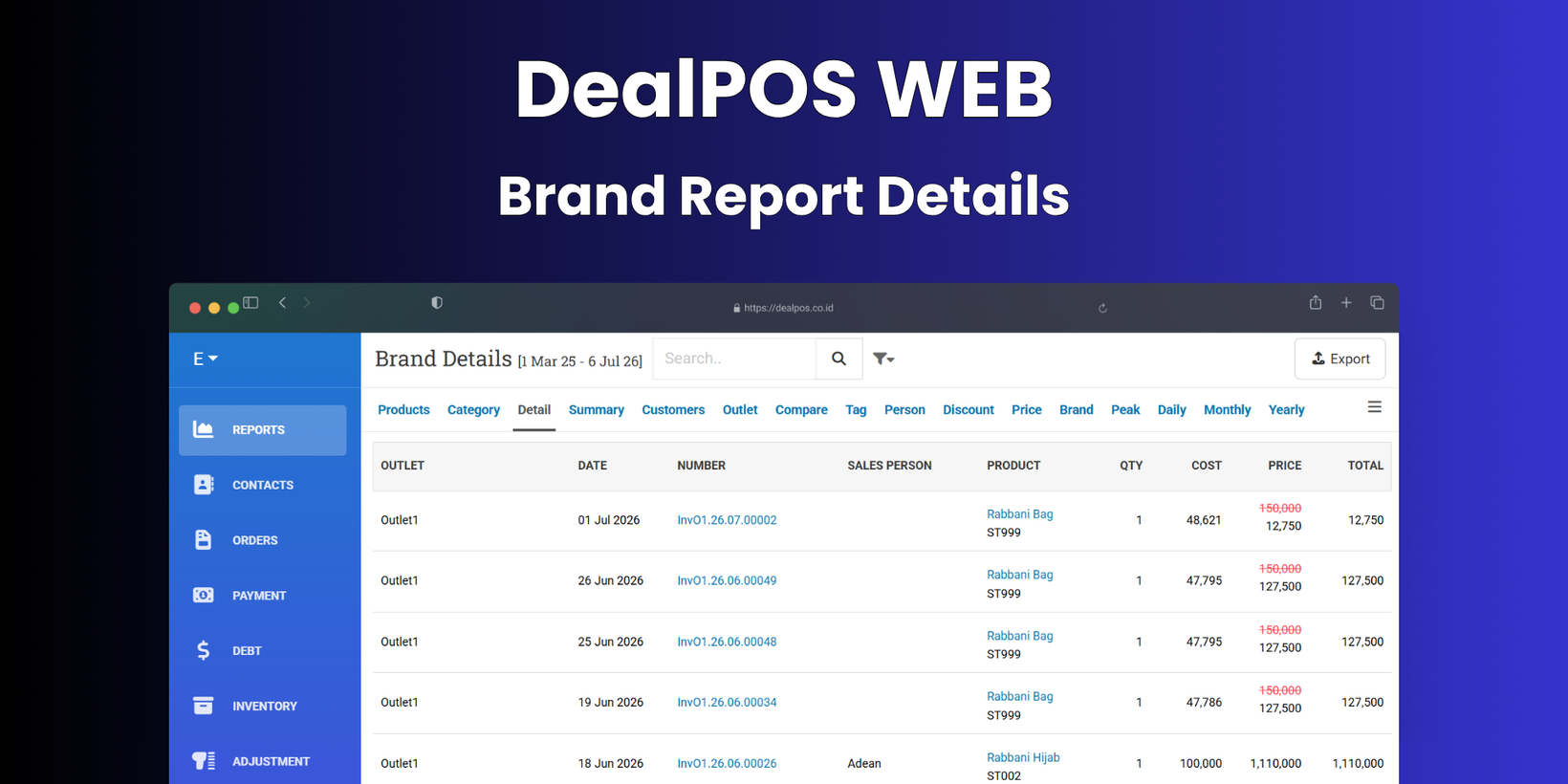
[Reports] Brand Report Details
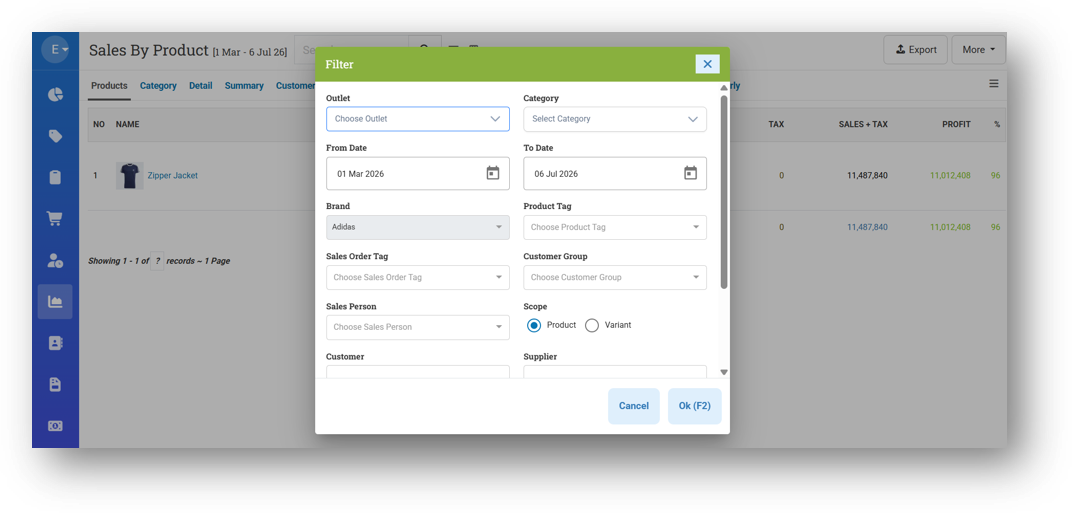
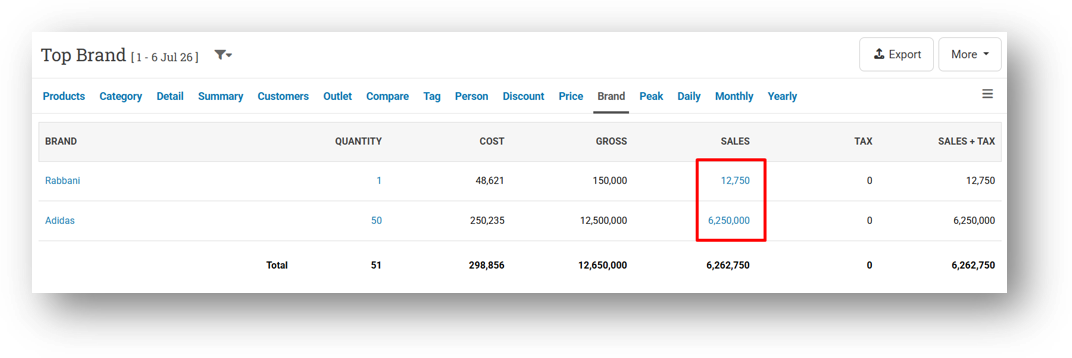
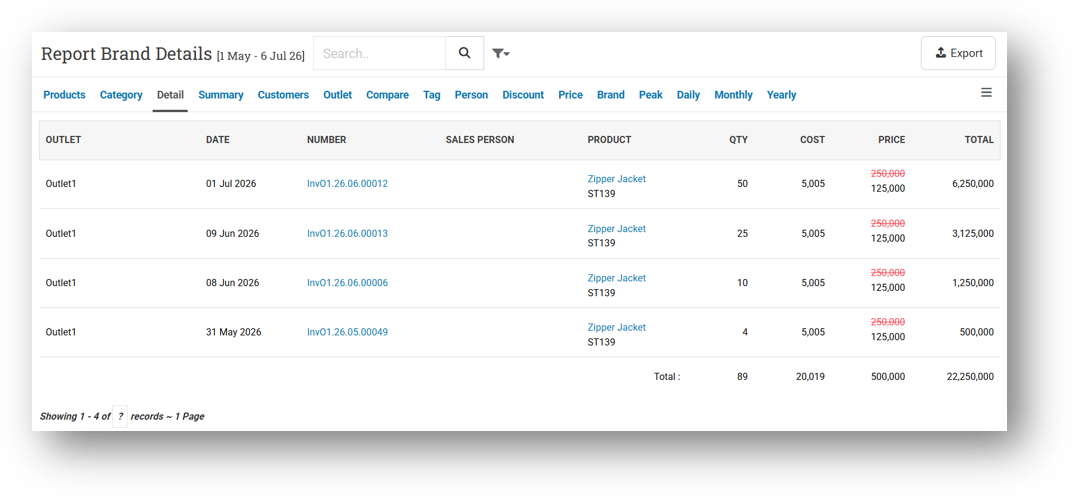
We've introduced a new dedicated page called Brand Report Details, designed to give you a focused view of your sales data filtered by a specific brand. This works just like the existing Reports Details page, but it's tailored to show information for one brand at a time. To access it, simply go to the Report Brand page and click on any brand's Sales value—you'll be taken directly to the detailed view for that brand. We'll also be adding direct access from the Reports Details page in the near future.
This feature ties directly into our Brand Restriction system. Since the regular Reports Details page displays products across all brands without a brand filter, any user who is restricted by brand will now be automatically redirected to the Brand Report Details page instead. The brand filter will be pre-selected and locked to their assigned brand, ensuring they only see data they're authorized to view—seamlessly and without any extra steps.
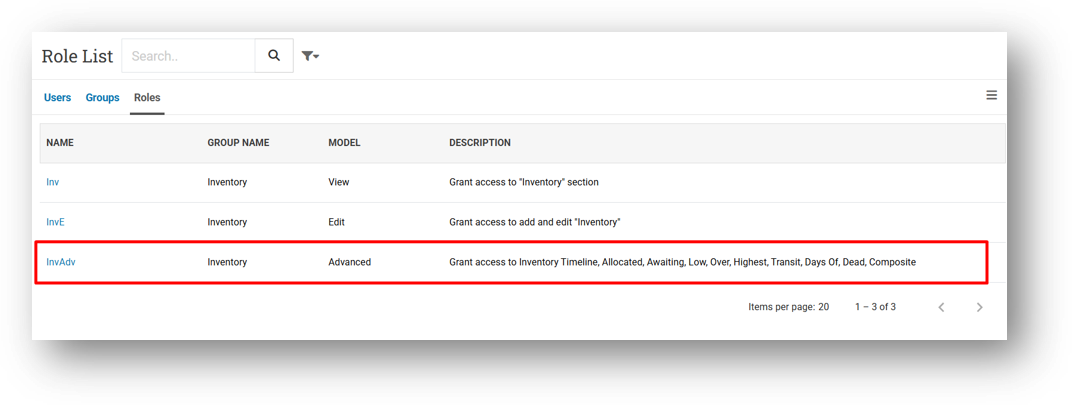
[Users - Roles] Inventory Advanced Role
We've added a new role permission called Inventory - Advanced to give you more granular control over who can access detailed inventory data. By default, this role is enabled for any user who already has the Inventory - View permission, so there's no immediate change to your existing setup.
If you choose to disable this role for a user, the following inventory tabs and pages will become inaccessible: Inventory Timeline, Allocated, Awaiting, Low, Over, Highest, Transit, Days Of, Dead, and Composite. This lets you keep basic inventory access open while restricting more advanced views, giving you flexibility to tailor each user's experience based on their needs.
Minor Improvements:
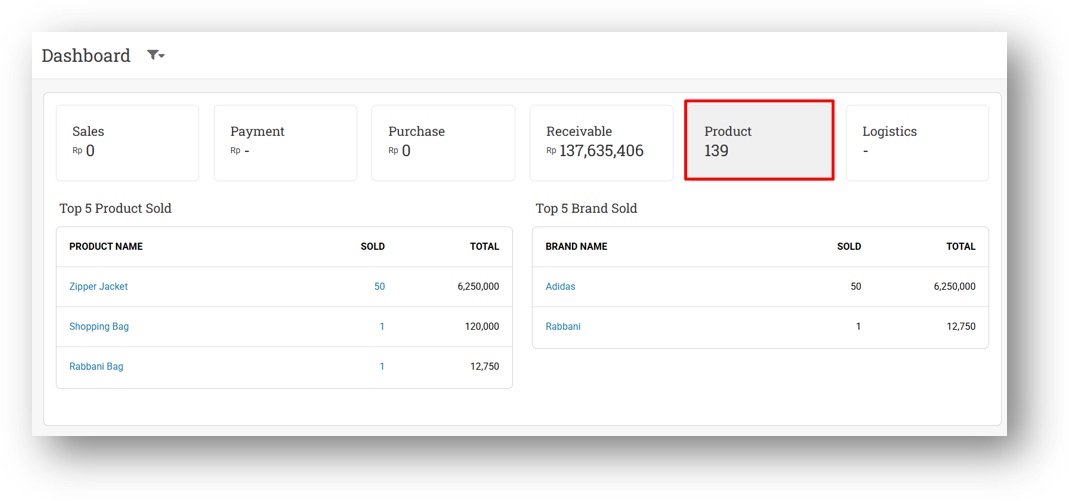
[Dashboard] Display Product Count on Product Card
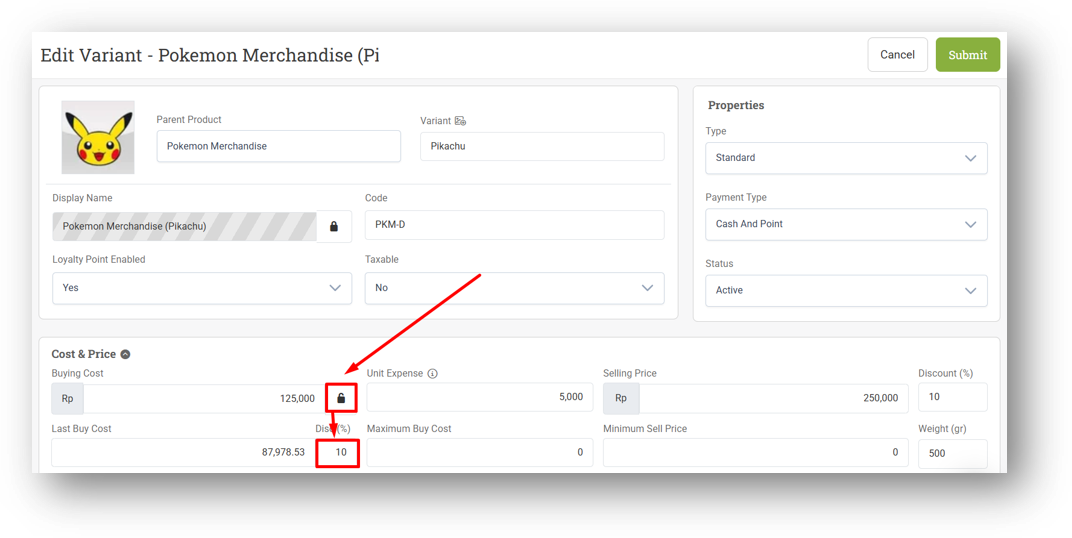
[Products - Variants]
Allow Users to Edit Last Buy Cost Disc by Clicking Lock Iconr
This feature was developed based on customer request #16130
Improve Upload Variant Image Behaviour
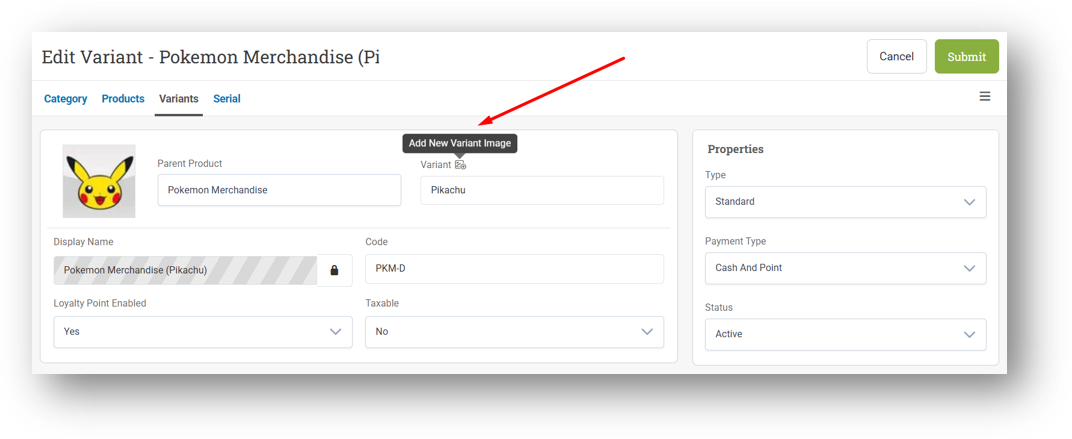
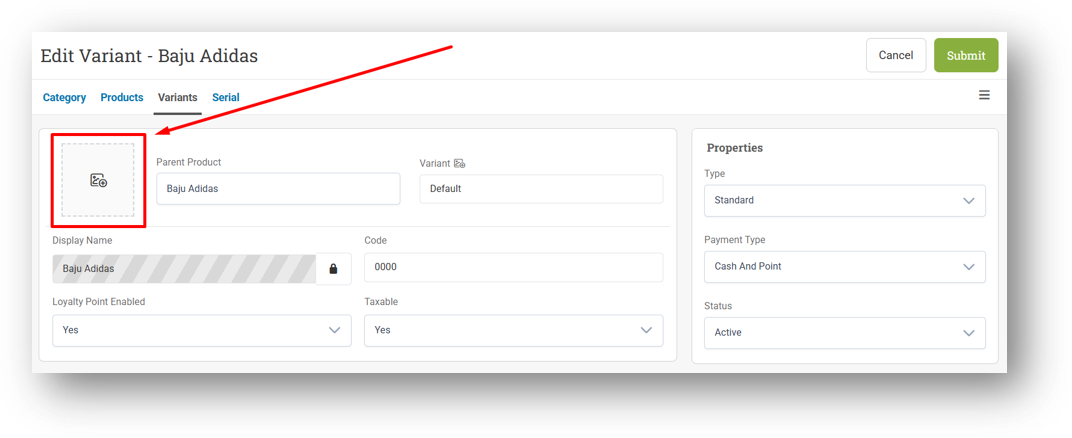
We've made variant image management more intuitive on the Variant page. Now, if a variant doesn't have its own image but the main product does, the product image will automatically show as a fallback—giving you a visual reference right away instead of a blank placeholder.
When you're ready to upload the actual variant image, simply click the upload icon next to the variant label to replace the fallback with the real one. If both the product image and variant image are empty, the standard upload form remains available as usual. It's a small touch that makes managing your variant visuals feel much smoother.
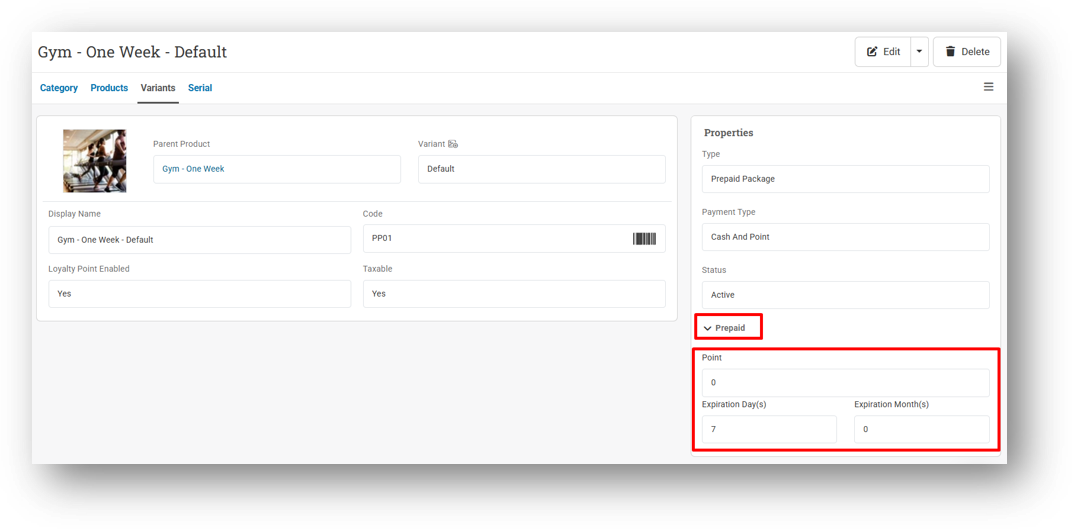
Display Point and Expired Time Information for Prepaid Product in Info Page
[Sell]
Always Display Customer Group If Exists in Customer Section
This feature was developed based on customer request #16871
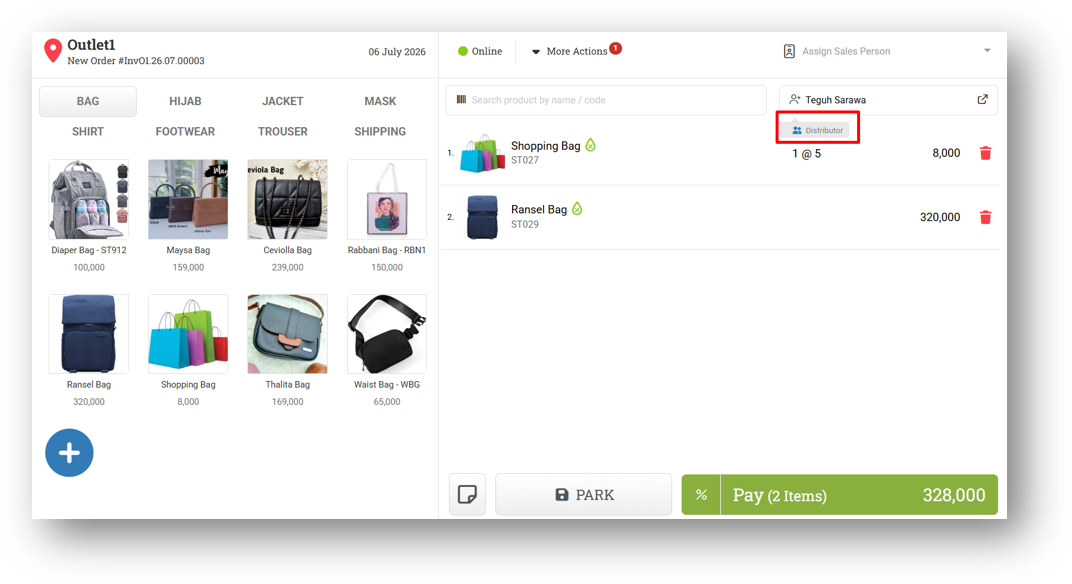
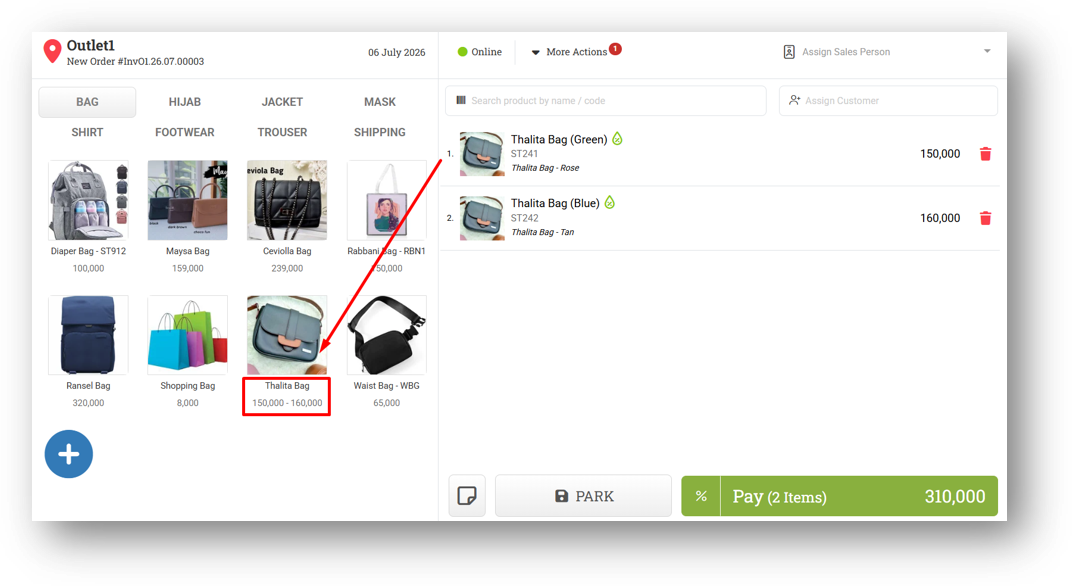
Improve Quick Key Product Price Display Based on Variant Price Uniformity
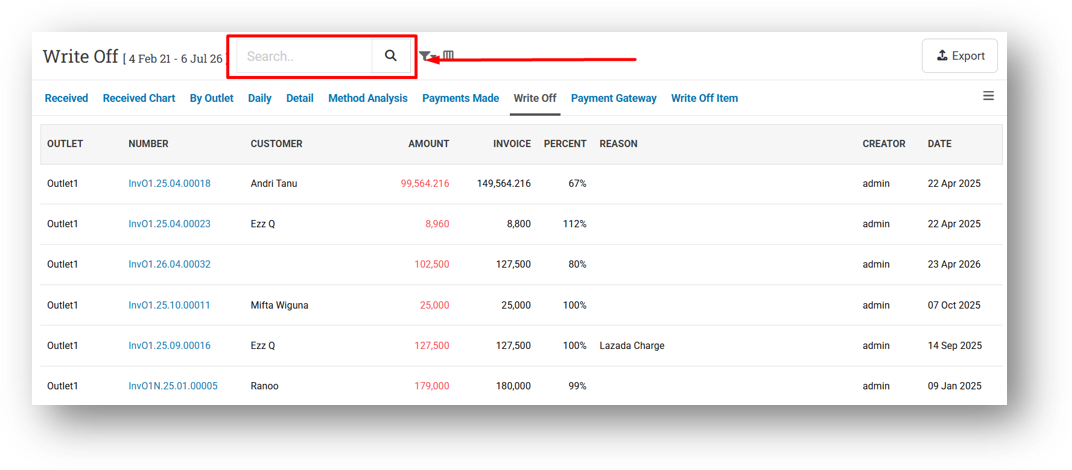
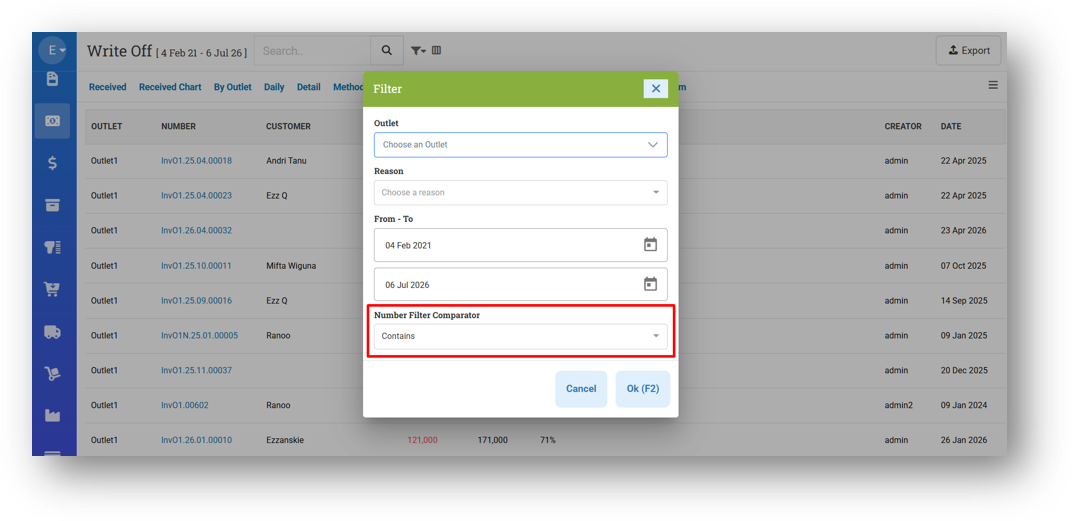
[Payment - Write Off]
Provide Search Invoice Feature
Provide Number Filter Comparator
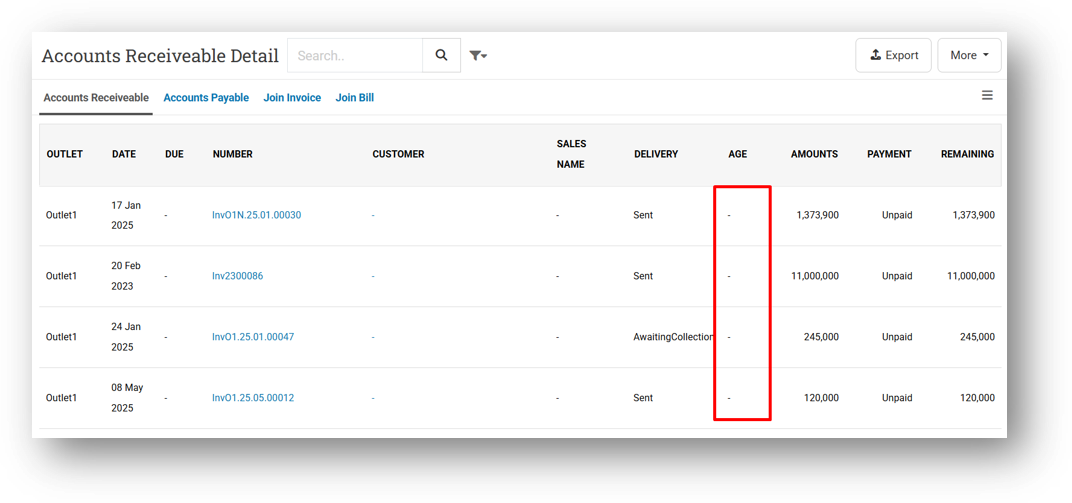
[Debt - AR Details] Improve Due Date and Debt Age Calculation After Payment Deletion
This feature was developed based on customer request #16384
[Inventory - Dashboard]
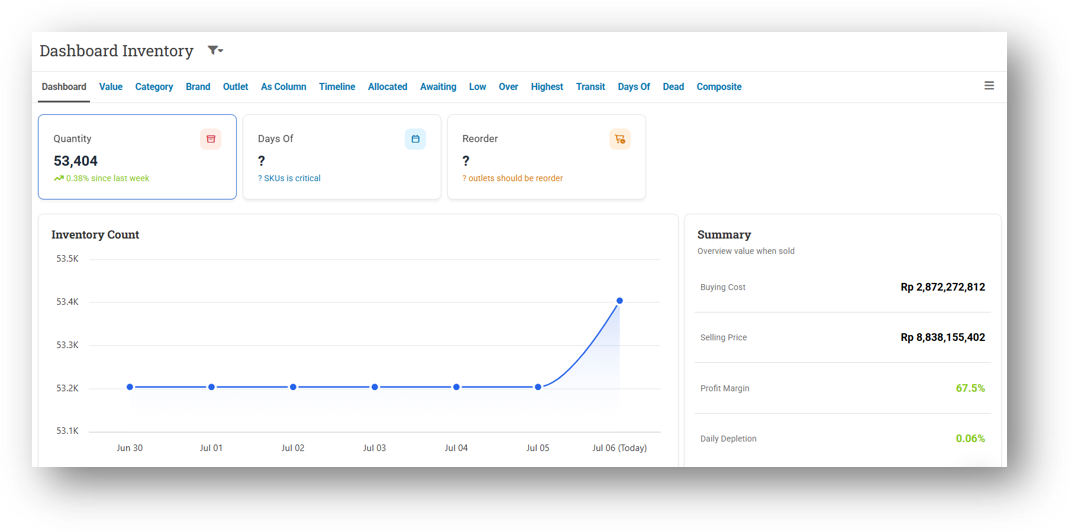
Inventory Dashboard Performance & Styling Update
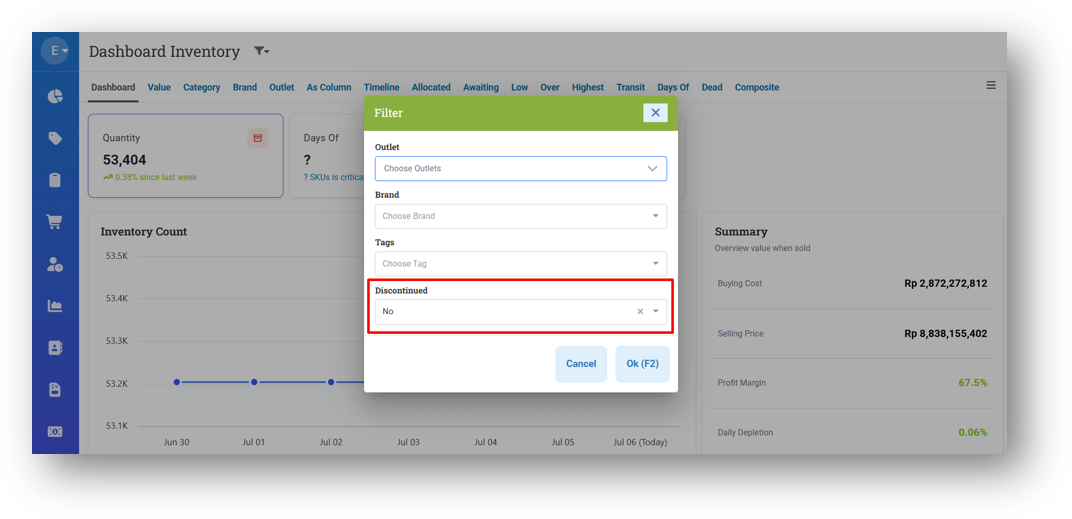
Provide Product Discontinued Status Filter
[Adjustment] Improve Adjustment Quick Key to Display 20 Products Only
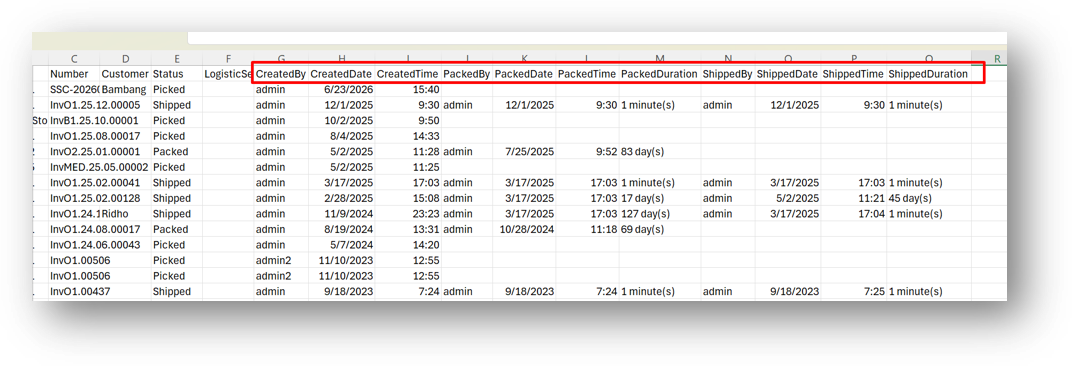
[Fulfillment - All] Provide Action Time in CSV Export & Improve Column Positions
This feature was developed based on customer request #16336
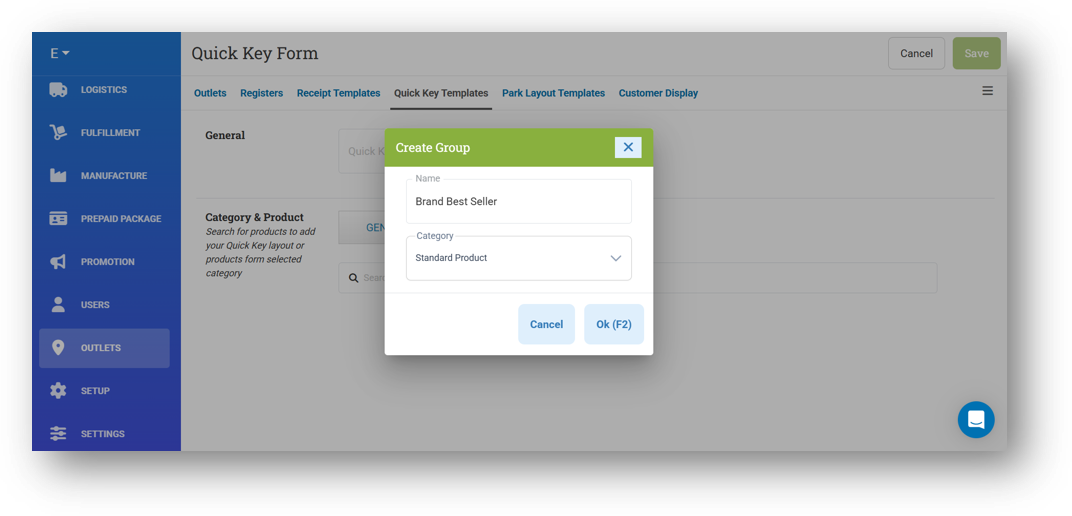
[Outlets - Quick Key] Restrict Product Breakdown to Get 20 Products Only on Choosing Category
Bug Fixes:
[Products] Fix Released Date Filter Not Working When Combined with Keyword Search
[Reports - Discount] Fix Sort Feature Does Not Work
[Reports (Purchase) - Summary] Fix Sort Feature Does Not Work
[Orders - Invoice]
Fix Double Earn Points Returned When Adding Invoice Payment
Fix Double Earn Points Returned When Restoring Voided Invoice
Fix Missing Created Timestamps from Write Off (Omni Sync)
[Fulfillment - Unfulfilled Products] Fix Row Count Not Updating When Filtering Data
Patch 26.26.1 [6 Jul]:
[Sell] Fix Users Cannot Open Edit Invoice Form
[Shift - Voided Shift] Fix Missing Page Title
[Reports - Products] Auto Filter Brand When Redirecting from Brand Reports (Quantity)
[Reports - Yearly (Table)] Fix Duplicate Columns Value
[Inventory - Value] Fix Missing Pagination & Next Page Button
[Prepaid Package] Remove Unused Submit Button in Treatment Complete Page
Patch 26.26.2 [7 Jul]:
[Orders - Bulk Print] Fix Filter Date Does Not Work Properly
[Reports (Sales) - Summary] Fix Missing Join Date from Customer Created in Sell Form
[Reports (Purchase) - Summary] Implement Default Page Size Settings
[Promotion - Event] Fix Item Not Added to List Immediately After Selecting and Pressing OK Button
[Promotion - Coupon] Fix Item Not Added to List Immediately After Selecting and Pressing OK Button
[Promotion - Pricebook] Fix Item Not Added to List Immediately After Selecting and Pressing OK Button
Patch 26.26.3 [9 Jul]:
[Report - Details] Escape Various Column for Special Character
[Reports - Products (Invoice Items)] Provide Net Price Column in CSV Export
[Orders - Bulk Print] Fix Filter Date & Time Does Not Work Properly
[Fulfillment - Product to Receive] Display Quantity To Receive Column in CSV Export
Patch 26.26.4 [13 Jul]:
[Products - Variants] Fix Missing Ratio & Reference in Multi Unit Variant Form
[Shift - Previous Shift]
Fix Missing Page Title from Register Detail Page
Set Negative Amount in Payment Tab to Red Color
[Reports - Details] Fix CSV Export with Complete Details Column Shifting When Note Contains Comma
[Debt - AP] Fix Sort Feature Does Not Work Properly in AP & AP Details
[Orders - Customer Invoice] Fix Missing Generate Invoice Link
[Orders - Supplier Bill] Improve Payment Attachment UI to Display Instantly Without Delay
[Adjustment] Fix Missing Print & Export Button in Info Page for Adjust Type
[Promotion - Event] Fix Requirement Item Import Failing Without Error Message
Overall, this update further establishes the platform as a reliable Inventory Application for your retail businesses. Stay tuned for more updates, and don't hesitate to reach out if you have any questions or need support!