- DATE:
- AUTHOR:
- Ezzan
WebApp Version 26.29 Changelog
This update includes new features, essential performance improvements, and usability enhancements to ensure your daily operations run smoothly. We've also addressed several bug fixes to enhance stability and reliability. DealPOS continues to evolve as a reliable POS Software designed to support retail business operations with better performance and usability. Thank you for your continued trust and feedback, which help us deliver the best possible service.
New Feature:
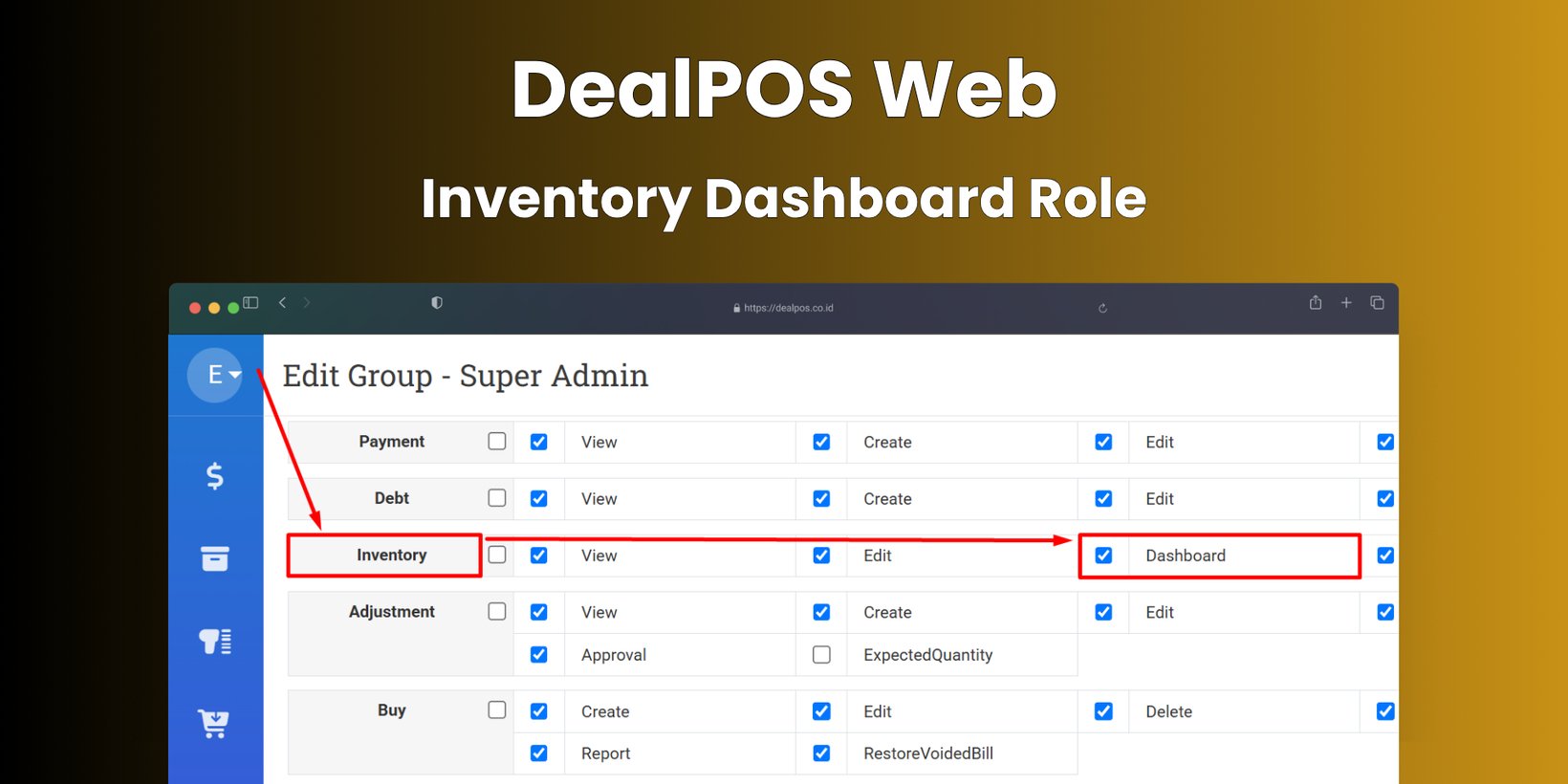
[Users - Role] Inventory Dashboard Role
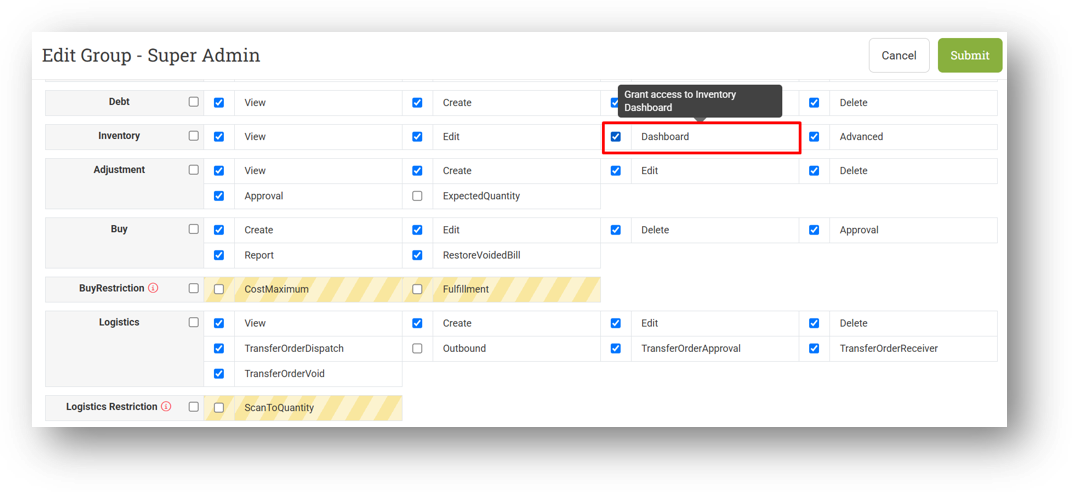
We've introduced a new role called Inventory Dashboard to give you finer control over who can access the Inventory Dashboard. In previous releases, the dashboard was accessible to anyone with the basic Inventory View role, and we intentionally displayed advanced data like Days Of and Reorder information without requiring the Inventory Advanced role. This was great for visibility, but we understand that not every user needs access to the dashboard.
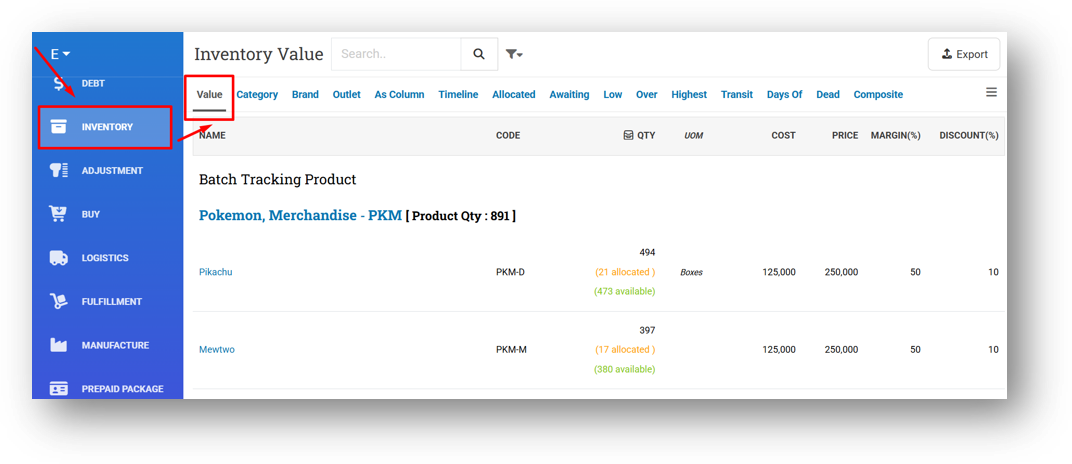
Now, with this new role, you can decide exactly who sees the Inventory Dashboard. It will be automatically enabled for any user who already has Inventory View, so there's no immediate change to your current setup. If you disable it for a user, they will simply be redirected to the Value tab whenever they open the Inventory menu—keeping advanced insights visible only to those who need them. Note that the main Days Of and Reorder tabs still require the Inventory Advanced role as before.
This feature was developed based on customer request #17370
Minor Improvements:
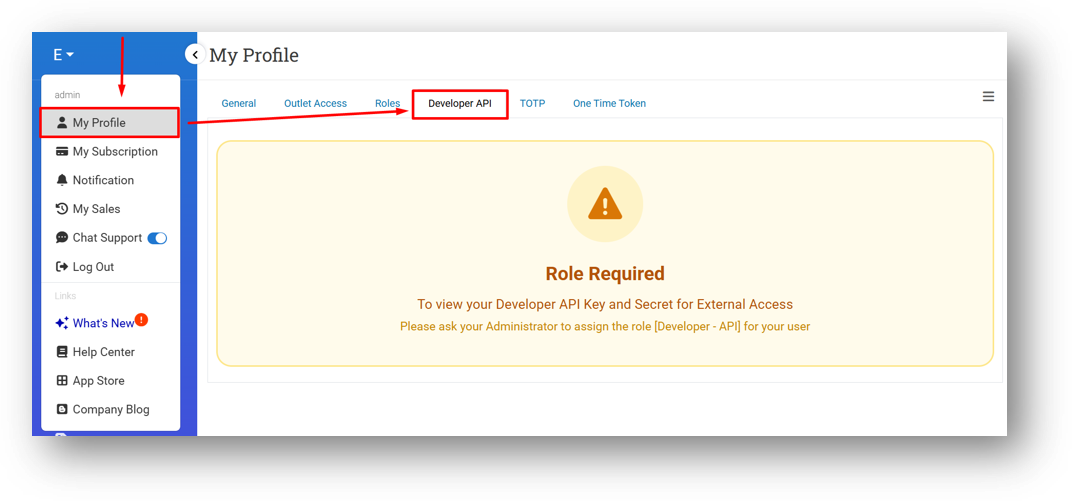
[My Profile - Developer API] Improve Warning Message for Unauthorized Users
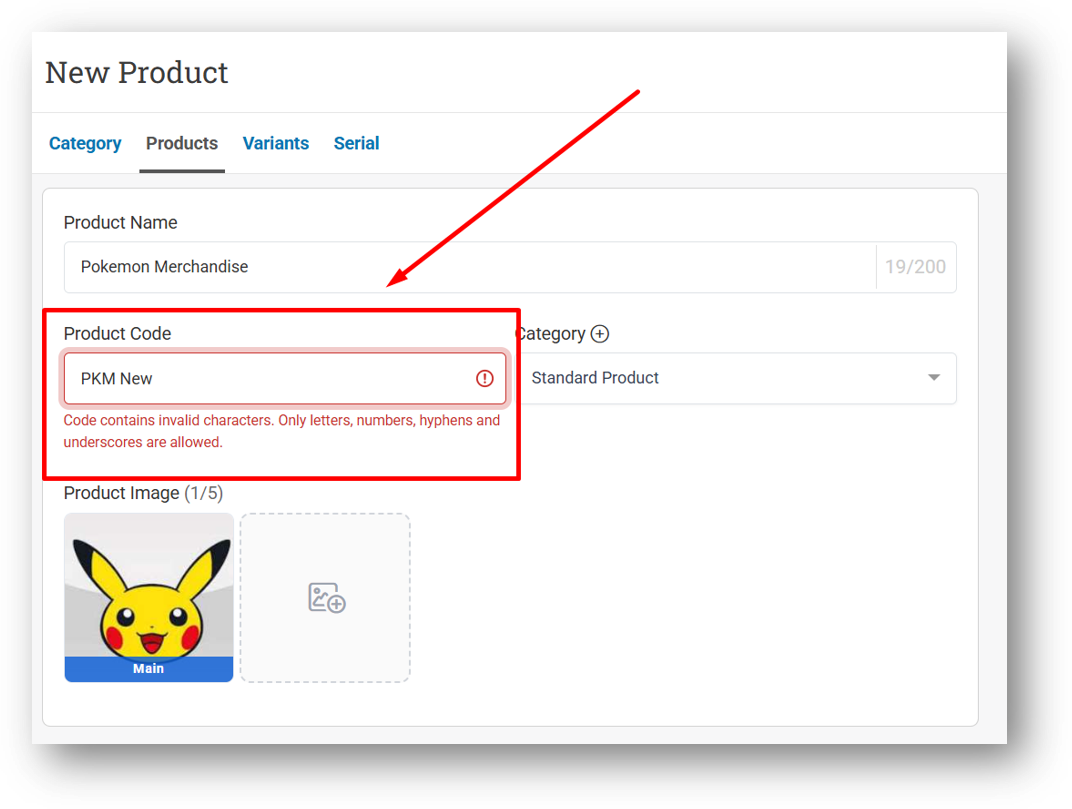
[Products] Change Code Auto-Trim Behaviour to Validation Error on Input Fields
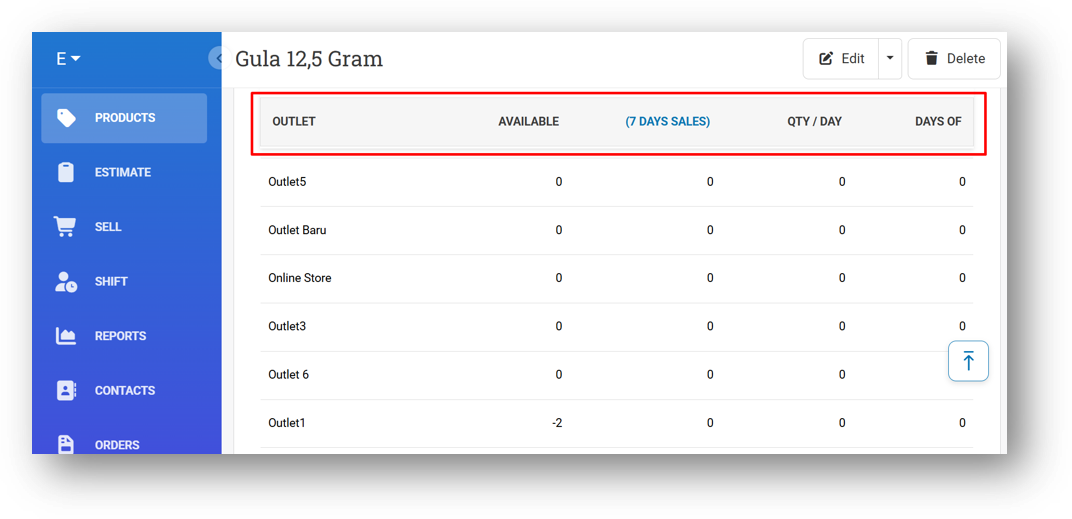
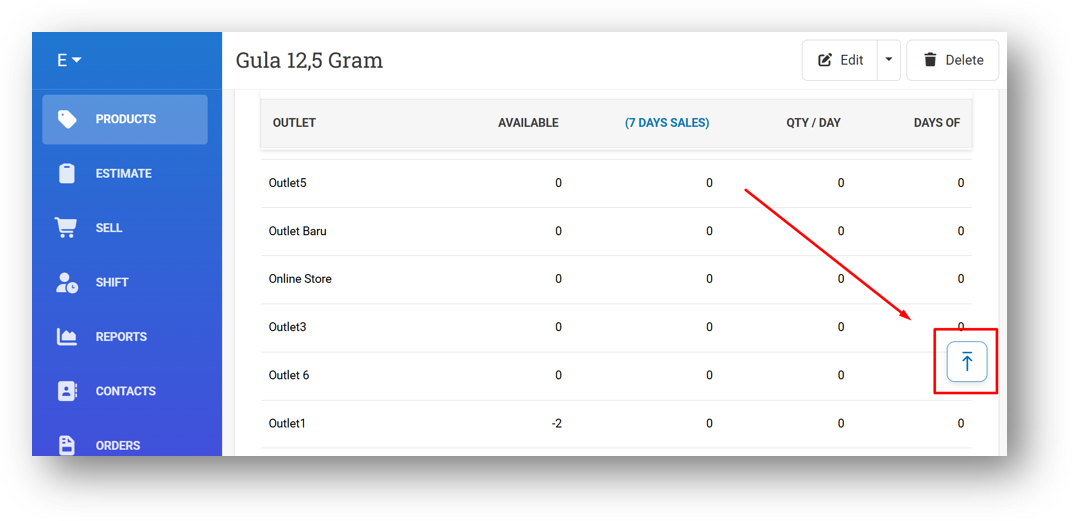
[Products - Variants]
Implement Sticky Headers to Days Of Table in Variant Info
Implement Auto-Scroll to Top on Days Of Tab in Variant Info
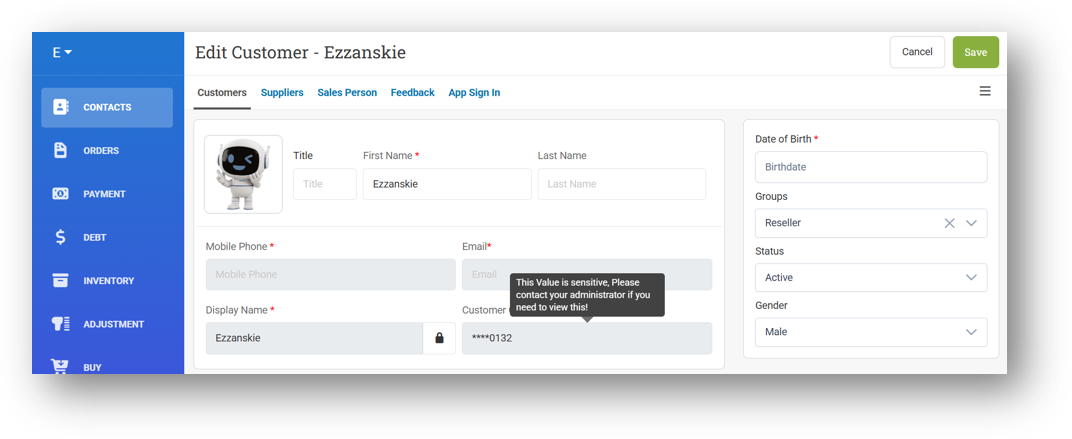
[Contacts - Customers] Remove Sensitive Field Restriction from Create Form
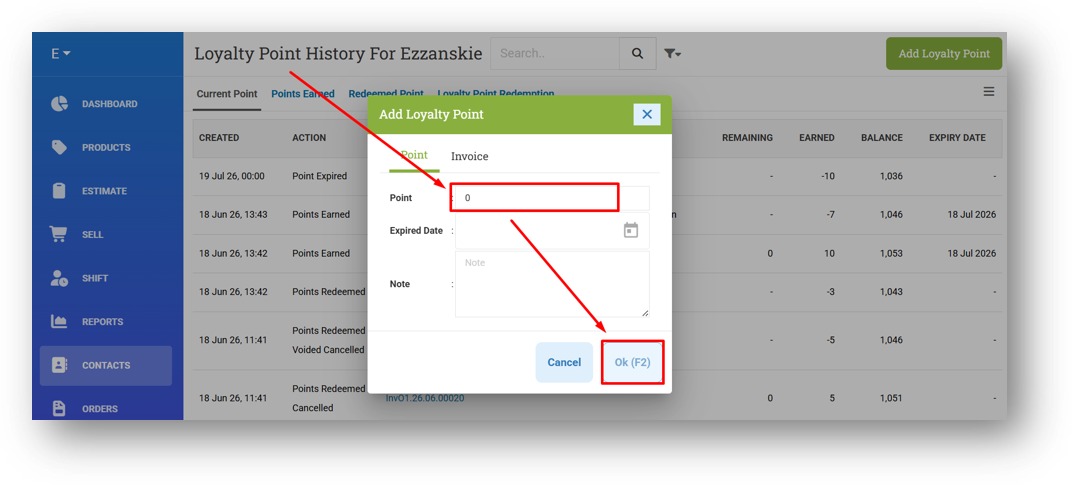
[Contacts - Point History] Restrict Users from Submitting Zero Point
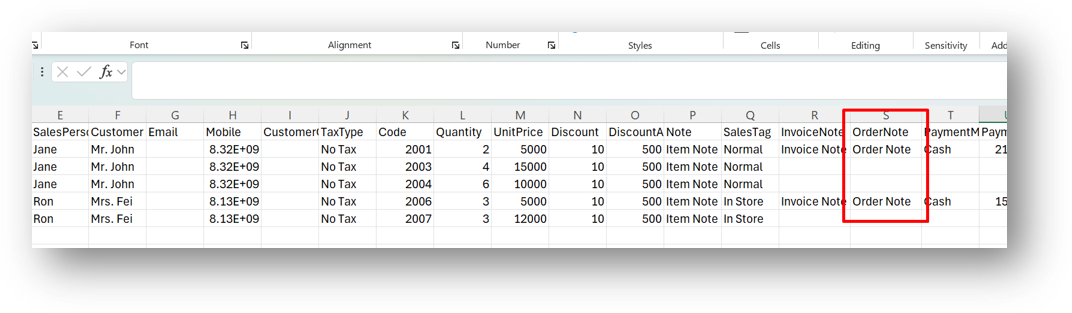
[Orders - Invoice] Allow Users to Import Invoice with Order Note Column
[Inventory - Dashboard]
Improve Days Of Card Query Performance
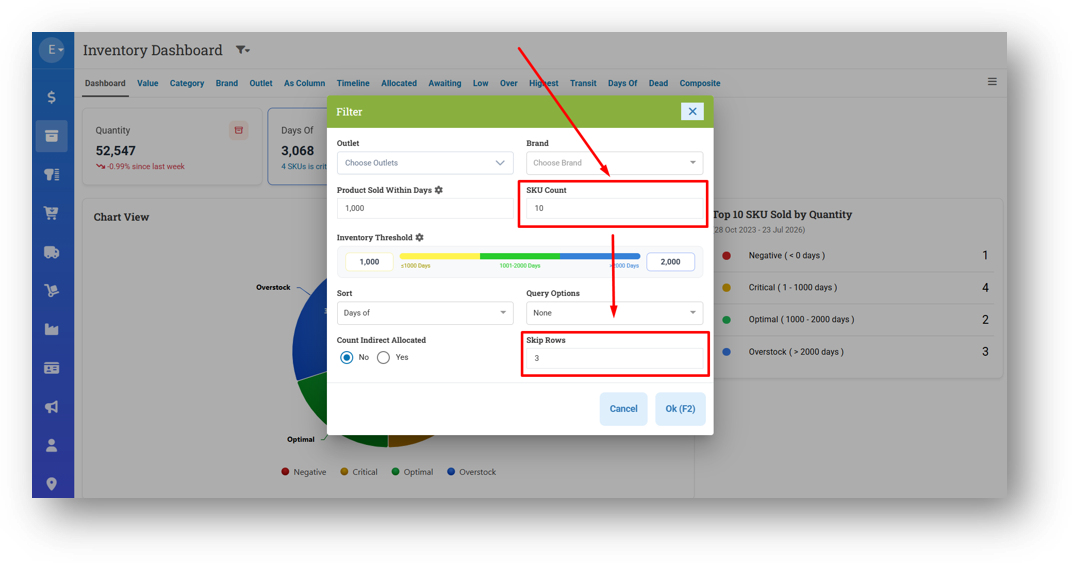
Skip Rows Filter for Days Of Card
We've added a new Skip Rows filter to the Inventory Dashboard, giving you even more flexibility when analyzing your top-selling SKUs. By default, it's set to 0, so nothing changes unless you want it to. Here's how it works: if your SKU Count is set to 10 and there are 25 SKUs sold in your selected time range, the dashboard normally shows rows 1 through 10. But if you set Skip Rows to 3, it will skip the first three and display rows 4 through 13 instead. It's a simple way to dig deeper into your data without overwhelming your view.
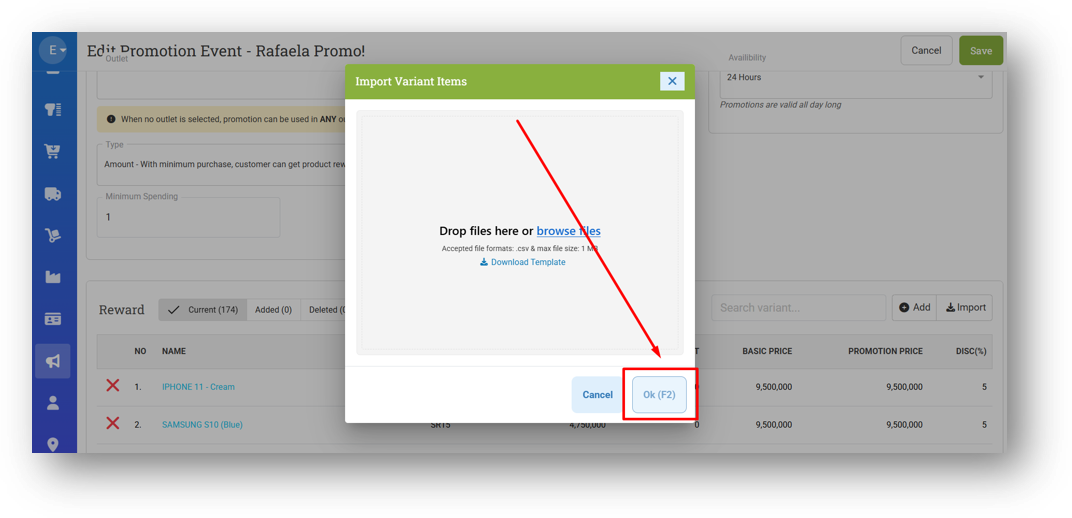
[Promotion - Event] Disable Ok Button in CSV Import Modal Before Uploading File
[Sharing Component] Auto-Refresh Row Count on Filter
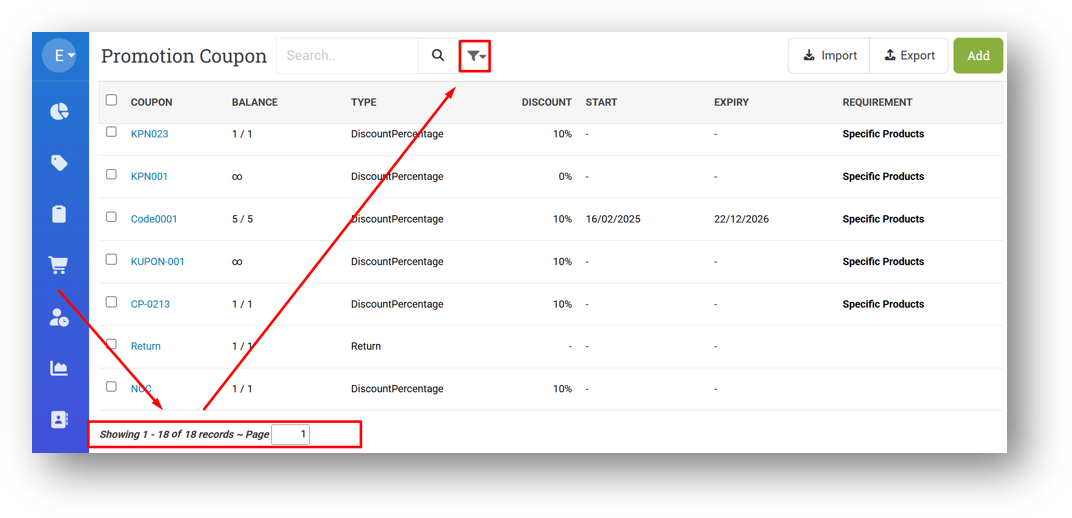
We've refined the row count behavior in the footer of list and table views across several menus, including Orders, Inventory, Logistics, Promotions, and Outlet. Previously, when you applied a filter and the data count changed—say from 1000 to 500 rows—the displayed row count wouldn't update unless you manually refreshed. Now, it refreshes automatically as soon as a filter is applied, saving you an extra step and giving you an accurate count instantly.
Bug Fixes:
[Promotion - Coupon] Fix Total Row Count Display Incorrect Value
[Developer - Webhook Logs] Fix Missing Event for Join Invoice & Join Bill Logs
Patch 26.29.1 [25 Jul]:
[Products]
Fix False Message When Importing Product Without Code While Auto Generate Code Is Active
Tidy Up Variant Layout in Product List (Mobile View)
[Reports - Details] Improve Net Price Column Value in CSV Export
[Reports - Outlet]
Improve Default Export Query
Improve CSV Export Row Order to Match UI Display Order
[Inventory - Dashboard]
Implement Brand Restriction Feature
Thousand Separator for Days Of Indicator Table
[Promotion - Event] Fix OK Button Not Disabled After Removing Uploaded File
Patch 26.29.2 [27 Jul]:
[Products - List] Tidy Up Product List UI
[Setup - Payment] Fix Default Image Not Cleared When Switching Payment Method Type
[Developer - Exception Log] Improve Sematext Handling (Host to Os Host)
Patch 26.29.3 [28 Jul]:
[Shift] Improve Load, Close, and Retrieve Shift Query Performance
[Reports - Outlets] Refactor Outlet Reports Query
[Prepaid Package] Fix Incorrect Start Time on Prepaid Package Info API Due to Timezone Issue
[Settings] Close Shift Option Settings for Closure and Printing
Patch 26.29.4 [29 Jul]:
[Reports - Monthly] Refactor Monthly Sales Report Query
[Reports (Purchase) - History] Fix Incorrect Purchase and Tax Value
[Fulfillment] Provide OutletID & TagID When Downloading Shipping Labels
[Setup - Apps] Fix Books App Host
Patch 26.29.5 [30 Jul]:
[Reports - Products (Invoice Item)] Fix Incorrect Next & Show All Button Logic
[Reports - Monthly]
Provide Column Toggle
Load Quantity & Gross Sales Column on Demand
[Inventory - As Column] Improve Live Chat Icon Position
[E-Receipt] Fix Missing Invoice Note from Email Receipt
Overall, this update further establishes the platform as a reliable Inventory Application for your retail businesses. Stay tuned for more updates, and don't hesitate to reach out if you have any questions or need support!