- DATE:
- AUTHOR:
- Ezzan
WebApp Version 26.3 Changelog
This update includes new features, essential performance improvements, and usability enhancements, ensuring your daily operations run smoothly. We've also addressed several bug fixes to enhance stability and reliability. Thank you for your continued trust and feedback, which help us deliver the best possible service.
New Feature:
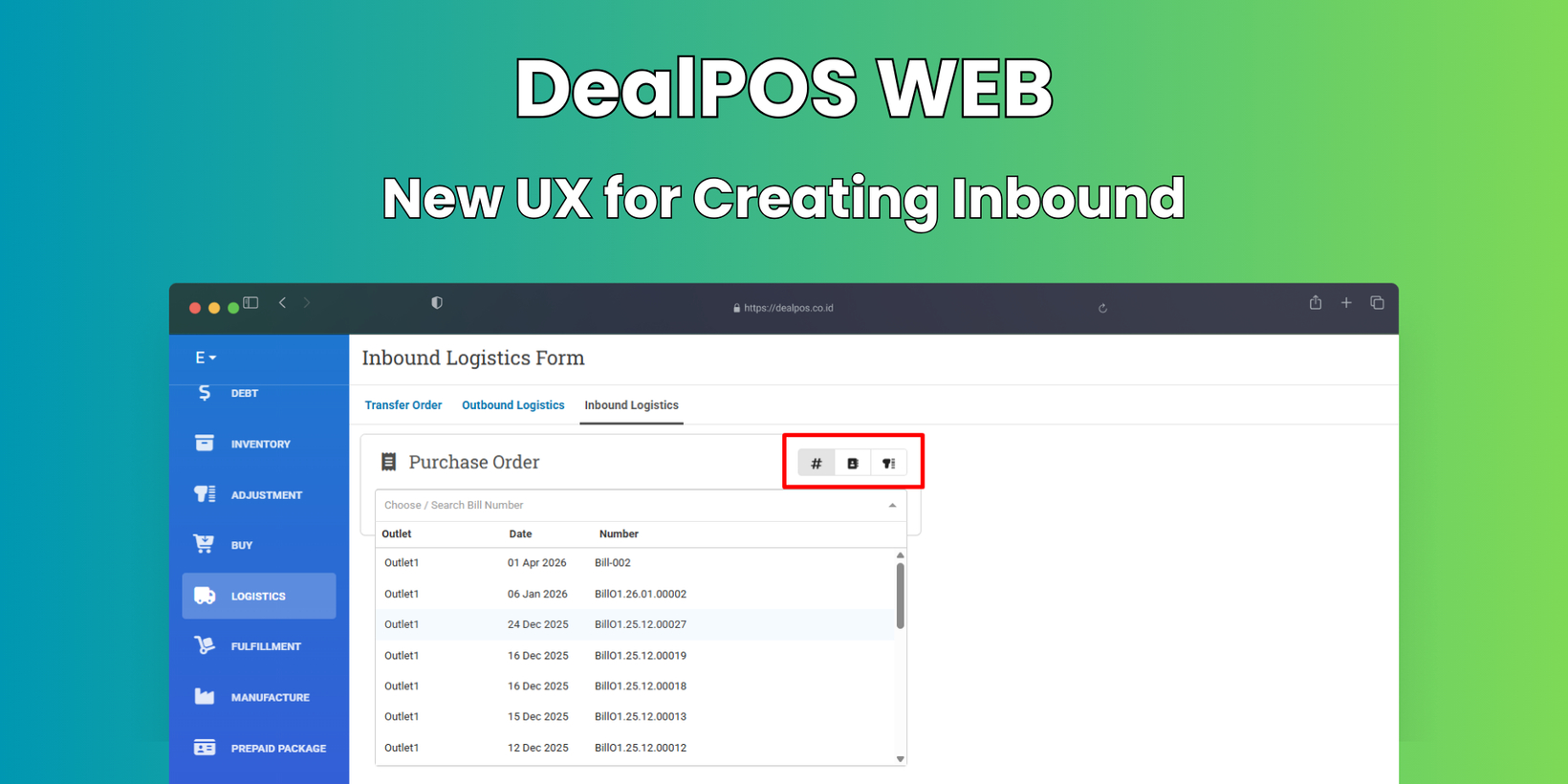
[Logistics - Inbound] New UX for Choosing Awaiting Bill
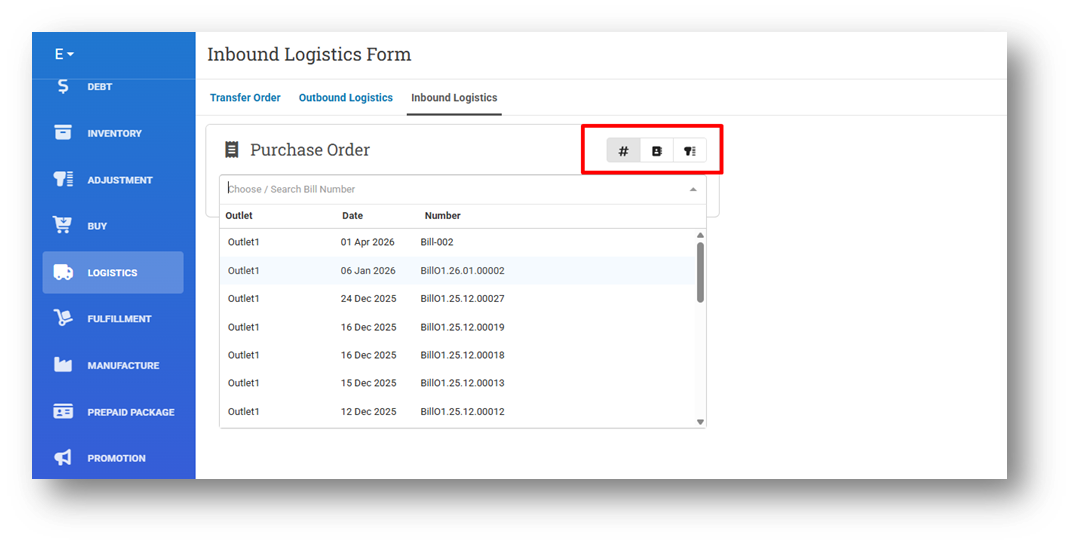
We have updated the Create Inbound experience to align with the existing Create Outbound workflow. Users can now choose between three input options: Search by Bill Number, Search by Supplier Name, or Scan Bill Number. This provides more flexibility and a consistent experience across inbound and outbound processes.
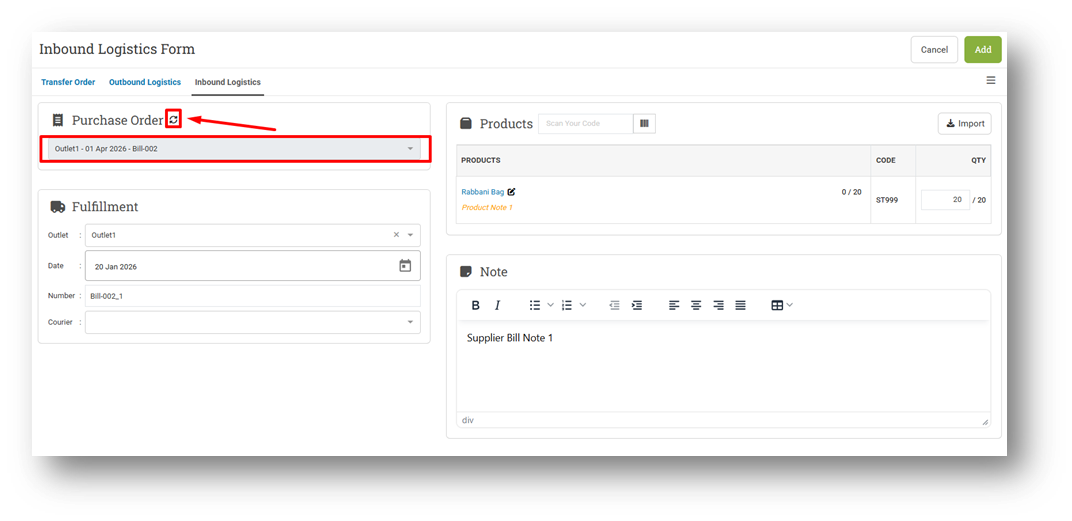
Once a Bill Number is selected, the bill information will be locked to prevent accidental changes. If users need to select a different bill number, they can click the reload icon to reset the selection and choose again. This behavior matches the outbound form UX and helps ensure clarity and accuracy during inbound creation.
[Sell] Enhanced Promotion Coupon Behavior
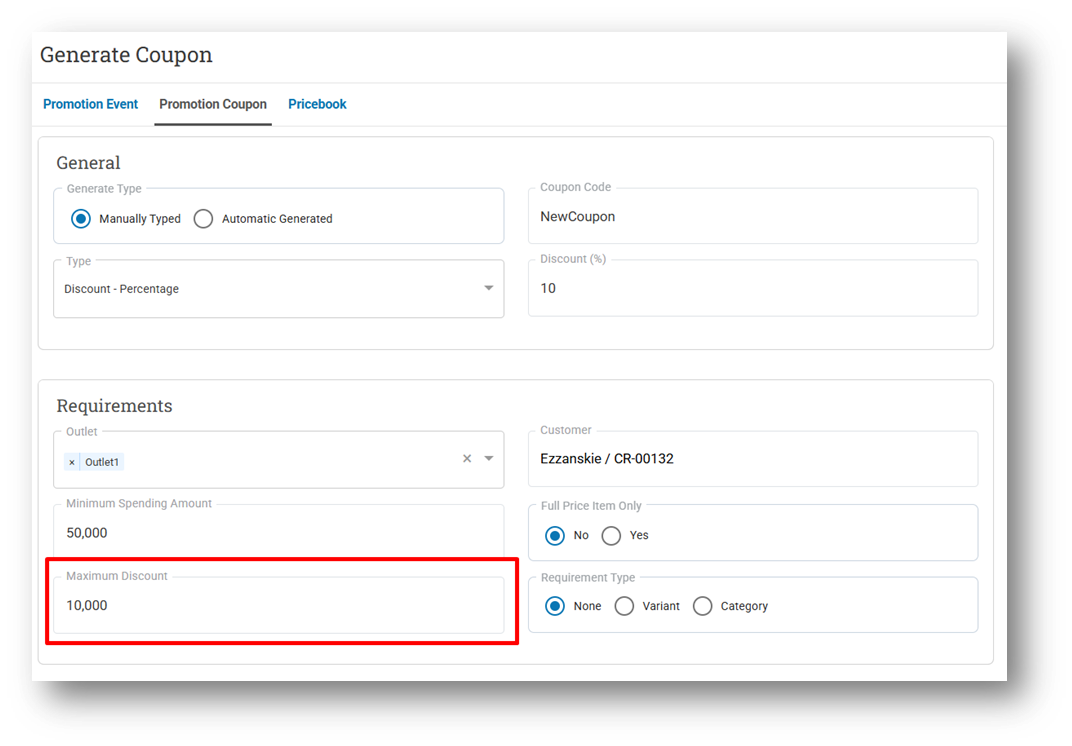
We have enhanced the Promotion Coupon behavior in the Sell module to better handle complex discount scenarios. One of the improvements includes clearer handling for coupons with a maximum discount limit, allowing users to select specific items so the applied discount does not exceed the defined maximum amount. This ensures more accurate and predictable discount results during checkout.
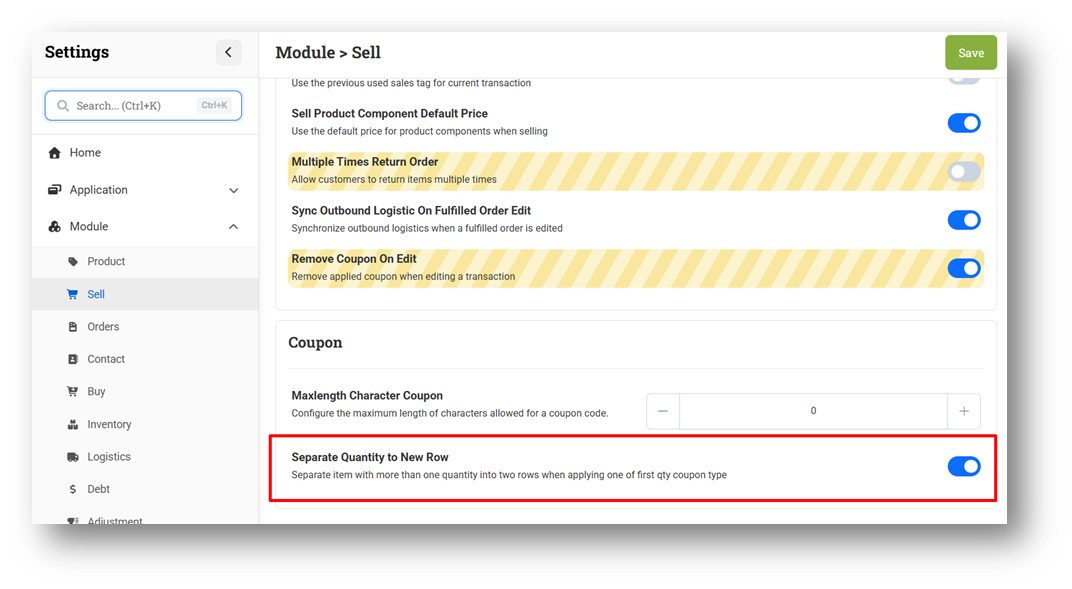
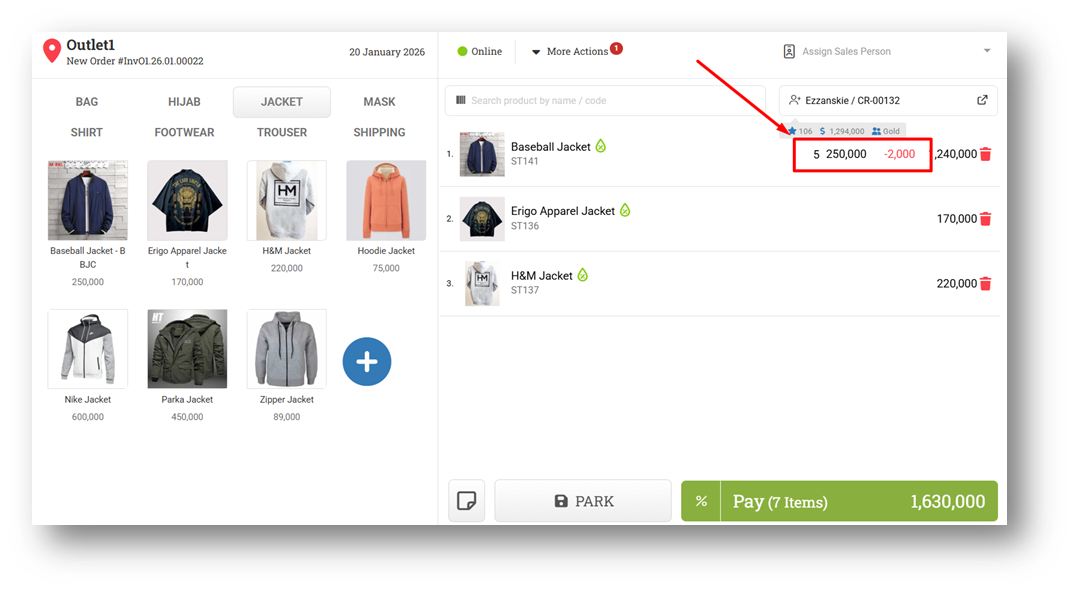
We also introduced a new configuration called Separate Quantity to New Row for coupons with variant requirements and the “One Of First Quantity” type. This setting allows businesses to control how discounted quantities are represented in the Shopping Cart, based on their operational and reporting preferences. When Separate Quantity to New Row is enabled, discounted quantities are split into a separate row. For example, purchasing 5 items with a 10,000 discount results in 4 items without the discount and 1 item with the discount applied. This behavior reflects the existing UX prior to this release, where discounted quantities were always separated to clearly indicate which items received the promotion.
Starting from this release, this behavior is now configurable. When the setting is disabled, the item remains in a single row, and the discount is evenly distributed across all quantities. In the same example, the 10,000 discount is proportionally divided across 5 items. While the total discount value remains the same, this option provides a simplified cart view and different discount representation in Report Details, allowing businesses to choose the UX and reporting style that best fits their operational needs.
This feature was developed based on customer request #9261
Minor Improvements:
[Products]
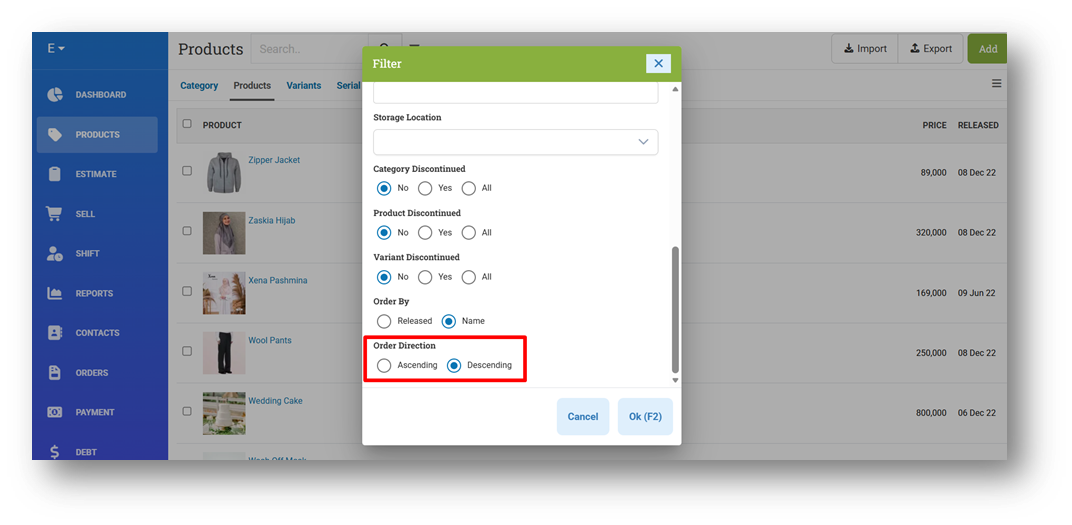
Provide Order Direction Option on Filter
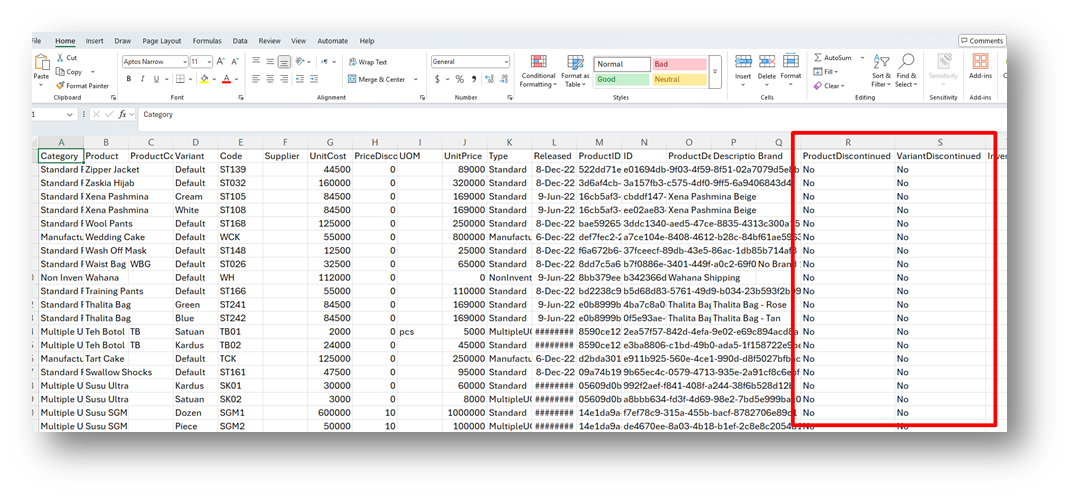
Provide Discontinued Column for Export with Inventory CSV
This feature was developed based on customer request #10554
[Sell]
Display Total Cash in Machine on Connected Cash Machine Modal
Provide Refresh Button for Cash Machine Middleware
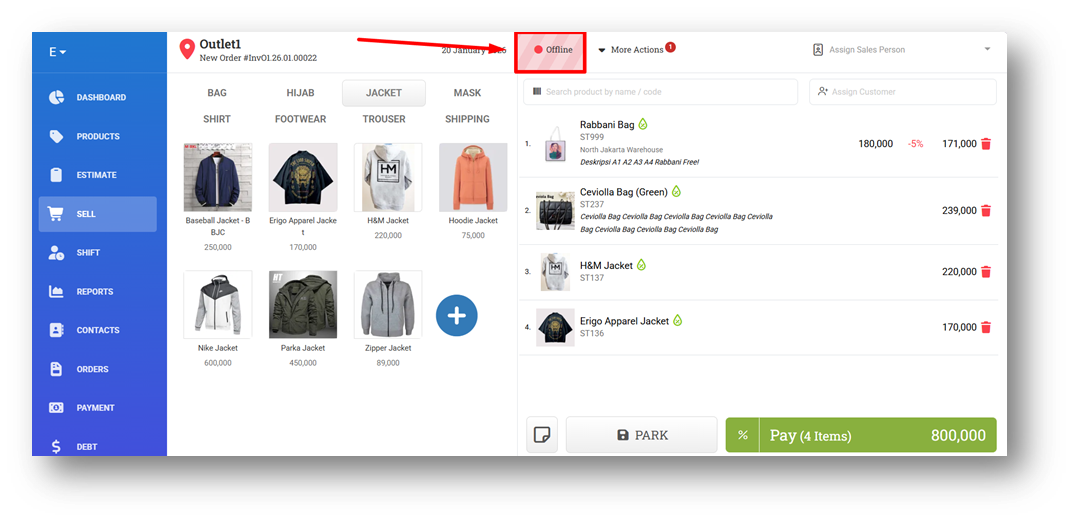
Improve Offline Mode Highlighting to Limit Red Background
[Reports - Customers] Provide Infinite List for Pagination
[Orders - Customer Invoice]
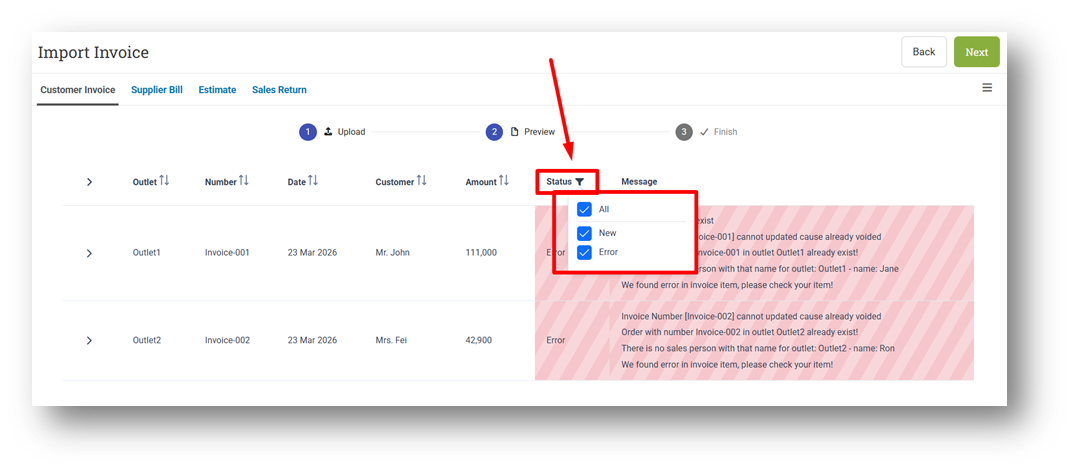
Provide Row Filter on Invoice Preview Import
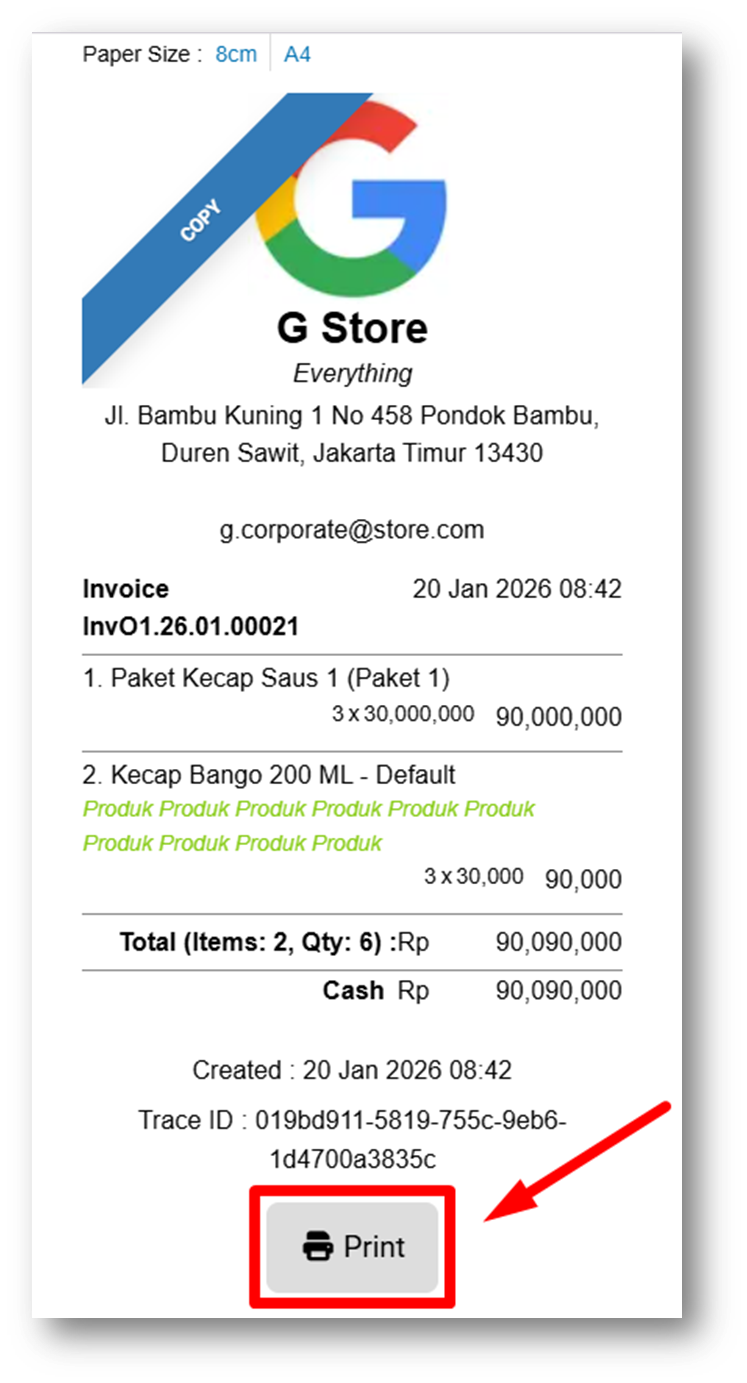
Provide Print Button on Mini Invoice Printing
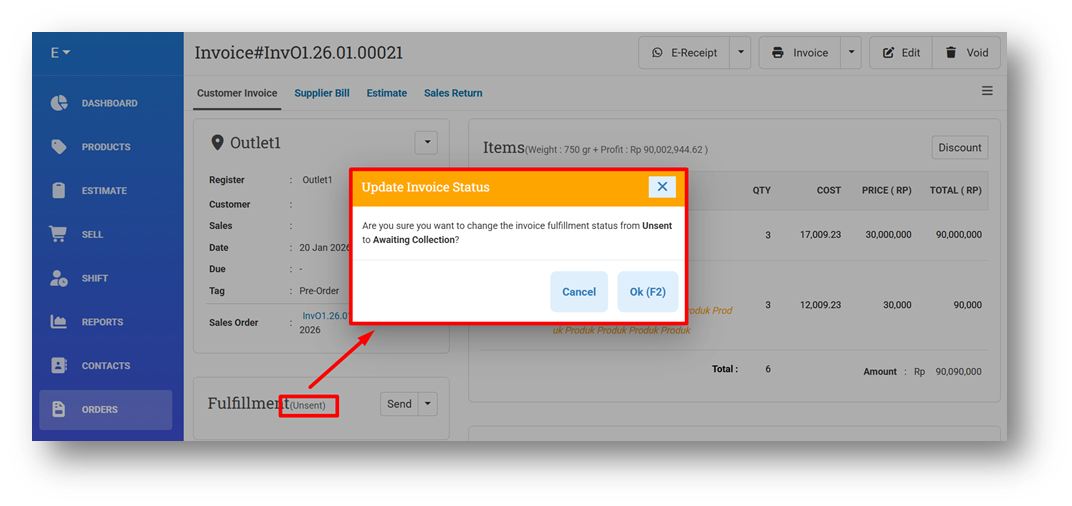
Provide Confirmation Modal When Updating Status to Awaiting Collection
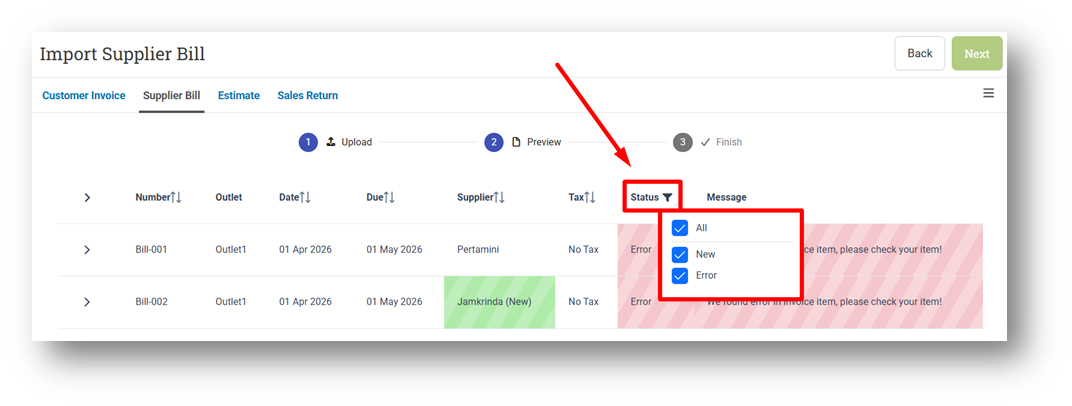
[Orders - Supplier Bill] Provide Row Filter on Bill Preview Import
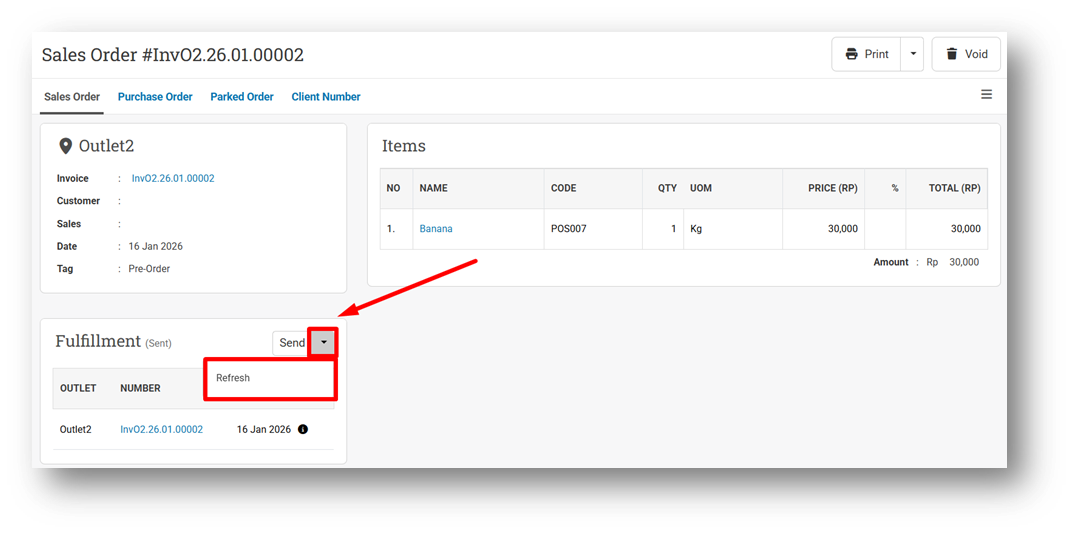
[Orders - Sales Order] Display Refresh Button for All Fulfillment Status
[Logistics]
Improve Outbound Scan Result Selection for Duplicate Invoice Numbers
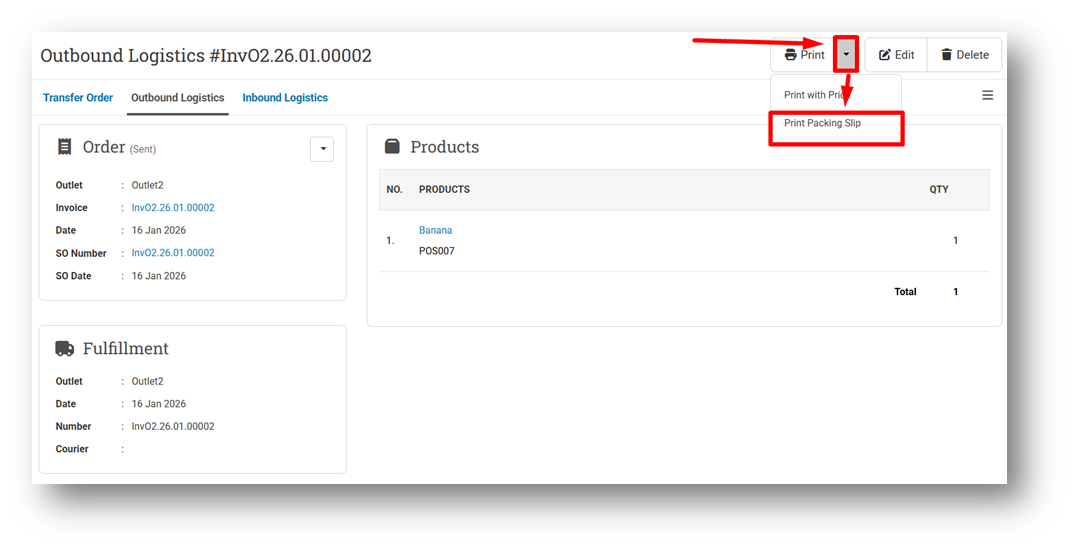
Provide Print Packing Slip Option for Outbound Logistic
This feature was developed based on customer request #9920
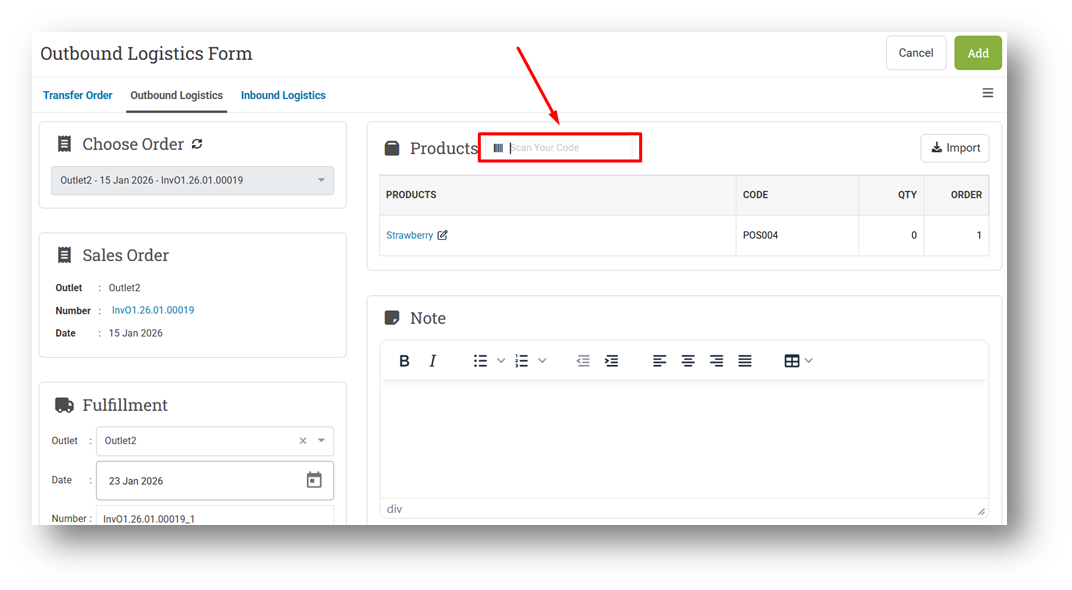
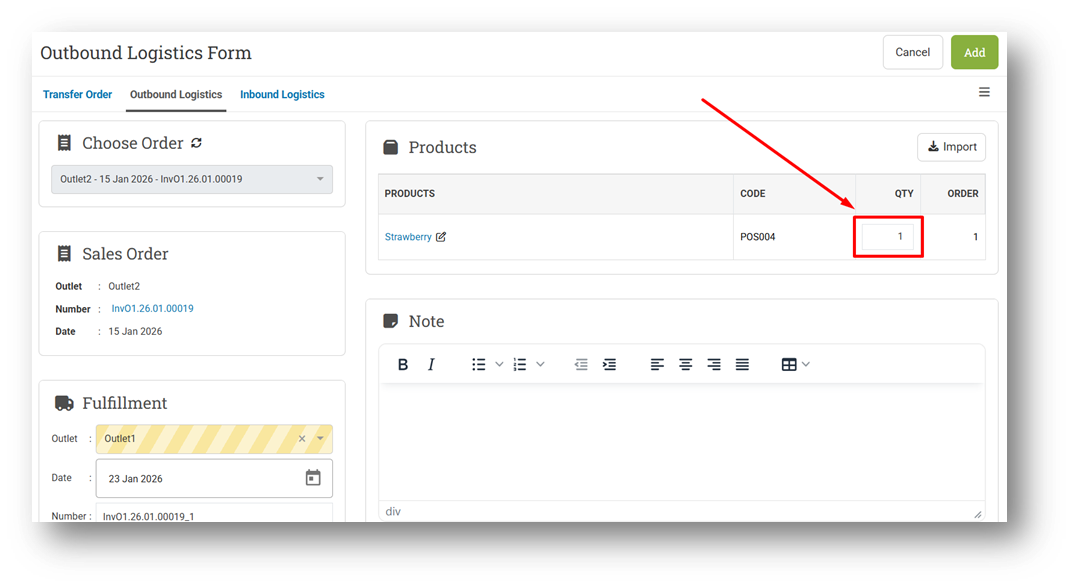
Update UX When Creating Outbound & Inbound
We’ve enhanced the user experience for Create Outbound (Sell) and Create Inbound (Bill) by introducing clearer role-based behavior using the new LogisticScan role. For users assigned this role, a Scan Bar will appear on the screen, and item quantities must be captured by scanning. In this mode, the quantity field is displayed as a read-only label and cannot be edited manually, ensuring that all quantities are sourced directly from scanned items.
For users without the LogisticScan role, the workflow remains flexible and unchanged. The Scan Bar will not be shown, and the quantity field will appear as a manual input field, allowing users to enter quantities directly. This improvement ensures each user sees only the tools relevant to their role, creating a clearer, more efficient, and less error-prone transaction flow.
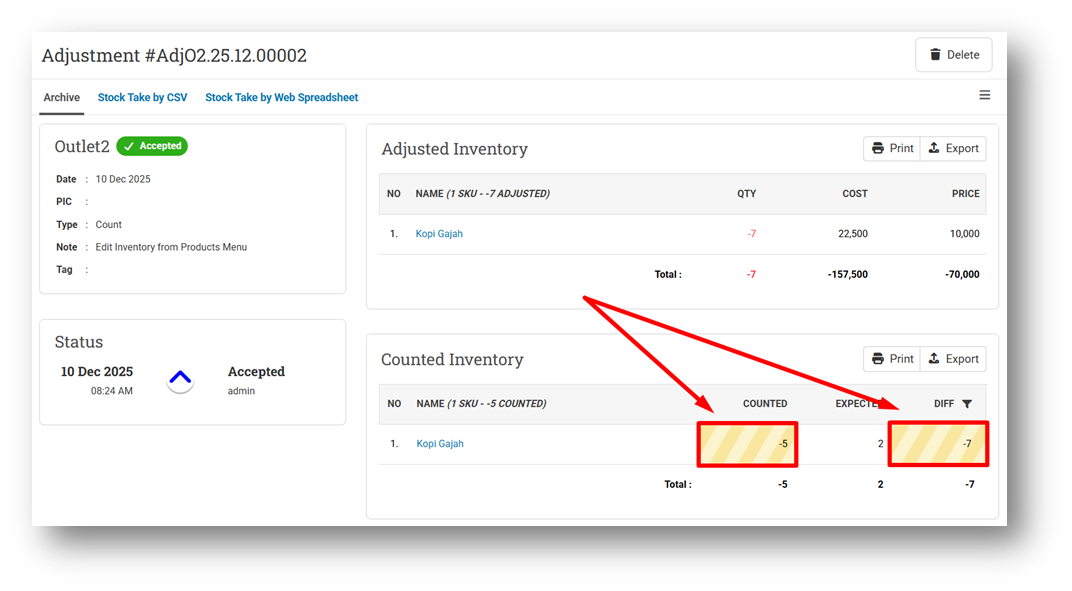
[Adjustment] Improve Highlighting for Items with Non-Zero Difference
Bug Fixes:
[Products] Hide Price Input Field on Product Form for Unauthorized Users
[Reports - Customers] Fix Get Row Count Display Incorrect Data
[Orders - Invoice] Disable Next Button in Second Step If Error Found
[Orders - Packing Slip] Fix Item Note Wrapping for Long Text
[Logistics - Outbound]
Fix Invoice Number Search Dropdown Does Not Reset After Clearing Keyword
Fix Users Cannot Scan Invoice Number with Awaiting Status
Patch 26.3.1 [23 Jan]:
[Sell]
Fix Apply Coupon Error When Importing Coupon with Empty / Missing Minimum Amount Column
Implement Price Minimum Restriction On Sell Edit Form
[Orders - Sales Order] Fix Invoice Status Changes from Awaiting Collection to Unsent After Refresh
[Orders - Customer Invoice] Fix JavaScript Error While Importing Invoice
[Promotion - Coupon]
Provide Row Count Filter
Set Default Row Count to 100 Rows
[Tools App] Fix Recalculate Bill with Included Tax Does Not Work Properly
Patch 26.3.2 [26 Jan]:
[Reports - Person (Employee)] Fix Missing Sales Person Name in XLSX Export File
[Reports - Daily] Fix Date String Error When Switching Between Daily Report Chart and Table
Patch 26.3.3 [27 Jan]:
[Reports (Purchase) - Details] Improve Order Discount Allocation in CSV Export
[Reports - Purchase Return]
Remove HTML Tag from Bill Note in CSV Export
Fix CSV Export Item Row Order Not Grouped by Bill
[Debt - Join Invoice] Display Row Number for Join Invoice Printing
[Logistics]
Improve Component Product Scanning to Require Complete Components
Improve Scan Error Toaster While Scanning Non-Exist Item
Patch 26.3.4 [28 Jan]:
[Sell] Fix Access-Type Coupon Redeem Not Applied and Balance Not Reduced
[Logistics]
Fix Users without Scan Role Restricted to Create Outbound & Inbound
Patch 26.3.5 [28 Jan]:
[Reports - Brand] Fix Sales Column Not Multiplied by Item Quantity
[Reports - Monthly (Chart)]
Fix Category Filter Will Calculate Incorrect Amount
Implement Profit Tax Calculation Configuration
[Logistics]
Improve Quantity Input Validation Logic When Editing Outbound & Inbound
Fix Users Cannot Create Outbound & Inbound with Negative Quantity
Fix Edit Form Shows Labels Instead of Inputs for Users Without Scan To Quantity Role
Stay tuned for more updates, and don't hesitate to reach out if you have any questions or need support