- DATE:
- AUTHOR:
- Ezzan
WebApp Version 26.30 Changelog
This update includes new features, essential performance improvements, and usability enhancements to ensure your daily operations run smoothly. We've also addressed several bug fixes to enhance stability and reliability. DealPOS continues to evolve as a reliable POS Software designed to support retail business operations with better performance and usability. Thank you for your continued trust and feedback, which help us deliver the best possible service.
New Feature:
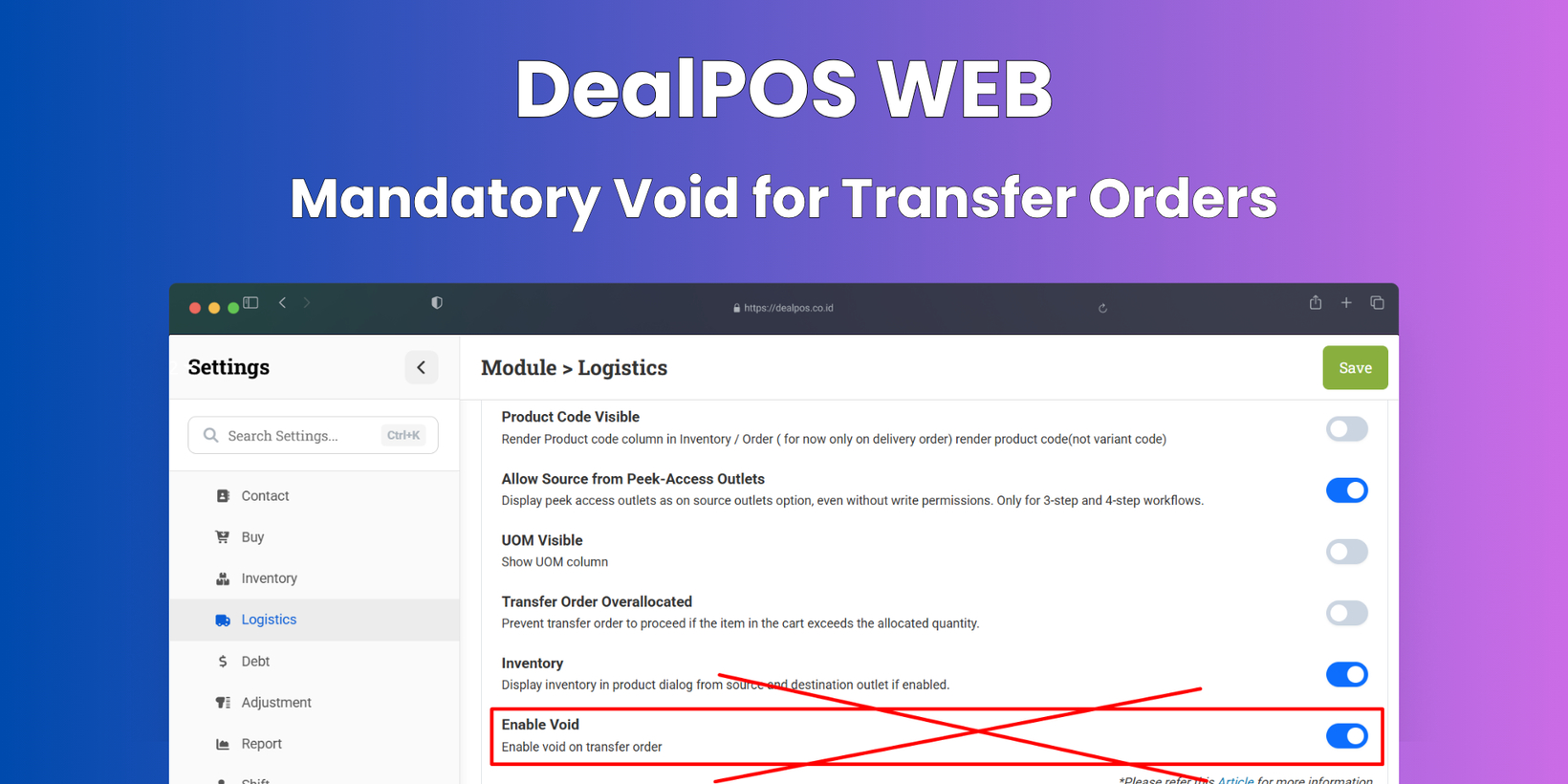
[Logistics - Transfer Order] Mandatory Void for Transfer Orders
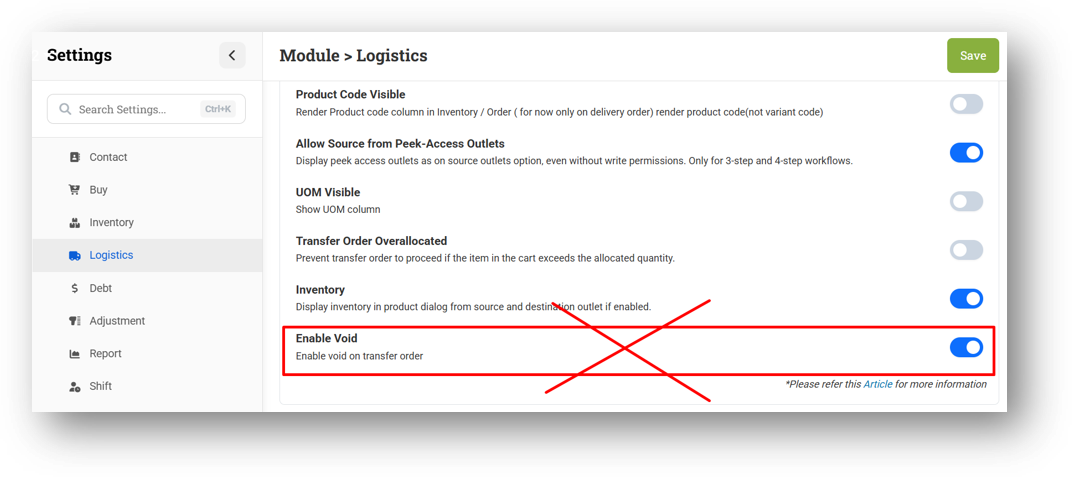
We've removed the "Delete Permanent" option from the Transfer Order module entirely. All users are now required to use Void (soft delete) instead, helping prevent accidental permanent data loss or potential fraud. The related setting to toggle soft delete on or off has also been removed, and every page with a delete function now defaults to Void. Don't worry—the existing Void, and Erase actions remain unchanged and are still controlled by the Logistics - Transfer Order Void Role & Logistics - Delete Role.
Minor Improvements:
[Dashboard]
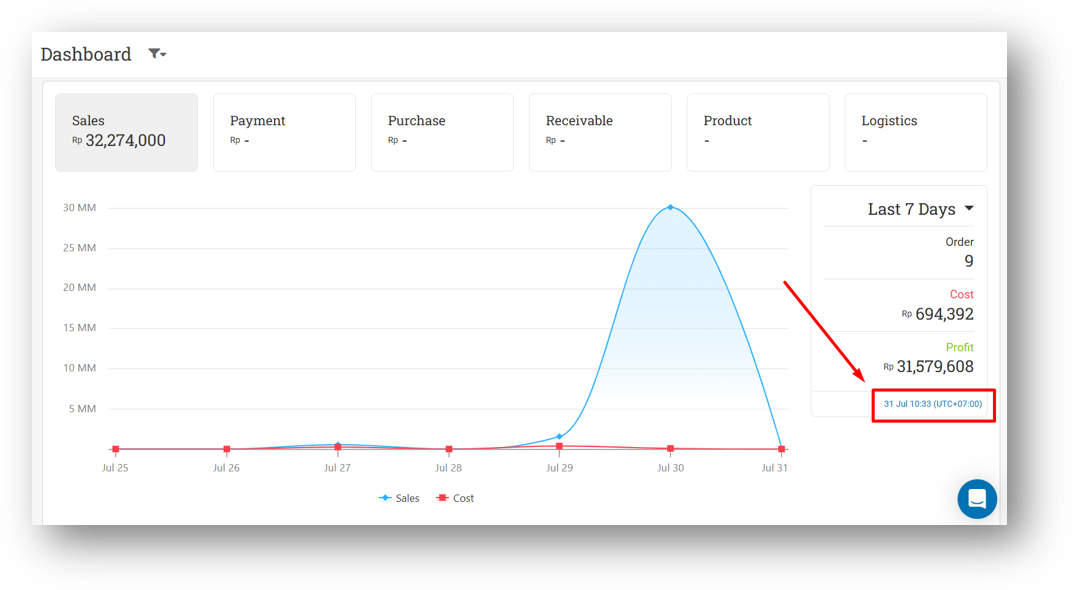
Redirect Timezone Information to Settings Page
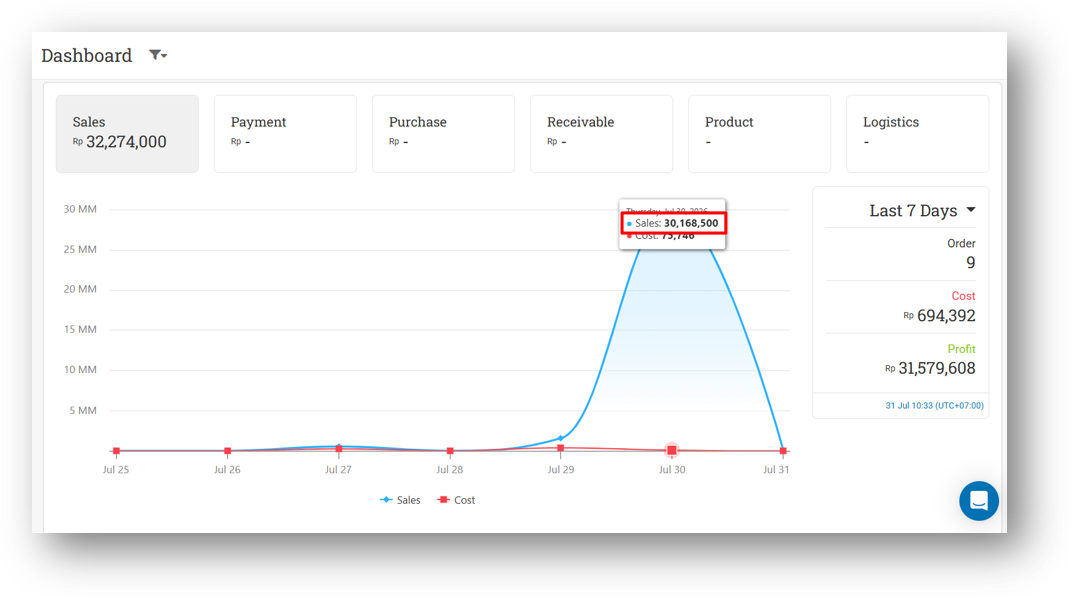
Remove Decimal Digit from Chart Sales Amount
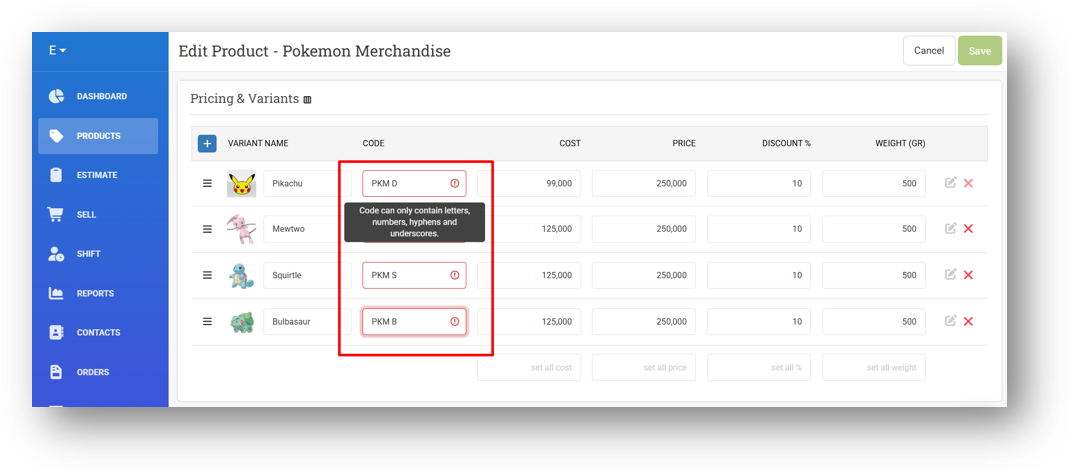
[Products] Change Code Auto-Trim Behaviour to Validation Error on Variant Input Fields
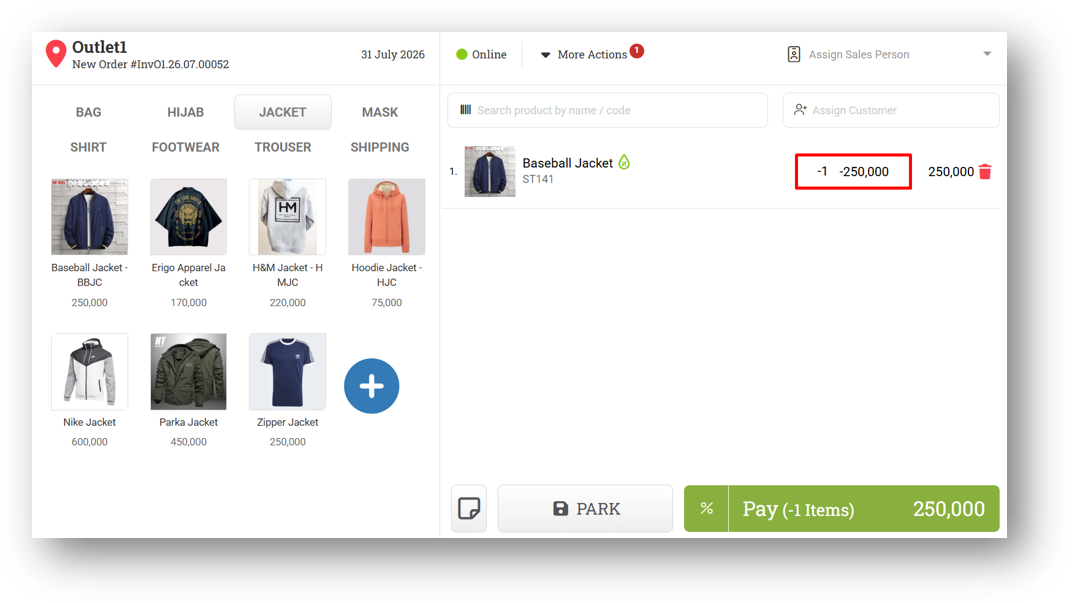
[Sell] Improve Return Transaction Price to Be Positive When Original Sell Quantity Is Negative
This feature was developed based on customer request #17295
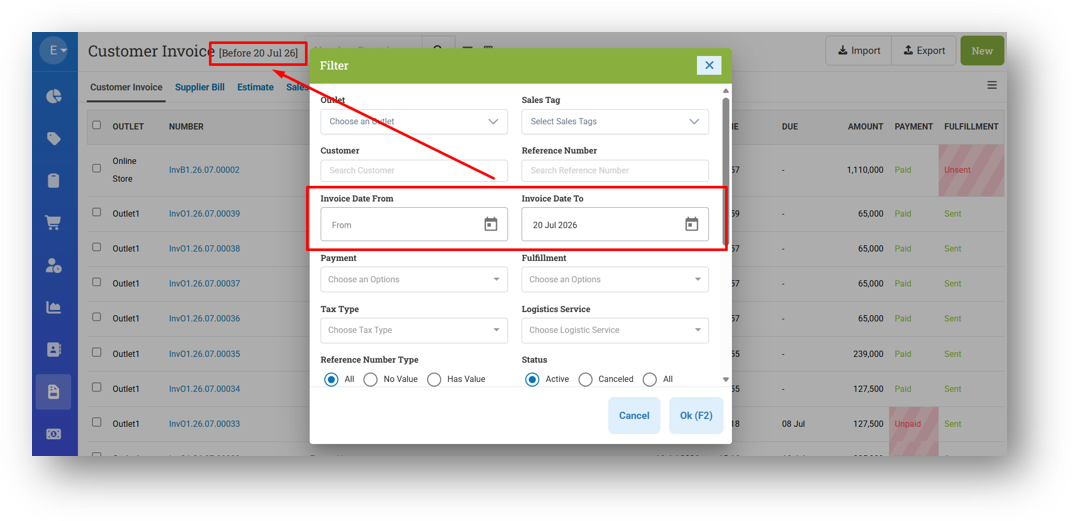
[Orders] Improve Page Subtitle Display Based on Date Filter Combination
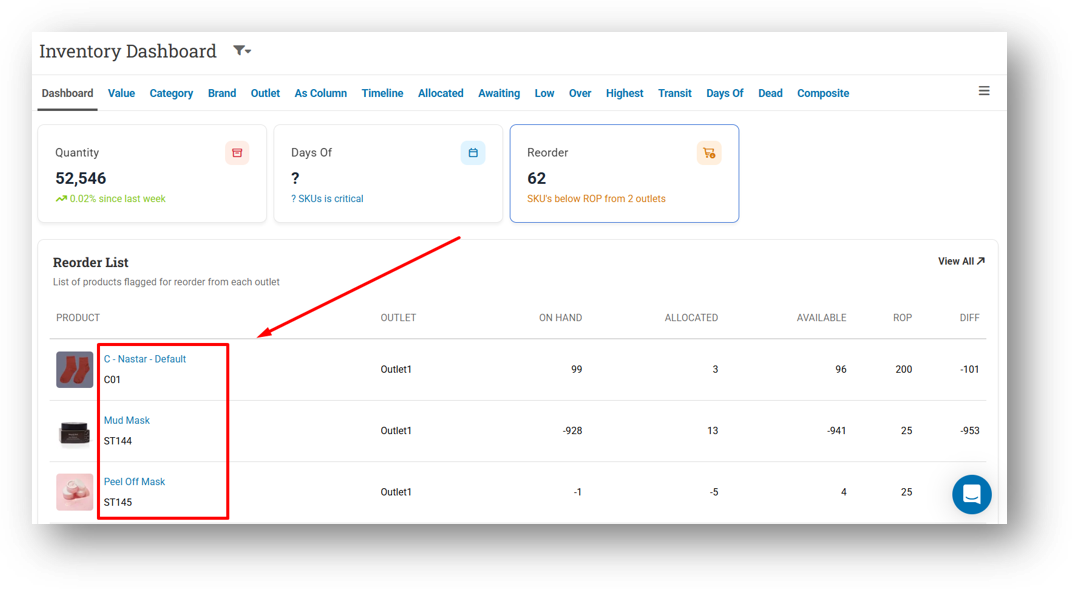
[Inventory - Dashboard] Provide Variant Code for Reorder Card Table
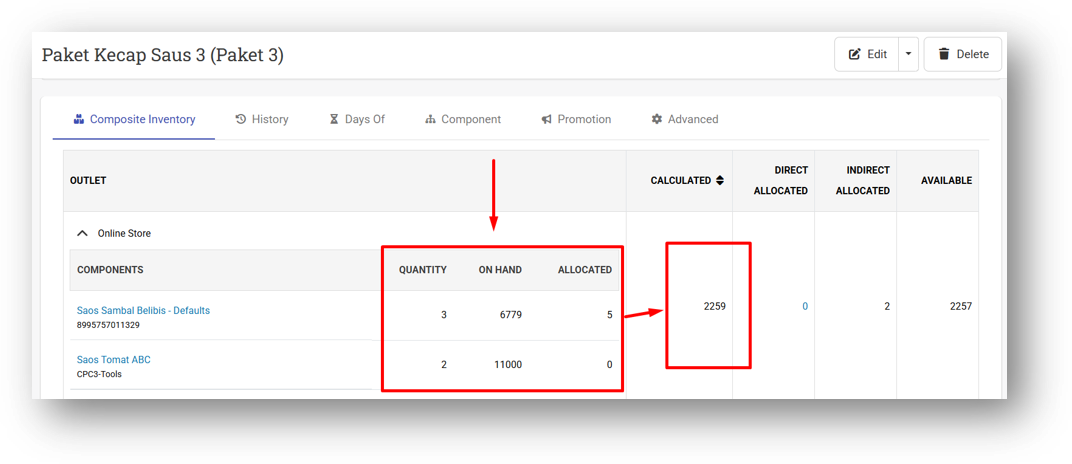
[Inventory - Allocated] Improve Composite Stock Calculation to Use Floor Instead of Ceiling
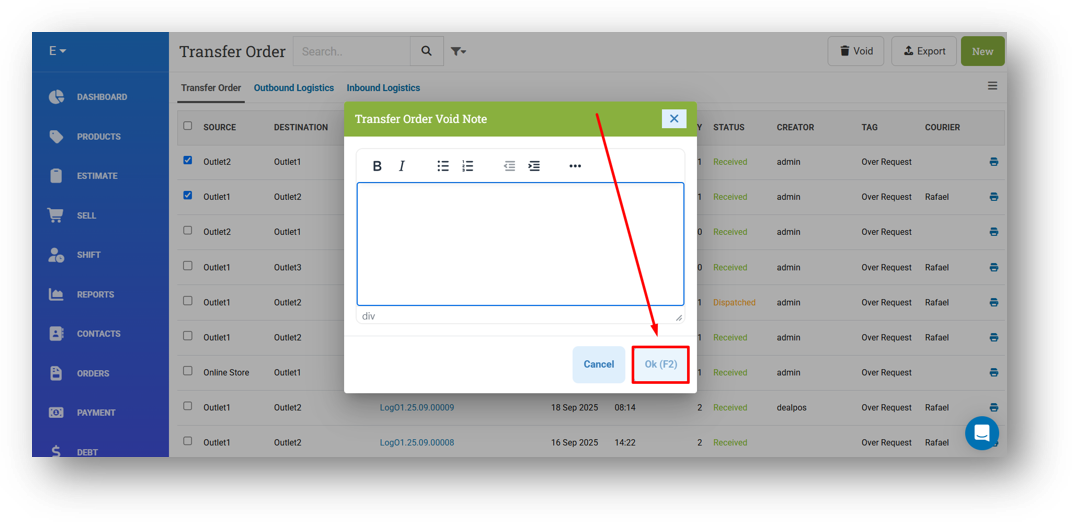
[Logistics - Transfer Order] Disable Ok Button When Void Note Empty in Transfer Order List
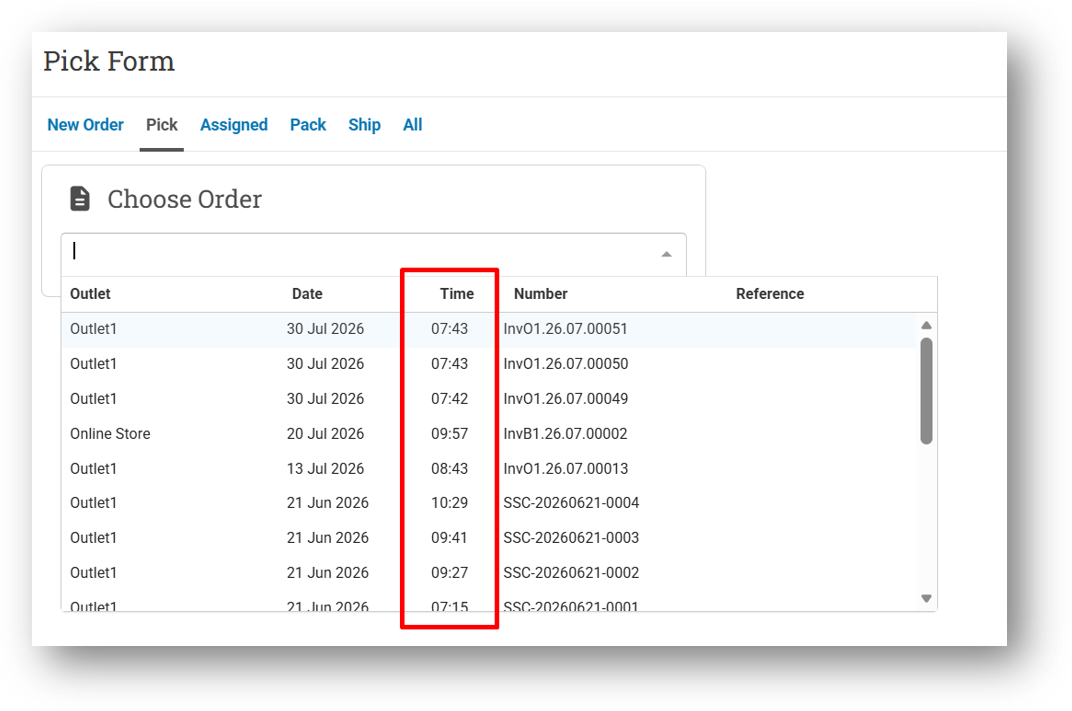
[Fulfillment - Pick List] Display Invoice Created Time
[Promotion - Coupon]
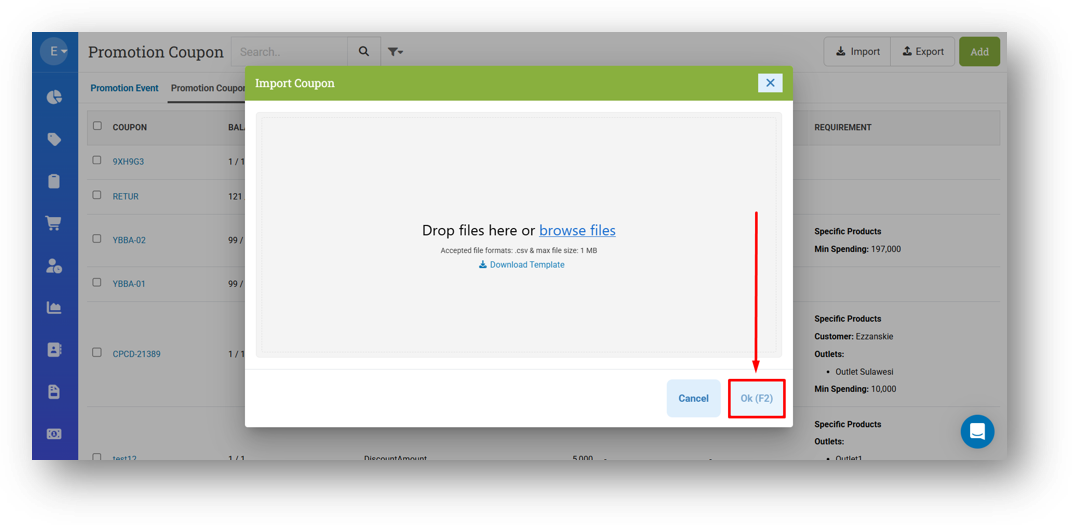
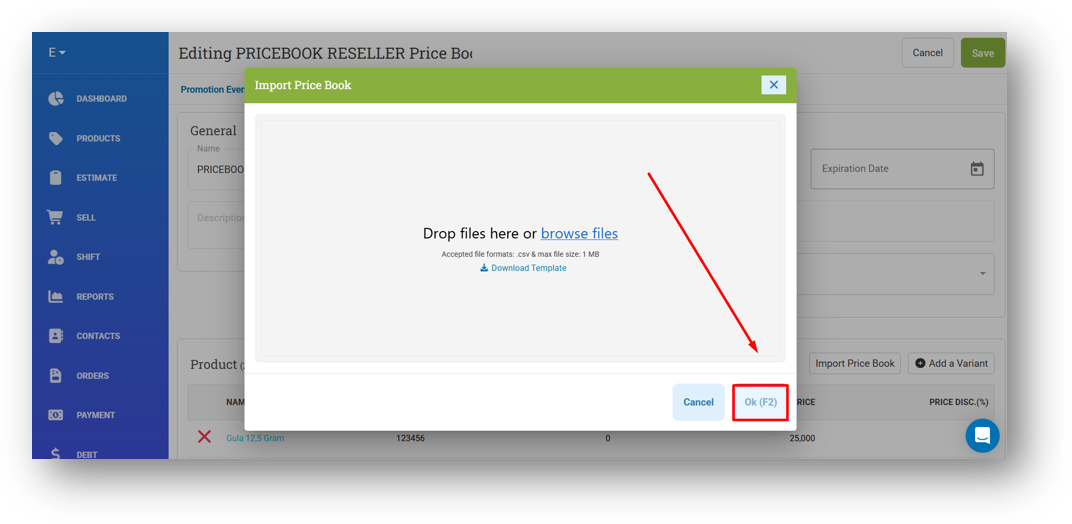
Disable Ok Button in CSV Import Modal Before Uploading File
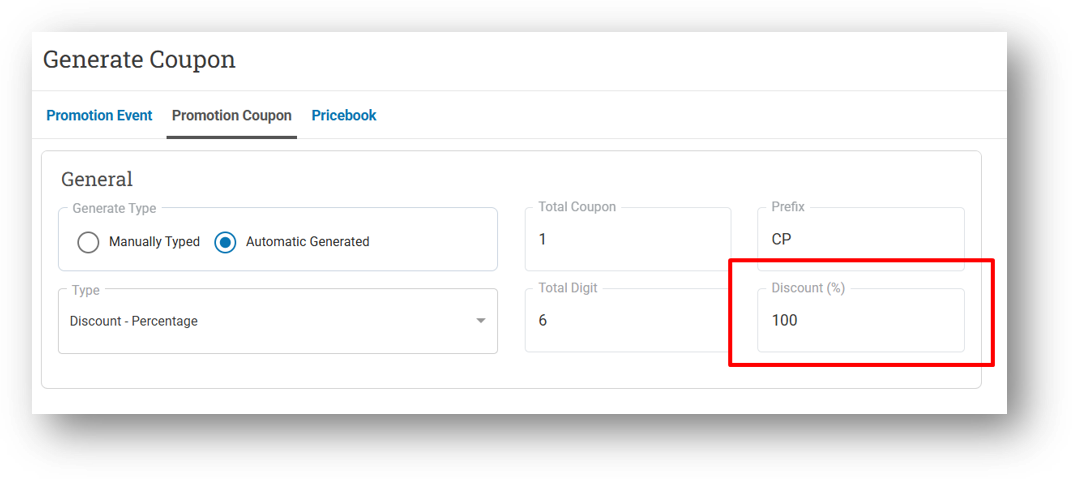
Improve Discount Percentage Field Validation to Restrict Input Between 0 and 100
[Promotion - Pricebook] Disable Ok Button in CSV Import Modal Before Uploading File
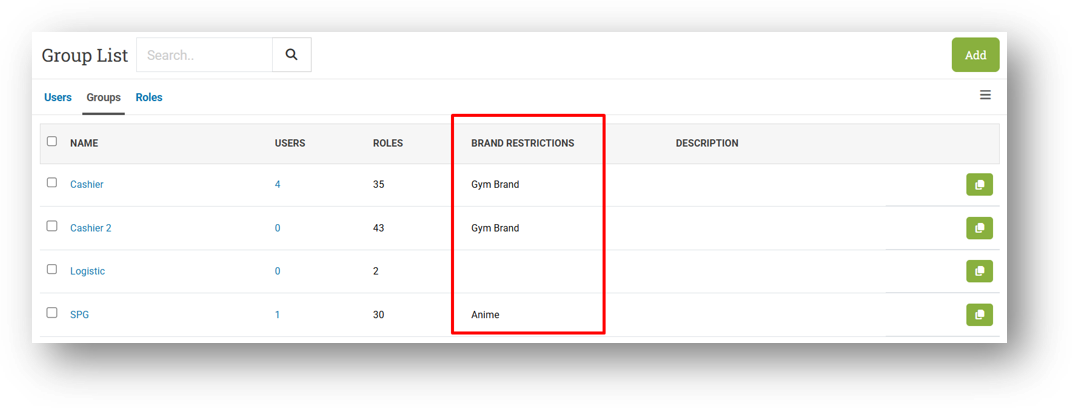
[Users - Groups] Provide Brand Restriction Column
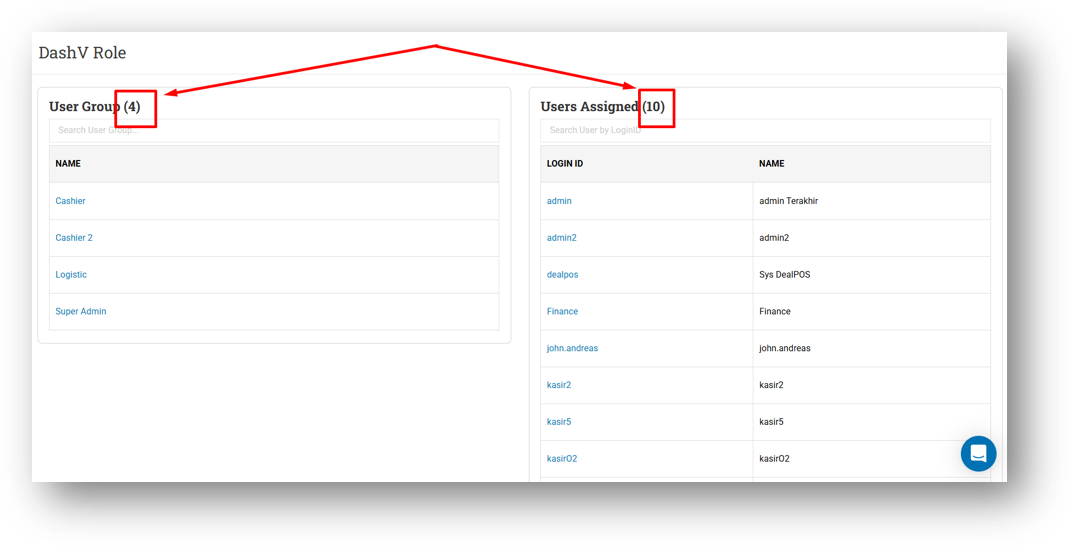
[Users - Roles] Provide User & Group Count in Role Info
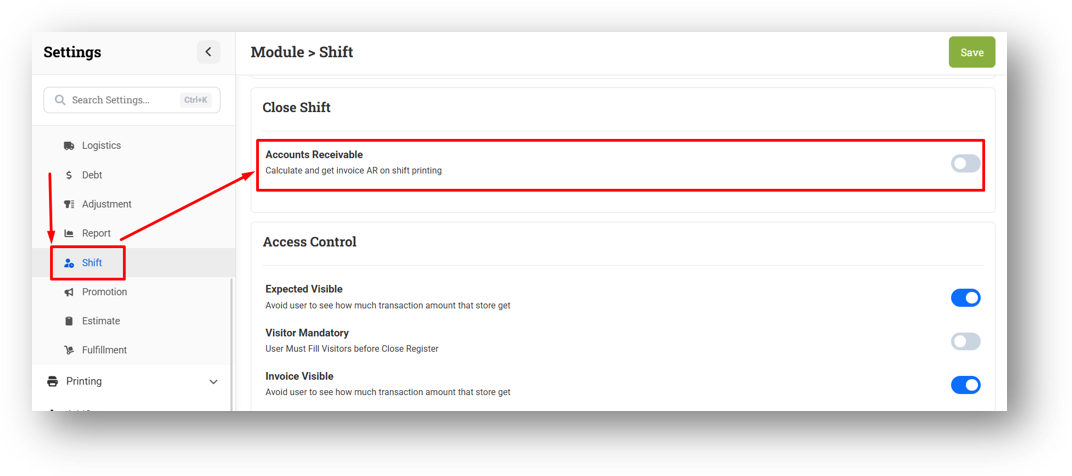
[Settings - Module (Shift)] Close Shift Accounts Receivable Setting
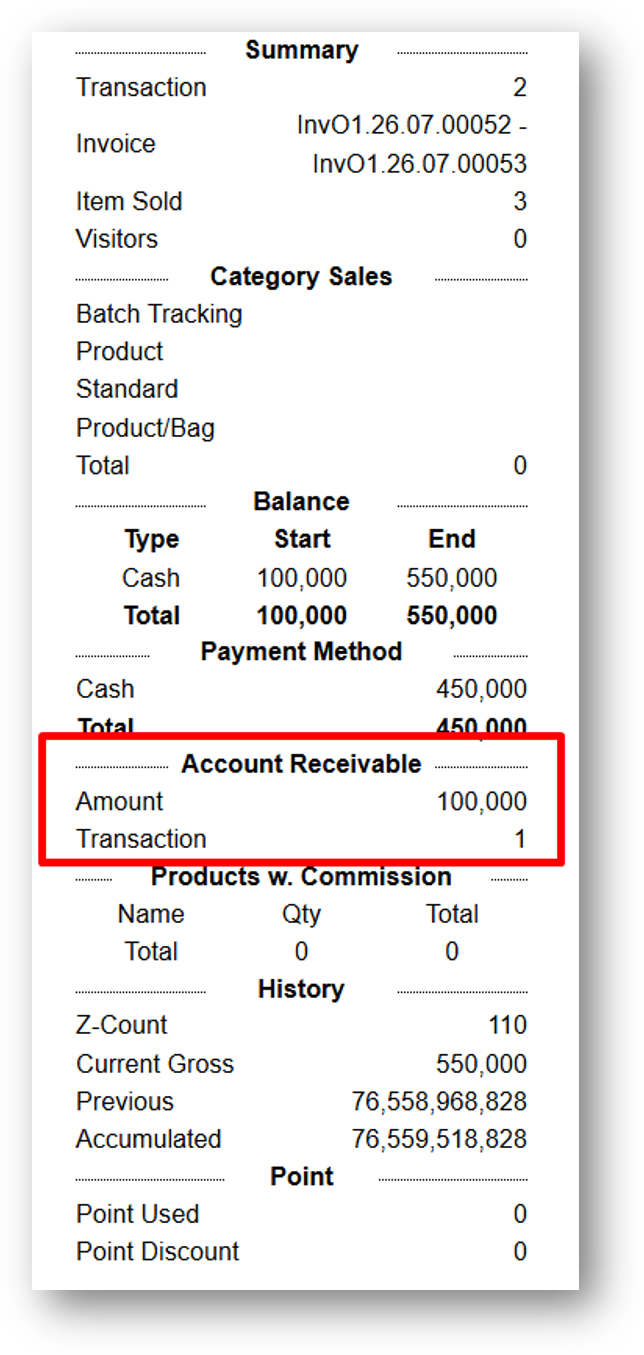
We've added a new setting called Close Shift - Accounts Receivable that gives you better visibility into outstanding customer debt at the end of each shift. When enabled, the system will capture and save your Accounts Receivable data during shift closing.
This data will then be included directly in your close shift printout, making it easy to track which customers still owe payments without needing to run a separate report. Keep in mind that this only triggers at the moment of closing—so if the setting was off when you closed your shift, turning it on afterward and reprinting won't include the Accounts Receivable data.
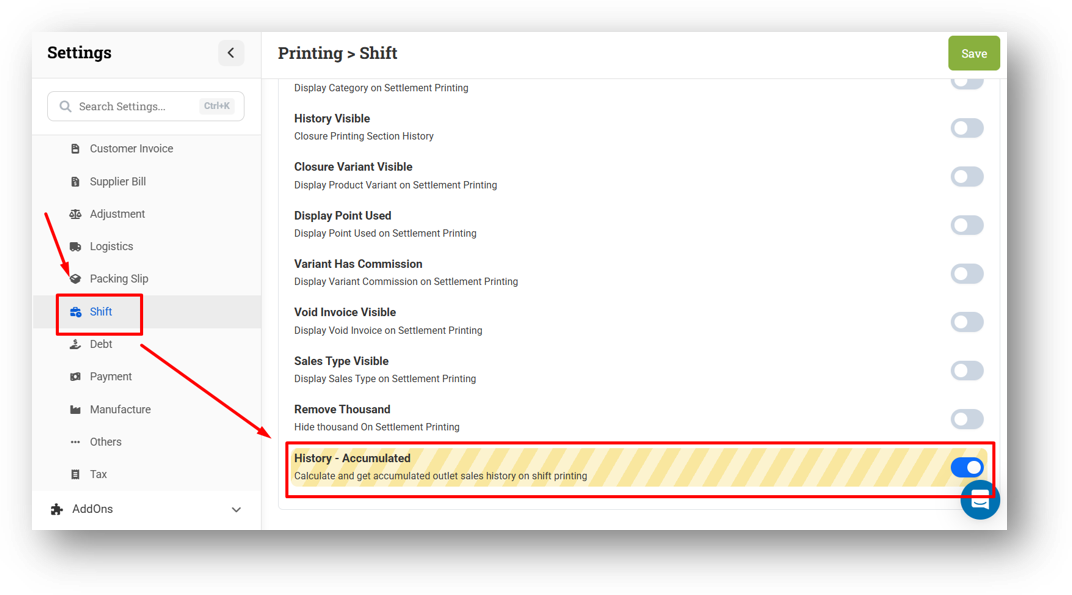
[Settings - Printing (Shift)] History Accumulated for Shift Printing
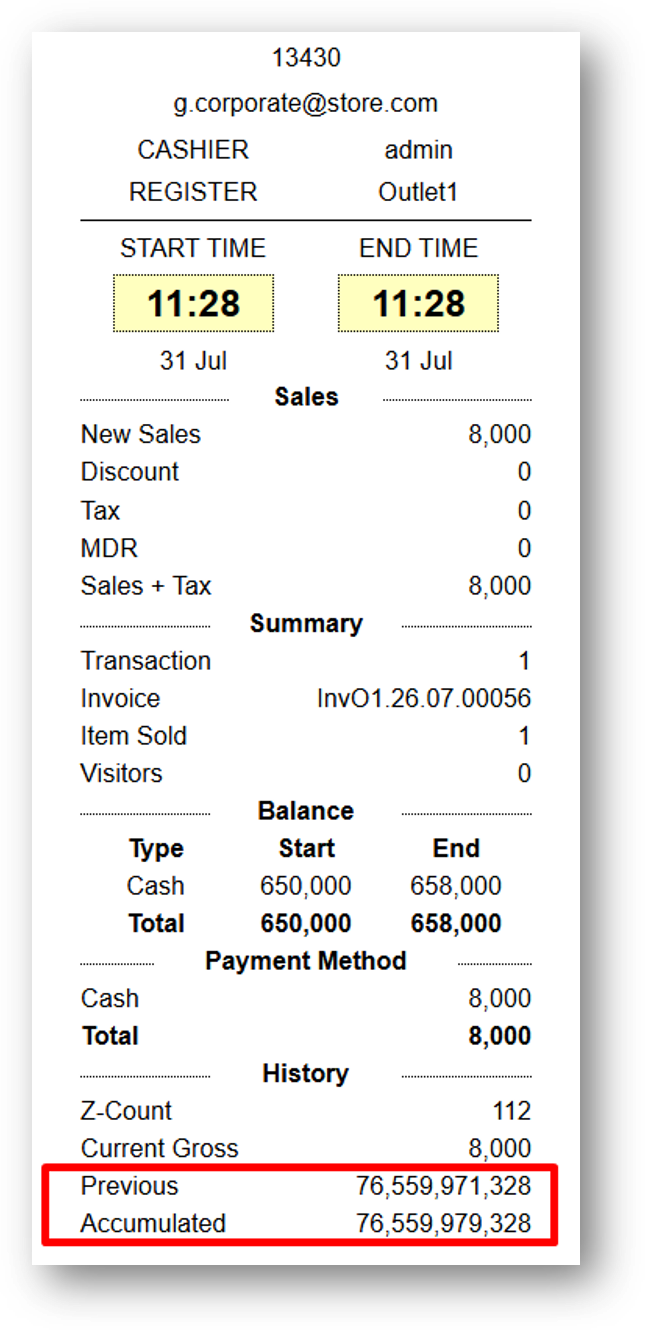
We've added a new setting called History Accumulated in the shift printing module. When enabled, your close shift printout will include the entire accumulated sales history of the outlet—covering all transactions that have ever occurred, not just the current shift.
This gives you a comprehensive snapshot of your outlet's total performance right on your shift report. Please note that the History Visible setting must also remain enabled for this to work. And as with similar shift print settings, this only triggers at the moment of closing, so both settings must be active before you close your shift for the data to appear.
Bug Fixes:
[Products] Fix Product Code Not Auto-Generated When Creating Product While Category is Empty
[Reports - Daily (Table)] Fix Reset Category Filter Before Searching Will Trigger API Error
[Inventory - Dashboard] Fix Page Not Fetching New User Data After Logout and Relogin
Patch 26.30.1 [2 Aug]:
[Products] Fix Default Category Not Auto-Selected When Creating New Product
[Products - Variant] Remove Product Edit Role Restriction from Variant Form
[Sell] Fix Console Error Caused by Offline Settings Modal
[Inventory - Outlet] Fix Sort On Hand Does Not Work
[Inventory - Low] Fix Outlet Group Filter Does Not Work
[Logistics - Transfer Order]
Provide Erase Feature from Info Page
Hide Print & Export Button on Voided Record
[Settings - Module (Product)] Allow Restricted Character on Code Setting
Patch 26.30.2 [3 Aug]:
[Products] Implement Allow Restricted Character on Code Setting on Variant Form
[Reports - Outlet] Fix Product Type Filter Does Not Work
[Webhook] [Transfer Order] Rename CreatedID Property to CreatorID
Patch 26.30.3 [4 Aug]:
[Sell] Fix QRIS Payment Link Generation Error on Subsequent Attempts Within Same Invoice Number
[Inventory - As Column] Fix Missing Sticky Header Components
[Developer - Webhook Configuration] Improve Request Header Validation to Compare Only Header with Sender Value
Patch 26.30.4 [5 Aug]:
[Products] Fix Broken Variant Image When Editing Variant with No Image
[Reports - Brand (Details)] Allow Multi-Select for Brand Filter
[Reports - Monthly] Improve Trigger Qty & Gross Behaviour When Filtering Data
[Setup - Shift Expense Tag] Fix Users Cannot Add Expense Tag Record
Patch 26.30.5 [6 Aug]:
[Reports - Monthly (Table)] Fix Incorrect Gross Sales Calculation
[Orders - Customer Invoice] Fix Users Cannot Generate Midtrans Payment Link
[Orders - Supplier Bill] Fix Incorrect Status Badge & Button Action Logic
[Sharing Component] Allow Users to Search with Keyword "AND" on Auto-Complete
Overall, this update further establishes the platform as a reliable Inventory Application for your retail businesses. Stay tuned for more updates, and don't hesitate to reach out if you have any questions or need support!