- DATE:
- AUTHOR:
- Ezzan
WebApp Version 26.31 Changelog
This update includes new features, essential performance improvements, and usability enhancements to ensure your daily operations run smoothly. We've also addressed several bug fixes to enhance stability and reliability. DealPOS continues to evolve as a reliable POS Software designed to support retail business operations with better performance and usability. Thank you for your continued trust and feedback, which help us deliver the best possible service.
New Feature:
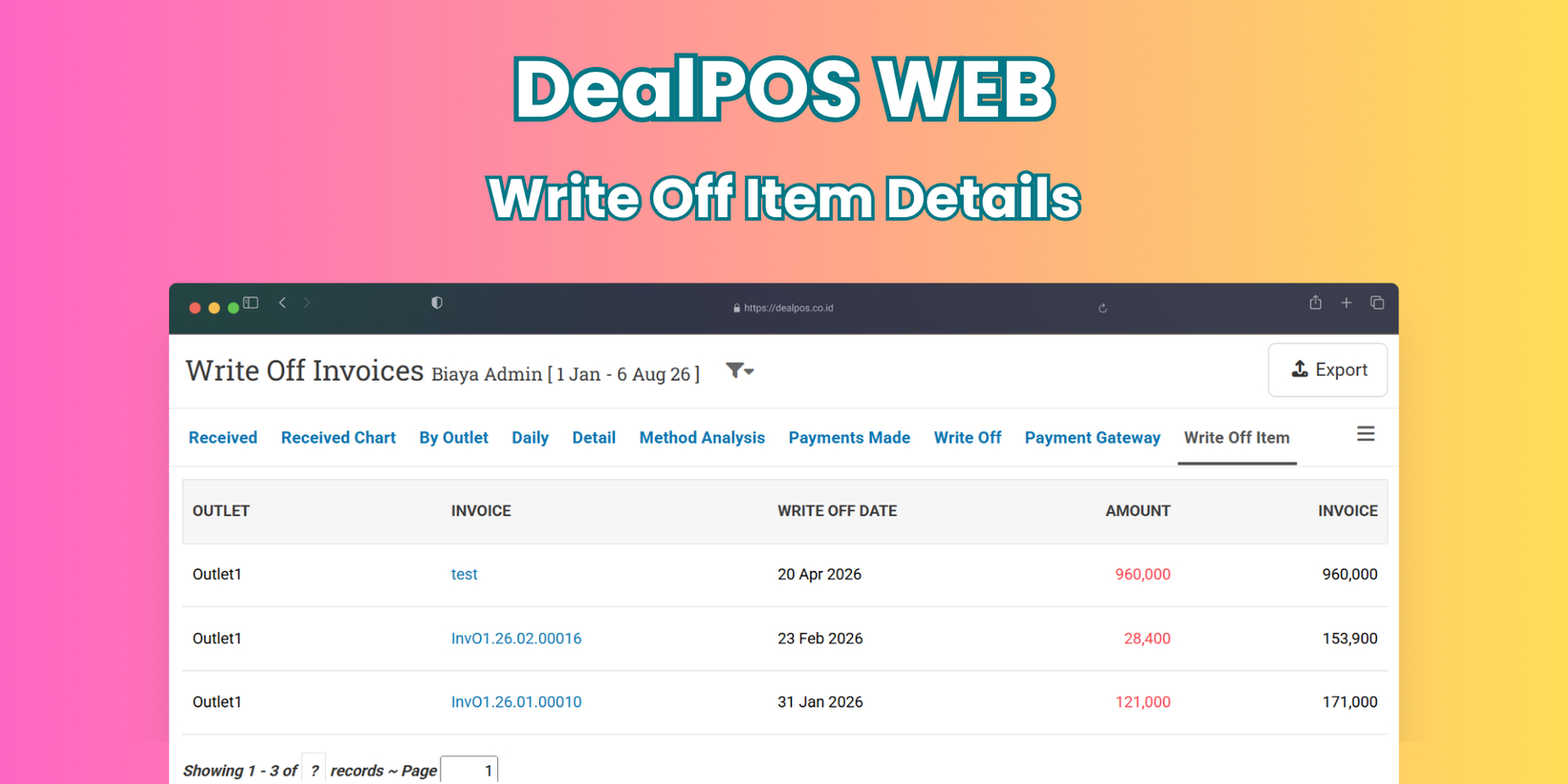
[Payment - Write Off] Write Off Item Breakdown by Invoice
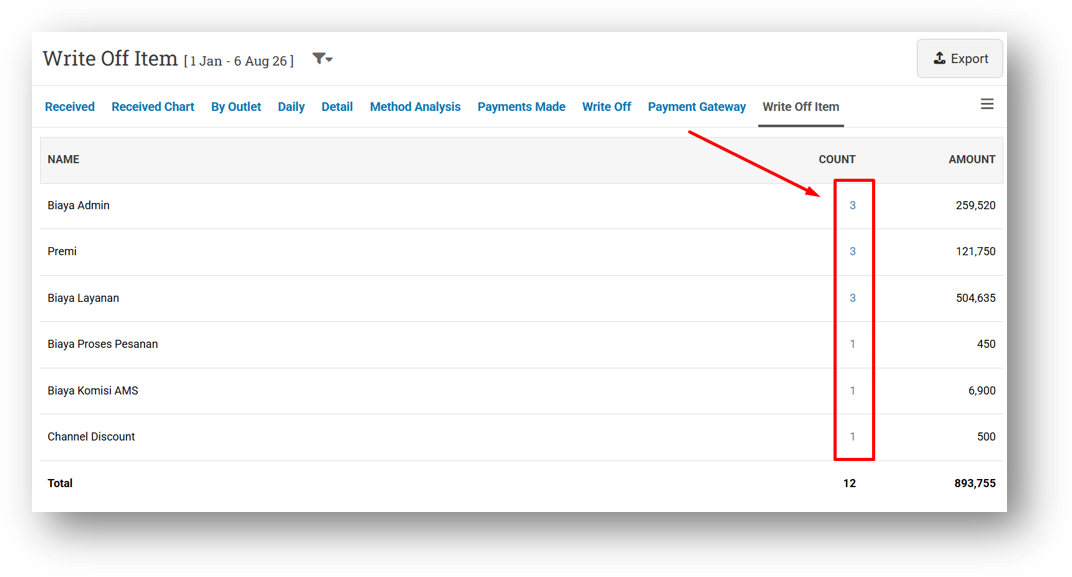
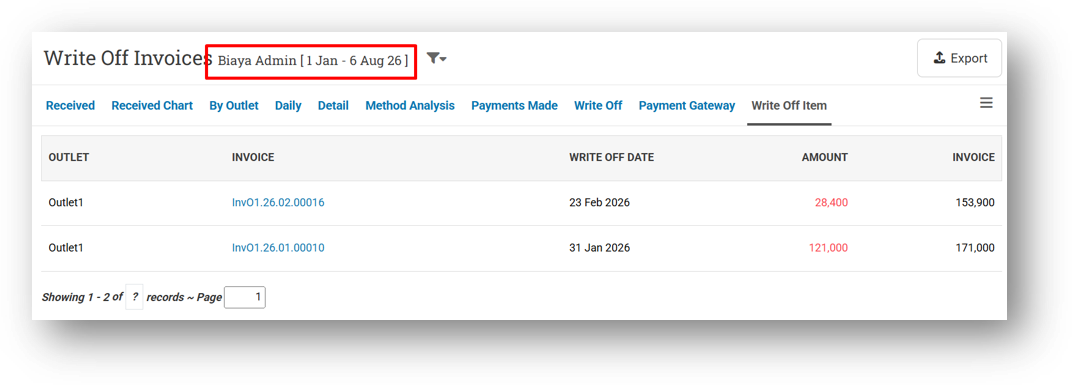
We've added a new drill-down feature to your Marketplace admin fee records. Previously, you could see the total amount for each fee category—such as Admin Fees, Premiums, and others—over a selected time period. Now, you can click into any category to see exactly which invoices make up that total.
For example, if your total Premium shows IDR 3,000,000, simply click on it to view a detailed breakdown: Invoice A contributed X amount, Invoice B contributed Y amount, and so on. This gives you full transparency into your marketplace costs, making reconciliation with platforms like Shopee much easier. Currently supported for Shopee, with more platforms to come.
This feature was developed based on customer request #17295
[Reports - Details (Brand)] Multi-Brand Support
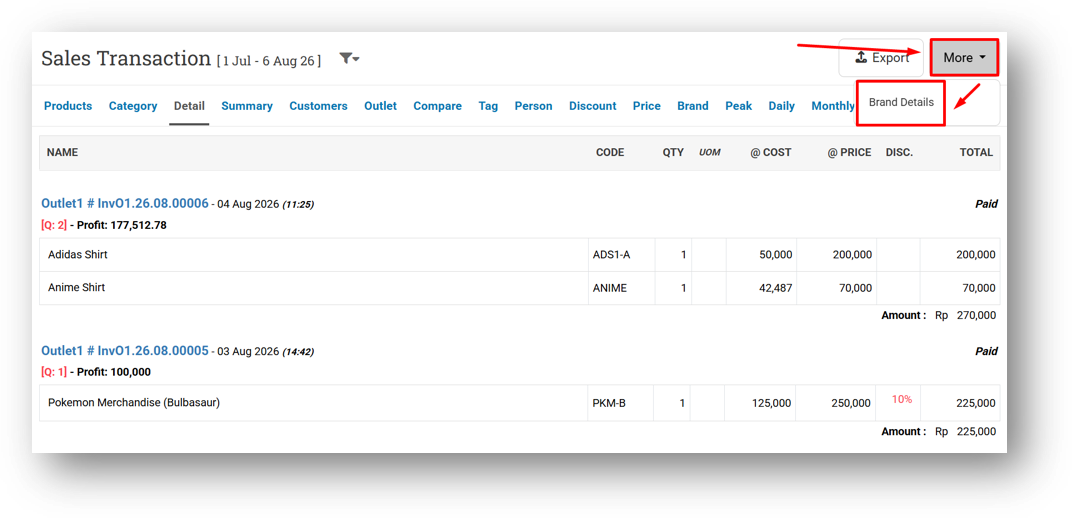
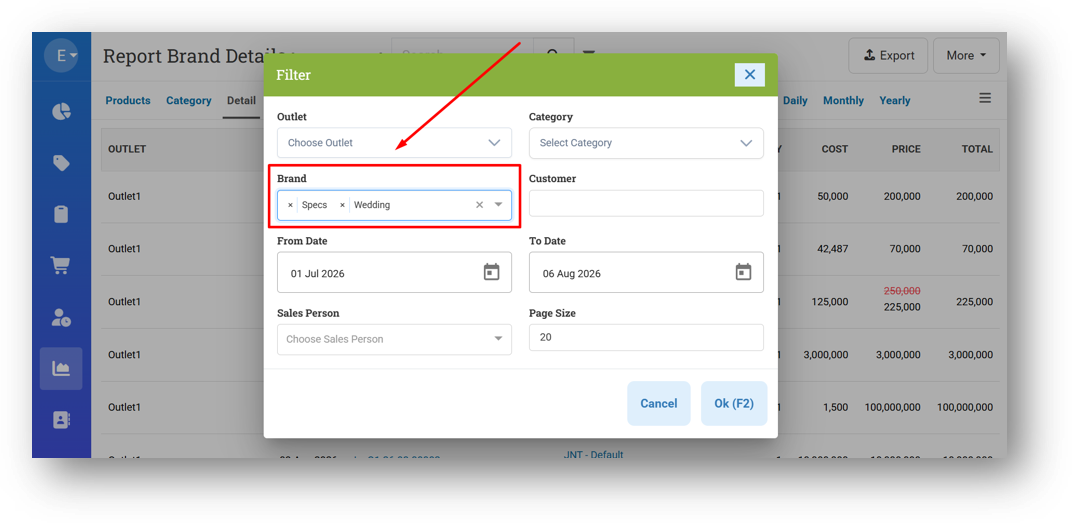
We've improved the Brand Report Details page to be more flexible and accessible. Previously, this menu could only be opened by clicking a sales value from the Report Brand page, which would automatically filter to that single brand. Now, you can also access it directly from the Reports Details page via a new button in the More menu, giving you an additional entry point.
We've also upgraded the filtering capability—you can now select and view multiple brands at once, instead of being limited to just one. For users restricted by brand, this is even more impactful. If you're assigned to more than one brand, the page will now display reports for all your permitted brands simultaneously, whereas before only one would appear. It's a much-needed boost in flexibility for multi-brand reporting.
[Orders - Supplier Bill] Redesigned Landed Cost Allocation Behaviour
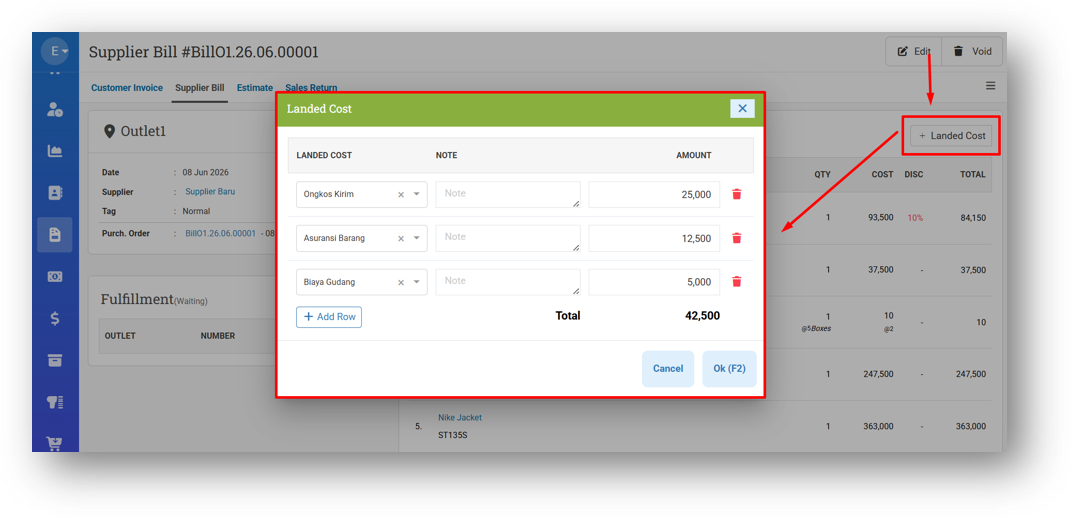
We've completely overhauled the Landed Cost feature with a fresh new workflow and interface. Instead of entering landed costs during bill creation, you now add them after the bill is finalized—directly from the Bill Detail page. You can now record multiple landed costs per bill, each with its own type and amount, giving you far more flexibility to capture all related expenses like shipping, duties, or handling fees. Do note that this feature requires your COGS type to be set to Average.
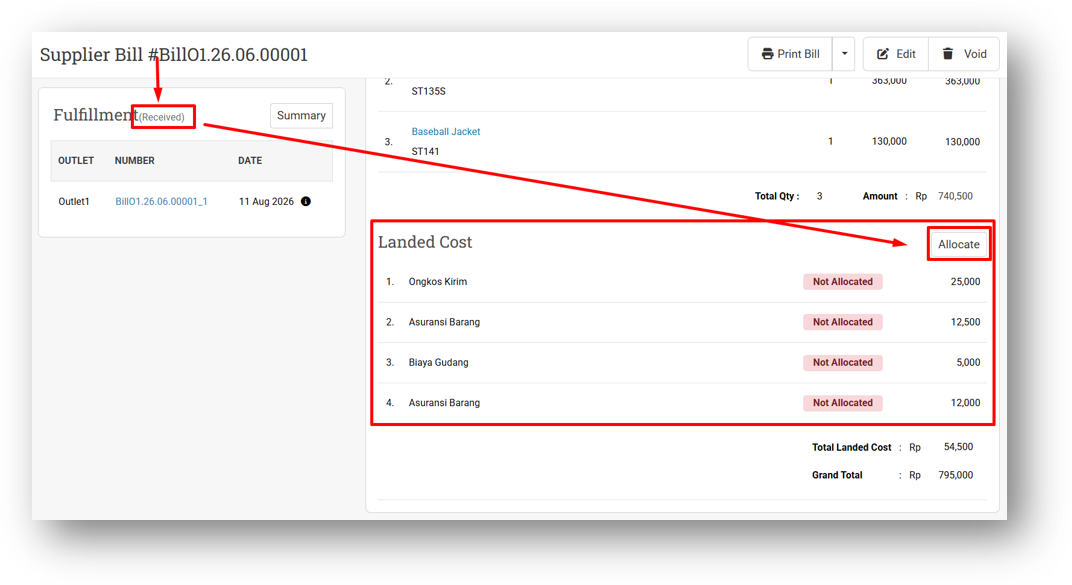
Once you've added all your landed costs, they won't be calculated immediately. You'll need to click the Allocate button to trigger the calculation and distribute the costs across your items—updating the average unit expense in each product's detail. Allocation can only be performed when the bill's delivery status is Received. While you can still add more landed costs after allocating, we strongly recommend entering everything first and allocating just once for the cleanest results.
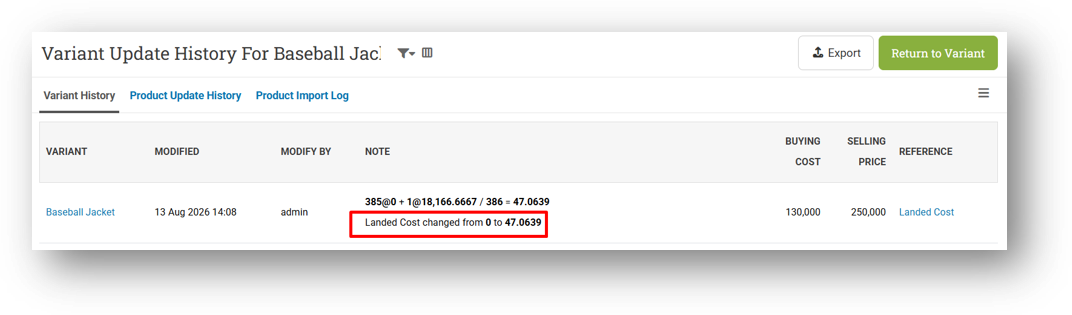
After allocation, the average landed cost is updated in each product's detail, reflecting the true cost of your inventory. This gives you a more accurate view of your unit expenses, which is essential for making informed pricing and margin decisions.
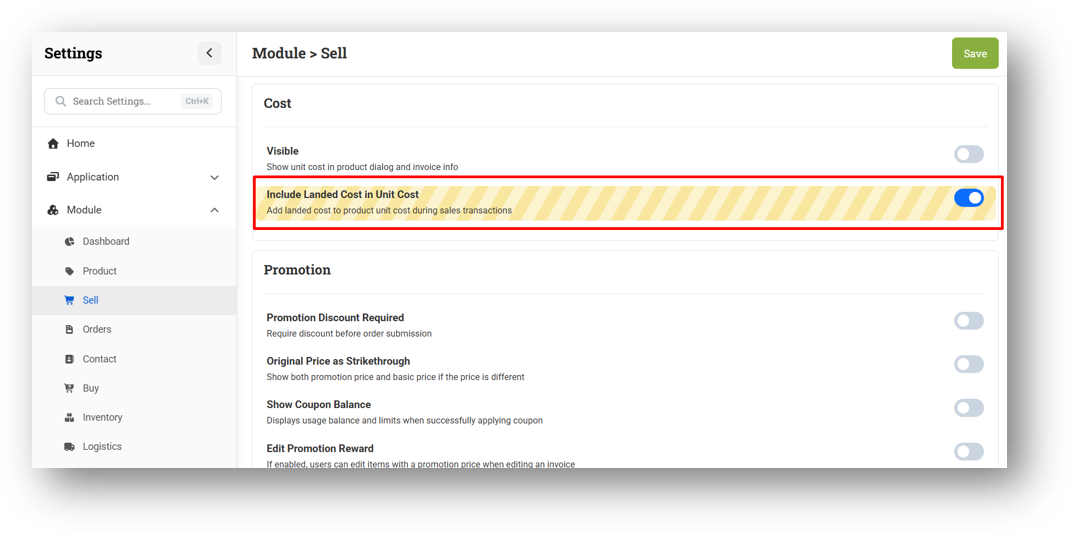
We've also introduced a new setting called Include Landed Cost in Unit Cost. When enabled, the allocated landed cost is automatically included in the unit cost during sales transactions. For example, if you sell a shirt for IDR 100,000 with a base cost of IDR 50,000 and a landed cost of IDR 5,000, your recorded cost becomes IDR 55,000—resulting in a profit of IDR 45,000 instead of IDR 50,000.
Minor Improvements:
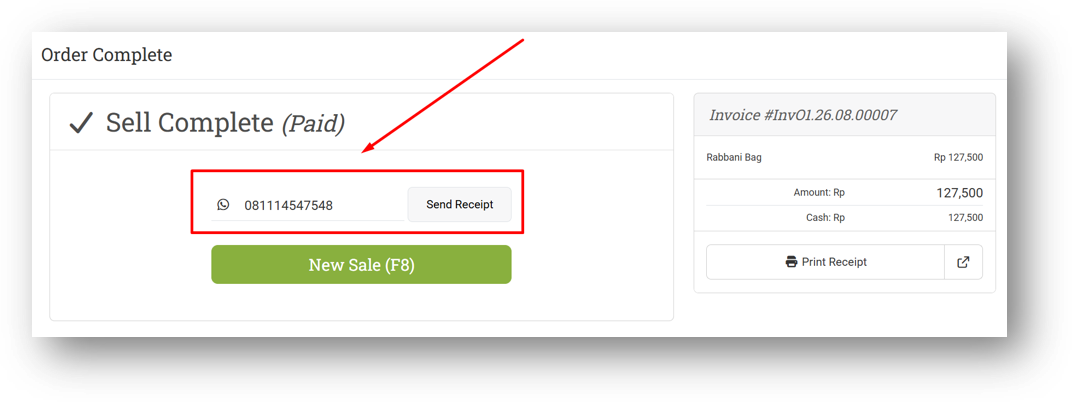
[Sell] Improve Auto-Fill Join Date When New Customer Is Created via Send E-Receipt
This feature was developed based on customer request #17295
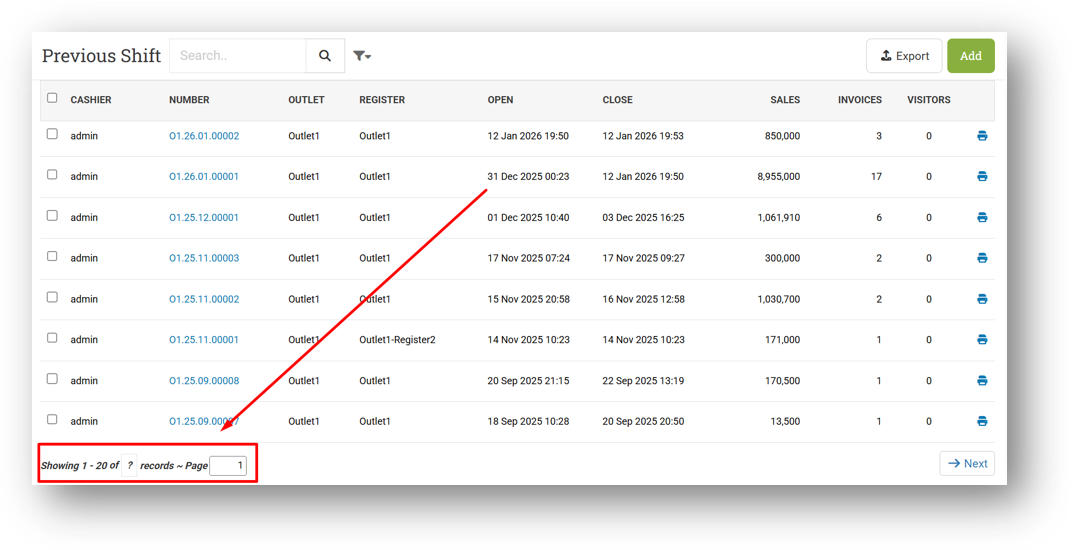
[Shift - Previous Shift] Standardize Page Row Count & Pagination
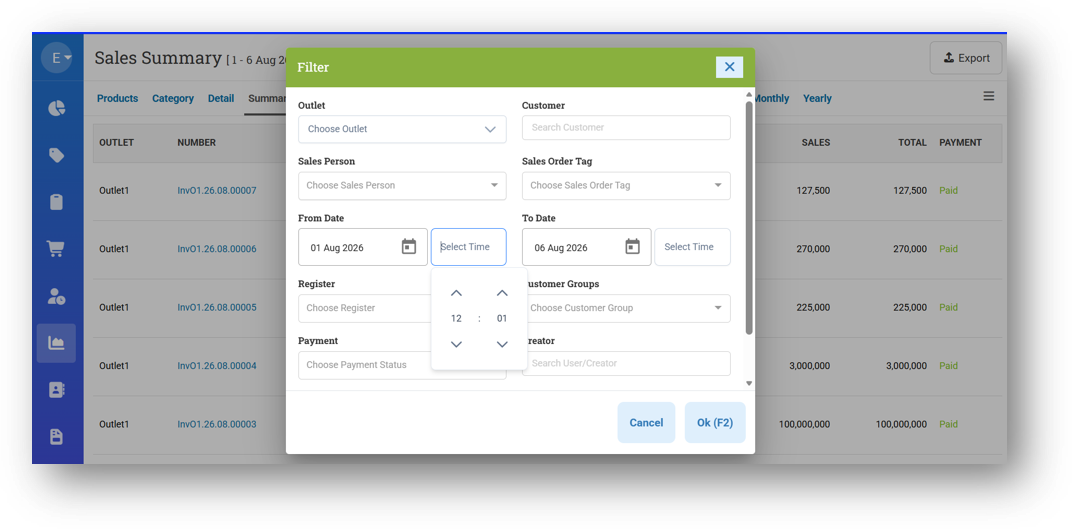
[Reports - Summary] Tidy Up Filter Time Design
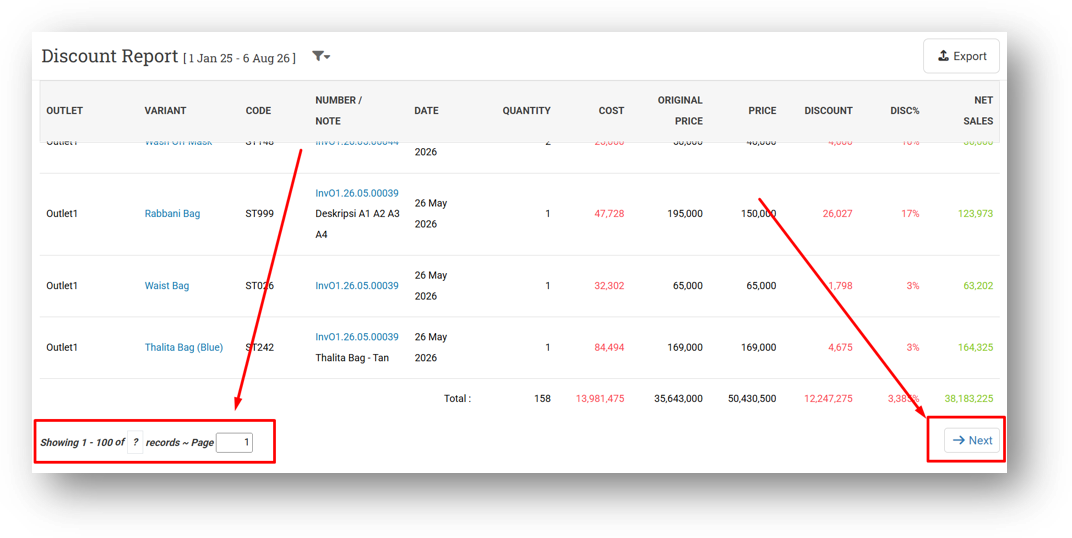
[Reports - Discount] Provide Row Count & Pagination
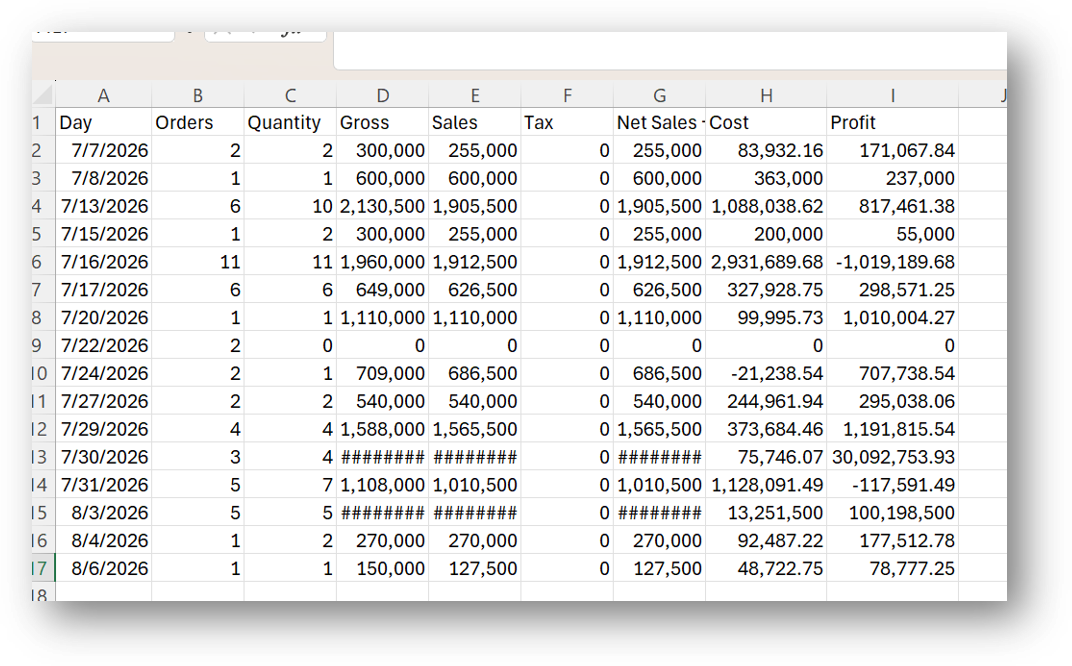
[Reports - Daily (Table)] Improve Data Export Column Name
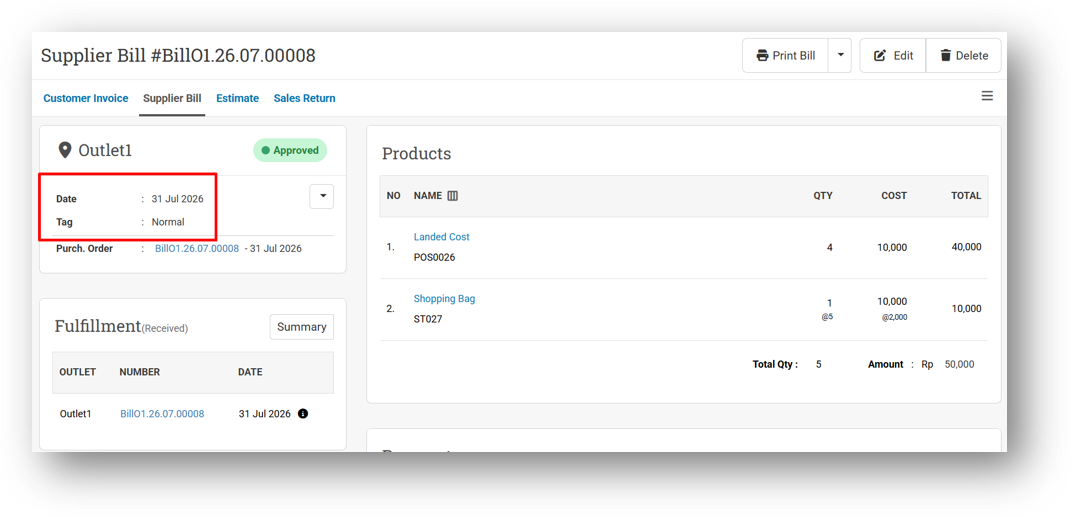
[Orders - Supplier Bill] Improve Label Position on Bill Info
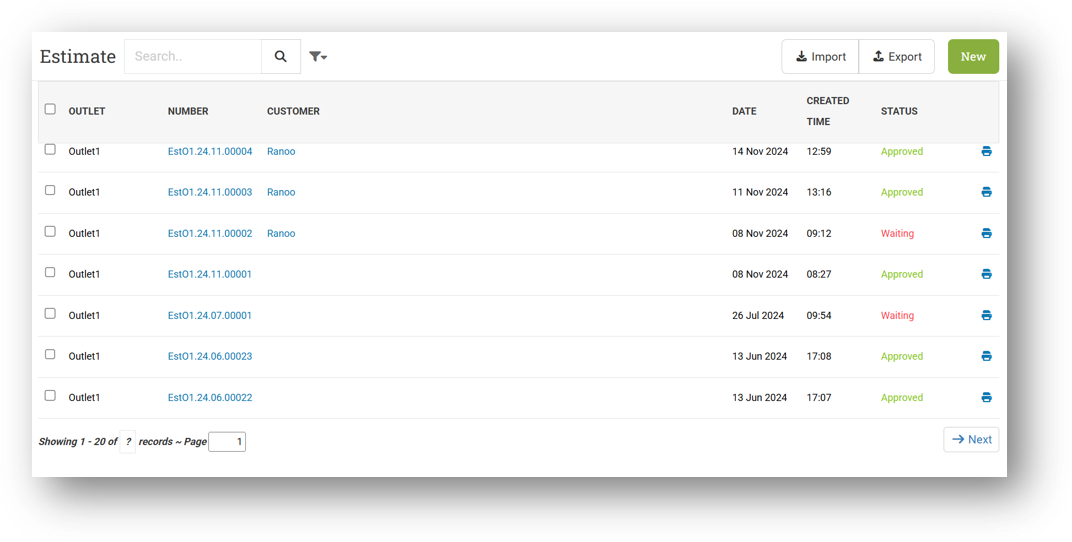
[Orders - Estimate] Standardize Page Row Count & Pagination
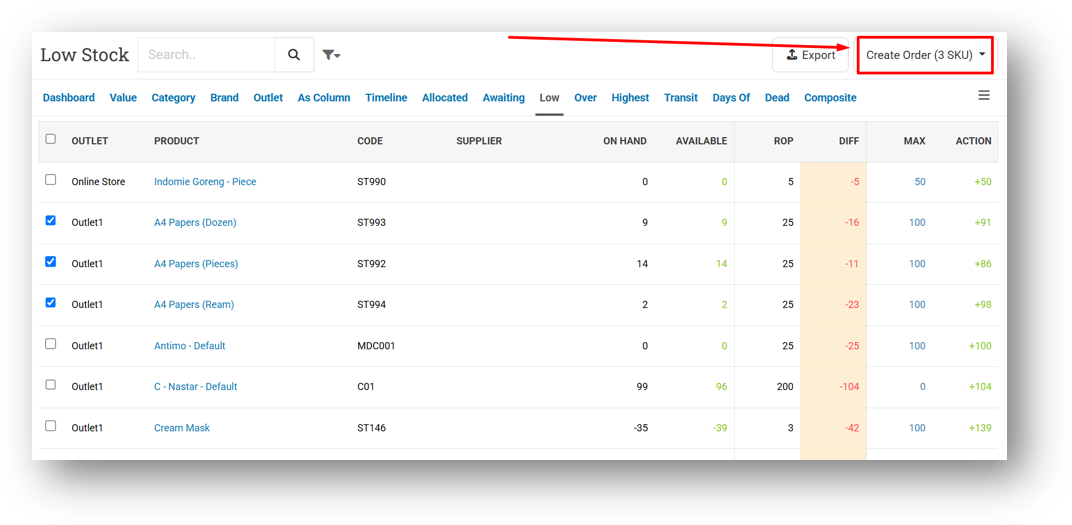
[Inventory - Low] Display Total SKU Selected in Create Order Button
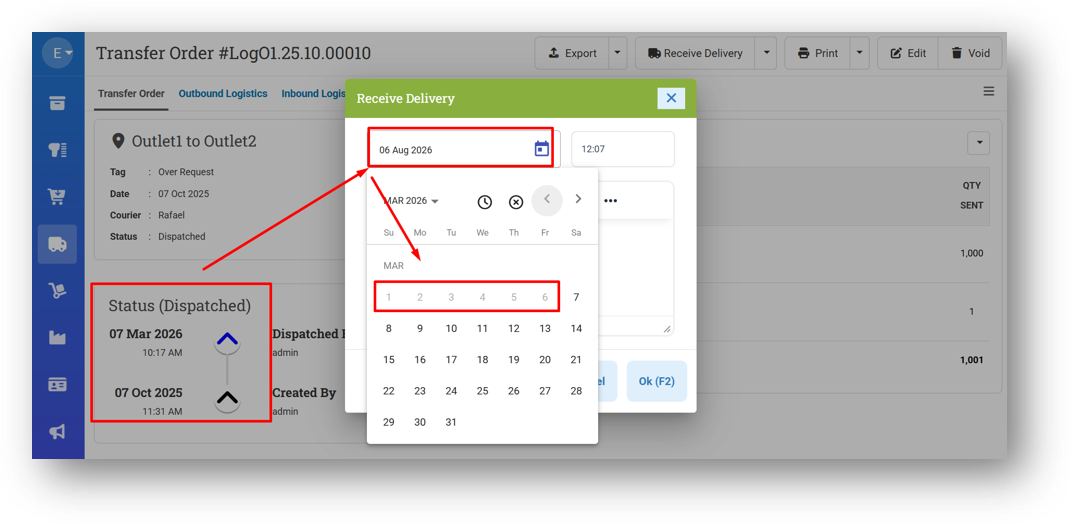
[Logistics - Transfer Order] Improve Receive Date Validation to Prevent Date Before Dispatch Date
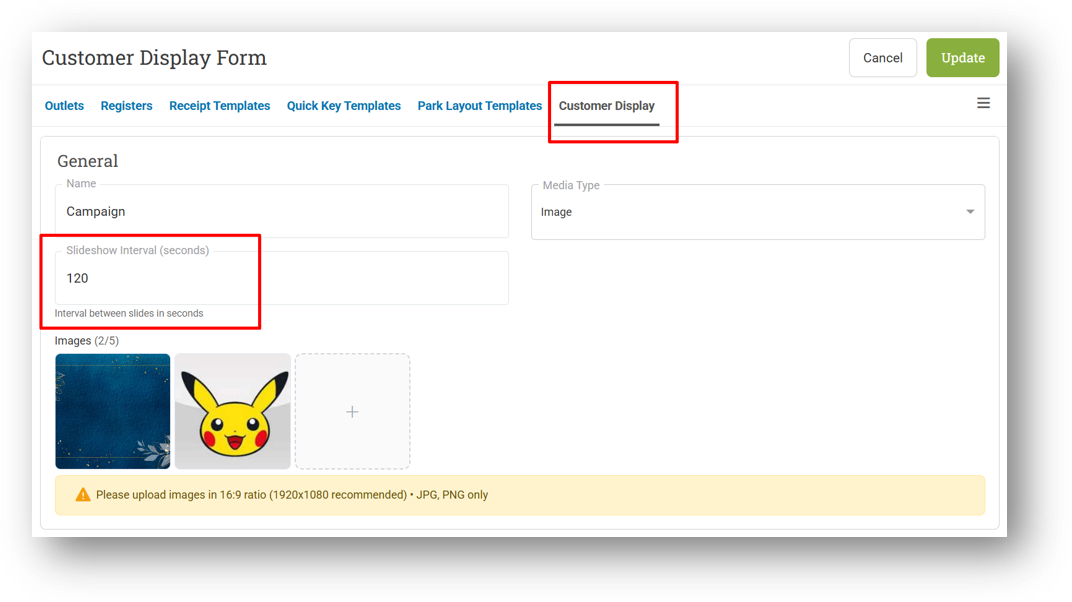
[Outlets - CDS] Provide Slideshow Interval Time Setting
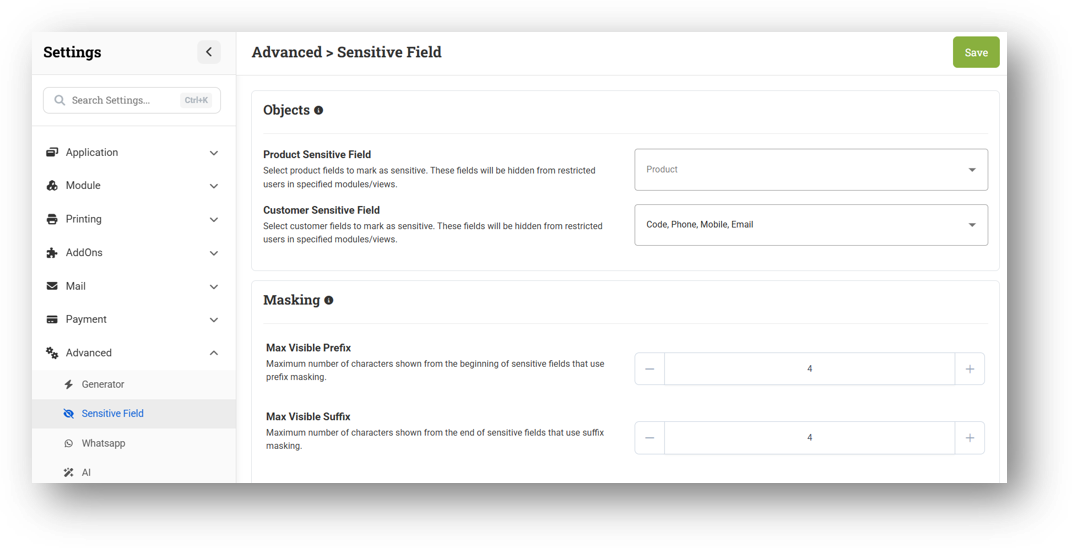
[Settings - Advanced (Sensitive Field)] Improve Layout & Provide Settings Description
Bug Fixes:
[Logistics - Transfer Order] Fix Duplicate Transfer Order Number Creation
[Inventory - Low] Fix Auto Create Transfer Order Only Adding First Item Instead of All Checked Items
Patch 26.31.1 [7 Aug]:
[Products - Variants] Restrict Edit Variant Form with Edit Product Role Only
[Reports - Details] Improve CSV Export to Keep Multi-Line Note in Single Row
[Reports - Monthly (Table)] Fix Incorrect Gross Sales Calculation
[Orders - Customer Invoice]
Fix Users Cannot Generate Midtrans Payment Link
Fix Refresh Fulfillment Changing Return Transaction Status from Sent to Partial
[Orders - Supplier Bill]
Fix Incorrect Status Badge & Button Action Logic
Fix Console Error When Opening Bill Detail with Non-Primary Currency
[Sharing Component] Support Searching with "AND" Keyword on Auto-Complete
Patch 26.31.2 [10 Aug]:
[Products] Fix Missing Variant Code When Editing Product without Code
[Reports - Summary] Fix Time Filter Not Applied to CSV Export
[Developer - Webhook Configuration] Provide User Agent & Headers Property
[Infrastructure] Fix App Crash Caused by App Configuration Value
Patch 26.31.3 [11 Aug]:
[Products] Fix Allow Restricted Setting Blocking Multi-Variant Product Creation with Empty Codes
[Shift] Fix Incorrect Category Sales Value in Printing
[Reports - Outlets] Fix Incorrect Sales Calculation in CSV When Filtering Product Type
[Orders - Supplier Bill] Improve Landed Cost Button Visibility Logic to Display the Feature
[Developer - Configuration] Fix Missing User Agent Component Caused Users Unable to Download Shipping Label
Overall, this update further establishes the platform as a reliable Inventory Application for your retail businesses. Stay tuned for more updates, and don't hesitate to reach out if you have any questions or need support!