- DATE:
- AUTHOR:
- Ezzan
WebApp Version 26.32 Changelog
This update includes new features, essential performance improvements, and usability enhancements to ensure your daily operations run smoothly. We've also addressed several bug fixes to enhance stability and reliability. DealPOS continues to evolve as a reliable POS Software designed to support retail business operations with better performance and usability. Thank you for your continued trust and feedback, which help us deliver the best possible service.
New Feature:
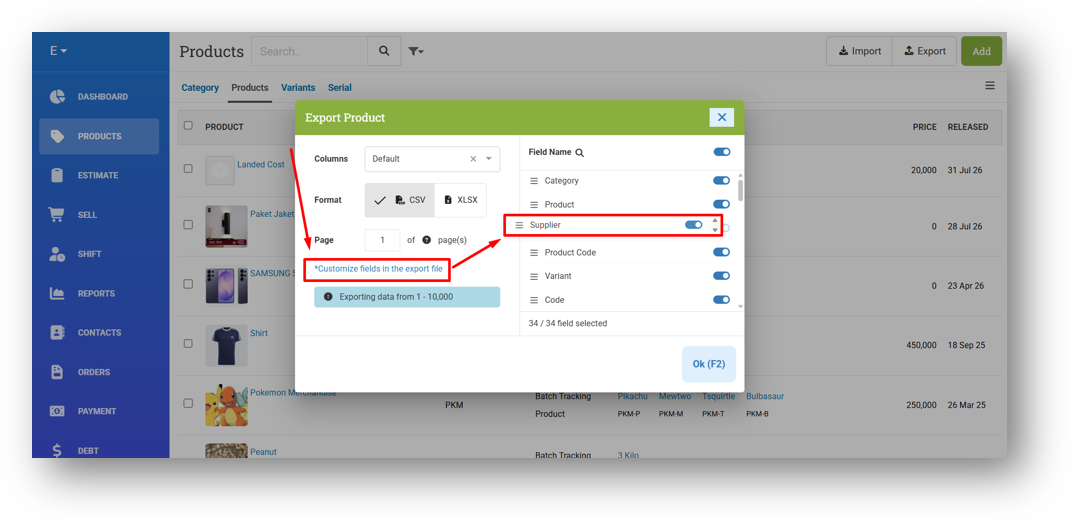
[Products] Customizable Product Export Columns
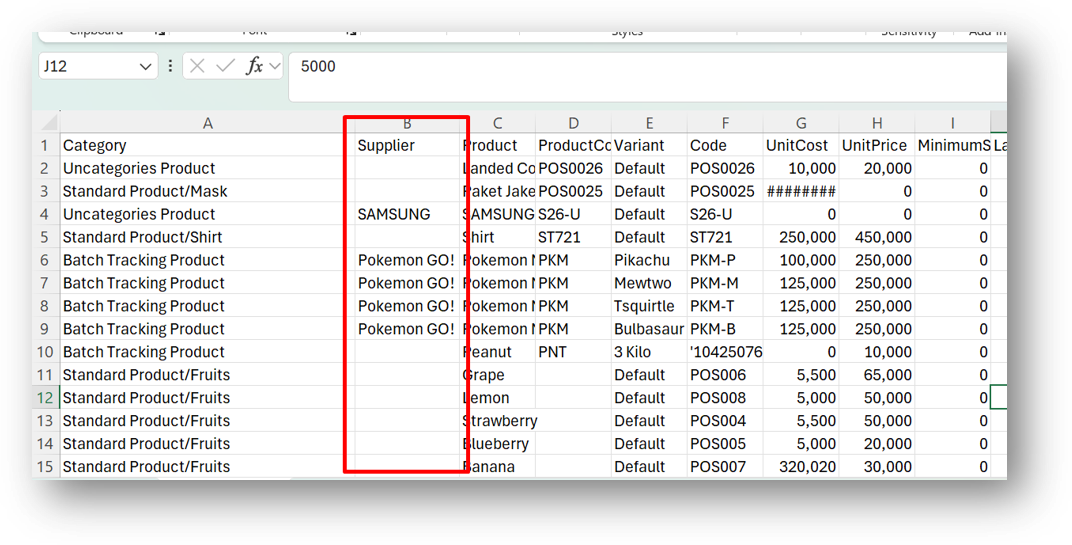
We've added a powerful new layer of control to your product exports. With so many fields now available in the product module, exporting everything every time isn't always practical. Now you can fully customize which columns to include by simply checking the fields you need, and even arrange them in your preferred order using drag and drop—so your CSV comes out exactly the way you want it.
One thing to keep in mind: this feature is designed for export flexibility, not import. If you export only a few columns—say product name and price—and make changes, you won't be able to import that file back directly. The import process still requires key identifiers like Product ID, Variant ID, or their respective codes to map the data correctly, so keep those essential columns handy if a round-trip update is your goal.
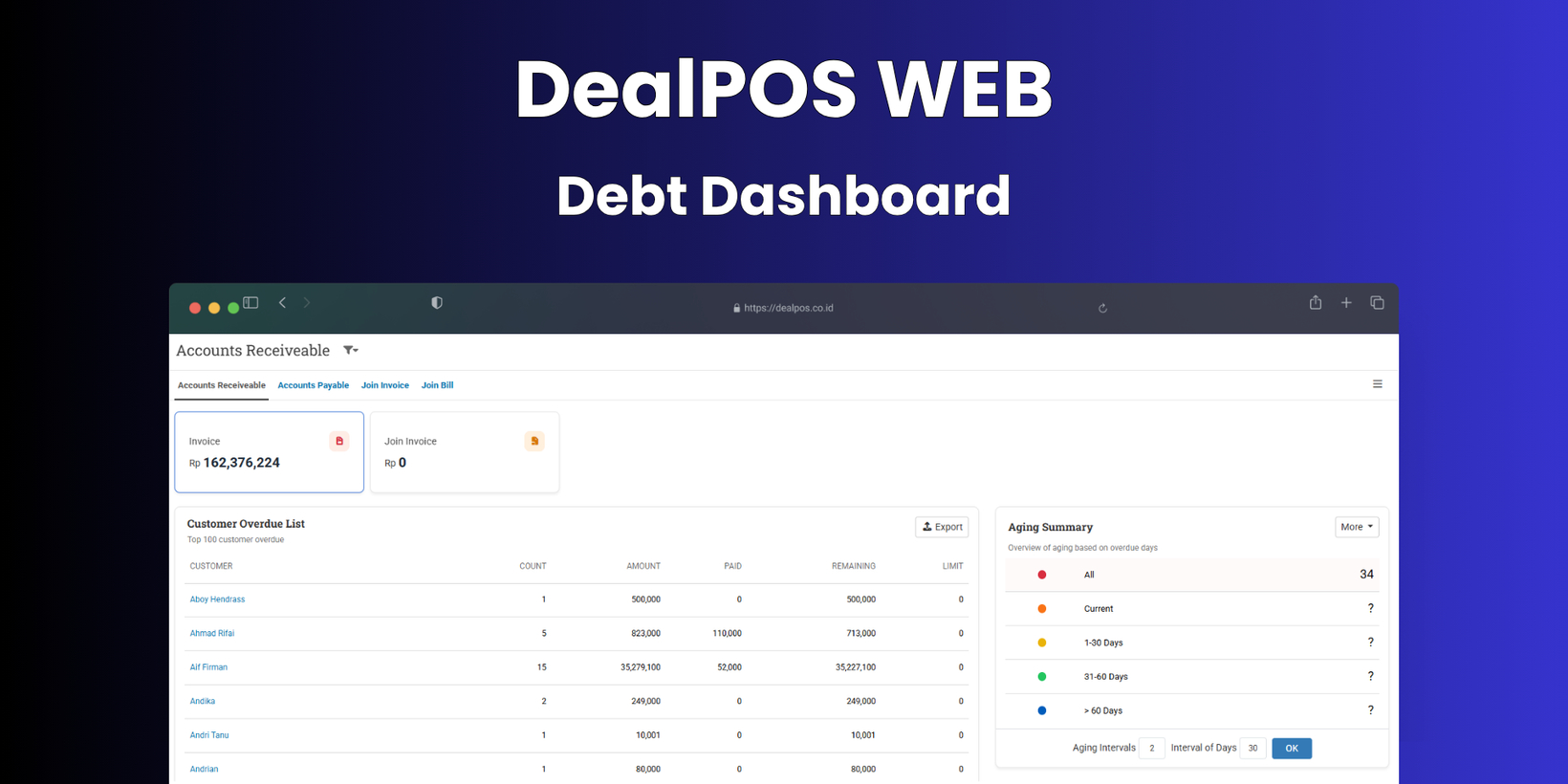
[Debt] Debt Dashboard with Aging Summary
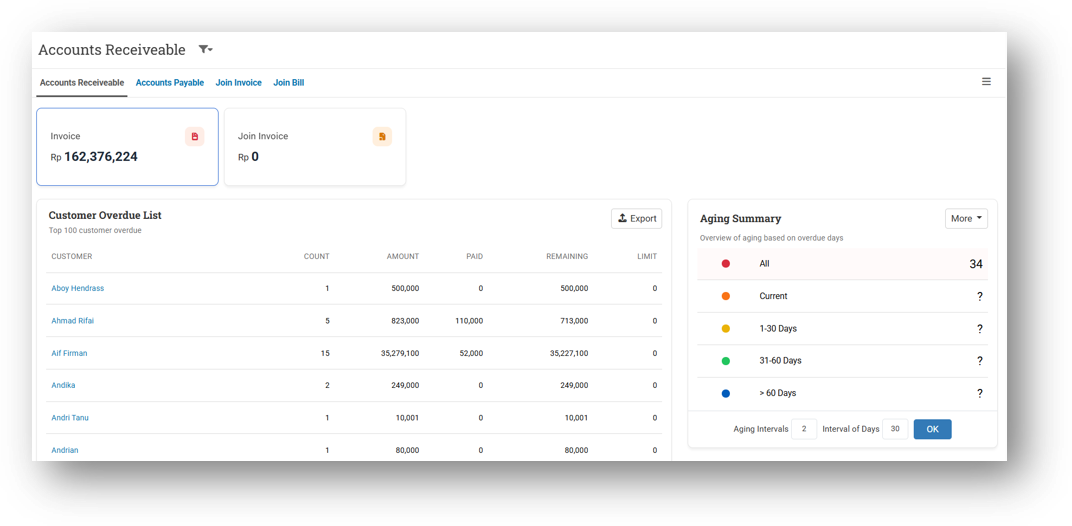
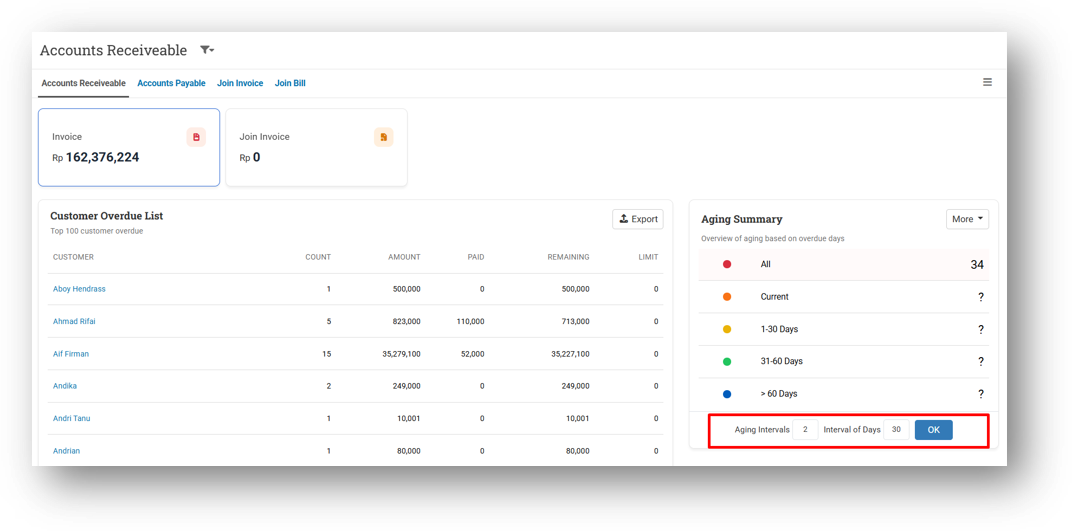
We've transformed the Debt module with a brand-new Dashboard that makes tracking both receivables and payables more visual and intuitive. Now, when you open the Debt menu, you'll land on a clean dashboard view instead of a plain list. At the top, summary cards give you a clear separation: Invoice shows total debt from individual customer invoices, Join Invoice displays debt from consolidated join invoices, and Bill tracks what you owe to suppliers—keeping all three types neatly organized. Below each card, you'll find the corresponding customer or supplier list, and you can always switch back to the classic list view via the More menu.
One of the standout additions is the Aging Summary panel, positioned right next to the table. This groups outstanding debts by how overdue they are, giving you an instant health check on both receivables and payables. At the very top, the All tab shows every customer or supplier with outstanding debt. Below that, Current displays debts that haven't passed their due date yet. The overdue brackets are then broken down using two customizable settings: Aging Intervals and Interval of Days.
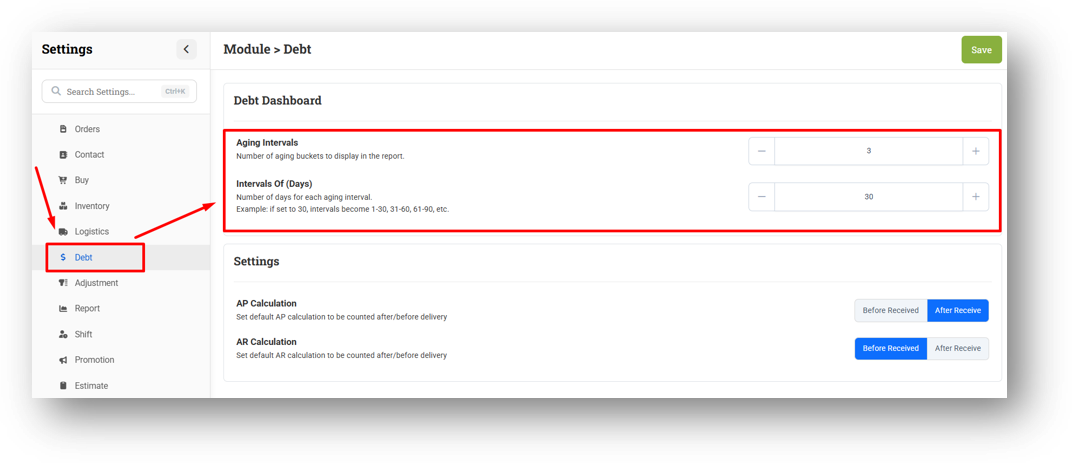
By default, the system uses 3 intervals of 30 days, creating brackets like "1–30," "31–60," and "61–90" days overdue. Anything beyond the last interval—plus invoices or bills with no due date at all—falls into the final >90 bracket. You can adjust both the number of intervals and the day range anytime from the Settings menu to match your business needs.
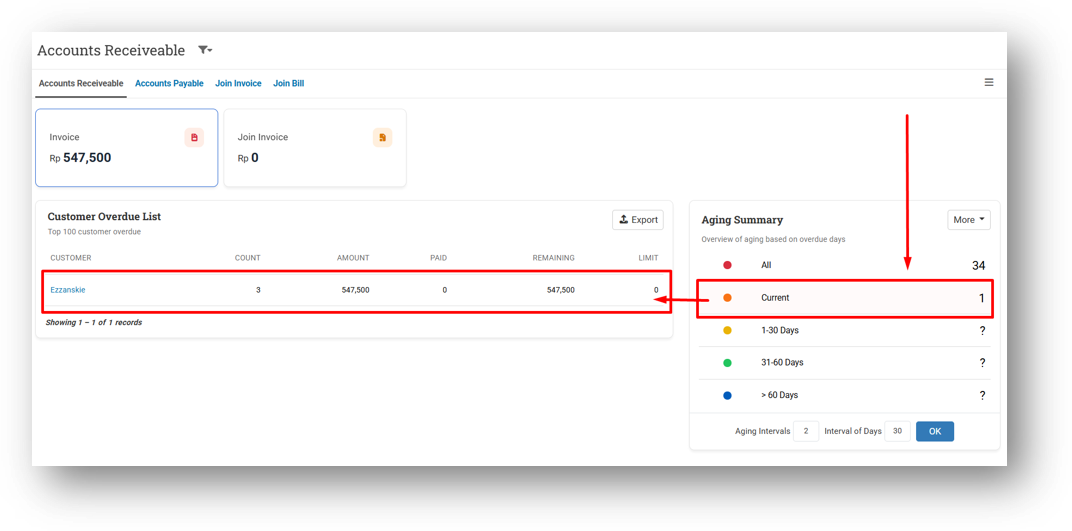
It's important to note that a single customer or supplier can appear in multiple aging tabs if they have multiple invoices or bills with different due dates. So if one customer has one overdue invoice and one current invoice, they'll show up under both All and Current. This is by design, giving you full traceability. Simply click any aging tab to instantly filter the table on the side and see exactly who falls into each category.
Minor Improvements:
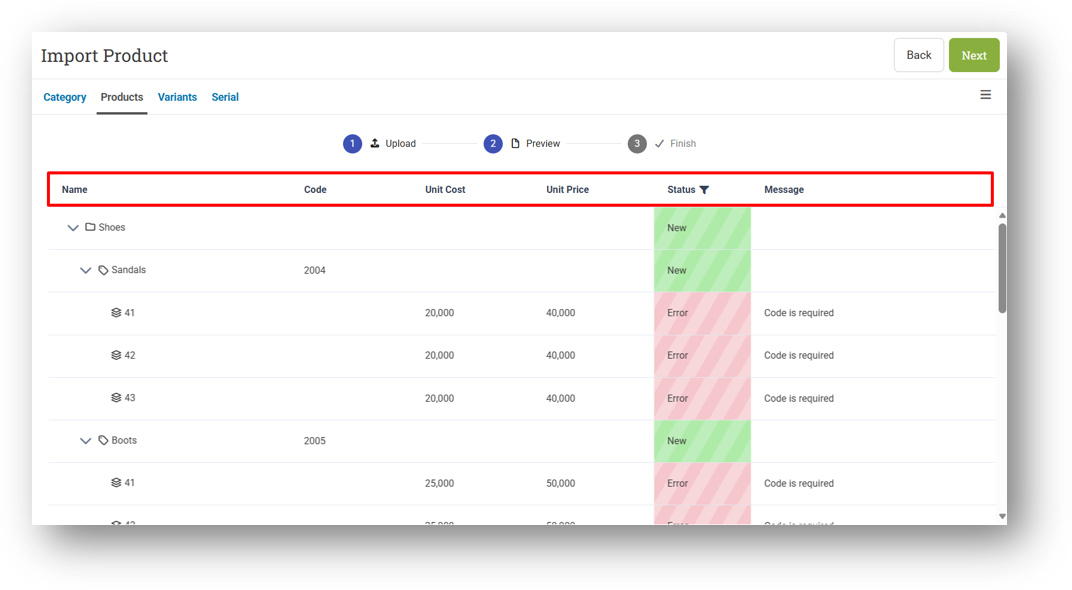
[Products - Import]
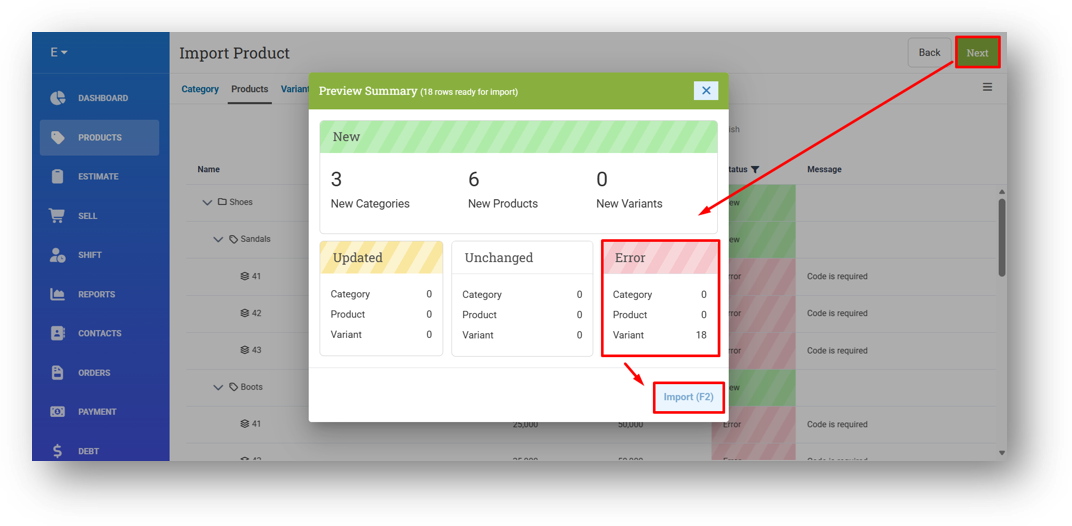
Improve Error Row Found Behaviour
Implement Sticky Header on Preview Import Page
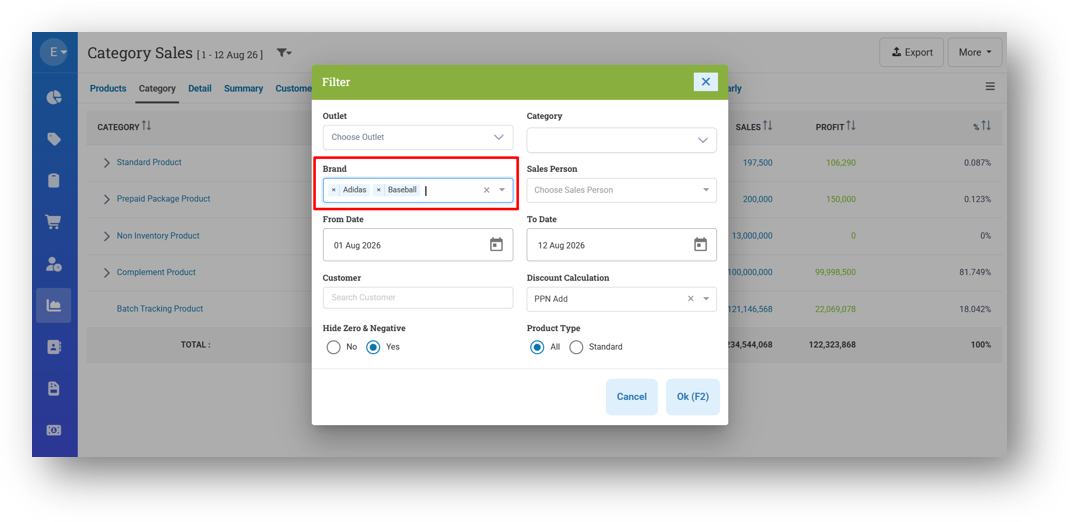
[Reports - Category] Allow Multi-Select for Brand Filter
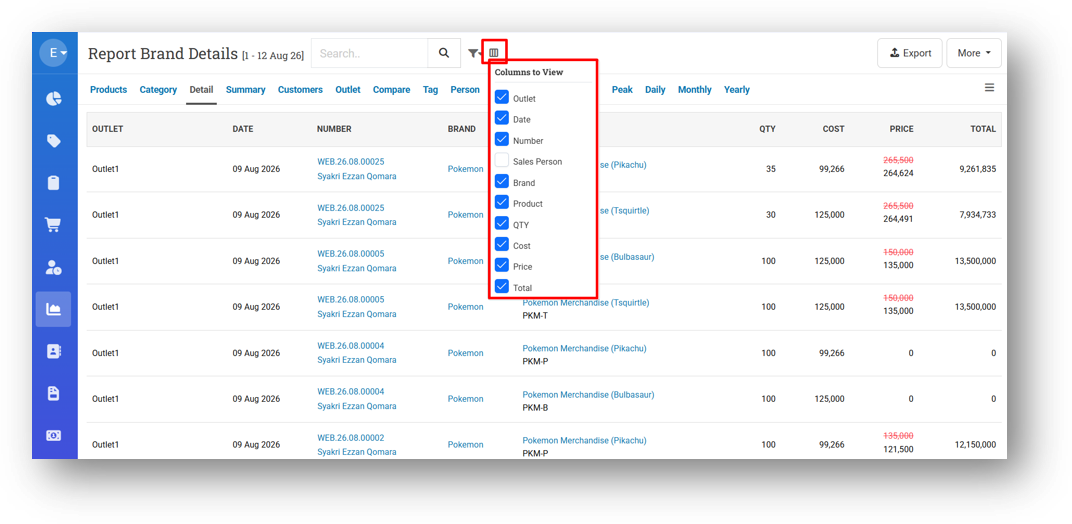
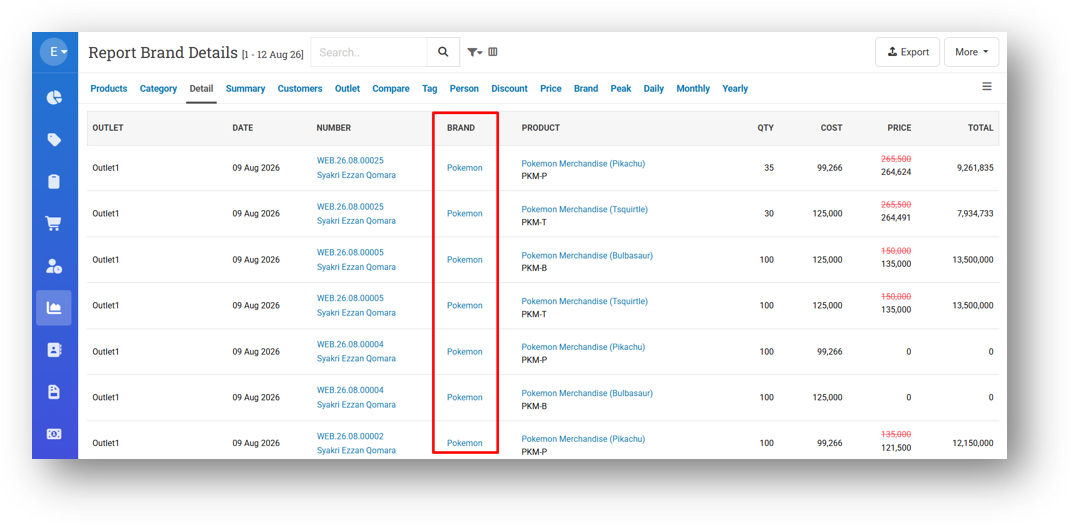
[Reports - Details (Brand)]
Provide Column Toggle
Provide Brand Column in Table & CSV Export
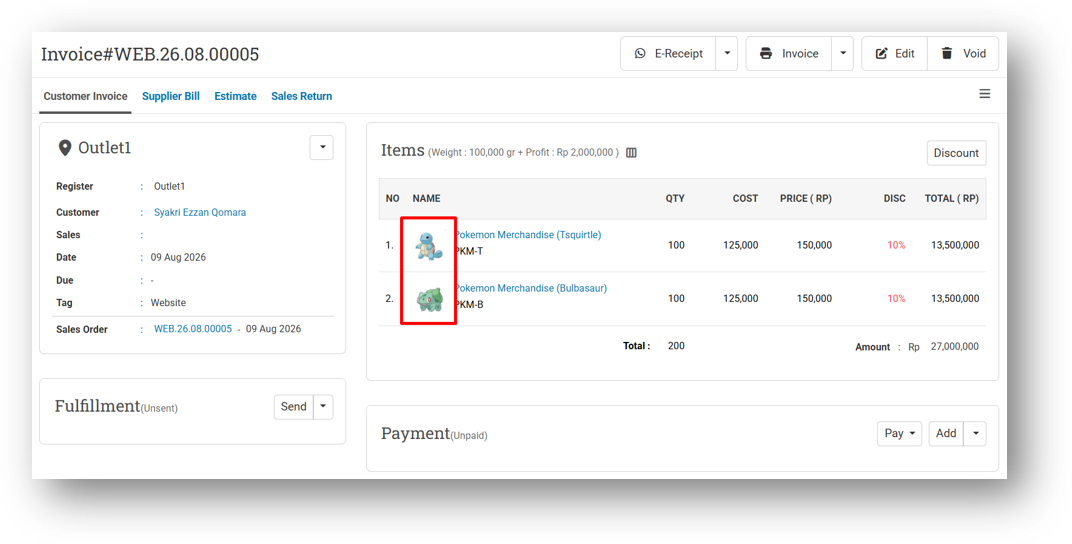
[Orders - Customer Invoice] Provide Variant Image in Invoice Info Page
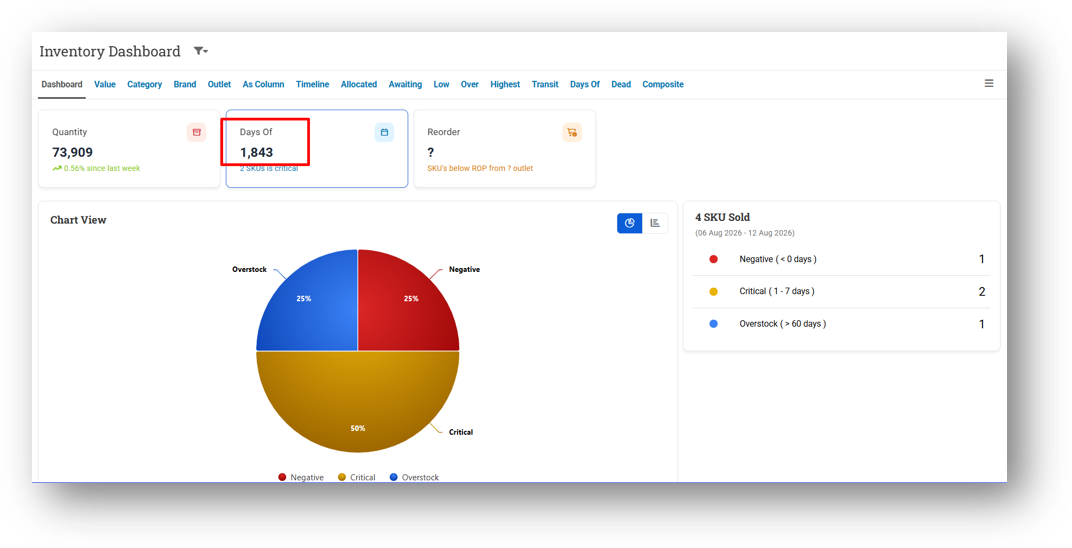
[Inventory - Dashboard] Implement Rounding for Days Of Average on Days Of Card
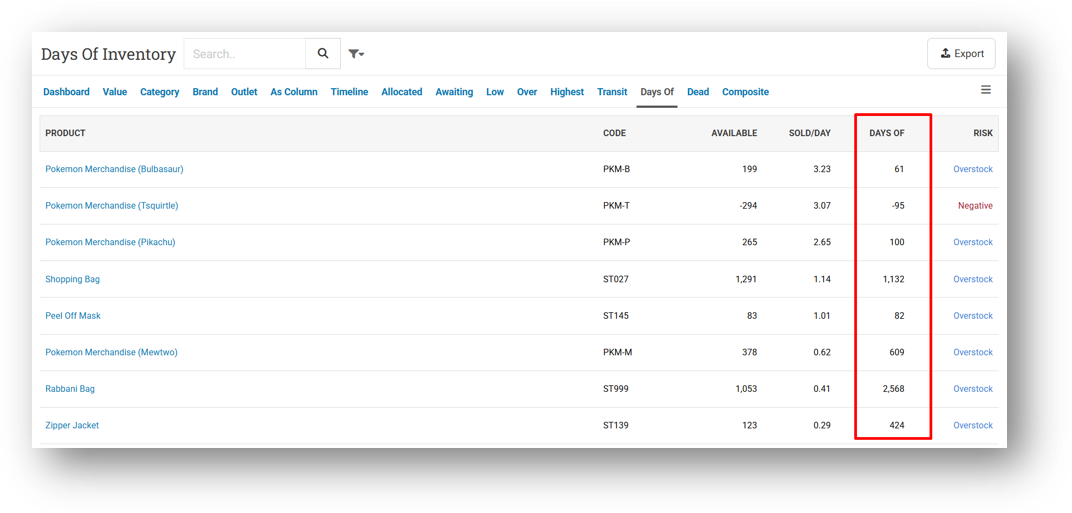
[Inventory - Days Of] Implement Rounding for Days Of Column in CSV Export
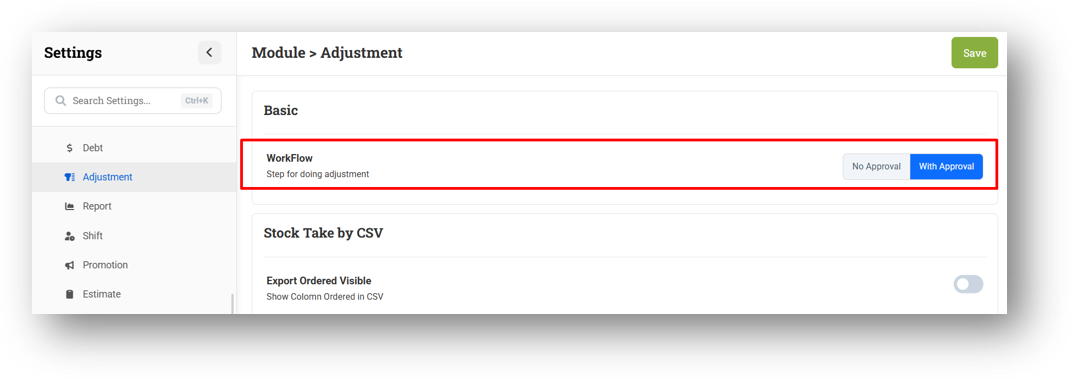
[Settings - Module (Adjustment)] Set Default Workflow to 2 Steps
Bug Fixes:
[Buy] Fix Return Transaction Cost Calculation Not Including Tax as Cost
[Reports - Details (Brand)] Exclude Non-Brand Products from Report
Patch 26.32.1 [15 Aug]:
[Products - Category]
Fix Product Category Display Still Showing Old Parent After Subcategory Parent Removed
Fix Parent Missing in Display Name After Changing Category Name
[Products]
Improve Product Form Mandatory Field Product Validation
Disable Variant Code Regeneration on Edit Form for Product Code and Variant Name Changes
[Products - Variants] Provide Product Image Fallback for Empty Variant Image
[Reports - Category] Fix Product Type Filter (All Type) Does Not Work Properly
[Reports - Product (By Outlet)] Implement Brand Restriction Feature
[Reports - Person] Fix Basket Size Column Not Rendering Data When Quantity Column Is Enabled
[Orders - Invoice] Fix Incorrect Printed Time in Reprint Due to Timezone Issue
[Orders - Supplier Bill] Tidy Up Landed Cost Modal for Mobile View
[Outlet - CDS] Provide Default Value for Slideshow Interval Settings
Patch 26.32.2 [19 Aug]:
[Products]
Prevent Duplicate Product Name Creation with Empty Product Code
Fix Intermittent Character Deletion When Typing Product Code
Highlight Mandatory Field When Creating Product with Empty Variant Name
Improve Auto Focus on Name Column When Pressing Enter to Create New Variant
Apply Variant Code Auto-Generate Only When Adding New Variant During Product Edit
Trigger Auto Generate Product Code When Category Changed During Product Edit
[Debt - AR List] Fix Amount Hyperlink URL
Patch 26.32.3 [20 Aug]:
[Contacts - Customer] Fix Customer Receiveable Hyperlink URL
[Orders - Sales Order] Remove HTML Tag from Payment Note on Printing
Patch 26.32.4 [21 Aug]:
[Products] Fix Variant Code Always Matching Product Code for Single Variant Product
[Debt - Invoice Aging] Fix Customer Receiveable Hyperlink URL
[Debt - AR History] Fix Customer Receiveable Hyperlink & More Button URL
Overall, this update further establishes the platform as a reliable Inventory Application for your retail businesses. Stay tuned for more updates, and don't hesitate to reach out if you have any questions or need support!