- DATE:
- AUTHOR:
- Ezzan
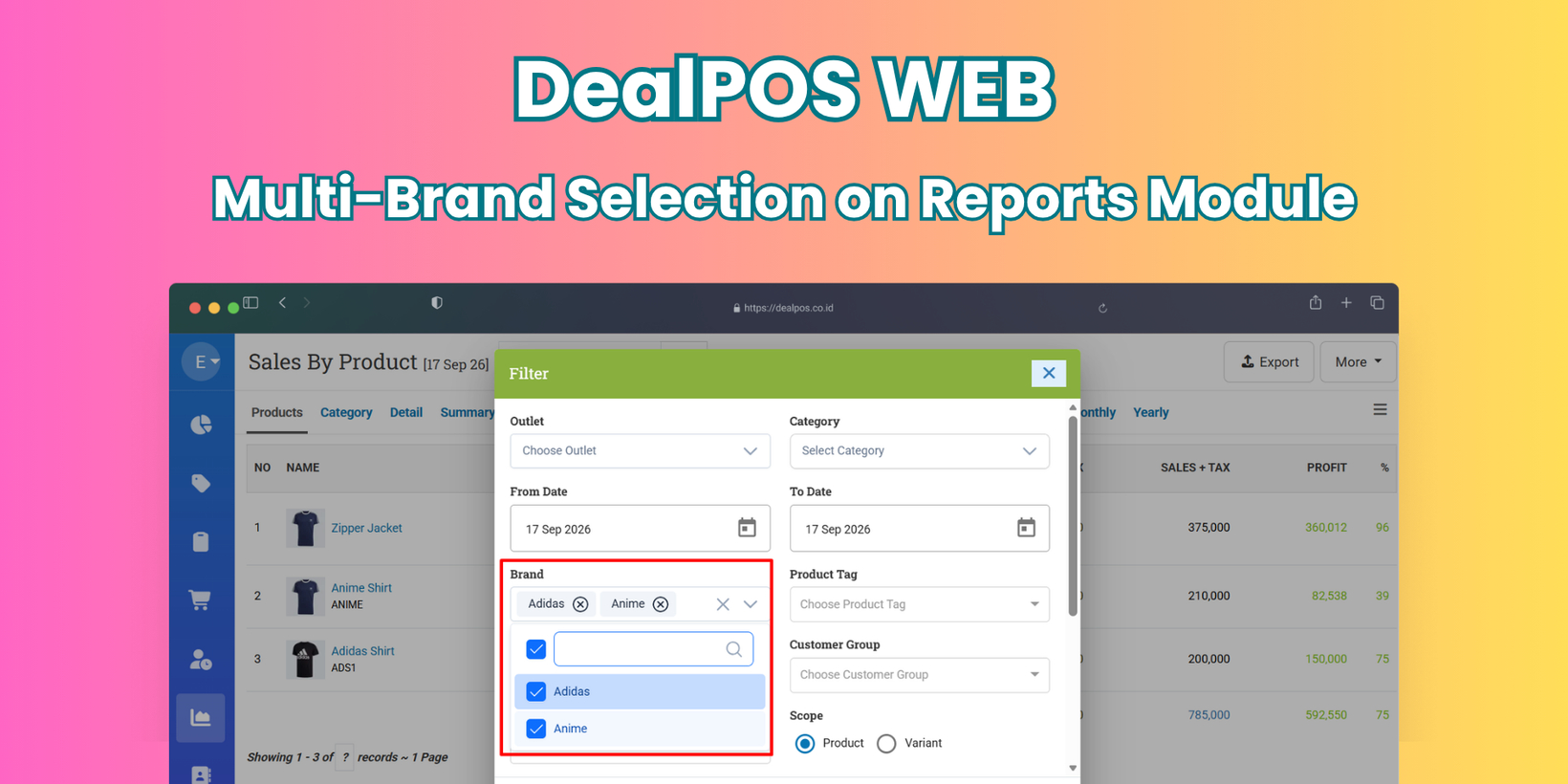
WebApp Version 26.37 Changelog
This update includes new features, essential performance improvements, and usability enhancements to ensure your daily operations run smoothly. We've also addressed several bug fixes to enhance stability and reliability. DealPOS continues to evolve as a reliable POS Software designed to support retail business operations with better performance and usability. Thank you for your continued trust and feedback, which help us deliver the best possible service.
New Feature:
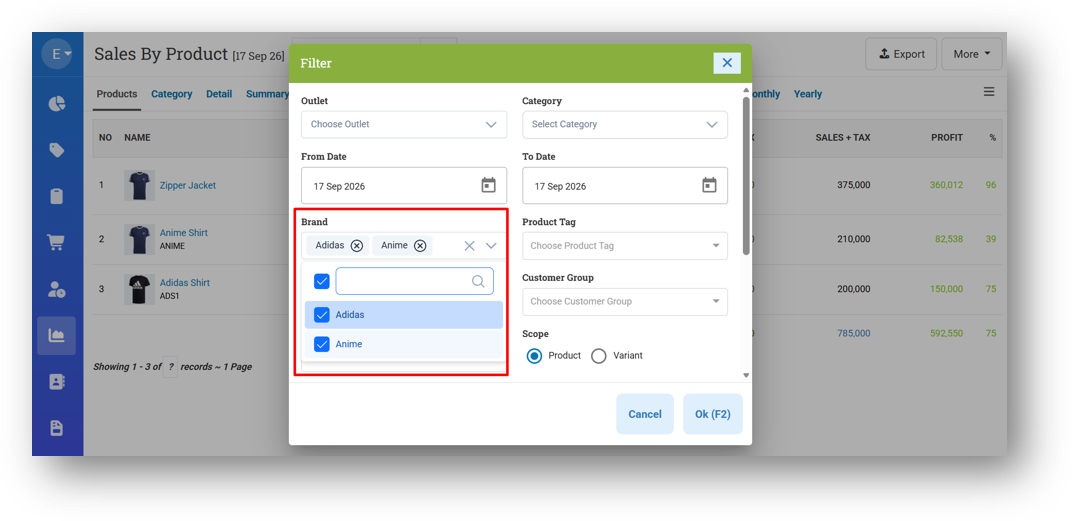
[Reports] Enhance Brand Restriction Experience
We've enhanced how Brand Restriction behaves for users assigned to multiple brands. Previously, if a user was restricted to brands like Adidas and Nike, the brand filter would automatically select both and lock the field—preventing any changes. This felt rigid and limited flexibility. Now, the filter remains fully interactive. Users will still only see the brands they're authorized for, but they can freely select, deselect, or multi-select among them. If no filter is applied, the report will still display data from all their assigned brands by default. This gives users the freedom to narrow down their view whenever needed, while still respecting their brand restrictions. This enhancement is implemented in all Reports Menu that provide Brand Filter.
Minor Improvements:
[Sell]
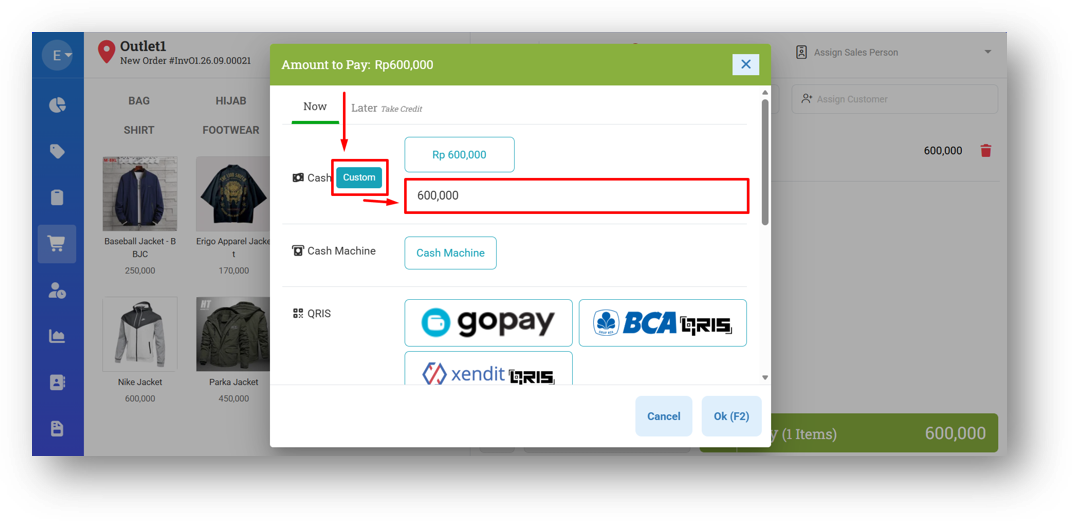
Provide Custom Input Amount Button
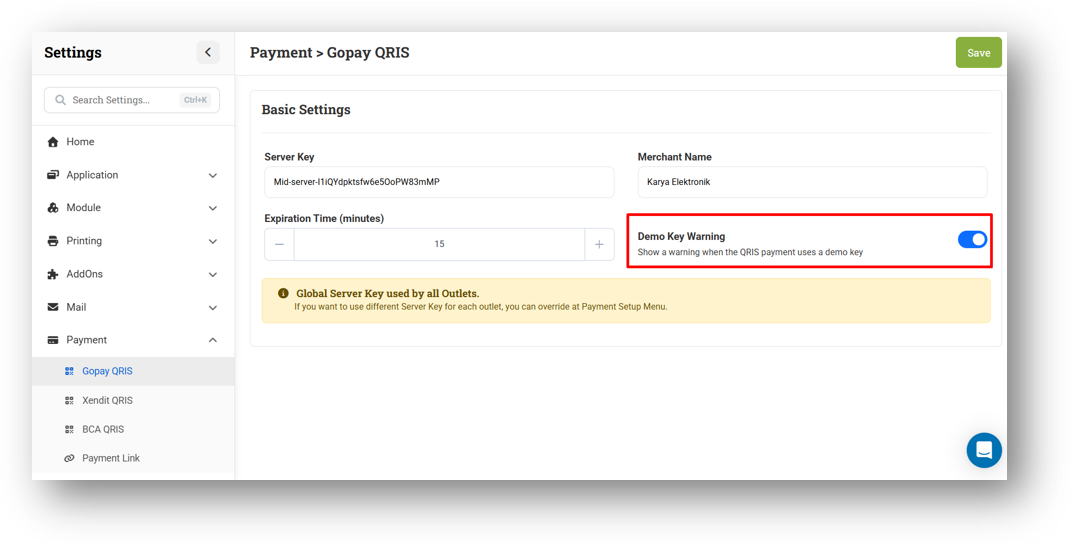
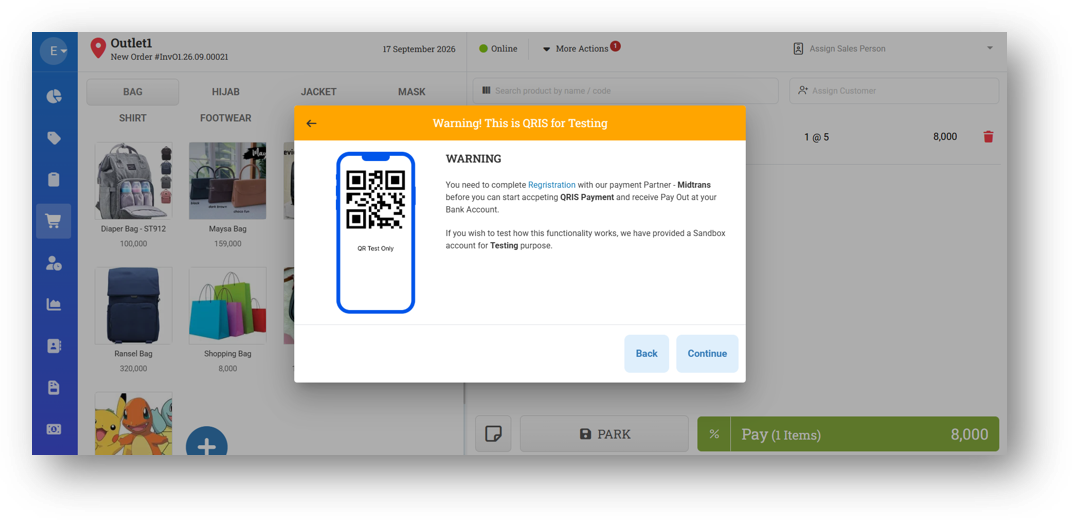
Demo Key Warning Settings for Gopay QRIS
We've added a new setting called Demo Key Warning for Gopay QRIS, enabled by default. If your account hasn't been integrated with a QRIS server key yet, a warning will appear when you try to generate a QRIS—letting you know that the QRIS shown is a default placeholder. You can still continue and complete the transaction, but the warning serves as a clear notice that your account isn't yet connected.
This feature is especially useful for demoing the QRIS functionality to potential customers. Once you've shown what it can do, you can simply turn off the warning from Settings and the QRIS will appear directly based on the transaction amount—no warning in the way. It gives you flexibility between informing users and presenting a clean, seamless experience.
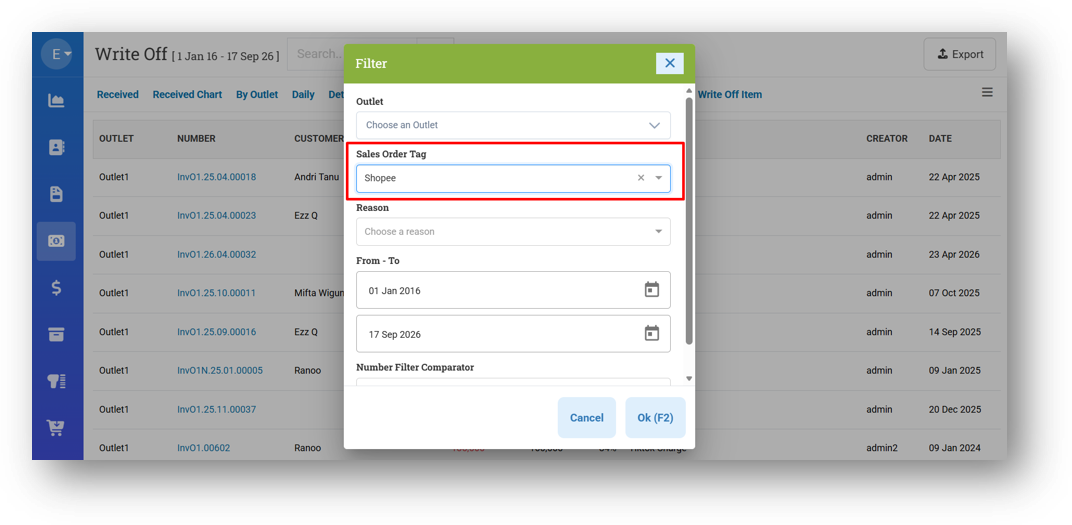
[Payment - Write Off] Provide Sales Order Tag Filter
This feature was developed based on customer request #17787
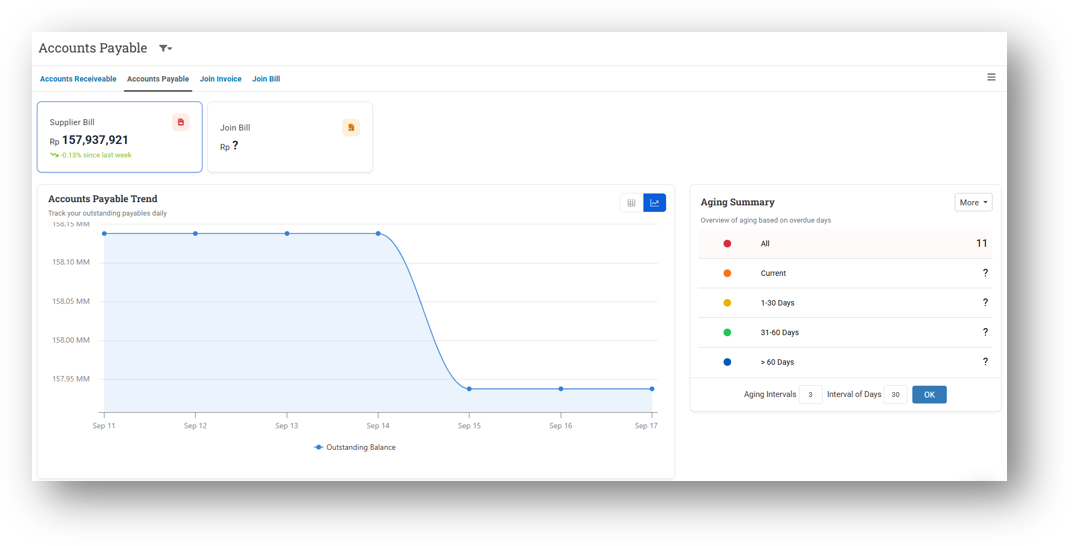
[Debt - Dashboard] Visualize AR & AP Dashboard Chart with Line Chart
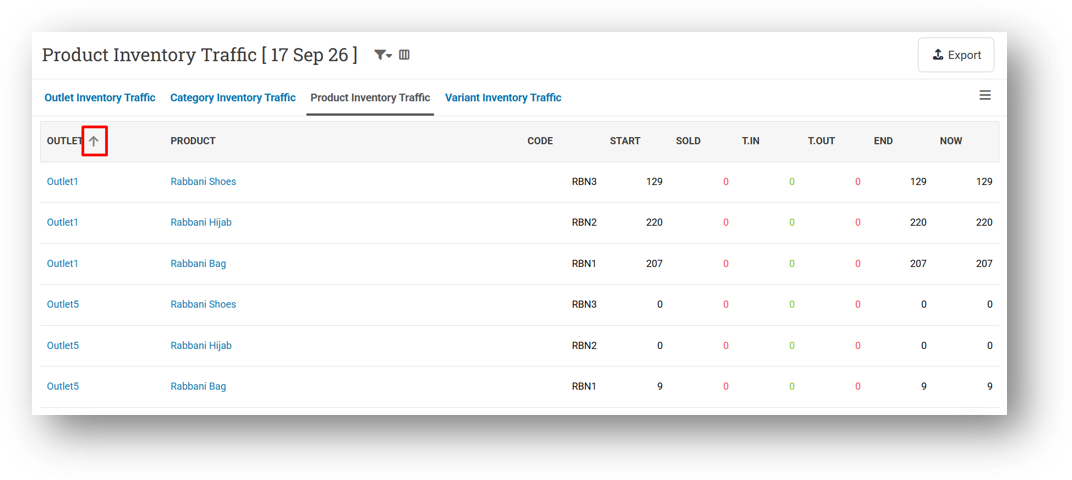
[Inventory] Provide Sort Column Feature for Product & Variant Traffic
This feature was developed based on customer request #19499
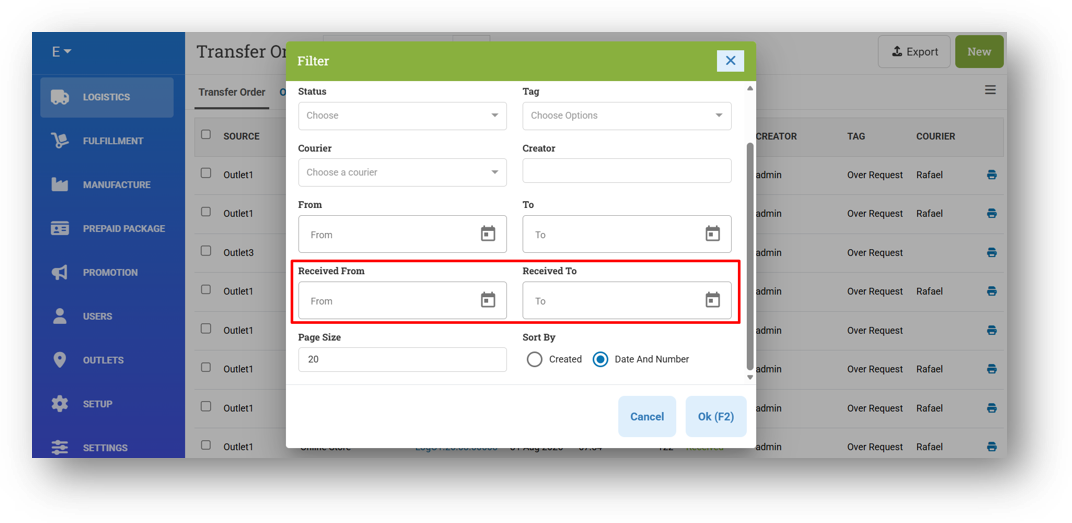
[Logistics - Transfer Order] Provide Received Date Filters on Transfer Order List & Transfer Order Report Details
This feature was developed based on customer request #19484
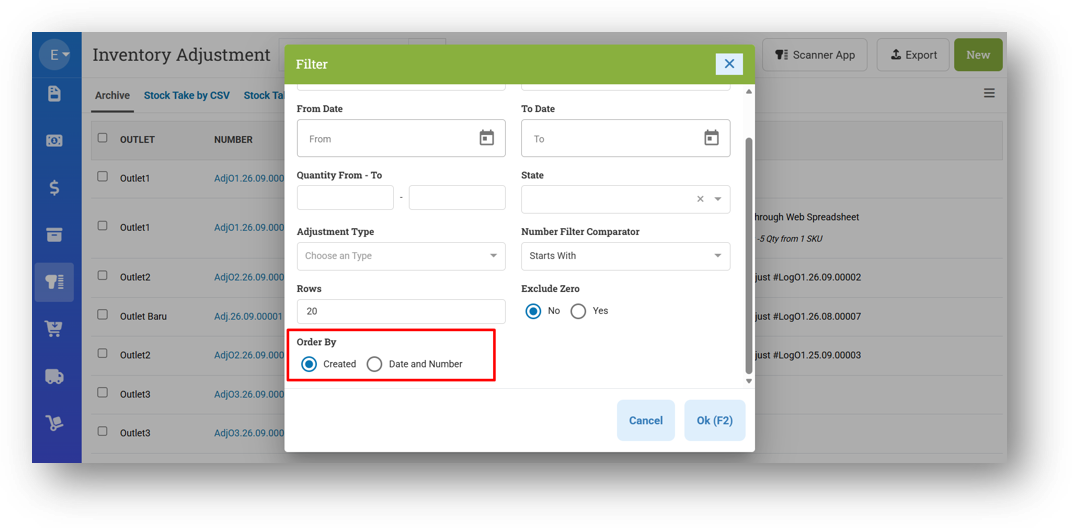
[Adjustment] Provide Order By Filter
[Adjustment - Reports Details] Optimize Export Running Time
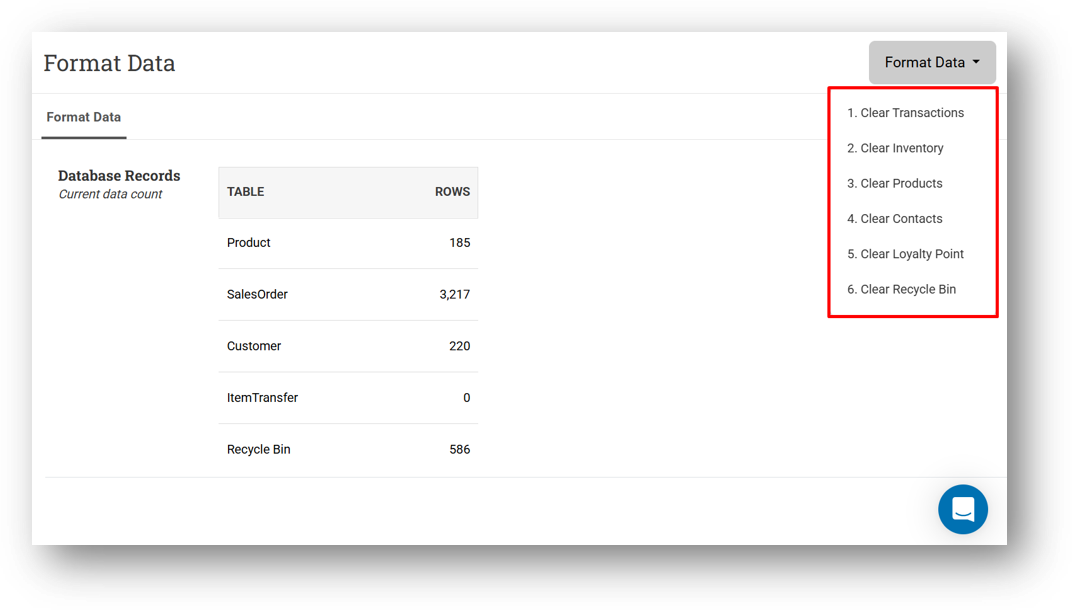
[Setup - Format Data] Restrict Format Options with Some Roles
Bug Fixing:
[Debt - Dashboard] Fix Empty Debt Percentage Since Last Week on AR & AP Dashboard
Deprecated:
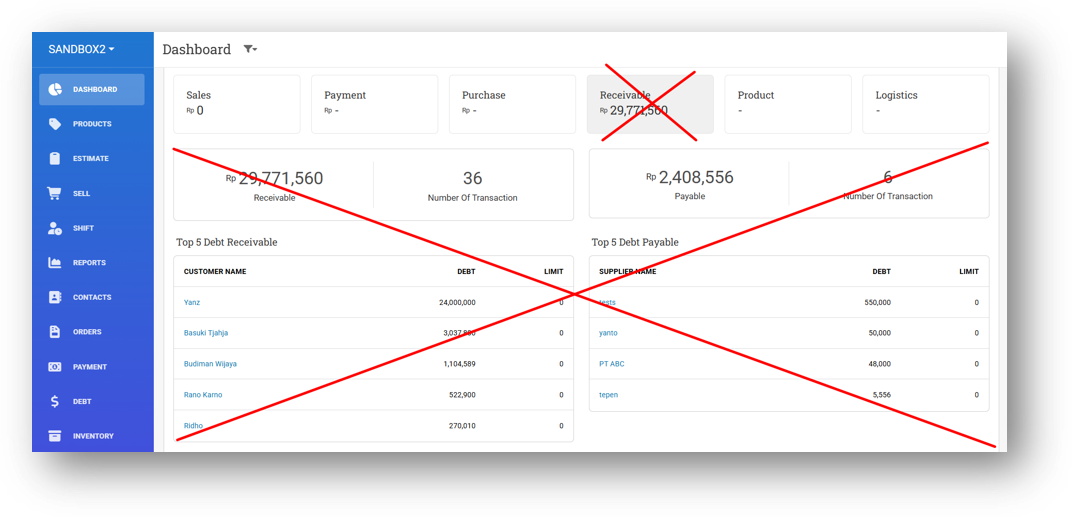
[Dashboard] Receivable Card Component
We've removed the Debt (Receivable and Payable) section from the main dashboard. Since the Debt menu now has its own dedicated dashboard that presents similar—and more detailed—information, keeping this section on the main dashboard was redundant. This change helps keep your home screen cleaner and directs you to the more comprehensive view in the Debt menu whenever you need it.
Patch 26.37.1 [20 Sep]:
[Dashboard] Update Timezone Hyperlink on Purchase Section
[Sell] Enlarge QRIS Image on Printing
[Inventory - Product Traffic] Tidy Up Column Header & Sort Icon Alignment
[Inventory - Variant Traffic] Tidy Up Column Header & Sort Icon Alignment
[Adjustment] Remove Duplicate In Review State Enum
[Buy] Improve Bill Due Date Calculation to Use Transaction Date Instead of Today
Patch 26.37.2 [21 Sep]:
[Sell] Auto-Delete Value When Typing Amount on Custom Cash Input Field
[Orders - Bill] Fix Missing Previous Payment Note After Updating Bill
[Adjustment - Spreadsheet]
Fix Missing Adjusment Note
Differentiate Adjustment Method for Stock Take by Web Spreadsheet
[Promotion - Pricebook] Fix Pricebook with Expiration Always Displayed When Searching with Keyword
[Settings - Printing (General)] Fix Users Cannot Update Trailing Zero Settings
Patch 26.37.3 [22 Sep]:
[Logistics - Transfer Report Detail]
Set Default Receive Date Filter to Null
Set Default Delivery Filter to Null
Fix Users Cannot Filter All State
Patch 26.37.4 [23 Sep]:
[Logistics - Transfer Order] Fix Users Cannot Import Same Products in Different Row
Patch 26.37.5 [26 Sep]:
[Sharing Component] Fix Missing Some Icons
Overall, this update further establishes the platform as a reliable Inventory Application for your retail businesses. Stay tuned for more updates, and don't hesitate to reach out if you have any questions or need support!