- DATE:
- AUTHOR:
- Ezzan
WebApp Version 26.4 Changelog
This update includes new features, essential performance improvements, and usability enhancements, ensuring your daily operations run smoothly. We've also addressed several bug fixes to enhance stability and reliability. Thank you for your continued trust and feedback, which help us deliver the best possible service.
New Feature:
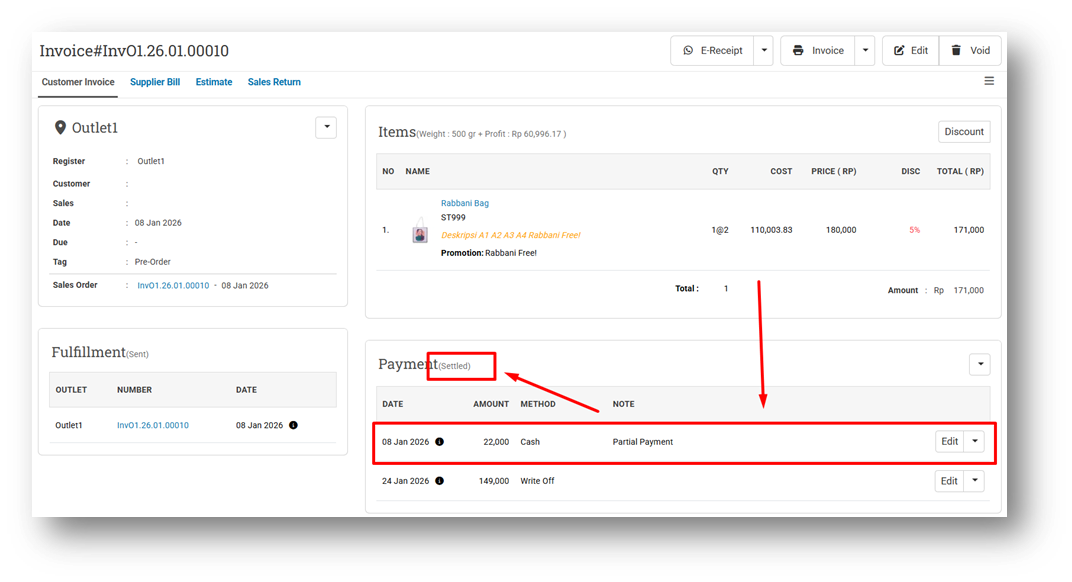
[Orders - Customer Invoice] New “Settled” Payment Status
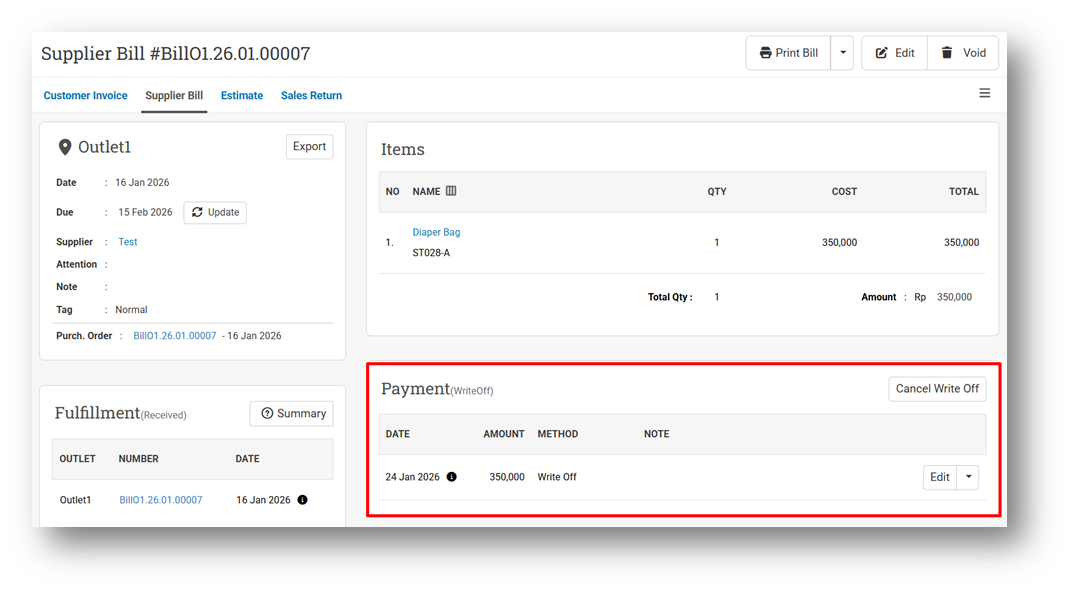
We’ve introduced a new payment status, Settled, in the Customer Invoice module to provide clearer visibility into invoice payment conditions. Previously, when an unpaid invoice was written off, the payment status was always shown as Write Off, making it difficult to distinguish between invoices that were never paid and those that were partially paid before being written off.
With this update, the behavior is now more precise for new transactions created after this version is released. If an invoice is written off without any payment, the payment status will remain Write Off. If an invoice has received a partial payment and is then written off, the payment status will now be shown as Settled. This helps users clearly differentiate between fully unpaid write-offs and partially paid invoices that have been officially closed. Please note that this change does not apply automatically to existing transactions created before this release. If you want older invoices to reflect the correct Settled or Write Off status, the payment records must be manually updated.
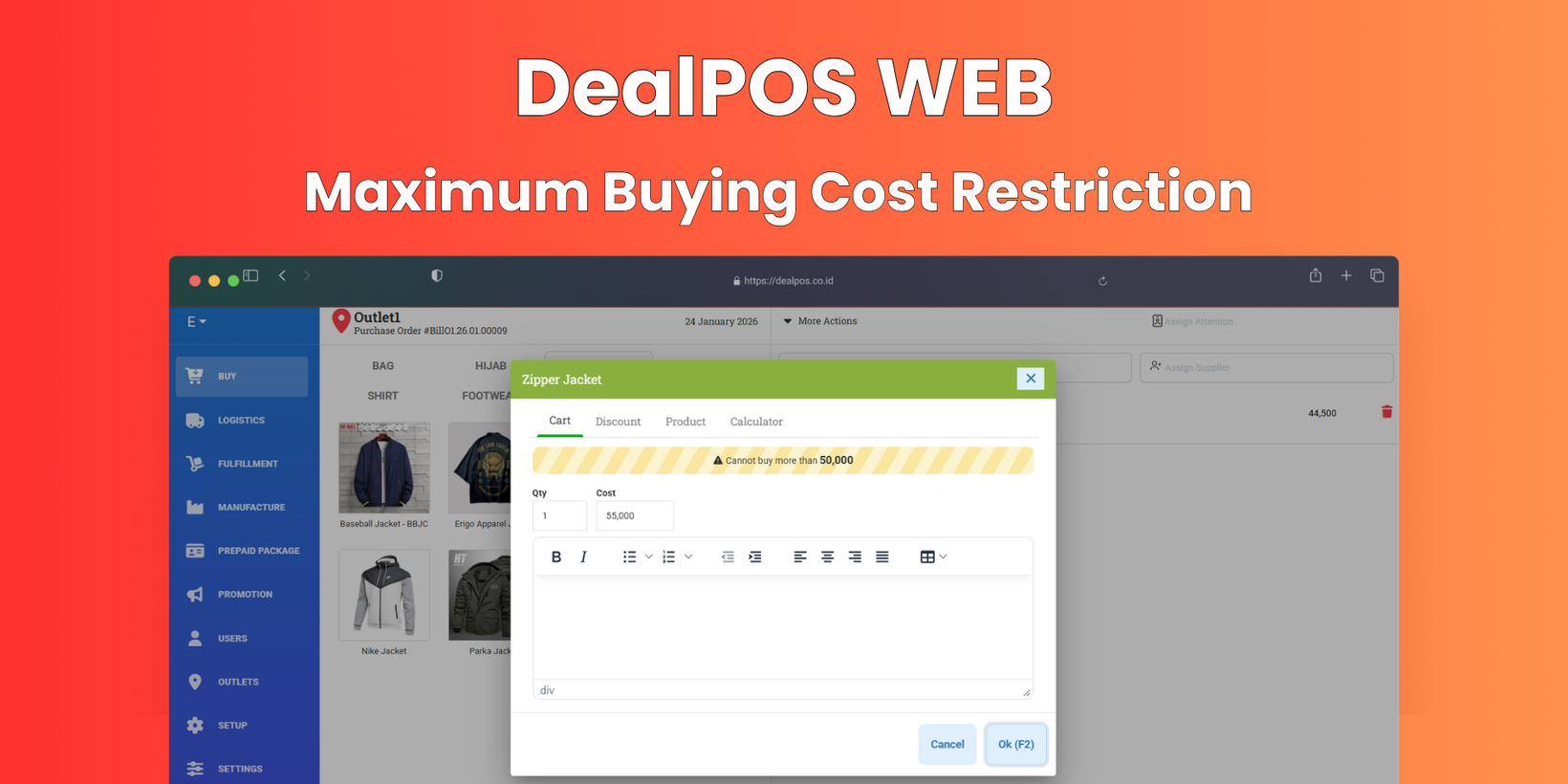
[Buy] Maximum Cost Restriction
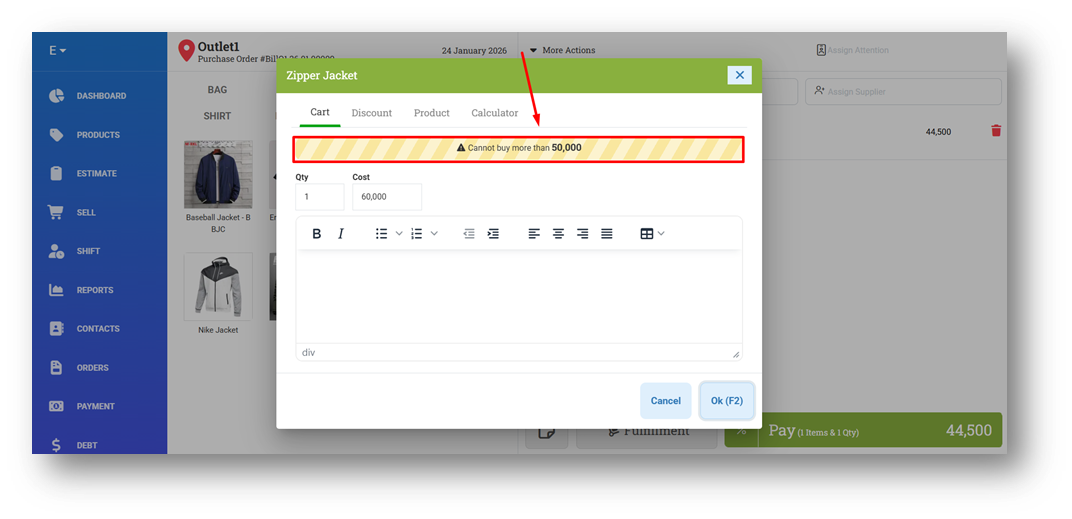
We’ve added a new control feature in the Buy module called Maximum Cost Restriction (also known as Maximum Order Price). When this role is assigned to a user, they will be restricted from purchasing items whose cost exceeds the predefined maximum value for each product. This helps ensure restocking activities stay within approved price limits and prevents purchases at unexpectedly high costs.
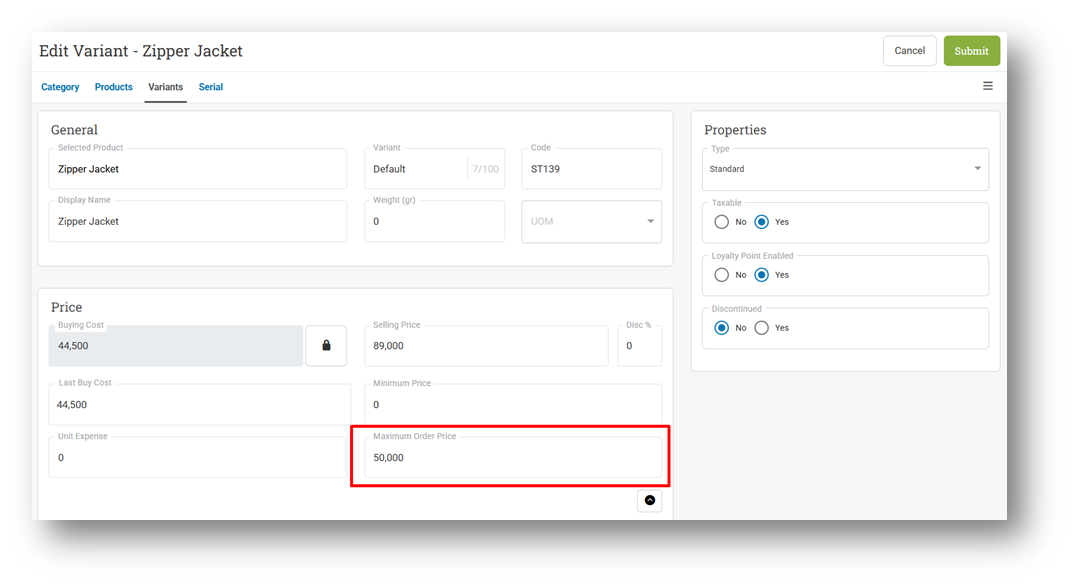
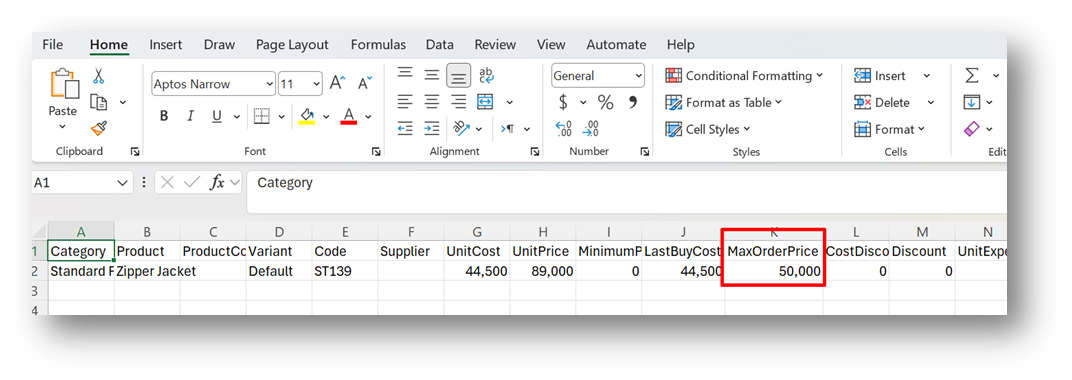
Before the restriction takes effect, the maximum cost must first be defined at the product level. You can set this value directly from the Product Form, Variant Form, or by using CSV Import, giving you flexible ways to manage pricing rules in bulk or individually. Once configured, the system will automatically enforce the restriction for users with the role enabled.
For transparency and easier data management, we’ve also added a new Max Order Price column to CSV Export, allowing you to review and maintain maximum cost settings outside the system. Users without this role will not be restricted and can continue purchasing items even if the cost exceeds the maximum value.
This feature was developed based on customer request #10948
Minor Improvements:
[Products]
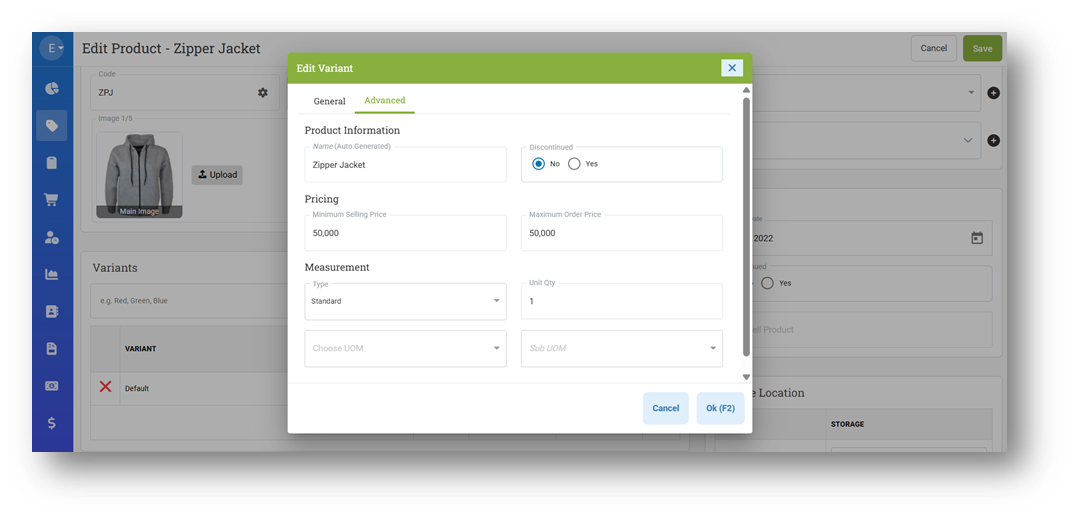
Redesign Variant Advanced Tab on Product Form
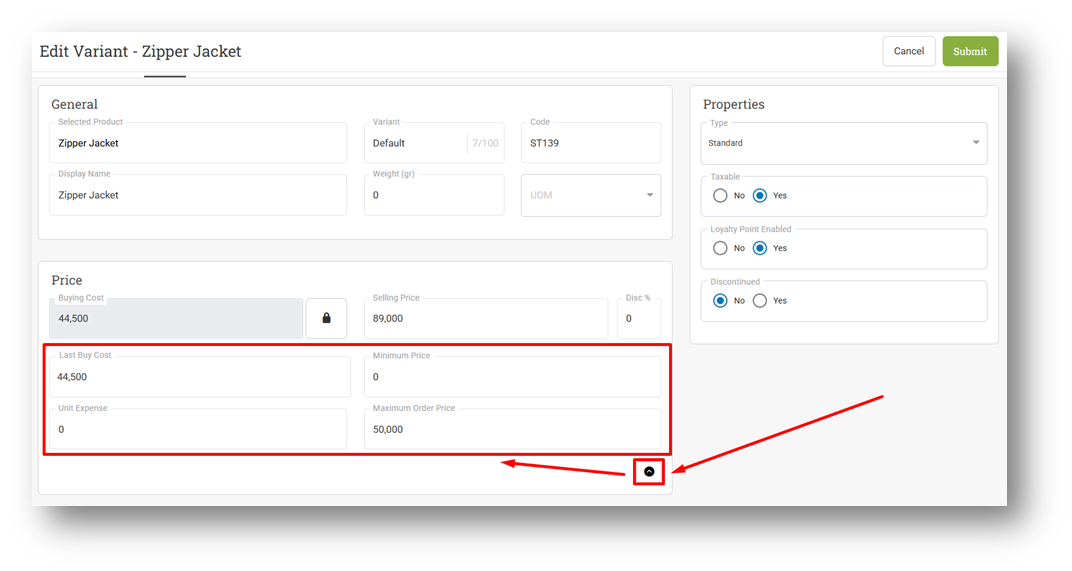
Redesign Price Card on Variant Form
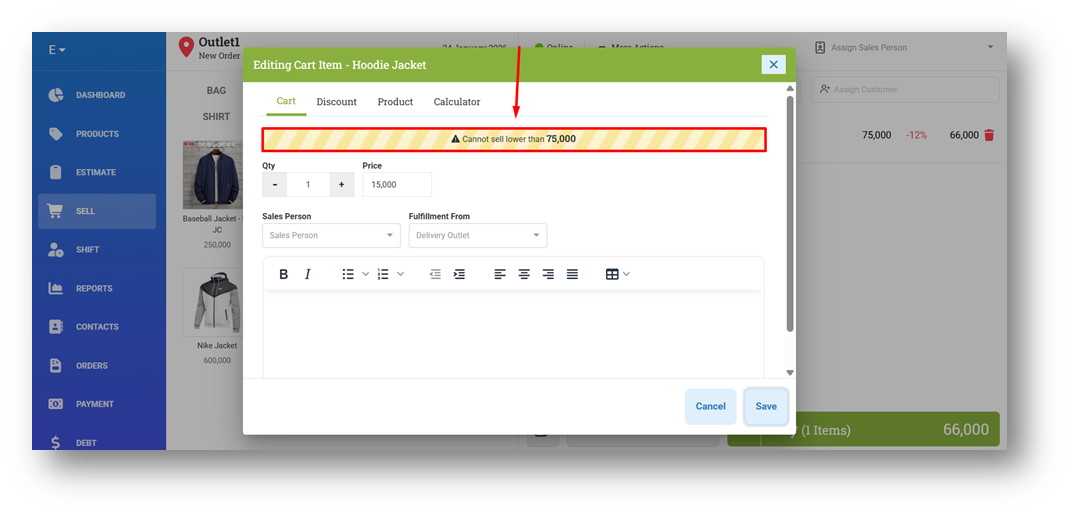
[Sell] Provide New Alert Design for Minimum Price Restriction
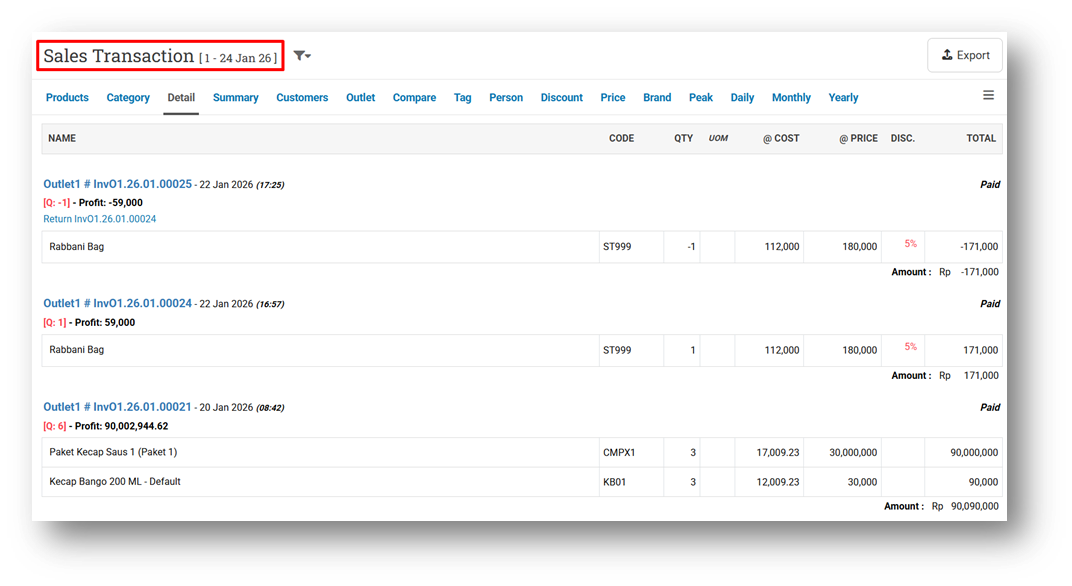
[Reports] Differentiate Page Title Font Size for Page Name & Filtered Date for Some Pages
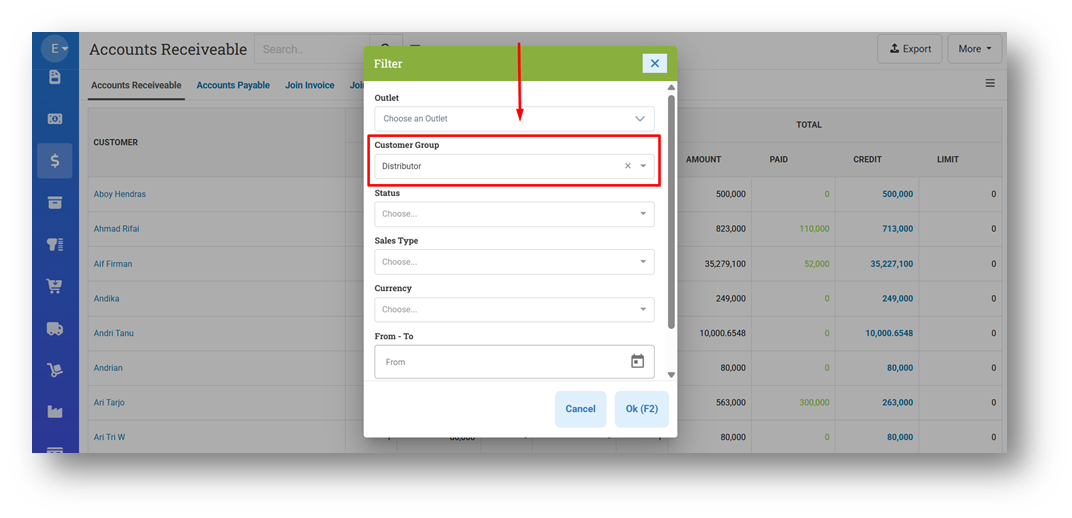
[Debt - Accounts Receivable] Provide Customer Group Filter
This feature was developed based on customer request #10942
Patch 26.4.1 [29 Jan]:
[Sell]
Provide Minimum Price Toaster Validation When Pricebook is Below Minimum Price
Improve Payment Validation for Items Priced Below Minimum Price
[Orders - Invoice] Prevent Invoice Edit While Write Off Exists
[Orders - Sales Order Bin]
Fix CSV Export Display No Data
Fix Page Row Count Display Incorrect Row After Filtering Outlet
[Buy]
Improve Max Cost Handling When Value Is Empty or Zero
Fix Partial Payment Toaster Appears When Buying with Lower Cost Under Max Cost Restriction
[Logistics - Outbound & Inbound]
Fix Incorrect Sent Status After Editing Partial Return Quantity
Fix Order Quantity Logic for Negative (Return) Item Quantity
Fix Return Item Quantity Input Remains Editable After Fully Fulfilled in Partial Outbound
Improve Quantity Input Validation Logic When Editing Record
Provide New Tooltip for Disabled Add Button for Users with ScanToQuantity Role
[Tools App - Unit Cost (Composite)] Fix Users Cannot Recalculate Composite Cost
Patch 26.4.2 [30 Jan]:
[Reports - Monthly (Chart)] Fix Total Sales Calculation When Tax Included for Profit Enabled
[Reports (Purchase) - Details] Fix Export File Display Incorrect Date for Backdated Transactions
[Debt - Join Invoice]
Differentiate Join Invoice Printing for Print Copy Option
Improve Printing Max Width & Total Position
[Buy] Restrict Users From Submitting Items with Zero Quantity
Patch 26.4.3 [2 Feb]:
[Inventory - Days Of] Fix Search by Name Feature Does Not Work Properly
[Reports (Purchase) - History]
Provide Page Option When Exporting Data
Set Default Export Row Count to 10,000
Patch 26.4.4 [3 Feb]:
[Logistics - Outbound] Fix Missing Outbound Option on Create Outbound Form
Patch 26.4.5 [4 Feb]:
[Products] Fix Header Checkbox Not Applied to Expanded List Items
[Sell] Fix Full-Price Coupon Splits Product Row Incorrectly
[Reports (Purchase) - Details] Fix Incorrect Tax & PurchaseNTax Calculation in CSV Export
[Adjustment] Fix Missing Product Image in Resume Adjustment Form
[Logistics - Outbound] Fix Missing Print Packing Slip Option When Price Config Disabled
[Prepaid Package - Last Visit] Fix CSV Export Display No Data
Stay tuned for more updates, and don't hesitate to reach out if you have any questions or need support