- DATE:
- AUTHOR:
- Ezzan
WebApp Version 26.43 Changelog
This update includes new features, essential performance improvements, and usability enhancements to ensure your daily operations run smoothly. We've also addressed several bug fixes to enhance stability and reliability. DealPOS continues to evolve as a reliable POS Software designed to support retail business operations with better performance and usability. Thank you for your continued trust and feedback, which help us deliver the best possible service.
New Feature:
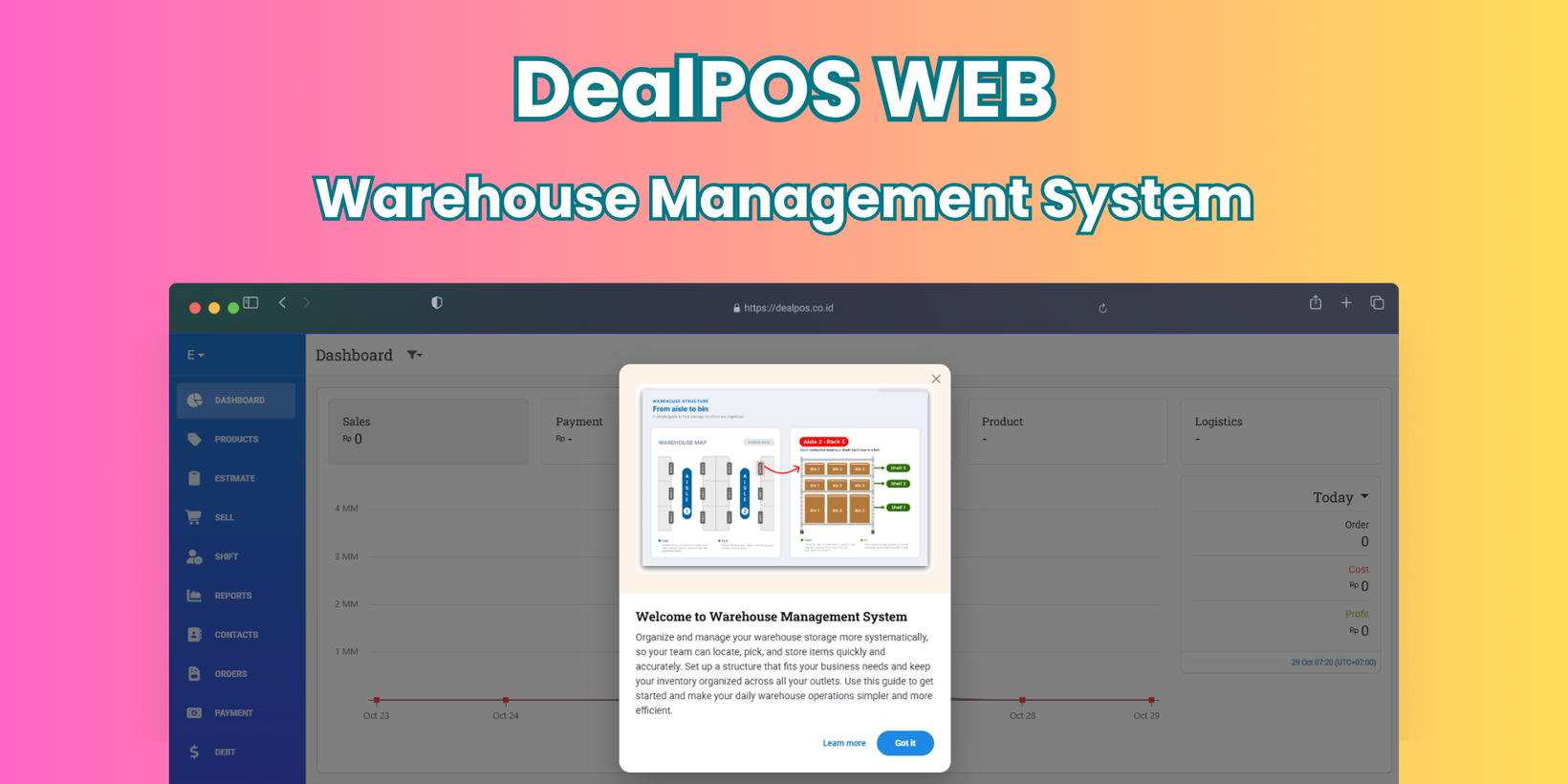
Warehouse Management System
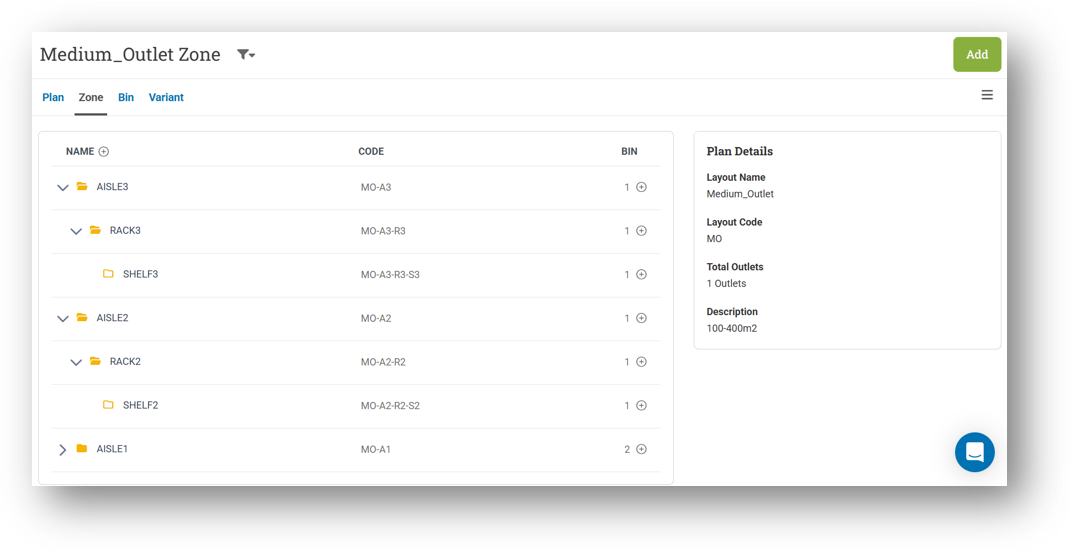
We've introduced a new Warehouse menu to help you manage inventory across multiple storage levels, especially if you operate warehouses before distributing goods to outlets or fulfilling online orders. The system follows the common warehouse structure—Aisle, Rack (Bay), Shelf (Level), and Bin—much like a home address, making it easy for your team to locate, pick, and put away items accurately.

Getting started is straightforward: create a Plan that defines your storage layout, then organize it into Zones and Bins. If several warehouses share the same structure, you only need one Plan and can assign it to multiple outlets. Zones divide your warehouse into specific storage areas, while Bins represent the smallest storage position, such as a basket, container, or compartment where products are kept. Together, they bring order and efficiency to your daily warehouse operations.
For a complete walkthrough, check out our guide: Getting Started With Warehouse Feature
[Users - Roles] Order Coupon Role
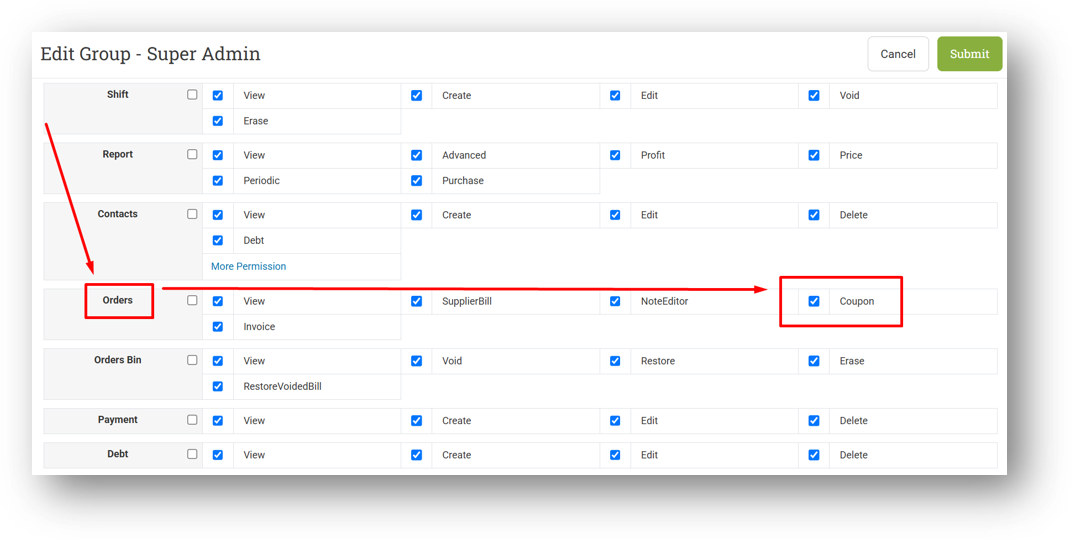
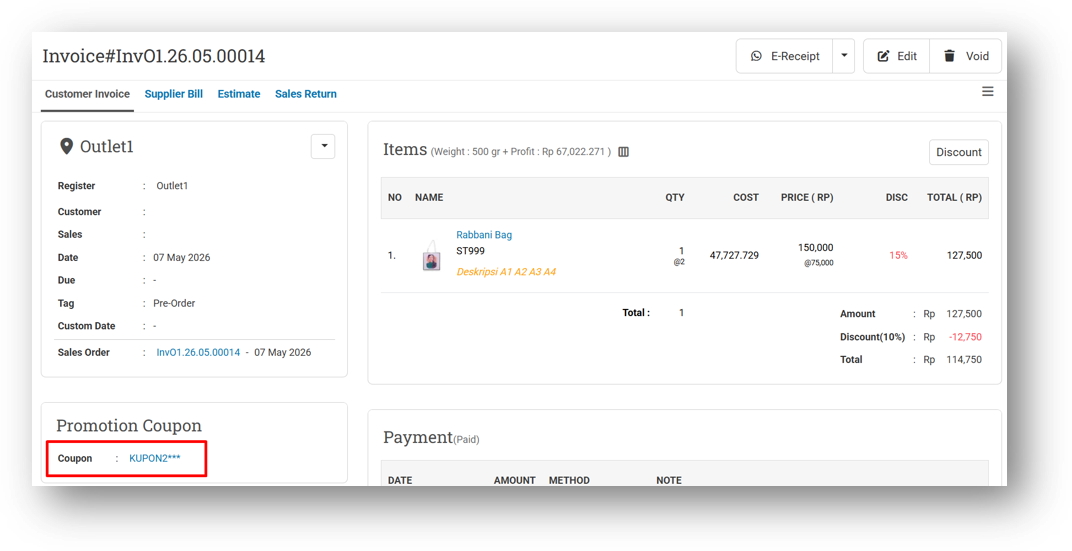
We've introduced a new role called Order - Coupon to give you finer control over coupon visibility on invoices. Previously, any coupon applied to an invoice could be viewed by anyone on the Invoice Info page. However, we understand that some businesses need to restrict this information from certain users.
This role is enabled by default for all users, so there's no immediate change to your current setup. If you need to limit coupon access, simply uncheck this role for the relevant user group—those users will still see that a coupon was applied, but the coupon code itself will be masked with asterisks.
This improvement was developed based on customer request #20553
Major Improvements:
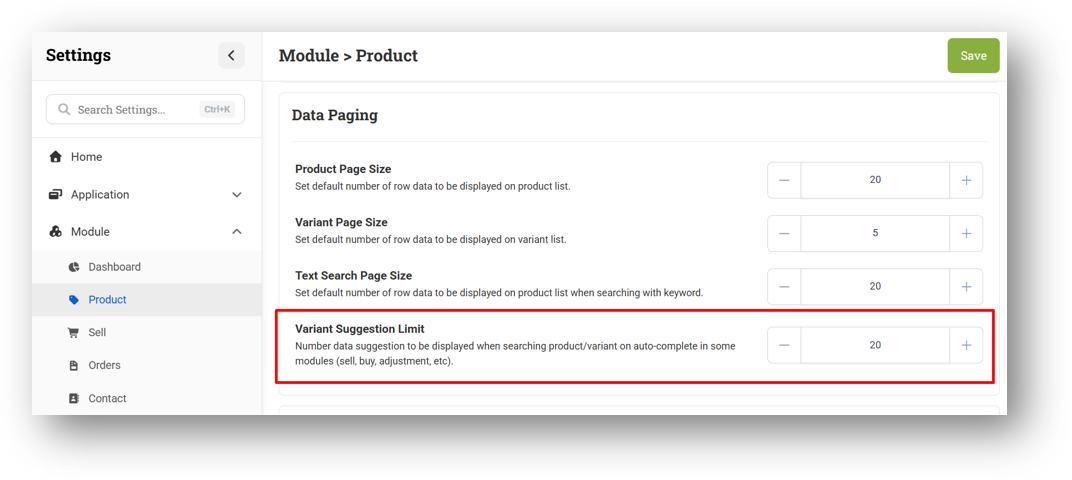
[Settings - Module (Products)] Variant Suggestion Limit Setting
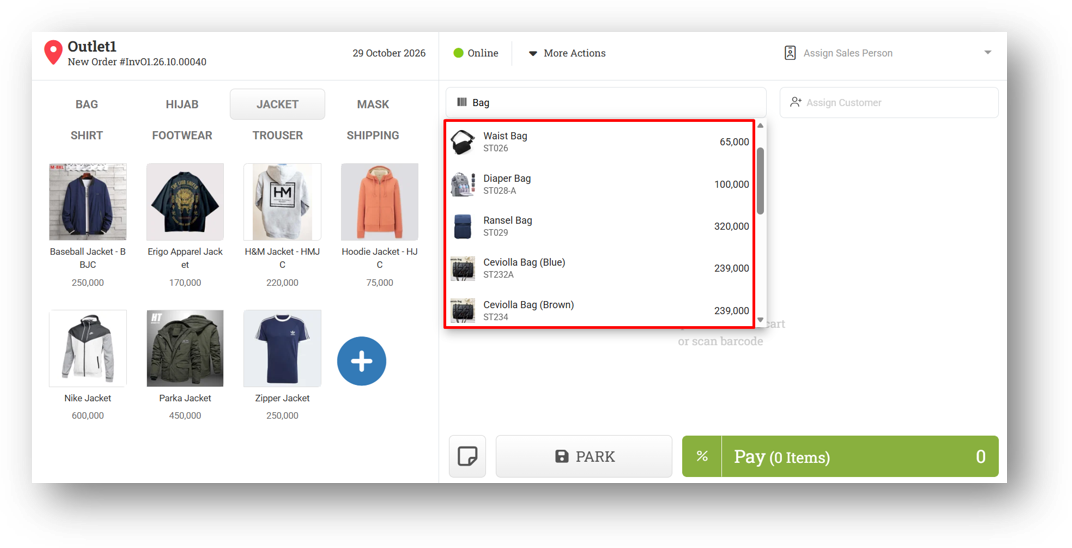
We've added a new setting called Variant Suggestion Limit to help keep variant searches fast and responsive across all modules, including Sell, Buy, Adjustment, and more. By default, it's set to 20 with a minimum of 10—so when you search for a variant, only the top matching results within that limit will appear.
This prevents the system from loading an excessive number of suggestions—potentially 100 or more—which could slow down performance. It's a simple way to keep your searches snappy without sacrificing relevance.
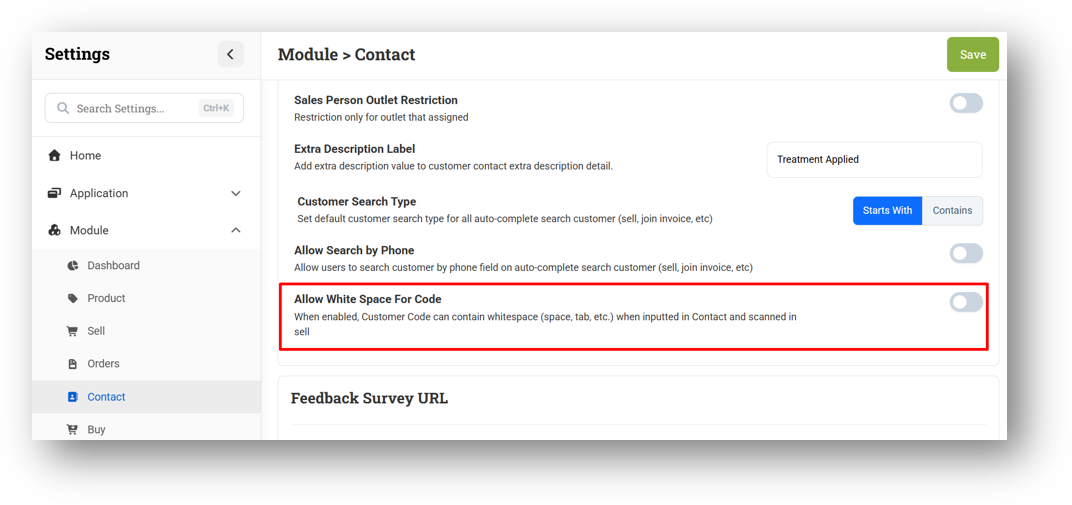
[Settings - Module (Contact)] Allow White Space for Customer Code
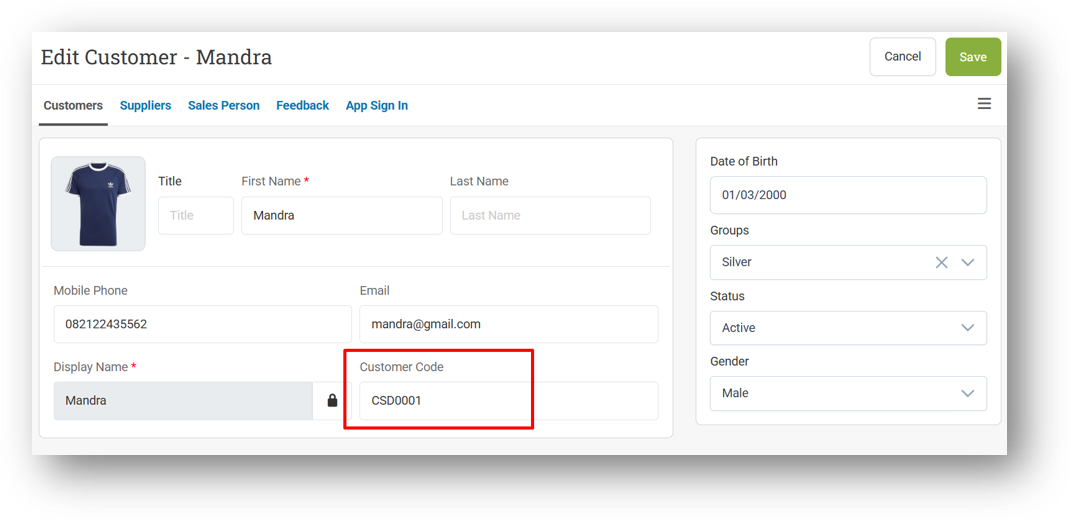
We've added a new setting called Allow White Space For Code in the Customer module, following the same approach already available for products. By default, it's disabled—but when enabled, you can input customer codes with spaces in the middle, both in the form and during CSV import.
Leading and trailing spaces will still be trimmed automatically, so only intentional spaces within the code are preserved. This setting is designed to streamline that, reducing search runtime by using a faster query path when spaces aren't needed.
Minor Improvements:
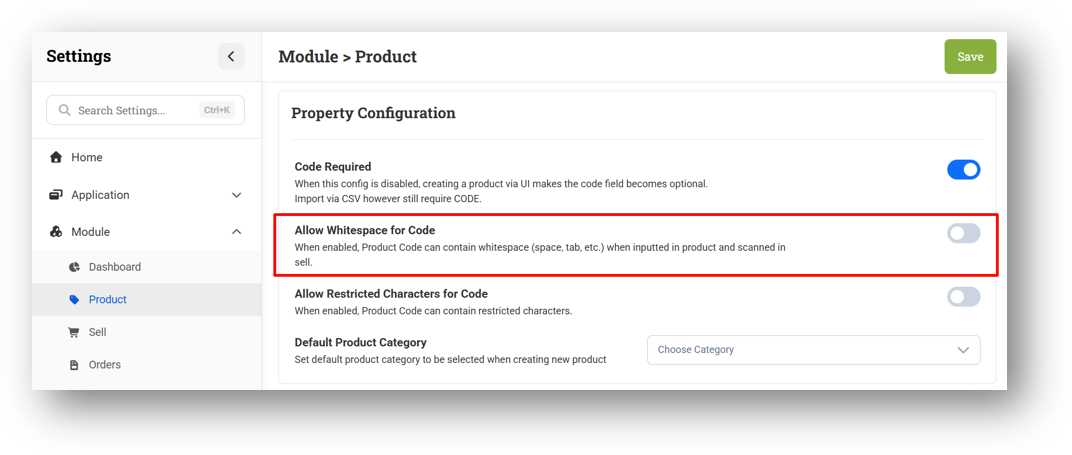
[Products - Variants] Implement Allow Whitespace for Code on Variant Form
[Sell]
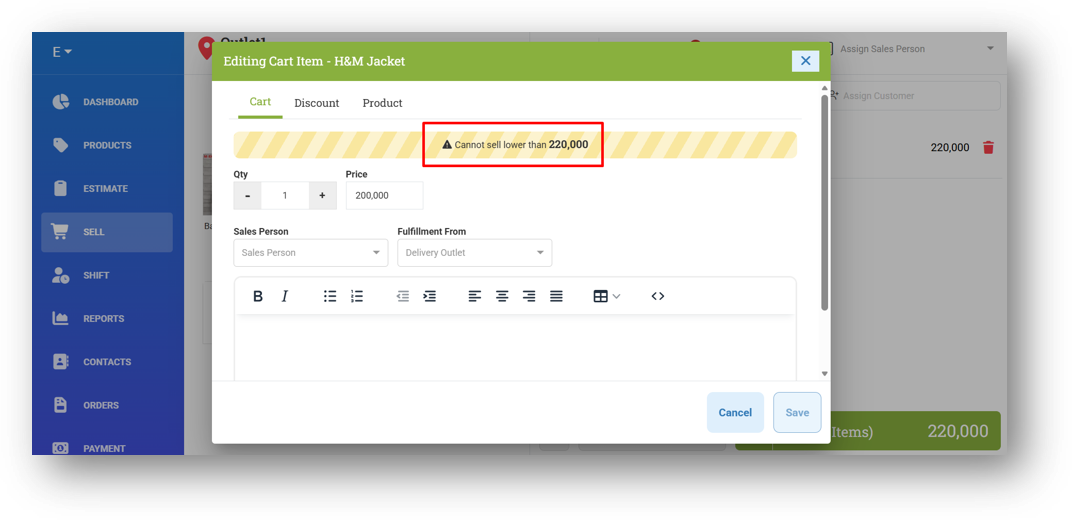
Bypass Minimum Price Restriction with Authorize - Full Access Coupon
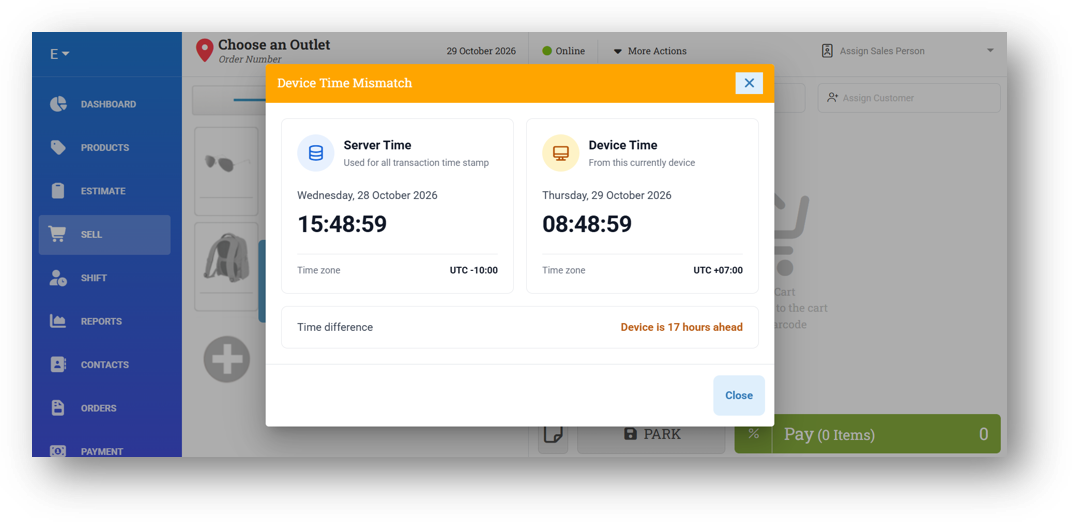
Improve Server Mismatch Detection UI/UX
[Shift]
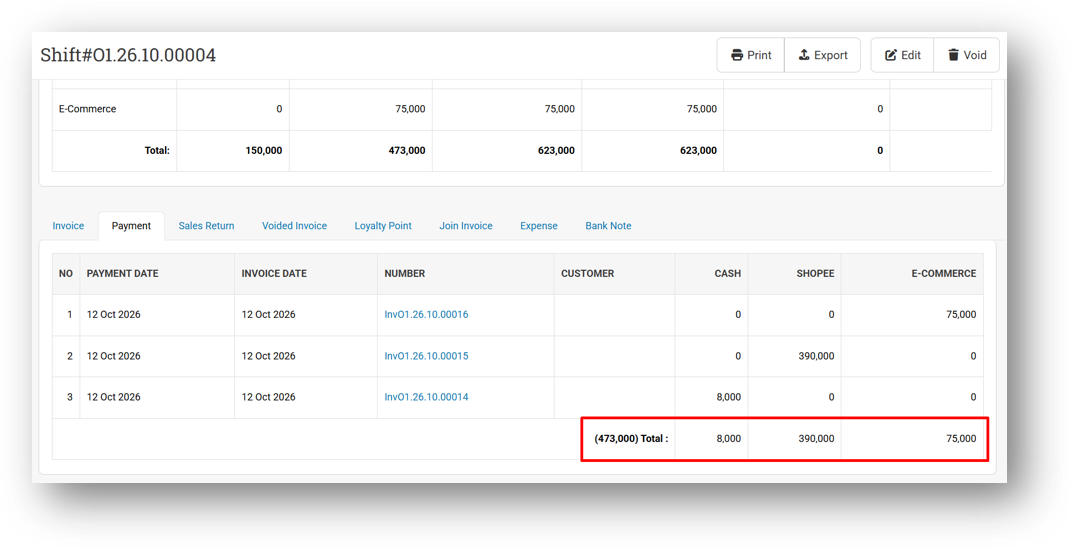
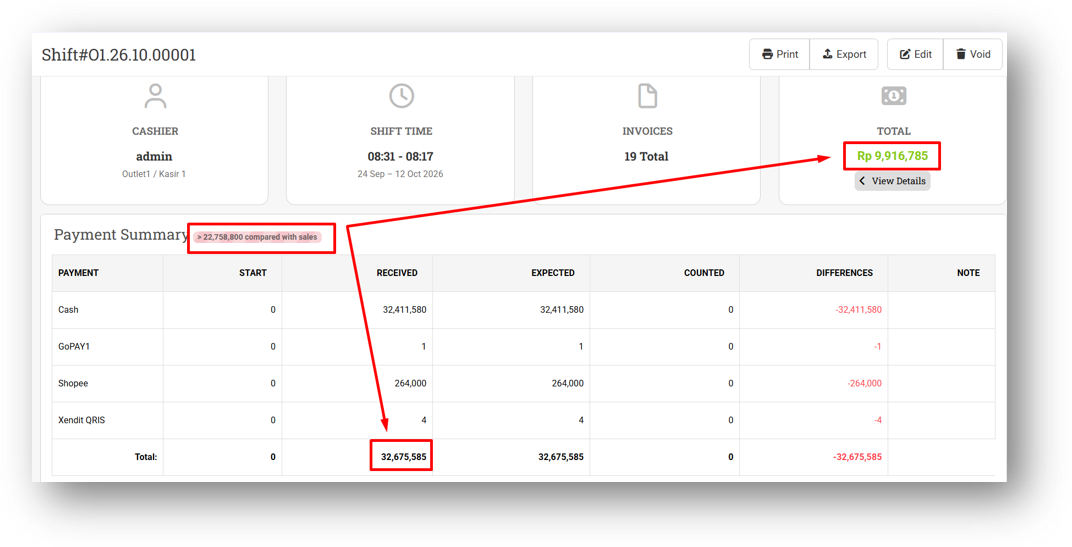
Provide Total Payment Information
Improve Payment and Sales Amount Different Badge
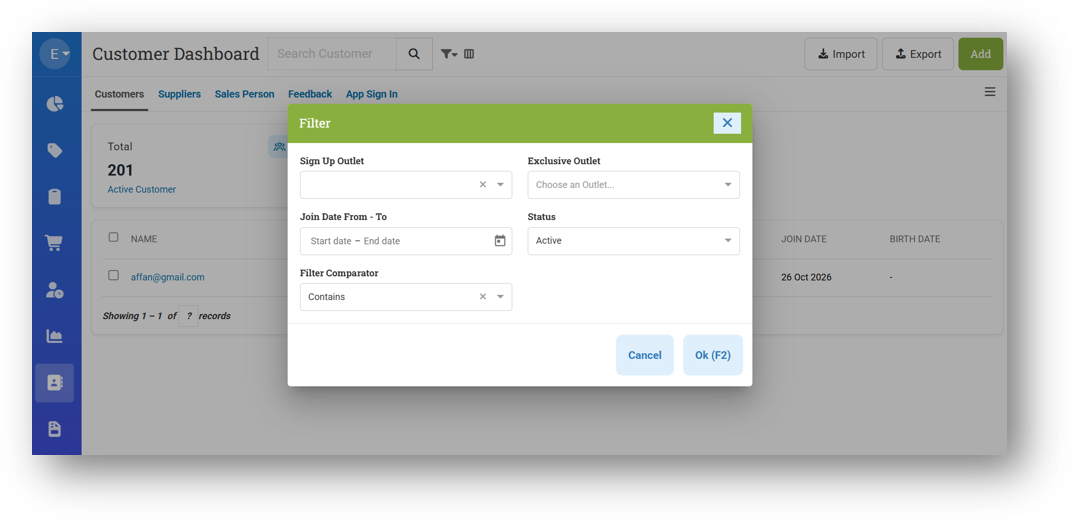
[Contacts] Customer Dashboard Filter Adjustment Based on Card Context
[Orders]
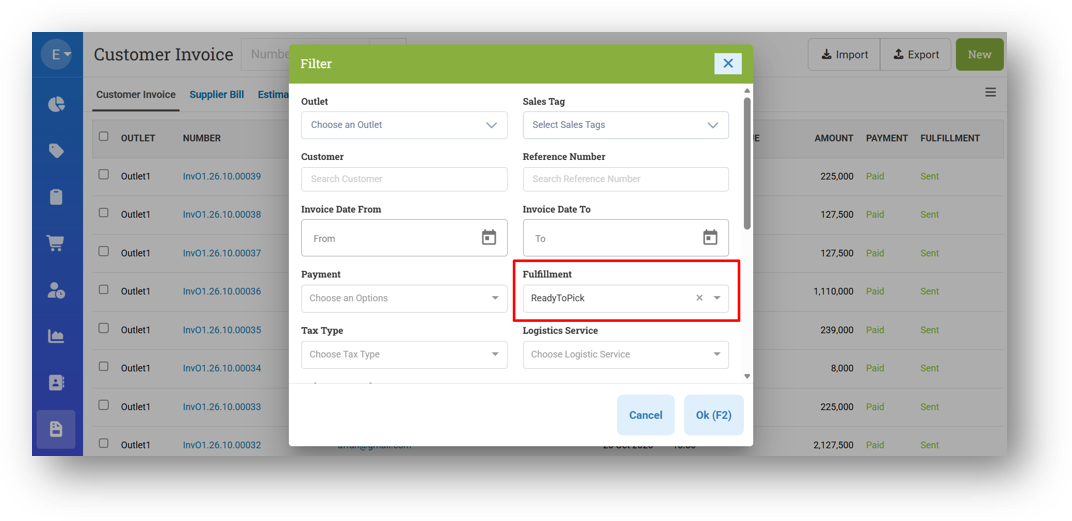
Rename Picked Enum to ReadyToPick
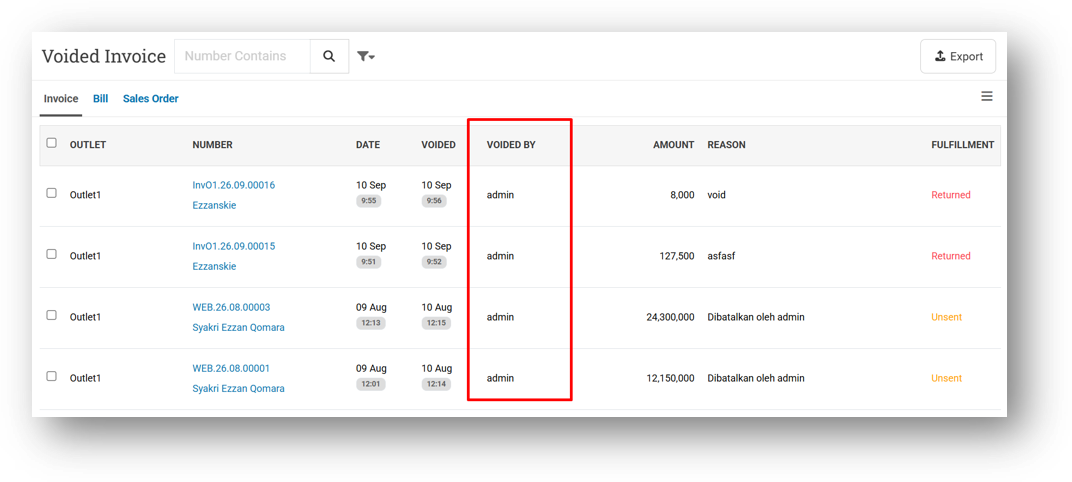
Provide Voided By Column on Voided Invoice List
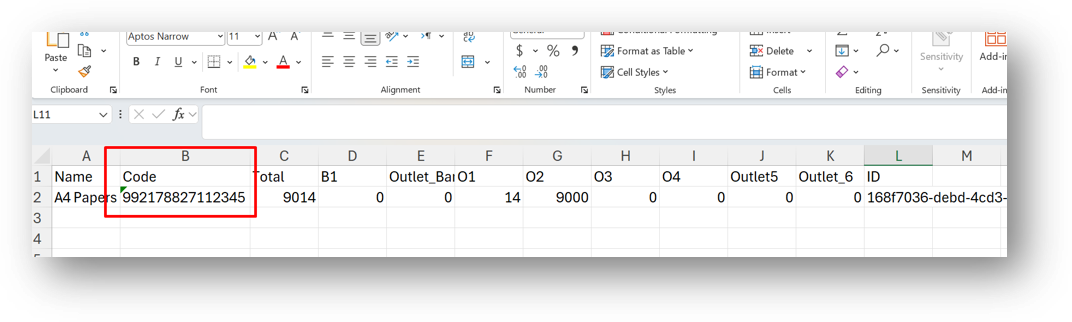
[Inventory - As Column] Improve Code Column for Number with Many Characters (XLSX Export)
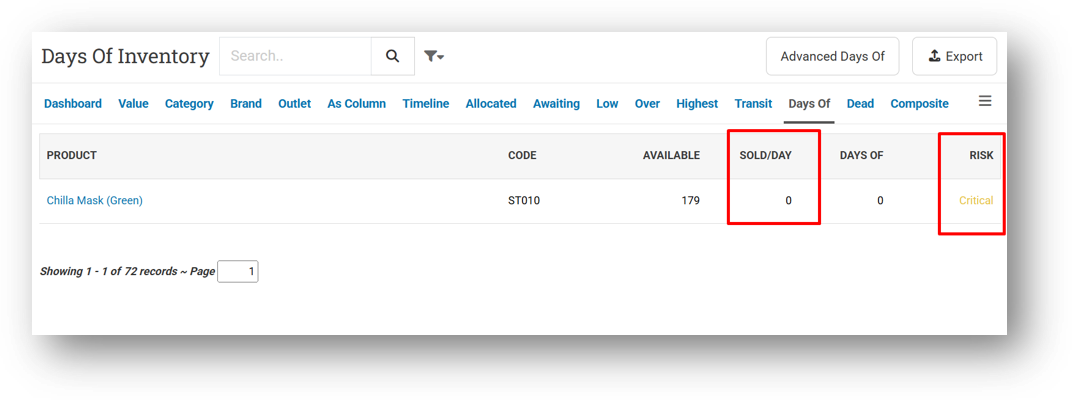
[Inventory - Days Of] Exclude Negative Sold/Days from Critical Category
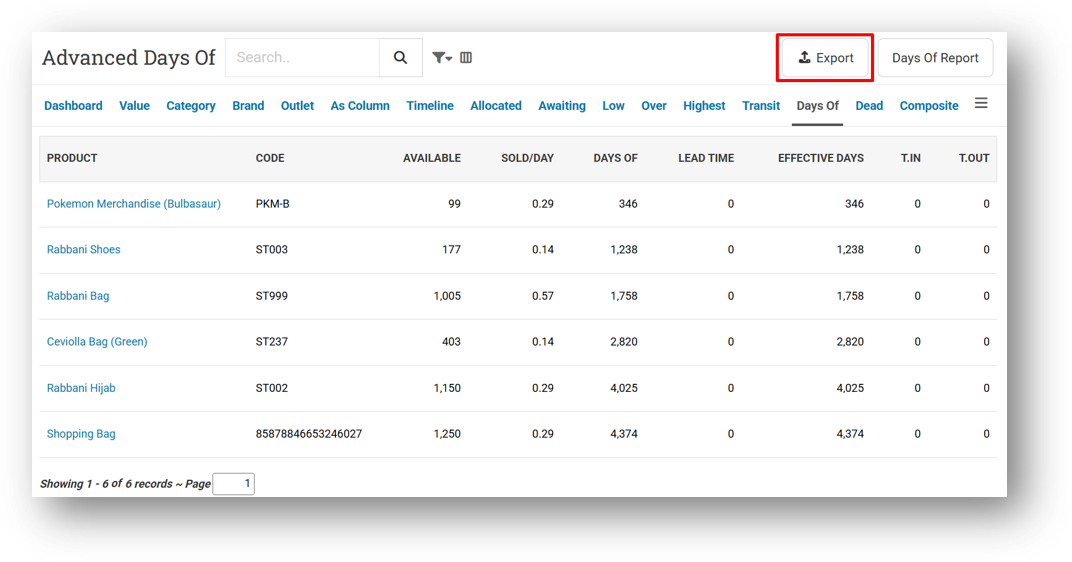
[Inventory - Days Of - Advanced] Provide Export Feature
Bug Fixing:
[Contacts - Customers] Fix Missing Active Tab on Customer Info & Form Page
[Logistics - Transfer Order] Remove Double Vertical Scroll Bar from Transfer Order List
[Settings - Printing (Invoice)] Fix Customer Address & Customer Phone Visible Settings Does Not Work on Mini Invoice When Customer Visible Settings Disabled
Deprecated:
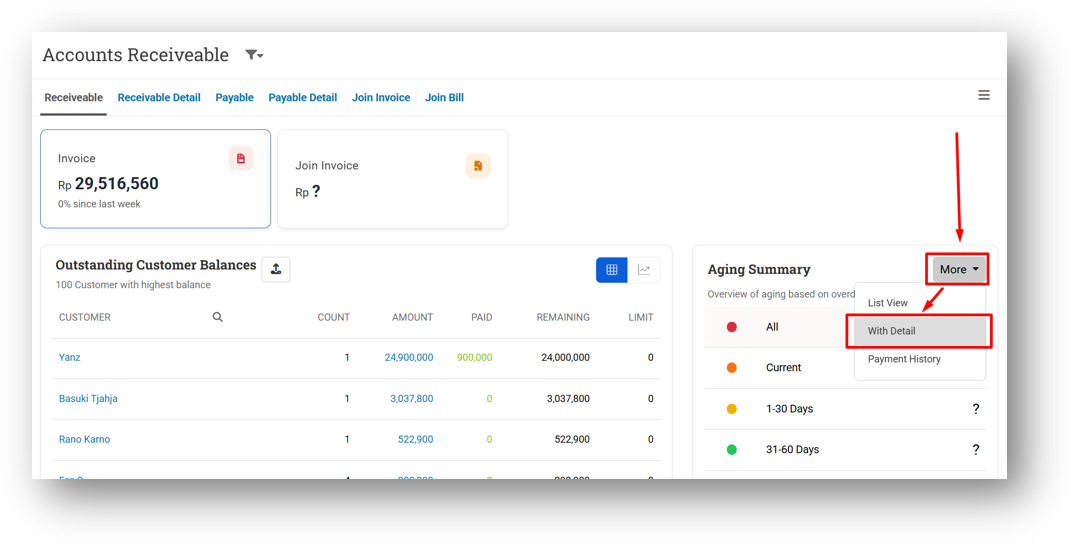
[Debt] Accounts Receivable Detail Legacy
We've retired the old Account Receivable Detail page now that its replacement—the new dashboard view—is fully in place. All the features from the previous page are already supported in the new one, so there's no loss of functionality. If you notice anything from the old page that isn't available in the new dashboard, please let our support team know.
Overall, this update further establishes the platform as a reliable Inventory Application for your retail businesses. Stay tuned for more updates, and don't hesitate to reach out if you have any questions or need support!
This update includes new features, essential performance improvements, and usability enhancements to ensure your daily operations run smoothly. We've also addressed several bug fixes to enhance stability and reliability. DealPOS continues to evolve as a reliable POS Software designed to support retail business operations with better performance and usability. Thank you for your continued trust and feedback, which help us deliver the best possible service.
New Feature:
Warehouse Management System
We've introduced a new Warehouse menu to help you manage inventory across multiple storage levels, especially if you operate warehouses before distributing goods to outlets or fulfilling online orders. The system follows the common warehouse structure—Aisle, Rack (Bay), Shelf (Level), and Bin—much like a home address, making it easy for your team to locate, pick, and put away items accurately.
Getting started is straightforward: create a Plan that defines your storage layout, then organize it into Zones and Bins. If several warehouses share the same structure, you only need one Plan and can assign it to multiple outlets. Zones divide your warehouse into specific storage areas, while Bins represent the smallest storage position, such as a basket, container, or compartment where products are kept. Together, they bring order and efficiency to your daily warehouse operations.
For a complete walkthrough, check out our guide: Getting Started With Warehouse Feature
[Users - Roles] Order Coupon Role
We've introduced a new role called Order - Coupon to give you finer control over coupon visibility on invoices. Previously, any coupon applied to an invoice could be viewed by anyone on the Invoice Info page. However, we understand that some businesses need to restrict this information from certain users.
This role is enabled by default for all users, so there's no immediate change to your current setup. If you need to limit coupon access, simply uncheck this role for the relevant user group—those users will still see that a coupon was applied, but the coupon code itself will be masked with asterisks.
This improvement was developed based on customer request #20553
Major Improvements:
[Settings - Module (Products)] Variant Suggestion Limit Setting
We've added a new setting called Variant Suggestion Limit to help keep variant searches fast and responsive across all modules, including Sell, Buy, Adjustment, and more. By default, it's set to 20 with a minimum of 10—so when you search for a variant, only the top matching results within that limit will appear.
This prevents the system from loading an excessive number of suggestions—potentially 100 or more—which could slow down performance. It's a simple way to keep your searches snappy without sacrificing relevance.
[Settings - Module (Contact)] Allow White Space for Customer Code
We've added a new setting called Allow White Space For Code in the Customer module, following the same approach already available for products. By default, it's disabled—but when enabled, you can input customer codes with spaces in the middle, both in the form and during CSV import.
Leading and trailing spaces will still be trimmed automatically, so only intentional spaces within the code are preserved. This setting is designed to streamline that, reducing search runtime by using a faster query path when spaces aren't needed.
Minor Improvements:
[Products - Variants] Implement Allow Whitespace for Code on Variant Form
[Sell]
Bypass Minimum Price Restriction with Authorize - Full Access Coupon
Improve Server Mismatch Detection UI/UX
[Shift]
Provide Total Payment Information
Improve Payment and Sales Amount Different Badge
[Contacts] Customer Dashboard Filter Adjustment Based on Card Context
[Orders]
Rename Picked Enum to ReadyToPick
Provide Voided By Column on Voided Invoice List
[Inventory - As Column] Improve Code Column for Number with Many Characters (XLSX Export)
[Inventory - Days Of] Exclude Negative Sold/Days from Critical Category
[Inventory - Days Of - Advanced] Provide Export Feature
Bug Fixing:
[Contacts - Customers] Fix Missing Active Tab on Customer Info & Form Page
[Logistics - Transfer Order] Remove Double Vertical Scroll Bar from Transfer Order List
[Settings - Printing (Invoice)] Fix Customer Address & Customer Phone Visible Settings Does Not Work on Mini Invoice When Customer Visible Settings Disabled
Deprecated:
[Debt] Accounts Receivable Detail Legacy
We've retired the old Account Receivable Detail page now that its replacement—the new dashboard view—is fully in place. All the features from the previous page are already supported in the new one, so there's no loss of functionality. If you notice anything from the old page that isn't available in the new dashboard, please let our support team know.
Patch 26.43.1 [29 Oct]:
[Sharing Component]
Fix Users Cannot Login to DealPOS Micro-Services
Fix Case Sensitive Issue on Full-Text-Search Component
Overall, this update further establishes the platform as a reliable Inventory Application for your retail businesses. Stay tuned for more updates, and don't hesitate to reach out if you have any questions or need support!