- DATE:
- AUTHOR:
- Ezzan
WebApp Version 26.5 Changelog
This update includes new features, essential performance improvements, and usability enhancements, ensuring your daily operations run smoothly. We've also addressed several bug fixes to enhance stability and reliability. Thank you for your continued trust and feedback, which help us deliver the best possible service.
New Feature:
[Currency] Cost Currency
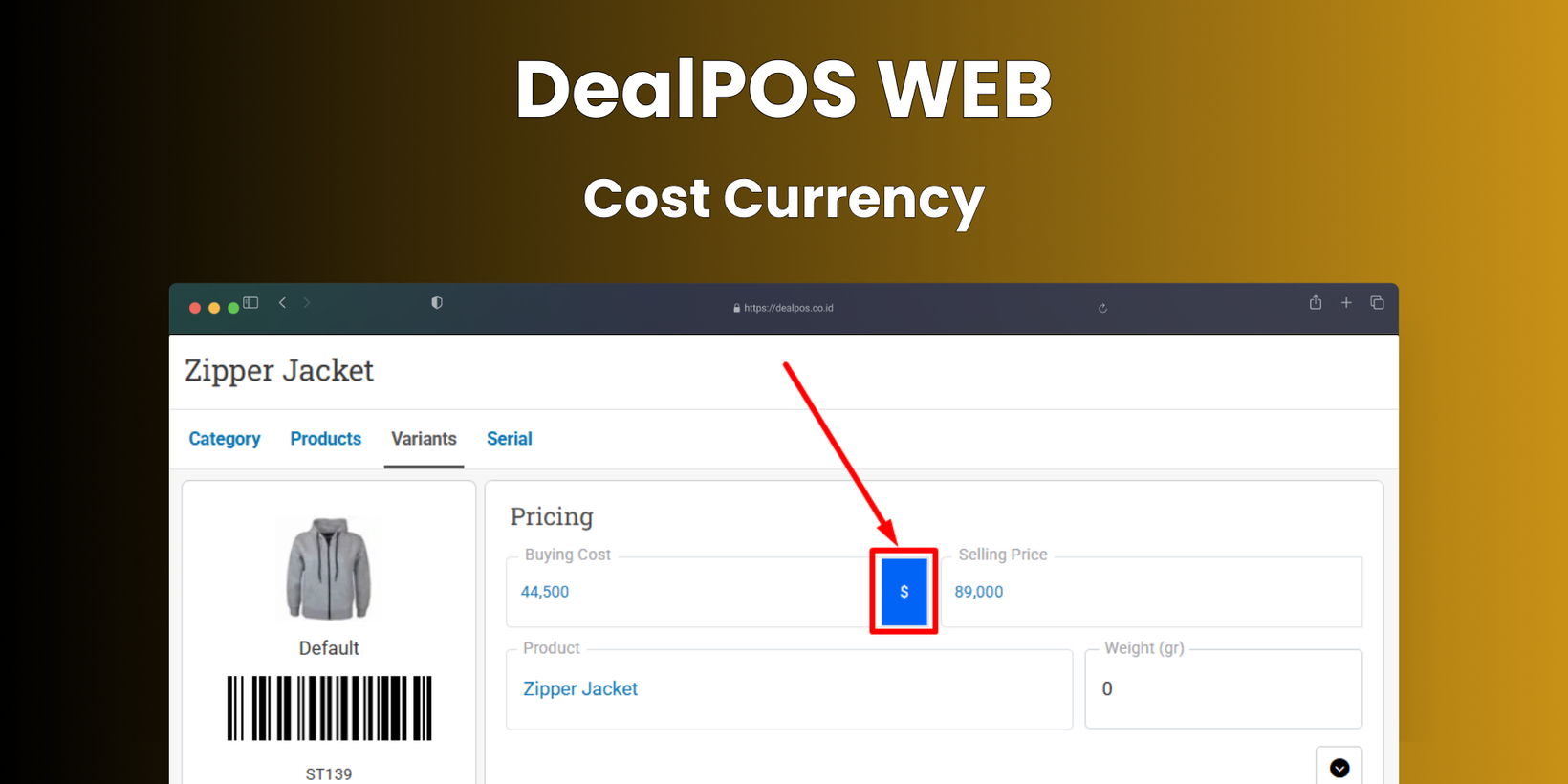
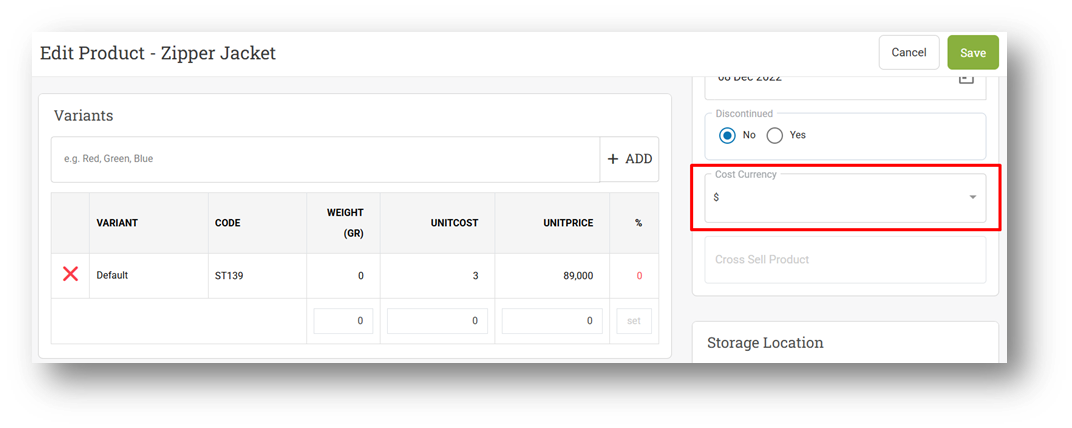
We’ve taken the first step toward Multi-Currency support by enhancing the Cost Currency feature at the item level, covering both Products and Variants. You can now set the cost currency individually for each product and variant, addressing scenarios where items are purchased in a currency different from the one used for selling prices. This enhancement improves cost visibility and reporting and is not related to currency selection in the Buy module.
This feature was developed based on customer request #10949
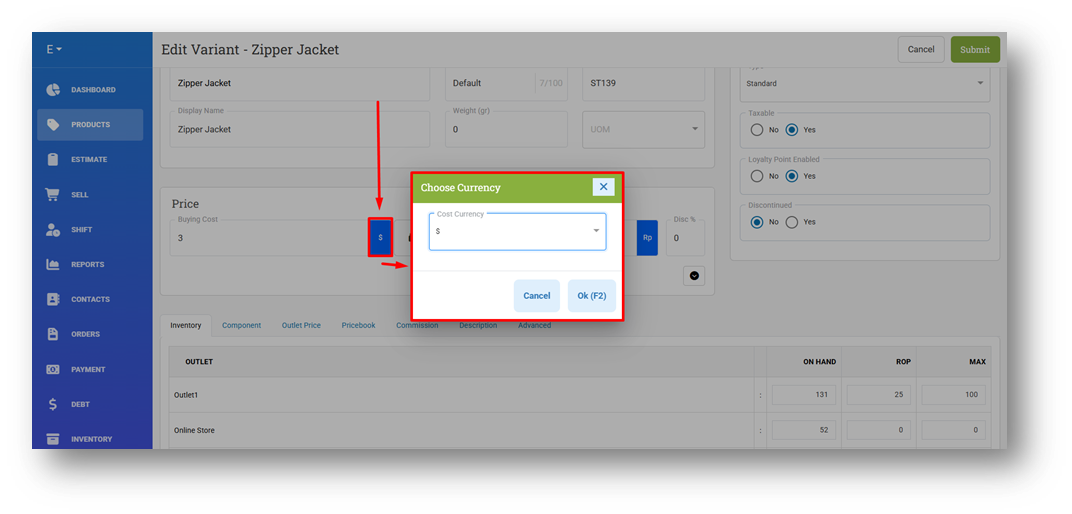
Users can manage cost currency directly from the Product Form and Variant Form, allowing quick updates when supplier pricing changes or when products are sourced from different regions. This ensures each item reflects the correct purchase currency without affecting selling prices or transaction flows.
This feature was developed based on customer request #10947
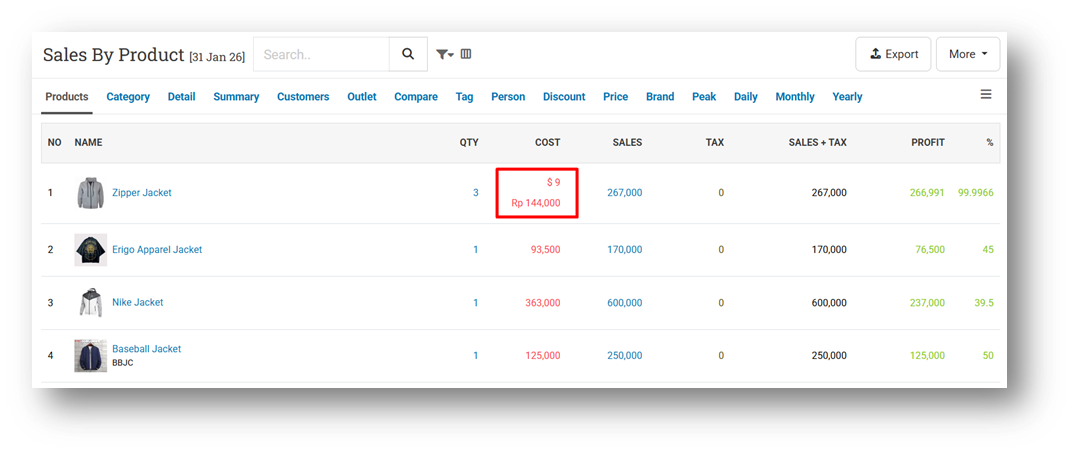
To maintain data simplicity, cost values are stored as entered, without dynamic exchange-rate calculations or additional database conversions. In the Product Report, costs entered in a foreign currency are displayed in their original amount and symbol (for example, $9), along with a reference conversion shown below using a fixed exchange rate (for example, Rp 144,000). This exchange rate is static and does not adjust to market fluctuations, and the converted value is shown for reference only.
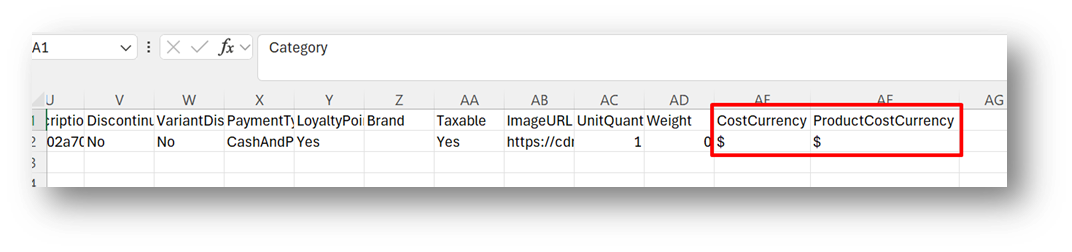
We’ve also improved data management through export and import enhancements. CSV Export now includes Product Cost Currency and Variant Cost Currency columns (symbol-based). These files can be re-imported to update cost currency settings in bulk, making it easier to maintain large product catalogs efficiently.
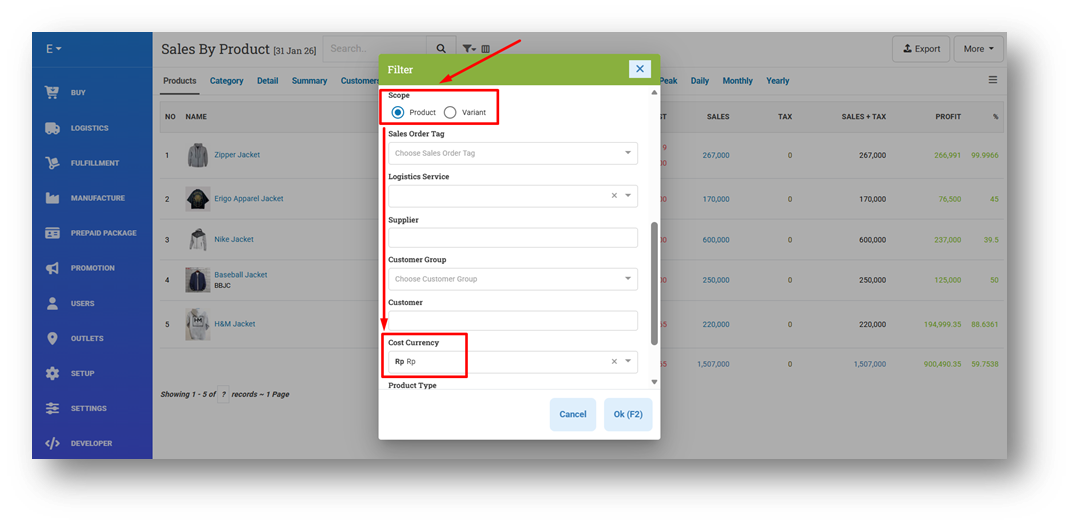
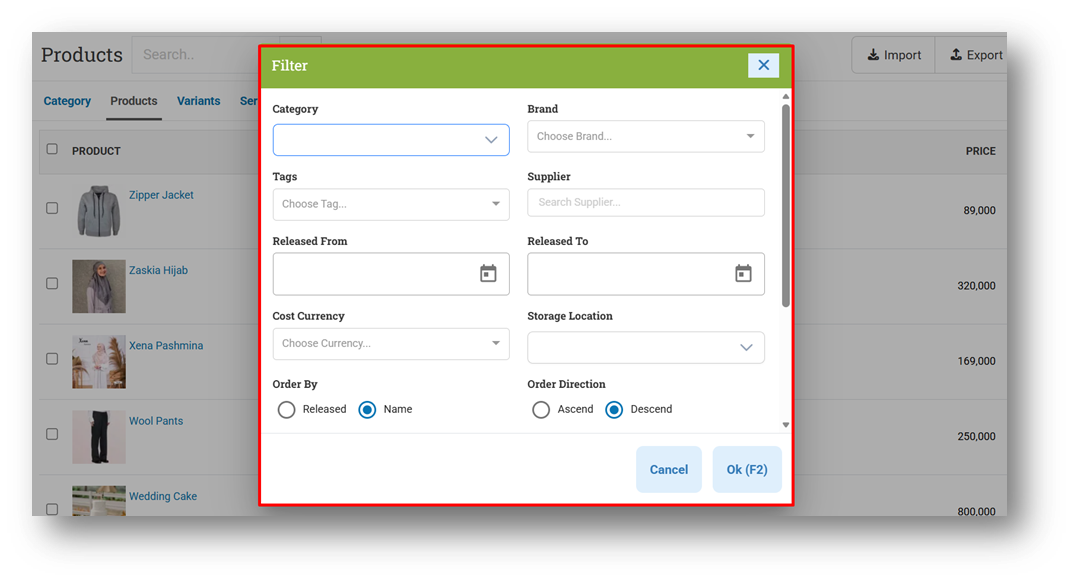
To support analysis and monitoring, the Product Report now includes a Cost Currency filter with two scopes: Products and Variants. When filtering by Products, the system checks the product-level cost currency; when filtering by Variants, it checks the variant-level currency. Similar Cost Currency filters are also available in the Product List and Variant List pages for quicker review.
This feature was developed based on customer request #10945
[Orders - Customer Invoice] Enhanced Write Off Invoice Payment
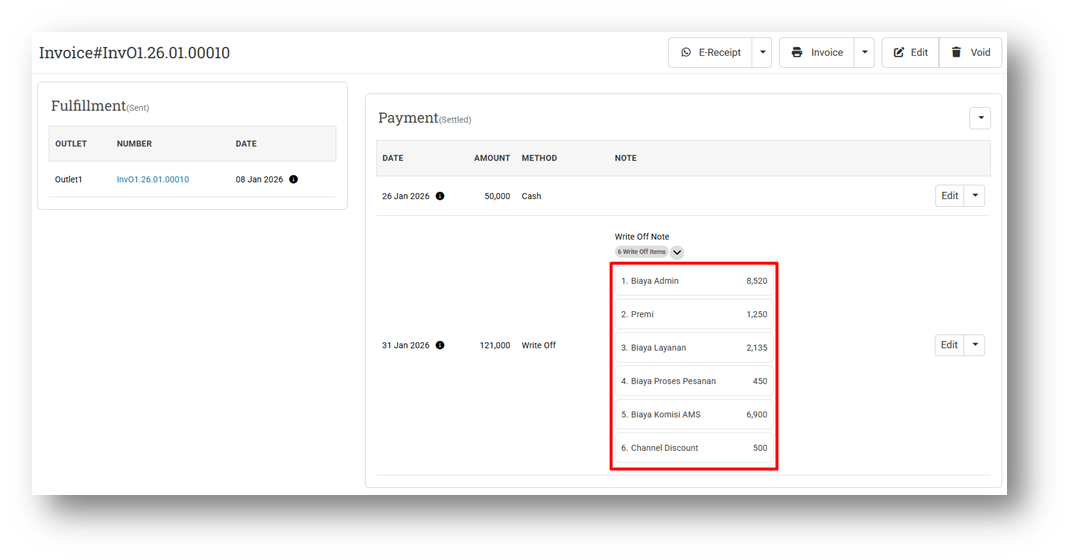
We’ve enhanced the Write Off Invoice Payment feature to better handle invoices synchronized from marketplaces such as Shopee, Tokopedia, TikTok Shop, and others. Previously, write-off amounts (such as admin fees or service charges deducted by the marketplace) were recorded as a single combined value, making it difficult to understand cost breakdowns. With this update, write-off details can now be recorded as separate items. The system provides six default Write Off Item fields, allowing fees such as service fees, premium fees, and other charges to be tracked individually. If additional write-off items are detected during marketplace synchronization, the system will automatically add new items as needed to ensure all deductions are captured accurately.
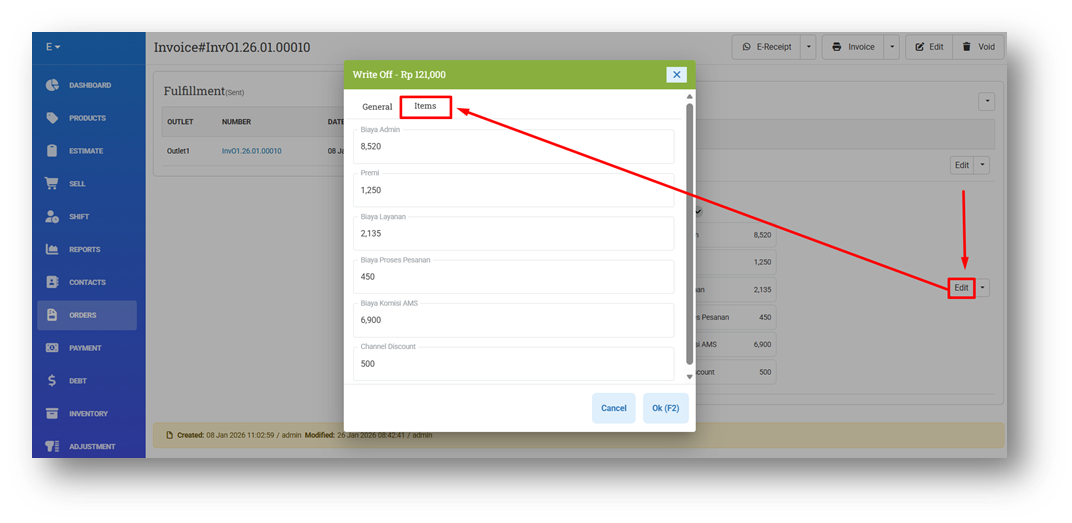
This enhancement also applies to Store / Offline Store transactions. When using the Write Off flow for non-marketplace invoices, users can now manually edit Write Off Items directly from the Invoice Info page, providing more flexibility in managing operational deductions.
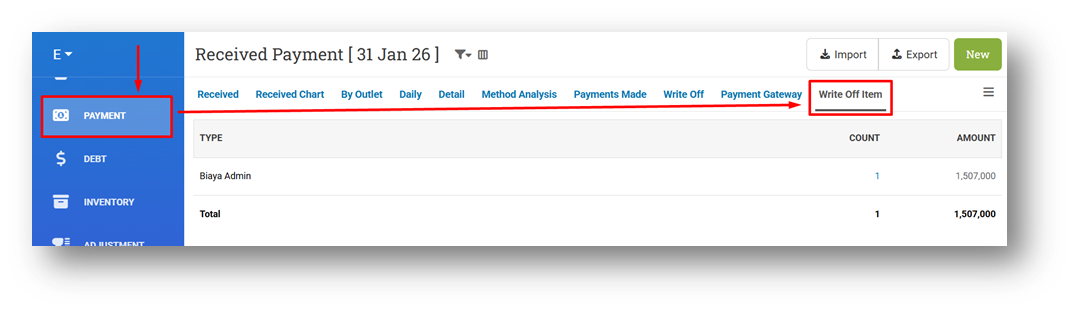
To improve visibility and reporting, we’ve added a new “Write Off Item” sub-menu under the Payment menu. This page allows users to review Write Off Items within a selected date range and clearly see how much was deducted for each category (e.g., Premium Fees, Service Fees, and other charges), making reconciliation and analysis easier.
[Adjustment] Redesign Counted & Uncounted Information
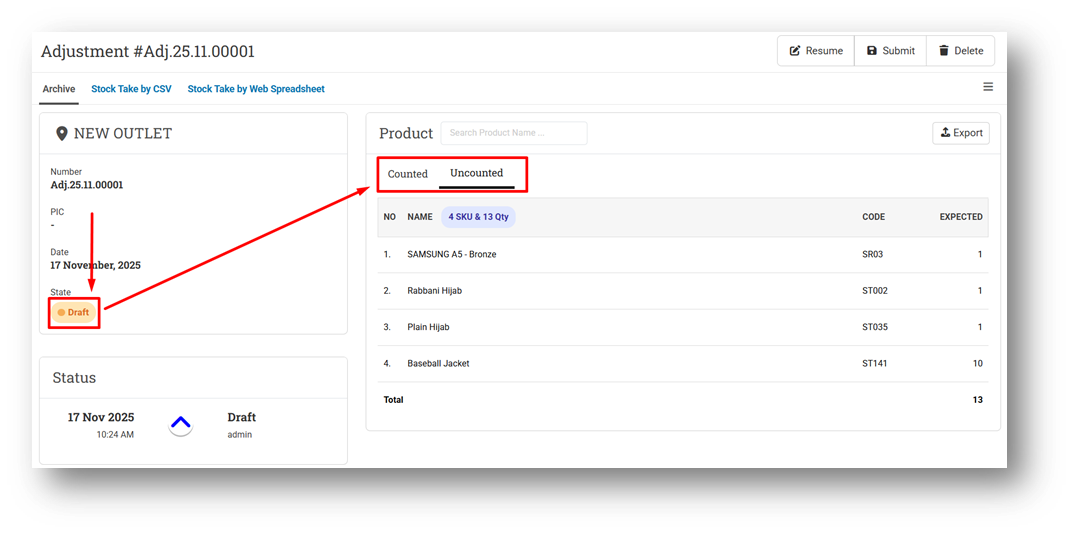
We’ve redesigned the Adjustment Info page for Count-type adjustments when the status is still Draft or Pending to reduce unnecessary steps. Previously, users had to open a separate modal to view uncounted items. Now, Counted and Uncounted item lists are displayed together within a single card, making it easier to review counting progress without leaving the page.
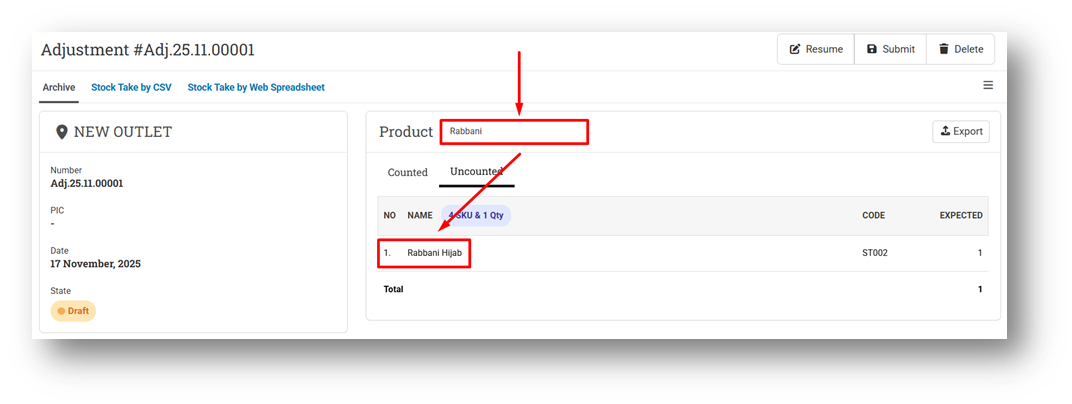
The new design uses tab-based navigation to switch between Counted and Uncounted items and includes a search by item name directly within the list. This allows users to quickly find and verify items during stock counting, resulting in a faster and more intuitive adjustment process.
Minor Improvements:
[Products]
Implement Grid Column for Product List Filter
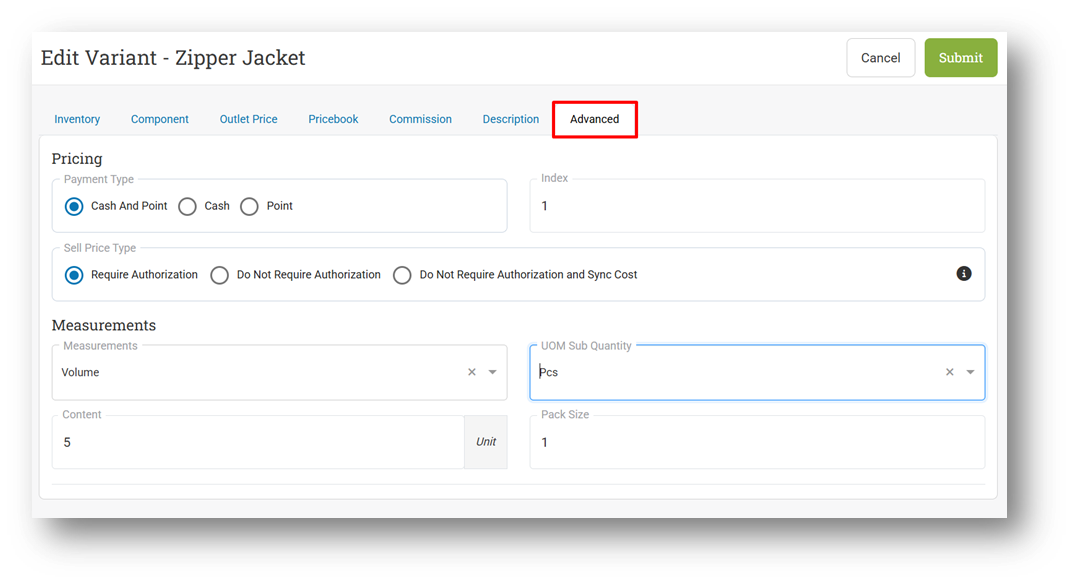
Redesign the Advanced Tab on Variant Form
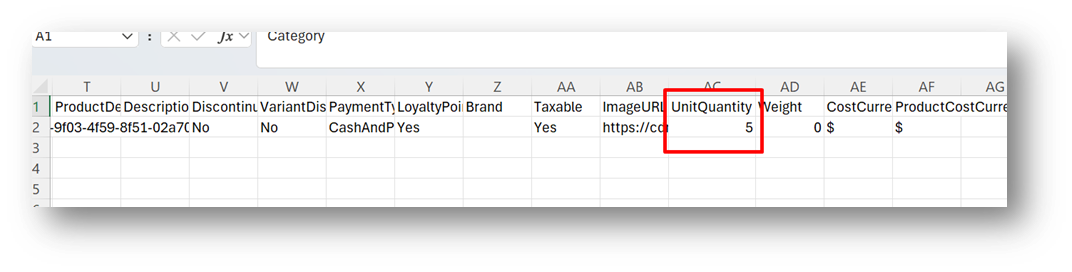
Provide Unit Quantity Column in Default CSV Export
This feature was developed based on customer request #10943
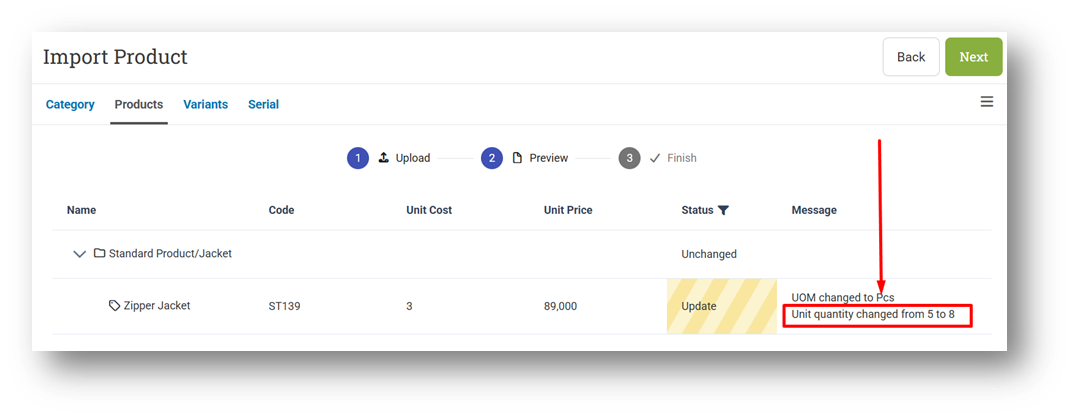
Allow Users to Update Variant Unit Quantity via CSV Export
This feature was developed based on customer request #10944
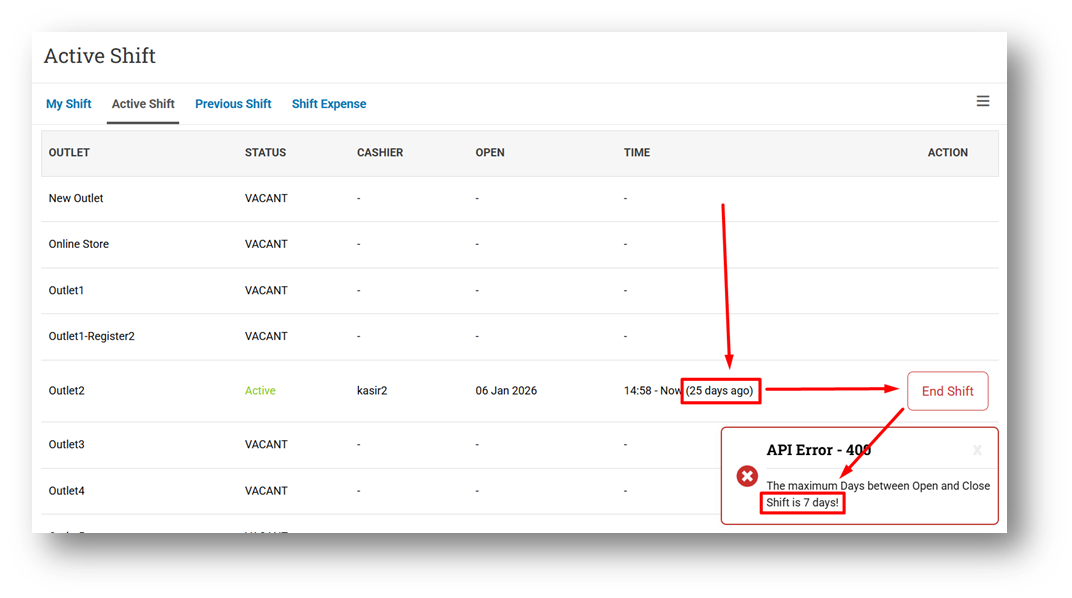
[Shift] Improve Toaster Message When Close Shift Fails Due to Maximum Days Exceeded
[Orders - Customer Invoice]
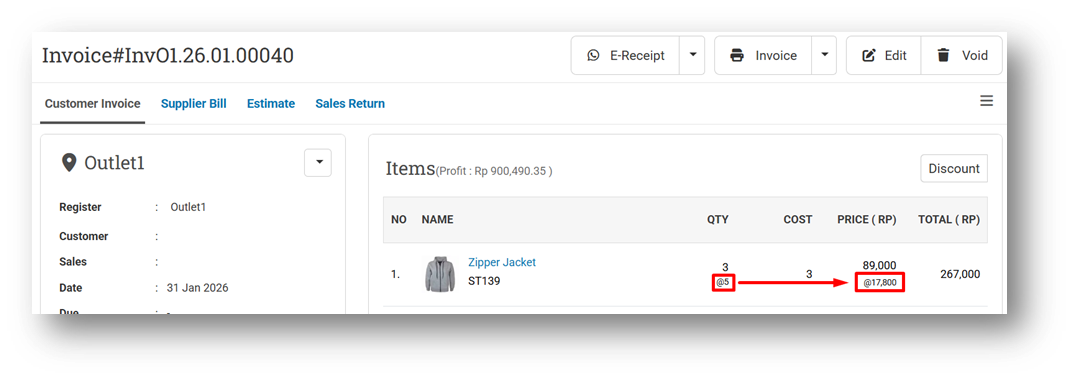
Display Price Divided by Content on Invoice Info Page
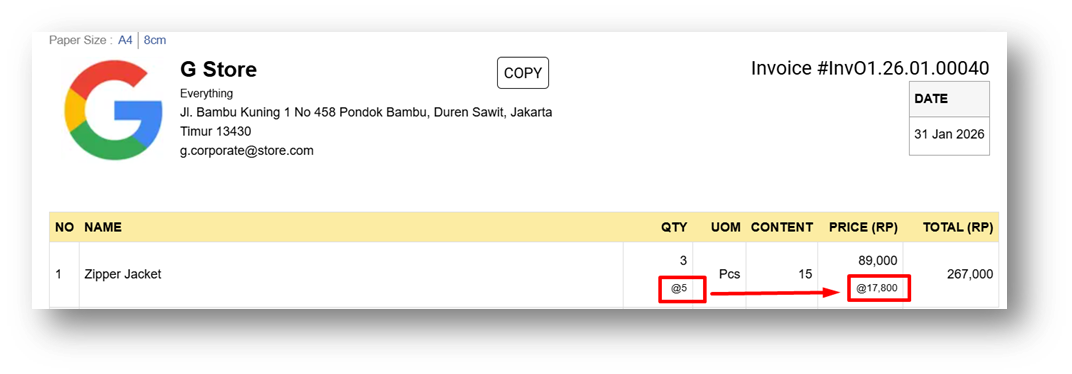
Display Price Divided by Content on A4 Invoice Printing
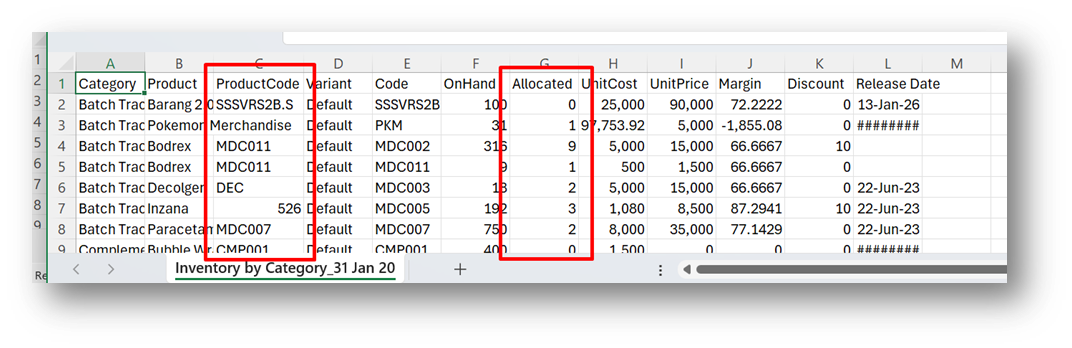
[Inventory - Value] Provide Product Code & Allocated Column in CSV Export (Category Option)
This feature was developed based on customer request #9118 & #10338
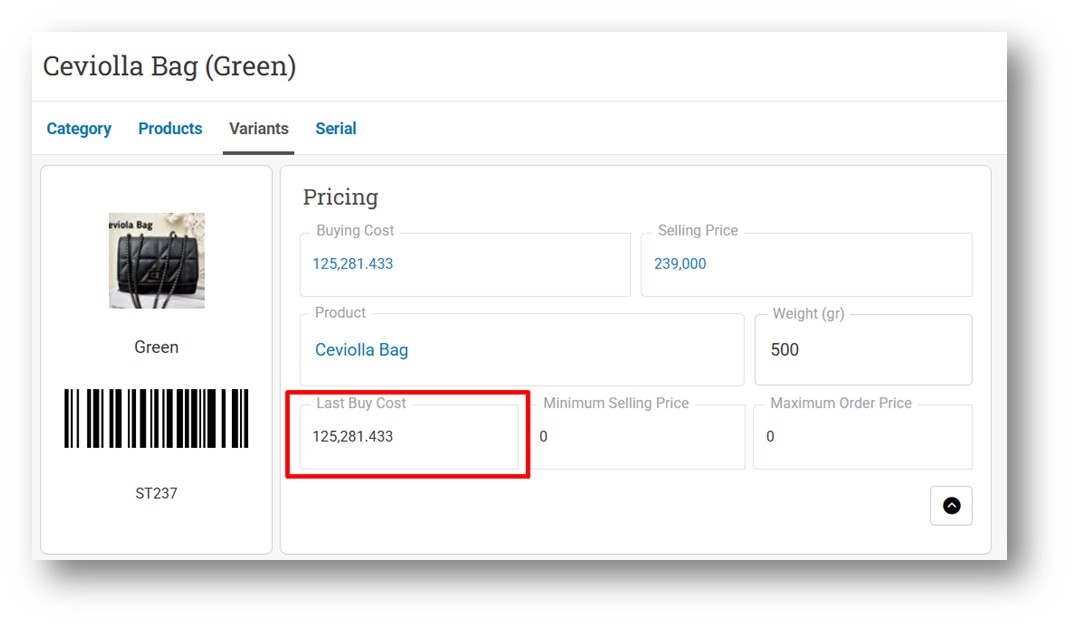
[Buy] Provide 4 Decimal Digits for Last Buy Cost Column
This feature was developed based on customer request #10871
[Promotion - Coupon] Refactor Import Coupon Query Performance
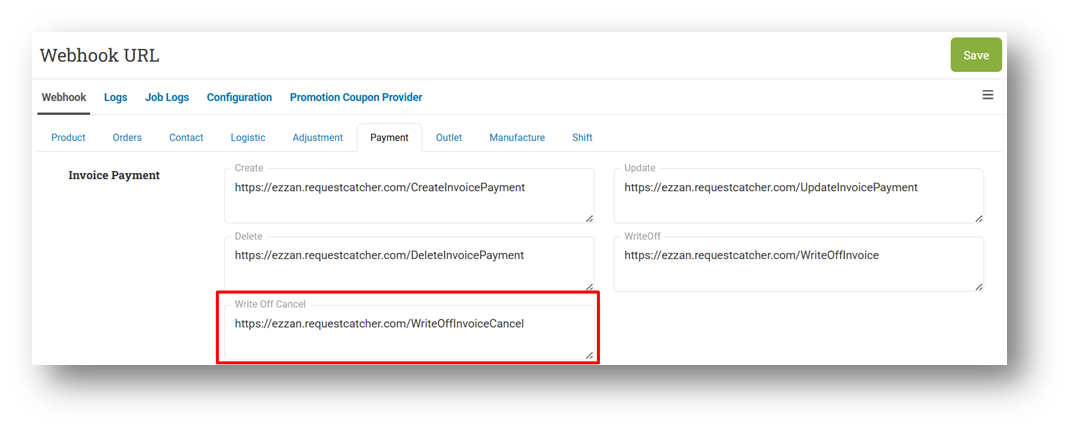
[Developer - Webhook] Provide Cancel Write Off Payment for Invoice Webhook
Bug Fixes:
[Buy] Restrict Users From Submitting Items with Zero Quantity
[Logistics - Transfer Order] Restrict Users From Submitting Items with Zero Quantity
Deprecated:
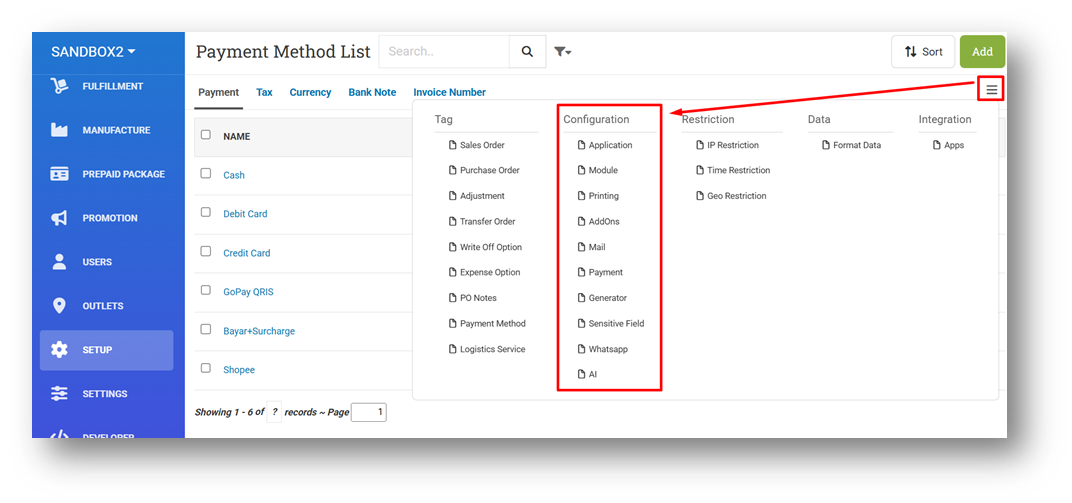
[Setup] Remove Configuration Components from More Menu
Patch 26.5.1 [5 Feb]:
[Products]
Fix Cost Currency Filter Does Not Work
Display Currency Name in CSV Export Instead of Symbol
[Products - Variants]
Provide Cost Currency Filter
Improve More Price & Currency Option UX on Variant Info & Form
[Products - Import] Allow Users to Update Currency via CSV by Name Instead of Symbol
[Sell]
Fix Show Coupon Balance Configuration Does Not Work
Fix Applied Coupon Toaster Does Not Appear
Improve Apply Coupon Handling by Trimming Leading and Trailing Spaces
[Orders - Invoice]
Fix Write Off Modal Does Not Appear
Display Currency Name on A4 Printing Wordify Instead of Symbol
Improve Unit Quantity Spacing on A4 Invoice Printing
[Payment - Write Off Item] Fix Write Off Item Page Cannot Be Opened
Patch 26.5.2 [9 Feb]:
[Products] Restrict Max Order Price Input Field in Product Form - Variant Modal with Cost Role
[Products - Variants] Restrict Max Order Price in Variant Info & Form with Cost Role
[Sell]
Fix Numeric Keypad Rendered Behind Payment Modal
Fix Payment Error When Mixing Return (Cash & Point) and Exchange (Cash Only) Items
Patch 26.5.3 [10 Feb]:
[Sell] Fix Debt Limit Validation Ignored When Max Overdue Is Set
[Outlets]
Optimize Create Outlet Query
Provide Initialize Inventory Option When Creating Outlet
Patch 26.5.4 [11 Feb]:
[Products - Variants] Improve Variant Visibility for Outlets Without Initialized Inventory
[Sell]
Fix Coupon Usage Not Reduced When Applied to Retrieved Order
Fix One Of First Quantity Coupon Flag Incorrect When Cart Has Single Item
Implement Quantity Fraction for Inventory Section on Item Modal
Stay tuned for more updates, and don't hesitate to reach out if you have any questions or need support