- DATE:
- AUTHOR:
- Ezzan

WebApp Version 26.8 Changelog
This update includes new features, essential performance improvements, and usability enhancements, ensuring your daily operations run smoothly. We've also addressed several bug fixes to enhance stability and reliability. Thank you for your continued trust and feedback, which help us deliver the best possible service.
New Feature:
[Sell] Redesign Payment Later Modal
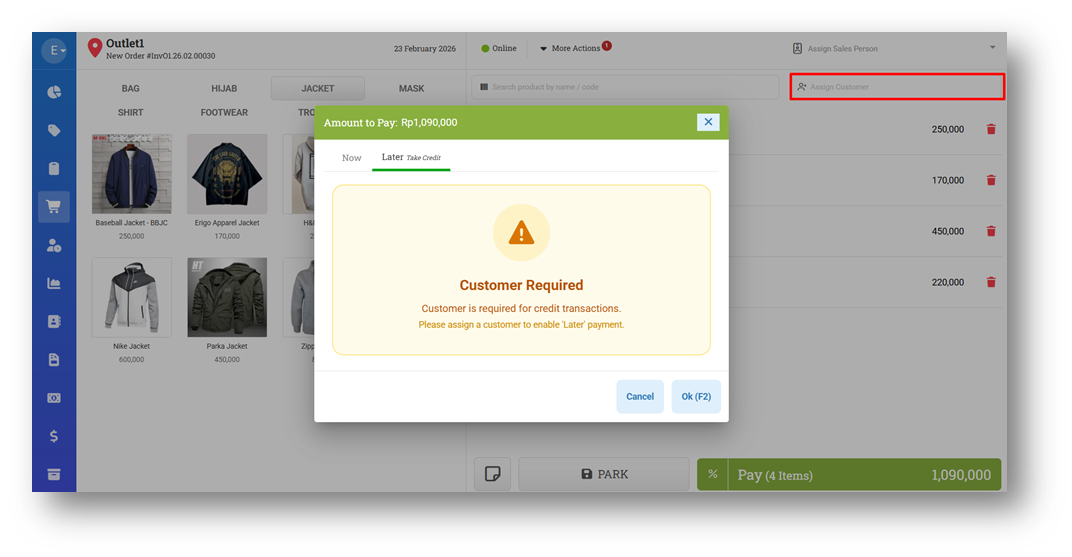
We’ve refreshed the Payment Later modal to make the flow clearer and more intuitive. Since the Payment Later feature requires a customer to be assigned before it can be used, the new UI now clearly displays a “Customer Required” indicator when no customer has been selected. This helps prevent confusion and guides users to complete the necessary step before proceeding.
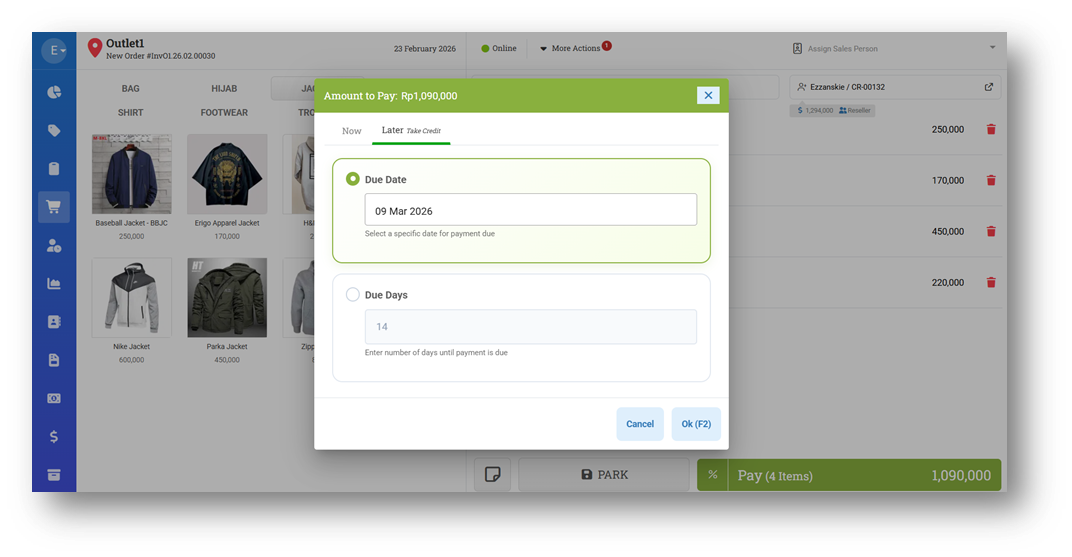
Once a customer is assigned, the modal automatically unlocks the available options, including selecting a Due Date, and provides a refreshed, more user-friendly interface. This redesign ensures a smoother workflow and reduces errors during invoice creation.
Minor Improvements:
[My Subscription]
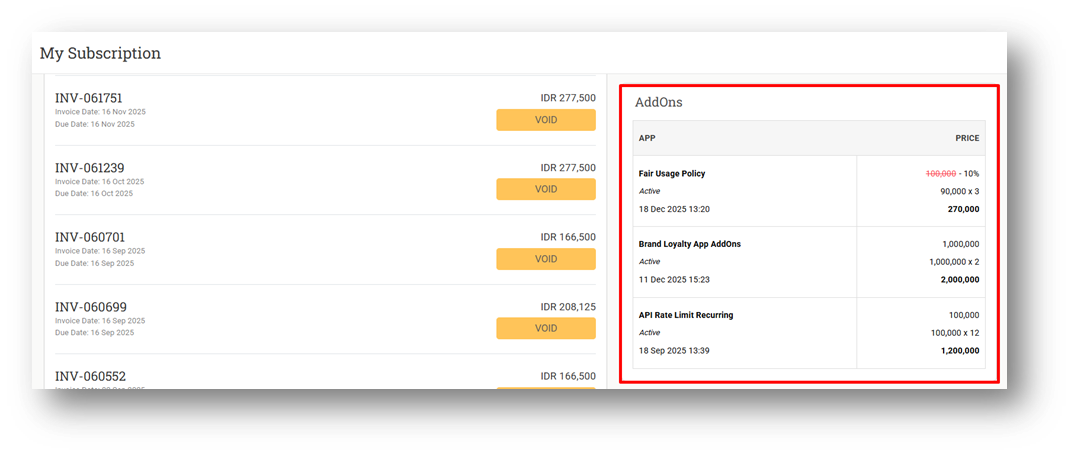
Provide Subscription AddOns Information
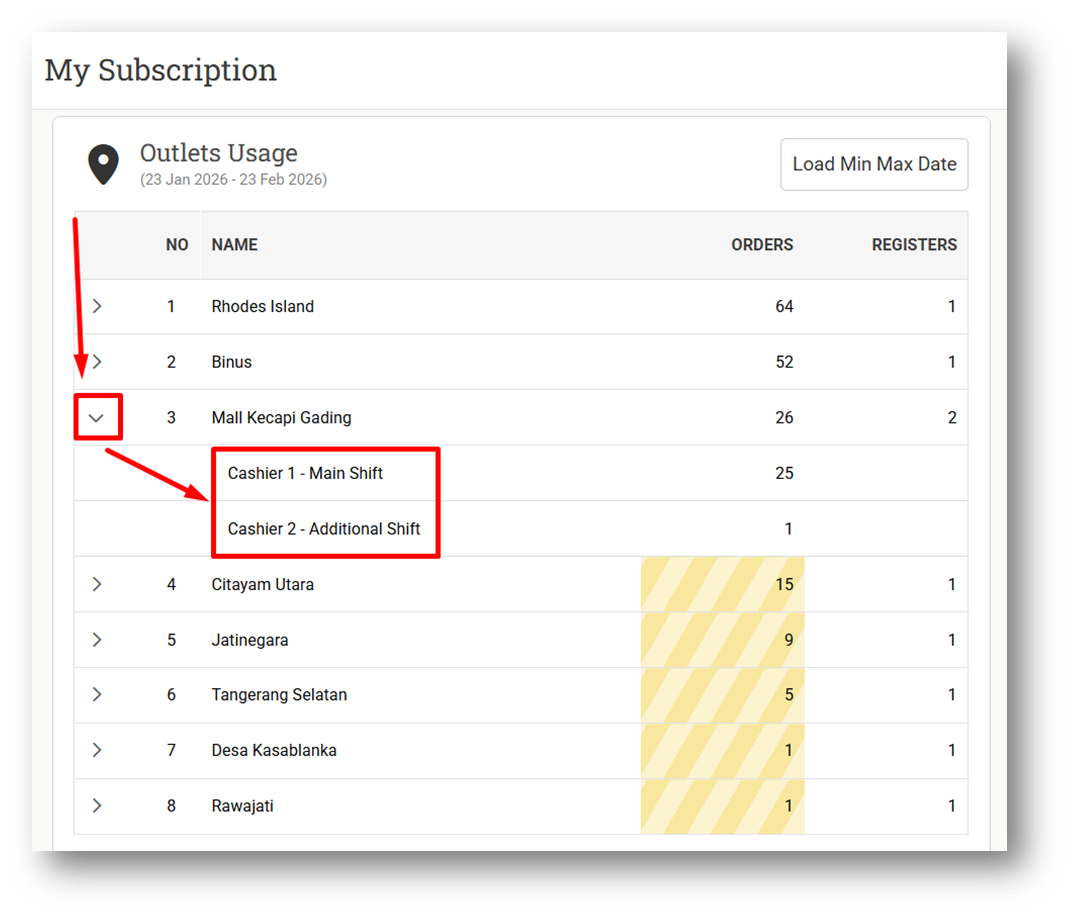
Provide Order Count by Register Information
[Orders - Invoice] Prevent Submitting Write Off Item Amount More Than Write Off Amount
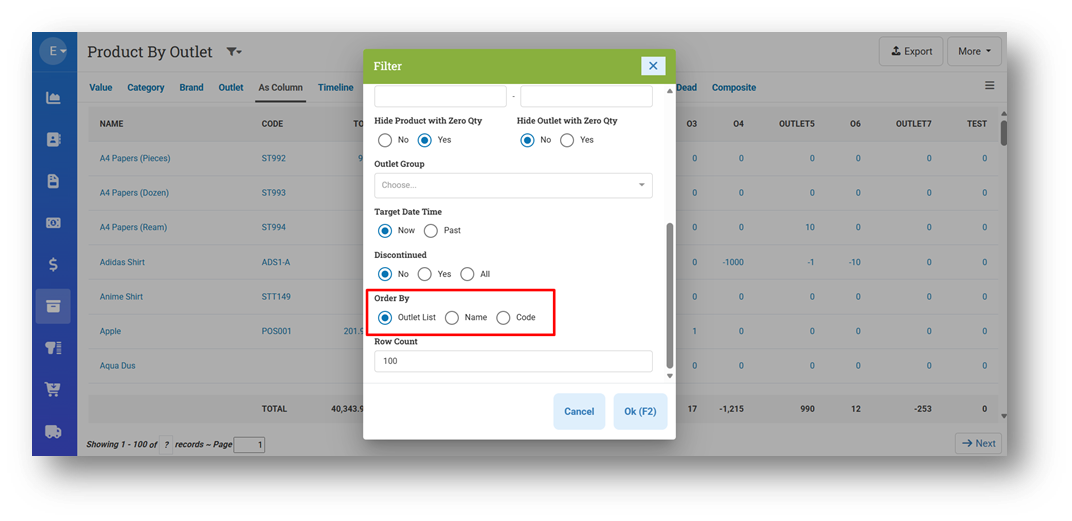
[Inventory - Outlet As Column] Provide Order By on Filter for Outlet Columns

Bug Fixes:
[Settings - Application (Rounding)] Prevent Users from Removing Rounding Option Value
Patch 26.8.1 [26 Feb]:
[My Subscription] Provide Listing Icon for Register List in Outlet Breakdown
[Products - Variants] Fix Remove Any Component Does Not Trigger Composite Cost
[Sell] Fix Due Days Logic in Payment Later Tab
Patch 26.8.2 [2 Mar]:
[Sell] Fix: Price Editor Role Bypass via CSV Item Import
[Buy] Fix: Improper Enforcement of Cost Maximum Restriction on Item Purchases
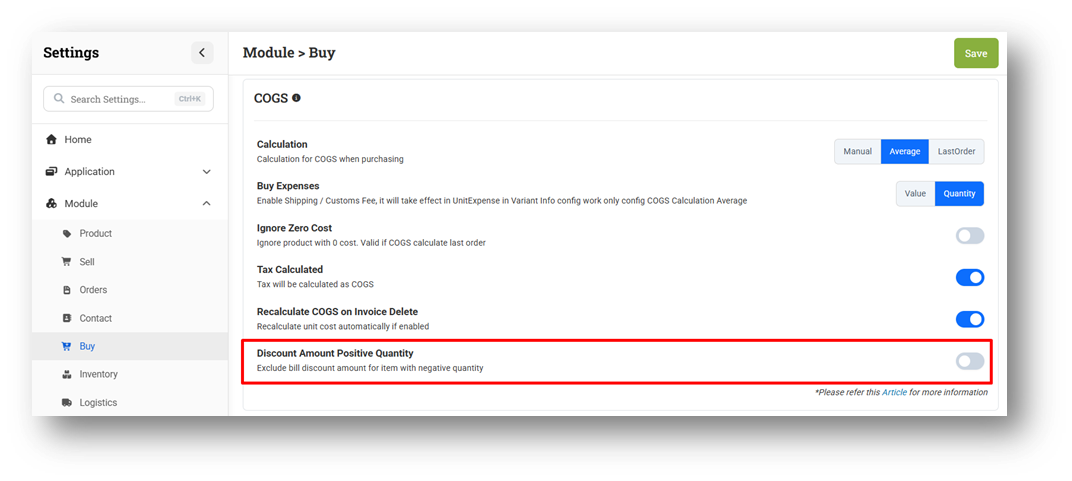
[Settings - Module (Buy)] Provide Discount Amount Positive Quantity Settings
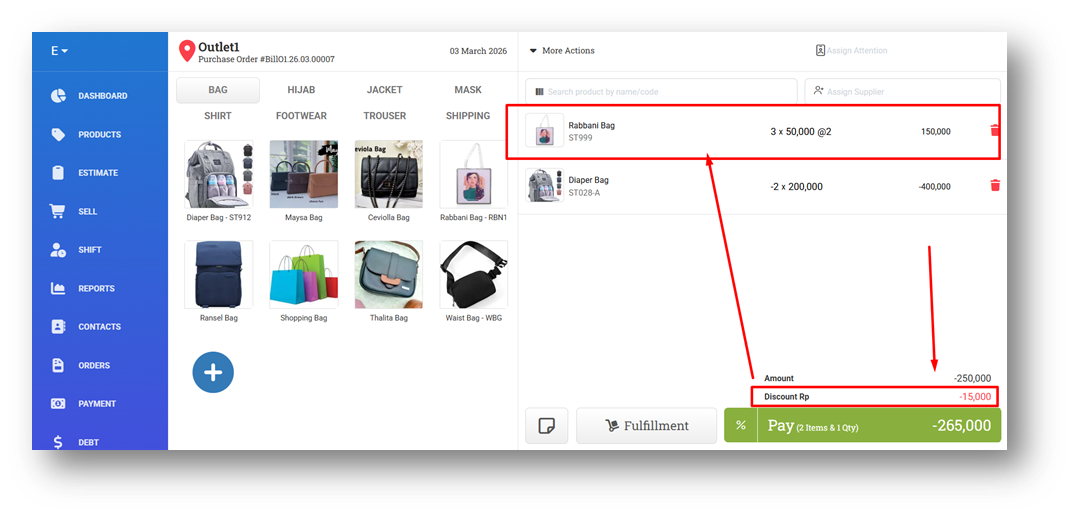
We’ve introduced a new setting, Discount Amount Positive Quantity, to improve how discount amounts are distributed within a transaction. When this setting is enabled and the cart contains both positive and negative quantity items, the discount amount will be allocated only to items with positive quantities.
The distribution is calculated proportionally based on each item’s value (quantity multiplied by product cost), ensuring a fair and accurate allocation across eligible items. Negative quantity items will not receive any portion of the discount when this setting is active, providing clearer financial control and more consistent discount behavior.
Patch 26.8.3 [3 Mar]:
[Products - Variants] Fix Cost Becomes Zero On Edit Variant Form
[Orders - Bill] Fix: Missing Negative Quantity Items in Bill Info
[Settings - Module (Buy)]
Remove Positive Quantity Discount Amount Settings
Implement Positive Quantity Discount Amount as Default
[Infrastructure] Update Key for Product Description AI
Patch 26.8.4 [5 Mar]:
[Products - Variants] Fix Incorrect COGS for Negative Quantity Items with Bill Discount Amount
[Reports - Purchase] Fix Incorrect Purchase & Tax for Negative Quantity Items
[Infrastructure] Re-Route Omni App Host URL
Patch 26.8.5 [6 Mar]:
[Products - Import] Fix: Imported Prepaid Package Products Missing from Customer Package List
[Reports - Purchase] Fix Incorrect Purchase & Tax for Negative Quantity Items
Stay tuned for more updates, and don't hesitate to reach out if you have any questions or need support